Page 266 of 324
FREQUENTLY ASKED QUESTIONS
264
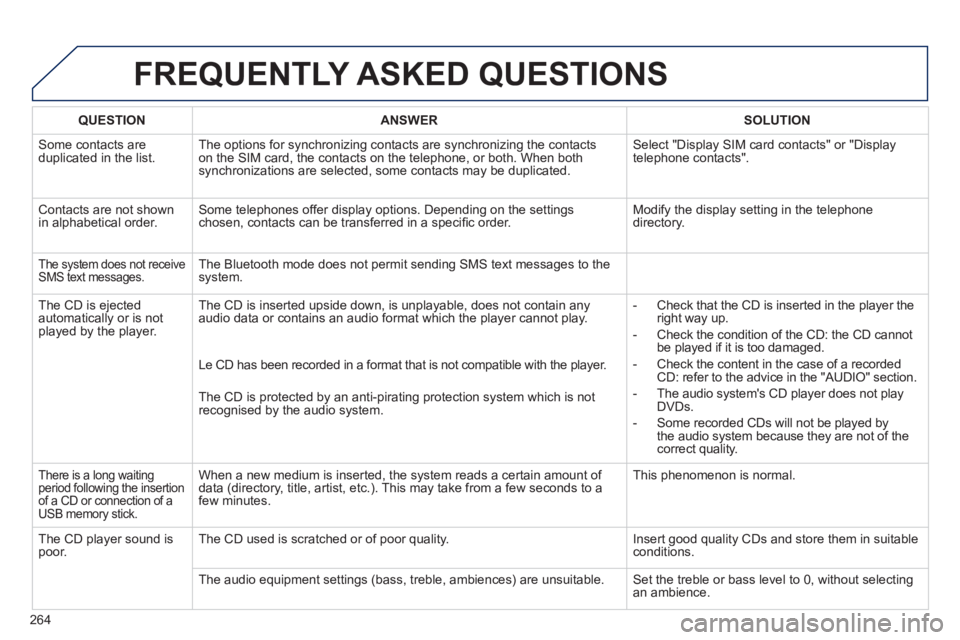
QUESTIONANSWER SOLUTION
Some contacts areduplicated in the list.The options for synchronizing contacts are synchronizing the contacts
on the SIM card, the contacts on the telephone, or both. When both
synchronizations are selected, some contacts may be duplicated.
Select "Display SIM card contacts" or "Displaytelephone contacts".
Contacts are not shown
in alphabetical order.Some telephones offer display options. Depending on the settingschosen, contacts can be transferred in a specifi c order. Modify the display setting in the telephone
directory.
The system does not receive SMS text messages.The Bluetooth mode does not permit sending SMS text messages to the
system.
The CD is e
jected
automatically or is not played by the player. The CD is inserted upside down, is unpla
yable, does not contain any audio data or contains an audio format which the player cannot play.
- Check that the CD is inserted in the player the
right way up.
-
Check the condition of the CD: the CD cannot
be played if it is too damaged.
-
Check the content in the case of a recordedCD: refer to the advice in the "AUDIO" section.
- The audio s
ystem's CD player does not play
DVDs.
- Some recorded CDs will not be pla
yed bythe audio system because they are not of thecorrect quality. Le
CD has been recorded in a format that is not compatible with the player.
The CD is protected b
y an anti-pirating protection system which is not recognised by the audio system.
There is a long waiting
period following the insertion
of a CD or connection of a USB memory stick.
When a new medium is inserted, the system reads a certain amount of
data (directory, title, artist, etc.). This may take from a few seconds to a
few minutes. This phenomenon is normal.
The
CD player sound ispoor.The CD used is scratched or of poor quality. Insert good quality CDs and store them in suitable conditions.
The audio equipment settin
gs (bass, treble, ambiences) are unsuitable. Set the treble or bass level to 0, without selectingan ambience.
Page 269 of 324
FREQUENTLY ASKED QUESTIONS
267
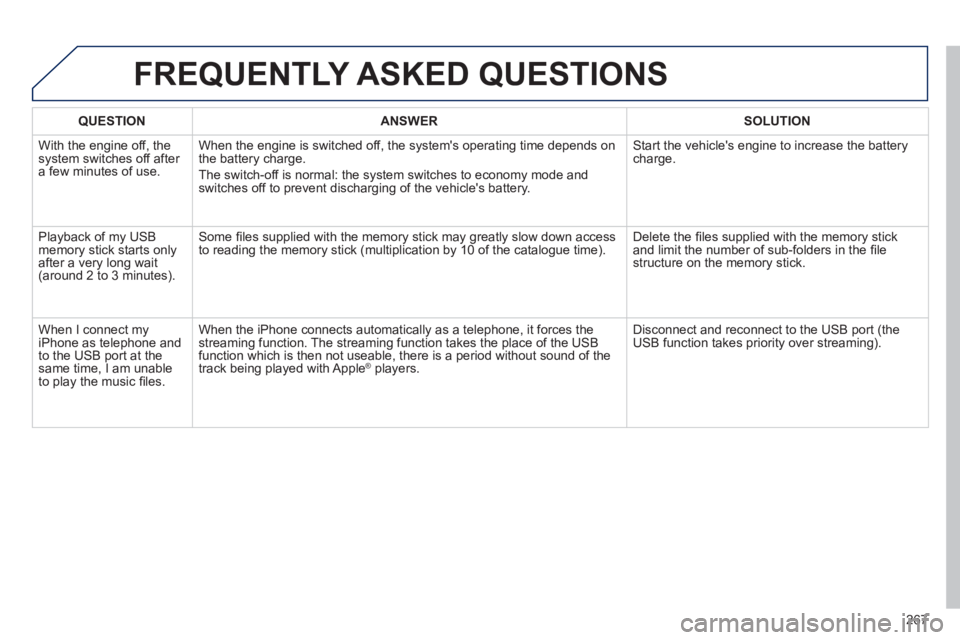
QUESTIONANSWERSOLUTION
With the engine off, the system switches off after a few minutes of use.When the en
gine is switched off, the system's operating time depends on
the battery charge.
The switch-off is normal: the s
ystem switches to economy mode and
switches off to prevent discharging of the vehicle's battery. Start the vehicle's en
gine to increase the batterycharge.
Pla
yback of my USB memory stick starts only
after a very long wait (around 2 to 3 minutes).
Some fi les supplied with the memory stick may greatly slow down access
to reading the memory stick (multiplication by 10 of the catalogue time). Delete the fi les supplied with the memory stickand limit the number of sub-folders in the fi le structure on the memory stick.
When I connect m
yiPhone as telephone and
to the USB port at the
same time, I am unable
to play the music fi les. When the iPhone connects automaticall
y as a telephone, it forces the
streaming function. The streaming function takes the place of the USB
function which is then not useable, there is a period without sound of the
trac
k being played with AppleÆ players.Æ
Disconnect and reconnect to the USB port (the USB function takes priority over streaming).
Page 277 of 324
04
275
AUDIO
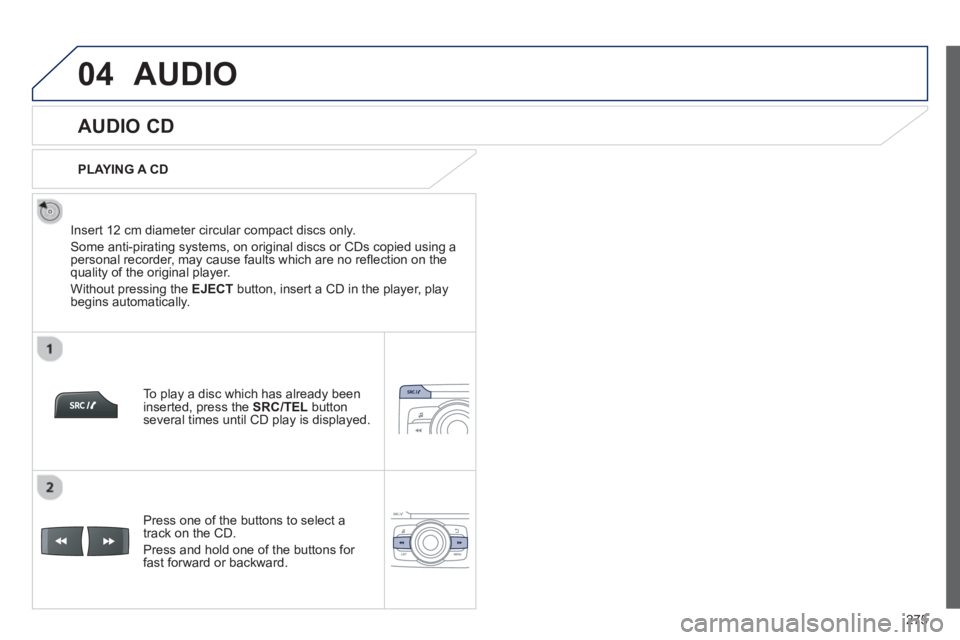
AUDIO CD
Insert 12 cm diameter circular compact discs only.
Some anti-piratin
g systems, on original discs or CDs copied using apersonal recorder, may cause faults which are no refl ection on thequality of the original player.
Without pressing the EJECT
button, insert a CD in the player, playbegins automatically.
To pla
y a disc which has already been
inserted, press the SRC/TEL
button several times until CD play is displayed.
Pr
ess one of the buttons to select a
track on the CD.
Pr
ess and hold one of the buttons for fast forward or backward.
PLAYING A CD
Page 278 of 324
04
276
AUDIO
CD, USB
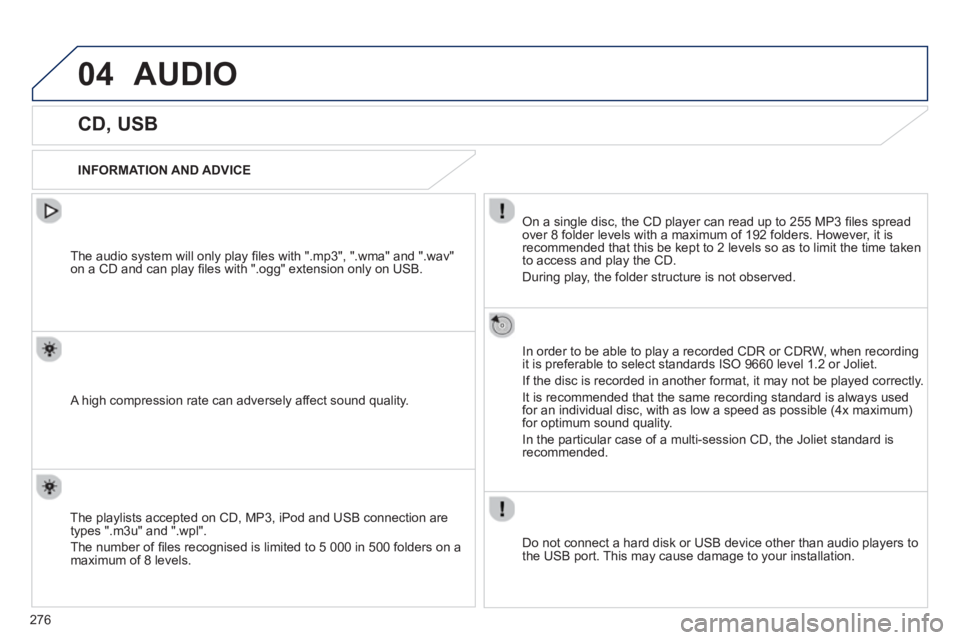
INFORMATION AND ADVICE
On a single disc, the CD player can read up to 255 MP3 fi les spread
over 8 folder levels with a maximum of 192 folders. However, it is
recommended that this be kept to 2 levels so as to limit the time taken
to access and play the CD.
Durin
g play, the folder structure is not observed.
In order to be able to pla
y a recorded CDR or CDRW, when recordingit is preferable to select standards ISO 9660 level 1.2 or Joliet.
If the disc is recorded in another format, it ma
y not be played correctly.
It is recommended that the same recording standard is always usedfor an individual disc, with as low a speed as possible (4x maximum)for optimum sound quality.
In the particular case o
f a multi-session CD, the Joliet standard is
recommended.
Do not connect a hard disk or U
SB device other than audio players to
the USB port. This may cause damage to your installation.
The audio s
ystem will only play fi les with ".mp3", ".wma" and ".wav"
on a CD and can play fi les with ".ogg" extension only on USB.
A high compression rate can adversely affect sound quality.
The pla
ylists accepted on CD, MP3, iPod and USB connection are
types ".m3u" and ".wpl".
The number of fi les reco
gnised is limited to 5 000 in 500 folders on a maximum of 8 levels.
Page 281 of 324
04AUDIO
iPod ®
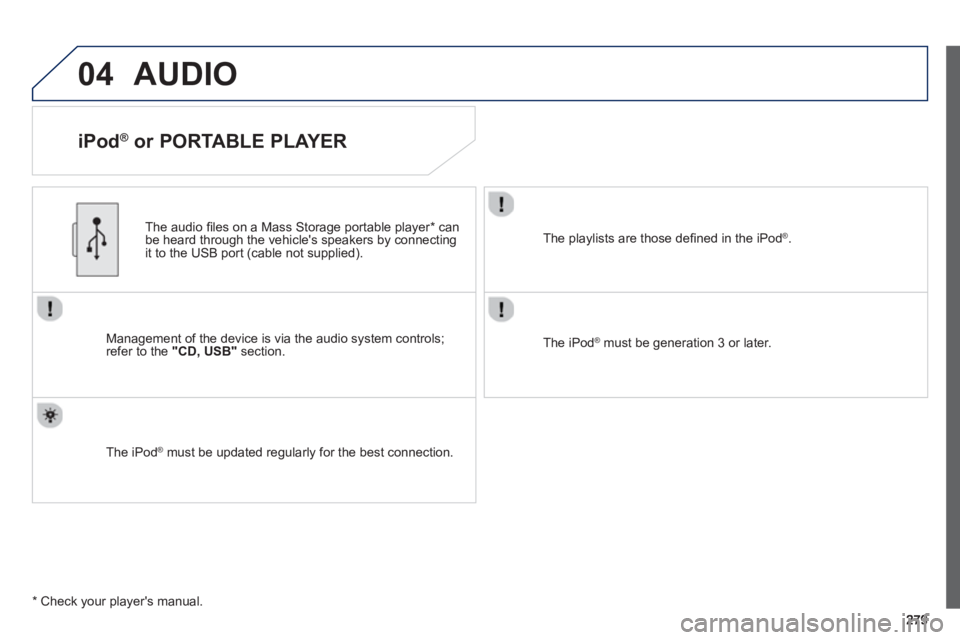
or PORTABLE PLAYER
Management of the device is via the audio system controls; refer to the "CD, USB"section.
The audio
fi les on a Mass Storage portable player *
can
be heard through the vehicle's speakers by connectingit to the USB port (cable not supplied).
The iPod Æ must be updated regularly for the best connection. Æ
The playlists are those defi ned in the iPod®.
The iPod®
must be generation 3 or later.
®
*
Check your player's manual.
Page 294 of 324
292
FREQUENTLY ASKED QUESTIONS
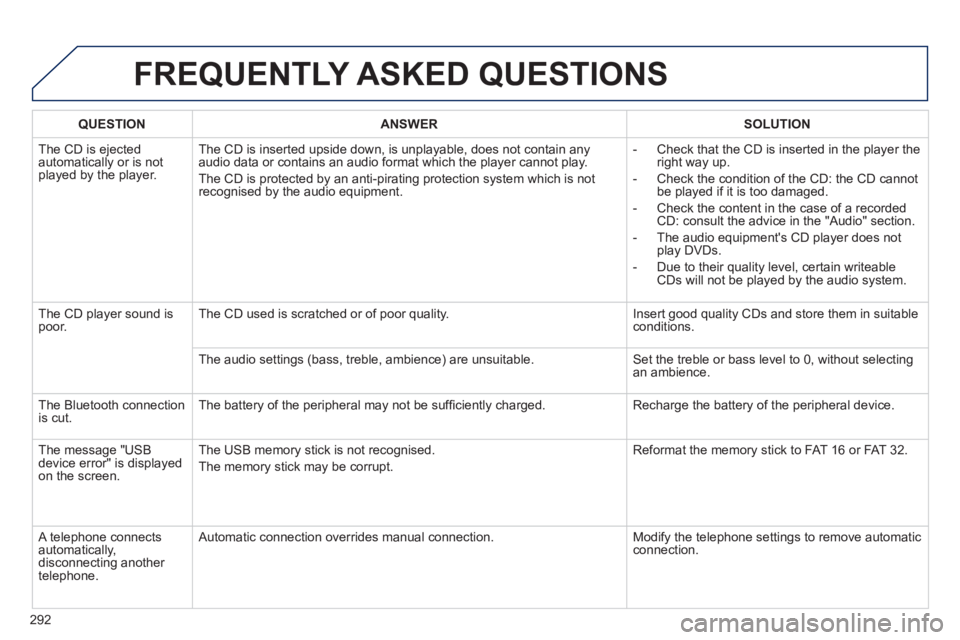
QUESTIONANSWERSOLUTION
The CD is ejected
automatically or is not played by the player. The
CD is inserted upside down, is unplayable, does not contain any audio data or contains an audio format which the player cannot play.
The
CD is protected by an anti-pirating protection system which is not recognised by the audio equipment.
-
Check that the CD is inserted in the player the
right way up.
-
Check the condition of the CD: the CD cannot
be played if it is too damaged.
-
Check the content in the case of a recordedCD: consult the advice in the "Audio" section.
- The audio equipment's CD pla
yer does not
play DVDs.
-
Due to their quality level, certain writeableCDs will not be played by the audio system.
The
CD player sound ispoor.The CD used is scratched or of poor quality. Insert good quality CDs and store them in suitable conditions.
The audio settin
gs (bass, treble, ambience) are unsuitable. Set the treble or bass level to 0, without selectingan ambience.
Th
e Bluetooth connection
is cut. The battery of the peripheral may not be suffi ciently charged. Recharge the battery of the peripheral device.
The messa
ge "USB
device error" is displayedon the screen.The USB memor
y stick is not recognised.
The memor
y stick may be corrupt. Reformat the memor
y stick to FAT 16 or FAT 32.
A telephone connects
automatically,
disconnecting another
telephone. A
utomatic connection overrides manual connection. Modify the telephone settings to remove automatic connection.
Page 303 of 324
03
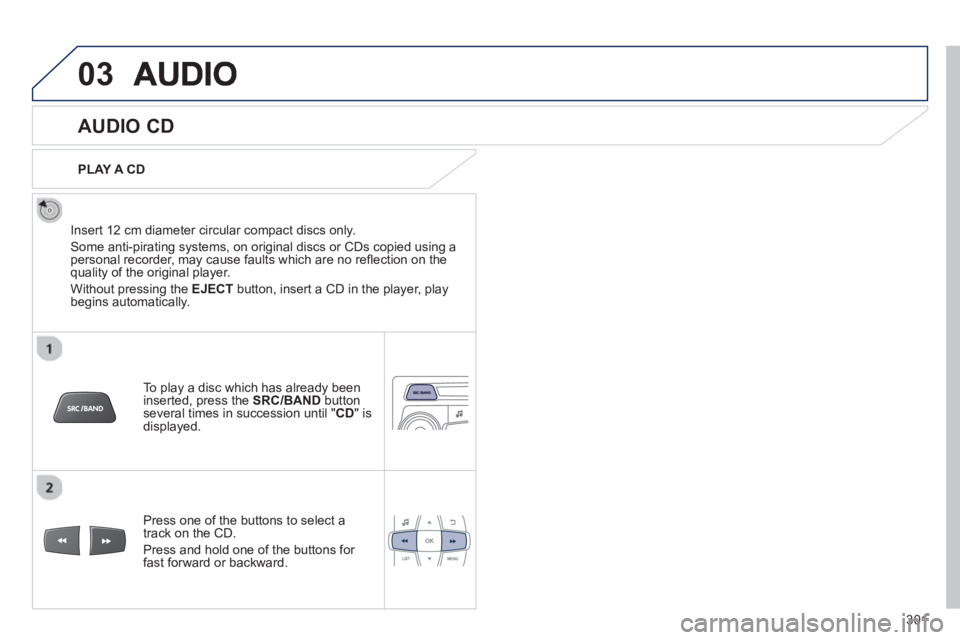
AUDIO CD
Insert 12 cm diameter circular compact discs only.
Some anti-piratin
g systems, on original discs or CDs copied using apersonal recorder, may cause faults which are no refl ection on thequality of the original player.
Without pressing the EJECT
button, insert a CD in the player, playbegins automatically.
To play a disc which has already beeninserted, press the SRC/BAND
buttonseveral times in succession until "CD " is
displayed.
Pr
ess one of the buttons to select a
track on the CD.
Pr
ess and hold one of the buttons for fast forward or backward.
PLAY A
CD
301
Page 304 of 324
03AUDIO
CD
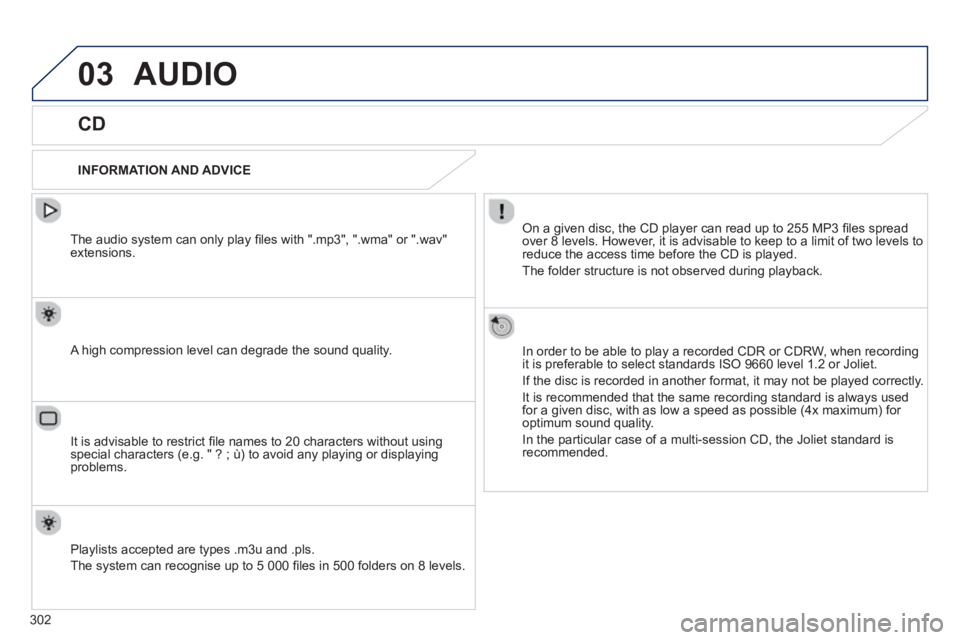
INFORMATION AND ADVICE
On a given disc, the CD player can read up to 255 MP3 fi les spread
over 8 levels. However, it is advisable to keep to a limit of two levels to
reduce the access time be
fore the CD is played.
The
folder structure is not observed during playback.
In order to be able to pla
y a recorded CDR or CDRW, when recordingit is preferable to select standards ISO 9660 level 1.2 or Joliet.
If the disc is recorded in another format, it ma
y not be played correctly.
It is recommended that the same recording standard is always usedfor a given disc, with as low a speed as possible (4x maximum) for
optimum sound quality.
In the particular case o
f a multi-session CD, the Joliet standard is
recommended.
The audio s
ystem can only play fi les with ".mp3", ".wma" or ".wav"extensions.
A high compression level can degrade the sound quality.
Pla
ylists accepted are types .m3u and .pls.
The s
ystem can recognise up to 5 000 fi les in 500 folders on 8 levels.
It is advisable to restrict fi le names to 20 characters without usin
gspecial characters (e.g. " ? ; ù) to avoid any playing or displaying problems.
302