Page 174 of 402
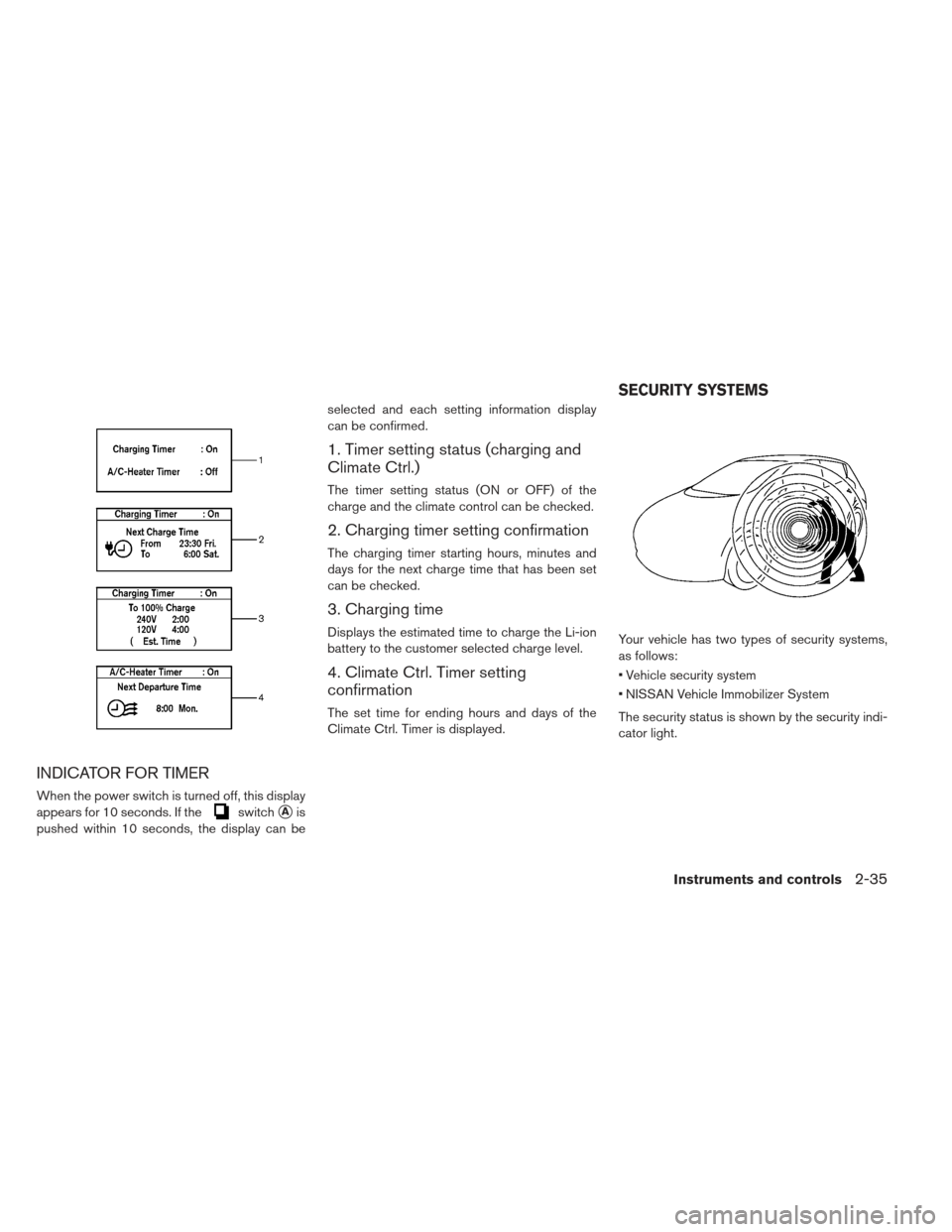
INDICATOR FOR TIMER
When the power switch is turned off, this display
appears for 10 seconds. If the
switch�Ais
pushed within 10 seconds, the display can be selected and each setting information display
can be confirmed.
1. Timer setting status (charging and
Climate Ctrl.)
The timer setting status (ON or OFF) of the
charge and the climate control can be checked.
2. Charging timer setting confirmation
The charging timer starting hours, minutes and
days for the next charge time that has been set
can be checked.
3. Charging time
Displays the estimated time to charge the Li-ion
battery to the customer selected charge level.
4. Climate Ctrl. Timer setting
confirmation
The set time for ending hours and days of the
Climate Ctrl. Timer is displayed.
Your vehicle has two types of security systems,
as follows:
Vehicle security system
NISSAN Vehicle Immobilizer System
The security status is shown by the security indi-
cator light.
SECURITY SYSTEMS
Instruments and controls2-35
Page 188 of 402
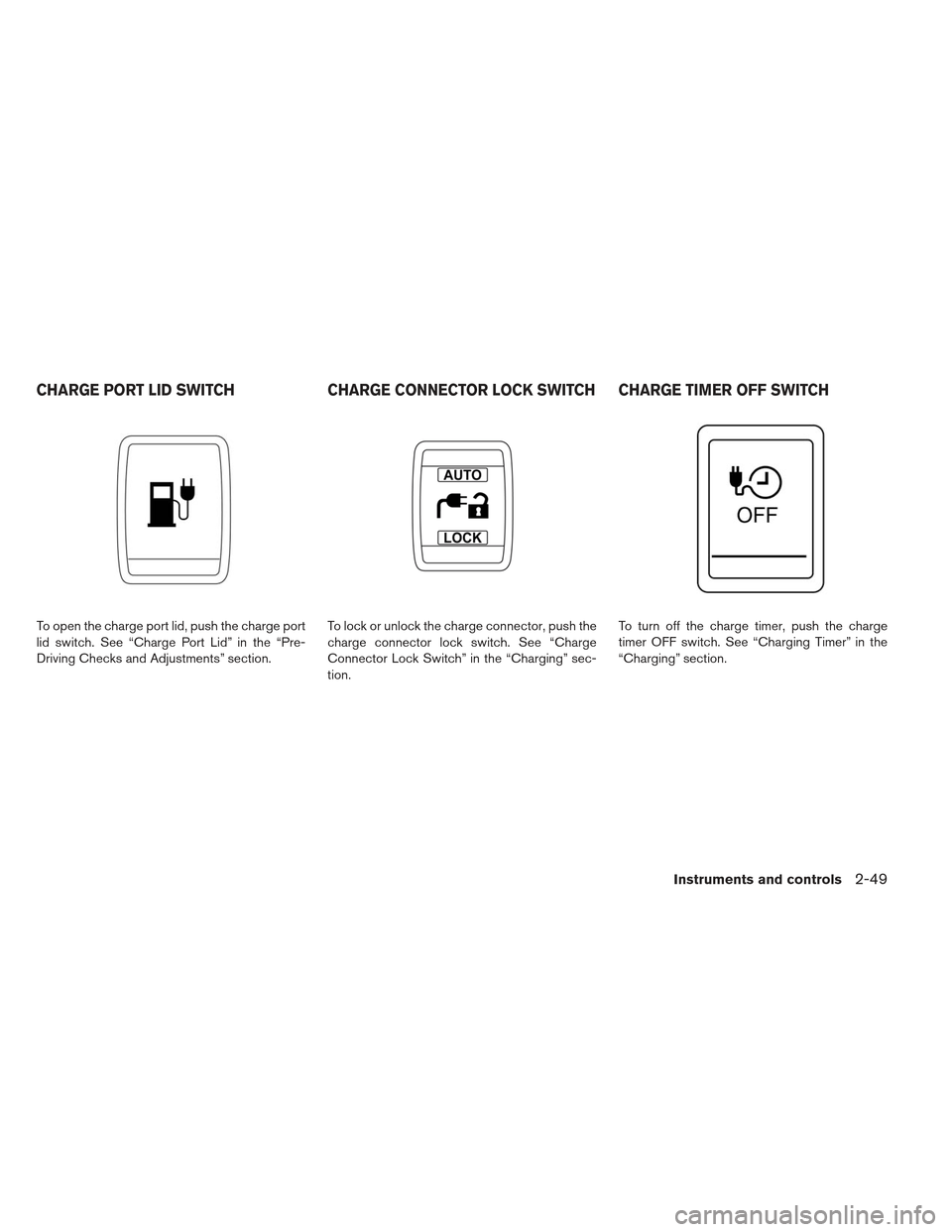
To open the charge port lid, push the charge port
lid switch. See “Charge Port Lid” in the “Pre-
Driving Checks and Adjustments” section.To lock or unlock the charge connector, push the
charge connector lock switch. See “Charge
Connector Lock Switch” in the “Charging” sec-
tion.To turn off the charge timer, push the charge
timer OFF switch. See “Charging Timer” in the
“Charging” section.
CHARGE PORT LID SWITCH
CHARGE CONNECTOR LOCK SWITCH CHARGE TIMER OFF SWITCH
Instruments and controls2-49
Page 189 of 402
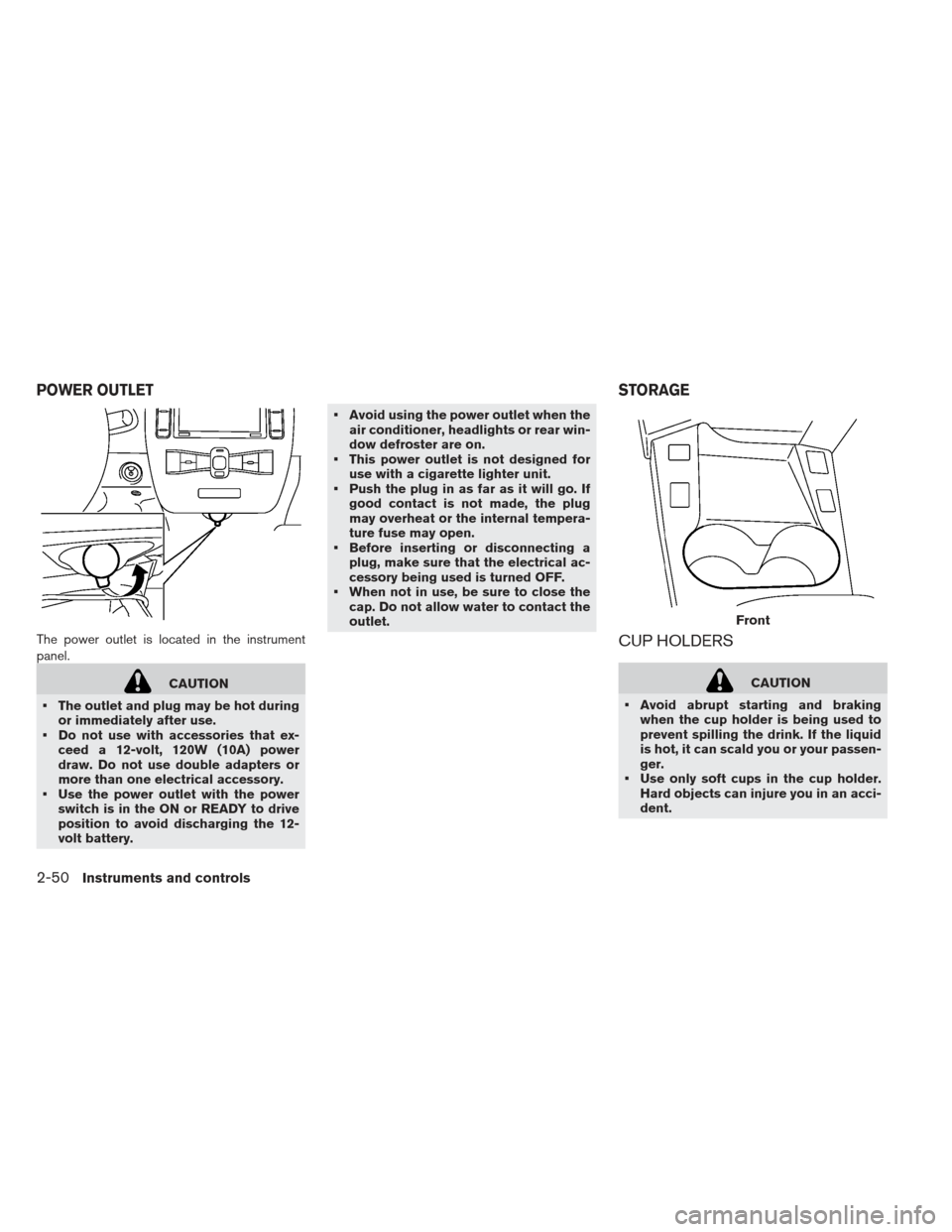
The power outlet is located in the instrument
panel.
CAUTION
The outlet and plug may be hot during or immediately after use.
Do not use with accessories that ex- ceed a 12-volt, 120W (10A) power
draw. Do not use double adapters or
more than one electrical accessory.
Use the power outlet with the power switch is in the ON or READY to drive
position to avoid discharging the 12-
volt battery. Avoid using the power outlet when the
air conditioner, headlights or rear win-
dow defroster are on.
This power outlet is not designed for use with a cigarette lighter unit.
Push the plug in as far as it will go. If good contact is not made, the plug
may overheat or the internal tempera-
ture fuse may open.
Before inserting or disconnecting a plug, make sure that the electrical ac-
cessory being used is turned OFF.
When not in use, be sure to close the cap. Do not allow water to contact the
outlet.
CUP HOLDERS
CAUTION
Avoid abrupt starting and braking when the cup holder is being used to
prevent spilling the drink. If the liquid
is hot, it can scald you or your passen-
ger.
Use only soft cups in the cup holder. Hard objects can injure you in an acci-
dent.
Front
POWER OUTLET STORAGE
2-50Instruments and controls
Page 220 of 402
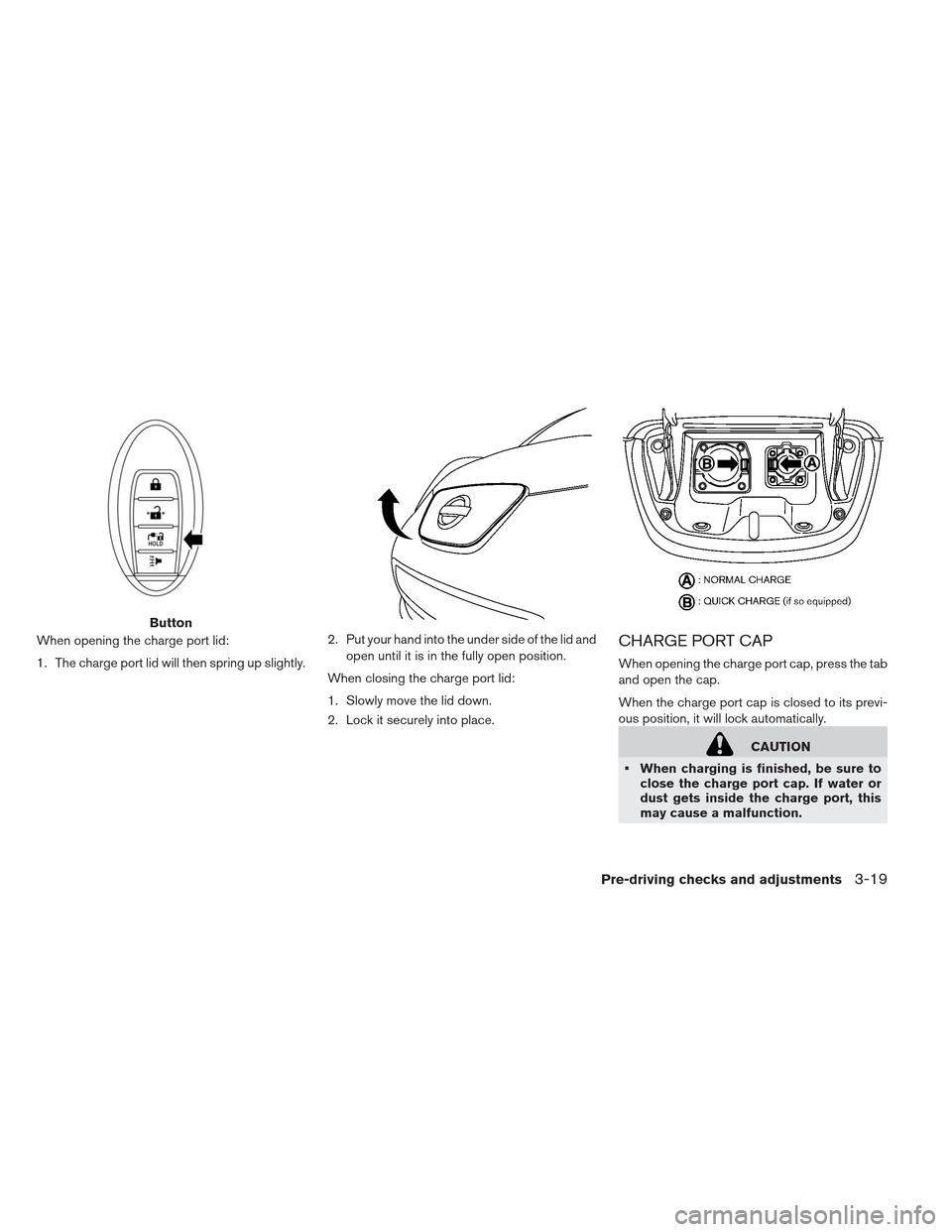
When opening the charge port lid:
1. The charge port lid will then spring up slightly.2. Put your hand into the under side of the lid and
open until it is in the fully open position.
When closing the charge port lid:
1. Slowly move the lid down.
2. Lock it securely into place.CHARGE PORT CAP
When opening the charge port cap, press the tab
and open the cap.
When the charge port cap is closed to its previ-
ous position, it will lock automatically.
CAUTION
When charging is finished, be sure to close the charge port cap. If water or
dust gets inside the charge port, this
may cause a malfunction.
Button
Pre-driving checks and adjustments3-19
Page 221 of 402
Pay particular attention when usingthe normal charge port as the charge
port lid can be closed even when the
normal charge port cap is open.
Close the quick charge (if so equipped) port cap before closing the charging
lid. The quick charge port cap can be
damaged if it is open when closing the
charge port lid.WARNING
Do not adjust the steering wheel while
driving. You could lose control of your
vehicle and cause an accident.
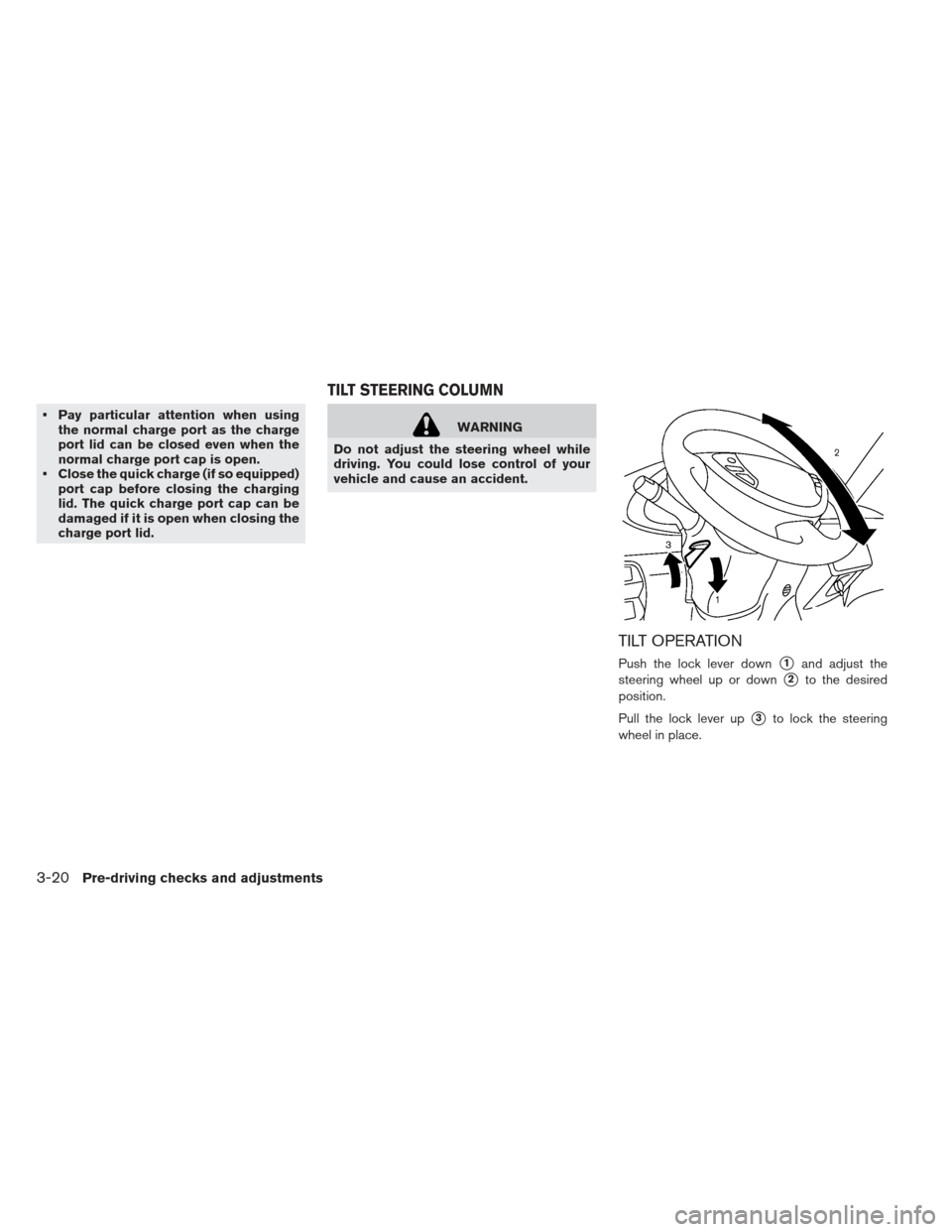
TILT OPERATION
Push the lock lever down�1and adjust the
steering wheel up or down
�2to the desired
position.
Pull the lock lever up
�3to lock the steering
wheel in place.
TILT STEERING COLUMN
3-20Pre-driving checks and adjustments
Page 232 of 402
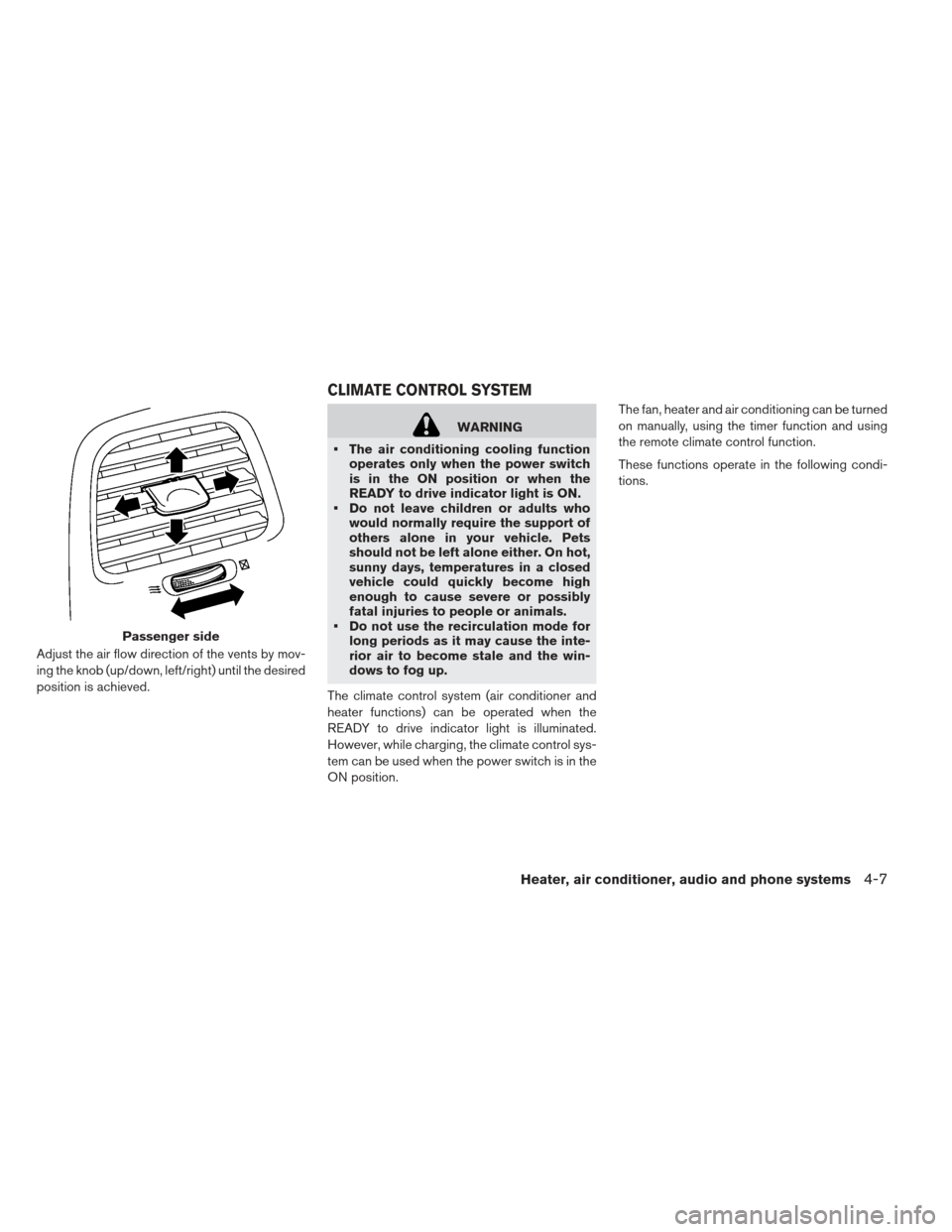
Adjust the air flow direction of the vents by mov-
ing the knob (up/down, left/right) until the desired
position is achieved.
WARNING
The air conditioning cooling function operates only when the power switch
is in the ON position or when the
READY to drive indicator light is ON.
Do not leave children or adults who would normally require the support of
others alone in your vehicle. Pets
should not be left alone either. On hot,
sunny days, temperatures in a closed
vehicle could quickly become high
enough to cause severe or possibly
fatal injuries to people or animals.
Do not use the recirculation mode for long periods as it may cause the inte-
rior air to become stale and the win-
dows to fog up.
The climate control system (air conditioner and
heater functions) can be operated when the
READY to drive indicator light is illuminated.
However, while charging, the climate control sys-
tem can be used when the power switch is in the
ON position. The fan, heater and air conditioning can be turned
on manually, using the timer function and using
the remote climate control function.
These functions operate in the following condi-
tions.
Passenger side
CLIMATE CONTROL SYSTEM
Heater, air conditioner, audio and phone systems4-7
Page 233 of 402
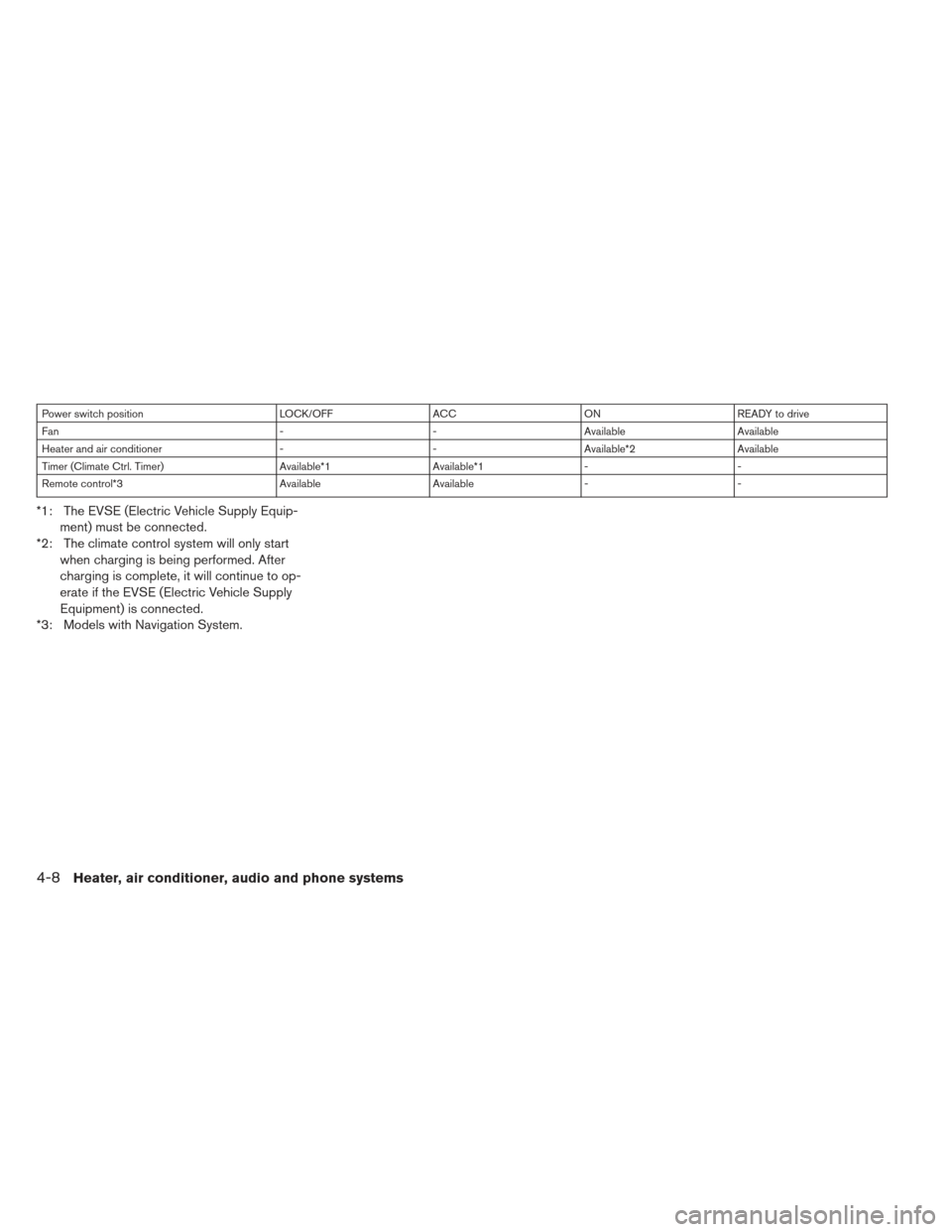
Power switch positionLOCK/OFFACCON READY to drive
Fan --Available Available
Heater and air conditioner --Available*2 Available
Timer (Climate Ctrl. Timer) Available*1Available*1- -
Remote control*3 AvailableAvailable- -
*1: The EVSE (Electric Vehicle Supply Equip-
ment) must be connected.
*2: The climate control system will only start when charging is being performed. After
charging is complete, it will continue to op-
erate if the EVSE (Electric Vehicle Supply
Equipment) is connected.
*3: Models with Navigation System.
4-8Heater, air conditioner, audio and phone systems
Page 234 of 402
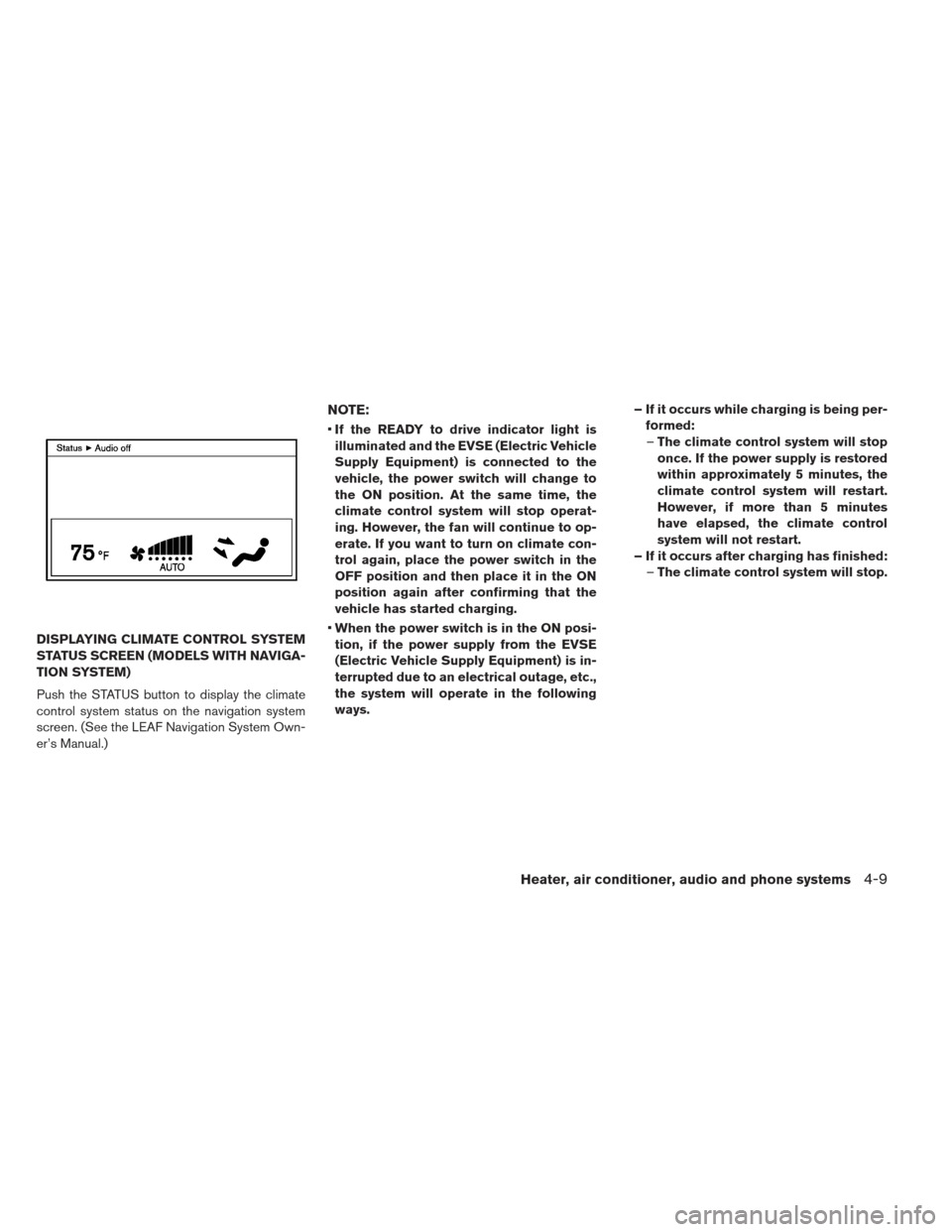
DISPLAYING CLIMATE CONTROL SYSTEM
STATUS SCREEN (MODELS WITH NAVIGA-
TION SYSTEM)
Push the STATUS button to display the climate
control system status on the navigation system
screen. (See the LEAF Navigation System Own-
er’s Manual.)
NOTE:
If the READY to drive indicator light is
illuminated and the EVSE (Electric Vehicle
Supply Equipment) is connected to the
vehicle, the power switch will change to
the ON position. At the same time, the
climate control system will stop operat-
ing. However, the fan will continue to op-
erate. If you want to turn on climate con-
trol again, place the power switch in the
OFF position and then place it in the ON
position again after confirming that the
vehicle has started charging.
When the power switch is in the ON posi-
tion, if the power supply from the EVSE
(Electric Vehicle Supply Equipment) is in-
terrupted due to an electrical outage, etc.,
the system will operate in the following
ways. – If it occurs while charging is being per-
formed:– The climate control system will stop
once. If the power supply is restored
within approximately 5 minutes, the
climate control system will restart.
However, if more than 5 minutes
have elapsed, the climate control
system will not restart.
– If it occurs after charging has finished: –The climate control system will stop.
Heater, air conditioner, audio and phone systems4-9