Page 36 of 402
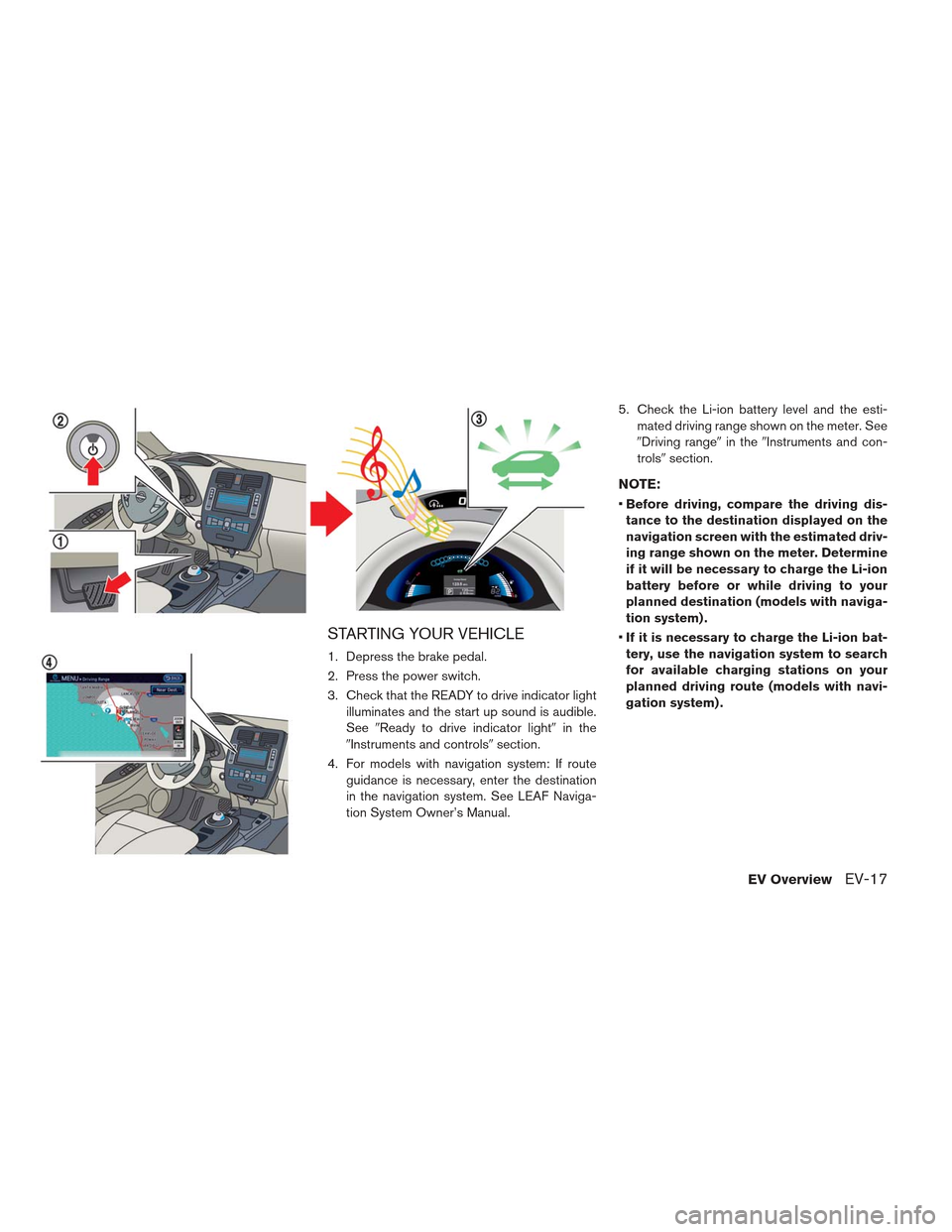
STARTING YOUR VEHICLE
1. Depress the brake pedal.
2. Press the power switch.
3. Check that the READY to drive indicator lightilluminates and the start up sound is audible.
See �Ready to drive indicator light� in the
�Instruments and controls� section.
4. For models with navigation system: If route guidance is necessary, enter the destination
in the navigation system. See LEAF Naviga-
tion System Owner’s Manual. 5. Check the Li-ion battery level and the esti-
mated driving range shown on the meter. See
�Driving range� in the�Instruments and con-
trols� section.
NOTE:
Before driving, compare the driving dis-
tance to the destination displayed on the
navigation screen with the estimated driv-
ing range shown on the meter. Determine
if it will be necessary to charge the Li-ion
battery before or while driving to your
planned destination (models with naviga-
tion system) .
If it is necessary to charge the Li-ion bat-
tery, use the navigation system to search
for available charging stations on your
planned driving route (models with navi-
gation system) .
EV OverviewEV-17
Page 39 of 402
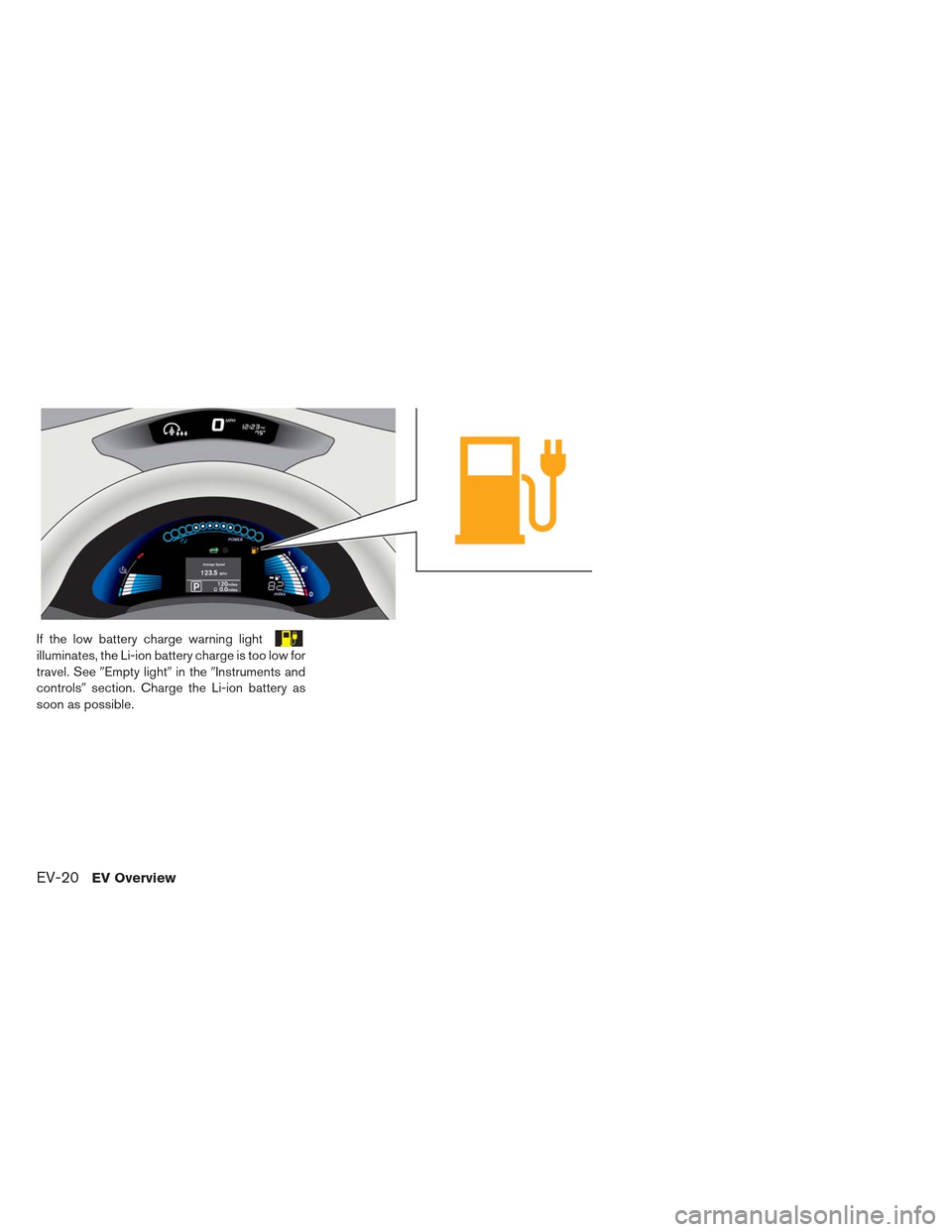
If the low battery charge warning light
illuminates, the Li-ion battery charge is too low for
travel. See�Empty light� in the�Instruments and
controls� section. Charge the Li-ion battery as
soon as possible.
EV-20EV Overview
Page 43 of 402
Release the accelerator pedal to slow downand do not apply the brakes when traffic and
road conditions allow. – This vehicle is equipped with a regenerative brake system. The primary purpose of re-
generative brake system is to provide some
power to recharge the Li-ion battery and
extend driving range. A secondary benefit is
“engine braking” that operates based on
Li-ion battery conditions. In the D (Drive)
position, when the accelerator is released,
the regenerative brake system provides
some deceleration and some power to the
Li-ion battery.
LI-ION BATTERY LIFE
The Li-ion battery’s ability to hold a charge, like all
batteries, decreases with battery age and usage
which results in decreased vehicle range when
compared to the vehicle range when the vehicle
was new. This is normal and expected, and does
not indicate a malfunction of the vehicle or Li-ion
battery.
The Li-ion battery’s ability to hold a charge can be
affected by how you drive the vehicle, store the
vehicle, how you charge the Li-ion battery and
Li-ion battery temperature during vehicle opera-
tion and charging. To maximize vehicle range, NISSAN recom-
mends using the default setting, long distance
mode (100% charge) . To maximize the battery’s
useful life, use the following driving and charging
habits where possible:
Avoid exposing a vehicle to extreme ambient
temperatures for extended periods.
Avoid storing a vehicle in temperatures below �13°F (�25°C) for over 7 days.
Avoid leaving your vehicle for over 14 days where the Li-ion battery available charge gauge
reaches a zero or near zero (state of charge) .
Allow the vehicle and Li-ion battery to cool down after use before charging.
Park/store your vehicle in cool locations out of direct sunlight and away from heat sources.
Avoid sustained high battery temperatures (caused, for example, by exposure to very high
ambient temperatures or extending highway
driving with multiple quick charges) .
Use the normal charging or trickle charging methods to charge the Li-ion battery and mini-
mize the use of public Fast Charge or Quick
Charger.
Avoid sustained high battery state of charge (caused, for example, by frequently charging to
100% state of charge and/or leaving the battery above 80% state of charge for long periods of
time) .
Allow the battery charge to be below at least 80% before charging.
Moderate driving.
Use of ECO mode.
If the vehicle will not be used for an extended period of time, charge the Li-ion battery using
the long life mode once every 3 months. Do not
operate the charging timer repeatedly while the
charge connector is connected to the vehicle
after the Li-ion battery charging is completed.
Doing so may discharge the 12-volt battery.
The power of the Li-ion battery can be
checked on the Li-ion battery available charge
gauge. See �Li-ion battery available charge
gauge� in the�Instruments and controls� for
details.
LI-ION BATTERY MAINTENANCE
In addition to the regular maintenance recom-
mended by NISSAN, the LEAF requires some
special Li-ion battery inspections.
See the NISSAN Warranty Information Booklet for significant limitations, exclusions and pos-
sible voiding of your warranty resulting from
EV-24EV Overview
Page 44 of 402
failure to have these necessary inspections, re-
pairs and/or adjustments performed.
See the NISSAN Service and Maintenance Guide for a detailed explanation of the Li-ion
battery inspection and intervals.METERS AND INDICATORS
The vehicle has two displays to provide informa-
tion regarding vehicle operation:
Upper display
Lower display
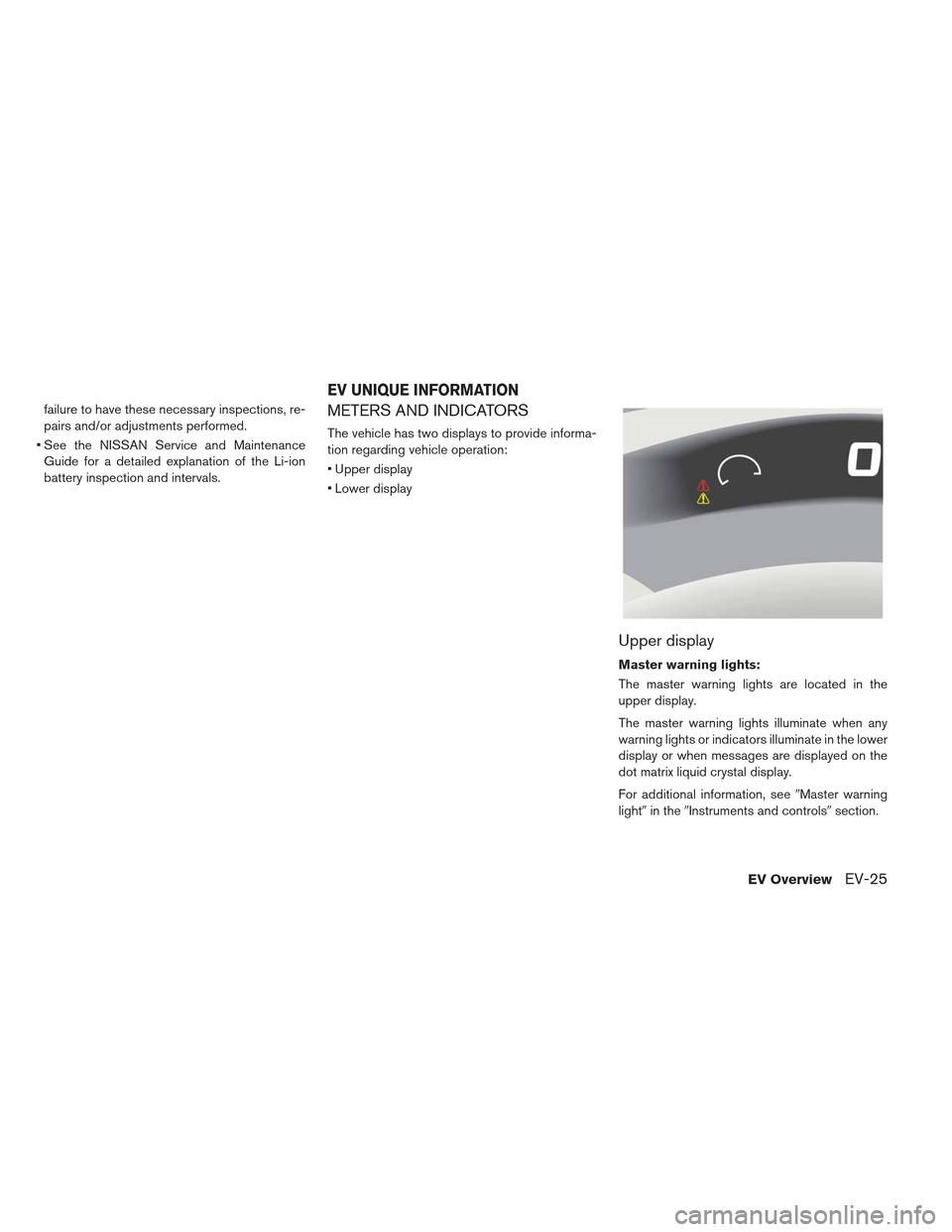
Upper display
Master warning lights:
The master warning lights are located in the
upper display.
The master warning lights illuminate when any
warning lights or indicators illuminate in the lower
display or when messages are displayed on the
dot matrix liquid crystal display.
For additional information, see �Master warning
light� in the �Instruments and controls� section.
EV UNIQUE INFORMATION
EV OverviewEV-25
Page 47 of 402
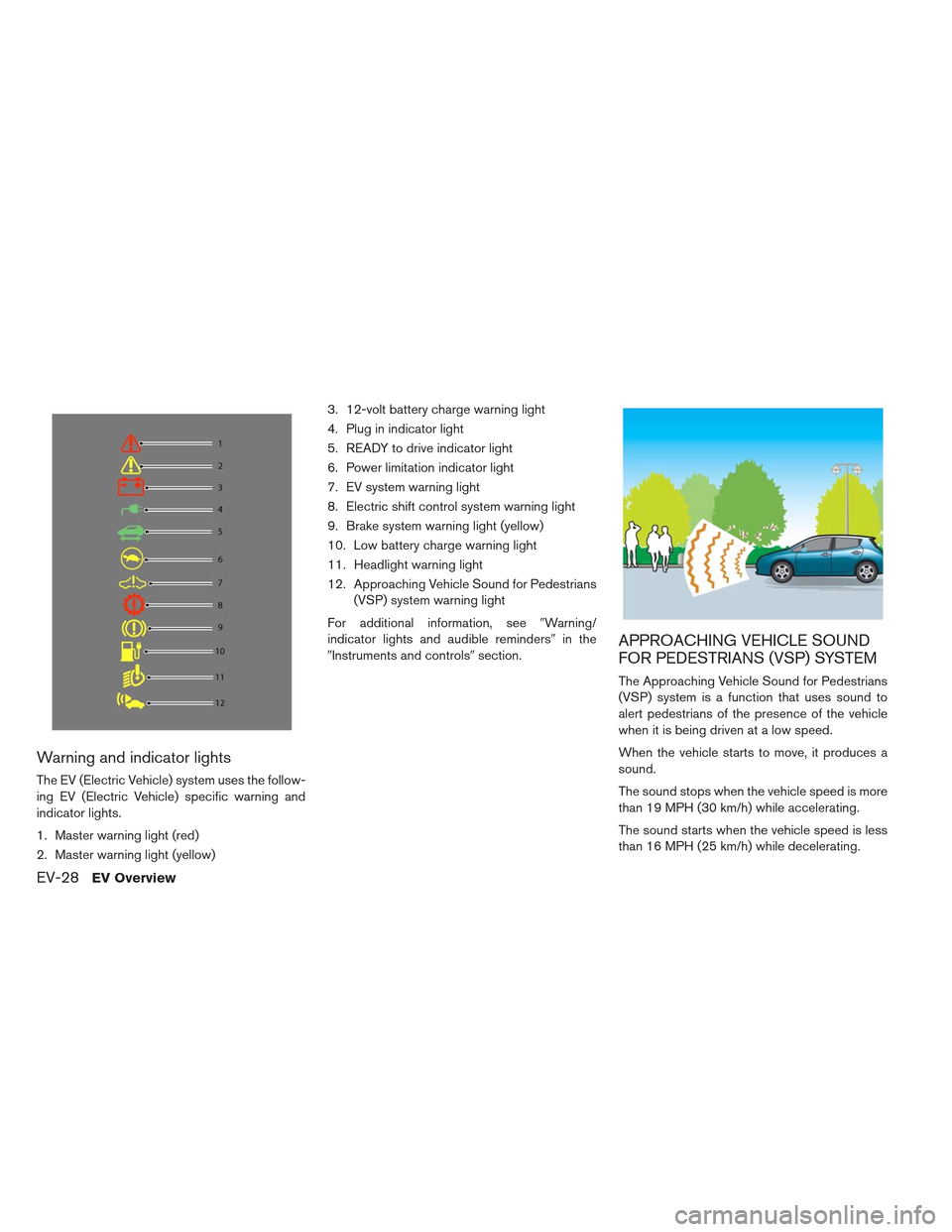
Warning and indicator lights
The EV (Electric Vehicle) system uses the follow-
ing EV (Electric Vehicle) specific warning and
indicator lights.
1. Master warning light (red)
2. Master warning light (yellow)3. 12-volt battery charge warning light
4. Plug in indicator light
5. READY to drive indicator light
6. Power limitation indicator light
7. EV system warning light
8. Electric shift control system warning light
9. Brake system warning light (yellow)
10. Low battery charge warning light
11. Headlight warning light
12. Approaching Vehicle Sound for Pedestrians
(VSP) system warning light
For additional information, see �Warning/
indicator lights and audible reminders� in the
�Instruments and controls� section.
APPROACHING VEHICLE SOUND
FOR PEDESTRIANS (VSP) SYSTEM
The Approaching Vehicle Sound for Pedestrians
(VSP) system is a function that uses sound to
alert pedestrians of the presence of the vehicle
when it is being driven at a low speed.
When the vehicle starts to move, it produces a
sound.
The sound stops when the vehicle speed is more
than 19 MPH (30 km/h) while accelerating.
The sound starts when the vehicle speed is less
than 16 MPH (25 km/h) while decelerating.
EV-28EV Overview
Page 48 of 402
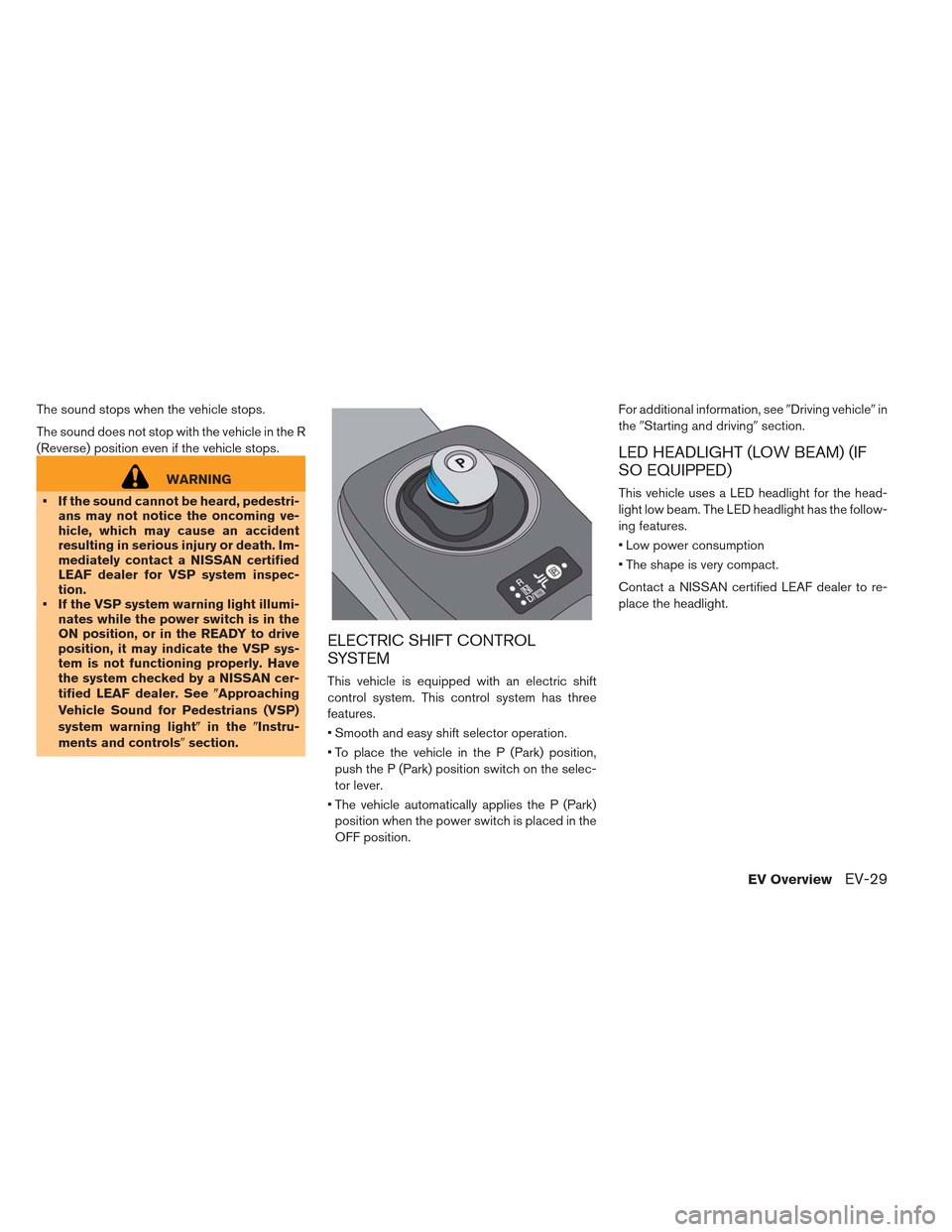
The sound stops when the vehicle stops.
The sound does not stop with the vehicle in the R
(Reverse) position even if the vehicle stops.
WARNING
If the sound cannot be heard, pedestri- ans may not notice the oncoming ve-
hicle, which may cause an accident
resulting in serious injury or death. Im-
mediately contact a NISSAN certified
LEAF dealer for VSP system inspec-
tion.
If the VSP system warning light illumi- nates while the power switch is in the
ON position, or in the READY to drive
position, it may indicate the VSP sys-
tem is not functioning properly. Have
the system checked by a NISSAN cer-
tified LEAF dealer. See �Approaching
Vehicle Sound for Pedestrians (VSP)
system warning light� in the�Instru-
ments and controls� section.
ELECTRIC SHIFT CONTROL
SYSTEM
This vehicle is equipped with an electric shift
control system. This control system has three
features.
Smooth and easy shift selector operation.
To place the vehicle in the P (Park) position,
push the P (Park) position switch on the selec-
tor lever.
The vehicle automatically applies the P (Park) position when the power switch is placed in the
OFF position. For additional information, see
�Driving vehicle�in
the �Starting and driving� section.
LED HEADLIGHT (LOW BEAM) (IF
SO EQUIPPED)
This vehicle uses a LED headlight for the head-
light low beam. The LED headlight has the follow-
ing features.
Low power consumption
The shape is very compact.
Contact a NISSAN certified LEAF dealer to re-
place the headlight.
EV OverviewEV-29
Page 49 of 402
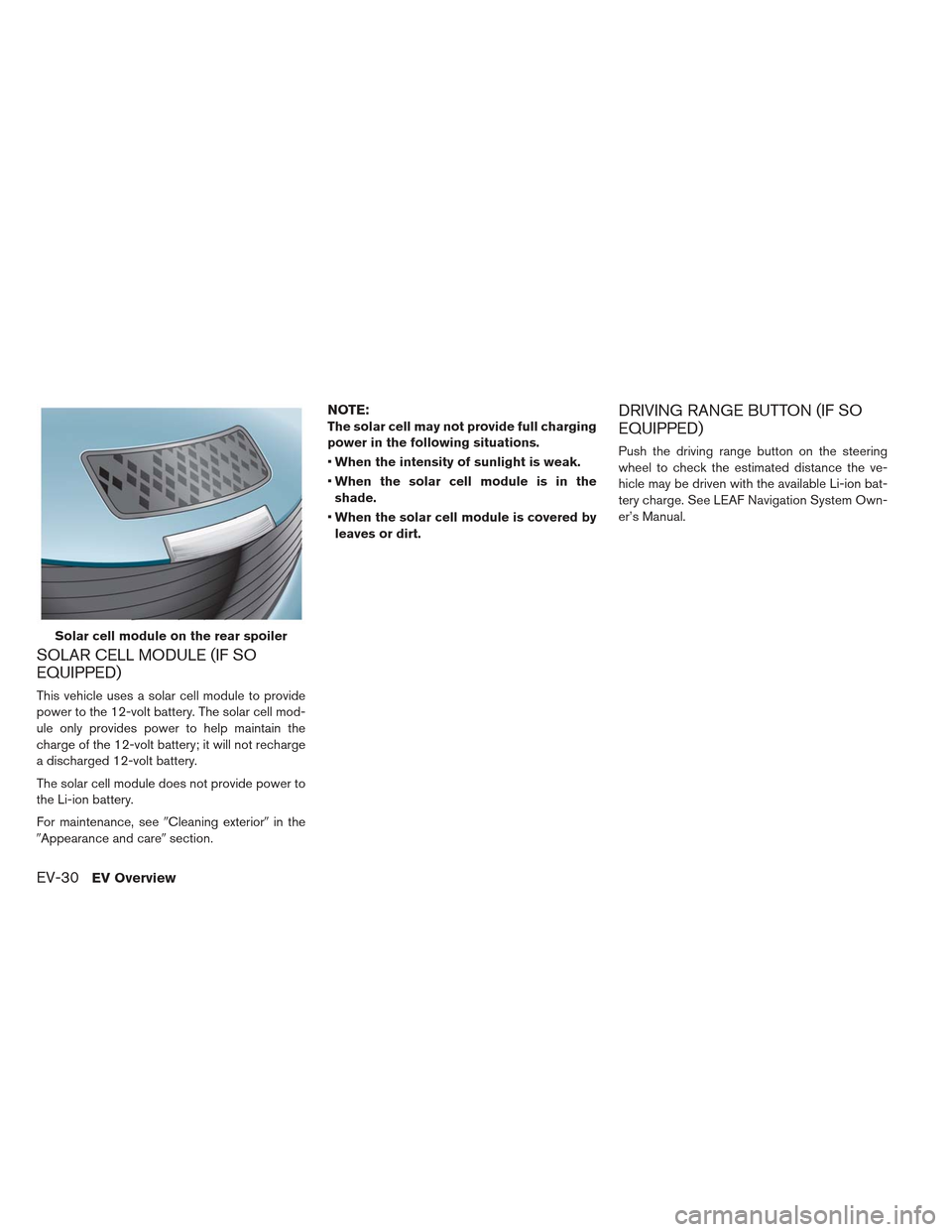
SOLAR CELL MODULE (IF SO
EQUIPPED)
This vehicle uses a solar cell module to provide
power to the 12-volt battery. The solar cell mod-
ule only provides power to help maintain the
charge of the 12-volt battery; it will not recharge
a discharged 12-volt battery.
The solar cell module does not provide power to
the Li-ion battery.
For maintenance, see�Cleaning exterior�in the
�Appearance and care� section.
NOTE:
The solar cell may not provide full charging
power in the following situations.
When the intensity of sunlight is weak.
When the solar cell module is in the
shade.
When the solar cell module is covered by
leaves or dirt.DRIVING RANGE BUTTON (IF SO
EQUIPPED)
Push the driving range button on the steering
wheel to check the estimated distance the ve-
hicle may be driven with the available Li-ion bat-
tery charge. See LEAF Navigation System Own-
er’s Manual.
Solar cell module on the rear spoiler
EV-30EV Overview
Page 50 of 402
Charging
Precautions on charging................. .CH-2
Types of charge and how to charge the Li-ion
battery ........................... .CH-5
How to normal charge ................ .CH-9
How to trickle charge (if so equipped) .......CH-11
How to quick charge (if so equipped) .......CH-15
Charge connector lock switch ...........CH-18
If the charge connector can not be unlocked . . .CH-20
Charging methods ................... .CH-21
Charging timer ................... .CH-21Long life mode
................... .CH-26
Immediate charge .................. .CH-31
Charging related remote function (models with
navigation system) ................. .CH-31
Charging related indicator lights ............CH-33
Charging status indicator lights ...........CH-33
EVSE (Electric Vehicle Supply Equipment)
control box indicator light ..............CH-36
Charging troubleshooting guide ............CH-38