2013 NISSAN FRONTIER key
[x] Cancel search: keyPage 279 of 444
PHONE SETTINGS
To access the phone settings:1. Press the MENU button.
2. Select the “Settings” key.
3. Select the “Phone & Bluetooth” key.
4. Select the “Phone Settings” key and adjust the following settings as desired:
● Sort Phonebook By:
Select “First Name” or “Last Name” to
choose how phonebook entries are alpha-
betically displayed on the screen. ●
Use Phonebook From:
Select “Handset” to use the phone’s phone-
book. Select “SIM” to use the phonebook on
the SIM card. Select “Both” to use both
sources.
● Download Phonebook Now
Select to download the phonebook to the
vehicle from the chosen source.
● Phone Notifications for
Select “Driver” to have phone notifications
shown in the vehicle information display. Se-
lect “Both” to have phone notifications
shown in both the vehicle information display
and the center display screen.
● Record Name for Phonebook Entry
Select to record a name for a phonebook
entry for use with the NISSAN Voice Recog-
nition System.
● Text Message Service
Select to toggle the text message function-
ality on or off. ●
Show Incoming Text for
Select “Driver” to have text message notifi-
cations shown in the vehicle information dis-
play. Select “Both” to have text message
notifications shown in both the vehicle infor-
mation display and the center display
screen. Select “None” to have text message
notifications not displayed.
● SMS Auto Reply Function
Select to toggle the SMS auto reply func-
tionality on or off.
● SMS Auto Reply Message
Select to choose a message that is sent
when the auto reply function is activated.
● Add Vehicle’s Signature
Select to toggle on or off the addition of the
vehicle signature to outgoing messages.
● Predefined SMS Messages
Select the predefined SMS messages that
are used by the system.
LHA2302
4-100Monitor, climate, audio, phone and voice recognition systems
Page 281 of 444
●The voice command screen can also be
accessed using the control panel display:
1. Press the MENU button.
2. Select the “Voice Commands” key.
Operating tips
To get the best performance out of NISSAN
Voice Recognition, observe the following: ● Keep the interior of the vehicle as quiet as
possible. Close the windows to eliminate the
surrounding noises (traffic noises, vibration
sounds, etc.) , which may prevent the system
from recognizing the voice commands cor-
rectly. ●
Wait until a tone sounds before speaking a
command. Otherwise, the command will not
be received properly.
● Start speaking a command within 3.5 sec-
onds after the tone sounds.
● Speak in a natural voice without pausing
between words.
SYSTEM FEATURES
NISSAN Voice Recognition can activate the fol-
lowing systems:
● Bluetooth Hands-Free Phone System
● Navigation
● Audio
● Information
For additional information on the navigation sys-
tem, see the separate Navigation System Own-
er’s Manual.
LHA2253LHA2281
4-102Monitor, climate, audio, phone and voice recognition systems
Page 287 of 444
5 Starting and driving
Precautions when starting and driving................5-2
Exhaust gas (carbon monoxide) ..................5-2
Three-way catalyst ..............................5-3
Tire Pressure Monitoring System (TPMS) ..........5-3
On-pavement and off-road driving
precautions ....................................5-6
Avoiding collision and rollover ....................5-6
Off-road recovery ...............................5-6
Rapid air pressure loss ..........................5-7
Drinking alcohol/drugs and driving ................5-7
Driving safety precautions .......................5-8
Ignition switch .................................... 5-10
Automatic transmission (if so equipped) ..........5-10
Manual transmission (if so equipped) ............5-11
Key positions ................................. 5-11
NISSAN Vehicle Immobilizer System
(if so equipped) ............................... 5-12
Before starting the engine ......................... 5-12
Starting the engine ............................... 5-12
Driving the vehicle ................................ 5-13
Automatic transmission (if so equipped) ..........5-13
Manual transmission (if so equipped) ............5-18
Parking brake .................................... 5-20Cruise control (if so equipped)
.....................5-21
Precautions on cruise control ...................5-21
Cruise control operations .......................5-21
Break-in schedule ................................ 5-22
Fuel efficient driving tips ........................... 5-23
Increasing fuel economy ........................... 5-24
Using four wheel drive (4WD)
(if so equipped) .................................. 5-24
Transfer case shifting procedures ...............5-26
Electronic locking rear differential (E-Lock) system
(if so equipped) .................................. 5-31
Parking/parking on hills ............................ 5-33
Power steering ................................... 5-34
Brake system .................................... 5-34
Brake precautions ............................. 5-34
Anti-lock Braking System (ABS) .................5-35
Active brake limited slip (ABLS) system .............5-36
Vehicle Dynamic Control (VDC) system .............5-37
Hill descent control system (if so equipped) .........5-38
Hill start assist system (if so equipped) ..............5-39
Rear sonar system (if so equipped) .................5-40
Cold weather driving .............................. 5-41
Freeing a frozen door lock ......................5-41
Page 297 of 444
WARNING
●Never remove the ignition key or place
the ignition switch in the LOCK position
while driving. The steering wheel will
lock (for models with a steering lock
mechanism) . This may cause the driver
to lose control of the vehicle and could
result in serious vehicle damage or per-
sonal injury.
AUTOMATIC TRANSMISSION (if so
equipped)
The ignition lock is designed so the ignition
switch cannot be placed in the LOCK position
and the key removed until the shift selector is
moved to the P (Park) position.
When removing the key from the ignition, make
sure the shift selector is in the P (Park) position.
If the shift selector is not returned to P (Park)
position, the ignition switch cannot be moved to
the LOCK position. To remove the key from the ignition switch:
1. Shift the shift selector to the P (Park) posi- tion with the ignition switch in the ON posi-
tion.
2. Place the ignition switch to the LOCK posi- tion.
3. Remove the key from the ignition.
If the shift selector is shifted to the P (Park)
position after the ignition switch is placed in the
OFF position or when the ignition switch cannot
be turned to the LOCK position, proceed as
follows to remove the key. 1. Move the shift selector into the P (Park) position.
2. Turn the ignition key slightly toward the ON position.
3. Turn the key to the LOCK position.
4. Remove the key.
The shift selector is designed so it cannot moved
out of P (Park) and into any of the other gear
positions if the ignition key is turned to OFF
position or if the key is removed from the switch.
The shift selector can be moved if the igni-
tion switch is in the ON position and the
foot brake pedal is depressed.
WSD0041
IGNITION SWITCH
5-10Starting and driving
Page 298 of 444
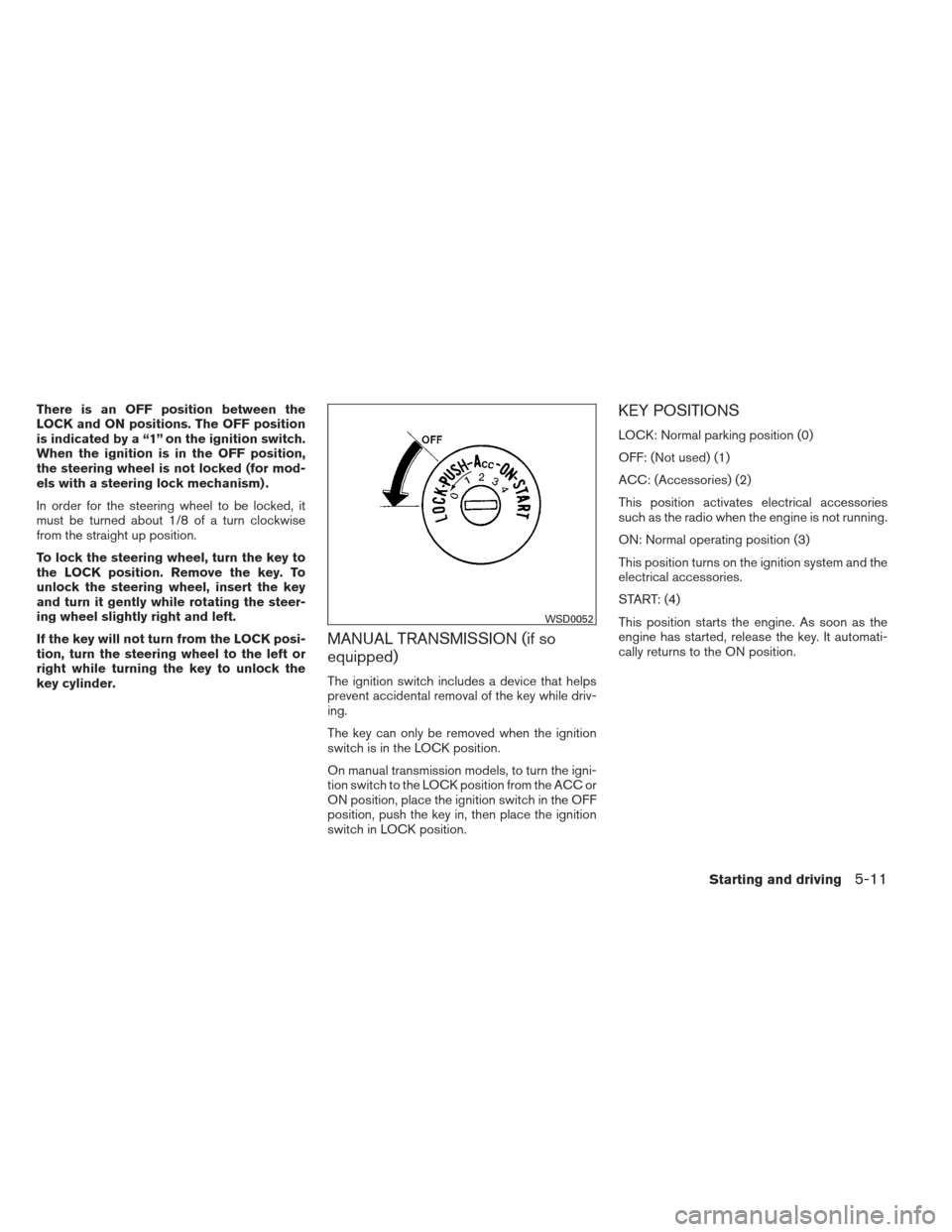
There is an OFF position between the
LOCK and ON positions. The OFF position
is indicated by a “1” on the ignition switch.
When the ignition is in the OFF position,
the steering wheel is not locked (for mod-
els with a steering lock mechanism) .
In order for the steering wheel to be locked, it
must be turned about 1/8 of a turn clockwise
from the straight up position.
To lock the steering wheel, turn the key to
the LOCK position. Remove the key. To
unlock the steering wheel, insert the key
and turn it gently while rotating the steer-
ing wheel slightly right and left.
If the key will not turn from the LOCK posi-
tion, turn the steering wheel to the left or
right while turning the key to unlock the
key cylinder.
MANUAL TRANSMISSION (if so
equipped)
The ignition switch includes a device that helps
prevent accidental removal of the key while driv-
ing.
The key can only be removed when the ignition
switch is in the LOCK position.
On manual transmission models, to turn the igni-
tion switch to the LOCK position from the ACC or
ON position, place the ignition switch in the OFF
position, push the key in, then place the ignition
switch in LOCK position.
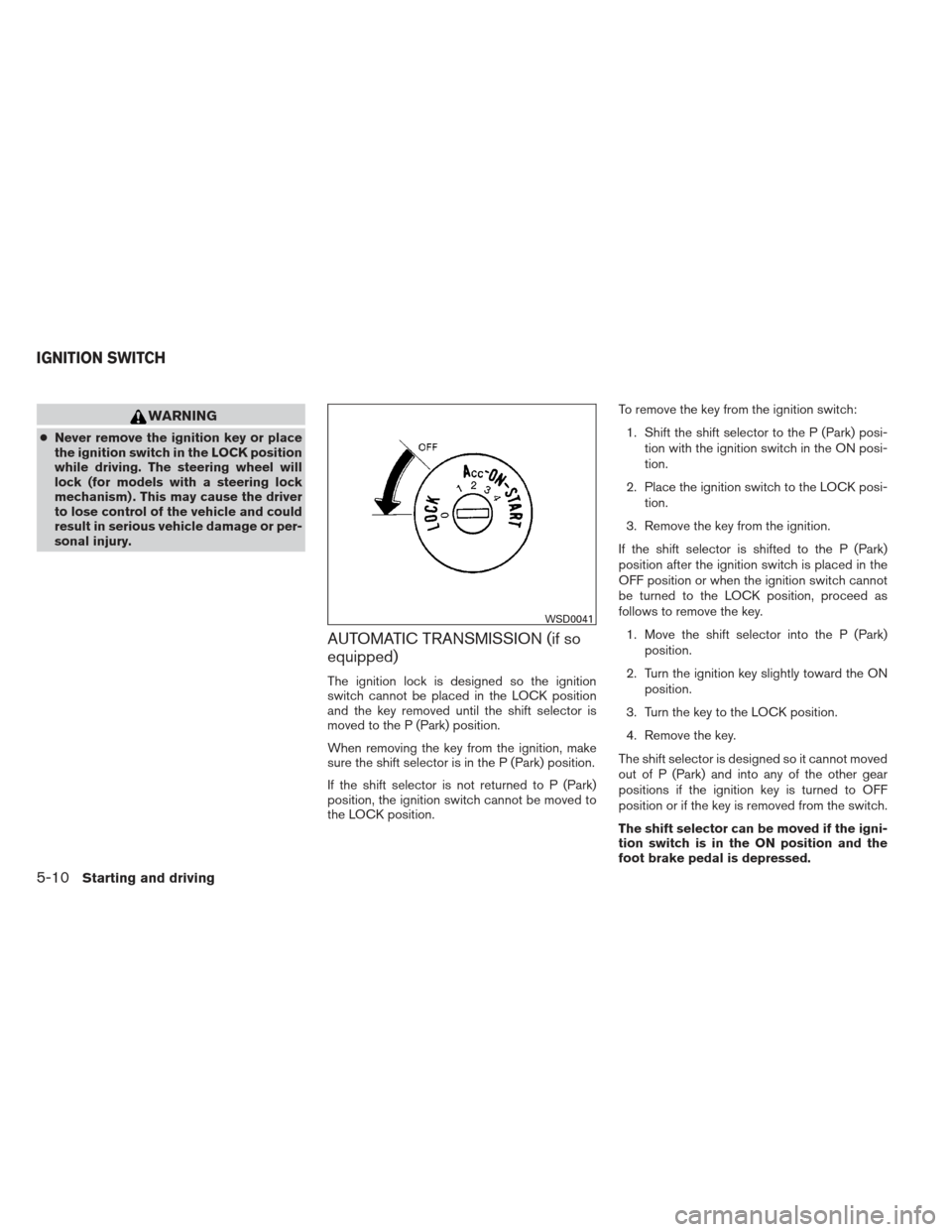
KEY POSITIONS
LOCK: Normal parking position (0)
OFF: (Not used) (1)
ACC: (Accessories) (2)
This position activates electrical accessories
such as the radio when the engine is not running.
ON: Normal operating position (3)
This position turns on the ignition system and the
electrical accessories.
START: (4)
This position starts the engine. As soon as the
engine has started, release the key. It automati-
cally returns to the ON position.
WSD0052
Starting and driving5-11
Page 299 of 444
NISSAN VEHICLE IMMOBILIZER
SYSTEM (if so equipped)
The NISSAN Vehicle Immobilizer System will not
allow the engine to start without the use of the
registered key.
If the engine fails to start using a registered key
(for example, when interference is caused by
another registered key, an automated toll road
device or automatic payment device on the key
ring) , restart the engine using the following pro-
cedures:1. Leave the ignition switch in the ON position for approximately 5 seconds.
2. Turn the ignition switch to the OFF or LOCK position, and wait approximately 10 sec-
onds.
3. Repeat steps 1 and 2.
4. Restart the engine while holding the device (which may have caused the interference)
separate from the registered key.
If the no start condition re-occurs, NISSAN rec-
ommends placing the registered key on a sepa-
rate key ring to avoid interference from other
devices. ●
Make sure the area around the vehicle is
clear.
● Check fluid levels such as engine oil, cool-
ant, brake and clutch fluid (if so equipped) ,
and windshield-washer fluid as frequently as
possible, or at least whenever you refuel.
● Check that all windows and lights are clean.
● Visually inspect tires for their appearance
and condition. Also check tires for proper
inflation.
● Check that all doors are closed.
● Position seat and adjust head restraints.
● Adjust inside and outside mirrors.
● Fasten the seat belt and ask all passengers
to do likewise.
● Check the operation of warning lights when
the key is turned to the ON (3) position. See
“Warning/indicator lights and audible re-
minders” in the “Instruments and controls”
section of this manual. 1. Apply the parking brake.
2.
Automatic transmission:
Move the shift selector to P (Park) or N
(Neutral) . P (Park) is recommended.
The shift selector cannot be moved out
of the P (Park) position and into any of
the other gear positions if the ignition
switch is placed in the OFF position or
if the key is removed from the ignition
switch.
The starter is designed not to operate if
the shift selector is in any of the driving
positions.
Manual transmission:
Move the shift selector to N (Neutral) . De-
press the clutch pedal to the floor while
cranking the engine.
The starter is designed not to operate
unless the clutch pedal is fully de-
pressed.
BEFORE STARTING THE ENGINE STARTING THE ENGINE
5-12Starting and driving
Page 300 of 444
3. Crank the enginewith your foot off the
accelerator pedal by placing the ignition
switch in the START position. Release the
key when the engine starts. If the engine
starts, but fails to run, repeat the above
procedure.
● If the engine is very hard to start in ex-
tremely cold weather or when restarting,
depress the accelerator pedal a little (ap-
proximately 1/3 to the floor) and hold it
and then crank the engine. Release the
key and the accelerator pedal when the
engine starts.
● If the engine is very hard to start because
it is flooded, depress the accelerator
pedal all the way to the floor and hold it.
Crank the engine for 5-6 seconds. After
cranking the engine, release the accel-
erator pedal. Crank the engine with your
foot off the accelerator pedal by plac-
ing the ignition in the START position.
Release the key when the engine starts. If
the engine starts, but fails to run, repeat
the above procedure.CAUTION
Do not operate the starter for more than
15 seconds at a time. If the engine does
not start, turn the key off and wait 10 sec-
onds before cranking again, otherwise the
starter could be damaged.
4. Allow the engine to idle for at least 30 sec- onds after starting. Do not race the engine
while warming it up. Drive at moderate
speed for a short distance first, especially in
cold weather.
NOTE:
Care should be taken to avoid situations
that can lead to potential battery discharge
and potential no-start conditions such as: 1. Installation or extended use of electronic accessories that consume battery power
when the engine is not running (Phone char-
gers, GPS, DVD players, etc.)
2. Vehicle is not driven regularly and/or only driven short distances. In these cases, the
battery may need to be charged to maintain
battery health.
AUTOMATIC TRANSMISSION (if so
equipped)
WARNING
●Do not depress the accelerator pedal
while shifting from P (Park) or N (Neu-
tral) to R (Reverse) , D (Drive) , 3, 2 or 1.
Always depress the brake pedal until
shifting is completed. Failure to do so
could cause you to lose control and
have an accident.
● Cold engine idle speed is high, so use
caution when shifting into a forward or
reverse gear before the engine has
warmed up.
● Never shift to P (Park) or R (Reverse)
while the vehicle is moving. This could
cause an accident.
● Except in an emergency, do not shift to
the N (Neutral) position while driving.
Doing so can cause a loss of engine
braking which may result in a collision,
serious personal injury or death.
DRIVING THE VEHICLE
Starting and driving5-13
Page 302 of 444
WARNING
Apply the parking brake if the shift selec-
tor is in any position while the engine is
not running. Failure to do so could cause
the vehicle to move unexpectedly or roll
away and result in serious personal injury
or property damage.
If the ignition switch is placed in the OFF position
for any reason while the vehicle is in N (Neutral) ,
or any D (Drive) position, the ignition switch can-
not be placed in the LOCK position and the key
cannot be removed from the ignition switch.
Move the shift selector to the P (Park) position,
then the ignition switch can be placed in LOCK.
P (Park):
CAUTION
To prevent transmission damage, use the
P (Park) or R (Reverse) position only when
the vehicle is completely stopped.
Use the P (Park) shift selector position when the
vehicle is parked or when starting the engine.
Make sure the vehicle is completely stopped.
The brake pedal should be depressed to
move the shift selector from N (Neutral) or
any drive position to P (Park) . Apply the
parking brake. When parking on a hill, apply the parking brake first, then move the shift selector
into the P (Park) position.
R (Reverse):
CAUTION
To prevent transmission damage, use the
P (Park) or R (Reverse) position only when
the vehicle is completely stopped.
Use the R (Reverse) position to back up. Make
sure the vehicle is completely stopped before
selecting the R (Reverse) position. The brake
pedal must be depressed to move the shift
selector from P (Park) , N (Neutral) or any
drive position to R (Reverse) .
N (Neutral):
Neither forward nor reverse gear is engaged. The
engine can be started in this position. You may
shift to N (Neutral) and restart a stalled engine
while the vehicle is moving.
D (Drive):
Use this position for all normal forward driving.
3 (Third gear):
Use this position for driving up and down long
slopes where engine braking would be advanta-
geous. Do not downshift into the 3 position at speeds
over the following and do not exceed the follow-
ing speeds in the 3 position.
2WD:99 MPH (160 km/h)
4H: 93 MPH (150 km/h)
4LO: 34 MPH (55 km/h)
2 (Second gear):
Use this position for hill climbing or engine brak-
ing on downhill grades.
Do not downshift into the 2 position at speeds
over the following and do not exceed the follow-
ing speeds in the 2 position. 2WD:62 MPH (100 km/h)
4H: 59 MPH (95 km/h)
4LO: 21 MPH (35 km/h)
Starting and driving5-15