Page 187 of 444
3. Select the desired item.
Audio
For audio setup, refer to “Audio system” in this
section.
Navigation
Refer to the separate Navigation System Own-
er’s Manual for information regarding this item.
Phone & Bluetooth
For information regarding the Bluetooth®
Hands-Free Phone System, see “Bluetooth®
Hands-Free Phone System” in this section.For information regarding Bluetooth® audio, see
“Bluetooth® streaming audio with Navigation
System” in this section.
System
Select the “System” key to select and/or adjust
various functions of the system. A screen with
additional options will appear.
LHA2248LHA2249
4-8Monitor, climate, audio, phone and voice recognition systems
Page 188 of 444
Display:
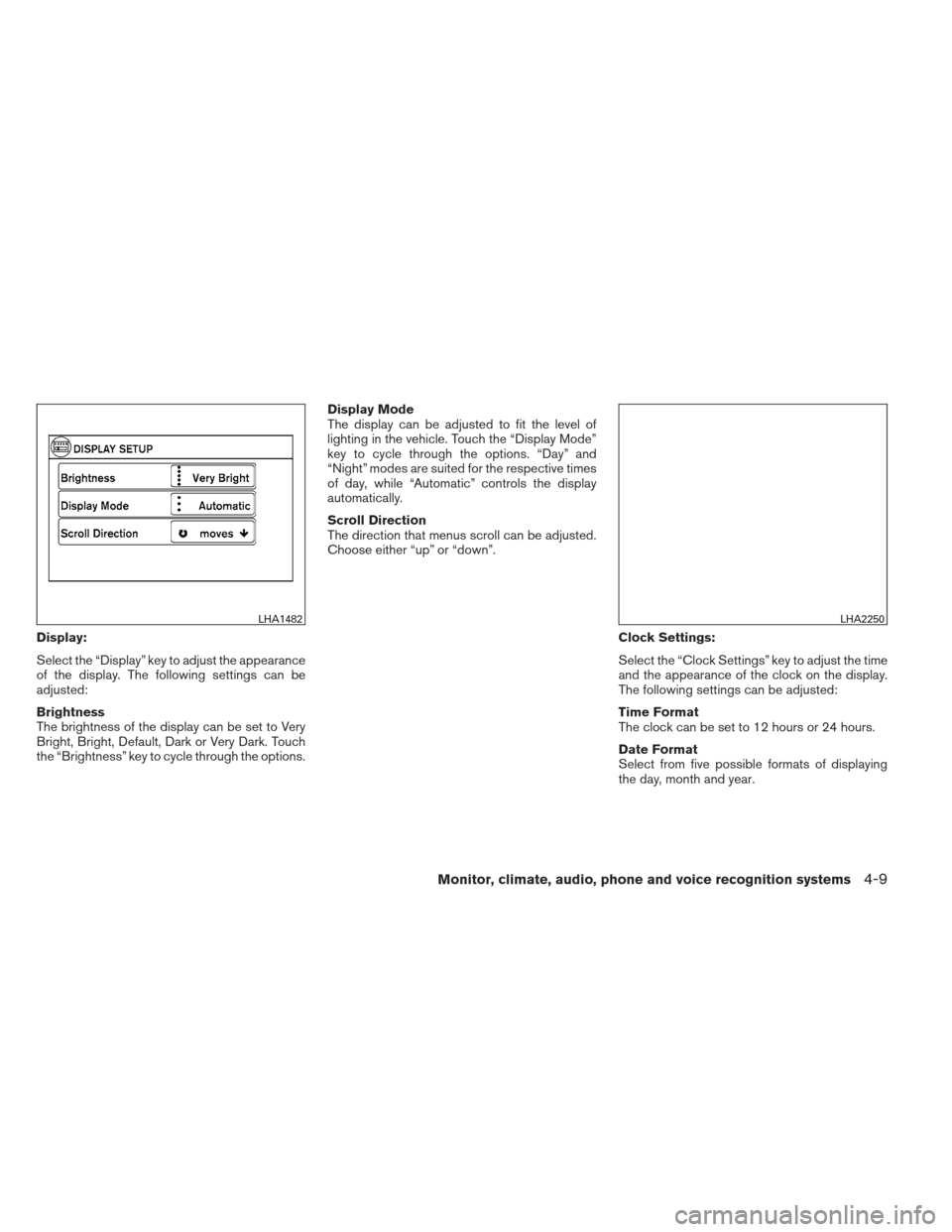
Select the “Display” key to adjust the appearance
of the display. The following settings can be
adjusted:
Brightness
The brightness of the display can be set to Very
Bright, Bright, Default, Dark or Very Dark. Touch
the “Brightness” key to cycle through the options.Display Mode
The display can be adjusted to fit the level of
lighting in the vehicle. Touch the “Display Mode”
key to cycle through the options. “Day” and
“Night” modes are suited for the respective times
of day, while “Automatic” controls the display
automatically.
Scroll Direction
The direction that menus scroll can be adjusted.
Choose either “up” or “down”.
Clock Settings:
Select the “Clock Settings” key to adjust the time
and the appearance of the clock on the display.
The following settings can be adjusted:
Time Format
The clock can be set to 12 hours or 24 hours.
Date Format
Select from five possible formats of displaying
the day, month and year.
LHA1482LHA2250
Monitor, climate, audio, phone and voice recognition systems4-9
Page 189 of 444
Clock Mode
Select the mode for the clock. “Auto” uses the
system’s GPS to automatically maintain the time.
“Manual” allows you to set the clock using the
“Set Clock Manually” key. “Time Zone” maintains
the time based upon the zone selected when
selecting the “Time Zone” key.Set Clock Manually
When this setting is activated, the clock can be
set manually. Touch the “+” or “-” keys to adjust
the hours, minutes, day, month and year up or
down. “Clock Mode” must be set to “Manual” for
this option to be available.
Daylight Savings Time
When this setting is activated, daylight savings
time is on. Touch the “Daylight Savings Time” key
to toggle the setting on or off.
Time Zone
Choose the applicable time zone from the list.Language:
Select the “Language” key to adjust the language
used by the system. The language can be set to
English, Français or Español.
Touchscreen click:
Select the “Touchscreen Click” key to toggle the
touchscreen click feature on or off. When acti-
vated, a click sound will be heard every time a key
on the screen is touched.
LHA2251LHA2252
4-10Monitor, climate, audio, phone and voice recognition systems
Page 190 of 444
System Beeps:
Select the “System Beeps” key to toggle the
system beep tones feature on or off. When acti-
vated, a beep sound will be heard when a pop-up
message appears on the screen or a button on
the unit (such as the
button) is pressed
and held for two seconds.
Reset all settings/memory:
Select the “Reset All Settings/Memory” key to
return all settings to default and to clear the
memory.
Info
For information about the “Info” key, see the
separate Navigation System Owner’s Manual.
XM
For XM setup, refer to “Audio system” in this
section.
BUTTON
To change the display brightness, press
the
button. Pressing the button again will
change the display to the day or the night display.
If no operation is performed within 5 seconds, the
display will return to the previous display. Press and hold the
button for more than
two seconds to turn the display off. Press the
button again to turn the display on. When the shift selector is shifted into the R
(Reverse) position, the monitor display shows a
rearward view from the vehicle.
WARNING
●
The system is designed as an aid to the
driver in detecting large stationary ob-
jects to help avoid damaging the ve-
hicle. The system will not detect small
objects below the bumper, and may not
detect objects close to the bumper or
on the ground.
● The RearView Monitor is a convenience
but it is not a substitute for proper back-
ing. Always turn and check that it is safe
to do so before backing up. Always
back up slowly.
● Objects viewed in the RearView Moni-
tor differ from actual distance because
a wide-angle lens is used.
● Do not put anything on the rearview
camera. The rearview camera is in-
stalled beside the license plate light.
REARVIEW MONITOR (if so
equipped)
Monitor, climate, audio, phone and voice recognition systems4-11
Page 191 of 444
●When washing the vehicle with high-
pressure water, be sure not to spray it
around the camera. Otherwise, water
may enter the camera unit causing wa-
ter condensation on the lens, a mal-
function, fire or an electric shock.
● Do not strike the camera. It is a preci-
sion instrument. Otherwise, it may mal-
function or cause damage resulting in a
fire or an electric shock.
CAUTION
There is a plastic cover over the camera.
Do not scratch the cover when cleaning
dirt or snow from the cover.
HOW TO READ THE DISPLAYED
LINES
Guiding lines which indicate the vehicle width
and distances to objects with reference to the
vehicle body line
�Aare displayed on the monitor.
Distance guide lines:
Indicate distances from the vehicle body. ● Red line
�1: approx. 1.5 ft (0.5 m)
● Yellow line
�2: approx. 3 ft (1 m)
● Green line
�3: approx. 7 ft (2 m)
● Green line
�4: approx. 10 ft (3 m) The on-screen guidelines can be set to on or off.
With the shift selector in the R (Reverse)
position:
Press the CAMERA button to toggle the feature
on and off.
With the shift selector in any position other
than the R (Reverse) position:
1. Press the CAMERA button.
2. Select the “Show Guidelines” key to toggle the feature on or off.
LHA0437LHA2278
4-12Monitor, climate, audio, phone and voice recognition systems
Page 194 of 444
ADJUSTING THE SCREEN
The procedure for adjusting the quality of the
screen differs depending on the type of screen
present on the vehicle.
For vehicles without Navigation System:1. Press the ENTER/SETTING button.
2. Turn the TUNE-SCROLL knob to highlight the “Brightness” or “Contrast” key.
3. Press the ENTER/SETTING button. 4. Adjust the level using the TUNE-SCROLL
knob and then press the ENTER/SETTING
button to apply the adjustment.
● Do not adjust the Brightness or Contrast of
the RearView Monitor while the vehicle is
moving.
For vehicles with Navigation System:1. Press the MENU button.
2. Select the “Settings” key.
3. Select the “System” key.
4. Select the “Display” key.
5. Touch the “Brightness key and adjust the level to the desired setting.
● Do not adjust the display of the RearView
Monitor while the vehicle is moving.
Without Navigation System
LHA2254
With Navigation System
LHA1482
Monitor, climate, audio, phone and voice recognition systems4-15
Page 234 of 444
This vehicle may be equipped with Speed Sen-
sitive Volume. When this feature is active, the
audio volume changes as the driving speed
changes.Audio settings:1. Press the MENU button.
2. Select the “Settings” key.
3. Select the “Audio” key.
Use the touchscreen to adjust the following items
to the desired setting:
Bass, Treble, Balance and Fade:
Controls the sound of the audio system. Balance
adjusts the sound between the left and right
speakers. Fade adjusts the sound between the
front and rear speakers. Speed Sensitive Vol.:
Controls the level to which the volume is adjusted
as the vehicle’s driving speed changes. Choose a
setting or choose “0” to disable the feature en-
tirely.
AUX Volume Level:
Controls the volume level of incoming sound
when an auxiliary device is connected to the
system. Available options are Low, Medium and
High.
LHA2261LHA2262
Monitor, climate, audio, phone and voice recognition systems4-55
Page 235 of 444
XM settings:
To view the XM settings:1. Press the MENU button.
2. Select the “Settings” key.
3. Select the “XM” key.
The signal strength, activation status and other
information are displayed on the screen.
FM/AM/SAT radio operation
FM·AM button:
Press the FM·AM button to change the band as
follows:
AM →FM1 →FM2 →AM
If another audio source is playing when the
FM·AM button is pressed, the audio source play-
ing will automatically be turned off and the last
radio station played will begin playing.
The FM stereo indicator (ST) is shown on the
screen during FM stereo reception. When the
stereo broadcast signal is weak, the radio auto-
matically changes from stereo to monaural re-
ception.
XM band select:
Pressing the XM button will change the band as
follows:
XM1* →XM2* →XM3* →XM1* (satellite, if so
equipped)
When the XM button is pressed while the ignition
switch is in the ACC or ON position, the radio will
come on at the last station played.
The last station played will also come on when
the VOL/ON-OFF control knob is pressed to turn
the radio on. *When the XM button is pressed, the satellite
radio mode will be skipped unless an optional
satellite receiver and antenna are installed and a
SiriusXM Satellite Radio service subscription is
active. Satellite radio is not available in Alaska,
Hawaii and Guam.
If a compact disc is playing when the XM button
is pressed, the compact disc will automatically be
turned off and the last radio station played will
come on.
LHA2303
4-56Monitor, climate, audio, phone and voice recognition systems