Page 328 of 602
Features and controls3-231
3
USB input terminal
(if so equipped)
N00566700015
You can connect your USB memory device or iPod* to play
music files stored in the USB memory device or iPod.
The following explains how to connect and remove a USB
memory device or iPod.
Refer to the following sections for details on how to play music
files:
Refer to “To play tracks from USB device” on page 5-73.
*: “iPod” is a registered trademark of Apple Inc. in the United
States and other countries.
How to connect a USB memory device
N00566800090
1. Park your vehicle in a safe place and turn the ignition
switch to the “OFF” position or put the operation mode in
OFF.
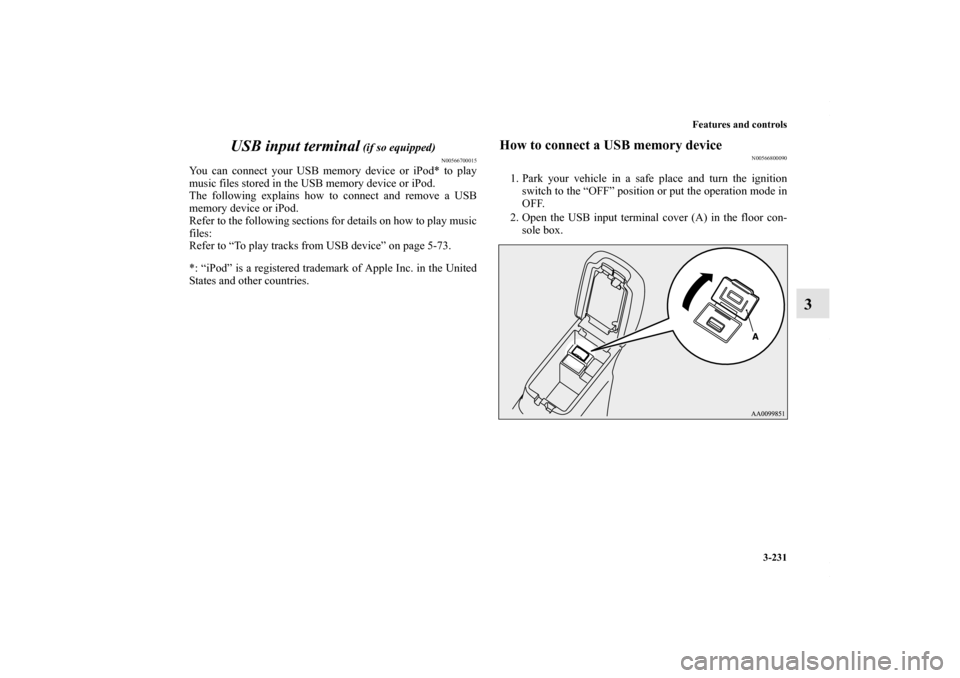
2. Open the USB input terminal cover (A) in the floor con- sole box.
BK0150700US.book 231 ページ 2012年3月22日 木曜日 午後6時46分
Page 331 of 602
3-234 Features and controls
3
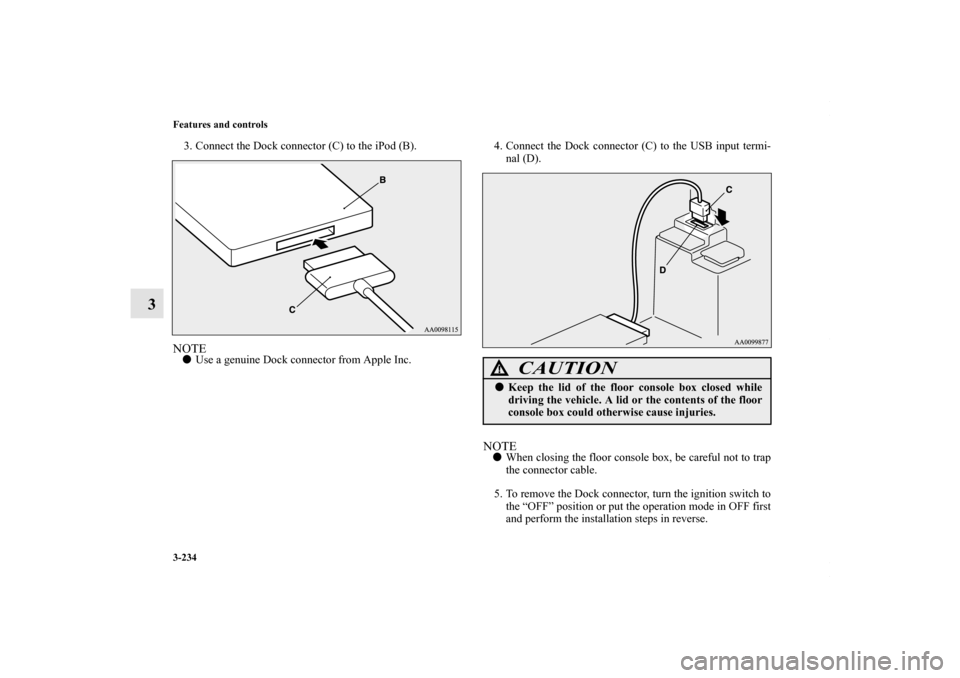
3. Connect the Dock connector (C) to the iPod (B).NOTE�Use a genuine Dock connector from Apple Inc. 4. Connect the Dock connector (C) to the USB input termi-
nal (D).
NOTE� When closing the floor console box, be careful not to trap
the connector cable.
5. To remove the Dock connector, turn the ignition switch to the “OFF” position or put the operation mode in OFF first
and perform the installation steps in reverse.
CAUTION
!� Keep the lid of the floor console box closed while
driving the vehicle. A lid or the contents of the floor
console box could otherwise cause injuries.
BK0150700US.book 234 ページ 2012年3月22日 木曜日 午後6時46分
Page 332 of 602
Features and controls3-235
3
Types of connectable devices and supported file
specifications
N00567000015
Device types
N00567100090
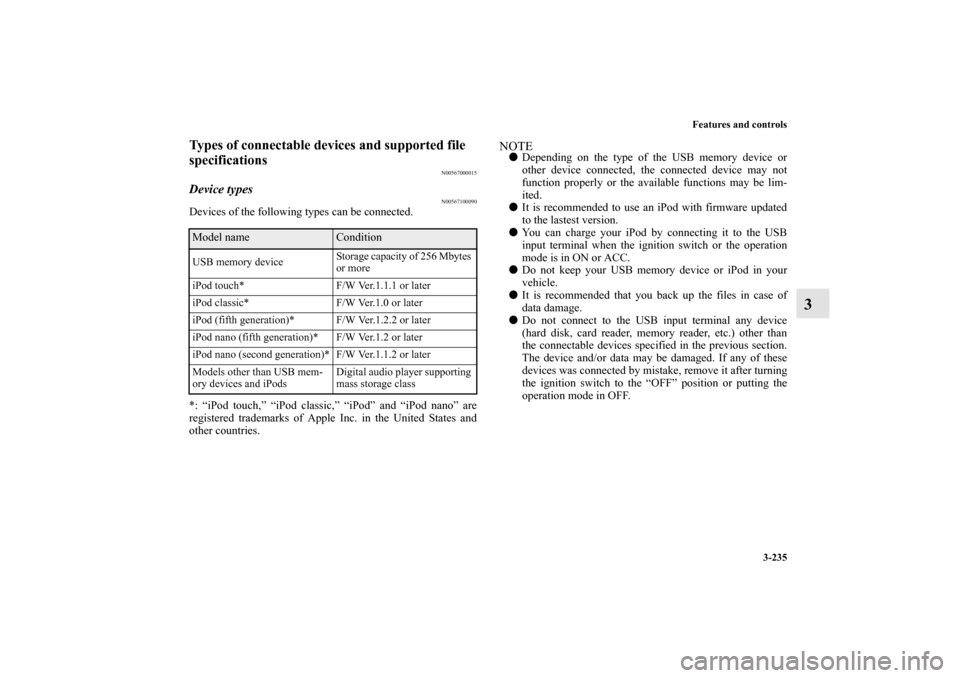
Devices of the following types can be connected.
*: “iPod touch,” “iPod classic,” “iPod” and “iPod nano” are
registered trademarks of Apple Inc. in the United States and
other countries.
NOTE�Depending on the type of the USB memory device or
other device connected, the connected device may not
function properly or the available functions may be lim-
ited.
� It is recommended to use an iPod with firmware updated
to the lastest version.
� You can charge your iPod by connecting it to the USB
input terminal when the ignition switch or the operation
mode is in ON or ACC.
� Do not keep your USB memory device or iPod in your
vehicle.
� It is recommended that you back up the files in case of
data damage.
� Do not connect to the USB input terminal any device
(hard disk, card reader, memory reader, etc.) other than
the connectable devices specified in the previous section.
The device and/or data may be damaged. If any of these
devices was connected by mistake, remove it after turning
the ignition switch to the “OFF” position or putting the
operation mode in OFF.
Model name
Condition
USB memory device Storage capacity of 256 Mbytes
or more
iPod touch* F/W Ver.1.1.1 or later
iPod classic* F/W Ver.1.0 or later
iPod (fifth generation)* F/W Ver.1.2.2 or later
iPod nano (fifth generation)* F/W Ver.1.2 or later
iPod nano (second generation)* F/W Ver.1.1.2 or later
Models other than USB mem-
ory devices and iPods Digital audio player supporting
mass storage class
BK0150700US.book 235 ページ
2012年3月22日 木曜日 午後6時46分