Page 476 of 706
Comfort controls
5-63
5
To unlock locked channelsThere are two ways to unlock a locked channel. One way is to
unlock a single locked channel of your choice. The other way
is to unlock all locked channels.
To unlock a locked channel, you must enter the lock cancella-
tion code.
1. To unlock a single locked channel of your choice, select
the locked channel that you want to unlock. (If you want
to unlock all locked channels, it doesn’t matter which
locked channel you have selected.)
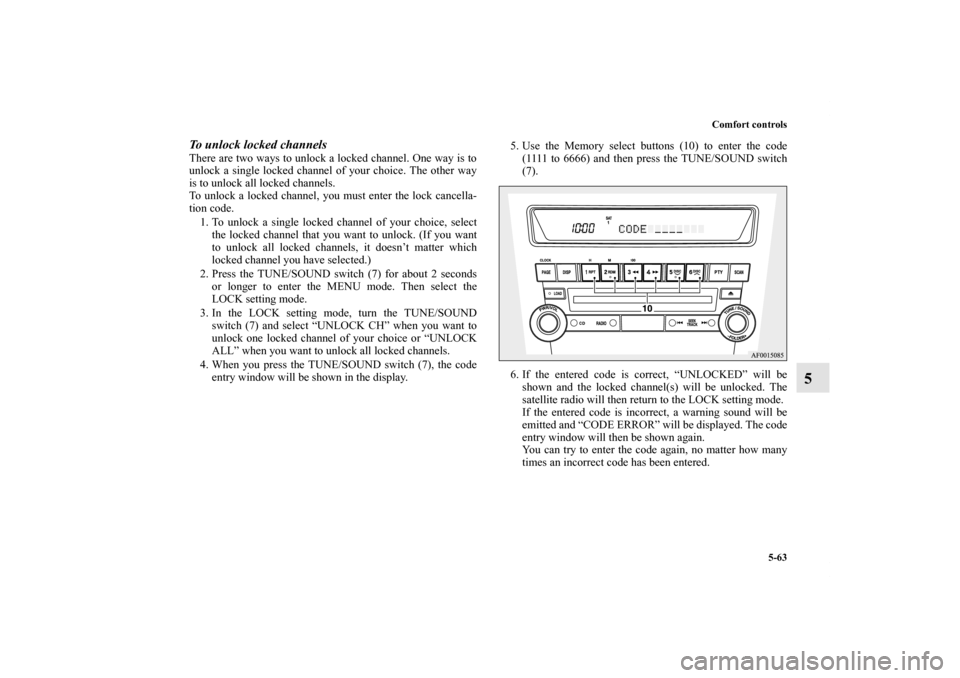
2. Press the TUNE/SOUND switch (7) for about 2 seconds
or longer to enter the MENU mode. Then select the
LOCK setting mode.
3. In the LOCK setting mode, turn the TUNE/SOUND
switch (7) and select “UNLOCK CH” when you want to
unlock one locked channel of your choice or “UNLOCK
ALL” when you want to unlock all locked channels.
4. When you press the TUNE/SOUND switch (7), the code
entry window will be shown in the display.5. Use the Memory select buttons (10) to enter the code
(1111 to 6666) and then press the TUNE/SOUND switch
(7).
6. If the entered code is correct, “UNLOCKED” will be
shown and the locked channel(s) will be unlocked. The
satellite radio will then return to the LOCK setting mode.
If the entered code is incorrect, a warning sound will be
emitted and “CODE ERROR” will be displayed. The code
entry window will then be shown again.
You can try to enter the code again, no matter how many
times an incorrect code has been entered.
BK0151000US.book 63 ページ 2012年3月29日 木曜日 午後6時8分
Page 478 of 706
Comfort controls
5-65
5
7. “STORED” will be displayed for 2 seconds, the code will
be changed and the satellite radio will return to the LOCK
setting mode.NOTE�The SKIP settings, LOCK settings and lock cancellation
code are stored in memory. Disconnecting the battery
cable will erase these settings.
(The lock cancellation code will reset to the default fac-
tory setting: “1111.”)To reset the lock cancellation codeIn case you forget the code, it is possible to reset the code to the
factory setting (1111).
1. With the audio power OFF, press the PWR switch (2) and
the TUNE/SOUND switch (7) at the same time.
The display will show “CODE INITIAL.”
2. Press the TUNE/SOUND switch (7). “YES” will be dis-
played. To reset the code, press the TUNE/SOUND
switch (7) again. “STORED” will be shown for 2 seconds
and the code will be reset.
If you do not want to reset the code, turn the
TUNE/SOUND switch (7) to display “CANCEL” and
then press the TUNE/SOUND switch (7) again.
Text messageYou can change what is shown on the display when the satellite
radio tunes into a channel.
Press the DISP button (4) repeatedly to change to your desired
display mode. The order is: Channel Number + Channel Name
→ Category Name → Artist Name → Song Title → Composer
Name.NOTE�Category name can also displayed by pressing the PTY
button (8).
�The display can show up to 12 characters. If there are
more than 12 characters, press the PAGE button (3) to
view the next 12 characters.
BK0151000US.book 65 ページ 2012年3月29日 木曜日 午後6時8分
Page 479 of 706
5-66 Comfort controls
5
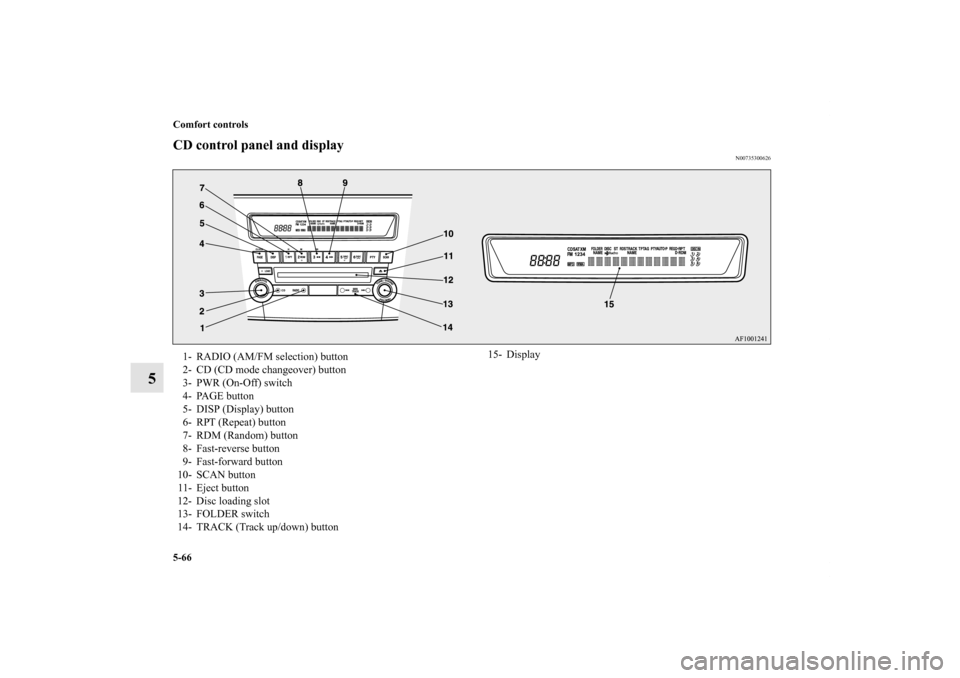
CD control panel and display
N00735300626
1- RADIO (AM/FM selection) button
2- CD (CD mode changeover) button
3- PWR (On-Off) switch
4- PAGE button
5- DISP (Display) button
6- RPT (Repeat) button
7- RDM (Random) button
8- Fast-reverse button
9- Fast-forward button
10- SCAN button
11- Eject button
12- Disc loading slot
13- FOLDER switch
14- TRACK (Track up/down) button15- Display
BK0151000US.book 66 ページ 2012年3月29日 木曜日 午後6時8分
Page 480 of 706
Comfort controls
5-67
5
To listen to a CD
N00735500934
To set discs1. Press the PWR switch (3) to turn the audio system ON and
OFF. The system turns on in the last mode used.
2. Insert the disc with the label facing up.
When a disc is inserted, the CD player will begin playing
even if the radio is being used. The CD player will also
begin playing when the CD button (2) is pressed with a
disc set in the CD player or in the disc loading slot (12),
even if the radio is being used.NOTE�For information concerning the adjustment of volume and
tone, refer to “To adjust the volume” on page 5-49 and
“To adjust the tone” on page 5-49.
�For information concerning the handing of the compact
discs, refer to “Handling of compact discs” on page 5-138.To eject discsWhen the eject button (11) is pressed, the disc automatically
stops and is ejected. The system automatically switches to
radio mode.NOTE�If you do not remove an ejected disc before 15 seconds
have elapsed, the disc will be reloaded.
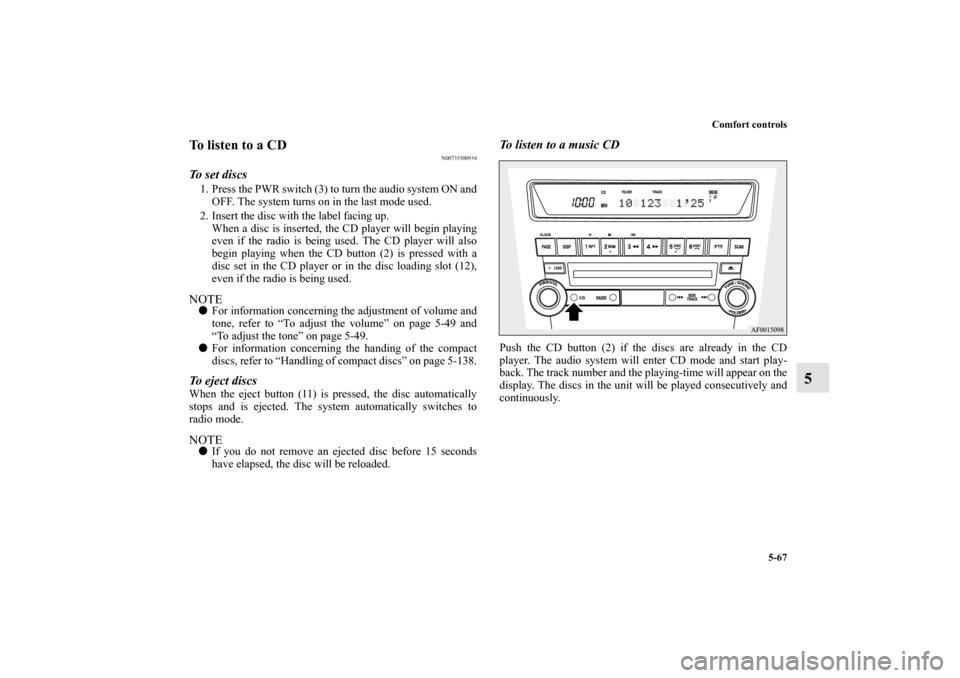
To listen to a music CDPush the CD button (2) if the discs are already in the CD
player. The audio system will enter CD mode and start play-
back. The track number and the playing-time will appear on the
display. The discs in the unit will be played consecutively and
continuously.
BK0151000US.book 67 ページ 2012年3月29日 木曜日 午後6時8分
Page 485 of 706
5-72 Comfort controls
5
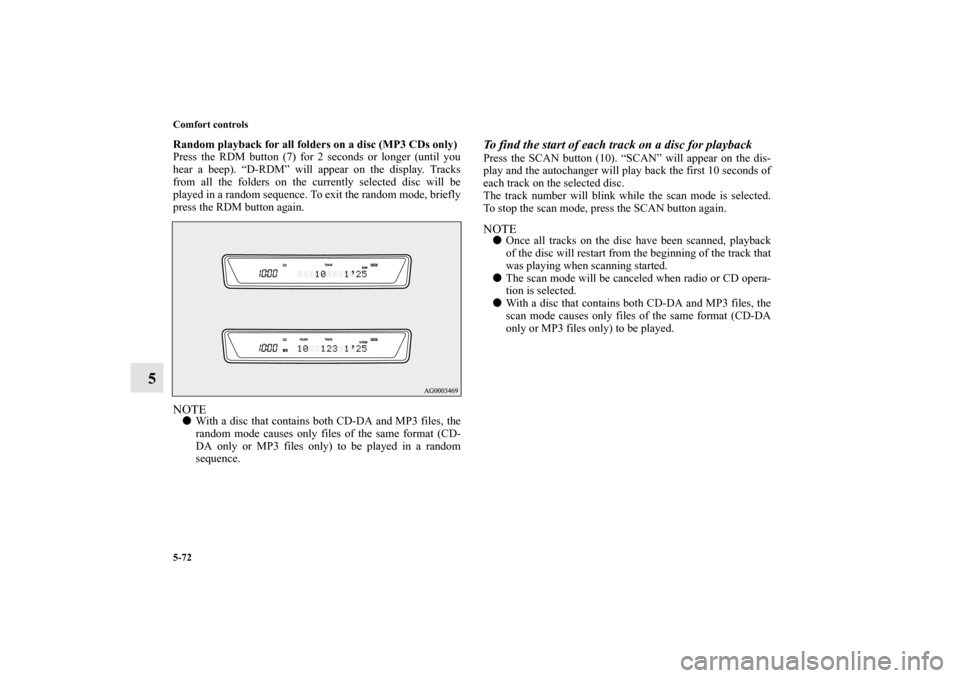
Random playback for all folders on a disc (MP3 CDs only)
Press the RDM button (7) for 2 seconds or longer (until you
hear a beep). “D-RDM” will appear on the display. Tracks
from all the folders on the currently selected disc will be
played in a random sequence. To exit the random mode, briefly
press the RDM button again.NOTE�With a disc that contains both CD-DA and MP3 files, the
random mode causes only files of the same format (CD-
DA only or MP3 files only) to be played in a random
sequence.
To find the start of each track on a disc for playbackPress the SCAN button (10). “SCAN” will appear on the dis-
play and the autochanger will play back the first 10 seconds of
each track on the selected disc.
The track number will blink while the scan mode is selected.
To stop the scan mode, press the SCAN button again.NOTE�Once all tracks on the disc have been scanned, playback
of the disc will restart from the beginning of the track that
was playing when scanning started.
�The scan mode will be canceled when radio or CD opera-
tion is selected.
�With a disc that contains both CD-DA and MP3 files, the
scan mode causes only files of the same format (CD-DA
only or MP3 files only) to be played.
BK0151000US.book 72 ページ 2012年3月29日 木曜日 午後6時8分
Page 487 of 706
5-74 Comfort controls
5
ID3 tag information
The CD player can display ID3 tag information for files that
have been recorded with ID3 tag information.
1. Press the DISP button (5) for 2 seconds or longer to
switch to the ID3 tag information. “TAG” indicator will
appear on the display.
2. Press the DISP button (5) repeatedly to make selections in
the following sequence: album name → track name →
artist name → normal display mode.NOTE�To return from ID3 tag information to the folder name,
press the DISP button (5) again for 2 seconds or longer.
�When there is no title information to be displayed, the dis-
play shows “NO TITLE”.
�The display can show up to 12 characters. If a folder
name, track name, or item of ID3 tag information has
more than 12 characters, press the PAGE button (4) to
view the next 12 characters.
�Folder names and track names can each be displayed up to
a length of 32 characters. Items of ID3 tag information
can each be displayed up to a length of 30 characters.
�Characters that the CD player cannot display are shown as
“•”.
AM/FM electronically tuned radio with 6
CD autochanger (RBDS and MP3 compati-
ble)
(if so equipped)
N00734301004
The audio system can only be used when the ignition switch is
in the “ON” or “ACC” position.NOTE�To listen to the audio system while the engine is not run-
ning, turn the ignition switch to the “ACC” position.
If the ignition switch is left in the “ACC” position, the
accessory power will automatically turn off after a certain
period of time and you will no longer be able to use the
audio system. The accessory power comes on again if the
ignition switch is turned from the “ACC” position. Refer
to “ACC power auto-cutout function” on page 3-86.
�If a cellular phone is used inside the vehicle, it may create
noise in the audio equipment. This does not mean that
anything is wrong with your audio equipment. In such a
case, use the cellular phone at a place as far as possible
from the audio equipment.
�If foreign objects or water get into the audio equipment, or
if smoke or a strange odor comes from it, immediately
turn off the audio system and have it checked at an autho-
rized Mitsubishi Motors dealer or a repair facility of your
choice. Never try to repair it yourself. Avoid using the
audio system until it is inspected by a qualified person.
�If the audio system is damaged by foreign objects, water,
or fire, have the system checked by a qualified Mitsubishi
Motors technician.
BK0151000US.book 74 ページ 2012年3月29日 木曜日 午後6時8分
Page 488 of 706
Comfort controls
5-75
5
�The audio amplifier (if so equipped) is located under the
front left seat. Do not subject the amplifier to a strong
impact. It could damage the amplifier or malfunctioning
could result.
SIRIUS
™ Satellite Radio
(if so equipped)
N00760100107
Satellite radio uses direct satellite to receiver broadcasting
technology to provide clear digital sound, coast to coast. The
subscription service provider is SIRIUS Satellite Radio. This
service offers over 100 channels of music, sports, news, enter-
tainment, and programming for listeners, directly from its sat-
ellites and broadcasting studios.System activationTo activate your SIRIUS Satellite Radio service, call the toll-
free number 888-539-SIRIUS (7474), or visit the Sirius web
site at www.sirius.com. Please have the following information
available when activating your system:
1. The Sirius Identification Number (SIRIUS ID). Refer to
the section “SIRIUS ID indication” on page 5-87.
2. Credit card information.
3. Your Vehicle Identification Number. Refer to “Vehicle
identification number plate” on page 9-2.
“SIRIUS,” the SIRIUS dog logo and channel names and logos
are trademarks of SIRIUS Satellite Radio, Inc.
BK0151000US.book 75 ページ 2012年3月29日 木曜日 午後6時8分
Page 490 of 706
Comfort controls
5-77
5
To adjust the volume
N00712000378
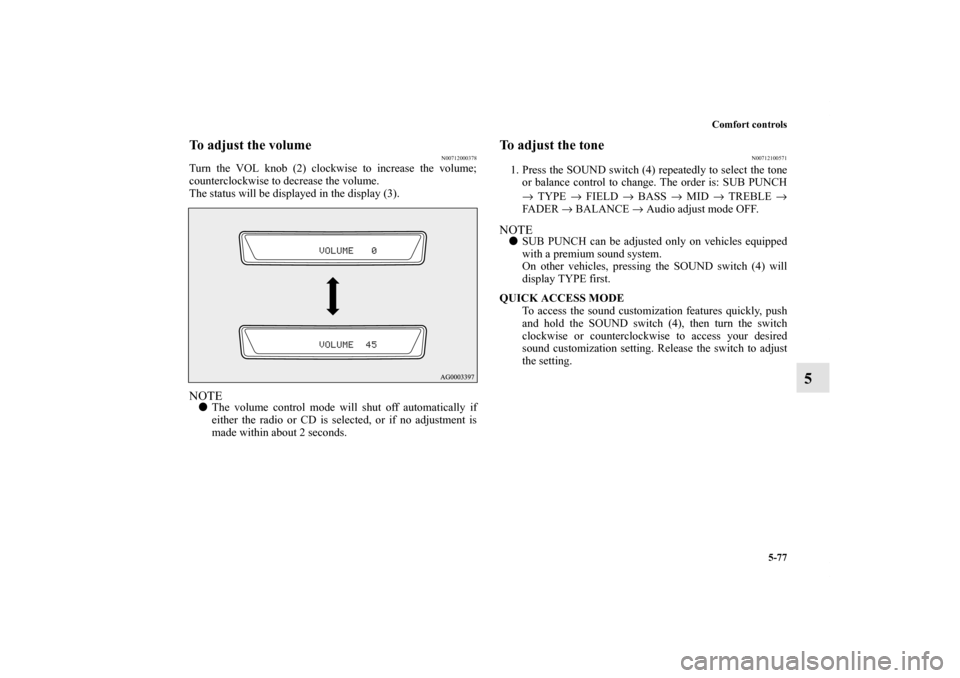
Turn the VOL knob (2) clockwise to increase the volume;
counterclockwise to decrease the volume.
The status will be displayed in the display (3).NOTE�The volume control mode will shut off automatically if
either the radio or CD is selected, or if no adjustment is
made within about 2 seconds.
To adjust the tone
N00712100571
1. Press the SOUND switch (4) repeatedly to select the tone
or balance control to change. The order is: SUB PUNCH
→ TYPE → FIELD → BASS → MID → TREBLE →
FA D E R → BALANCE → Audio adjust mode OFF.NOTE�SUB PUNCH can be adjusted only on vehicles equipped
with a premium sound system.
On other vehicles, pressing the SOUND switch (4) will
display TYPE first.
QUICK ACCESS MODE
To access the sound customization features quickly, push
and hold the SOUND switch (4), then turn the switch
clockwise or counterclockwise to access your desired
sound customization setting. Release the switch to adjust
the setting.
BK0151000US.book 77 ページ 2012年3月29日 木曜日 午後6時8分