2013 MERCEDES-BENZ SPRINTER climate control
[x] Cancel search: climate controlPage 126 of 334

X
Press the 0003or0006 button until the
0001 symbol in menu bar 0006flashes.
X Press the 000Abutton.
In program column 0005, the day selected
flashes.
X Press the 0003or0006 button to set the
desired day.
X Press the 000Abutton.
The day selected is stored. The hour setting
of the clock flashes.
X In the same way, set the hour and
subsequently the minutes, then confirm by
pressing the 000Abutton.
The time is stored. Program column 0005
disappears and the operating duration
flashes.
i The operating duration set is the default
setting for immediate heating mode. You
can set the operating duration from 10 to
120 minutes or activate continuous
operation.
X Using the 0003or0006 button, set the
minute value or select the 0005symbol for
continuous operation.
X Press the 000Abutton.
The operating duration is stored. The time
is shown.
Activating/deactivating immediate
heating mode X
To switch on: press the0003or0006
button until the 0020symbol in the menu
bar flashes.
X Press the 000Abutton.
The operation duration flashes in the
display.
i You can preset the default value that is
shown (Y page 123).
X Using the 0003or0006 button, set the
minute value (10 – 120) or select the
0005 symbol for continuous operation. X
Press the 000Abutton.
Immediate heating mode is activated. The
time and the 0020symbol appear.
X To switch off: press the0003or0006
button until the 0020symbol flashes in the
menu bar, and then press the 000Abutton.
Immediate heating mode is deactivated.
The 0020 symbol disappears.
The auxiliary heating operates for another
two minutes and then switches off
automatically.
i If you switch off the ignition while
immediate heating mode (operating
duration 10– 120 minutes) is active,
immediate heating mode is also switched
off. The auxiliary heating operates for
another two minutes and then switches off
automatically.
If you have set continuous operation as the
operating duration and you switch off the
ignition, the auxiliary heating switches off
automatically after about 15 minutes .If, in
the remaining time, the ignition is switched
on again, continuous operation of the
auxiliary heating continues.
Setting the preselection time G
WARNING
The auxiliary heating must not be operated if
there are highly flammable substances
nearby or in enclosed spaces without an
extraction system. Make sure that the
auxiliary heating is not switched on
automatically by the timer in such places. If
this possibility exists, deactivate the
respective programmed time.
You can set three preselectio ntimes using
the timer.
Observe that when setting the preselection
time, this does not correspond to the switch-
on time but to the switch-off or departure
time. The auxiliary heatin gsystem starts up
automatically and runs fo rthe operating
duration set prior to departure. 124
Operating the auxiliary heating systemClimate control
Page 127 of 334
Example:
For a planned departur etime of
7:00 a.m., you should also set the
preselection time to 7:00 a.m. If the operating
duration is prese tto 40 minutes, for example,
the auxiliary heating startsu p at 6:20a.m.
If an identical time (time and day) is set in the
preselection memory, onl ythe last time set is
saved.
After a malfunction or if the battery has been
disconnected, you must set the preselection
times again. You can find further information
on malfunctions in the "Problems with the
auxiliary heating" section (Y page 128).
X Press the 0003or0006 button until the
0002 symbol in the menu bar flashes.
X Press the 000Abutton.
In the program column, the 0001
preselection memory numbers appear. The
selected preselection memory flashes.
X Press the 0003or0006 button to select the
desired preselection memory.
X Press the 000Abutton.
The preselection memory is selected. The
days are shown.
X Set the day and time as described in the
"Setting the day, time and operating
duration" section (Y page 123).
The preselection time is stored. The
program column disappears. In the display
panel, the on message and the
0020
symbol appear.
X Press the 000Abutton.
The operating duration flashes.
X Press the 0003or0006 button to set the
minute value (10 – 120).
X Press the 000Abutton.
The operating duration for the preselection
time is saved. The time and number of the
selected preselection memory are shown.
i The preselection memory that will be
activated next is underlined. Additionally,
the day that is set appears. Deactivating the preselection time X
Carry out the steps as described in the
"Setting the preselection time" section.
If the 0020 symbol in the status bar is shown:
X Press the 0003or0006 button until the
off message in the display panel is shown.
X Press the 000Abutton.
The preselection time is deactivated. The
time is shown.
Setting the heating level You can set the heating level to a range
between 10 and 30.
The heating level corresponds to a
preselection temperature for the vehicle
interior. This is a guide value and may,
depending on the outside temperature, differ
from the actual vehicle interior temperature.
X
Press the 0003or0006 button until the
0004 symbol in the menu bar flashes.
X Press the 000Abutton.
The heating level display flashes.
X Using the 0003and0006 buttons, set the
desired heating level to a range between 10
and 30.
X Press the 000Abutton.
The heating level is set and the 0020
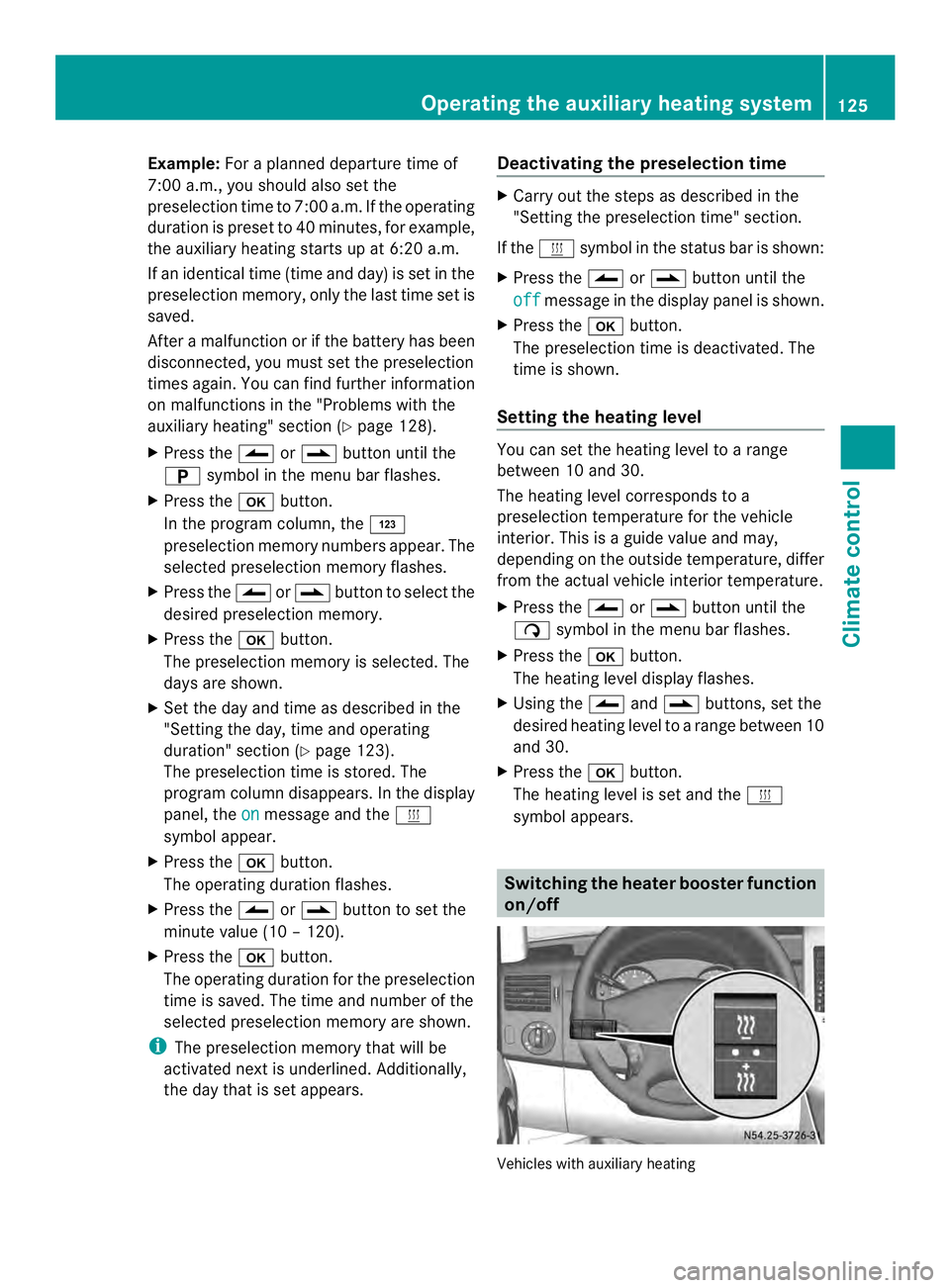
symbol appears. Switching the heater booster function
on/off
Vehicles with auxiliary heatingOperating the auxiliary heating system
125Climate control Z
Page 128 of 334

At an outside temperature of up to
39 ‡(4 †) the fuel-fired heate
rbooster
system heats the vehicle interior as quickly
as possible when the engine is running.
The auxiliary heating automatically switches
to heater booster mode after the engine is
started.
At an outside temperature above 39 ‡(4 †)
the auxiliary heating system and the heater
booster function switch off automatically.
If you switch off the engine without switching
off the heater booster function, the system
will be switched on the next time the engine
is started (memory function).
i Switch the auxiliary heating on or off with
the 0020 button (Y page 119).
X To switch on/off: press the0013switch.
If the indicator lamp in the button lights up,
the heater booster function is switched on.
After switching off, the auxiliary heating
operates for about another three minutes and
then switches off automatically. Replacing the remote control battery
G
WARNING
Batteries contain toxic and corrosive
substances. If batteries are swallowed, it can
result in severe health problems. There is a
risk of fatal injury.
Keep batteries out of the reach of children. If
a battery is swallowed, seek medical attention
immediately. H
Environmental note Batteries contain dangerous
substances. It is against the
law to dispose of them with
the household rubbish. They
must be collected separately
and recycled to protect the
environment.
Dispose of batteries in an
environmentally friendly
manner
.Take discharged
batteries to a qualified
specialist workshop or a
special collectio npoint for
used batteries.
If the indicator lamp on the remote control
flashes red rapidly, the remote control battery
is discharged. You should replace the remote
control battery.
You need a battery of the type CR2430, which
can be obtained at any qualified specialist
workshop. X
Remove battery cover 0006using a suitable
implement, e.g. a coin, by turning it
counter-clockwise.
X Check the seal on battery cover 0006for
damage and, if necessary, replace.
X Remove old batteries 0026.
X Insert new, clean battery 0026into the
battery tray with the positive pole facing
upwards. Use a lint-free cloth to do so. 126
Operating the auxiliary heating systemClimate control
Page 129 of 334
X
Position battery cover 0006so that mark 0005
on the raised area points between two
recesses 0025.
X Turn battery cover 0006using a suitable
implement, e.g. a coin, clockwise to the
stop.
X Check all the functions of the remote
control (Y page 121). Operating the auxiliary heating system
127Climate control Z
Page 130 of 334

Problems with the auxiliary heating
Problem Possible causes/consequences and
0004 Solutions
The indicator lamp on
the remote control
flashes red rapidly. The remote control battery is discharged. Data transmission is not
possible.
X
Replace the remote control battery (Y page 126).The indicator lamp on
the remote control
flashes red and green in
rapid succession. There is no connection between the remote control and the
receiver in the vehicle.
X
Change your position in relation to the vehicle, e.g. hold the
remote control higher or to the side.
X Move closer.
If you cannot establish aconnection and the auxiliary heating is
switched on, it can then only be deactivated using the 0020button
(Y page 119). The indicator lamp on
the remote control
flashes red and green in
rapid succession. Several remote controls are being used at the same time.
X
Switch on the remote control again after a short while
(Y page 121). The indicator lamp on
the remote control
flashes red and green in
rapid succession. The remote control is not synchronized.
X
Synchronize the remote control (Y page 122).The indicator lamp on
the remote control
slowly flashes red and
green alternately. The remote control is being synchronized.
X
Wait until the remote control synchronization process is
complete (Y page 122). The remote control for
the auxiliary heating
cannot be switched on. The remote control battery is discharged.
X
Replace the remote control battery (Y page 126).The auxiliary heating
does not switch on. The outside temperature is above 39
‡(4† ). The auxiliary heating
switches off automatically. The auxiliary heating
switches off
automatically and/or
cannot be switched on. The fuel tan
kis less than 0002full. The auxiliary heating switches off
automatically.
X Refuel at the nearest gas station.
X Then, start the auxiliary heating several times until the fuel lines
are full. 128
Operating the auxiliary heating systemClimate control
Page 131 of 334

Problem Possible causes/consequences and
0004 Solutions
The auxiliary heating
switches off
automatically and/or
cannot be switched on. The low-voltage protection system integrated in the control unit
switches off the auxiliary heating because the on-board voltage is
less than 10 V.
X Have the alternator and battery checked. The auxiliary heating
switches off
automatically and/or
cannot be switched on. The fuse is blown.
X
Replace the fuse; see the "Fuse allocation" supplement.
X Have the cause of the blown fuse determined at a qualified
specialist workshop. The auxiliary heating
switches off
automatically and/or
cannot be switched on. A malfunction has occurred.
X
Switch the ignition on and off twice.
If the auxiliary heating still cannot be switched on, the heating
device is faulty.
X Have the auxiliary heating checked at a qualified specialist
workshop. The auxiliary heating is
overheated. The coolant level is too low.
X
Check the coolant level and add more coolant if necessary
(Y page 244). Operating the cargo compartment air
vents
If your vehicle is equipped with a roof
ventilator, you can ventilate and extract air
from the cargo compartment. X
Turn the key to position 2in the ignition
lock.
X To activate and extract air: press the
upper section of the 0009switch.
The roof ventilator removes used air from
the cargo compartment.
X To activate and ventilate: press the lower
section of the 0010switch.
The roof ventilator feeds fresh air into the
cargo compartment.
X To switch off: set the switch to the middle
position. Operating the cargo compartment air vents
129Climate control Z
Page 258 of 334

H
Environmental note
Only clean your vehicle at specially designed
wash bays. Dispose of empt ycontainers and
used cleaning products in an environmentally
responsible manner. H
Environmental note
Dispose of empty packaging and cleaning
cloths in an environmentally responsible
manner.
Regula rcare of your vehicle is a condition for
retaining the quality in the long term.
Use care products and cleaning agents
recommended and approved for Sprinter
vehicles. Washing the vehicle and cleaning the
paintwork
Automatic car wash G
WARNING
Braking efficiency is reduced after washing
the vehicle .There is a risk of an accident.
After the vehicle has been washed, brake
carefully while paying attention to the traffic
conditions until full braking power is restored.
! Never clean your vehicle in a Touchless
Automatic Car Wash as these use special
cleaning agents. These cleaning agents can
damage the paintwork or plastic parts.
! Make sure that the automatic car wash is
suitable for the size of the vehicle.
Before washing the vehicle in an automatic
car wash, fold in the exterior mirrors and
remove any additional antennas.
Otherwise, the exterior mirror, antenna or
the vehicle itself could be damaged.
Make sure that the exterior mirrors are fully
folded out again and that any additional
antennas are re-installed when you leave
the automatic car wash. !
Make sure that:
R the side windows and the roof are
completely closed
R the climate control blower is switched off
R the windshield wiper switch is at position
0
The vehicle could otherwise be damaged.
You can wash the vehicle in an automatic car
wash from the very start.
Wash off excess dirt before cleaning the
vehicle in an automatic car wash.
After putting the vehicle through an
automatic car wash, wipe off wax from:
R the rear view camera lens (Y page 259)
R the windshield
R the windshield wiper blades
This will prevent smears and reduce wiping
noises caused by residue on the
windshield.
Washing by hand In some countries, washing by hand is only
allowed at specially equipped washing bays.
Observe the legal requirements for each
individual country.
X
Do not use hot water and do not wash the
vehicle in direct sunlight.
X Use a soft car sponge.
X Use a mild cleaning agent, e.g. a car
shampoo approved for use with Sprinter
vehicles.
X Thoroughly hose down the vehicle with a
gentle jet of water.
X Do not point the water jet directly towards
the air inlets.
X Use plenty of water and rinse out the
sponge frequently.
X Rinse the vehicle with clean water and dry
thoroughly with a chamois.
X Do not let the cleaning agents dry on the
paintwork. 256
CareMaintenance and care
Page 319 of 334

Service products include the following:
R Fuels, e.g. diesel
R Additives for the exhaus tgas
aftertreatment, e.g .Diesel Exhaust Fluid
(DEF)
R Lubricants, e.g. engine oil, transmission oil
R Coolant
R Brake fluid
R Washer fluid
R Climate control system refrigerants
Approved service products comply with the
highes tquality standards and are listed in the
MB Specifications for Service Products. Only
use service products approved for the
vehicle. This is an important condition for the
warranty.
You will recognize the approved service
products by the inscription on the container:
MB Approval (e.g. MB Approval 228.5)
Other identifications and recommendations
refer to quality level or a specification
according to an MB Sheet Number (e.g. MB
228.5). They are therefore not necessarily
approved.
Further information can be obtained at any
qualified specialist workshop.
Additives for approved service products are
neither required no rpermitted. Approved fuel
additives are the exception .Additives can
cause engine damage and must therefore not
be added to the service products.
The use of additives is always the
responsibility of the vehicle operator .The use
of additives may result in the restriction or
loss of your Limited Warranty entitlements. Fuel
Important safety notes G
WARNING
Fuel is highly flammable. Improper handing of
fuel creates a risk of fire and explosion. Avoid fire, open flames, smoking and creating
sparks under all circumstances. Switch off the
engine and, if applicable, the auxiliary heating
before refueling.
G
WARNING
Fuel is poisonous and hazardous to health.
There is a risk of injury.
You must make sure that fuel does not come
into contact with your skin, eyes or clothing
and that it is not swallowed. Do not inhale fuel
vapors. Keep fuel away from children.
If you or others come into contact with fuel,
observe the following:
R Wash away fuel from skin immediately
using soap and water.
R If fuel comes into contact with your eyes,
immediately rinse them thoroughly with
clean water. Seek medical assistance
without delay.
R If fuel is swallowed, seek medical
assistance without delay.Don ot induce
vomiting.
R Immediately change out of clothing which
has come into contact with fuel.
Tank contents Total capacity
Approximately
26.4 US gal (100 l) of which reserve
fuel
Approximately
5.3 US gal(20 l) Diesel
Fuel grade
G
WARNING
If you mix diesel fuel with gasoline, the flash
point is lower than that of pure diesel fuel.
When the engine is running, exhaust system
components could overheat without being
noticed. There is a risk of fire.
Never refuel with gasoline. Never mix gasoline
with diesel fuel. Service products and capacities
317Technical data Z