Page 151 of 458

X
To activate: press the0001button.
The indicator lamp in the button lights up.
X To activate: press off-road button 0001
again.
The indicator lamp goes out. The previously
selected settings are restored.
Whe nyou activate MAX COOL, climate
control switches to the following functions:
R maximum cooling
R maximum airflow
R air-recirculation mode on Defrosting the windows
Windows fogged up on the inside X
Activate the 0007/0005 cooling with air
dehumidification function.
X Activate automatic mode 0006.
X If the windows continue to fog up, activate
the defrosting function (Y page 148).
i You should only select this setting until
the windshield is clear again.
Windows fogged up on the outside X
Press the 0017button repeatedly until the
001C or001B symbol appears in the
display.
i You should only select this setting until
the windshield is clear again. Rear window defroster
Activating/deactivating The rear window defroster has a high current
draw. You should therefore switch it off as
soon as the rear window is clear. Otherwise,
the rear window defroster switches off
automatically after several minutes.
If the battery voltage is too low, the rear
window defroster may switch off.
X
Turn the SmartKey to position 2in the
ignition lock (Y page 157).
X Press the 000Dbutton.
The indicator lamp in the 000Dbutton lights
up or goes out. Operating the climate control systems
149Climate control
Page 152 of 458
Problems with the rear window defroster
Problem Possible causes/consequences and
0001 Solutions
The rear window
defroster has
deactivated
prematurely or cannot
be activated. The battery has not been sufficiently charged.
X
Switch off any consumers that are not required, e.g. reading
lamps or interior lighting.
When the battery is sufficiently charged, the rear window
defroster is activated again automatically. Activating/deactivating air-
recirculation mode
If you switch on air-recirculation mode, the
windows can fog up more quickly, in
particular at low temperatures. Only use air-
recirculation mode briefly to prevent the
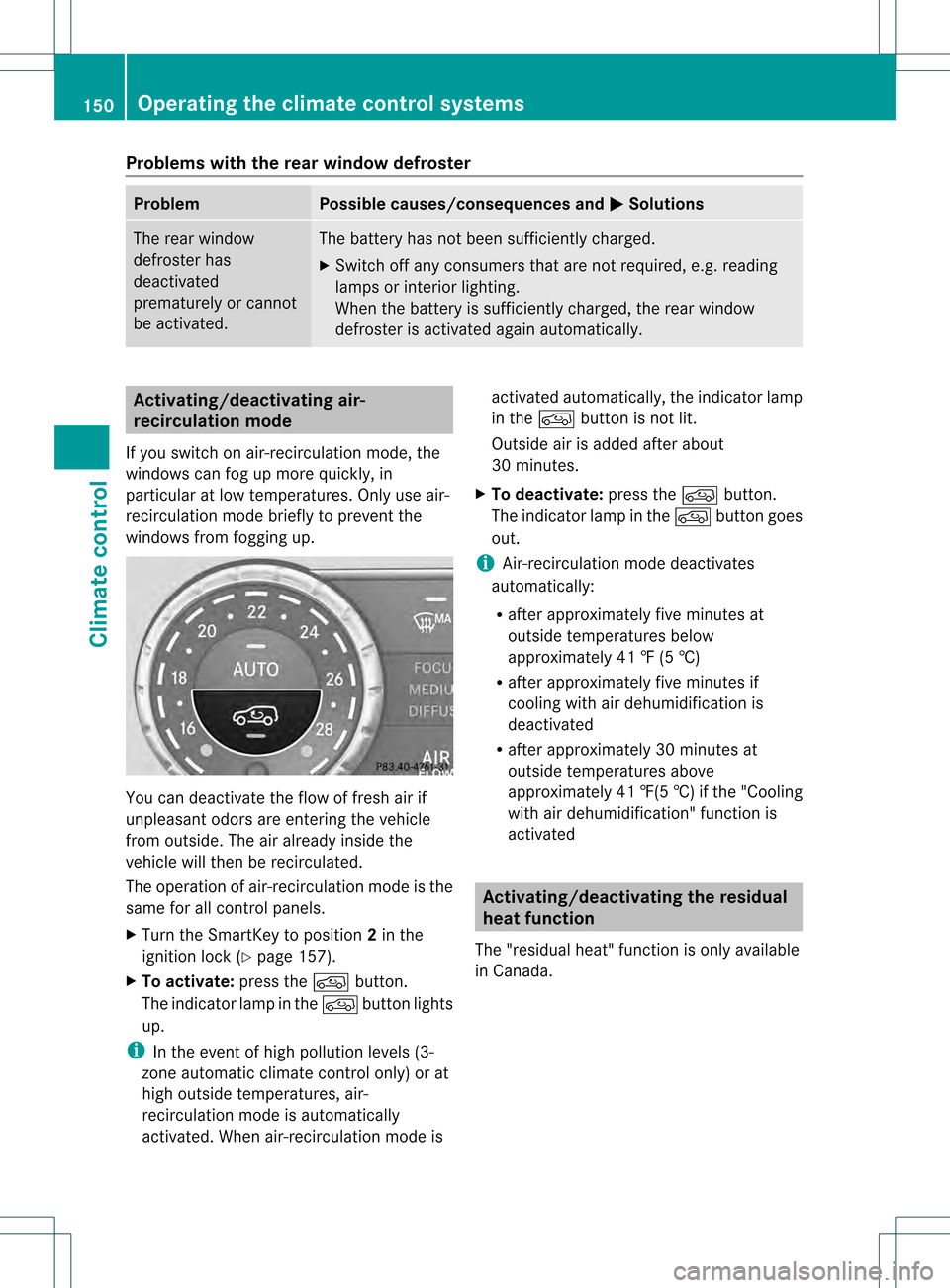
windows from fogging up. You can deactivate the flow of fresh air if
unpleasant odors are enteringt
he vehicle
from outside. The air already inside the
vehicle will then be recirculated.
The operation of air-recirculation mode is the
same for all control panels.
X Turn the SmartKey to position 2in the
ignition lock (Y page 157).
X To activate: press the0016button.
The indicator lamp in the 0016button lights
up.
i In the event of high pollution levels (3-
zone automatic climate control only) or at
high outside temperatures, air-
recirculation mode is automatically
activated. When air-recirculation mode is activated automatically, the indicator lamp
in the
0016button is not lit.
Outside air is added after about
30 minutes.
X To deactivate: press the0016button.
The indicator lamp in the 0016button goes
out.
i Air-recirculation mode deactivates
automatically:
R after approximately five minutes at
outside temperatures below
approximately 41 ‡ (5 †)
R after approximately five minutes if
cooling with air dehumidification is
deactivated
R after approximately 30 minutes at
outside temperatures above
approximately 41 ‡(5 †)if the "Cooling
with air dehumidification" function is
activated Activating/deactivating the residual
heat function
The "residual heat" function is only available
in Canada. 150
Operating the climate control systemsClimate control
Page 154 of 458

Setting the side air vents
0002
Side window defroster vent
0003 Side air vent
001F Control for side air vent
X To open/close: turn thumbwheel 001Fup or
down. Setting the glove box air vent
! Close the air vent when heating the
vehicle.
At high outside temperatures, open the air
vent and activate the "cooling with air
dehumidification" function. Otherwise,
temperature-sensitive items stored in the
glove box could be damaged. 0002
Air vent thumbwheel
0003 Air vent
When automatic climate control is activated,
the glove box can be ventilated, for instance
to cool its contents. The level of airflow
depends on the airflow and air distribution
settings. X
To open/close: turn thumbwheel 0002
clockwise or counter-clockwise. Setting the rear-compartment air
vents
Setting the center vents in the rear
compartment Example: center vents with rear control panel
0002
Rear-compartment air vent thumbwheel
0003 Rear-compartment air vent, right
001F Rear control panel
001E Rear-compartment air vent, left
X To open/close: turn thumbwheel 0002up or
down.
Setting the rear-compartment side air
vents 2nd row of seats
0002
B-pillar air vent
0003 Thumbwheel for B-pillar air vent 152
Setting the air ventsClimate control
Page 234 of 458

R
the ligh tswitch is in the 0006or000D
position.
R reverse gear has not been engaged.
Switching on Nigh tView Assist Plus X
Make sure that COMAN Dis switched on.
X Press button 0002.
The Night View Assist Plus display appears
in the COMAND display.
You can read abouth ow to adjust the
brightness of the COMAND display in the
COMAND operating instructions.
i The infrared headlamps only switch on
when the vehicle is being driven at speeds
of approximately 6 mph (10 km/h). This
means that you do not have the full visual
range while the vehicle is stationary and
cannot check whether Night View Assist
Plus is working.
Pedestrian recognition 0002
Night View Assist Plus display
0003 Pedestrian recognized 001F
Framing
001E Symbol for active pedestrian recognition
i Animals are not recognized by pedestrian
recognition.
Night View Assist Plus is able to recognize
pedestrians by typical characteristics, e.g. a
silhouette in the shape of aperson.
Pedestrian recognition is then switched on
automatically if:
R Night View Assist Plus is activated
R you exceed a speed of approximately
6 mph (10 km/h)
R the surroundings are dark, e.g. when
driving outside built-up areas without
street lighting
If pedestrian recognition is active,
symbol 001Eappears. If pedestrians are
detected, they are highlighted with framing
001F.Ift he pedestrian recognition system has
brought a pedestrian to your attention, look
through the windshield to evaluate the
situation. The actual distance to objects and
pedestrians cannot be gaged accurately by
looking at a screen.
It may be the case that objects are highlighted
as well as pedestrians.
Fogged up or dirtyw indshield If the windshield in front of the camera is
fogged up or dirty on the inside or outside, the
Night View Assist Plus display is affected.
X
To defrost: check the automatic air
conditioning settings (Y page 149)and fold
down the camera cover (Y page 375).
X To defrost the inside of the windshield:
fold down the camera cover (Y page 375)
and clean the windshield (Y page 372).232
Driving systemsDriving an
d parking
Page 235 of 458

Problems with Night View Assist Plus
Problem Possible causes/consequences and
0001 Solutions
The picture quality of
Night View Assist Plus
has deteriorated. The windshield wipers are smearing the windshield.
X
Replace the wiper blades (Y page 133). The windshield is smeared after the vehicle has been cleaned in a
car wash.
X
Cleant he windshield (Y page 372). There is windshield chip damage in the camera's field of vision.
X
Replace the windshield. The windshield is fogged up on the inside.
X
Defrost the windshield (Y page 149). The windshield is iced up.
X
De-ice the windshield (Y page 148). There is dirt on the inside of the windshield.
X
Cleant he inside of the windshield (Y page 372).Lane Tracking package
General notes The Lane Tracking package consists of Blind
Spot Assist (Y page 233) and Lane Keeping
Assist (Y page 235).
Blind Spot Assist Important safety notes
G
WARNING
Blind Spot Assist does not react to:
R vehicles overtaken too closely on the side,
placing them in the blind spot area
R vehicles approaching and driving by with a
speed difference of more than
approximately 6.8 mph (11 km/h)
As a result, Blind Spot Assist may not give
warnings in such situations. There is a risk of
an accident.
Always observe the traffic conditions
carefully, and maintain a safe lateral distance. Blind Spot Assist is only an aid. It may fail to
detect some vehicles and is no substitute for
attentive driving.
i
USA only:
This device has been approved by the FCC
as a "VehicularR adar System". The radar
sensor is intended for use in an automotive
radar system only. Removing, tampering
with, or altering the device will void any
warranties, and is no tpermitted by the
FCC. Do not tamper with, alter, or use in
any non-approved way.
Any unauthorized modification to this
device could void the user’s authority to
operate the equipment.
General notes
Blind Spot Assist uses a radar sensor system
to monitor the areas on both sides of your
vehicle. It supports you from a speed of
approximately 20 mph (30 km/h). A warning
display in the exterio rmirrors draws your
attention to vehicles detected in the Driving systems
233Driving and parking Z
Page:
< prev 1-8 9-16 17-24