2013 LINCOLN MKZ alarm
[x] Cancel search: alarmPage 5 of 474

Security
Passive Anti-Theft System................72
Anti-Theft Alarm
...................................73
Steering Wheel
Adjusting the Steering Wheel...........75
Audio Control
.........................................76
Voice Control
...........................................77
Cruise Control
.........................................77
Information Display Control..............77
Heated Steering Wheel......................78
Wipers and Washers
Windshield Wipers
...............................79
Autowipers..............................................79
Windshield Washers
...........................80
Lighting
Lighting Control
.....................................82
Autolamps...............................................82
Instrument Lighting Dimmer............83
Headlamp Exit Delay...........................83
Daytime Running Lamps...................83
Automatic High Beam Control
........84
Direction Indicators
..............................85
Interior Lamps
........................................85
Windows and Mirrors
Power Windows
....................................87
Global Opening and Closing............88
Exterior Mirrors......................................88
Interior Mirror
.........................................90
Sun Visors
...............................................90
Sun Shades
..............................................91 Moonroof..................................................91
Instrument Cluster
Gauges......................................................94
Warning Lamps and Indicators.......95
Audible Warnings and
Indicators.............................................99
Information Displays
General Information
..........................100
Information Messages
......................105
Audio System
General Information
...........................122
Audio unit - Vehicles With: Premium AM/FM/CD
........................................123
Media Hub
..............................................125
Climate Control
Automatic Climate Control.............126
Hints on Controlling the Interior Climate................................................127
Heated Windows and Mirrors.........128
Cabin Air Filter
......................................129
Remote Start
........................................129
Seats
Sitting in the Correct Position
..........131
Head Restraints
....................................131
Power Seats
..........................................133
Memory Function................................135
Rear Seats..............................................137
Heated Seats
.........................................137
Ventilated Seats
..................................139
Rear Seat Armrest
..............................140
2
Table of Contents
Page 12 of 474
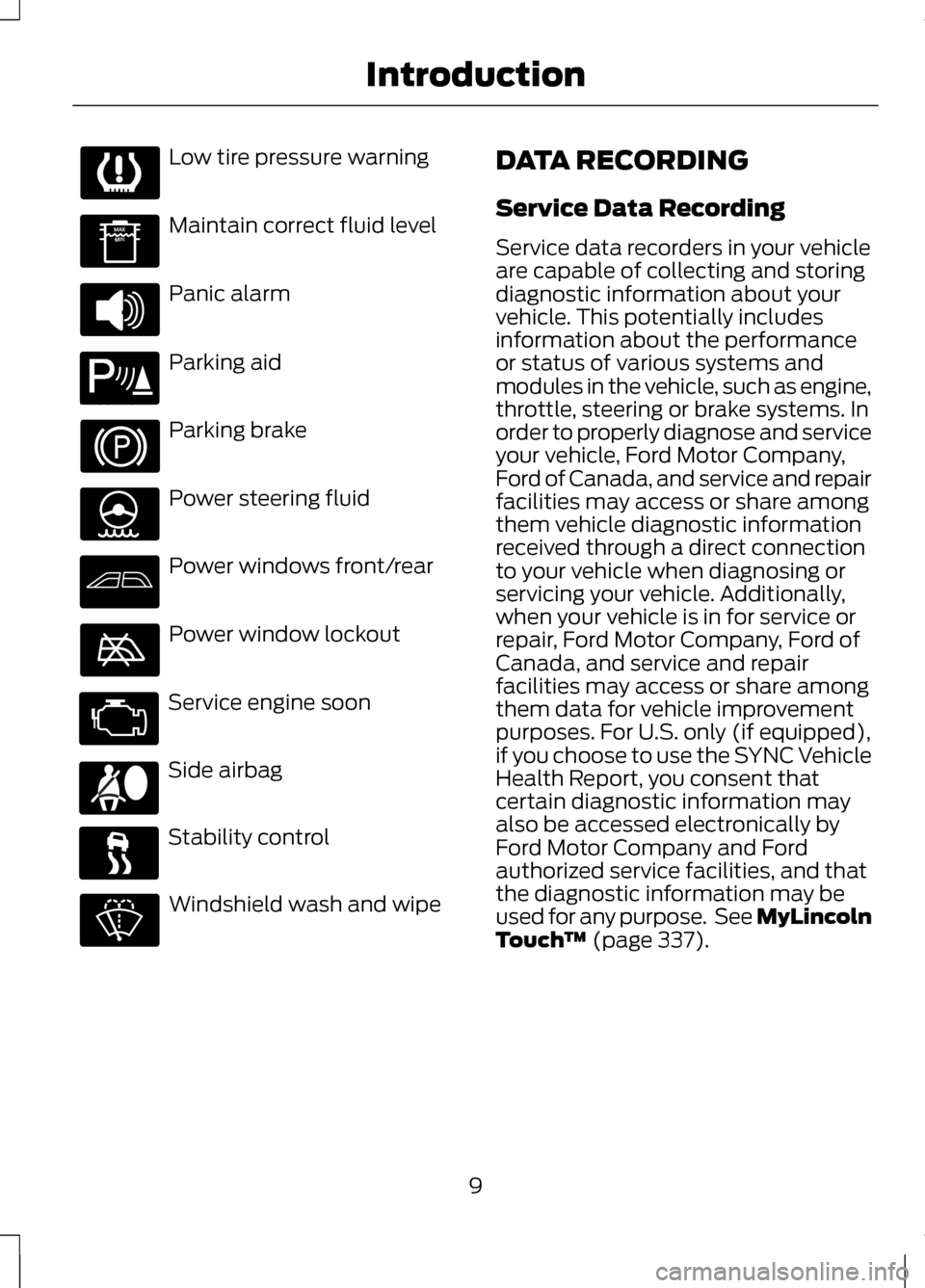
Low tire pressure warning
Maintain correct fluid level
Panic alarm
Parking aid
Parking brake
Power steering fluid
Power windows front/rear
Power window lockout
Service engine soon
Side airbag
Stability control
Windshield wash and wipe DATA RECORDING
Service Data Recording
Service data recorders in your vehicle
are capable of collecting and storing
diagnostic information about your
vehicle. This potentially includes
information about the performance
or status of various systems and
modules in the vehicle, such as engine,
throttle, steering or brake systems. In
order to properly diagnose and service
your vehicle, Ford Motor Company,
Ford of Canada, and service and repair
facilities may access or share among
them vehicle diagnostic information
received through a direct connection
to your vehicle when diagnosing or
servicing your vehicle. Additionally,
when your vehicle is in for service or
repair, Ford Motor Company, Ford of
Canada, and service and repair
facilities may access or share among
them data for vehicle improvement
purposes. For U.S. only (if equipped),
if you choose to use the SYNC Vehicle
Health Report, you consent that
certain diagnostic information may
also be accessed electronically by
Ford Motor Company and Ford
authorized service facilities, and that
the diagnostic information may be
used for any purpose. See MyLincoln
Touch
™ (page 337).
9
Introduction E139213
Page 56 of 474

GENERAL INFORMATION
ON RADIO FREQUENCIES
This device complies with Part 15 of
the FCC Rules and with Industry
Canada license-exempt RSS
standard(s). Operation is subject to
the following two conditions: (1) This
device may not cause harmful
interference, and (2) This device must
accept any interference received,
including interference that may cause
undesired operation.
Note:
Changes or modifications not
expressively approved by the party
responsible for compliance could void
the user's authority to operate the
equipment. The term IC before the
radio certification number only signifies
that Industry Canada technical
specifications were met.
The typical operating range for your
transmitter is approximately 33 feet
(10 meters). Vehicles with the remote
start feature will have a greater range.
One of the following could cause a
decrease in operating range:
• weather conditions
• nearby radio towers
• structures around the vehicle
• other vehicles parked next to your
vehicle The radio frequency used by your
remote control can also be used by
other short distance radio
transmissions, for example amateur
radios, medical equipment, wireless
headphones, remote controls and
alarm systems. If the frequencies are
jammed, you will not be able to use
your remote control. You can lock and
unlock the doors with the key.
Note:
Make sure to lock your vehicle
before leaving it unattended.
Note: If you are in range, the remote
control will operate if you press any
button unintentionally.
Intelligent Access
The system uses a radio frequency
signal to communicate with your
vehicle and authorize your vehicle to
unlock when one of the following
conditions are met:
• You touch the inside of the front
exterior door handle.
• You press the luggage
compartment button.
• You press a button on the
transmitter.
If excessive radio frequency
interference is present in the area or
if the transmitter battery is low, you
may need to mechanically unlock your
door. You can use the mechanical key
blade in your intelligent access key to
open the driver door in this situation.
See
Remote Control (page 54).
53
Keys and Remote Controls
Page 58 of 474

1.
Slide the release on the back of the
remote control and pivot the cover
off. 2.
Insert a coin into the slot and twist
to separate the housing. 3. Remove the batteries. 4. Install new batteries with the +
facing each other.
Note: Make sure to replace the label
between the two batteries.
5. Reinstall the housing and cover.
Car Finder Press the button twice within
three seconds. The horn will
chirp and the turn signals will
flash. It is recommended that this
method be used to locate your
vehicle, rather than using the panic
alarm.
Sounding a Panic Alarm
Note: The panic alarm will only
operate when the ignition is off. Press the button to activate
the alarm. Press the button
again or turn the ignition on
to deactivate.
Remote Start WARNING
To avoid exhaust fumes, do not
use remote start if your vehicle
is parked indoors or areas that are not
well ventilated. Note:
Do not use remote start if your
vehicle is low on fuel. Your vehicle has remote start
if the transmitter has this
button.
55
Keys and Remote ControlsE151796 E153890 E153891 E138623 E138624 E138625
Page 59 of 474

The remote start feature allows you
to start the vehicle from outside the
vehicle. The transmitter has an
extended operating range.
Vehicles with automatic climate
control can be configured to operate
when the vehicle is remote started.
See Climate Control (page 126). A
manual climate control system will
run at the setting it was set to when
the vehicle was last turned off.
Many states and provinces have
restrictions for the use of remote start.
Check your local and state or
provincial laws for specific
requirements regarding remote start
systems.
The remote start system will not work
if:
• the ignition is on
• the alarm system is triggered
• the feature has been disabled
• the hood is not closed
• two remote vehicle starts have
already been attempted within the
last hour
• the vehicle is not in
P
• the vehicle battery voltage is too
low
• the service engine soon light is on.
Remote Control Feedback
An LED on the remote control
provides status feedback of remote
start or stop commands. Status
LED
Remote start orextension
successful
Solid green
Remote stopsuccessful;engine off
Solid red
Remote start orstop failed
Blinking red
Waiting for
status update
Blinking green
Remote Starting the Vehicle
Note: Each button press must be done
within three seconds of each other. The
vehicle will not remote start if this
sequence is not followed and the horn
will not chirp. The tag with your transmitter details
the starting procedure. To remote
start the vehicle:
1.
Press the lock button to lock all the
doors.
2. Press the remote start button twice. The exterior lamps will flash
twice.
56
Keys and Remote ControlsE138626
Page 66 of 474

Press and hold both the lock and
unlock buttons on the remote control
for three seconds to change between
driver door or all doors unlock mode.
The turn signals will flash twice to
indicate a change to the unlocking
mode. Driver door unlock mode will
only unlock the driver door when the
unlock button is pressed once. All
door unlock mode unlocks all doors
with one press of the unlock button.
The unlocking mode applies to the
remote control, keyless entry keypad
and intelligent access. You can also
change the mode in the information
display. See General Information
(page 100).
Locking the Doors Press the button to lock all
the doors. The turn signals
will illuminate.
Press the button again within three
seconds to confirm that all the doors
are closed. The doors will lock again,
the horn will chirp and the turn signals
will illuminate if all the doors and the
luggage compartment are closed.
Note: If any door or the luggage
compartment is not closed, or if the
hood is not closed on vehicles
equipped with an anti-theft alarm or
remote start, the horn will chirp twice
and the lamps will not flash. You can
enable or disable this feature in the
information display. See
General
Information (page 100). Opening the Luggage
Compartment Press twice within three
seconds to open the luggage
compartment.
Make sure the luggage compartment
is closed and latched before driving
your vehicle. An unlatched luggage
compartment may cause objects to
fall out or block your view.
Activating Intelligent Access
You must have the intelligent access
key within 3 feet (1 meter) of your
vehicle.
At a Door
Pull an exterior door handle to unlock
and open the door. Make sure not to
touch the lock sensor on top of the
handle. Touch the top of the door handle to
lock your vehicle.
63
LocksE138623 E138630 E146044
Page 67 of 474

At the Luggage Compartment
Press the exterior release button
hidden above the license plate.
Smart Unlocks
This feature helps to prevent you from
unintentionally locking your intelligent
access key inside your vehicle
’s
passenger compartment or rear cargo
area.
When you electronically lock your
vehicle using the driver or passenger
power door lock control (with any
door open, vehicle in park and ignition
off), your vehicle will search for an
intelligent access key in the passenger
compartment after you close the last
door. If your vehicle finds a key, all of
the doors will immediately unlock and
the horn will chirp twice, indicating
that a key is inside. You can override the smart unlock
feature and intentionally lock the
intelligent access key inside your
vehicle. To do this, lock your vehicle
after all doors are closed by:
•
using the keyless entry keypad
• pressing the lock button on
another intelligent access key
• touching the locking area on the
handle with another intelligent
access key in your hand.
When you open one of the front doors
and lock your vehicle using the power
door lock control, all doors will lock
then unlock if:
• the ignition is on, or
• the ignition is off and your vehicle
is not in P.
Auto Relock
If you press the unlock button on the
remote control and do not open a
door within 45 seconds, your vehicle
will lock and the alarm will arm. You
can enable or disable this feature in
the information display. See General
Information
(page 100).
Autolock Feature
The autolock feature will lock all the
doors when:
• all doors are closed,
• the ignition is on,
• you shift into any gear putting your
vehicle in motion, and
• your vehicle attains a speed
greater than 12 mph (20 km/h).
64
LocksE144402
Page 71 of 474
KEYLESS ENTRY
SECURICODE™ KEYLESS
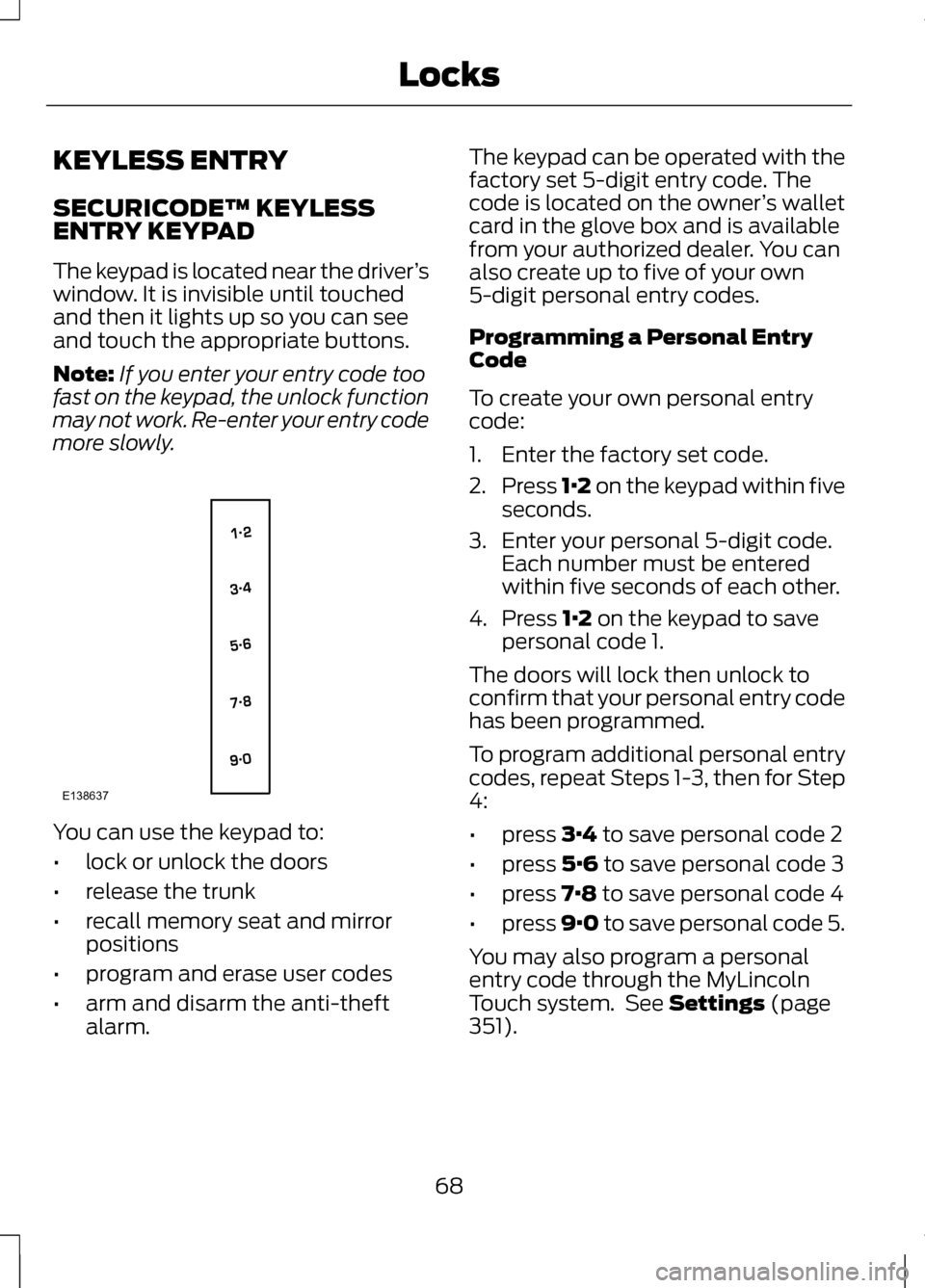
ENTRY KEYPAD
The keypad is located near the driver
’s
window. It is invisible until touched
and then it lights up so you can see
and touch the appropriate buttons.
Note: If you enter your entry code too
fast on the keypad, the unlock function
may not work. Re-enter your entry code
more slowly. You can use the keypad to:
•
lock or unlock the doors
• release the trunk
• recall memory seat and mirror
positions
• program and erase user codes
• arm and disarm the anti-theft
alarm. The keypad can be operated with the
factory set 5-digit entry code. The
code is located on the owner
’s wallet
card in the glove box and is available
from your authorized dealer. You can
also create up to five of your own
5-digit personal entry codes.
Programming a Personal Entry
Code
To create your own personal entry
code:
1. Enter the factory set code.
2. Press 1·2 on the keypad within five
seconds.
3. Enter your personal 5-digit code. Each number must be entered
within five seconds of each other.
4. Press 1·2 on the keypad to save
personal code 1.
The doors will lock then unlock to
confirm that your personal entry code
has been programmed.
To program additional personal entry
codes, repeat Steps 1-3, then for Step
4:
• press
3·4 to save personal code 2
• press
5·6 to save personal code 3
• press
7·8 to save personal code 4
• press
9·0 to save personal code 5.
You may also program a personal
entry code through the MyLincoln
Touch system. See
Settings (page
351).
68
LocksE138637