Page 158 of 751
Features of your vehicle
86
4
✽✽
NOTICE
It should be noted that prolonged oper-
ation of the heating in recirculated airposition will cause fogging of the wind-shield and side windows and the air
within the passenger compartment willbecome stale.
In addition, prolonged use of the air
conditioning with the recirculated air
position selected, will result in excessive-
ly dry air in the passenger compart-ment.
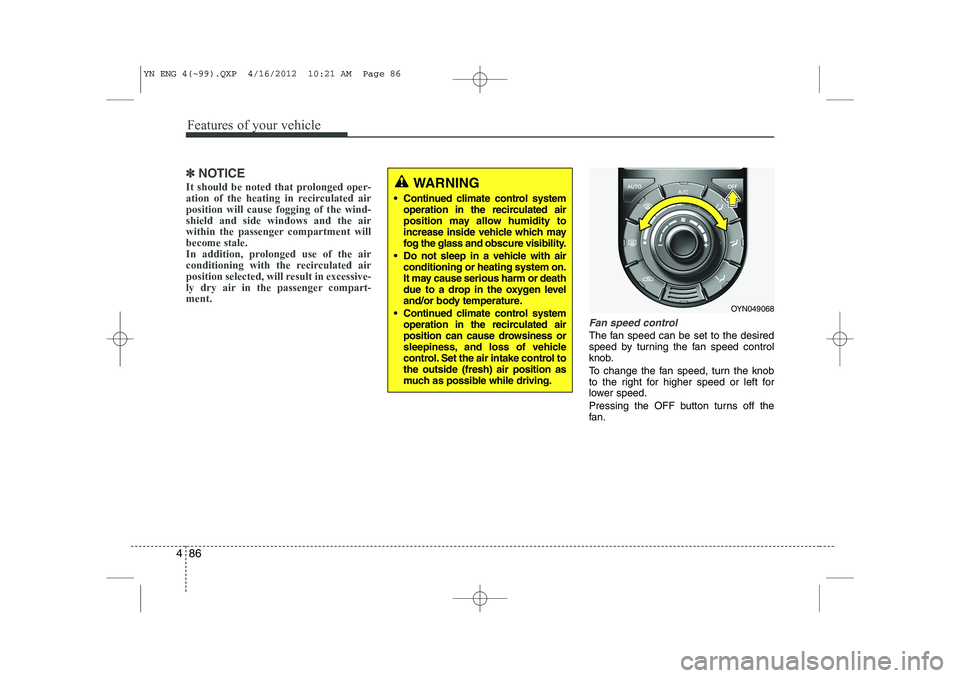
Fan speed control
The fan speed can be set to the desired
speed by turning the fan speed control
knob.
To change the fan speed, turn the knob
to the right for higher speed or left for
lower speed.
Pressing the OFF button turns off the
fan.
WARNING
Continued climate control system operation in the recirculated air
position may allow humidity to
increase inside vehicle which may
fog the glass and obscure visibility.
Do not sleep in a vehicle with air conditioning or heating system on.
It may cause serious harm or death
due to a drop in the oxygen level
and/or body temperature.
Continued climate control system operation in the recirculated air
position can cause drowsiness or
sleepiness, and loss of vehicle
control. Set the air intake control tothe outside (fresh) air position as
much as possible while driving.
OYN049068
YN ENG 4(~99).QXP 4/16/2012 10:21 AM Page 86
Page 161 of 751
489
Features of your vehicle
For maximum defrosting, set the tem-perature control to the extreme
right/hot position and the fan speedcontrol to the highest speed.
If warm air to the floor is desired while defrosting or defogging, set the modeto the floor-defrost position.
Before driving, clear all snow and ice from the windshield, rear window, out-
side rear view mirrors, and all side win-
dows.
Clear all snow and ice from the hood and air inlet in the cowl grill to improveheater and defroster efficiency and to
reduce the probability of fogging upinside of the windshield. Manual climate control system
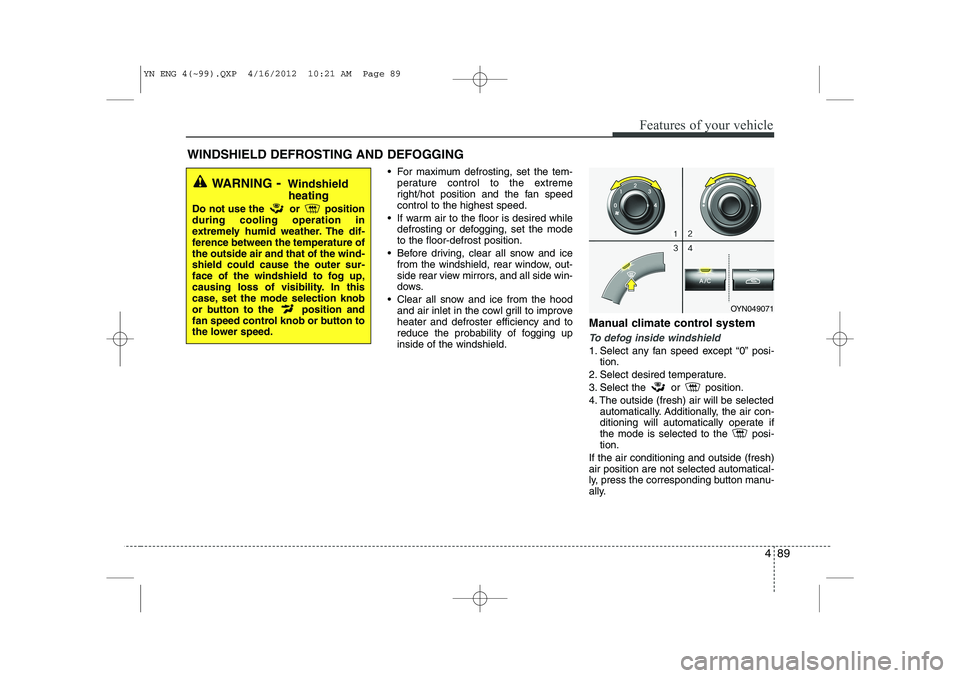
To defog inside windshield
1. Select any fan speed except “0” posi-
tion.
2. Select desired temperature.
3. Select the or position.
4. The outside (fresh) air will be selected automatically. Additionally, the air con-
ditioning will automatically operate if
the mode is selected to the posi-tion.
If the air conditioning and outside (fresh)air position are not selected automatical-
ly, press the corresponding button manu-
ally.
WINDSHIELD DEFROSTING AND DEFOGGING
WARNING - Windshield
heating
Do not use the or position during cooling operation in
extremely humid weather. The dif-
ference between the temperature ofthe outside air and that of the wind-shield could cause the outer sur-
face of the windshield to fog up,
causing loss of visibility. In this
case, set the mode selection knob
or button to the position and
fan speed control knob or button to
the lower speed.
OYN049071
YN ENG 4(~99).QXP 4/16/2012 10:21 AM Page 89
Page 163 of 751
491
Features of your vehicle
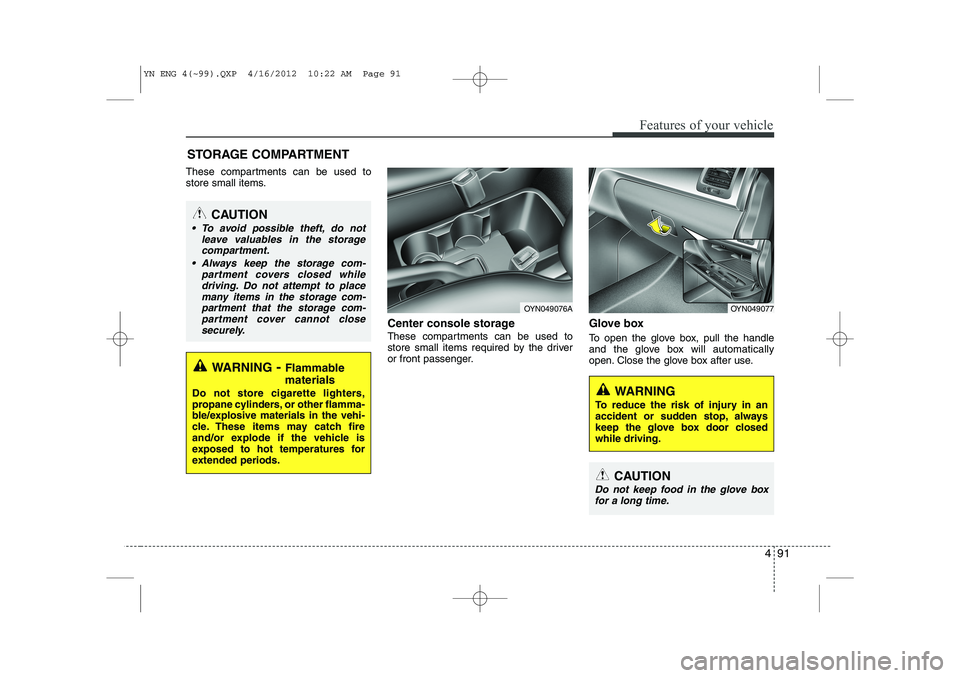
These compartments can be used to
store small items.Center console storage
These compartments can be used to
store small items required by the driver
or front passenger.Glove box
To open the glove box, pull the handle
and the glove box will automatically
open. Close the glove box after use.
STORAGE COMPARTMENT
WARNING
To reduce the risk of injury in an
accident or sudden stop, always
keep the glove box door closedwhile driving.
WARNING - Flammable
materials
Do not store cigarette lighters,
propane cylinders, or other flamma-
ble/explosive materials in the vehi-
cle. These items may catch fire
and/or explode if the vehicle is
exposed to hot temperatures for
extended periods.
CAUTION
To avoid possible theft, do not leave valuables in the storagecompartment.
Always keep the storage com- partment covers closed whiledriving. Do not attempt to place
many items in the storage com-partment that the storage com- partment cover cannot close
securely.
OYN049077OYN049076A
CAUTION
Do not keep food in the glove boxfor a long time.
YN ENG 4(~99).QXP 4/16/2012 10:22 AM Page 91
Page 166 of 751
Features of your vehicle
94
4
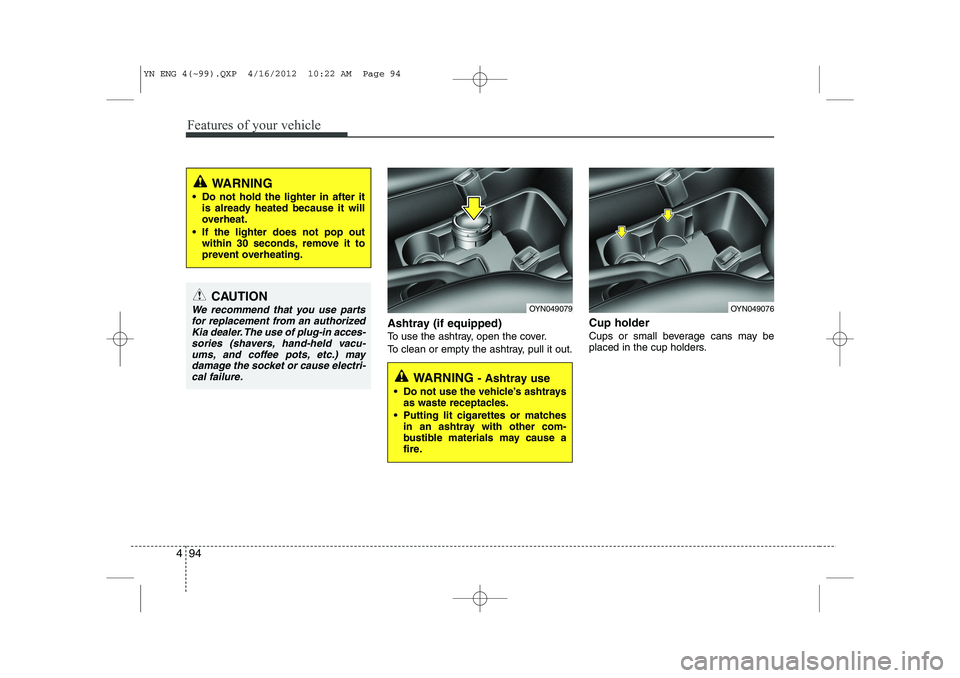
Ashtray (if equipped)
To use the ashtray, open the cover.
To clean or empty the ashtray, pull it out. Cup holder
Cups or small beverage cans may be
placed in the cup holders.
CAUTION
We recommend that you use parts
for replacement from an authorizedKia dealer. The use of plug-in acces-sories (shavers, hand-held vacu-
ums, and coffee pots, etc.) may damage the socket or cause electri-cal failure.
WARNING
Do not hold the lighter in after it is already heated because it will
overheat.
If the lighter does not pop out within 30 seconds, remove it to
prevent overheating.
WARNING - Ashtray use
Do not use the vehicle’s ashtrays as waste receptacles.
Putting lit cigarettes or matches in an ashtray with other com-
bustible materials may cause a
fire.
OYN049079OYN049076
YN ENG 4(~99).QXP 4/16/2012 10:22 AM Page 94
Page 167 of 751
495
Features of your vehicle
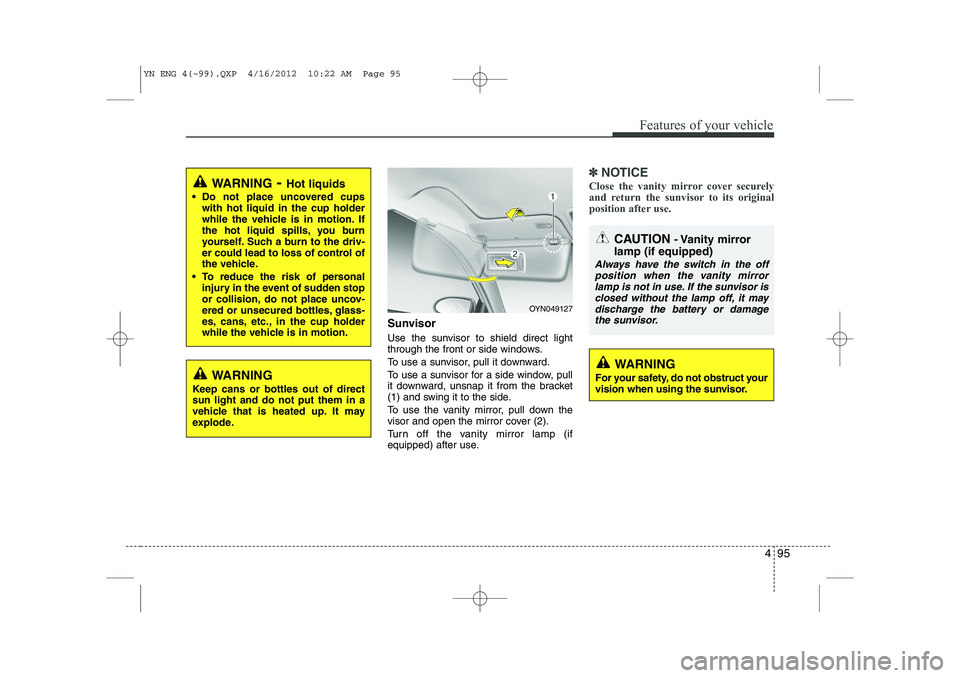
Sunvisor
Use the sunvisor to shield direct light
through the front or side windows.
To use a sunvisor, pull it downward.
To use a sunvisor for a side window, pull
it downward, unsnap it from the bracket
(1) and swing it to the side.
To use the vanity mirror, pull down the
visor and open the mirror cover (2).
Turn off the vanity mirror lamp (if
equipped) after use.
✽✽NOTICE
Close the vanity mirror cover securely
and return the sunvisor to its original
position after use.
OYN049127
CAUTION - Vanity mirror
lamp (if equipped)
Always have the switch in the off position when the vanity mirror lamp is not in use. If the sunvisor isclosed without the lamp off, it may
discharge the battery or damagethe sunvisor.
WARNING - Hot liquids
Do not place uncovered cups with hot liquid in the cup holder
while the vehicle is in motion. If
the hot liquid spills, you burn
yourself. Such a burn to the driv-
er could lead to loss of control of
the vehicle.
To reduce the risk of personal injury in the event of sudden stop
or collision, do not place uncov-
ered or unsecured bottles, glass-
es, cans, etc., in the cup holder
while the vehicle is in motion.
WARNING
Keep cans or bottles out of direct sun light and do not put them in a
vehicle that is heated up. It may
explode.WARNING
For your safety, do not obstruct your
vision when using the sunvisor.
YN ENG 4(~99).QXP 4/16/2012 10:22 AM Page 95
Page 168 of 751
Features of your vehicle
96
4
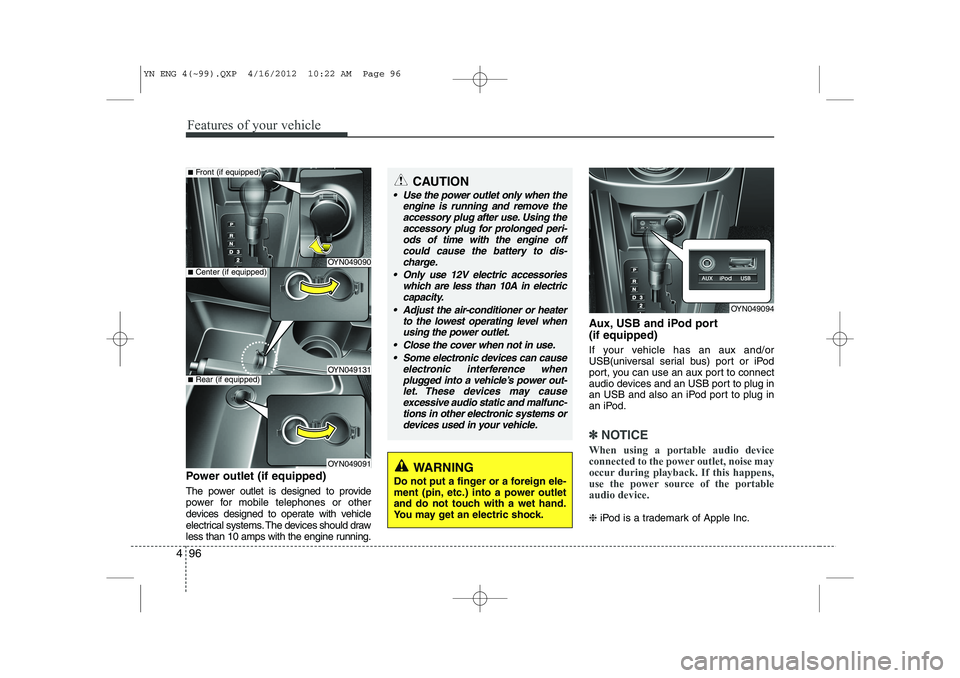
Power outlet (if equipped)
The power outlet is designed to provide
power for mobile telephones or other
devices designed to operate with vehicle
electrical systems. The devices should draw
less than 10 amps with the engine running. Aux, USB and iPod port (if equipped)
If your vehicle has an aux and/or
USB(universal serial bus) port or iPod
port, you can use an aux port to connect
audio devices and an USB port to plug in
an USB and also an iPod port to plug in
an iPod.
✽✽
NOTICE
When using a portable audio device
connected to the power outlet, noise may
occur during playback. If this happens,
use the power source of the portableaudio device.
❈ iPod is a trademark of Apple Inc.
OYN049094
CAUTION
Use the power outlet only when the
engine is running and remove the
accessory plug after use. Using the accessory plug for prolonged peri-ods of time with the engine offcould cause the battery to dis-
charge.
Only use 12V electric accessories which are less than 10A in electriccapacity.
Adjust the air-conditioner or heater to the lowest operating level whenusing the power outlet.
Close the cover when not in use. Some electronic devices can cause electronic interference when
plugged into a vehicle’s power out- let. These devices may causeexcessive audio static and malfunc- tions in other electronic systems or
devices used in your vehicle.
OYN049090
OYN049131
OYN049091
■ Center (if equipped)
■Front (if equipped)
■Rear (if equipped)
WARNING
Do not put a finger or a foreign ele-
ment (pin, etc.) into a power outlet
and do not touch with a wet hand.
You may get an electric shock.
YN ENG 4(~99).QXP 4/16/2012 10:22 AM Page 96
Page 169 of 751
497
Features of your vehicle
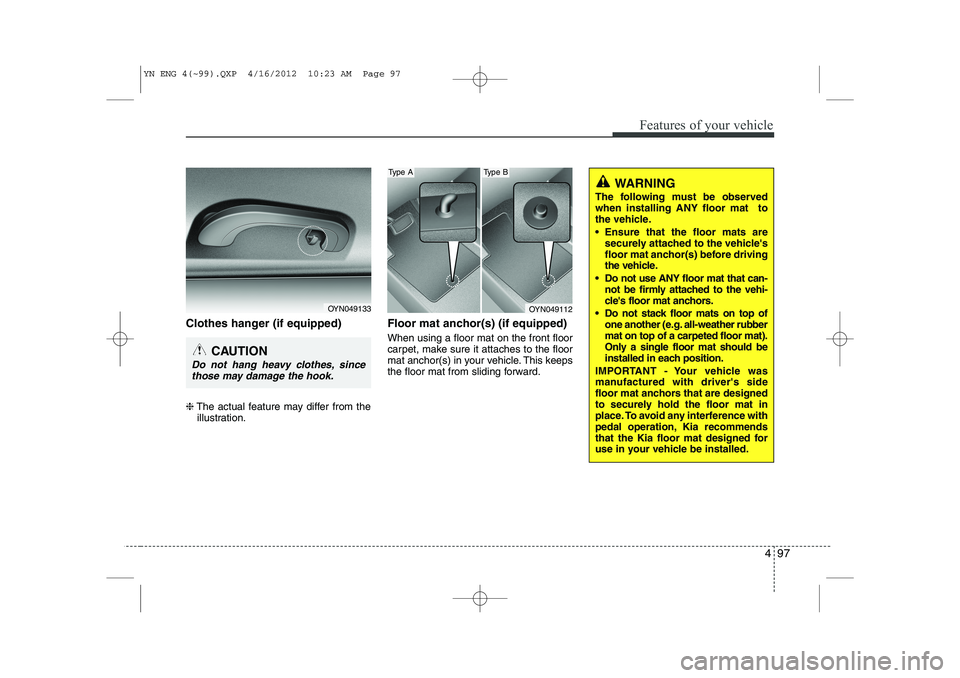
Clothes hanger (if equipped) ❈The actual feature may differ from the
illustration. Floor mat anchor(s) (if equipped) When using a floor mat on the front floor
carpet, make sure it attaches to the floor
mat anchor(s) in your vehicle. This keeps
the floor mat from sliding forward.
OYN049133
CAUTION
Do not hang heavy clothes, since
those may damage the hook.
OYN049112
Type AType B
WARNING
The following must be observed when installing ANY floor mat to
the vehicle.
Ensure that the floor mats are securely attached to the vehicle's
floor mat anchor(s) before driving
the vehicle.
Do not use ANY floor mat that can- not be firmly attached to the vehi-
cle's floor mat anchors.
Do not stack floor mats on top of one another (e.g. all-weather rubbermat on top of a carpeted floor mat).
Only a single floor mat should be
installed in each position.
IMPORTANT - Your vehicle was
manufactured with driver's side
floor mat anchors that are designed
to securely hold the floor mat in
place. To avoid any interference with
pedal operation, Kia recommends
that the Kia floor mat designed for
use in your vehicle be installed.
YN ENG 4(~99).QXP 4/16/2012 10:23 AM Page 97
Page 170 of 751
Features of your vehicle
98
4
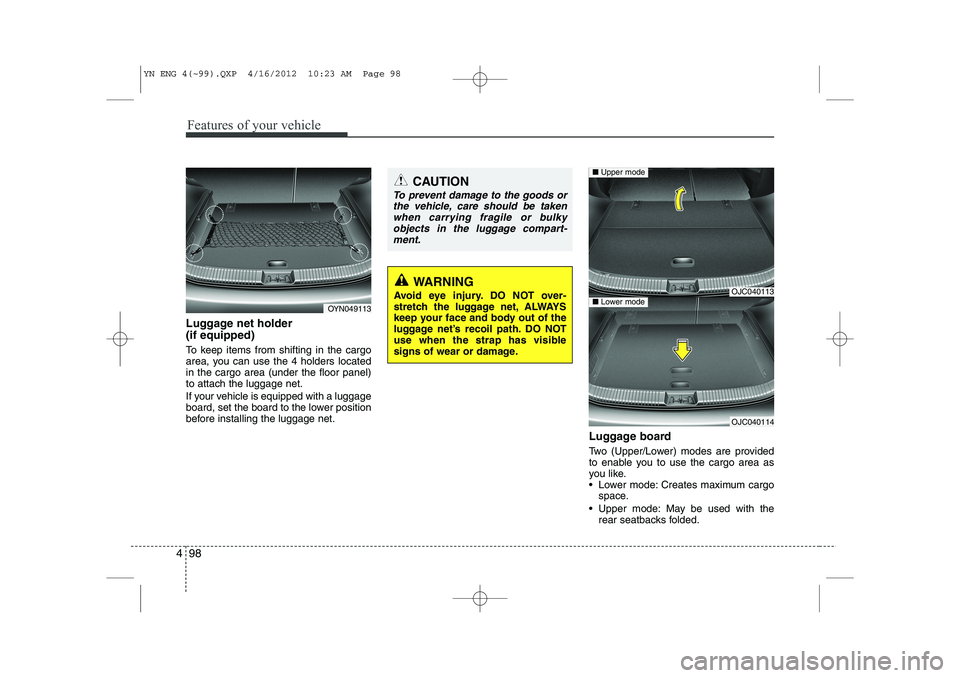
Luggage net holder (if equipped)
To keep items from shifting in the cargo
area, you can use the 4 holders locatedin the cargo area (under the floor panel)to attach the luggage net.
If your vehicle is equipped with a luggage
board, set the board to the lower position
before installing the luggage net.
Luggage board
Two (Upper/Lower) modes are provided
to enable you to use the cargo area as
you like.
Lower mode: Creates maximum cargospace.
Upper mode: May be used with the rear seatbacks folded.
OYN049113
CAUTION
To prevent damage to the goods or
the vehicle, care should be taken
when carrying fragile or bulkyobjects in the luggage compart- ment.
WARNING
Avoid eye injury. DO NOT over-
stretch the luggage net, ALWAYS
keep your face and body out of the
luggage net’s recoil path. DO NOT
use when the strap has visible
signs of wear or damage.OJC040113
OJC040114
■ Upper mode
■Lower mode
YN ENG 4(~99).QXP 4/16/2012 10:23 AM Page 98