2013 KIA CEED lock
[x] Cancel search: lockPage 946 of 1168

521
Driving your vehicle
During cold weather, shifting may bedifficult until the transaxle lubricant has
warmed up. This is normal and not
harmful to the transaxle.
If you've come to a complete stop and it's hard to shift into 1 (First) or R
(Reverse), put the shift lever in neutral
position and release the clutch. Press
the clutch pedal back down, and then
shift into 1 (First) or R (Reverse) gearposition.Using the clutch
The clutch pedal should be depressed all
the way to the floor before shifting, then
released slowly. The clutch pedal should
always be fully released whilst driving.
Do not rest your foot on the clutch pedal
whilst driving. This can cause unneces-
sary wear. Do not partially engage the
clutch to hold the vehicle on an incline.
This causes unnecessary wear. Use the
foot brake or parking brake to hold the
vehicle on an incline. Do not operate the
clutch pedal rapidly and repeatedly.
CAUTION
To avoid premature clutch wear
and damage, do not drive withyour foot resting on the clutch pedal. Also, don’t use the clutch
to hold the vehicle stopped on anuphill grade, whilst waiting for atraffic light, etc.
Do not use the shift lever as a handrest during driving, as this
can result in premature wear ofthe transaxle shift forks.
WARNING
Before leaving the driver’s seat, always set the parking brake fully
and shut the engine off. Thenmake sure the transaxle is shifted
into 1 (First) gear when the vehi-
cle is parked on a level or uphill
grade, and shifted into R
(Reverse) on a downhill grade.
Unexpected and sudden vehicle
movement can occur if these pre-
cautions are not followed in the
order identified.
If your vehicle has a manual transaxle not equipped with a
ignition lock switch, it may moveand cause a serious accident
when starting the engine without
depressing the clutch pedalwhilst the parking brake is
released and the shift lever not inthe neutral position.
CAUTION
When operating the clutch pedal,
depress the clutch pedal down fully.
If you don’t depress the clutch pedal fully, the clutch may be dam- aged or noise may occur.
JD RHD 5.QXP 7/21/2012 1:13 PM Page 21
Page 948 of 1168

523
Driving your vehicle
Automatic transaxle/DCT opera- tion
The automatic transaxle/DCT has 6 for-
ward speeds and one reverse speed. Theindividual speeds are selected automati-
cally, depending on the position of the
shift lever. ❈DCT: Double clutch transmission
✽✽
NOTICE
The first few shifts on a new vehicle, if the battery has been disconnected, may
be somewhat abrupt. This is a normalcondition, and the shifting sequence will
adjust after shifts are cycled a few times
by the TCM (Transaxle Control
Module) or PCM (Powertrain ControlModule).
AUTOMATIC TRANSAXLE/DCT (IF EQUIPPED)
OJD052005R
+
+++ ((((UUUUPPPP))))
---- ((((DDDDOOOOWWWWNNNN))))
The shift lever can be shifted freely.
Press the lock release button when shifting.
Depress the brake pedal and the lock release button when shifting.
(If the shift lock system is not equipped, it is not necessary to depress the brake pedal.
However, it is recommended to depress the brake pedal to avoid inadvertent movement
of the vehicle.)
JD RHD 5.QXP 7/21/2012 1:13 PM Page 23
Page 951 of 1168

Driving your vehicle
26
5
Transaxle ranges
The indicator lights in the instrument
cluster displays the shift lever position
when the ignition switch is in the ONposition.
P (Park)
Always come to a complete stop before
shifting into P (Park). This position locks
the transaxle and prevents the frontwheels from rotating. R (Reverse)
Use this position to drive the vehicle
backward. N (Neutral)
The wheels and transaxle are not
engaged. The vehicle will roll freely even
on the slightest incline unless the parking
brake or service brakes are applied.D (Drive)
This is the normal forward driving posi-
tion. The transaxle will automatically shift
through a 6-gear sequence, providing the
best fuel economy and power.
For extra power when passing another
vehicle or climbing grades, depress the
accelerator pedal fully (more than 80%)
until the kick down mechanism works
with a clicking noise, at which time the
transaxle will automatically downshift to
the next lower gear.
✽✽
NOTICE
Page 954 of 1168

529
Driving your vehicle
Shift lock system (if equipped)
For your safety, the automatic transaxle
has a shift lock system which prevents
shifting the transaxle from P (Park) or N
(Neutral) into R (Reverse) unless the
brake pedal is depressed.
To shift the transaxle from P (Park) or N
(Neutral) into R (Reverse):
1. Depress and hold the brake pedal.
2. Start the engine or turn the ignitionswitch to the ON position.
3. Move the shift lever.
If the brake pedal is repeatedly depressed and released with the shift
lever in the P (Park) position, a chattering
noise near the shift lever may be heard.
This is a normal condition. Shift-lock override
If the shift lever cannot be moved from
the P (Park) or N (Neutral) position into R
(Reverse) position with the brake pedal
depressed, continue depressing the
brake, then do the following:
1. Press the shift-lock release button.
2. Move the shift lever.
3. We recommend that the system be
inspected by an authorised Kia dealer. Ignition key interlock system (if equipped)
The ignition key cannot be removed
unless the shift lever is in the P (Park)position.
WARNING
Always fully depress the brake
pedal before and whilst shifting out
of the P (Park) position into anoth-
er position to avoid inadvertent
motion of the vehicle which could
injure persons in or around the
vehicle.
OJD052007R
JD RHD 5.QXP 7/21/2012 1:13 PM Page 29
Page 966 of 1168
541
Driving your vehicle
Emergency braking
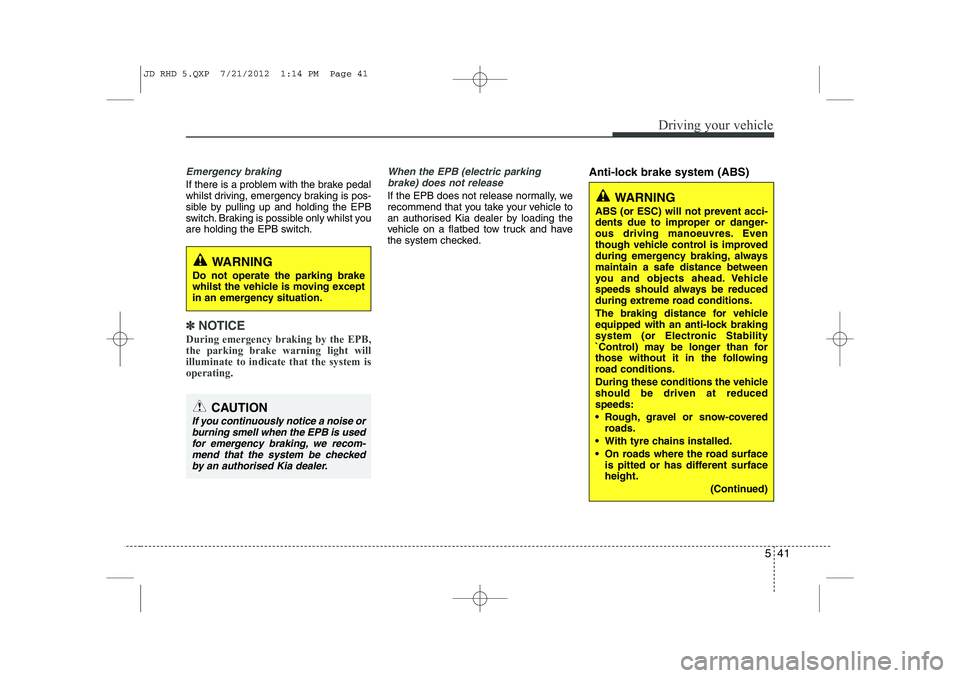
If there is a problem with the brake pedal
whilst driving, emergency braking is pos-
sible by pulling up and holding the EPB
switch. Braking is possible only whilst you
are holding the EPB switch.
✽✽NOTICE
During emergency braking by the EPB, the parking brake warning light willilluminate to indicate that the system isoperating.
When the EPB (electric parking brake) does not release
If the EPB does not release normally, we
recommend that you take your vehicle to
an authorised Kia dealer by loading the
vehicle on a flatbed tow truck and have
the system checked. Anti-lock brake system (ABS)
WARNING
Do not operate the parking brake
whilst the vehicle is moving except
in an emergency situation.
CAUTION
If you continuously notice a noise or burning smell when the EPB is used for emergency braking, we recom-mend that the system be checkedby an authorised Kia dealer.
WARNING
ABS (or ESC) will not prevent acci-
dents due to improper or danger-
ous driving manoeuvres. Even
though vehicle control is improved
during emergency braking, always
maintain a safe distance between
you and objects ahead. Vehicle
speeds should always be reduced
during extreme road conditions.
The braking distance for vehicle
equipped with an anti-lock braking
system (or Electronic Stability
`Control) may be longer than for
those without it in the following
road conditions.
During these conditions the vehicle should be driven at reducedspeeds:
Rough, gravel or snow-covered roads.
With tyre chains installed.
On roads where the road surface is pitted or has different surface height.
(Continued)
JD RHD 5.QXP 7/21/2012 1:14 PM Page 41
Page 967 of 1168
Driving your vehicle
42
5
The ABS continuously senses the speed
of the wheels. If the wheels are going to
lock, the ABS system repeatedly modu-
lates the hydraulic brake pressure to the
wheels.
When you apply your brakes under con-
ditions which may lock the wheels, you
may hear a “tik-tik’’ sound from the
brakes, or feel a corresponding sensation
in the brake pedal. This is normal and it
means your ABS is active.
In order to obtain the maximum benefit
from your ABS in an emergency situa-
tion, do not attempt to modulate your
brake pressure and do not try to pump
your brakes. Press your brake pedal as
hard as possible or as hard as the situa-
tion warrants and allow the ABS to con-
trol the force being delivered to the
brakes.✽✽
NOTICE
A click sound may be heard in the engine compartment when the vehicle
begins to move after the engine is start-
ed. These conditions are normal andindicate that the anti-lock brake system
is functioning properly.
Even with the anti-lock brake system, your vehicle still requires sufficient
stopping distance. Always maintain a
safe distance from the vehicle in front
of you.
Always slow down when cornering. The anti-lock brake system cannot pre-
vent accidents resulting from exces-
sive speeds.
On loose or uneven road surfaces, operation of the anti-lock brake system
may result in a longer stopping dis-
tance than for vehicles equipped with a
conventional brake system.
(Continued)
The safety features of an ABS (or
ESC) equipped vehicle should not
be tested by high speed driving or
cornering. This could endanger the
safety of yourself or others.
JD RHD 5.QXP 7/21/2012 1:14 PM Page 42
Page 969 of 1168
Driving your vehicle
44
5
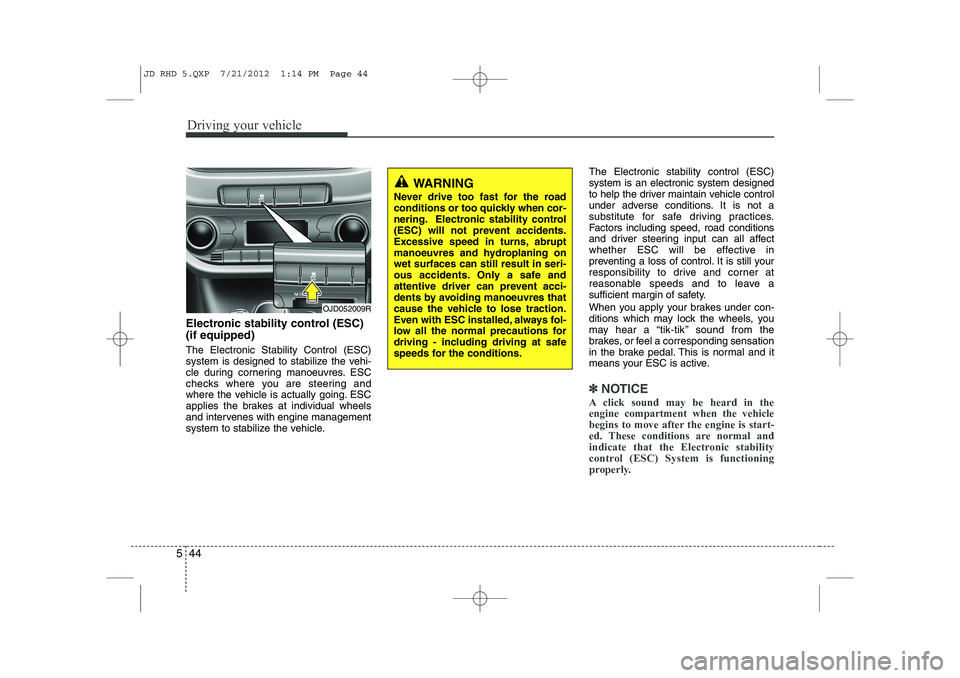
Electronic stability control (ESC) (if equipped) The Electronic Stability Control (ESC)
system is designed to stabilize the vehi-
cle during cornering manoeuvres. ESC
checks where you are steering and
where the vehicle is actually going. ESC
applies the brakes at individual wheels
and intervenes with engine management
system to stabilize the vehicle. The Electronic stability control (ESC)system is an electronic system designed
to help the driver maintain vehicle control
under adverse conditions. It is not a
substitute for safe driving practices.
Factors including speed, road conditions
and driver steering input can all affect
whether ESC will be effective in
preventing a loss of control. It is still your
responsibility to drive and corner at
reasonable speeds and to leave a
sufficient margin of safety.
When you apply your brakes under con-
ditions which may lock the wheels, you
may hear a “tik-tik’’ sound from the
brakes, or feel a corresponding sensation
in the brake pedal. This is normal and it
means your ESC is active.
✽✽
NOTICE
A click sound may be heard in the engine compartment when the vehicle
begins to move after the engine is start-
ed. These conditions are normal and
indicate that the Electronic stability
control (ESC) System is functioning
properly.
WARNING
Never drive too fast for the road
conditions or too quickly when cor-
nering. Electronic stability control
(ESC) will not prevent accidents.
Excessive speed in turns, abrupt
manoeuvres and hydroplaning onwet surfaces can still result in seri-
ous accidents. Only a safe and
attentive driver can prevent acci-
dents by avoiding manoeuvres that
cause the vehicle to lose traction.
Even with ESC installed, always fol-
low all the normal precautions for
driving - including driving at safe
speeds for the conditions.
OJD052009R
JD RHD 5.QXP 7/21/2012 1:14 PM Page 44
Page 970 of 1168

545
Driving your vehicle
ESC operation
ESC ON condition When the ignition is turnedON, ESC and ESC OFF indi-
cator lights illuminate for
approximately 3 seconds,
then ESC is turned on.
Press the ESC OFF button for at least half a second after
turning the ignition ON to turn
ESC off. (ESC OFF indicator
will illuminate). To turn theESC on, press the ESC OFF
button (ESC OFF indicatorlight will go off).
When starting the engine, you may hear a slight ticking
sound. This is the ESC per-
forming an automatic system
self-check and does not indi-
cate a problem. When operating
When the ESC is in operation,
ESC indicator light blinks.
When the Electronic StabilityControl is operating properly,
you can feel a slight pulsation
in the vehicle. This is only the
effect of brake control and indi-
cates nothing unusual.
When moving out of the mud or slippery road, the engine
rpm (revolution per minute)
may not increase even if you
press the accelerator pedal
deeply. This is to maintain the
stability and traction of the
vehicle and does not indicate
a problem.
ESC operation off
ESC OFF state
To cancel the engine man-agement system of ESC,
press the ESC OFF button forless than 3 seconds (ESCOFF indicator light illumi-
nates). The brake control
function still operates.
To cancel the engine man- agement and brake control
function of ESC, press the
ESC OFF button for morethan 3 seconds (ESC OFFindicator light illuminates).
If the ignition switch is turned to LOCK position when ESC
is off, ESC remains off. Upon
restarting the engine, the
ESC will automatically turnon again.
-
JD RHD 5.QXP 7/21/2012 1:14 PM Page 45