457
Features of your vehicle
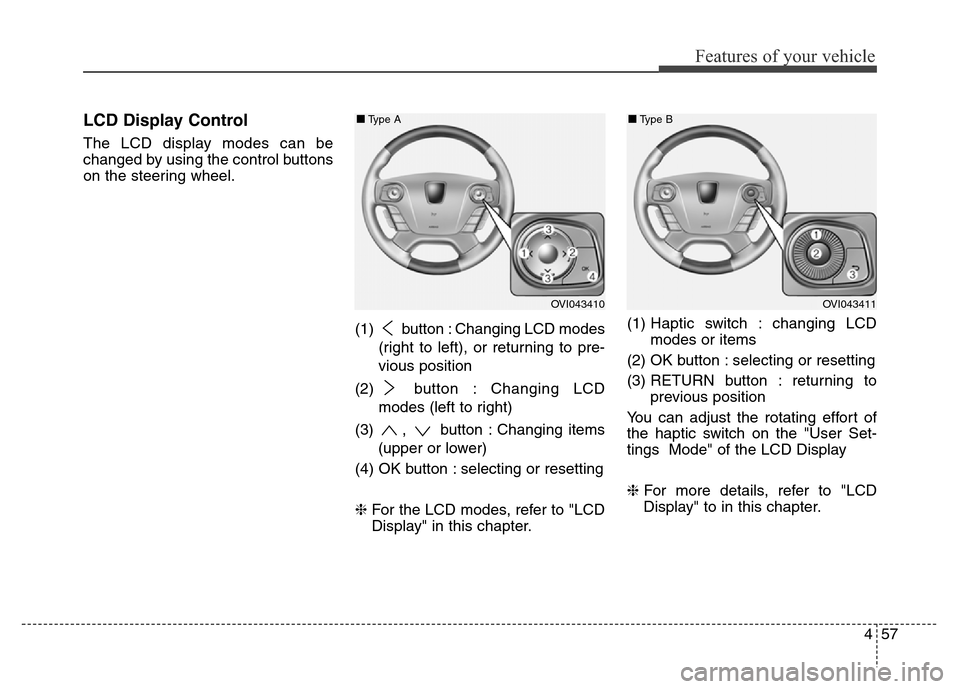
LCD Display Control
The LCD display modes can be
changed by using the control buttons
on the steering wheel.
(1) button : Changing LCD modes
(right to left), or returning to pre-
vious position
(2) button : Changing LCD
modes (left to right)
(3) , button : Changing items
(upper or lower)
(4) OK button : selecting or resetting
❈For the LCD modes, refer to "LCD
Display" in this chapter.(1) Haptic switch : changing LCD
modes or items
(2) OK button : selecting or resetting
(3) RETURN button : returning to
previous position
You can adjust the rotating effort of
the haptic switch on the "User Set-
tings Mode" of the LCD Display
❈For more details, refer to "LCD
Display" to in this chapter.
OVI043410
■Type A
OVI043411
■Type B