Page 310 of 479
553
Driving your vehicle
• The ESC is operating.
• Downshifting to the 2nd gear with
sports mode.
• Operate the EPB switch. Do not
operate the parking brake while
driving except in an emergency sit-
uation.
Each of these actions will cancel
cruise control operation (the SET
indicator light in the instrument clus-
ter will go off), but it will not turn the
system off. If you wish to resume
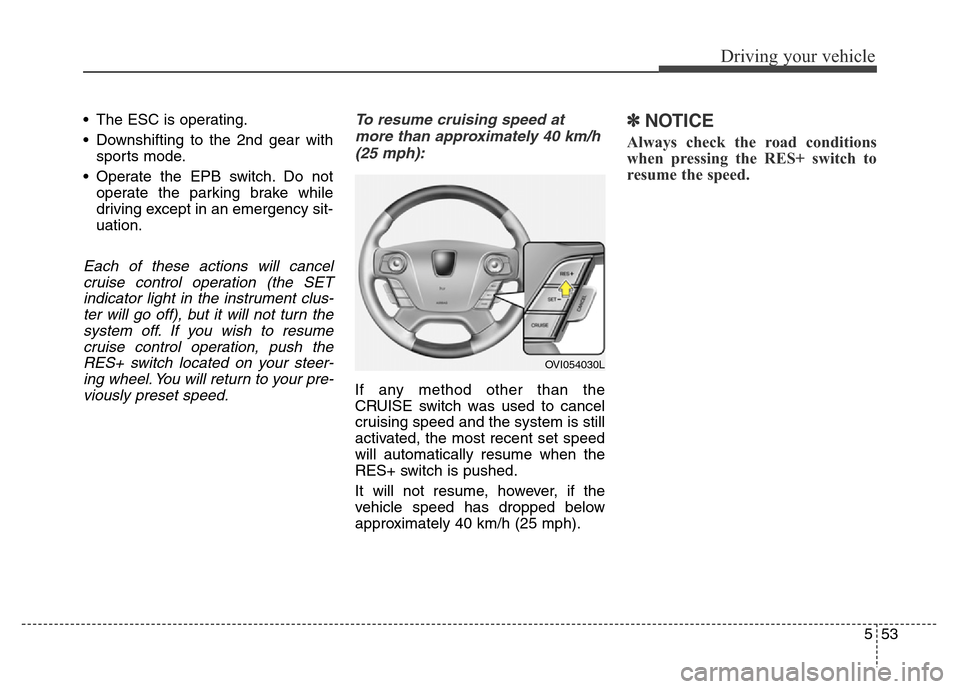
cruise control operation, push the
RES+ switch located on your steer-
ing wheel. You will return to your pre-
viously preset speed.To resume cruising speed at
more than approximately 40 km/h
(25 mph):
If any method other than the
CRUISE switch was used to cancel
cruising speed and the system is still
activated, the most recent set speed
will automatically resume when the
RES+ switch is pushed.
It will not resume, however, if the
vehicle speed has dropped below
approximately 40 km/h (25 mph).
✽NOTICE
Always check the road conditions
when pressing the RES+ switch to
resume the speed.
OVI054030L
Page 311 of 479
Driving your vehicle
54 5
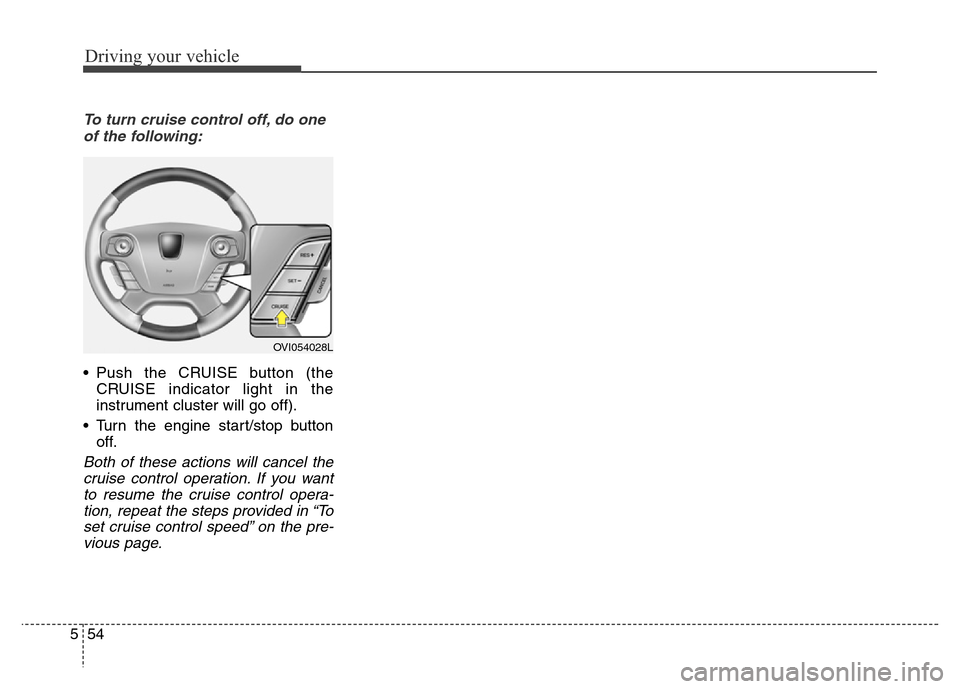
To turn cruise control off, do one
of the following:
• Push the CRUISE button (the
CRUISE indicator light in the
instrument cluster will go off).
• Turn the engine start/stop button
off.
Both of these actions will cancel the
cruise control operation. If you want
to resume the cruise control opera-
tion, repeat the steps provided in “To
set cruise control speed” on the pre-
vious page.
OVI054028L
Page 312 of 479
555
Driving your vehicle
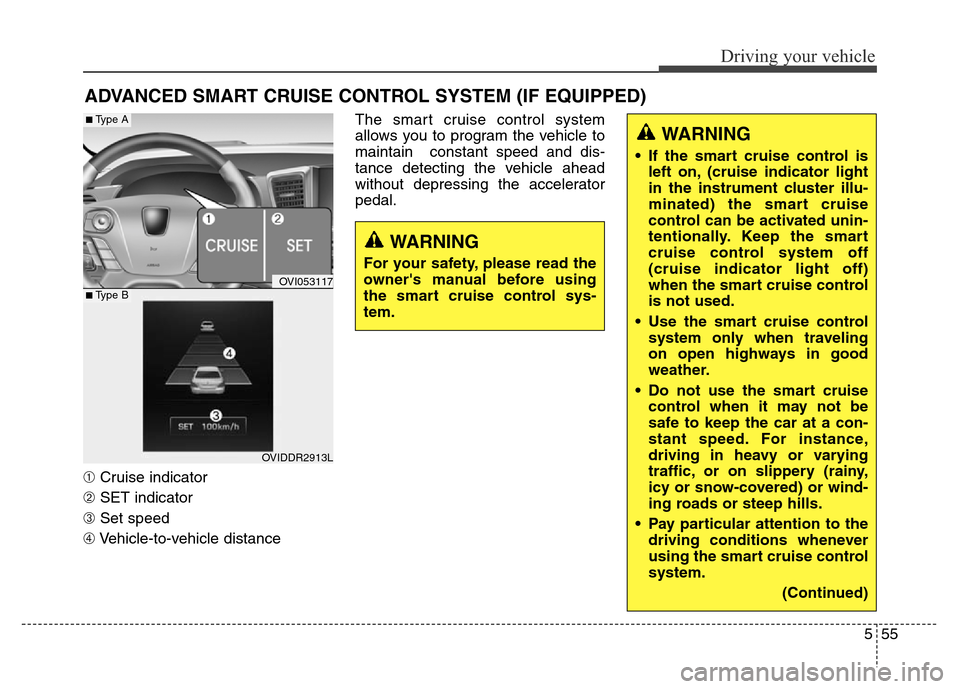
➀Cruise indicator
➁SET indicator
➂Set speed
➃Vehicle-to-vehicle distanceThe smart cruise control system
allows you to program the vehicle to
maintain constant speed and dis-
tance detecting the vehicle ahead
without depressing the accelerator
pedal.
ADVANCED SMART CRUISE CONTROL SYSTEM (IF EQUIPPED)
WARNING
• If the smart cruise control is
left on, (cruise indicator light
in the instrument cluster illu-
minated) the smart cruise
control can be activated unin-
tentionally. Keep the smart
cruise control system off
(cruise indicator light off)
when the smart cruise control
is not used.
• Use the smart cruise control
system only when traveling
on open highways in good
weather.
• Do not use the smart cruise
control when it may not be
safe to keep the car at a con-
stant speed. For instance,
driving in heavy or varying
traffic, or on slippery (rainy,
icy or snow-covered) or wind-
ing roads or steep hills.
• Pay particular attention to the
driving conditions whenever
using the smart cruise control
system.
(Continued)
WARNING
For your safety, please read the
owner's manual before using
the smart cruise control sys-
tem.
OVI053117
OVIDDR2913L
■Type A
■Type B
Page 313 of 479
Driving your vehicle
56 5
Smart cruise control speed
To set cruise control speed:
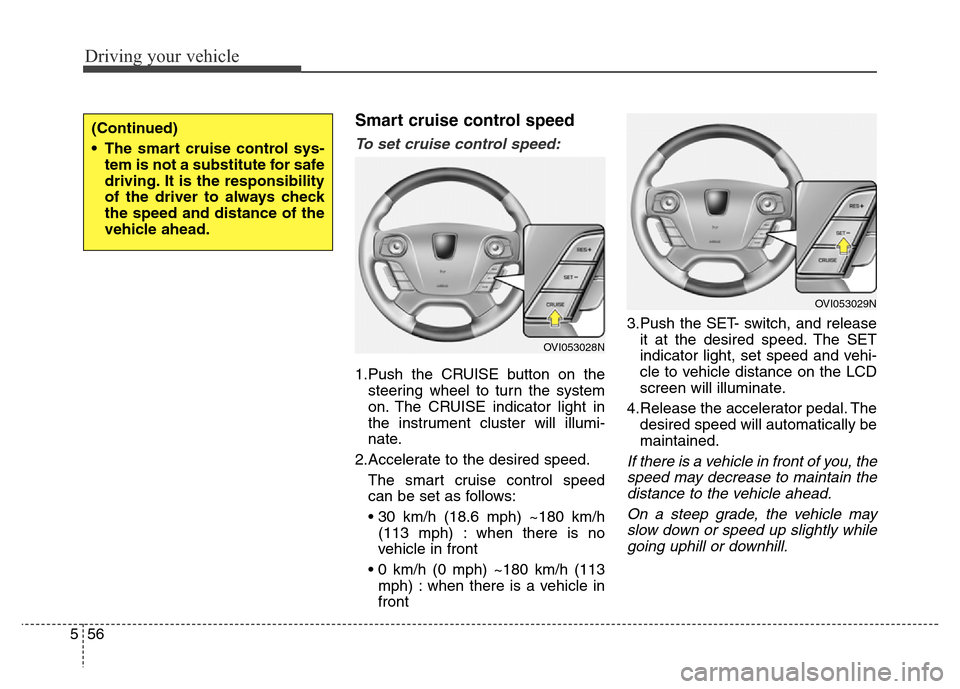
1.Push the CRUISE button on the
steering wheel to turn the system
on. The CRUISE indicator light in
the instrument cluster will illumi-
nate.
2.Accelerate to the desired speed.
The smart cruise control speed
can be set as follows:
• 30 km/h (18.6 mph) ~180 km/h
(113 mph) : when there is no
vehicle in front
• 0 km/h (0 mph) ~180 km/h (113
mph) : when there is a vehicle in
front3.Push the SET- switch, and release
it at the desired speed. The SET
indicator light, set speed and vehi-
cle to vehicle distance on the LCD
screen will illuminate.
4.Release the accelerator pedal. The
desired speed will automatically be
maintained.
If there is a vehicle in front of you, the
speed may decrease to maintain the
distance to the vehicle ahead.
On a steep grade, the vehicle may
slow down or speed up slightly while
going uphill or downhill.
(Continued)
• The smart cruise control sys-
tem is not a substitute for safe
driving. It is the responsibility
of the driver to always check
the speed and distance of the
vehicle ahead.
OVI053028N
OVI053029N
Page 320 of 479
563
Driving your vehicle
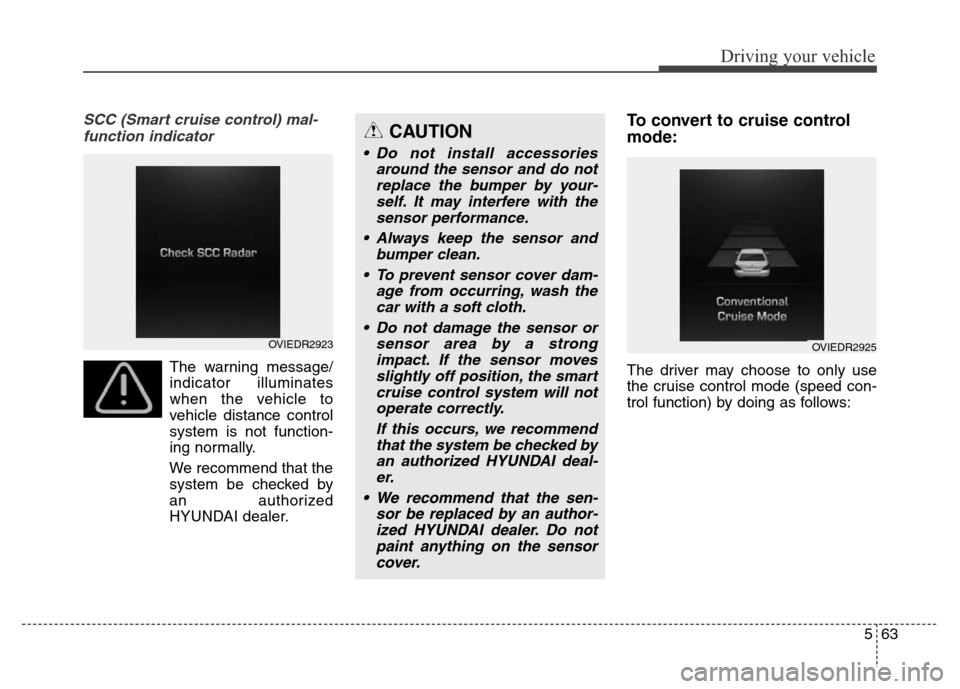
SCC (Smart cruise control) mal-
function indicator
The warning message/
indicator illuminates
when the vehicle to
vehicle distance control
system is not function-
ing normally.
We recommend that the
system be checked by
an authorized
HYUNDAI dealer.
To convert to cruise control
mode:
The driver may choose to only use
the cruise control mode (speed con-
trol function) by doing as follows:
CAUTION
• Do not install accessories
around the sensor and do not
replace the bumper by your-
self. It may interfere with the
sensor performance.
• Always keep the sensor and
bumper clean.
• To prevent sensor cover dam-
age from occurring, wash the
car with a soft cloth.
• Do not damage the sensor or
sensor area by a strong
impact. If the sensor moves
slightly off position, the smart
cruise control system will not
operate correctly.
If this occurs, we recommend
that the system be checked by
an authorized HYUNDAI deal-
er.
• We recommend that the sen-
sor be replaced by an author-
ized HYUNDAI dealer. Do not
paint anything on the sensor
cover.
OVIEDR2923OVIEDR2925
Page 321 of 479
Driving your vehicle
64 5
1.Turn the smart cruise control sys-
tem on (the cruise indicator light
will be on but the system will not be
activated).
2.Pull the distance to distance switch
for more than 2 seconds.
3.Choose between "Smart cruise
control(SCC) mode" and "Cruise
control(CC) mode".Limitations of the system
The smart cruise control system may
have limits to its ability to detect dis-
tance to the vehicle ahead due to
road and traffic conditions.
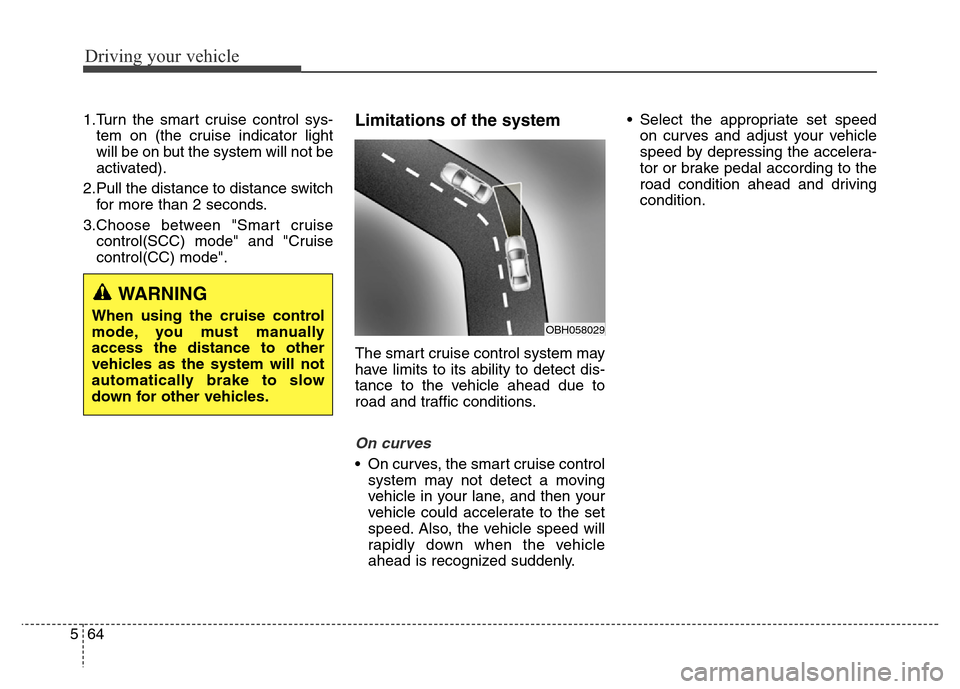
On curves
• On curves, the smart cruise control
system may not detect a moving
vehicle in your lane, and then your
vehicle could accelerate to the set
speed. Also, the vehicle speed will
rapidly down when the vehicle
ahead is recognized suddenly.• Select the appropriate set speed
on curves and adjust your vehicle
speed by depressing the accelera-
tor or brake pedal according to the
road condition ahead and driving
condition.
WARNING
When using the cruise control
mode, you must manually
access the distance to other
vehicles as the system will not
automatically brake to slow
down for other vehicles.OBH058029
Page 327 of 479
Driving your vehicle
70 5
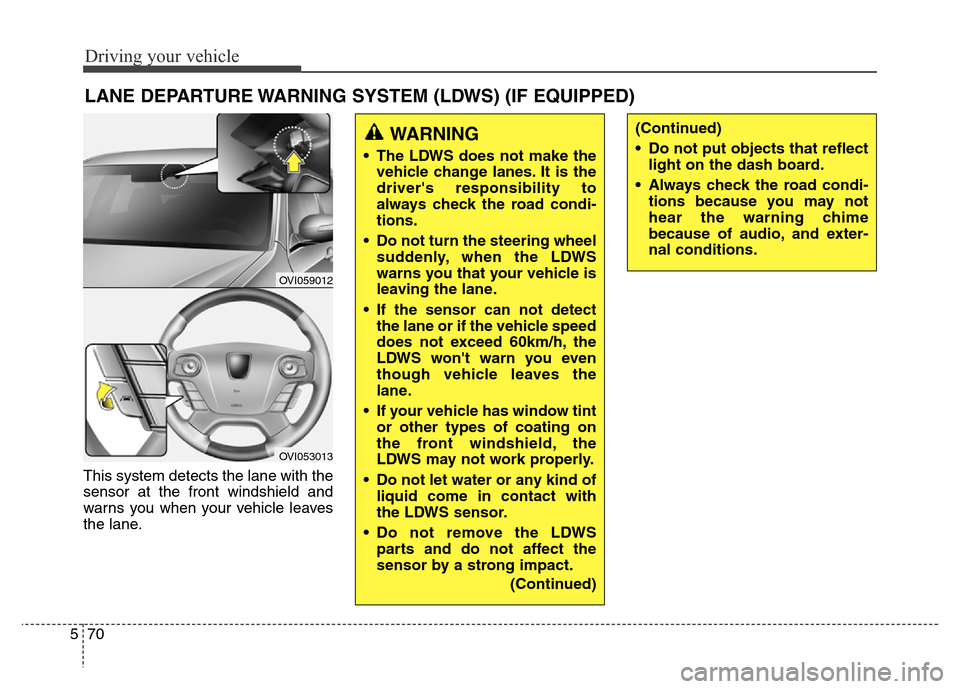
This system detects the lane with the
sensor at the front windshield and
warns you when your vehicle leaves
the lane.
LANE DEPARTURE WARNING SYSTEM (LDWS) (IF EQUIPPED)
OVI059012
OVI053013
WARNING
• The LDWS does not make the
vehicle change lanes. It is the
driver's responsibility to
always check the road condi-
tions.
• Do not turn the steering wheel
suddenly, when the LDWS
warns you that your vehicle is
leaving the lane.
• If the sensor can not detect
the lane or if the vehicle speed
does not exceed 60km/h, the
LDWS won't warn you even
though vehicle leaves the
lane.
• If your vehicle has window tint
or other types of coating on
the front windshield, the
LDWS may not work properly.
• Do not let water or any kind of
liquid come in contact with
the LDWS sensor.
• Do not remove the LDWS
parts and do not affect the
sensor by a strong impact.
(Continued)
(Continued)
• Do not put objects that reflect
light on the dash board.
• Always check the road condi-
tions because you may not
hear the warning chime
because of audio, and exter-
nal conditions.
Page 328 of 479
571
Driving your vehicle
LDWS operation
To operate the LDWS, pull
the switch with the engine
start/stop button in the
ON position. The indicator
(green) illuminates on the
cluster. To cancel the
LDWS, pull the switch
again.
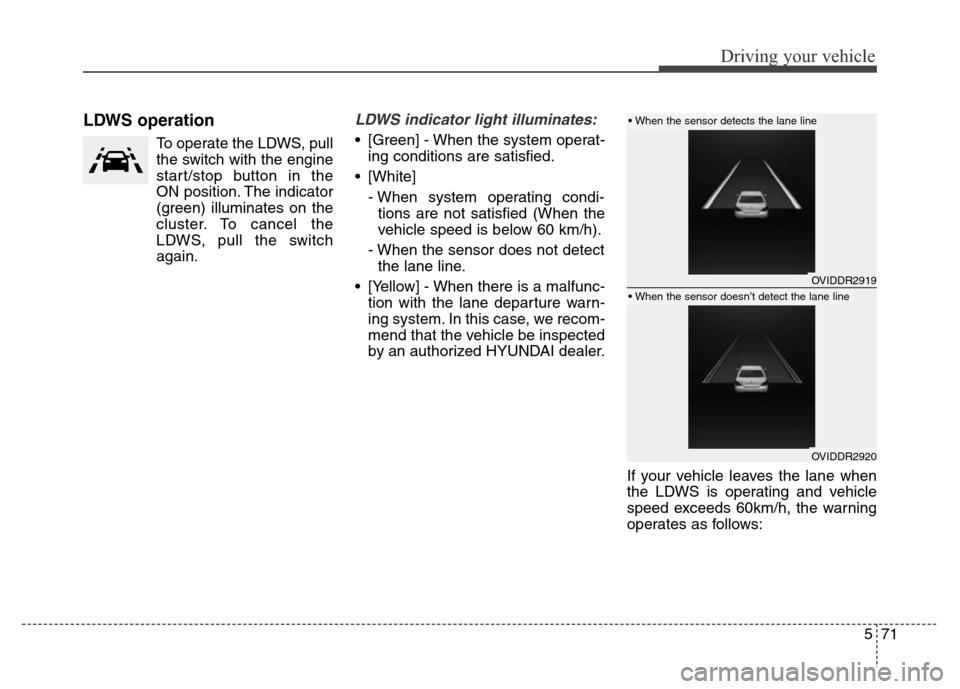
LDWS indicator light illuminates:
• [Green] - When the system operat-
ing conditions are satisfied.
• [White]
- When system operating condi-
tions are not satisfied (When the
vehicle speed is below 60 km/h).
- When the sensor does not detect
the lane line.
• [Yellow] - When there is a malfunc-
tion with the lane departure warn-
ing system. In this case, we recom-
mend that the vehicle be inspected
by an authorized HYUNDAI dealer.
If your vehicle leaves the lane when
the LDWS is operating and vehicle
speed exceeds 60km/h, the warning
operates as follows:
OVIDDR2919
OVIDDR2920
• When the sensor detects the lane line
• When the sensor doesn’t detect the lane line