Page 278 of 422

�µTo shif t f rom second to
first, pull the shift lever towards you,
then shif t to the lower gear. This
position locks the transmission in
f irst gear. By upshif ting and
downshif ting through 1, 2, and D,
you can operate the transmission
much like a manual transmission
without a clutch pedal.
If you shif t into f irst position when
the vehicle speed is above 28 mph
(45 km/h), the transmission shif ts
into second gear first to avoid
sudden engine braking. If you exceed the maximum speed
f or the gear you are in, the engine
speed will enter into the tachometer’s
red zone. If this occurs, you may f eel
the engine cut in and out. This is
caused by a limiter in the engine’s
computer controls. The engine will
run normally when you reduce the
rpm below the red zone.
This allows you to move the shif t
lever out of Park if the normal
method of pushing on the brake
pedal and pulling the shif t lever does
not work.
Set the parking brake.
Make sure the ignition switch is in
the LOCK (0) position.
Putaclothonthenotchof the
shif t lock release slot cover to
prevent scratches. Using a small
f lat-tip screwdriver or a metal
f ingernail f ile, caref ully pry on the
notch of the cover to remove it.
1.
2.
3.
CONT INUED
First (1)
Engine Speed Limiter Shift Lock Release
Automatic Transmission
273
12/08/09 16:35:17 31SJC670_280
Driving
Page 279 of 422
Insert the built-in key into the shift
lock release slot.
Push down on the key while you
pull the shif t lever towards you,
and move it out of Park to neutral.Remove the key from the shift
lock release slot, then reinstall the
cover. Make sure the notch on the
cover is on the instrument panel
side. Insert the key into the
ignition switch, press the brake
pedal, and restart the engine.Your vehicle is equipped with a
Variable Torque Management
4-wheel-drive system (VTM-4)that
distributes engine torque to the
appropriate drive axle depending on
the available traction conditions. The
system is completely automatic,
always active, and does not require
any driver interaction.
If you need to use the shif t lock
release, it means your vehicle is
developing a problem. Have it
checked by your dealer. 6.
4.
5.
Automatic Transmission, VTM-4System
VTM-4System
274
SHIFT LOCK RELEASE SLOT
COVER
VTM-4 LOCK BUTTON
12/08/09 16:35:25 31SJC670_281
Driving
Page 280 of 422

Press the VTM-4 LOCK button.
The indicator in the button
comes on.
To get unstuck, apply light pressure
to the accelerator pedal. Do not spin
the f ront tires f or more than a f ew
seconds. Because of the amount of
torque applied to the rear tires, they
should not spin. This is normal. If
you are not able to move the vehicle,
stop and reverse direction.
If you become stuck, you can
activatetheVTM-4bypressingthe
VTM-4 LOCK button while in f irst
(1), second (2), or reverse (R) gear
below18mph(30km/h).Thismode
overrides the auto system to send
maximum torque to the rear axle.
This mode is only intended f or
intermittent use at low speed to free
your vehicle if it becomes stuck or
when you encounter a steep grade
with one wheel on a slippery surf ace.
Generally, you should f irst allow the
auto mode to operate to adjust for
the available traction conditions.
Turn the ignition switch to the
LOCK (0) position. Move the shift lever to D. Press the VTM-4 LOCK button.do
any of the f ollowing: The VTM-4 Lock will temporarily
disengage when the vehicle speed
exceeds 18 mph (30 km/h). The
indicator in the button will remain on.
The vehicle speed must be below
18 mph (30 km/h).
Move the shift lever to first (1),
second (2), or reverse (R) gear.
1.
2. 3.
VTM-4System
To Engage the VTM-4 Lock:
To Disengage the VTM-4 L ock,
275
Do not use the VTM-4 LOCK button on
dry, paved roads. Driving on dry,
paved roads with VTM-4 Lock ON may
damage the rear dif f erential when
making a turn. Strange noise and
vibration can also result.
Do not continuously spin the f ront tires
of your vehicle. Continuously spinning
the f ront tires can cause transmission
or rear dif f erential damage.
12/08/09 16:35:34 31SJC670_282
Driving
Page 285 of 422
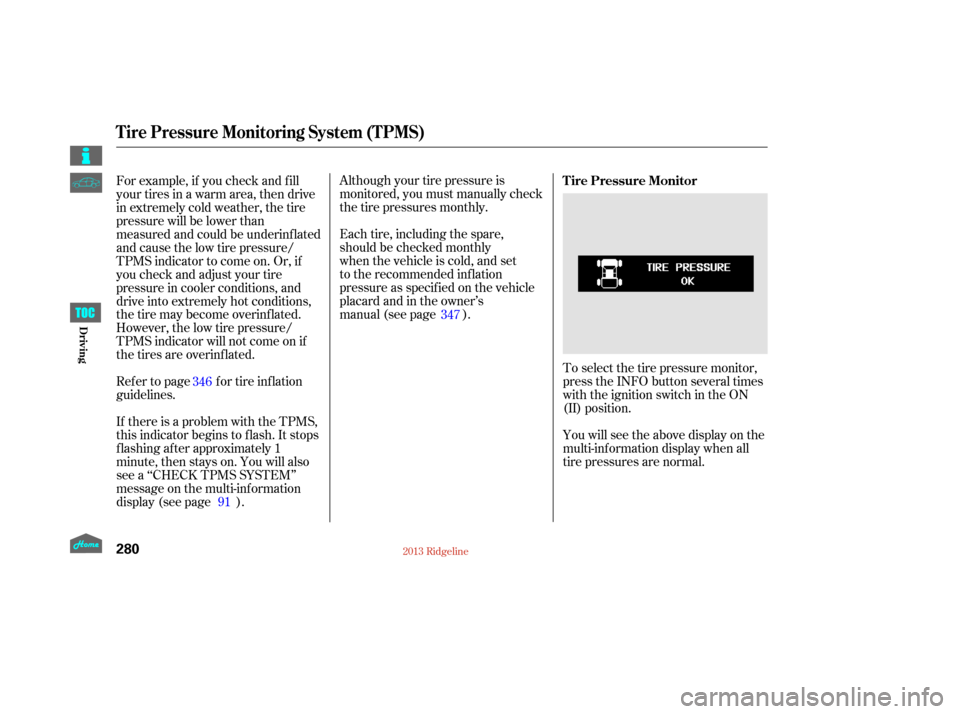
Although your tire pressure is
monitored, you must manually check
thetirepressuresmonthly.
Each tire, including the spare,
should be checked monthly
when the vehicle is cold, and set
to the recommended inflation
pressure as specified on the vehicle
placard and in the owner’s
manual (see page).
Toselectthetirepressuremonitor,
press the INFO button several times
with the ignition switch in the ON
(II) position.
You will see the above display on the
multi-inf ormation display when all
tire pressures are normal.
For example, if you check and f ill
your tires in a warm area, then drive
in extremely cold weather, the tire
pressure will be lower than
measured and could be underinf lated
and cause the low tire pressure/
TPMS indicator to come on. Or, if
youcheckandadjustyourtire
pressure in cooler conditions, and
drive into extremely hot conditions,
the tire may become overinf lated.
However, the low tire pressure/
TPMS indicator will not come on if
thetiresareoverinflated.
Refer to page for tire inflation
guidelines.
If there is a problem with the TPMS,
this indicator begins to f lash. It stops
flashing after approximately 1
minute, then stays on. You will also
see a ‘‘CHECK TPMS SYSTEM’’
message on the multi-inf ormation
display (see page ).
91
346
347Tire Pressure Monitor
Tire Pressure Monitoring System (TPMS)
280
12/08/09 16:36:11 31SJC670_287
Driving
Page 294 of 422

When VSA is off, the VSA OFF
indicator comes on as a reminder.
When VSA activates, you will see the
VSA system indicator blink.
If this indicator comes on while
driving, pull to the side of the road
when it is saf e, and turn of f the
engine. Reset the system by
restarting the engine. If the VSA
system indicator stays on or comes
back on while driving, have the VSA
system inspected by your dealer.The main f unction of the
VSA system is generally known as
Electronic Stability Control (ESC).
The system also includes a traction
control f unction. If the low tire pressure/TPMS
indicator comes on, see page .
Or, if the multi-inf ormation display
shows a ‘‘CHECK TPMS
SYSTEM’’ message with the
indicator f lashing, see page . If the low tire pressure indicator or
TPMS indicator comes on, see
page .
You will also see a ‘‘CHECK VSA
SYSTEM’’ message on the multi-
inf ormation display if there is a
problem with the VSA system. If the indicator does not come on
when the ignition switch is turned to
the ON (II) position, there may be a
problem with the VSA system. Have
your dealer inspect your vehicle as
soon as possible.
In this case, you cannot turn of f the
VSA using the OFF switch again.
Without VSA, your vehicle will have
normal braking and cornering ability,
but it will not have VSA traction and
stability enhancement.
91
276
279
On models with navigation system
On models with navigation system
On models without navigation system
Vehicle Stability A ssist (VSA), aka Electronic Stability Control (ESC), System
VSA OFF Indicator
Vehicle Stability Assist
(VSA ) System Indicator
289
NOTE:
12/08/09 16:37:16 31SJC670_296
Driving
Page 316 of 422

�µ
�µ
�µ
�µ
�µ
�µ
�µ
�µ
�µ
�µ �µ
�µ
Your vehicle displays engine oil lif e
and maintenance service items on
the inf ormation display or multi-
inf ormation display (depending on
the model) to show you when you
should have your dealer perf orm
engine oil replacement and indicated
maintenance services.
Based on the engine operating
conditions and accumulated engine
revolutions, the onboard computer
in your vehicle calculates the
remaining engine oil life and
displays it as a percentage. The remaining engine oil lif e is
shownonthedisplayaccordingto
this table:
To see the current engine oil lif e,
turn the ignition switch to the ON
(II) position, and press the SELECT
button repeatedly until the engine oil
life display appears (see page ).78
CONT INUED
Calculated Engine
Oil Lif e (%)100% 91% 90% 81%
80% 71%
70% 61%
60% 51%
50% 41%
40% 31%
30% 21%
20% 16%
15% 11%10% 6% 5% 1% 0% Displayed
Engine Oil Lif e (%) 100%90%
80%
70%
60%
50%
40%
30%
20%
15%
10%5%
0%
On models without navigation system
Engine Oil L if e Display
Maintenance Minder
Maint enance
311
SELECT BUTTON
ENGINE OIL LIFE DISPLAY
U.S. model is shown.
TM
12/08/09 16:40:18 31SJC670_318
Page 317 of 422
The 15 and 10 percent oil lif e
indicator reminds you that the time
is coming soon to take your vehicle
in f or the required maintenance.
If the remaining engine oil lif e is 15
to 6 percent, you will see the engine
oil lif e indicator every time you turn
the ignition switch to the ON (II)
position. The Maintenance Minder
indicator will also come on, and the
maintenance item code(s) for other
scheduled maintenance items
needing service will be displayed
near the ‘‘OIL LIFE’’ message. When the remaining engine oil lif e is
5 to 1 percent, you will see a
‘‘SERVICE’’ message along with the
same maintenance item code(s),
everytimeyouturntheignition
switch to the ON (II) position.
Maintenance Minder
312
‘‘SERVICE’’ MESSAGE
ENGINE OIL LIFE INDICATOR
U.S. model is shown. MAINTENANCE ITEM CODE(S)
MAINTENANCE MINDER INDICATOR
TM
12/08/09 16:40:24 31SJC670_319
Maint enance
Page 318 of 422

The maintenance item code or codes
indicate the main and sub items
required at the time of the oil change
(see page ).When the remaining engine oil lif e is
0 percent, the engine oil lif e indicator
will blink. The display comes on
everytimeyouturntheignition
switch to the ON (II) position. The
Maintenance Minder indicator
( ) also comes on and remains
on in the instrument panel. When
you see this message, immediately
have the indicated maintenance done
by your dealer.If you do not perf orm the indicated
maintenance, negative distance
traveled is displayed and begins to
blink af ter the vehicle has been
driven 10 miles (10 km) or more.
Negative distance traveled means
your vehicle has passed the
maintenance required point.
Immediately have the indicated
maintenance done by your dealer.
You can switch the information
display f rom the engine oil lif e
display to the odometer or the trip
meter. Press and release the
SELECT button on the dashboard.
Whentheengineoillifeis15to1
percent, the Maintenance Minder
indicator ( ) comes on every
time you turn the ignition switch to
the ON (II) position, then it goes out
if you switch the inf ormation display.
When you see this message, have
the indicated maintenance
performed by your dealer as soon
as possible.
314
CONT INUED
Maintenance Minder
313
U.S. model is shown.
TM
12/08/09 16:40:34 31SJC670_320
Maint enance

