Page 77 of 573
76
uuIndicatorsu
Instrument Panel
*1:Models with the smart entry system have an ENGINE START/STOP button instead of an ignition switch.
IndicatorNameOn/BlinkingExplanationMessage
Forward
Collision
Warning (FCW )
Indicator *
●
Comes on for a few seconds
when you turn the ignition
switch to ON
(w *1
, then goes
off.
● Comes on when you have
customized FCW to turn off.
● Comes on if there is a problem
with the FCW system.
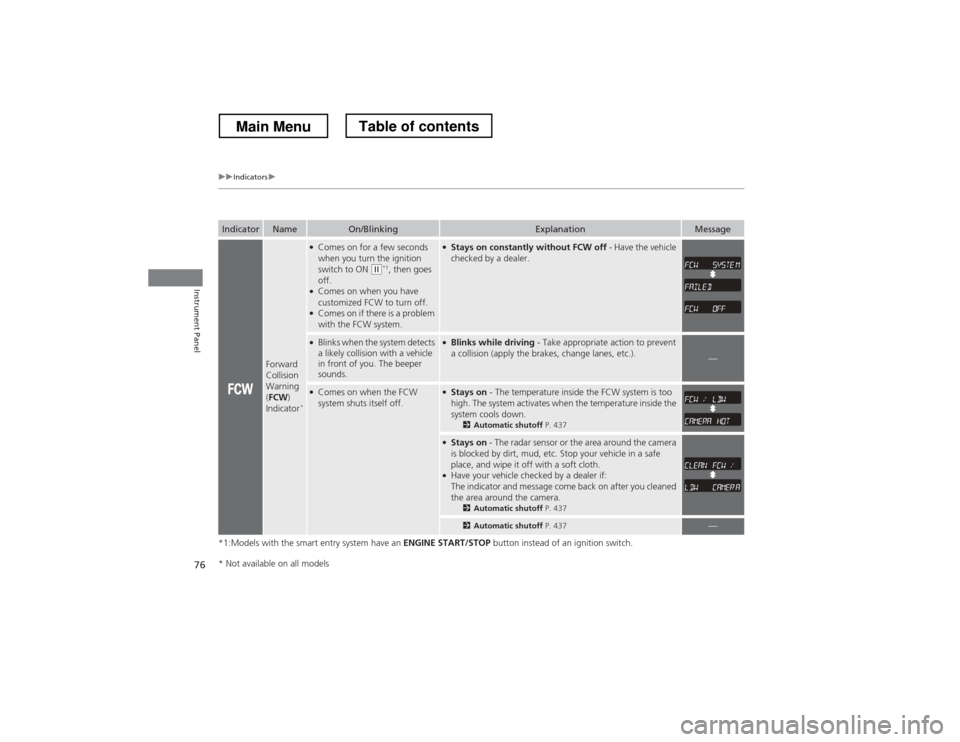
●Stays on constantly without FCW off - Have the vehicle
checked by a dealer.
● Blinks when the system detects
a likely collision with a vehicle
in front of you. The beeper
sounds.●Blinks while driving - Take appropriate action to prevent
a collision (apply the brakes, change lanes, etc.).
—
● Comes on when the FCW
system shuts itself off.●Stays on - The temperature inside the FCW system is too
high. The system activates when the temperature inside the
system cools down. 2Automatic shutoff P. 437
●
Stays on - The radar sensor or the area around the camera
is blocked by dirt, mud, etc. Stop your vehicle in a safe
place, and wipe it off with a soft cloth.
● Have your vehicle checked by a dealer if:
The indicator and message come back on after you cleaned
the area around the camera.
2Automatic shutoff P. 437
2Automatic shutoff P. 437—
* Not available on all models
Main MenuTable of contents
Page 79 of 573

78
uuIndicatorsu
Instrument Panel
IndicatorNameOn/BlinkingExplanation
Smart Entry
System Indicator*
●
Comes on for a few seconds when you
change the power mode to ON.
● Comes on as soon as a problem is detected
in the smart entry system or push button
starting system.●Have your vehicle checked by a dealer.
Starter System
Indicator *
●
Comes on for a few seconds when you set
the power mode to ON, then goes off.
● Comes on if the starting system has a
problem.●As a temporary measure, press and hold the ENGINE
START/STOP button for 15 seconds while pressing
the brake pedal and manually start the engine. Have
the vehicle checked by a dealer.
Turn Signal and Hazard Warning Indicators
● The turn signal indicators blink when you
operate the turn signal lever.
● If you press the hazard warning button, both
indicators and all turn signals blink at the
same time.●Does not blink or blinks rapidly - A turn signal
light bulb has blown. Change the bulb immediately. 2Replacing Light Bulbs P. 489, 490
U.S.
Canada
* Not available on all models
Main MenuTable of contents
Page 102 of 573
101
uuLocking and Unlocking the DoorsuAuto Door Locking/Unlocking
Controls
Auto Door Locking/Unlocking
Your vehicle locks all doors and unlocks the driver’s door automatically when a
certain condition is met. ■ Drive lock mode
All doors and tailgate lock when the vehicle’s speed reaches about 10 mph (15 km/h).
■Park unlock mode
The driver’s door unlocks when the shift lever is moved into (P with the brake pedal
depressed.
■Auto Door Locking
■Auto Door Unlocking
1Auto Door Locking/Unlocking
You can turn off or change to another auto door
locking/unlocking setting using the audio/information screen. 2 Customized Features *
P. 281
You can turn off or change to another auto door
locking/unlocking setting using the master door lock
switch. 2 Customizing the Auto Door Locking/
Unlocking Setting *
P. 102
Models with audio/information screen
Models without audio/information screen
* Not available on all models
Main MenuTable of contents
Page 103 of 573
102
uuLocking and Unlocking the DoorsuCustomizing the Auto Door Locking/Unlocking Setting*
Controls
Customizing the Auto
Door Locking/Unlocking Setting *
You can customize the auto door locking/unlocking setting to your liking using the master door lock switch. ■ Auto door locking
■ Auto door unlocking
*1:Default setting
■List of the Auto Door Locking/Unlocking Customizable Options
ModeDescription
Drive Lock ModeAll doors lock when the vehicle’s speed reach about 10 mph (15 km/h). *1
Park Lock ModeAll doors lock when the shift lever is moved out of (P
with the brake pedal depressed.
OffThe auto door locking is deactivated all the time.
ModeDescription
Park UnLock ModeDriver’s door unlocks *1
/All doors unlock
When the shift lever is moved into (P with the brake pedal depressed.
Ignition Switch Unlock
ModeDriver’s door unlocks/All doors unlock
When the ignition switch is moved out of ON (w.
OffThe auto door unlocking is deactivated all the time.
* Not available on all models
Main MenuTable of contents
Page 104 of 573
103
uuLocking and Unlocking the DoorsuCustomizing the Auto Door Locking/Unlocking Setting*
Continued
Controls
■Customizing Flow for Auto Door Locking Options
StepsDrive Lock ModePark Lock ModeOff
1Apply the parking brake. Make sure the shift lever is in (P
.
2Turn the ignition switch to ON (w .
3The driver’s door must be closed at this stage.Open the driver’s door.
4Move the shift lever out of (P with the
brake pedal depressed.—Pull the lock tab rearward.
5
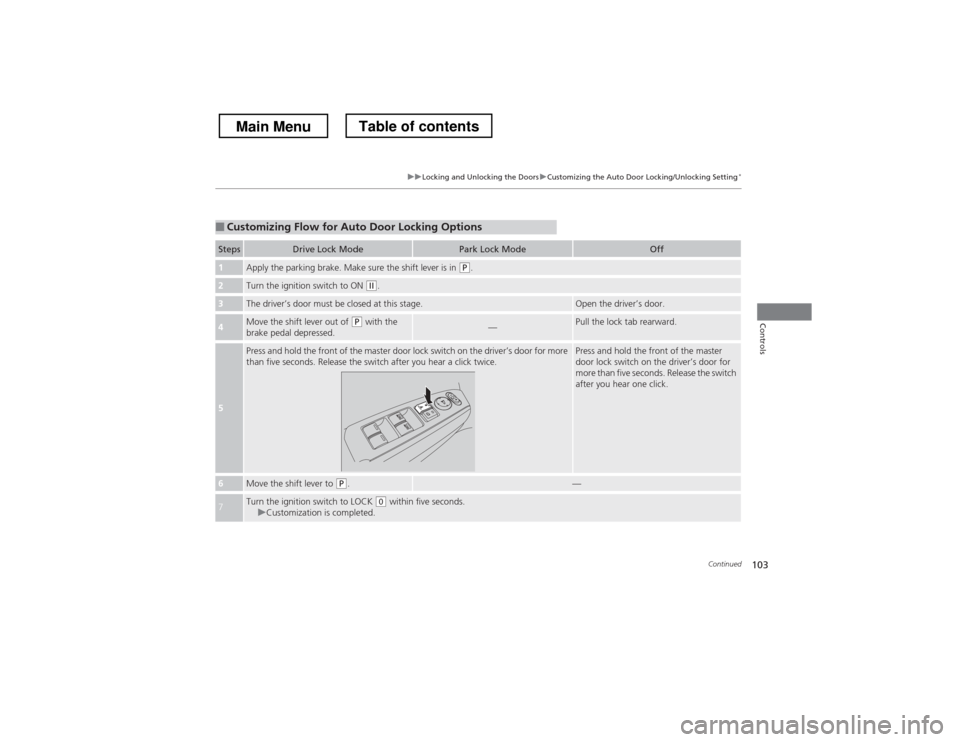
Press and hold the front of the master door lock switch on the driver’s door for more
than five seconds. Release the switch after you hear a click twice.Press and hold the front of the master
door lock switch on the driver’s door for
more than five seconds. Release the switch
after you hear one click.
6Move the shift lever to (P .—
7Turn the ignition switch to LOCK (0 within five seconds.uCustomization is completed.
Main MenuTable of contents
Page 116 of 573
115
uuOperating the Switches Around the Steering WheeluENGINE START/STOP Button*
Continued
Controls
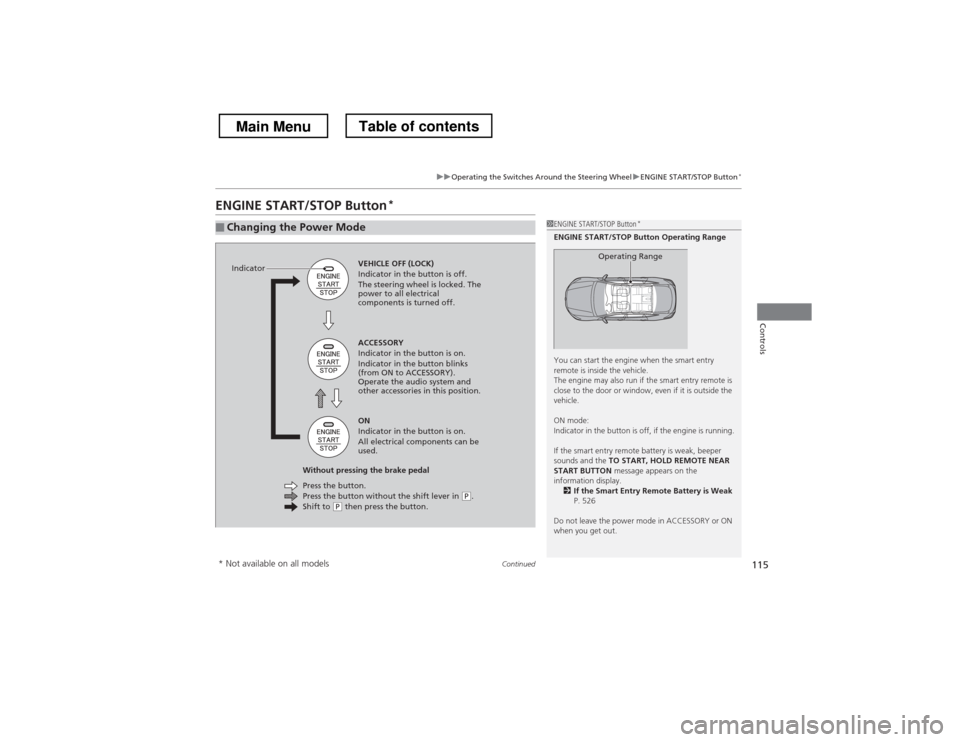
ENGINE START/STOP Button *
■Changing the Power Mode1ENGINE START/STOP Button
*
ENGINE START/STOP Button Operating Range
You can start the engine when the smart entry
remote is inside the vehicle.
The engine may also run if the smart entry remote is
close to the door or window, even if it is outside the
vehicle.
ON mode:
Indicator in the button is off, if the engine is running.
If the smart entry remote battery is weak, beeper
sounds and the TO START, HOLD REMOTE NEAR
START BUTTON message appears on the
information display. 2 If the Smart Entry Remote Battery is Weak
P. 526
Do not leave the power mode in ACCESSORY or ON
when you get out.
Operating RangeVEHICLE OFF (LOCK)
Indicator in the button is off.
The steering wheel is locked. The
power to all electrical
components is turned off.
Press the button without the shift lever in
(P .
Shift to (P then press the button.
Press the button.
Without pressing the brake pedal ACCESSORY
Indicator in the button is on.
Indicator in the button blinks
(from ON to ACCESSORY).
Operate the audio system and
other accessories in this position. ON
Indicator in the button is on.
All electrical components can be
used.
Indicator
* Not available on all models
Main MenuTable of contents
Page 123 of 573
122
uuOperating the Switches Around the Steering WheeluFog Lights
Controls
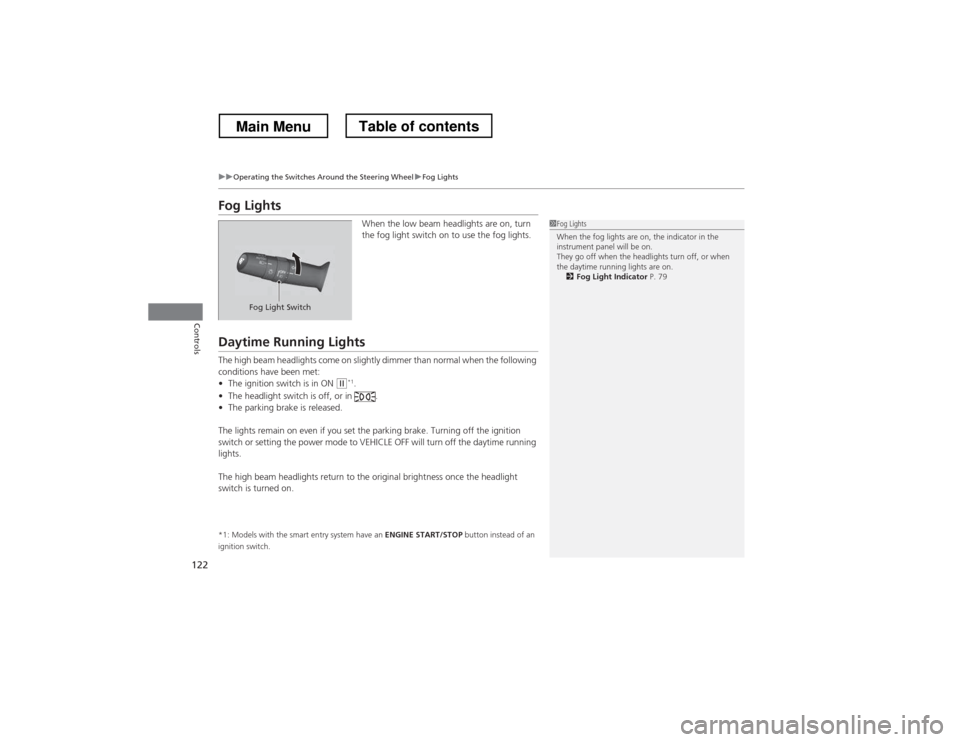
Fog LightsWhen the low beam headlights are on, turn
the fog light switch on to use the fog lights.
Daytime Running Lights
The high beam headlights come on slightly dimmer than normal when the following
conditions have been met:•The ignition switch is in ON
(w *1
.
• The headlight switch is off, or in .
• The parking brake is released.
The lights remain on even if you set the parking brake. Turning off the ignition
switch or setting the power mode to VEHICLE OFF will turn off the daytime running
lights.
The high beam headlights return to the origin al brightness once the headlight
switch is turned on.
*1: Models with the smart entry system have an ENGINE START/STOP button instead of an
ignition switch.
1Fog Lights
When the fog lights are on, the indicator in the
instrument panel will be on.
They go off when the headlights turn off, or when
the daytime running lights are on. 2 Fog Light Indicator P. 79
Fog Light Switch
Main MenuTable of contents
Page 129 of 573
uuOperating the Switches Around the Steering WheeluDriving Position Memory System*
128
Controls
1. Turn the ignition switch to ON (w *1
. Adjust
the driver’s seat and the door mirrors to the
desired position.
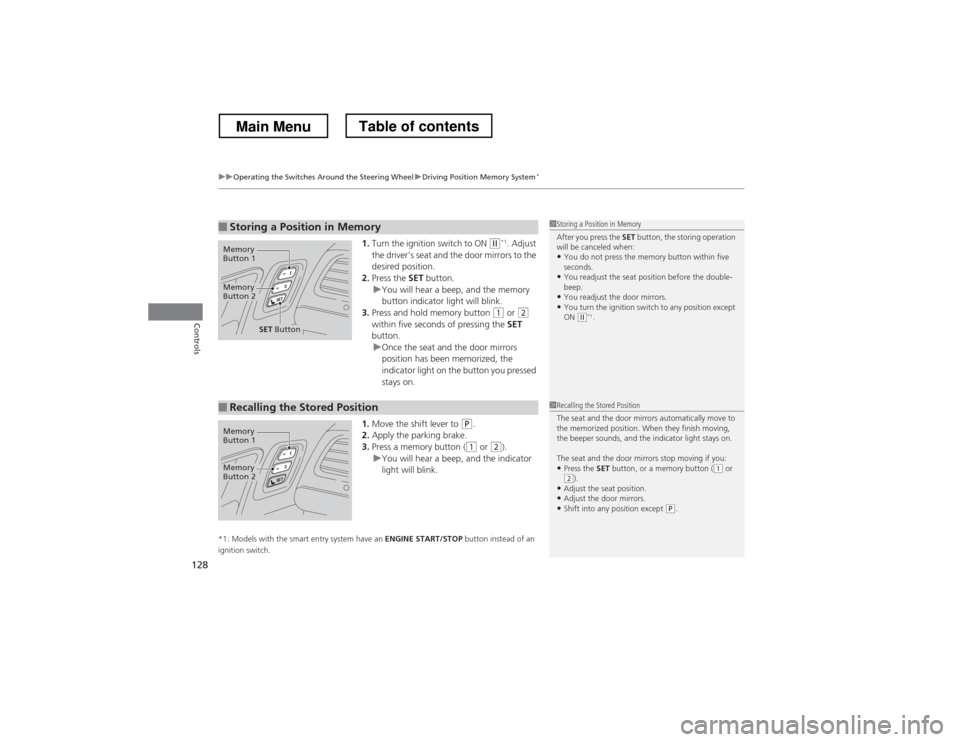
2. Press the SET button.
uYou will hear a beep, and the memory
button indicator light will blink.
3. Press and hold memory button
(1 or (2
within five seconds of pressing the SET
button.
uOnce the seat and the door mirrors
position has been memorized, the
indicator light on the button you pressed stays on.
1. Move the shift lever to
(P .
2. Apply the parking brake.
3. Press a memory button (
(1 or (2).uYou will hear a beep, and the indicator
light will blink.
*1: Models with the smart entry system have an ENGINE START/STOP button instead of an
ignition switch.
■Storing a Position in Memory1Storing a Position in Memory
After you press the SET button, the storing operation
will be canceled when:
• You do not press the memory button within five
seconds.
• You readjust the seat position before the double-beep.
• You readjust the door mirrors.
• You turn the ignition switch to any position except
ON
(w *1
.
Memory
Button 1
Memory
Button 2
SET Button
■Recalling the Stored Position1Recalling the Stored Position
The seat and the door mirrors automatically move to
the memorized position. When they finish moving,
the beeper sounds, and the indicator light stays on.
The seat and the door mirrors stop moving if you:
• Press the SET button, or a memory button (
(1 or (2).
• Adjust the seat position.
• Adjust the door mirrors.
• Shift into any position except
(P .
Memory
Button 1
Memory
Button 2
Main MenuTable of contents