Page 297 of 321

Accessing Your Play Menu
This menu allows you to select and play your media by artist, album,
genre, playlist, track, similar music or even to explore what is on your
USB device.
1. Make sure that your device is plugged into the USB port and is
turned on.
2. Press AUX and then MENU to enter the Media Menu.
3. Scroll to select the Play Menu and press OK.
If there are no media files to access, the display indicates there is no
media. If there are media files, you have the following options to scroll
through and select from:
When you select: You can:
Play AllPlay all indexed media (tracks) from your
playing device in flat file mode, one at a time
in numerical order.
Press OK to select. The first track title
appears in the display.
ArtistsSort all indexed media by artist. Once
selected, the system lists and then play all
artists and tracks alphabetically. If there are
less than 255 indexed artist, they are listed
alphabetically in flat file mode. If there are
more, they are categorized in alphabetical
categories.
1. Press OK to select. You can select to play
All Artists or any indexed artist.
2. Scroll until the desired artist is chosen and
press OK.
296SYNC®
2013 Transit Connect(tst)
Owners Guide gf, 2nd Printing, November 2012
USA(fus)
Page 300 of 321

Bluetooth Devices Menu Options
This menu allows you to add, connect and delete devices as well as turn
Bluetooth on and off.
1. Press AUX and then MENU to enter the Media Menu.
2. Scroll until System Settings appears and select OK.
3. Scroll until Bluetooth Devices appears.
4. Press OK and then scroll to select from:
When you select: You can:
Add Bluetooth
Device
*Allows you to pair additional devices to the
system.
1. Press OK to select and press OK again
when Find SYNC appears in the display.
2. Follow the directions in your phone’s user
guide to put your phone into discovery mode.
A six-digit PIN appears in the display.
3. When prompted on your phone’s six-digit
display, enter the PIN.
Connect Bluetooth
DeviceConnect a previously paired
Bluetooth-enabled phone.
1. Press OK to select and view a list of
devices.
2. Scroll until the desired device is chosen
and press OK to connect the device.
Set Bluetooth On/OffTurn the Bluetooth feature on and off.
Press OK and scroll to toggle between On and
Off. When the desired selection is chosen,
press OK. Turning Bluetooth off disconnects
all Bluetooth devices and deactivates
Bluetooth features.
Delete DeviceDelete a paired media device.
Press OK and scroll to select the device.
Press OK to confirm.
Delete All DevicesDelete all previously paired devices.
Press OK to select.
ReturnExit the current menu.
*This is a speed-dependent feature
SYNC®299
2013 Transit Connect(tst)
Owners Guide gf, 2nd Printing, November 2012
USA(fus)
Page 301 of 321
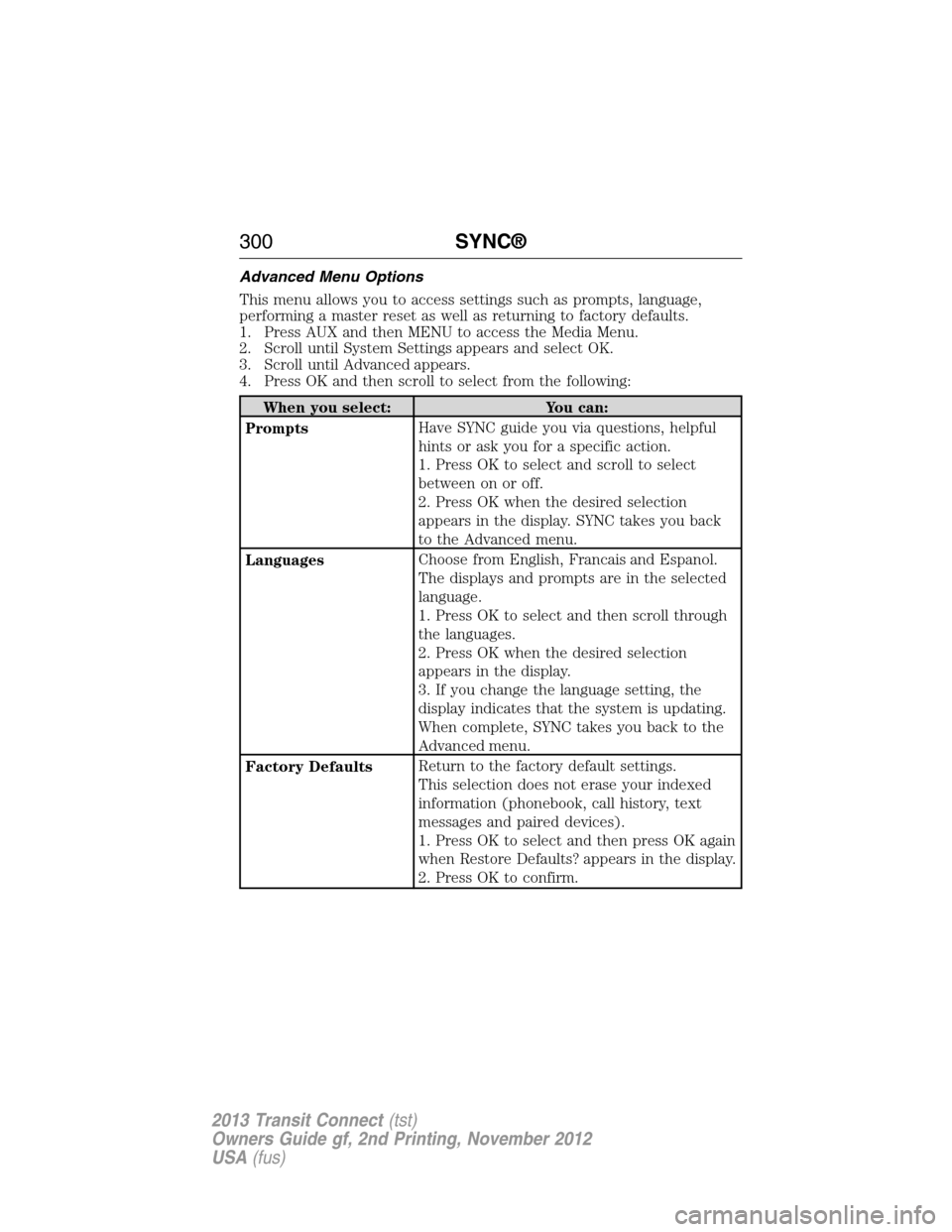
Advanced Menu Options
This menu allows you to access settings such as prompts, language,
performing a master reset as well as returning to factory defaults.
1. Press AUX and then MENU to access the Media Menu.
2. Scroll until System Settings appears and select OK.
3. Scroll until Advanced appears.
4. Press OK and then scroll to select from the following:
When you select: You can:
PromptsHave SYNC guide you via questions, helpful
hints or ask you for a specific action.
1. Press OK to select and scroll to select
between on or off.
2. Press OK when the desired selection
appears in the display. SYNC takes you back
to the Advanced menu.
LanguagesChoose from English, Francais and Espanol.
The displays and prompts are in the selected
language.
1. Press OK to select and then scroll through
the languages.
2. Press OK when the desired selection
appears in the display.
3. If you change the language setting, the
display indicates that the system is updating.
When complete, SYNC takes you back to the
Advanced menu.
Factory DefaultsReturn to the factory default settings.
This selection does not erase your indexed
information (phonebook, call history, text
messages and paired devices).
1. Press OK to select and then press OK again
when Restore Defaults? appears in the display.
2. Press OK to confirm.
300SYNC®
2013 Transit Connect(tst)
Owners Guide gf, 2nd Printing, November 2012
USA(fus)
Page 316 of 321

A
ABS (see Brakes) .....................125
Accessing call history/phone
book during active call .............278
Accessing your media menu
features ......................................293
Accessing your phone menu
features ......................................280
Active call menu options .........278
Advanced menu options ...287, 300
Advanced menu options
(prompts, languages, defaults,
master reset, installing
applications) ..............................287
Airbag supplemental restraint
system ..........................................46
and child safety seats ..............47
description ................................46
disposal ......................................54
driver airbag ..............................46
passenger airbag .......................46
side airbag ...........................46, 51
Air cleaner filter ...............188, 246
Air conditioning ..........................94
manual heating and air
conditioning system .................94
Air filter .....................................188
Ambulance packages ..................14
Antifreeze (see Engine
coolant) .....................................177
Anti-lock brake system
(see Brakes) ..............................125
Anti-theft system ........................62
arming the system ....................62
Audio system
Single CD ............................88–89Audio system (see Radio) ...88–89
Automatic transaxle
fluid, adding ............................181
fluid, checking ........................181
fluid, refill capacities ..............244
fluid, specification ..................244
Automatic transmission
driving an automatic
overdrive .................................121
fluid, adding ............................181
fluid, checking ........................181
fluid, refill capacities ..............244
fluid, specification ..................244
Auxiliary input jack (Line in) ....91
Auxiliary powerpoint ................106
B
Battery .......................................185
acid, treating emergencies .....185
how to service ........................185
jumping a disabled battery ....151
maintenance-free ....................185
replacement, specifications ...246
servicing ..................................185
Booster seats ...............................21
Brakelamp
bulb replacement ....................195
Brakes ........................................125
anti-lock ...................................125
anti-lock brake system (ABS)
warning light ...........................125
brake warning light ................125
fluid, checking and adding ....184
fluid, refill capacities ..............244
fluid, specifications .................244
lubricant specifications ..........244
parking ....................................126
shift interlock ..........................123
Bulbs ..........................191, 198, 200
Index315
2013 Transit Connect(tst)
Owners Guide gf, 2nd Printing, November 2012
USA(fus)
Page:
< prev 1-8 9-16 17-24