Page 103 of 563
GENERAL INFORMATION
WARNING:Driving while distracted can result in loss of vehicle
control, accident and injury. Ford strongly recommends that
drivers use extreme caution when using any device or feature that may
take their focus off the road. Your primary responsibility is the safe
operation of the vehicle. We recommend against the use of any
handheld device while driving and that you comply with all applicable
laws.
Various systems on your vehicle can be controlled using the information
display controls on the steering wheel. Corresponding information is
displayed in the information display.
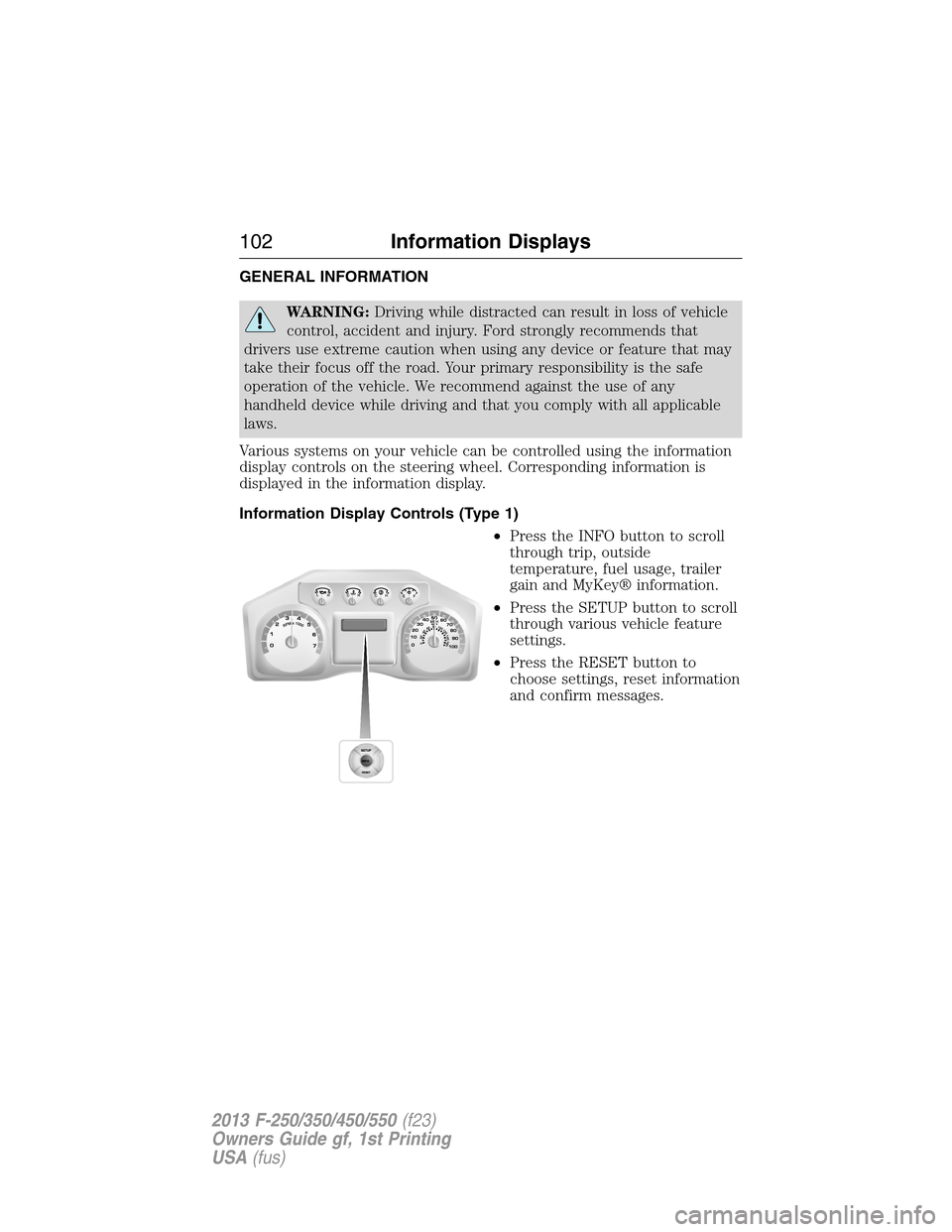
Information Display Controls (Type 1)
•Press the INFO button to scroll
through trip, outside
temperature, fuel usage, trailer
gain and MyKey® information.
•Press the SETUP button to scroll
through various vehicle feature
settings.
•Press the RESET button to
choose settings, reset information
and confirm messages.
102Information Displays
2013 F-250/350/450/550(f23)
Owners Guide gf, 1st Printing
USA(fus)
Page 104 of 563
Info
Press the INFO button repeatedly to cycle through the following
features:
Note:Some options may appear slightly different or not at all if the
items are optional.
INFO
TRIP A/B
XXX° (if equipped)
MYKEY MILES (km) (if programmed)
XXX MILES (km) TO E
XX.X AVG MPG (L/100km)
MPG (L/km)
TIMER
TBC GAIN (if equipped)
EXHAUST FILTER (diesel only)
•TRIP A/B: Registers the distance of individual journeys. Press and
release the INFO button until TRIP A/B appears in the display (this
represents the trip mode). Press and hold the RESET button to reset.
Refer toUNITSlater in this section to switch the display from metric
to English.
•XXX° (outside air temperature) (if equipped): This displays the
outside temperature.
•MYKEY MILES (km) (if programmed): For more information, refer to
theMyKey®chapter.
•XXX MILES (km) TO E: This displays an estimate of approximately
how far you can drive with the fuel remaining in your tank under
normal driving conditions. Remember to turn the ignition off when
refueling to allow this feature to correctly detect the added fuel.
Distance to empty is calculated using a running average fuel economy,
which is based on your recent driving history of 500 miles (800 km).
This value is not the same as the average fuel economy display. The
running average fuel economy is re-initialized to a factory default
value if the battery is disconnected.
•XX.X AVG MPG (L/100km): Average fuel economy displays your
average fuel economy in miles/gallon or liters/100 km.
Information Displays103
2013 F-250/350/450/550(f23)
Owners Guide gf, 1st Printing
USA(fus)
Page 105 of 563
•MPG (L/km): This displays instantaneous fuel economy as a bar graph.
Your vehicle must be moving to calculate instantaneous fuel economy.
Instantaneous fuel economy cannot be reset.
•TIMER: Displays the trip elapsed drive time. Press and release RESET
to pause the timer. Press and hold RESET to reset the timer.
•TBC GAIN (if equipped): Displays the level of trailer brake gain or if
the trailer is not connected.
•EXHAUST FILTER (Diesel only): For more information, refer to the
Diesel exhaust system: oxidation catalyst/diesel particulate filter
systemin your diesel supplement for more information.
System Check and Vehicle Feature Customization
Press the SETUP button repeatedly to cycle the message center through
the following features:
Note:Some options may appear slightly different or not at all if the
items are optional.
Note:When returning to the SETUP menu and a non-English language
has been selected, HOLD RESET FOR ENGLISH will be displayed to
change back to English. Press and hold the RESET button to change
back to English.
SETUP
RESET FOR
SYSTEM CHECKpress the
RESET buttonOIL LIFE
EXHAUST FLUID LEVEL
(Diesel only)
ENGINE HOURS
ENGINE IDLE HOURS
CHARGING SYSTEM
DOOR
BRAKE SYSTEM
TBC GAIN = XX.X
FUEL LEVEL
MYKEY DISTANCE
MYKEY(S) PROGRAMMED
ADMIN KEYS PROGRAMMED
OIL LIFE
104Information Displays
2013 F-250/350/450/550(f23)
Owners Guide gf, 1st Printing
USA(fus)
Page 109 of 563
•RESET FOR REMOTE START (if equipped)
•REAR PARK AID (if equipped): This feature sounds a warning tone to
warn the driver of obstacles near the rear bumper, and functions only
when R (Reverse) gear is selected.
•TBC MODE (if equipped): Allows you to choose the trailer brake
mode.
•TRAILER SWAY (if equipped): This feature uses the electronic
stability control to mitigate trailer sway.
•LANGUAGE = ENGLISH / SPANISH / FRENCH: Allows you to choose
which language the message center will display in.
Waiting four seconds or pressing the RESET button cycles the message
center through each of the language choices.
Press the RESET button to set the language choice.
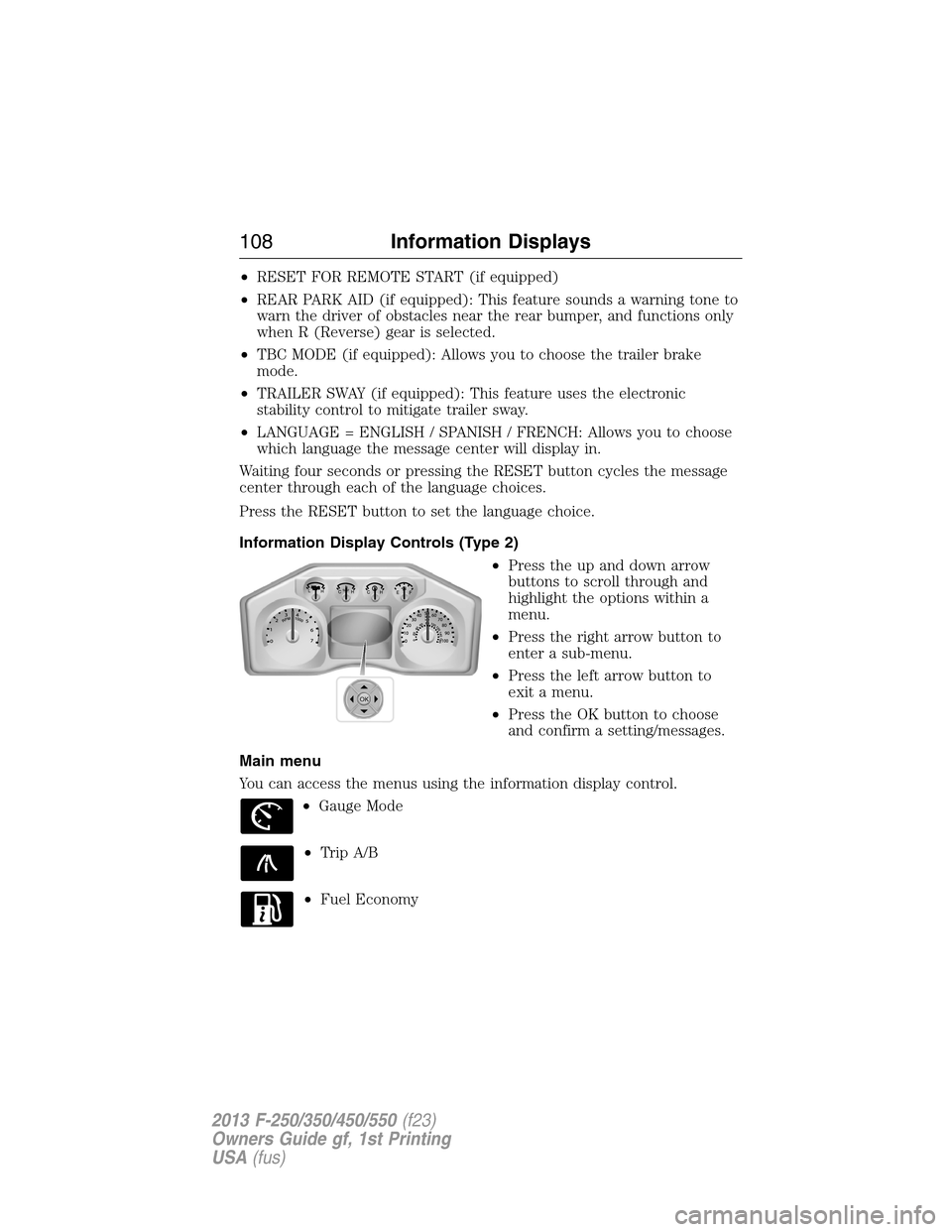
Information Display Controls (Type 2)
•Press the up and down arrow
buttons to scroll through and
highlight the options within a
menu.
•Press the right arrow button to
enter a sub-menu.
•Press the left arrow button to
exit a menu.
•Press the OK button to choose
and confirm a setting/messages.
Main menu
You can access the menus using the information display control.
•Gauge Mode
•Trip A/B
•Fuel Economy
OK
108Information Displays
2013 F-250/350/450/550(f23)
Owners Guide gf, 1st Printing
USA(fus)
Page 111 of 563

Trip A/ B
Use the arrow buttons to choose between the following trip
options.
Trip A/ B
Trip time
Trip distance
Fuel used
Avg MPG (L/100km)
Odometer
Press OK to pause the Trip A or B screen/press again to un-pause.
Press and hold OK to reset the currently displayed trip information.
•Trip time: shows the elapsed trip time. This timer will stop when the
vehicle is turned off and will restart when the vehicle is restarted.
•Trip distance: Registers the mileage of individual journeys.
•Fuel used: Shows the amount of fuel used for a given trip.
•Average MPG: Shows the average distance traveled per unit of fuel
used for a given trip.
Fuel Economy
Use the arrow buttons to choose the desired fuel economy
display.
Fuel Economy
Fuel Econ. Instant MPG (L/100km)
Miles (kilometers) to Empty
AVG MPG (L/100km)
Fuel Hist.: shows
fuel usage as a
bar graph based
on time. The
duration time can
be changed.Duration: 5 Minutes, 10 Minutes, 30 Minutes, Last 5
Resets. The graph is updated each minute with the
fuel economy that was achieved during the prior 5,
10, 30 minutes of driving.
•Instant MPG: shows instantaneous fuel usage.
•Miles to empty: shows the approximate distance the vehicle can travel
before running out of fuel.
11 0Information Displays
2013 F-250/350/450/550(f23)
Owners Guide gf, 1st Printing
USA(fus)
Page 112 of 563
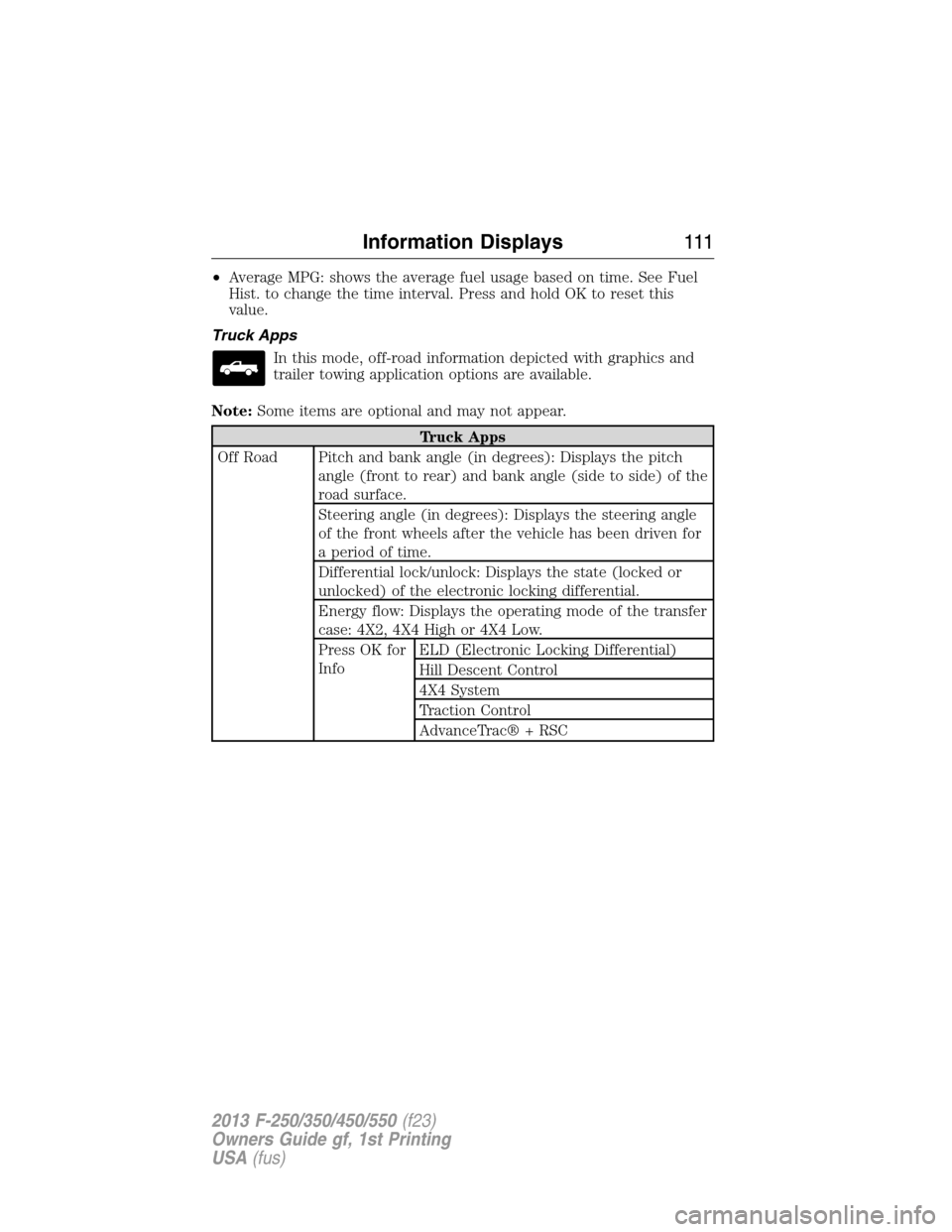
•Average MPG: shows the average fuel usage based on time. See Fuel
Hist. to change the time interval. Press and hold OK to reset this
value.
Truck Apps
In this mode, off-road information depicted with graphics and
trailer towing application options are available.
Note:Some items are optional and may not appear.
Truck Apps
Off Road Pitch and bank angle (in degrees): Displays the pitch
angle (front to rear) and bank angle (side to side) of the
road surface.
Steering angle (in degrees): Displays the steering angle
of the front wheels after the vehicle has been driven for
a period of time.
Differential lock/unlock: Displays the state (locked or
unlocked) of the electronic locking differential.
Energy flow: Displays the operating mode of the transfer
case: 4X2, 4X4 High or 4X4 Low.
Press OK for
InfoELD (Electronic Locking Differential)
Hill Descent Control
4X4 System
Traction Control
AdvanceTrac® + RSC
Information Displays111
2013 F-250/350/450/550(f23)
Owners Guide gf, 1st Printing
USA(fus)
Page 116 of 563
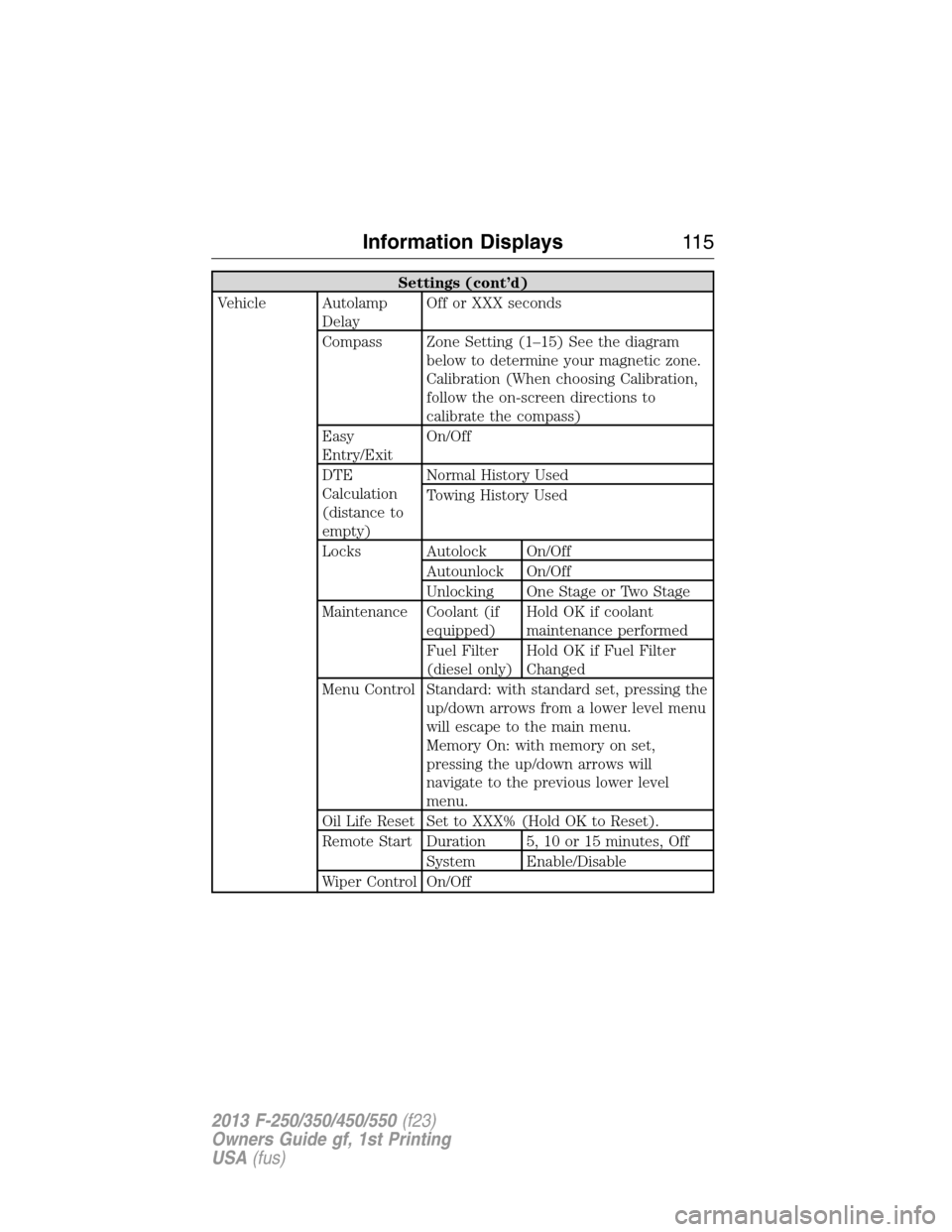
Settings (cont’d)
Vehicle Autolamp
DelayOff or XXX seconds
Compass Zone Setting (1–15) See the diagram
below to determine your magnetic zone.
Calibration (When choosing Calibration,
follow the on-screen directions to
calibrate the compass)
Easy
Entry/ExitOn/Off
DTE
Calculation
(distance to
empty)Normal History Used
Towing History Used
Locks Autolock On/Off
Autounlock On/Off
Unlocking One Stage or Two Stage
Maintenance Coolant (if
equipped)Hold OK if coolant
maintenance performed
Fuel Filter
(diesel only)Hold OK if Fuel Filter
Changed
Menu Control Standard: with standard set, pressing the
up/down arrows from a lower level menu
will escape to the main menu.
Memory On: with memory on set,
pressing the up/down arrows will
navigate to the previous lower level
menu.
Oil Life Reset Set to XXX% (Hold OK to Reset).
Remote Start Duration 5, 10 or 15 minutes, Off
System Enable/Disable
Wiper Control On/Off
Information Displays11 5
2013 F-250/350/450/550(f23)
Owners Guide gf, 1st Printing
USA(fus)
Page 125 of 563
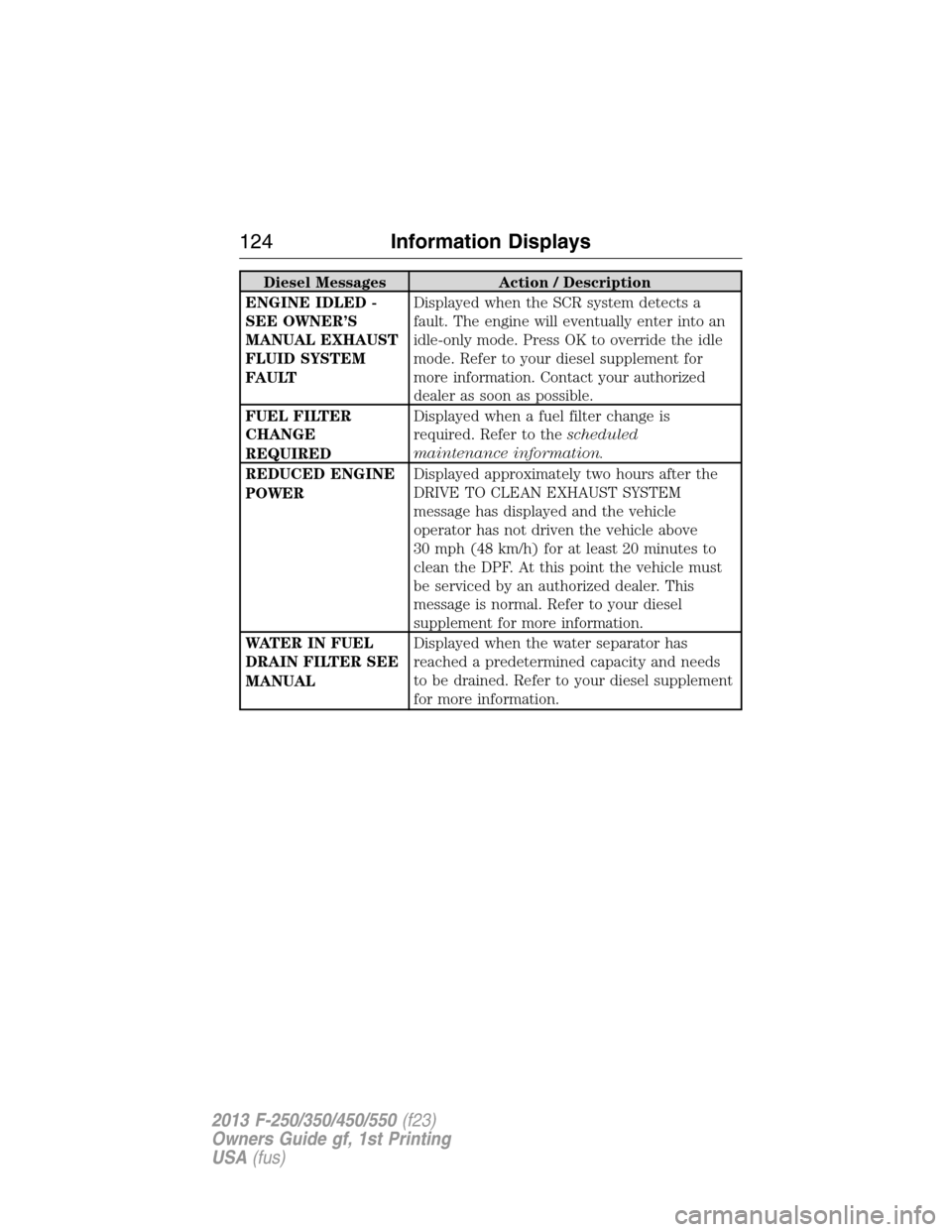
Diesel Messages Action / Description
ENGINE IDLED -
SEE OWNER’S
MANUAL EXHAUST
FLUID SYSTEM
FAULTDisplayed when the SCR system detects a
fault. The engine will eventually enter into an
idle-only mode. Press OK to override the idle
mode. Refer to your diesel supplement for
more information. Contact your authorized
dealer as soon as possible.
FUEL FILTER
CHANGE
REQUIREDDisplayed when a fuel filter change is
required. Refer to thescheduled
maintenance information.
REDUCED ENGINE
POWERDisplayed approximately two hours after the
DRIVE TO CLEAN EXHAUST SYSTEM
message has displayed and the vehicle
operator has not driven the vehicle above
30 mph (48 km/h) for at least 20 minutes to
clean the DPF. At this point the vehicle must
be serviced by an authorized dealer. This
message is normal. Refer to your diesel
supplement for more information.
WATER IN FUEL
DRAIN FILTER SEE
MANUALDisplayed when the water separator has
reached a predetermined capacity and needs
to be drained. Refer to your diesel supplement
for more information.
124Information Displays
2013 F-250/350/450/550(f23)
Owners Guide gf, 1st Printing
USA(fus)