2013 FORD SUPER DUTY display
[x] Cancel search: displayPage 76 of 563
SECURILOCK® PASSIVE ANTI-THEFT SYSTEM (IF EQUIPPED)
Note:The system is not compatible with non-Ford aftermarket remote
start systems. Use of these systems may result in vehicle starting
problems and a loss of security protection.
Note:Metallic objects, electronic devices or a second coded key on the
same key chain may cause vehicle starting issues if they are too close to
the key when starting the engine. Prevent these objects from touching
the coded key while starting the engine. Switch the ignition off, move all
objects on the key chain away from the coded key and restart the engine
if a problem occurs.
Note:Do not leave a duplicate coded key in the vehicle. Always take
your keys and lock all doors when leaving the vehicle.
The system is an engine immobilization system. It is designed to help
prevent the engine from being started unless a coded key programmed
to your vehicle is used. Using the wrong key may prevent the engine
from starting. A message may appear in the information display.
If you are unable to start the engine with a correctly coded key, a
malfunction has happened and a message may appear in the information
display.
Automatic Arming
The vehicle is armed immediately after switching the ignition off.
Automatic Disarming
Switching the ignition on with a coded key disarms the vehicle.
Replacement Keys
Note:Your vehicle may come equipped with two integrated keyhead
transmitters.
The integrated keyhead transmitter functions as a programmed ignition
key that operates all the locks and starts the vehicle, as well as a remote
control.
If your programmed transmitters or standard SecuriLock coded keys are
lost or stolen and you don’t have an extra coded key, you will need to
have your vehicle towed to an authorized dealer. The key codes need to
be erased from your vehicle and new coded keys will need to be
programmed.
Store an extra programmed key away from the vehicle in a safe place to
help prevent any inconveniences. See your authorized dealer to purchase
additional spare or replacement keys.
Security75
2013 F-250/350/450/550(f23)
Owners Guide gf, 1st Printing
USA(fus)
Page 81 of 563
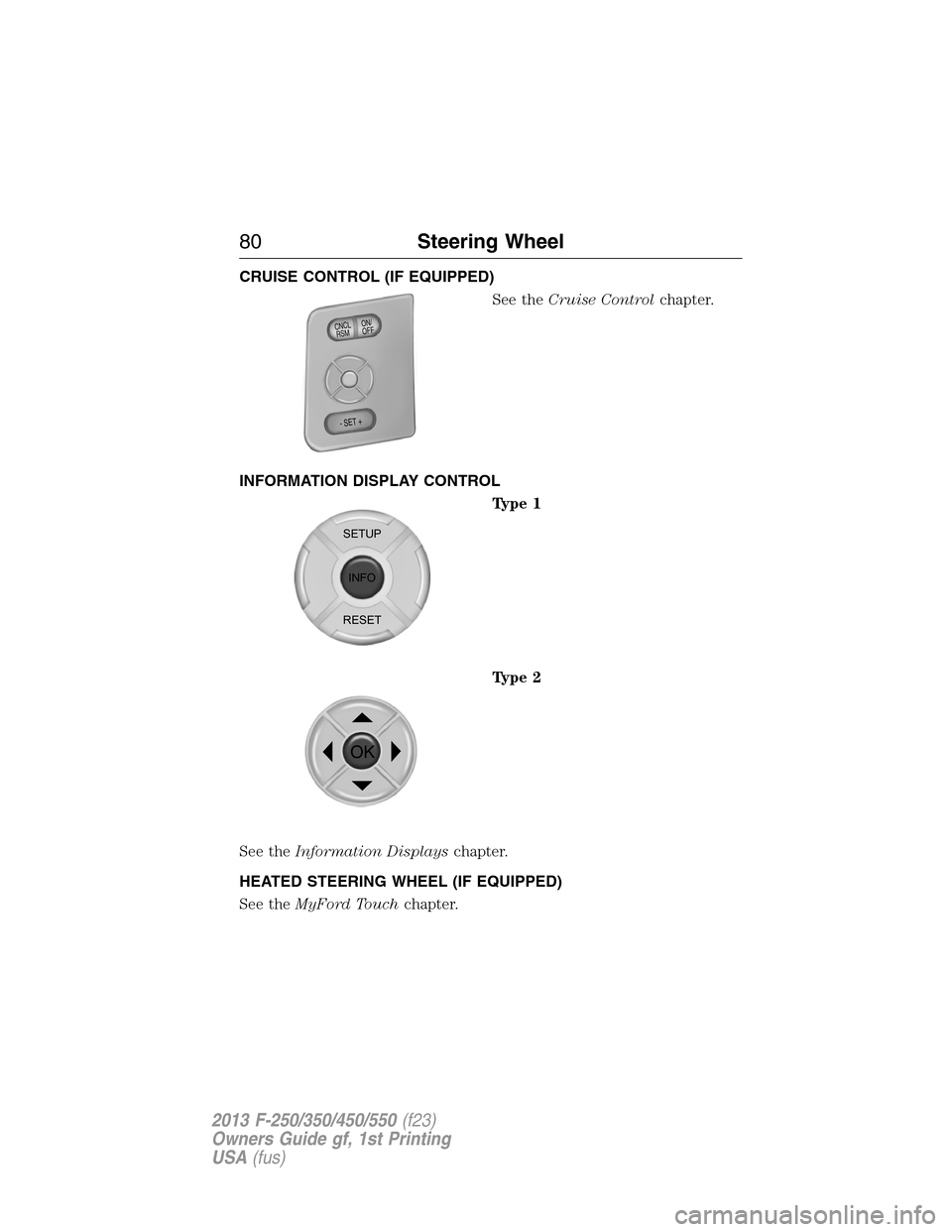
CRUISE CONTROL (IF EQUIPPED)
See theCruise Controlchapter.
INFORMATION DISPLAY CONTROL
Type 1
Type 2
See theInformation Displayschapter.
HEATED STEERING WHEEL (IF EQUIPPED)
See theMyFord Touchchapter.
ON/
OFF CNCLR
S
M
- SET +
SETUP
INFO
RESET
OK
80Steering Wheel
2013 F-250/350/450/550(f23)
Owners Guide gf, 1st Printing
USA(fus)
Page 83 of 563
WINDSHIELD WIPERS
Note:Fully defrost the windshield in icy conditions before turning on
the windshield wipers.
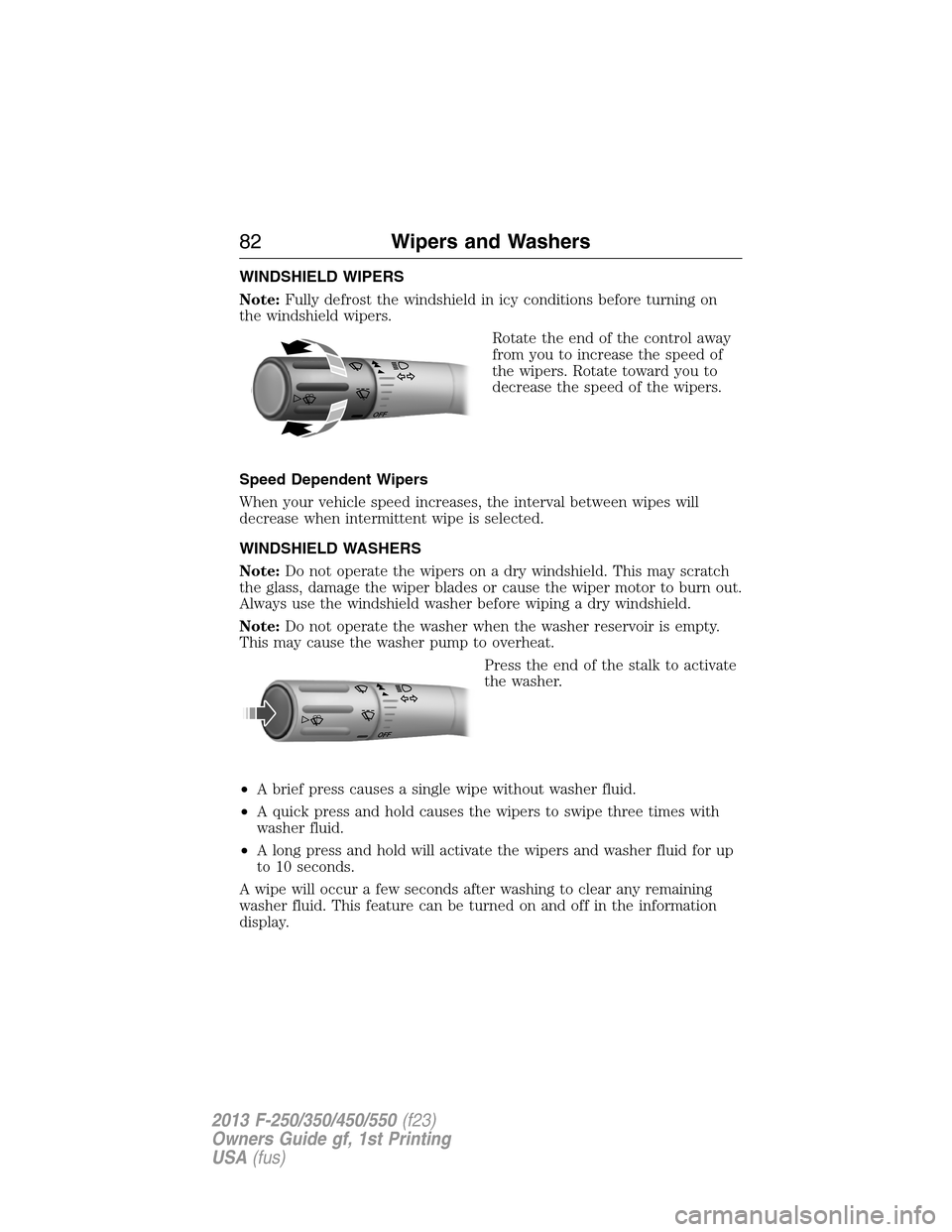
Rotate the end of the control away
from you to increase the speed of
the wipers. Rotate toward you to
decrease the speed of the wipers.
Speed Dependent Wipers
When your vehicle speed increases, the interval between wipes will
decrease when intermittent wipe is selected.
WINDSHIELD WASHERS
Note:Do not operate the wipers on a dry windshield. This may scratch
the glass, damage the wiper blades or cause the wiper motor to burn out.
Always use the windshield washer before wiping a dry windshield.
Note:Do not operate the washer when the washer reservoir is empty.
This may cause the washer pump to overheat.
Press the end of the stalk to activate
the washer.
•A brief press causes a single wipe without washer fluid.
•A quick press and hold causes the wipers to swipe three times with
washer fluid.
•A long press and hold will activate the wipers and washer fluid for up
to 10 seconds.
A wipe will occur a few seconds after washing to clear any remaining
washer fluid. This feature can be turned on and off in the information
display.
O
F
F
OFF
82Wipers and Washers
2013 F-250/350/450/550(f23)
Owners Guide gf, 1st Printing
USA(fus)
Page 90 of 563
Bounce-Back (One-Touch Up or Down Windows Only)
The window will stop automatically while closing and reverse some
distance if there is an obstacle in the way.
Overriding the Bounce-Back Feature
Pull up the window switch and hold within two seconds of the window
reaching the bounce-back position. The window will travel up with no
bounce-back protection. The window will stop if the switch is released
before the window is fully closed.
Global Open Windows (If Equipped)
Note:The ignition must be off and the accessory delay feature must not
be activated in order for this feature to operate.
Note:This feature can be disabled or enabled by your authorized dealer or
through the information display. Refer toInformation Displayschapter.
Press and hold the unlock button on the remote control to begin opening
the windows.
Press the lock or unlock button on the remote control to stop motion.
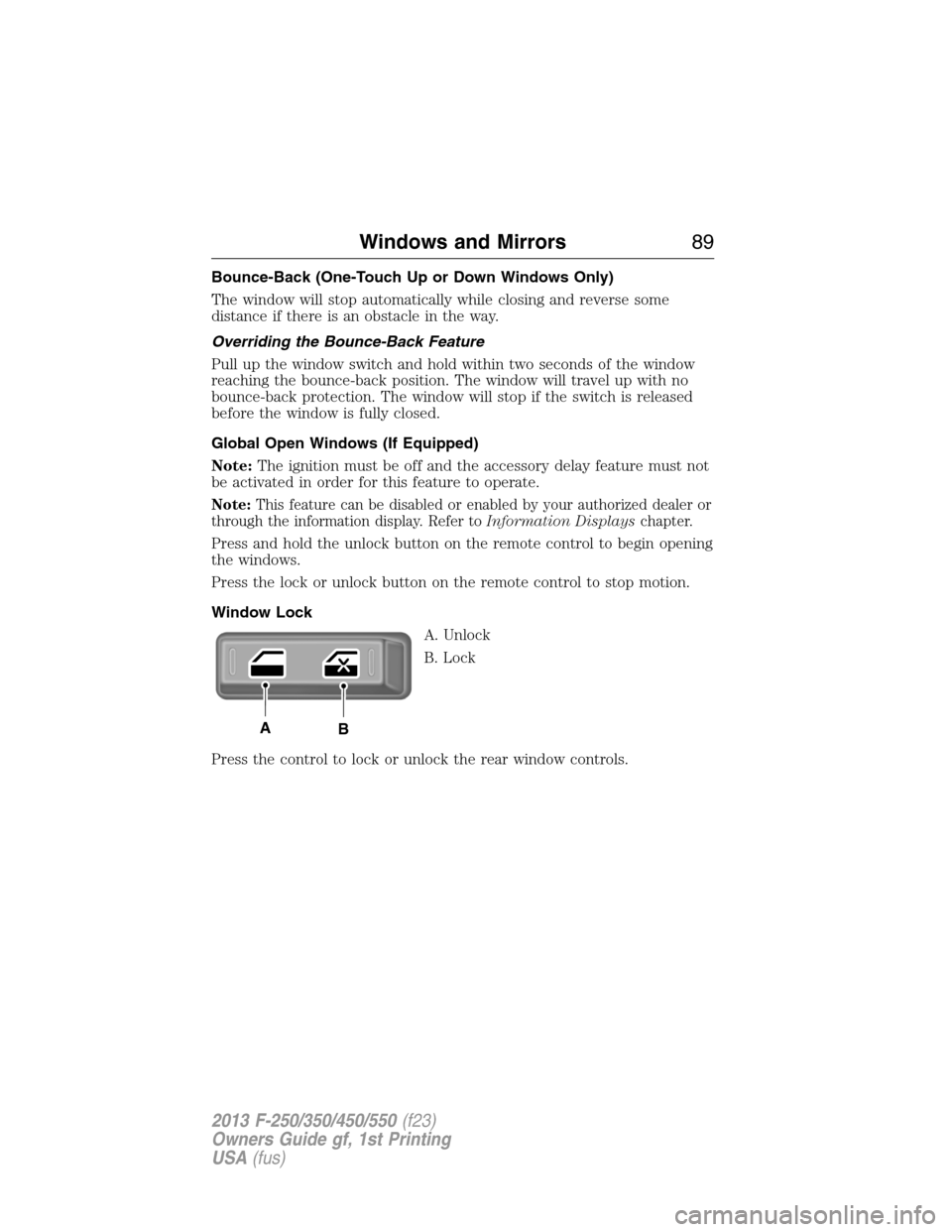
Window Lock
A. Unlock
B. Lock
Press the control to lock or unlock the rear window controls.
AB
Windows and Mirrors89
2013 F-250/350/450/550(f23)
Owners Guide gf, 1st Printing
USA(fus)
Page 96 of 563
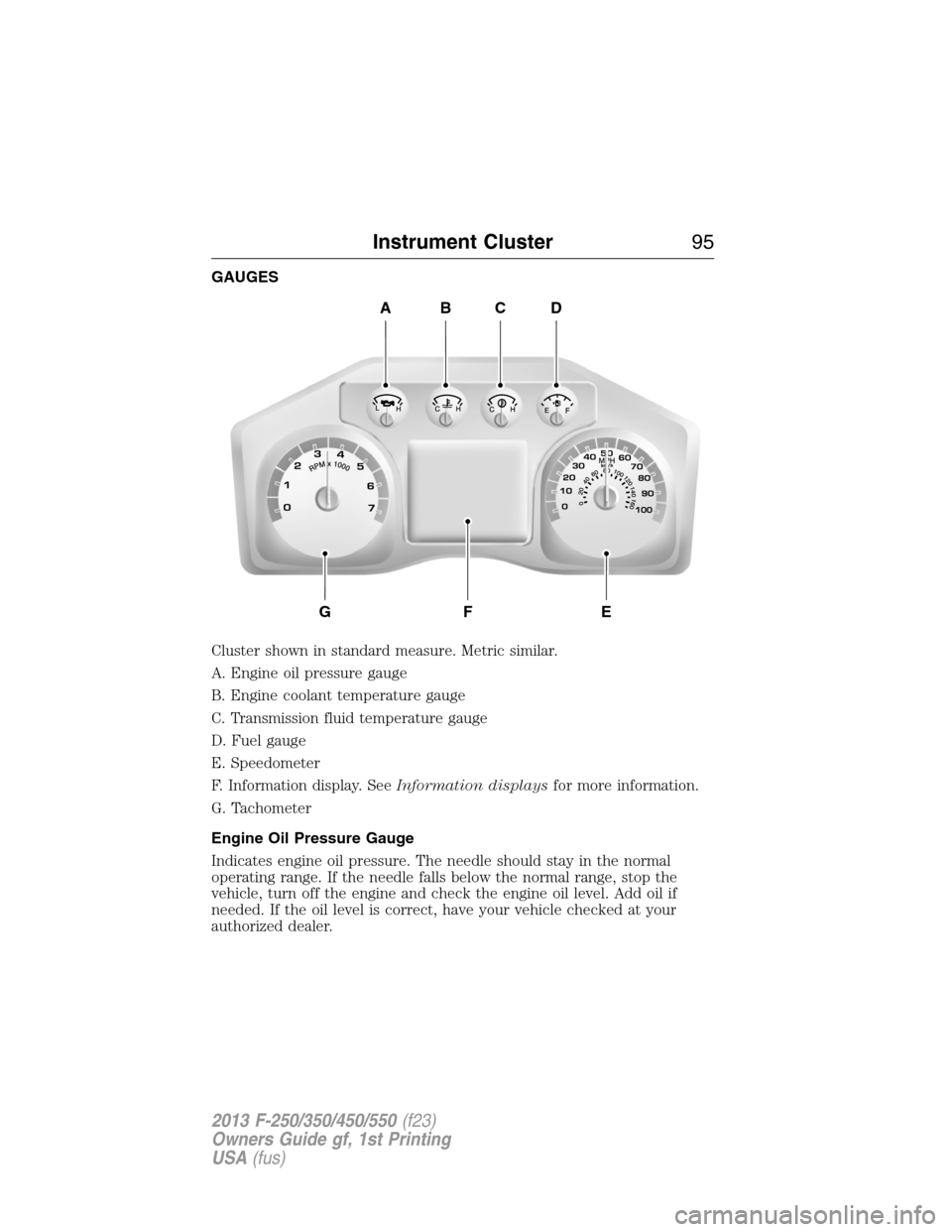
GAUGES
Cluster shown in standard measure. Metric similar.
A. Engine oil pressure gauge
B. Engine coolant temperature gauge
C. Transmission fluid temperature gauge
D. Fuel gauge
E. Speedometer
F. Information display. SeeInformation displaysfor more information.
G. Tachometer
Engine Oil Pressure Gauge
Indicates engine oil pressure. The needle should stay in the normal
operating range. If the needle falls below the normal range, stop the
vehicle, turn off the engine and check the engine oil level. Add oil if
needed. If the oil level is correct, have your vehicle checked at your
authorized dealer.
ABCD
GFE
Instrument Cluster95
2013 F-250/350/450/550(f23)
Owners Guide gf, 1st Printing
USA(fus)
Page 97 of 563

Engine Coolant Temperature Gauge
Indicates engine coolant temperature. At normal operating temperature,
the level indicator will be in the normal range. If the engine coolant
temperature exceeds the normal range, stop the vehicle as soon as safely
possible, switch off the engine and let the engine cool.
WARNING:Never remove the coolant reservoir cap while the
engine is running or hot.
Transmission Fluid Temperature Gauge
Indicates transmission fluid temperature. At normal operating
temperature, the level indicator will be in the normal range. If the
transmission fluid temperature exceeds the normal range, stop the
vehicle as soon as safely possible and verify the airflow is not restricted
such as snow or debris blocking airflow through the grill. Also, higher
than normal operating temperature can be caused by special operation
conditions (i.e. snowplowing, towing or off-road use). Refer toSpecial
operating conditions in the scheduled maintenance informationfor
instructions. Operating the transmission for extended periods of time
with the gauge in the higher than normal area may cause internal
transmission damage. Altering the severity of the driving conditions is
recommended to lower the transmission temperature into the normal
range. If the gauge continues to show high temperatures, see your
authorized dealer.
Fuel Gauge
Indicates approximately how much fuel is left in the fuel tank (when the
ignition is on). The fuel gauge may vary slightly when the vehicle is in
motion or on a grade. The fuel icon and arrow indicates which side of
the vehicle the fuel filler door is located.
Information Display
Odometer
Located in the bottom of the information display Registers the
accumulated distance your vehicle has travelled.
Trip Computer
SeeTrip A/BinInformation Displays.
Vehicle Settings and Personalization
SeeInformation Displays.
96Instrument Cluster
2013 F-250/350/450/550(f23)
Owners Guide gf, 1st Printing
USA(fus)
Page 98 of 563

WARNING LAMPS AND INDICATORS
The following warning lamps and indicators will alert you to a vehicle
condition that may become serious. Some lamps will illuminate when you
start your vehicle to make sure they work. If any lamps remain on after
starting your vehicle, refer to the respective system warning lamp for
further information.
Note:Some warning indicators appear in the information display and
function the same as a warning lamp but do not display when you start
your vehicle.
Airbag – Front
If it fails to illuminate on startup, continues to flash or remains
on, it indicates a malfunction. Have the system checked by your
authorized dealer. A chime will sound when there is a
malfunction in the indicator light.
Anti-Lock Braking System
If it illuminates when you are driving, this indicates a
malfunction. You will continue to have the normal braking
system (without ABS) unless the brake warning lamp is also
illuminated. Have the system checked by your authorized dealer.
Battery
If it illuminates while driving, it indicates a malfunction. Switch
off all unnecessary electrical equipment and have the system
checked by your authorized dealer
Brake System
It will illuminate when the parking brake is engaged and the
ignition is on.
If it illuminates when you are driving, check that the parking brake is not
engaged. If the parking brake is not engaged, this indicates low brake
fluid level or a brake system malfunction. Have the system checked
immediately by your authorized dealer.
WARNING:Driving a vehicle with the brake system warning
light on is dangerous. A significant decrease in braking
performance may occur. It will take you longer to stop the vehicle.
Have the vehicle checked by your authorized dealer as soon as possible.
Driving extended distances with the parking brake engaged can cause
brake failure and the risk of personal injury.
Instrument Cluster97
2013 F-250/350/450/550(f23)
Owners Guide gf, 1st Printing
USA(fus)
Page 99 of 563
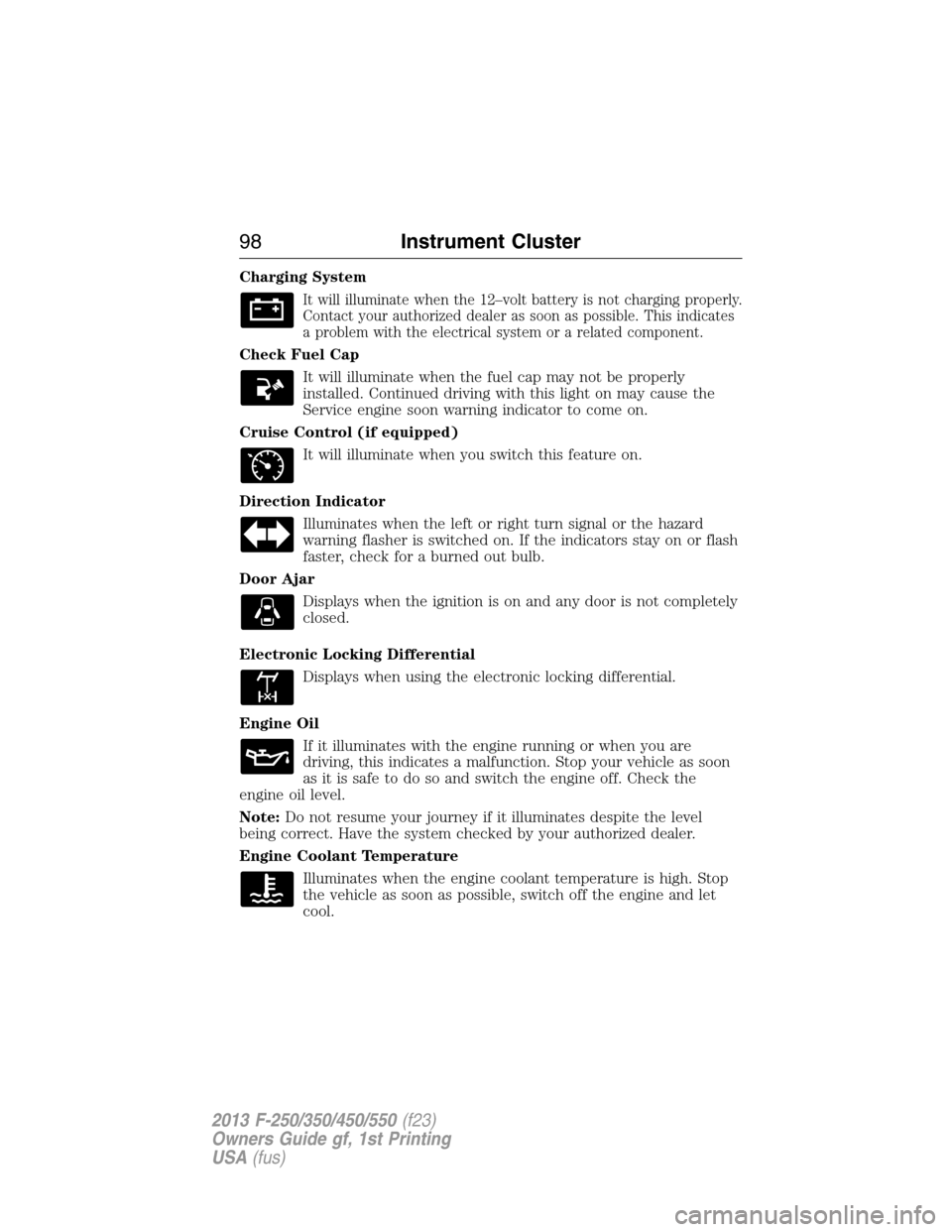
Charging System
It will illuminate when the 12–volt battery is not charging properly.
Contact your authorized dealer as soon as possible. This indicates
a problem with the electrical system or a related component.
Check Fuel Cap
It will illuminate when the fuel cap may not be properly
installed. Continued driving with this light on may cause the
Service engine soon warning indicator to come on.
Cruise Control (if equipped)
It will illuminate when you switch this feature on.
Direction Indicator
Illuminates when the left or right turn signal or the hazard
warning flasher is switched on. If the indicators stay on or flash
faster, check for a burned out bulb.
Door Ajar
Displays when the ignition is on and any door is not completely
closed.
Electronic Locking Differential
Displays when using the electronic locking differential.
Engine Oil
If it illuminates with the engine running or when you are
driving, this indicates a malfunction. Stop your vehicle as soon
as it is safe to do so and switch the engine off. Check the
engine oil level.
Note:Do not resume your journey if it illuminates despite the level
being correct. Have the system checked by your authorized dealer.
Engine Coolant Temperature
Illuminates when the engine coolant temperature is high. Stop
the vehicle as soon as possible, switch off the engine and let
cool.
98Instrument Cluster
2013 F-250/350/450/550(f23)
Owners Guide gf, 1st Printing
USA(fus)