2013 FORD FOCUS lock
[x] Cancel search: lockPage 62 of 475
5. Carefully pry out the battery with a flat object.
6. Install a new battery with the+facing downward.
7. Assemble the two halves of the transmitter back together.
8. Install the key blade.
Intelligent Access Key (Type 2)
1. Remove the backup key from the transmitter.
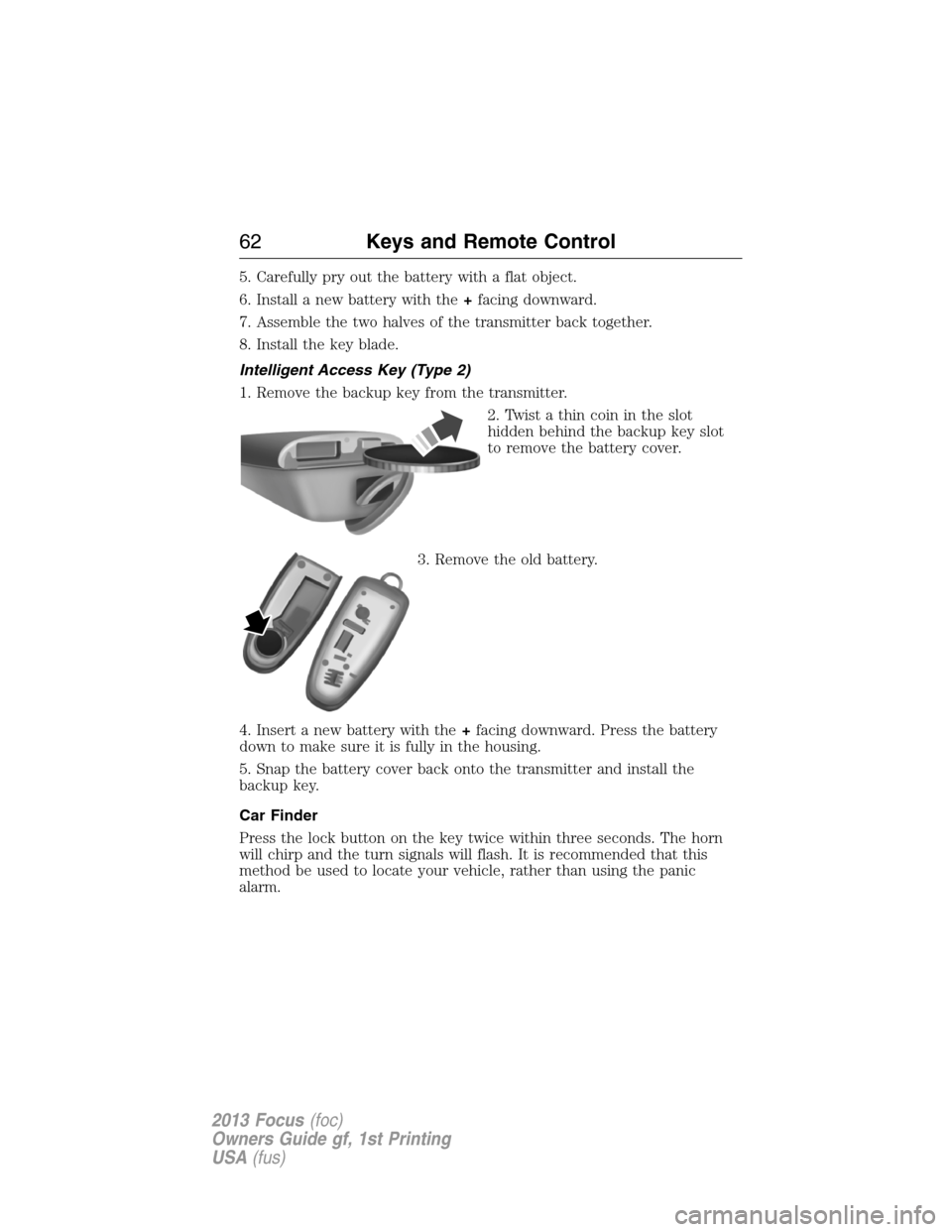
2. Twist a thin coin in the slot
hidden behind the backup key slot
to remove the battery cover.
3. Remove the old battery.
4. Insert a new battery with the+facing downward. Press the battery
down to make sure it is fully in the housing.
5. Snap the battery cover back onto the transmitter and install the
backup key.
Car Finder
Press the lock button on the key twice within three seconds. The horn
will chirp and the turn signals will flash. It is recommended that this
method be used to locate your vehicle, rather than using the panic
alarm.
62Keys and Remote Control
2013 Focus(foc)
Owners Guide gf, 1st Printing
USA(fus)
Page 64 of 475

Remote Starting the Vehicle
Note:Each button press must be done within three seconds of each
other. The vehicle will not remote start if this sequence is not followed
and the horn will not chirp.
The label on your transmitter
details the starting procedure. To
remote start the vehicle:
1. Press the lock button to lock all the doors.
2. Press the remote start button twice. The exterior lamps will flash twice.
The horn will chirp if the system fails to start (unless quiet start is on).
Quiet start will run the blower fan at a slower speed to reduce noise. It
can be switched on or off. Refer to theInformation Displayschapter.
Note:If the vehicle has been remote started and is equipped with an
integrated keyhead transmitter, you must turn the ignition on before
driving the vehicle. If equipped with an intelligent access transmitter, you
must press theSTART/STOPbutton on the instrument panel once while
applying the brake pedal before driving the vehicle.
The power windows will be inhibited during the remote start and the
radio will not turn on automatically.
The parking lamps will remain on and the vehicle will run for 5, 10, or
15 minutes, depending on the setting. Refer to theInformation
Displayschapter to select the duration of the remote start system.
Extending the Vehicle Run Time
Repeat Steps 1 and 2 with the vehicle still running to extend the run
time for another remote start duration. If you programmed the duration
to last 10 minutes, the second 10 minutes will be added. For example, if
the vehicle had been running from the first remote start for five minutes,
the vehicle will continue to run now for a total of 20 minutes. You can
only extend the remote start once.
Wait at least five seconds before remote starting after a vehicle
shutdown. Only two remote starts are allowed.
The vehicle must be started without remote start then switched back off
or allow one hour to pass before using remote start again if additional
remote starts are desired.
64Keys and Remote Control
2013 Focus(foc)
Owners Guide gf, 1st Printing
USA(fus)
Page 70 of 475

MYKEY TROUBLESHOOTING
Condition Potential Causes
I cannot program a
key.•The key in the ignition does not have admin
privileges.
•The key in the ignition is the only admin key
(there always has to be at least one admin
key).
•The intelligent access key is not in the
backup slot (vehicles with push button start).
•SecuriLock passive anti-theft system is
disabled or in unlimited mode.
•The vehicle has been started using a remote
start system that is not programmed with
admin privileges. See theUsing MyKey with
Remote Start Systemschapter.
I cannot program the
optional settings.•The key in the ignition does not have admin
privileges.
•No keys are programmed to the vehicle. See
theCreating a MyKeychapter.
•The vehicle has been started using a remote
start system that is not programmed with
admin privileges. See theUsing MyKey with
Remote Start Systemchapter.
I cannot clear the
restricted keys.•Key in the ignition does not have admin
privileges.
•No restricted keys are programmed to the
vehicle. See theCreating a MyKeychapter.
•The vehicle has been started using a remote
start system that is not programmed with
admin privileges. See theUsing MyKey with
Remote Start Systemchapter.
I lost the only admin
key.•Purchase a new key from your authorized
dealer.
I lost a key.•Program spare keys as outlined under
SecuriLockin theSecuritychapter.
70MyKey
2013 Focus(foc)
Owners Guide gf, 1st Printing
USA(fus)
Page 72 of 475
LOCKING AND UNLOCKING
You can use the power door lock control or the remote control to lock
and unlock the vehicle.
Power Door Locks
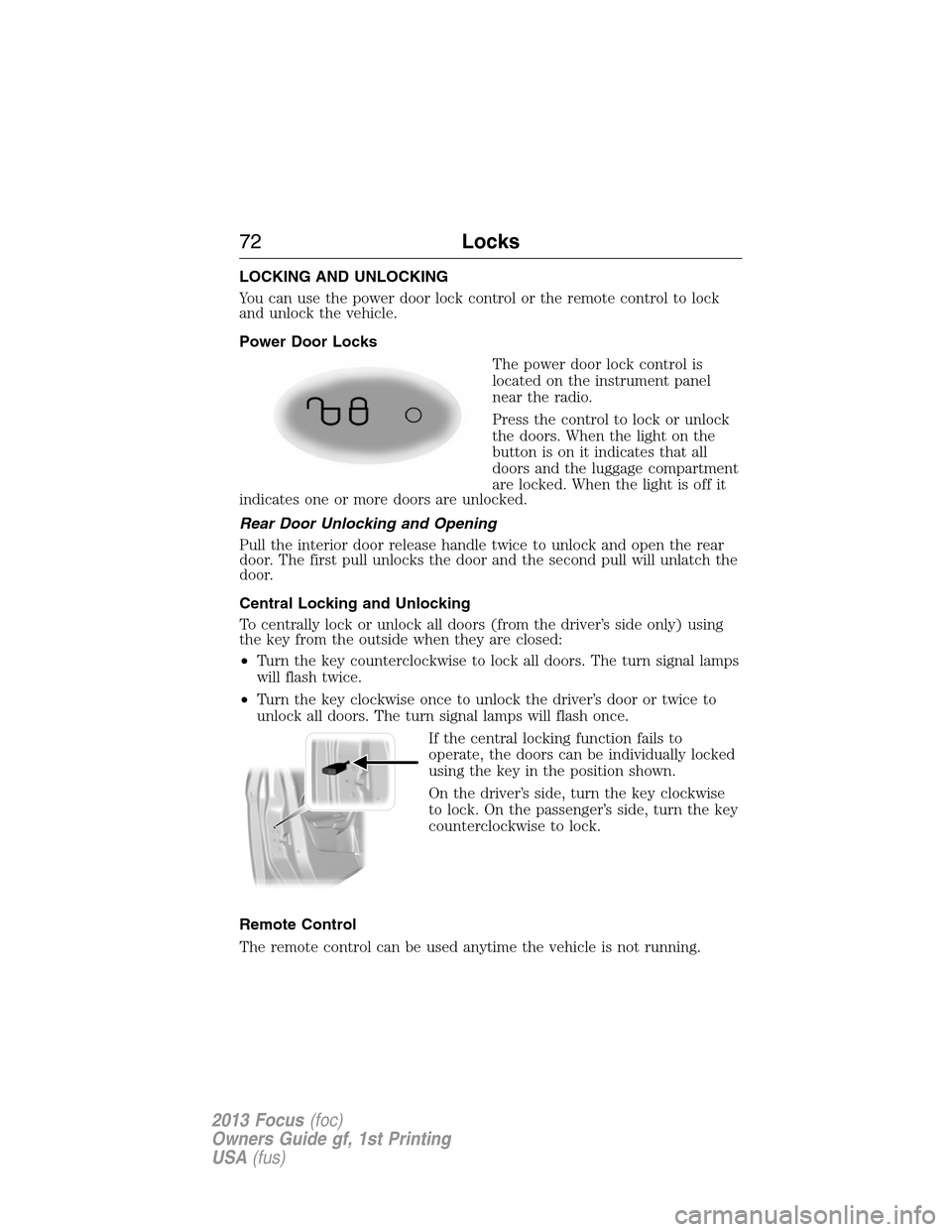
The power door lock control is
located on the instrument panel
near the radio.
Press the control to lock or unlock
the doors. When the light on the
button is on it indicates that all
doors and the luggage compartment
are locked. When the light is off it
indicates one or more doors are unlocked.
Rear Door Unlocking and Opening
Pull the interior door release handle twice to unlock and open the rear
door. The first pull unlocks the door and the second pull will unlatch the
door.
Central Locking and Unlocking
To centrally lock or unlock all doors (from the driver’s side only) using
the key from the outside when they are closed:
•Turn the key counterclockwise to lock all doors. The turn signal lamps
will flash twice.
•Turn the key clockwise once to unlock the driver’s door or twice to
unlock all doors. The turn signal lamps will flash once.
If the central locking function fails to
operate, the doors can be individually locked
using the key in the position shown.
On the driver’s side, turn the key clockwise
to lock. On the passenger’s side, turn the key
counterclockwise to lock.
Remote Control
The remote control can be used anytime the vehicle is not running.
72Locks
2013 Focus(foc)
Owners Guide gf, 1st Printing
USA(fus)
Page 73 of 475
Unlocking the Doors (Two-Stage Unlock)
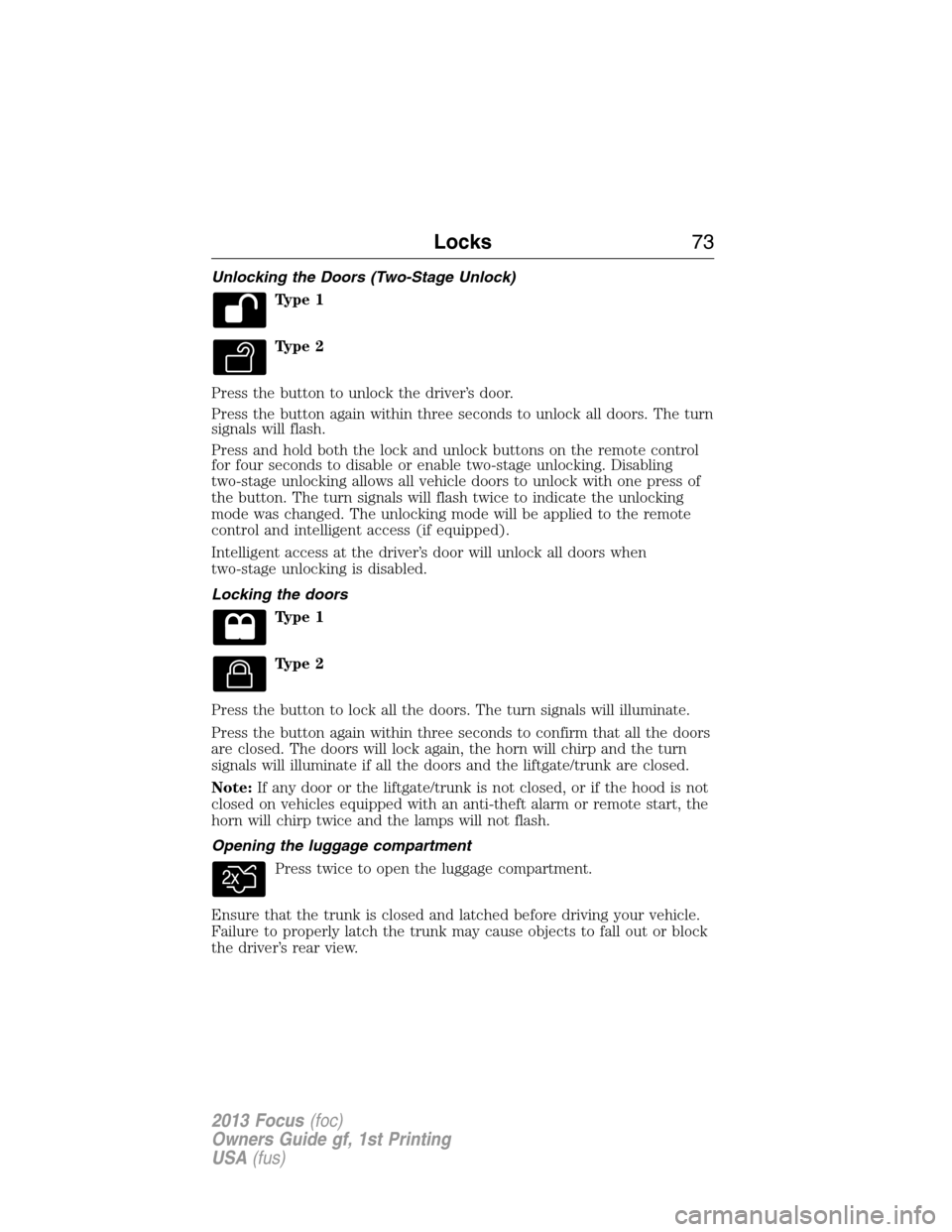
Type 1
Type 2
Press the button to unlock the driver’s door.
Press the button again within three seconds to unlock all doors. The turn
signals will flash.
Press and hold both the lock and unlock buttons on the remote control
for four seconds to disable or enable two-stage unlocking. Disabling
two-stage unlocking allows all vehicle doors to unlock with one press of
the button. The turn signals will flash twice to indicate the unlocking
mode was changed. The unlocking mode will be applied to the remote
control and intelligent access (if equipped).
Intelligent access at the driver’s door will unlock all doors when
two-stage unlocking is disabled.
Locking the doors
Type 1
Type 2
Press the button to lock all the doors. The turn signals will illuminate.
Press the button again within three seconds to confirm that all the doors
are closed. The doors will lock again, the horn will chirp and the turn
signals will illuminate if all the doors and the liftgate/trunk are closed.
Note:If any door or the liftgate/trunk is not closed, or if the hood is not
closed on vehicles equipped with an anti-theft alarm or remote start, the
horn will chirp twice and the lamps will not flash.
Opening the luggage compartment
Press twice to open the luggage compartment.
Ensure that the trunk is closed and latched before driving your vehicle.
Failure to properly latch the trunk may cause objects to fall out or block
the driver’s rear view.
Locks73
2013 Focus(foc)
Owners Guide gf, 1st Printing
USA(fus)
Page 74 of 475

Activating Intelligent Access (If Equipped)
The intelligent access key must be within 3 feet (1 meter) of the vehicle.
At the Front Doors
Pull a front exterior door handle. The door will unlock and can be
opened.
Press and hold the door handle lock
sensor to lock the vehicle.
At the Luggage Compartment
Press the exterior release button
above the license plate.
Smart Unlocks for Integrated Keyhead Transmitter
This feature helps to prevent you from locking yourself out of the vehicle
if your key is still in the ignition.
When you open one of the front doors and lock the vehicle with the
power door lock control, all the doors will lock then unlock if your key is
still in the ignition.
The vehicle can still be locked by pressing the lock button on the
transmitter even if the doors are not closed.
If both front doors are closed, the vehicle can be locked by any method,
regardless of whether the key is in the ignition or not.
74Locks
2013 Focus(foc)
Owners Guide gf, 1st Printing
USA(fus)
Page 75 of 475
Smart Unlocks for Intelligent Access Keys (If Equipped)
This feature helps to prevent you from unintentionally locking your
intelligent access key inside your vehicle’s passenger compartment or
rear cargo area.
When you lock your vehicle using the power door lock control (with the
door open, vehicle in park and ignition off), after you close the door the
vehicle will search for an intelligent access key in the passenger
compartment. If an intelligent access key is found inside the vehicle, all
of the doors will immediately unlock and the horn will chirp, indicating
that the intelligent access key is inside.
In order to override the smart unlock feature and intentionally lock the
intelligent access key inside the vehicle, you can lock your vehicle after
all doors are closed by pressing the lock button on another intelligent
access key or touching the locking area on the handle with another
intelligent access key in your hand.
When you open one of the front doors and lock the vehicle using the
power door lock control, all doors will lock then unlock if:
•the ignition is on, or
•the ignition is off and the vehicle is not inP.
Autolock and Unlock (If Equipped)
The autolock feature will lock all the doors when:
•all doors are closed,
•the ignition is on,
•you shift into any gear putting the vehicle in motion, and
•the vehicle attains a speed greater than 4 mph (7 km/h).
When autounlock is enabled, all doors will unlock when the driver door is
opened.
Enabling or Disabling Autolock and Autounlock
Note:Your authorized dealer can perform this procedure, or you can do
the procedure yourself.
To enable or disable these features, do the following:
Note:You will have 30 seconds to complete the procedure.
1. Switch the ignition on.
2. Press the power door lock button three times.
3. Switch the ignition off.
Locks75
2013 Focus(foc)
Owners Guide gf, 1st Printing
USA(fus)
Page 76 of 475

4. Press the power door lock button three times.
5. Switch the ignition on. The horn will chirp indicating the programming
mode has been entered.
Autolock:Once in programming mode, each subsequent short press
(less than 1 second) of the power door lock button will toggle autolock
between on and off.
Autounlock:Each subsequent long press (more than 2 seconds) of the
power door lock button will toggle autounlock between on and off.
Note:The autounlock feature can be enabled or disabled independently
of the autolock feature.
Illuminated Entry
The interior lamps and select exterior lamps illuminate when the remote
entry system is used to unlock the door(s).
The illuminated entry system will turn off the lights if:
•the ignition is on,
•the remote transmitter lock control is pressed, or
•after 25 seconds of illumination.
The lights will not turn off if:
•they have been turned on with the dimmer control, or
•any door is open.
Illuminated Exit
The interior lamps and select exterior lamps will illuminate when all
doors are closed, the ignition is turned off and the key is removed from
the ignition (integrated keyhead transmitter only).
The lamps will turn off if all the doors remain closed and:
•25 seconds elapse
•the key is inserted in the ignition (integrated keyhead transmitter
only)
•theSTART/STOPbutton is pressed (intelligent access key only).
76Locks
2013 Focus(foc)
Owners Guide gf, 1st Printing
USA(fus)