Page 103 of 475
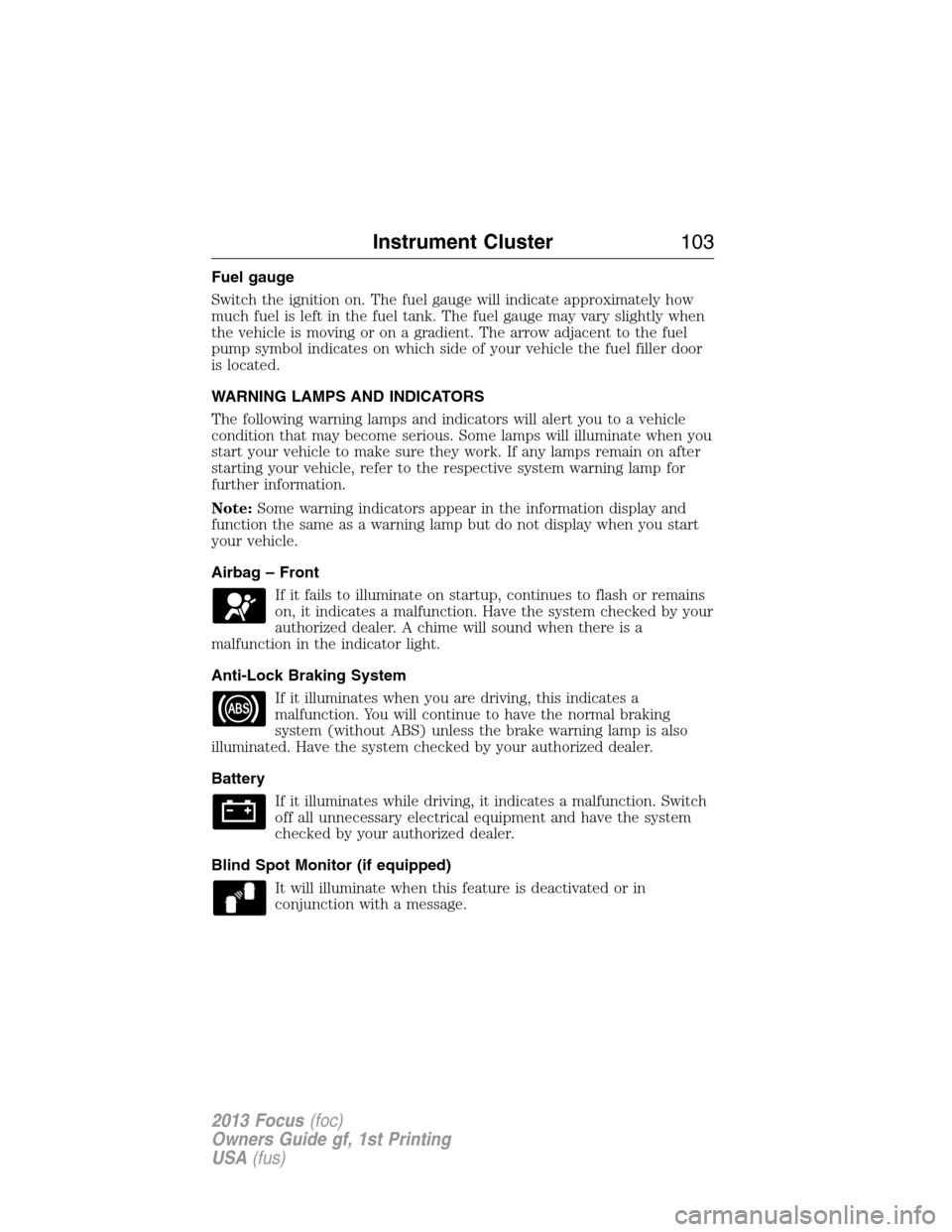
Fuel gauge
Switch the ignition on. The fuel gauge will indicate approximately how
much fuel is left in the fuel tank. The fuel gauge may vary slightly when
the vehicle is moving or on a gradient. The arrow adjacent to the fuel
pump symbol indicates on which side of your vehicle the fuel filler door
is located.
WARNING LAMPS AND INDICATORS
The following warning lamps and indicators will alert you to a vehicle
condition that may become serious. Some lamps will illuminate when you
start your vehicle to make sure they work. If any lamps remain on after
starting your vehicle, refer to the respective system warning lamp for
further information.
Note:Some warning indicators appear in the information display and
function the same as a warning lamp but do not display when you start
your vehicle.
Airbag – Front
If it fails to illuminate on startup, continues to flash or remains
on, it indicates a malfunction. Have the system checked by your
authorized dealer. A chime will sound when there is a
malfunction in the indicator light.
Anti-Lock Braking System
If it illuminates when you are driving, this indicates a
malfunction. You will continue to have the normal braking
system (without ABS) unless the brake warning lamp is also
illuminated. Have the system checked by your authorized dealer.
Battery
If it illuminates while driving, it indicates a malfunction. Switch
off all unnecessary electrical equipment and have the system
checked by your authorized dealer.
Blind Spot Monitor (if equipped)
It will illuminate when this feature is deactivated or in
conjunction with a message.
Instrument Cluster103
2013 Focus(foc)
Owners Guide gf, 1st Printing
USA(fus)
Page 114 of 475

Engine MessageAction / Description
Engine malfunction Service
now AmberEngine service is required.
Contact your authorized
dealer.
High engine temperature Stop
safely
RedDisplays when the engine
temperature is too high. Stop
the vehicle in a safe place and
allow to engine to cool. If the
problem persists, contact your
authorized dealer.
Fuel MessageAction / Description
Fuel Level LOW
AmberDisplays when the fuel level is
low.
Check Fuel Fill Inlet
AmberDisplayed when the fuel fill
inlet may not be properly
closed.
Hill Start Assist MessageAction / Description
Hill start assist not available
AmberDisplays when hill start assist
is not available. Contact your
authorized dealer.
Keyless Vehicle MessageAction / Description
Steering lock engaged. Turn
steering wheel
—Displays when you need to
turn the steering wheel in
order to disengage the
steering lock.
Steering malfunction Service
nowAmberContact your authorized
dealer.
Steering malfunction Stop
safely RedStop the vehicle in a safe
place. Contact your authorized
dealer.
11 4Information Displays
2013 Focus(foc)
Owners Guide gf, 1st Printing
USA(fus)
Page 115 of 475

Keyless Vehicle MessageAction / Description
Ford KeyFree Key inside
vehicle
AmberDisplays to remind you that
the key is in the trunk. Refer
toPush button start system
in theDrivingchapter for
more information.
Ford KeyFree No key
detected
—Displayed if the key is not
detected by the system. Refer
toPush button start system
in theDrivingchapter for
more information.
Switch ign. off Press ENGINE
Start/Stop RedRefer toPush button start
systemin theDriving
chapter for more information.
Ford KeyFree Key not inside
car RedRefer toPush button start
systemin theDriving
chapter for more information.
Key Battery low Replace soon
—Displays when the key battery
is low. Change the battery as
soon as possible. Refer to he
Locks and Securitychapter
for more information.
Lighting MessageAction / Description
Brake lamp Bulb fault
—Displays when the brake lamp
bulb has burned out. Contact
your authorized dealer.
Dipped beam Bulb fault
—Displays when the low beam
headlamp bulb has burned
out. Contact your authorized
dealer.
Headlamp malfunction Service
req’d
AmberDisplays when an electrical
system problem occurs with
the headlamp system. Contact
your authorized dealer.
Information Displays11 5
2013 Focus(foc)
Owners Guide gf, 1st Printing
USA(fus)
Page 128 of 475

A.Eject:Eject the CD.
B.Cursor arrows:Scroll through on-screen choices.
C.CD slot:Insert a CD.
D.OK:Confirm on-screen selections after pressing MENU.
E.Clock:Set the time:
1. Press the H or M buttons on the outside of the display.
2. Press the H or M buttons repeatedly until the desired time appears.
3. Press OK to confirm the time.
•The clock can also be set by pressing the MENU button and scrolling
to the clock settings menu.
F.INFO:Access any available radio or CD information.
G.SOUND:Adjust the sound settings for Bass, Treble, Balance and
Fade.
H.Number block:
•In radio mode, store your favorite stations for later access. When
tuned to any station, press and hold a preset button until sound
returns.
•In CD mode, select a track.
•In phone mode, enter a phone number.
I.Function Button 4:Select different functions of the audio system
depending on which mode (i.e., radio or CD) you are in.
J.Function Button 3:Select different functions of the audio system
depending on which mode (i.e., radio or CD) you are in.
K.SEEK:
•In radio mode, select a frequency band and press the SEEK button.
The system stops at the first next station it finds up the band.
•In CD mode, press to select the next track or press and hold to
advance within the same track.
L.ON/OFF:
•Press the power control to turn the system on and off.
•Turn to adjust the volume.
128Audio System
2013 Focus(foc)
Owners Guide gf, 1st Printing
USA(fus)
Page 131 of 475

C.CD slot:Insert a CD.
D.OK:Confirm on-screen selections after pressing MENU.
E.INFO:Access any available radio or CD information.
F.MENU:Access different audio system features. SeeMenu structure
information later in this section.
G.Sound:Adjust the sound settings for Bass, Treble, Balance and Fade.
H.Number block:
•
In radio mode, store your favorite stations for later access. When tuned
to any station, press and hold a preset button until sound returns.
•In CD mode, select a track.
•In phone mode, enter a phone number.
•The clock function does not work with this button. Press the MENU
button and scroll to the clock settings menu.
I.Function Button 4:Select different functions of the audio system
depending on which mode (i.e., radio or CD) you are in.
J.Function Button 3:Select different functions of the audio system
depending on which mode (i.e., radio or CD) you are in.
K.SEEK:
•Press and release to go to the next track or preset radio station.
•Press and hold to fast forward through the current track or to the
next strong radio station (manually advances between station presets
or through radio stations).
L.ON/OFF:
•Press the power control to turn the system on and off.
•Turn to adjust the volume.
M.SEEK:
•Press and release to go to the previous track or preset radio station.
•Press and hold to reverse through the current track or to the
previous strong radio station (manually reverse between station
presets or through radio stations).
N.Function Button 2:Select different functions of the audio system
depending on which mode (i.e., radio or CD) you are in.
O.Function Button 1:Select different functions of the audio system
depending on which mode (i.e., radio or CD) you are in.
P.PHONE:Access the phone features of the SYNC�system. See the
SYNC�chapter for more information.
Q.AUX:Access the media features of the SYNC�system. See the
SYNC�chapter for more information.
Audio System131
2013 Focus(foc)
Owners Guide gf, 1st Printing
USA(fus)
Page 134 of 475
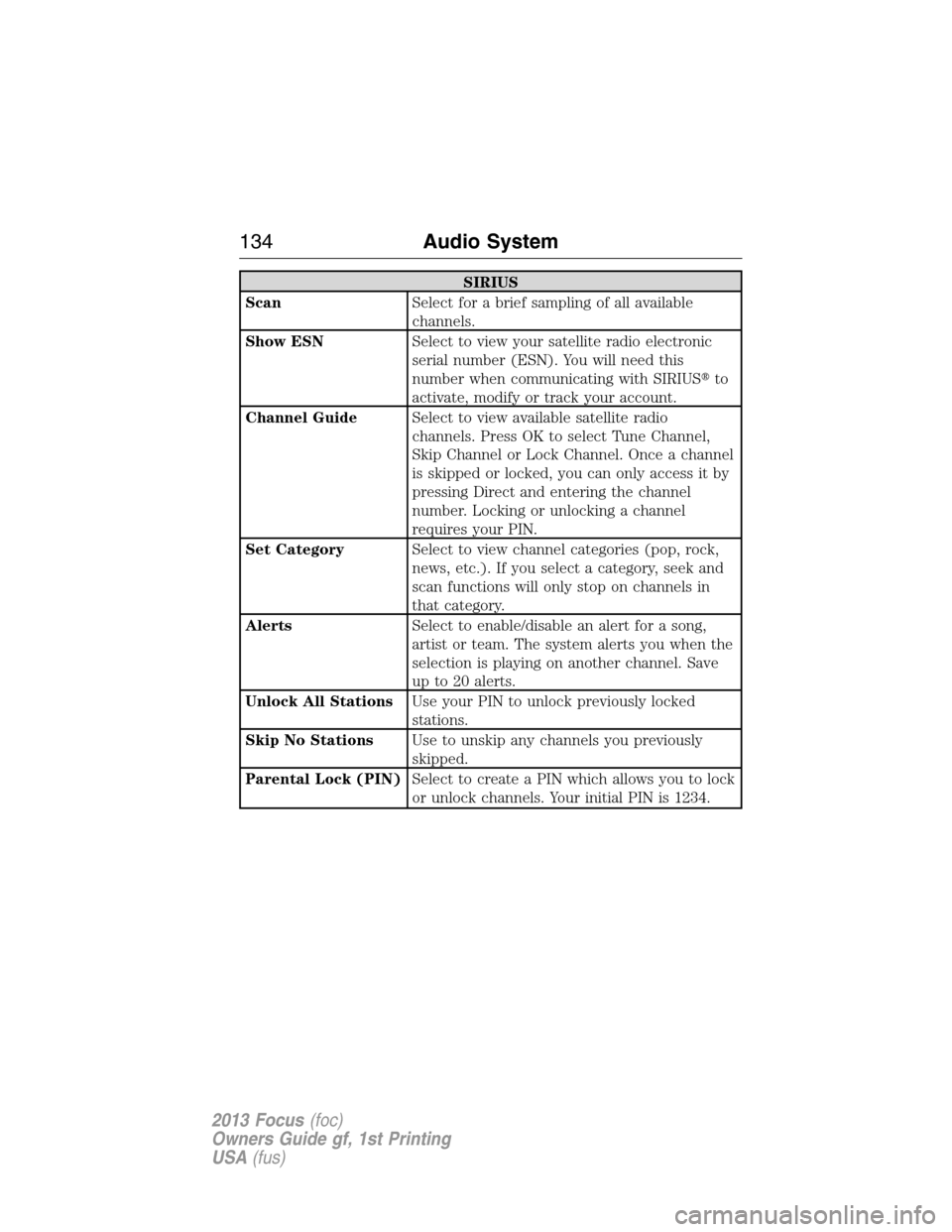
SIRIUS
ScanSelect for a brief sampling of all available
channels.
Show ESNSelect to view your satellite radio electronic
serial number (ESN). You will need this
number when communicating with SIRIUS�to
activate, modify or track your account.
Channel GuideSelect to view available satellite radio
channels. Press OK to select Tune Channel,
Skip Channel or Lock Channel. Once a channel
is skipped or locked, you can only access it by
pressing Direct and entering the channel
number. Locking or unlocking a channel
requires your PIN.
Set CategorySelect to view channel categories (pop, rock,
news, etc.). If you select a category, seek and
scan functions will only stop on channels in
that category.
AlertsSelect to enable/disable an alert for a song,
artist or team. The system alerts you when the
selection is playing on another channel. Save
up to 20 alerts.
Unlock All StationsUse your PIN to unlock previously locked
stations.
Skip No StationsUse to unskip any channels you previously
skipped.
Parental Lock (PIN)Select to create a PIN which allows you to lock
or unlock channels. Your initial PIN is 1234.
134Audio System
2013 Focus(foc)
Owners Guide gf, 1st Printing
USA(fus)
Page 135 of 475

Audio Settings
Spd. Comp. Vol.Automatically adjusts the volume to
compensate for speed and wind noise. You can
set the system between 0 and +7.
SoundAllows you to adjust sound settings such as
treble, middle, bass, fade and balance.
Occupancy ModeOptimizes sound quality for the chosen seating
position.
RBDS/RDS TextSelect to view additional broadcast data, if
available. This feature defaults to off. RBDS
must be on for you to set a category.
DSPAllows you to choose between STEREO
SURROUND mode and STEREO mode.
CD Settings
Scan AllSelect to scan all disc selections.
Scan FolderSelect to scan all music in the current MP3
folder.
CD CompressionSelect to bring soft and loud passages together
for a more consistent listening level.
Clock Settings
Set TimeSelect to set the time.
Set DateSelect to set the calendar date.
24h ModeSelect to view clock time in a 12–hour mode or
24–hour mode.
Display Settings
DimmingSelect to change display brightness.
LanguageSelect to display the language in English,
French or Spanish.
Temp. SettingSelect to display the outside temperature in
Fahrenheit or Celsius
Audio System135
2013 Focus(foc)
Owners Guide gf, 1st Printing
USA(fus)
Page 140 of 475
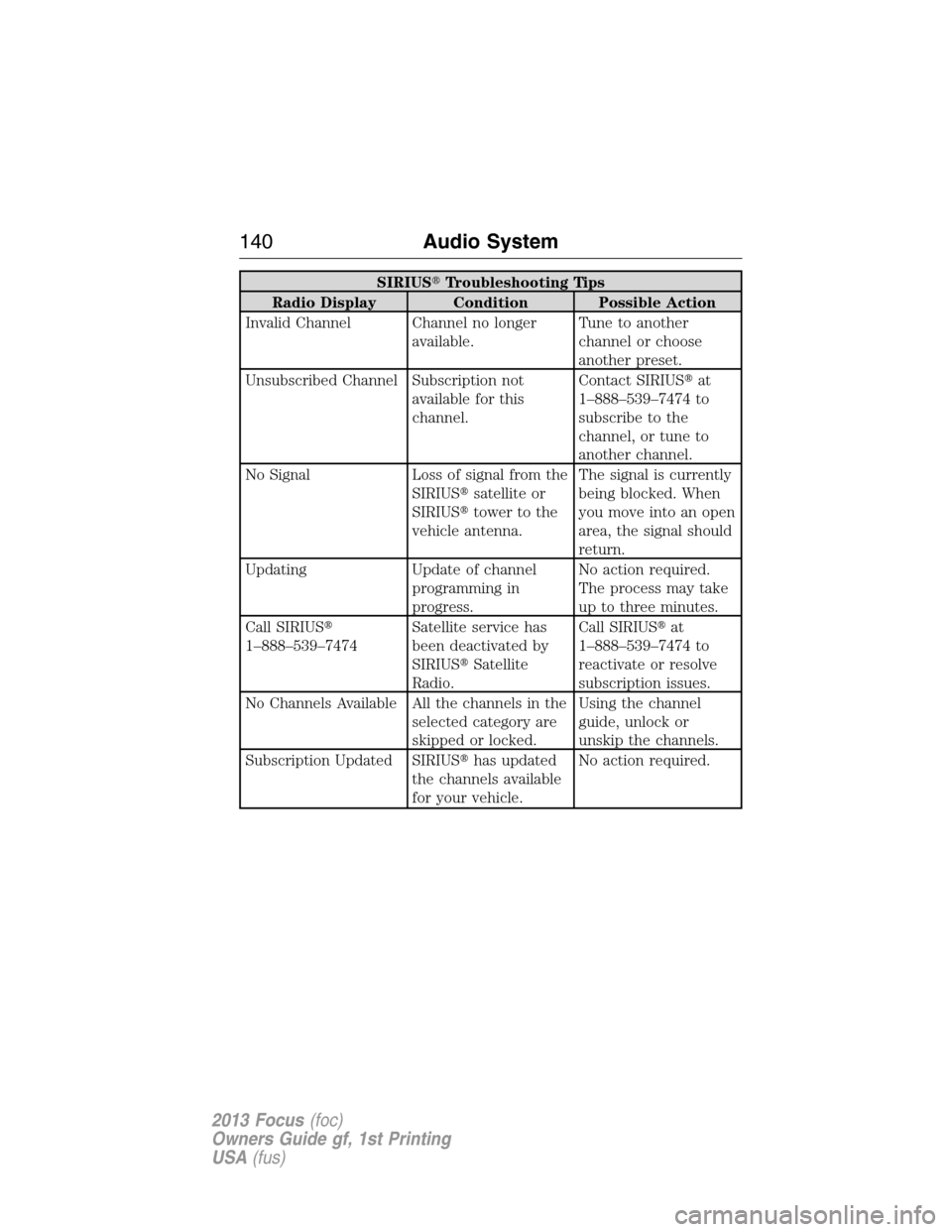
SIRIUS�Troubleshooting Tips
Radio Display Condition Possible Action
Invalid Channel Channel no longer
available.Tune to another
channel or choose
another preset.
Unsubscribed Channel Subscription not
available for this
channel.Contact SIRIUS�at
1–888–539–7474 to
subscribe to the
channel, or tune to
another channel.
No Signal Loss of signal from the
SIRIUS�satellite or
SIRIUS�tower to the
vehicle antenna.The signal is currently
being blocked. When
you move into an open
area, the signal should
return.
Updating Update of channel
programming in
progress.No action required.
The process may take
up to three minutes.
Call SIRIUS�
1–888–539–7474Satellite service has
been deactivated by
SIRIUS�Satellite
Radio.Call SIRIUS�at
1–888–539–7474 to
reactivate or resolve
subscription issues.
No Channels Available All the channels in the
selected category are
skipped or locked.Using the channel
guide, unlock or
unskip the channels.
Subscription Updated SIRIUS�has updated
the channels available
for your vehicle.No action required.
140Audio System
2013 Focus(foc)
Owners Guide gf, 1st Printing
USA(fus)