2013 FORD ESCAPE parking brake
[x] Cancel search: parking brakePage 3 of 423
Starting and Stopping theEngine
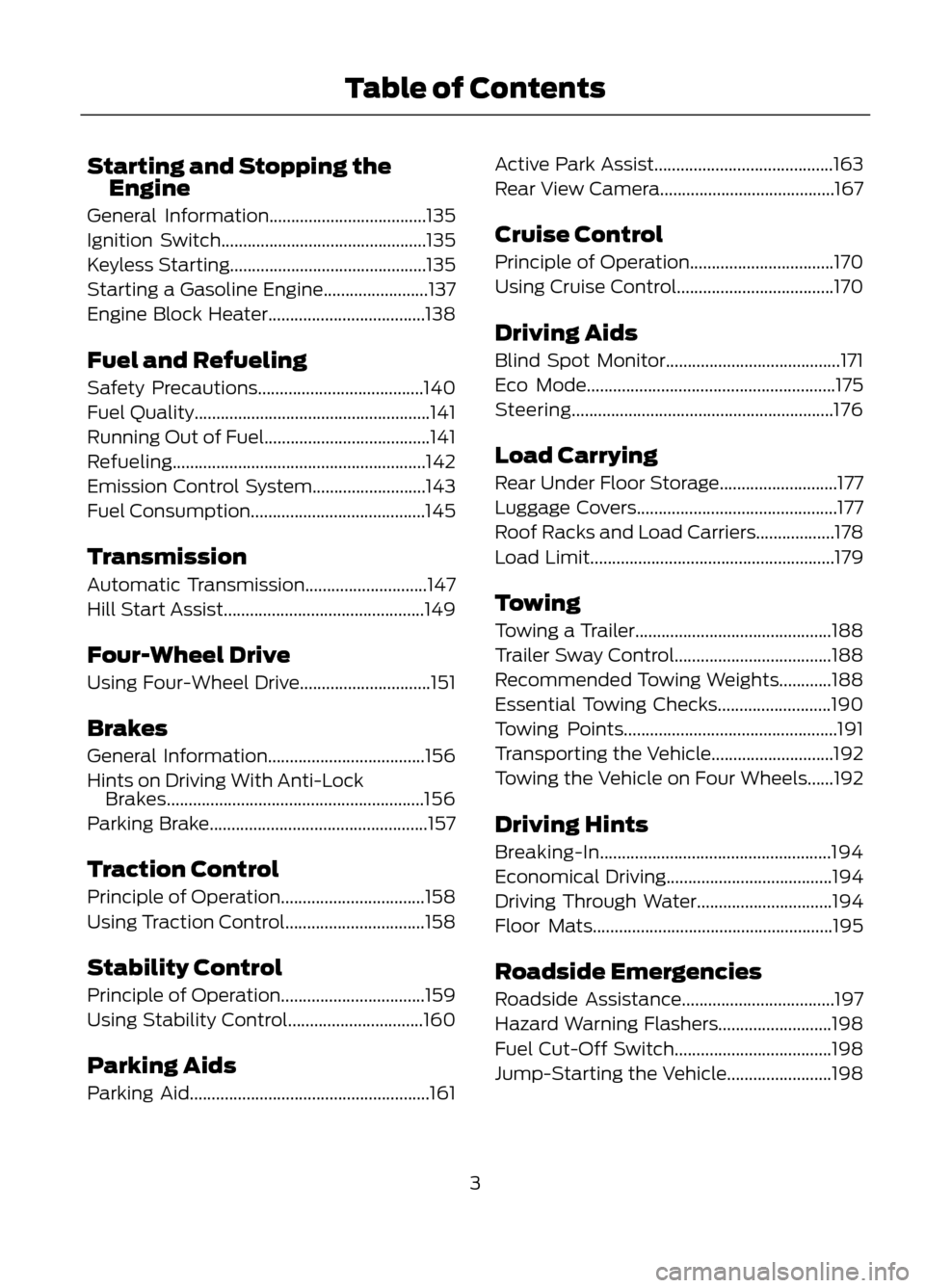
General Information....................................135
Ignition Switch...............................................135
Keyless Starting.............................................135
Starting a Gasoline Engine........................137
Engine Block Heater....................................138
Fuel and Refueling
Safety Precautions......................................140
Fuel Quality......................................................141
Running Out of Fuel......................................141
Refueling..........................................................142
Emission Control System..........................143
Fuel Consumption........................................145
Transmission
Automatic Transmission............................147
Hill Start Assist..............................................149
Four-Wheel Drive
Using Four-Wheel Drive..............................151
Brakes
General Information....................................156
Hints on Driving With Anti-Lock Brakes...........................................................156
Parking Brake..................................................157
Traction Control
Principle of Operation.................................158
Using Traction Control................................158
Stability Control
Principle of Operation.................................159
Using Stability Control...............................160
Parking Aids
Parking Aid.......................................................161 Active Park Assist.........................................163
Rear View Camera........................................167
Cruise Control
Principle of Operation.................................170
Using Cruise Control....................................170
Driving Aids
Blind Spot Monitor........................................171
Eco Mode.........................................................175
Steering............................................................176
Load Carrying
Rear Under Floor Storage...........................177
Luggage Covers..............................................177
Roof Racks and Load Carriers..................178
Load Limit........................................................179
Towing
Towing a Trailer.............................................188
Trailer Sway Control....................................188
Recommended Towing Weights............188
Essential Towing Checks..........................190
Towing Points.................................................191
Transporting the Vehicle............................192
Towing the Vehicle on Four Wheels......192
Driving Hints
Breaking-In.....................................................194
Economical Driving......................................194
Driving Through Water...............................194
Floor Mats.......................................................195
Roadside Emergencies
Roadside Assistance...................................197
Hazard Warning Flashers..........................198
Fuel Cut-Off Switch....................................198
Jump-Starting the Vehicle........................198
3
Table of Contents
Page 8 of 423
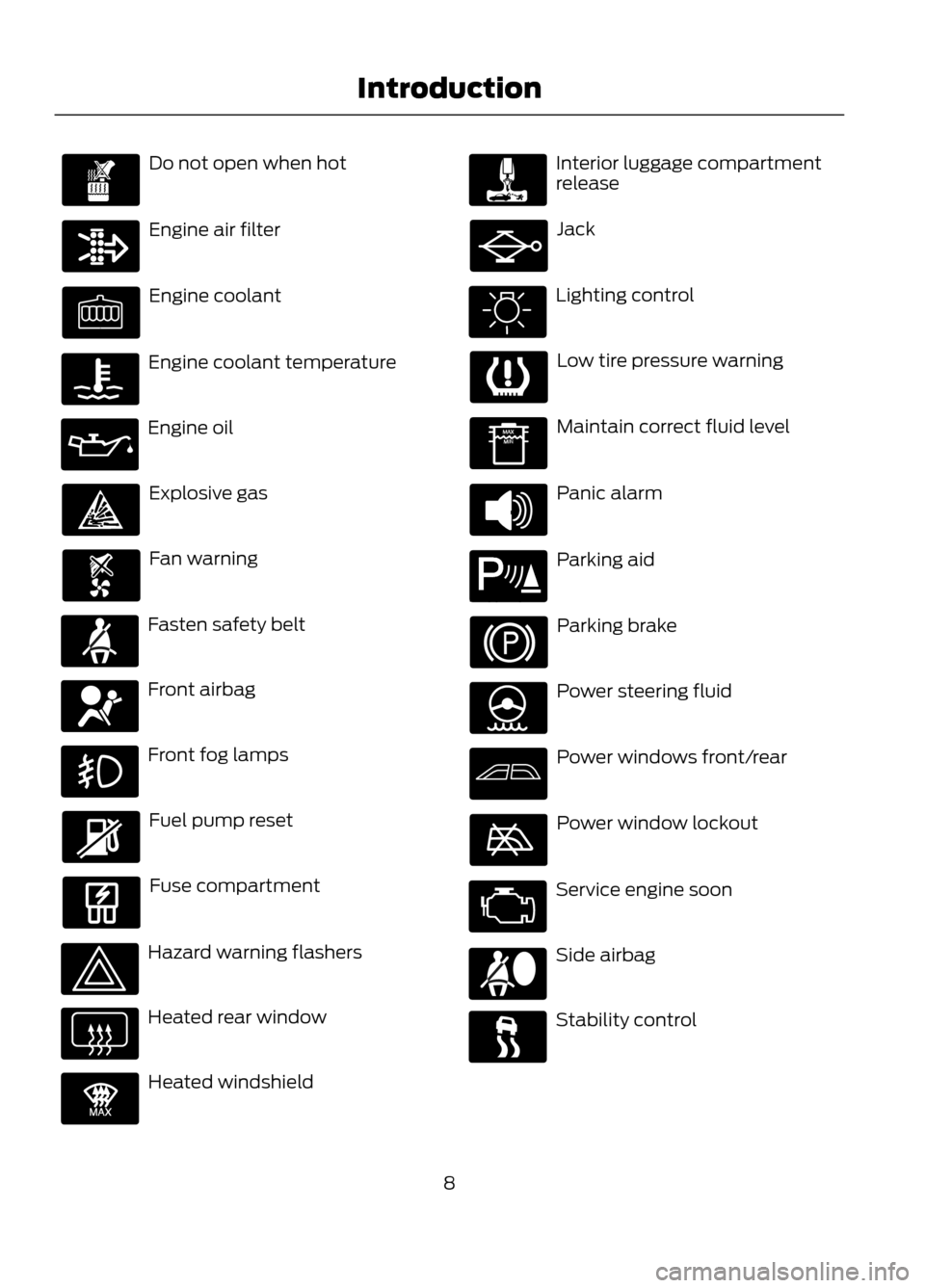
Do not open when hot
Engine air filter
Engine coolant
Engine coolant temperature
Engine oil
Explosive gas
Fan warning
Fasten safety belt
Front airbag
Front fog lamps
Fuel pump reset
Fuse compartment
Hazard warning flashers
Heated rear window
Heated windshield
Interior luggage compartment
release
Jack
Lighting control
Low tire pressure warning
Maintain correct fluid level
Panic alarm
Parking aid
Parking brake
Power steering fluid
Power windows front/rear
Power window lockout
Service engine soon
Side airbag
Stability control
8
Introduction
E91392
E139213
Page 32 of 423

Deactivating and Activating the
Belt-Minder Feature
WARNING
While the system allows you to
deactivate it, this system is designed
to improve your chances of being
safely belted and surviving an accident.
We recommend you leave the system
activated for yourself and others who may
use the vehicle. To reduce the risk of injury,
do not deactivate or activate the system
while driving the vehicle.
Note: The driver and front passenger
warning are deactivated and activated
independently. When deactivating or
activating one seating position, do not
buckle the other position as this will
terminate the process.
Read Steps 1 - 4 thoroughly before
proceeding with the deactivation or
activation programming procedure.
The system can be deactivated or
activated by performing the following
procedure:
Before following the procedure, make sure
that:
• The parking brake is set
• The gearshift is in position P
• The ignition is off
• The driver and front passenger safety
belts are unbuckled.
1. Turn the ignition on. DO NOT START THE ENGINE.
2. Wait until the safety belt warning light turns off (approximately one minute).
After Step 2, wait an additional five
seconds before proceeding with Step
3. Once Step 3 is started, the procedure
must be completed within 60 seconds. 3.
For the seating position being disabled,
buckle then unbuckle the safety belt
four times at a moderate speed, ending
in the unbuckled state. After Step 3,
the safety belt warning light will turn
on.
4. While the safety belt warning light is on, buckle and then unbuckle the
safety belt. After Step 4, the safety belt
warning light will flash three times for
confirmation.
• This will disable the feature for that
seating position if it is currently
enabled.
• This will enable the feature for that
seating position if it is currently
disabled.
32
Safety Belts
Page 48 of 423

Note:If the vehicle has been remote started
and is equipped with an integrated keyhead
transmitter, you must turn the ignition on
before driving the vehicle. If equipped with
an intelligent access transmitter, you must
press the START/STOP button on the
instrument panel once while applying the
brake pedal before driving the vehicle.
The power windows will be inhibited during
the remote start and the radio will not turn
on automatically.
The parking lamps will remain on and the
engine will run for 5, 10, or 15 minutes,
depending on the setting.
Extending the Engine Run Time
Repeat Steps 1 and 2 with the engine still
running to extend the run time for another
remote start duration. If you programmed
the duration to last 10 minutes, the second
10 minutes will be added. For example, if
the vehicle had been running from the first
remote start for five minutes, the engine
will continue to run now for a total of 20
minutes. You can only extend the remote
start once.
Wait at least five seconds before remote
starting after an engine shutdown. Only
two remote starts are allowed.
The vehicle must be started without
remote start then switched off or allow
one hour to pass before using remote start
again if additional remote starts are
desired.
Turning the Engine Off After Remote
Starting
Press the button once. The
parking lamps will turn off.
You may have to be closer to the
vehicle than when starting due to ground
reflection and the added noise of the
running engine. You can disable or enable the remote start
system through the information display.
See General Information (page 84).
REPLACING A LOST KEY OR
REMOTE CONTROL
Replacement or additional keys or remote
controls can be purchased from your
authorized dealer. Your dealer can program
the transmitters to your vehicle or you may
be able to program them yourself. See
Passive Anti-Theft System (page 62).
48
Keys and Remote Controls
E138625
Page 81 of 423

Battery
If it illuminates while driving, it
indicates a malfunction. Switch
off all unnecessary electrical
equipment and have the system checked
by your authorized dealer immediately.
Blind Spot Monitor (If Equipped)
It will illuminate when you switch
this feature off or in conjunction
with a message. See Blind Spot
Monitor (page 171). See Information
Messages (page 87).
Brake System
It will illuminate when you
engage the parking brake with
the ignition on.
If it illuminates when you are driving, check
that the parking brake is not engaged. If
the parking brake is not engaged, this
indicates low brake fluid level or a brake
system malfunction. Have the system
checked immediately by your authorized
dealer.
WARNING
Driving your vehicle with the warning
lamp on is dangerous. A significant
decrease in braking performance
may occur. It will take you longer to stop
your vehicle. Have your vehicle checked by
your authorized dealer immediately. Driving
extended distances with the parking brake
engaged can cause brake failure and the
risk of personal injury.
Cruise Control (If Equipped)
It will illuminate when you switch
this feature on. See Using
Cruise Control (page 170). Direction Indicator
Illuminates when the left or right
turn signal or the hazard warning
flasher is turned on. If the
indicators stay on or flash faster, check for
a burned out bulb. See Changing a Bulb
(page 231).
Engine Oil
If it illuminates with the engine
running or when you are driving,
this indicates a malfunction.
Stop your vehicle as soon as it is safe to
do so and switch the engine off. Check the
engine oil level. See Engine Oil Check
(page 221).
Note: Do not resume your journey if it
illuminates despite the level being correct.
Have the system checked by your authorized
dealer immediately.
Fasten Safety Belt
It will illuminate and a chime will
sound to remind you to fasten
your safety belt. See Safety
Belt Minder (page 31).
Fog Lamps - Front (If Equipped)
It will illuminate when you switch
the front fog lamps on.
High Beam
It will illuminate when you switch
the high beam headlamps on. It
will flash when you use the
headlamp flasher.
81
Instrument Cluster
E124823
E138644
E71340
Page 83 of 423

Stability Control
It will flash when the system is
active. If it remains illuminated
or does not illuminate when you
switch the ignition on, this indicates a
malfunction. During a malfunction the
system will switch off. Have the system
checked by your authorized dealer
immediately.
Stability Control Off
It will illuminate when you switch
the system off. It will go out
when you switch the system
back on or when you switch the ignition
off.
AUDIBLE WARNINGS AND
INDICATORS
Key in Ignition Warning Chime
Sounds when you open the driver's door
and you have left the key in the ignition
with it in the off or accessory position.
Headlamps On Warning Chime
Sounds when you remove the key from the
ignition and open the driver's door and you
have left the headlamps or parking lamps
on.
Parking Brake On Warning Chime
Sounds when you have left the parking
brake on and drive your vehicle. If the
warning chime remains on after you have
released the parking brake, have the
system checked by your authorized dealer
immediately.
83
Instrument Cluster
Page 93 of 423

Action
Message
Indicator
Message
Displays when trying to create a MyKey with akey already designated as a MyKey.
-
Key is Already a MyKey
Displays when programming a MyKey.
-
Hold key next to symbol
on steering column
Displays when programming a MyKey.
-
MyKey ESC cannot be
deactivated
Park Aid
Action
Message
Indicator
Message
Displays when the system has detected a
condition that requires service. Contact your
authorized dealer. See Parking Aid (page 161).
Amber
Parking aid malfunction
Service required
Park Brake
Action
Message
Indicator
Message
Displays when the parking brake is set, the
engine is running and the vehicle is driven more than 3 mph (5 km/h). If the warning stays on
after the parking brake is released, contact your authorized dealer.
Red
Park brake applied
93
Information Displays
Page 118 of 423
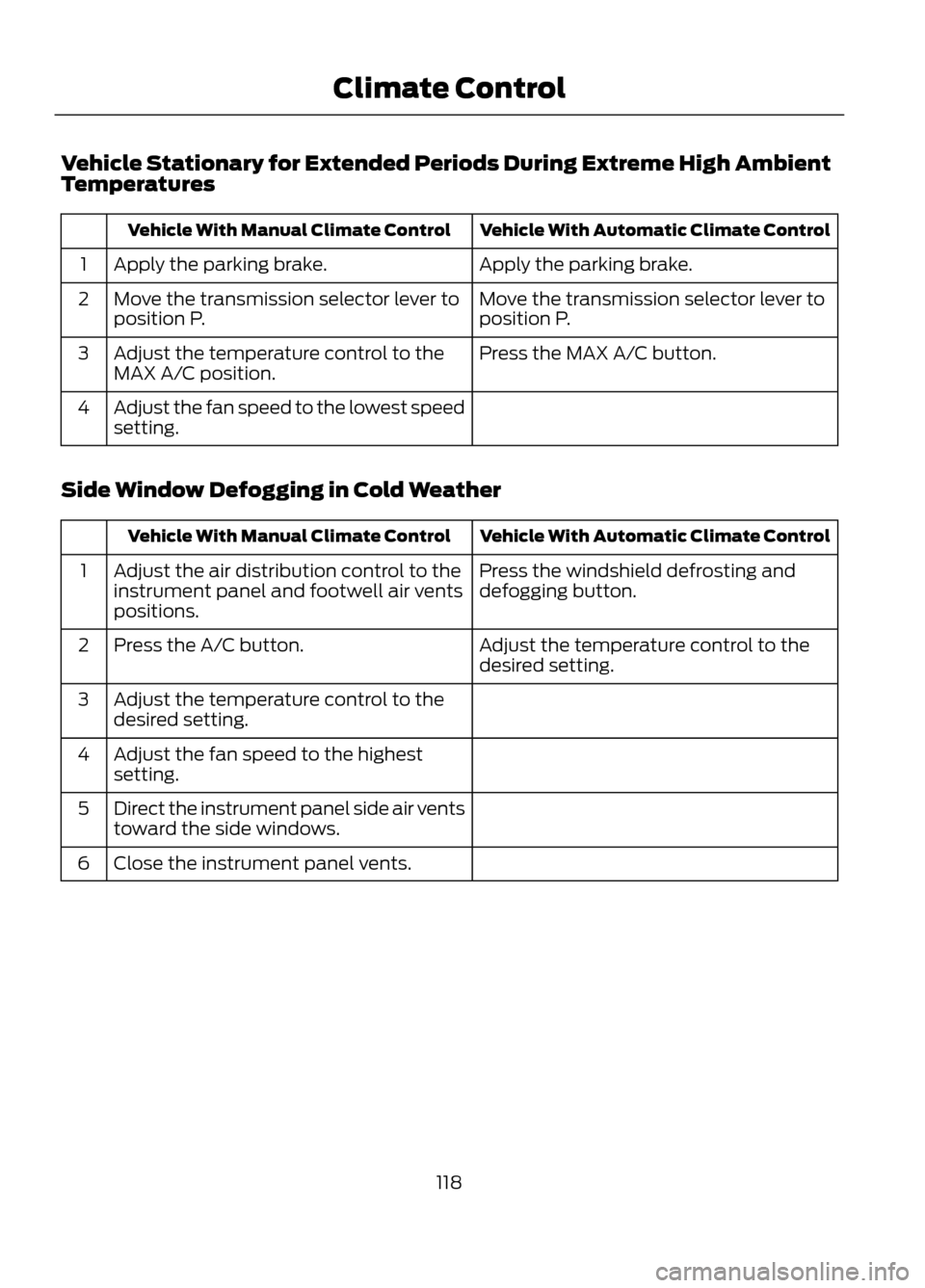
Vehicle Stationary for Extended Periods During Extreme High Ambient
Temperatures
Vehicle With Automatic Climate Control
Vehicle With Manual Climate Control
Apply the parking brake.
Apply the parking brake.
1
Move the transmission selector lever to
position P.
Move the transmission selector lever to
position P.
2
Press the MAX A/C button.
Adjust the temperature control to the
MAX A/C position.
3
Adjust the fan speed to the lowest speed
setting.
4
Side Window Defogging in Cold Weather
Vehicle With Automatic Climate Control
Vehicle With Manual Climate Control
Press the windshield defrosting and
defogging button.
Adjust the air distribution control to the
instrument panel and footwell air vents
positions.
1
Adjust the temperature control to the
desired setting.
Press the A/C button.
2
Adjust the temperature control to the
desired setting.
3
Adjust the fan speed to the highest
setting.
4
Direct the instrument panel side air vents
toward the side windows.
5
Close the instrument panel vents.
6
118
Climate Control