Page 400 of 699
3. Touch the 1 or 2 soft-key and then the DISC soft-key inthe MEDIA column. To exit touch the back arrow at
the top left of the screen.
NOTE:
• To view a DVD on the radio press the RADIO/MEDIA
hard-key, on the radio faceplate, then touch the DISC
tab soft-key and then the VIEW VIDEO soft-key.
• Viewing a DVD on the Touch-Screen radio screen is
not available in all states/provinces, and the vehicle
must be stopped, and the shift lever must be in the
PARK position for vehicles with automatic transmis-
sion. In vehicles with manual transmission the parking
brake must be engaged.
• Touching the screen on a Touch-Screen radio while a
DVD is playing brings up basic remote control func-
tions for DVD play such as scene selection, Play, Pause,
FF, RW, and Stop. Pressing the X in the upper corner
will turn off the remote control screen functions.Play A DVD Using The VES™ Player (If Equipped)
1.Insert the DVD with the label facing up. The VES™
player automatically selects the appropriate mode after
the disc is recognized and starts playing the DVD.
NOTE: The VES™ player has basic DVD control func-
tion such as Menu, Play, Pause, FF, RW and Stop
2. To watch a DVD on Screen 1 for second row passen- gers, ensure the Remote Control and Headphone
switch is on Channel 1.
3. To watch a DVD on Screen 2 for third row passengers, ensure the Remote Control and Headphone switch is
on Channel 2.
398 UNDERSTANDING YOUR INSTRUMENT PANEL
Page 403 of 699
NOTE:
•To view a DVD on the radio press the RADIO/MEDIA
hard-key, on the radio faceplate, then touch the DISC
tab soft-key and then the VIEW VIDEO soft-key.
• Viewing a DVD on the Touch-Screen radio screen is
not available in all states/provinces, and the vehicle
must be stopped, and the shift lever must be in the
PARK position for vehicles with automatic transmis-
sion. In vehicles with manual transmission the parking
brake must be engaged.Play A Blu-ray Disc Using The Blu-ray Player
(If Equipped)
1. Insert the Blu-ray disc with the label facing up. The Blu-ray player automatically selects the appropriate
mode after the disc is recognized and starts playing
the Blu-ray disc.
NOTE: The Blu-ray player has basic control functions
such as Menu, Play, Pause, FF, RW and Stop.
2. To watch a Blu-ray disc on Screen 1 for second row passengers, ensure the Remote Control and Head-
phone switch is on Channel 1.
3. To watch a Blu-ray disc on Screen 2 for third row passengers, ensure the Remote Control and Head-
phone switch is on Channel 2.
4
UNDERSTANDING YOUR INSTRUMENT PANEL 401
Page 405 of 699
•Viewing a Blu-ray Disc on the Touch-Screen radio
screen is not available in all states/provinces, and the
vehicle must be stopped, and the shift lever must be in
the PARK position for vehicles with automatic trans-
mission. In vehicles with manual transmission the
parking brake must be engaged.
Listen To An Audio Source While A Video Is Playing
Ensure the Remote Control and Headphone switch are on
the same channel. If watching a video on Screen 1 (second
row), then Channel 2 could be used for audio. If watching
a video on Screen 2 (third row), then Channel 1 could be
used for audio.
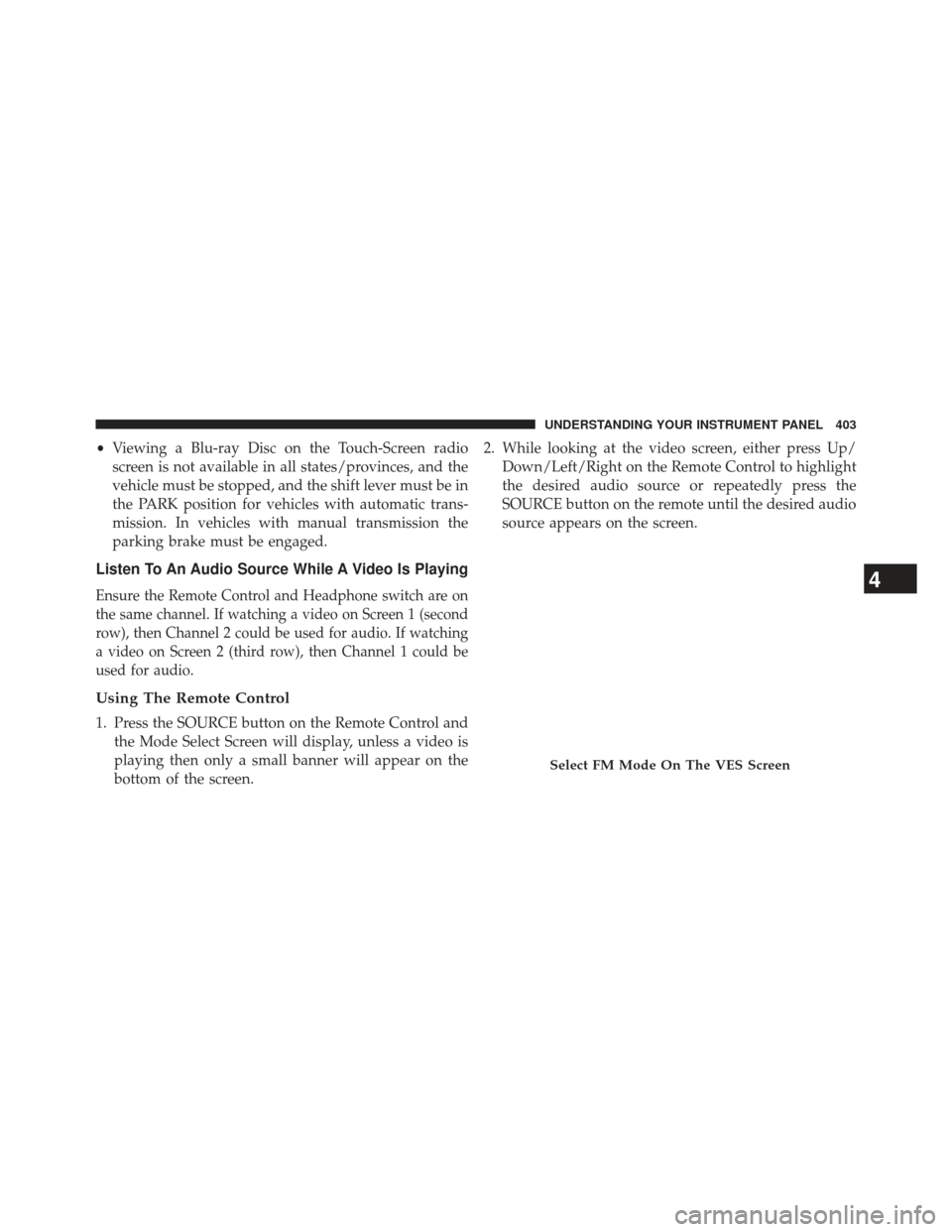
Using The Remote Control
1. Press the SOURCE button on the Remote Control and the Mode Select Screen will display, unless a video is
playing then only a small banner will appear on the
bottom of the screen. 2. While looking at the video screen, either press Up/
Down/Left/Right on the Remote Control to highlight
the desired audio source or repeatedly press the
SOURCE button on the remote until the desired audio
source appears on the screen.
Select FM Mode On The VES Screen
4
UNDERSTANDING YOUR INSTRUMENT PANEL 403
Page 407 of 699
Important Notes For Dual Video Screen System
•VES is able to transmit two channels of stereo audio
and video simultaneously.
• The Blu-ray Disc Player can play CDs, DVDs and
Blu-ray Discs.
• The DVD Player can play CDs and DVDs.
• In split screen mode the left side equates to Channel 1
and the right side equates to Channel 2.
• Selecting a video source on Channel 1, the video
source will display on the second row screen or
Screen 1 and can be heard on Channel 1. •
Selecting a video source on Channel 2, the video
source will display on the third row screen or Screen 2
and can be heard on Channel 2.
• The 2nd row screen and 3rd row screen of the Video
Entertainment System can play two separate discs
by utilizing the touch-screen radio DVD player and
Blu-ray Disc Player.
• Audio can be heard through the headphones even
when the screen(s) are closed.
4
UNDERSTANDING YOUR INSTRUMENT PANEL 405
Page 408 of 699
VES™ Remote Control – If EquippedControls And Indicators
1. Power – Turns the screen and wireless headphone
transmitter for the selected Channel on or off. To hear
audio while the screen is closed, press the Power
button to turn the headphone transmitter on.
2. Channel Selector Indicators – When a button is pressed, the currently affected channel or channel
button is illuminated momentarily.
3. Light – Turns the remote control backlighting on or off. The remote backlighting turns off automatically after
five seconds.
Remote Control
406 UNDERSTANDING YOUR INSTRUMENT PANEL
Page 409 of 699
4. Channel/Screen Selector Switch - Indicates whichchannel is being controlled by the remote control.
When the selector switch is in the Channel 1 position,
the remote controls the functionality of headphone
Channel 1 (right side of the screen). When the selector
switch is in the Channel 2, position the remote controls
the functionality of headphone Channel 2 (left side of
the screen).
5. �� – In radio modes, press to seek the next tunable
station. In disc modes, press and hold to fast forward
through the current audio track or video chapter. In
menu modes use to navigate in the menu.
6. � / Prev – In radio modes, press to select to the
previous station. In disc modes, press to advance to
the start of the current or previous audio track or
video chapter. In menu modes, use to navigate in the
menu. 7. POP UP/MENU – Press to return to the main menu of
a DVD disc, to select a satellite audio channel from the
Station list, or select playback modes (SCAN/
RANDOM for a CD).
8. �/�(Play/Pause) – Begin/resume or pause disc play.
9.
▪(Stop) – Stops disc play
10. PROG Up/Down / Rewind/skip back and fast fwd/ skip forward – When listening to a radio mode,
pressing PROG Up selects the next preset and press-
ing PROG Down selects the previous preset stored in
the radio. When listening to compressed audio on a
data disc, PROG Up selects the next directory and
PROG Down selects the previous directory. When
listening to a disc in a radio with a multiple-disc
changer, PROG Up selects the next disc and PROG
Down selects the previous disc.
4
UNDERSTANDING YOUR INSTRUMENT PANEL 407
Page 410 of 699
11. MUTE – Press to mute the headphone audio outputfor the selected channel.
12. SLOW – If Equipped – Press to slow playback of a DVD disc. Press play (�) to resume normal play.
13. STATUS – If Equipped – Press to display the current status.
14. MODE/SOURCE – Press to change the mode of the selected channel. See the Mode Selection section of
this manual for details on changing modes.
15. SETUP – When in a video mode, press the SETUP button to access the display settings (see the display
settings section) to access the DVD setup menu, select
the menu button on the radio. When a disc is loaded
in the DVD player (if equipped) and the VES™ mode
is selected and the disc is stopped, press the SETUP
button to access the DVD Setup menu. (see the DVD
Setup Menu of this manual.) 16. BACK – When navigating in menu mode, press to
return to the previous screen. When navigating a
DVDs disc menu, the operation depends on the disc’s
contents.
17. �� – In radio modes, press to seek to the previous
tunable station. In disc modes, press and hold to fast
rewind through the current audio track or video
chapter. In menu modes use to navigate in the menu.
18. ENTER/OK – Press to select the highlighted option in a menu.
19. �/ NEXT – In radio modes, press to select to the
next station. In disc modes, press to advance to the
next audio track or video chapter. In menu modes,
use to navigate in the menu.
408 UNDERSTANDING YOUR INSTRUMENT PANEL
Page 411 of 699
Blu-ray Player Remote Control – If EquippedControls And Indicators
1. Power – Turns the screen and wireless headphone
transmitter for the selected Channel on or off. To hear
audio while the screen is closed, press the Power
button to turn the headphone transmitter on.
2.
Channel Selector Indicators – When a button is pressed,
the currently affected channel or channel button is
illuminated momentarily.
3. SOURCE – Press to enter Source Selection screen.
4. Channel/Screen Selector Switch - Indicates which channel is being controlled by the remote control.
When the selector switch is in the Rear 1 position,
the remote controls the functionality of headphone
Channel 1 (second row). When the selector switch is
in the Rear 2, position the remote controls the func-
tionality of headphone Channel 2 (third row).
Blu-ray Player Remote Control
4
UNDERSTANDING YOUR INSTRUMENT PANEL 409