Page 417 of 699
Controls
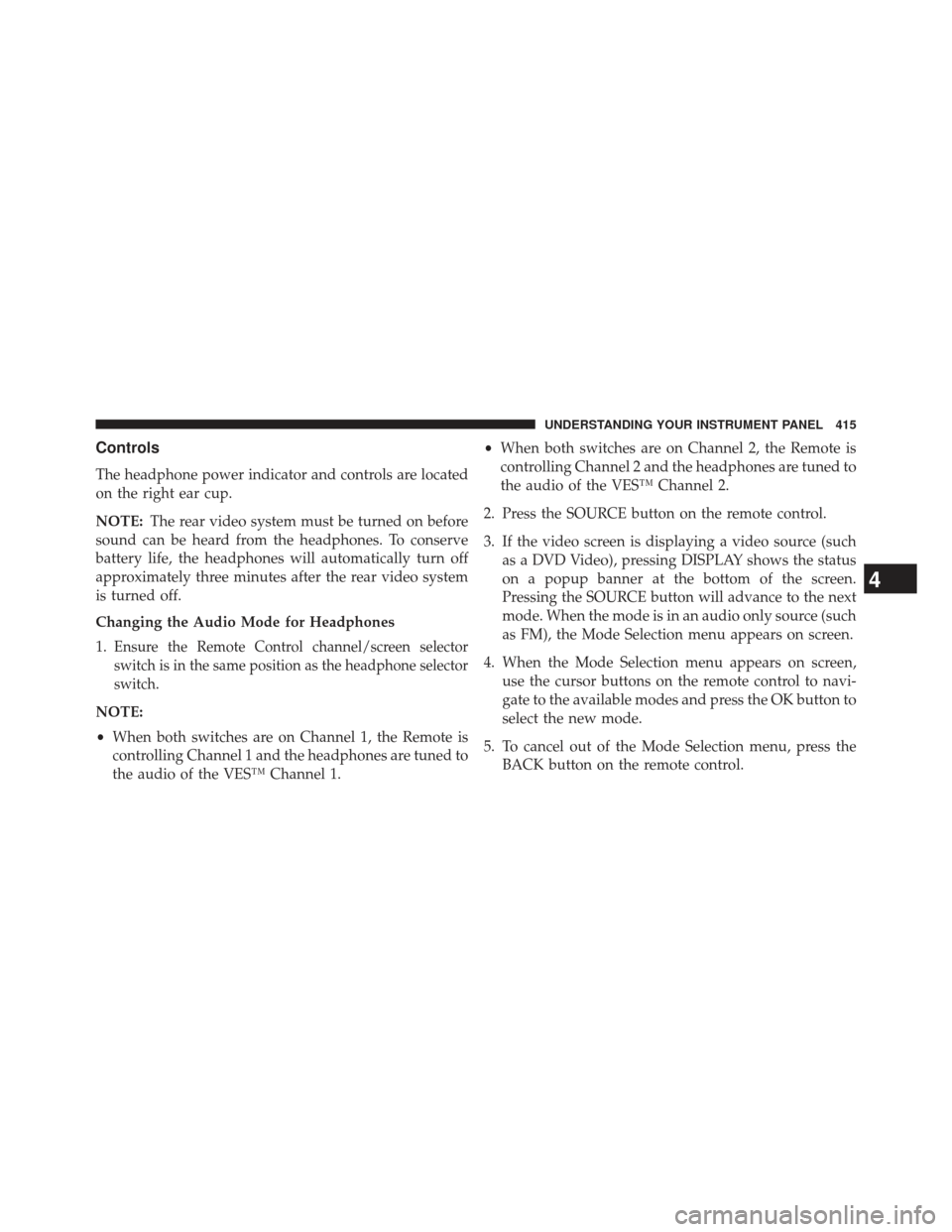
The headphone power indicator and controls are located
on the right ear cup.
NOTE:The rear video system must be turned on before
sound can be heard from the headphones. To conserve
battery life, the headphones will automatically turn off
approximately three minutes after the rear video system
is turned off.
Changing the Audio Mode for Headphones
1.
Ensure the Remote Control channel/screen selector
switch is in the same position as the headphone selector
switch.
NOTE:
• When both switches are on Channel 1, the Remote is
controlling Channel 1 and the headphones are tuned to
the audio of the VES™ Channel 1. •
When both switches are on Channel 2, the Remote is
controlling Channel 2 and the headphones are tuned to
the audio of the VES™ Channel 2.
2. Press the SOURCE button on the remote control.
3. If the video screen is displaying a video source (such as a DVD Video), pressing DISPLAY shows the status
on a popup banner at the bottom of the screen.
Pressing the SOURCE button will advance to the next
mode. When the mode is in an audio only source (such
as FM), the Mode Selection menu appears on screen.
4. When the Mode Selection menu appears on screen, use the cursor buttons on the remote control to navi-
gate to the available modes and press the OK button to
select the new mode.
5. To cancel out of the Mode Selection menu, press the BACK button on the remote control.
4
UNDERSTANDING YOUR INSTRUMENT PANEL 415
Page 418 of 699
Replacing The Headphone Batteries
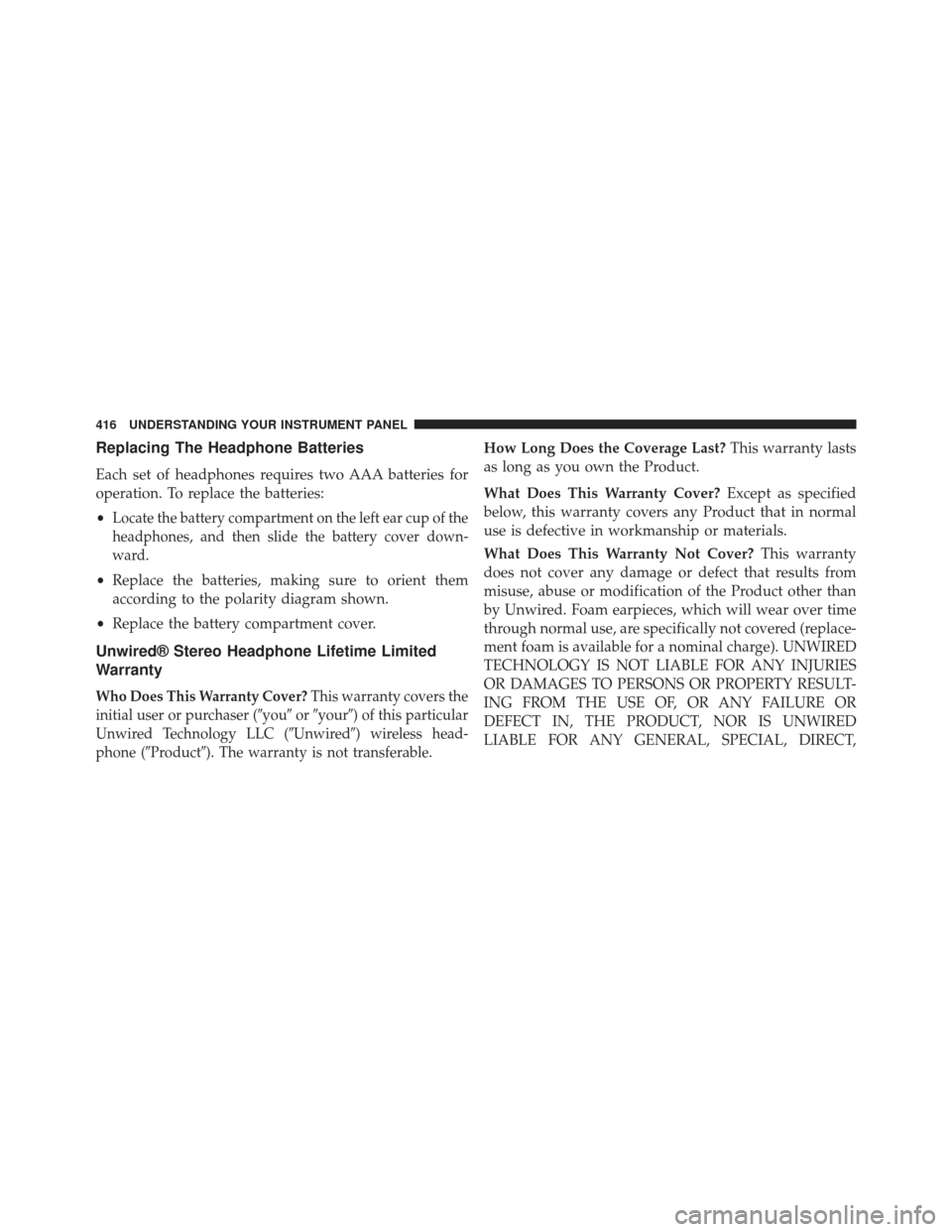
Each set of headphones requires two AAA batteries for
operation. To replace the batteries:
•
Locate the battery compartment on the left ear cup of the
headphones, and then slide the battery cover down-
ward.
• Replace the batteries, making sure to orient them
according to the polarity diagram shown.
• Replace the battery compartment cover.
Unwired® Stereo Headphone Lifetime Limited
Warranty
Who Does This Warranty Cover?This warranty covers the
initial user or purchaser ( �you�or�your�) of this particular
Unwired Technology LLC ( �Unwired�) wireless head-
phone (�Product�). The warranty is not transferable.
How Long Does the Coverage Last? This warranty lasts
as long as you own the Product.
What Does This Warranty Cover? Except as specified
below, this warranty covers any Product that in normal
use is defective in workmanship or materials.
What Does This Warranty Not Cover? This warranty
does not cover any damage or defect that results from
misuse, abuse or modification of the Product other than
by Unwired. Foam earpieces, which will wear over time
through normal use, are specifically not covered (replace-
ment foam is available for a nominal charge). UNWIRED
TECHNOLOGY IS NOT LIABLE FOR ANY INJURIES
OR DAMAGES TO PERSONS OR PROPERTY RESULT-
ING FROM THE USE OF, OR ANY FAILURE OR
DEFECT IN, THE PRODUCT, NOR IS UNWIRED
LIABLE FOR ANY GENERAL, SPECIAL, DIRECT,
416 UNDERSTANDING YOUR INSTRUMENT PANEL
Page 442 of 699
NOTE:
•You can turn off the heated mirror feature at anytime
by pressing the rear window defroster switch a second
time.
• To prevent excessive battery drain, use the rear win-
dow defroster only when the engine is operating.
CAUTION!
Failure to follow these cautions can cause damage to
the heating elements:
• Use care when washing the inside of the rear
window. Do not use abrasive window cleaners on
the interior surface of the window. Use a soft cloth
and a mild washing solution, wiping parallel to the
heating elements. Labels can be peeled off after
soaking with warm water.
(Continued)
CAUTION! (Continued)
•Do not use scrapers, sharp instruments, or abrasive
window cleaners on the interior surface of the
window.
• Keep all objects a safe distance from the window.
9. Recirculation Control Button Press this button to choose between outside air
intake or recirculation of the air inside the
vehicle. A lamp will illuminate when you are in
Recirculation mode. Only use the Recirculation
mode to temporarily block out any outside odors, smoke,
or dust, and to cool the interior rapidly upon initial
start-up in very hot or humid weather.
440 UNDERSTANDING YOUR INSTRUMENT PANEL
Page 472 of 699
If Engine Fails To Start
WARNING!
•Never pour fuel or other flammable liquid into the
throttle body air inlet opening in an attempt to start
the vehicle. This could result in flash fire causing
serious personal injury.
• Do not attempt to push or tow your vehicle to get it
started. Vehicles equipped with an automatic trans-
mission cannot be started this way. Unburned fuel
could enter the catalytic converter and once the
engine has started, ignite and damage the converter
and vehicle.
(Continued)
WARNING! (Continued)
•If the vehicle has a discharged battery, booster
cables may be used to obtain a start from a booster
battery or the battery in another vehicle. This type
of start can be dangerous if done improperly. Refer
to “Jump Starting” in “What To Do In Emergen-
cies” for further information.
Clearing A Flooded Engine (Using ENGINE
START/STOP Button)
If the engine fails to start after you have followed the
“Normal Starting” or “Extreme Cold Weather� proce-
dures, it may be flooded. To clear any excess fuel:
1. Press and hold the brake pedal.
2. Press the accelerator pedal all the way to the floor and hold it.
470 STARTING AND OPERATING
Page 542 of 699
To fix a Non-FFV vehicle inadvertently fueled once with
E-85 perform the following:
•drain the fuel tank (see your authorized dealer)
• change the engine oil and oil filter
• disconnect and reconnect the battery to reset the
engine controller memory
More extensive repairs will be required for prolonged
exposure to E-85 fuel.
MMT In Gasoline
MMT (Methylcyclopentadienyl Manganese Tricarbonyl)
is a manganese-containing metallic additive that is
blended into some gasoline to increase octane. Gasoline
blended with MMT provides no performance advantage
beyond gasoline of the same octane number without MMT. Gasoline blended with MMT reduces spark plug
life and reduces emissions system performance in some
vehicles. The manufacturer recommends that gasoline
without MMT be used in your vehicle. The MMT content
of gasoline may not be indicated on the gasoline pump,
therefore, you should ask your gasoline retailer whether
the gasoline contains MMT. MMT is prohibited in Federal
and California reformulated gasoline.
Materials Added To Fuel
All gasoline sold in the United States is required to
contain effective detergent additives. Use of additional
detergents or other additives is not needed under normal
conditions and they would result in additional cost.
Therefore, you should not have to add anything to the
fuel.
540 STARTING AND OPERATING
Page 566 of 699
Towing Tips
Before setting out on a trip, practice turning, stopping,
and backing up the trailer in an area located away from
heavy traffic.
Automatic Transmission
The DRIVE gear can be selected when towing. However,
if frequent shifting occurs while in DRIVE, use the
Electronic Range Select (ERS) shift control to select a
lower gear range.
NOTE:Using a lower gear range while operating the
vehicle under heavy loading conditions will improve
performance and extend transmission life by reducing
excessive shifting and heat build up. This action will also
provide better engine braking.
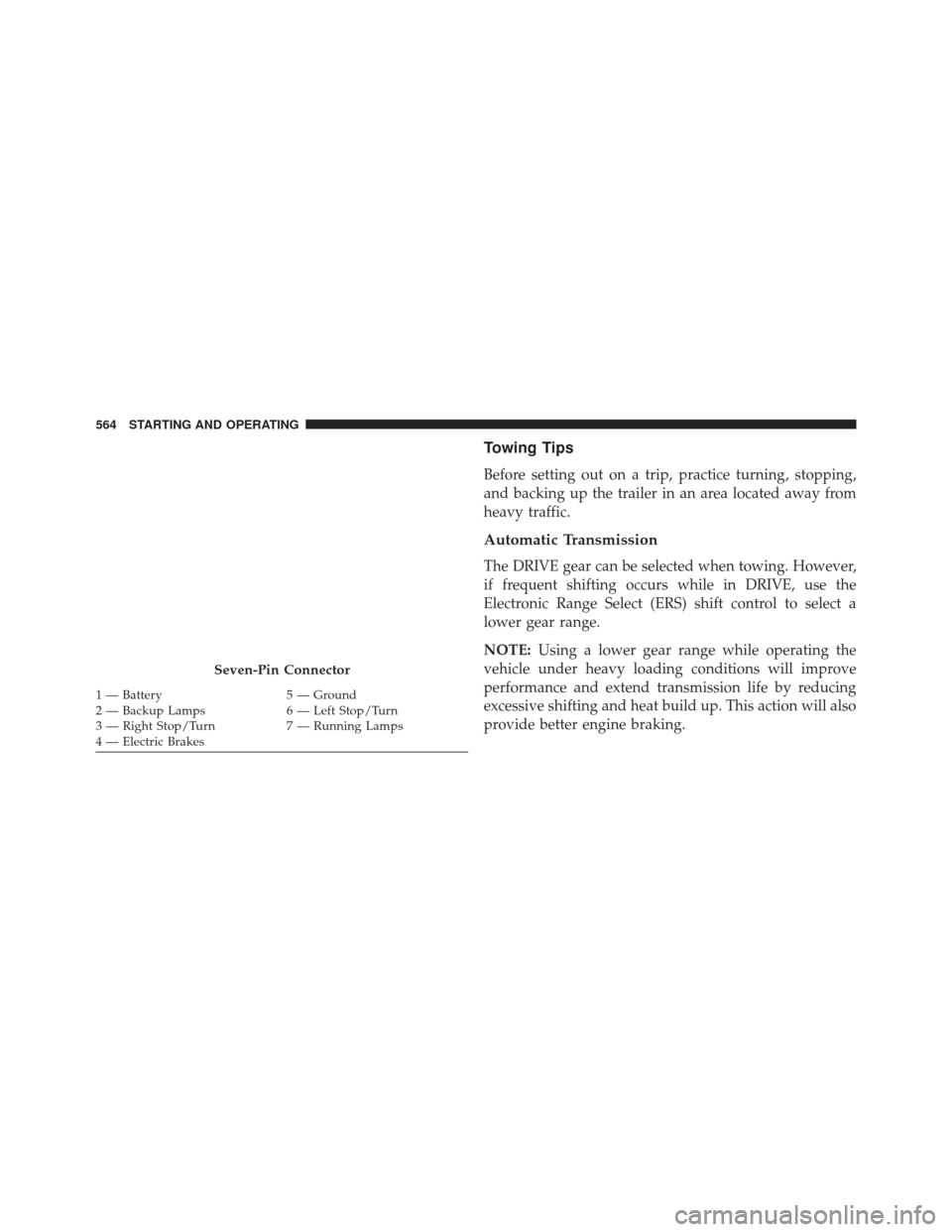
Seven-Pin Connector
1 — Battery 5 — Ground
2 — Backup Lamps 6 — Left Stop/Turn
3 — Right Stop/Turn 7 — Running Lamps
4 — Electric Brakes 564 STARTING AND OPERATING
Page 572 of 699
HAZARD WARNING FLASHERS
The Hazard Warning flasher switch is located in the
lower center area of the instrument panel.Press the switch to turn on the Hazard Warning
flasher. When the switch is activated, all direc-
tional turn signals will flash on and off to warn oncoming
traffic of an emergency. Press the switch a second time to
turn off the Hazard Warning flashers.
This is an emergency warning system and it should not
be used when the vehicle is in motion. Use it when your
vehicle is disabled and it is creating a safety hazard for
other motorists.
When you must leave the vehicle to seek assistance, the
Hazard Warning flashers will continue to operate even
though the ignition is placed in the OFF position.
NOTE: With extended use the Hazard Warning flashers
may wear down your battery.
IF YOUR ENGINE OVERHEATS
In any of the following situations, you can reduce the
potential for overheating by taking the appropriate action.
• On the highways — slow down.
• In city traffic — while stopped, place the transmission
in NEUTRAL, but do not increase engine idle speed.
NOTE: There are steps that you can take to slow down
an impending overheat condition:
• If your air conditioner (A/C) is on, turn it off. The A/C
system adds heat to the engine cooling system and
turning the A/C off can help remove this heat.
• You can also turn the temperature control to maximum
heat, the mode control to floor and the blower control
to high. This allows the heater core to act as a
supplement to the radiator and aids in removing heat
from the engine cooling system.
570 WHAT TO DO IN EMERGENCIES
Page 594 of 699
JUMP-STARTING
If your vehicle has a discharged battery it can be jump-
started using a set of jumper cables and a battery in
another vehicle or by using a portable battery booster
pack. Jump-starting can be dangerous if done improperly
so please follow the procedures in this section carefully.
NOTE:
When using a portable battery booster pack follow
the manufacturer ’s operating instructions and precautions.
CAUTION!
Do not use a portable battery booster pack or any
other booster source with a system voltage greater
than 12 Volts or damage to the battery, starter motor,
alternator or electrical system may occur.
WARNING!
Do not attempt jump-starting if the battery is frozen.
It could rupture or explode and cause personal injury.
Preparations For Jump-Start
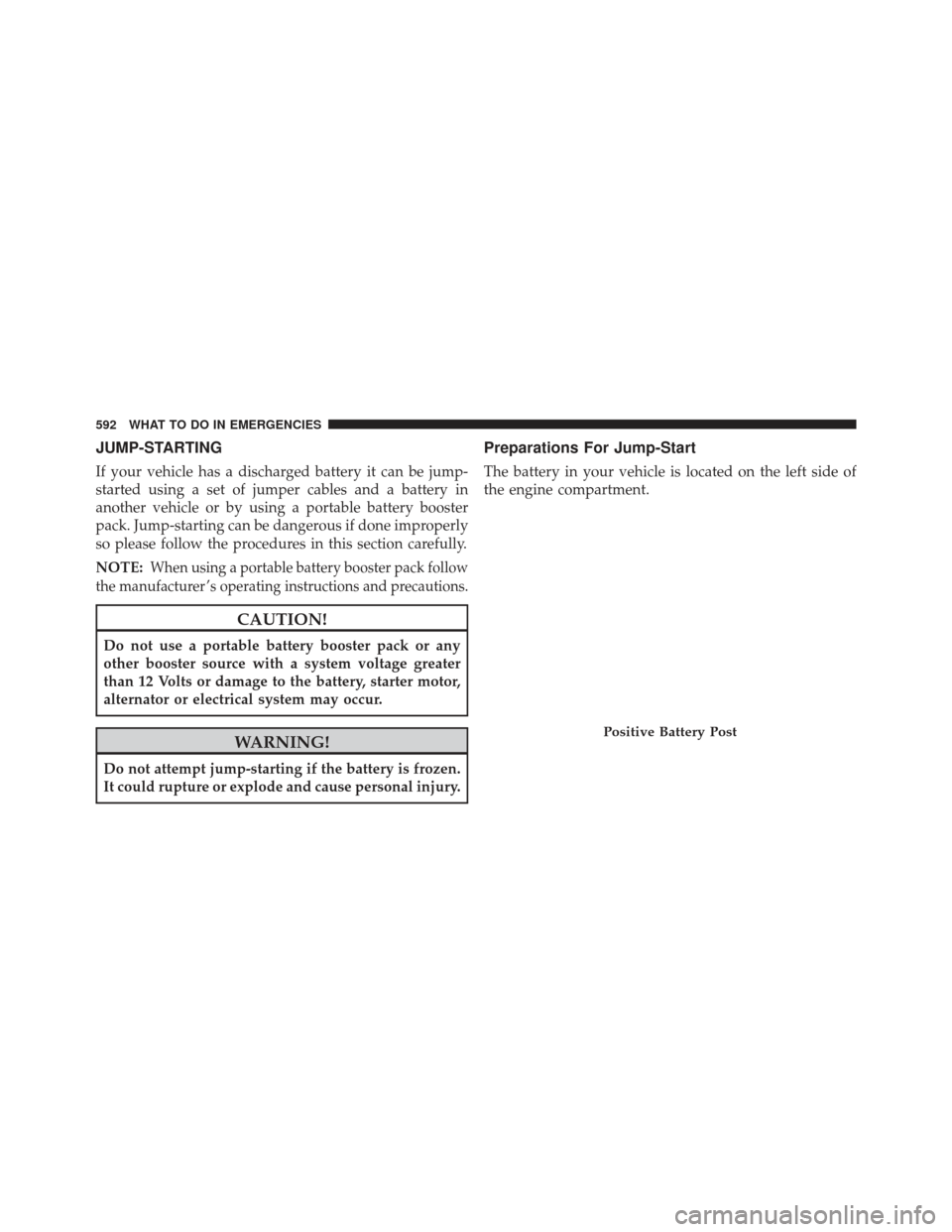
The battery in your vehicle is located on the left side of
the engine compartment.
Positive Battery Post
592 WHAT TO DO IN EMERGENCIES