Page 173 of 350
Black plate (25,1)Chevrolet Impala Owner Manual - 2013 - crc - 8/27/12
Infotainment System 7-25
Transferring Audio to the
Bluetooth System from a Cell
Phone
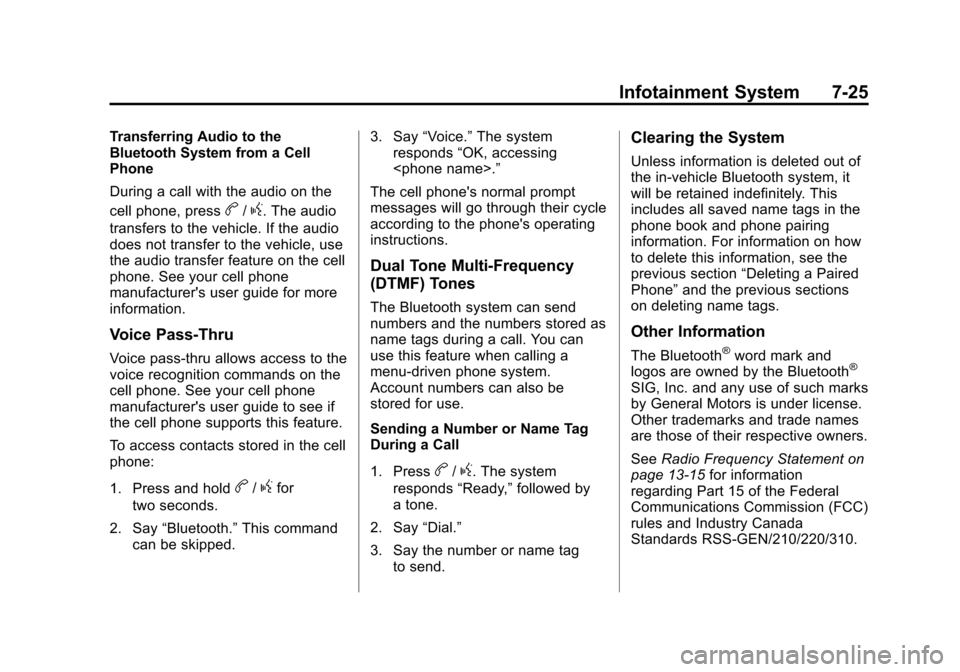
During a call with the audio on the
cell phone, press
b/g. The audio
transfers to the vehicle. If the audio
does not transfer to the vehicle, use
the audio transfer feature on the cell
phone. See your cell phone
manufacturer's user guide for more
information.
Voice Pass-Thru
Voice pass-thru allows access to the
voice recognition commands on the
cell phone. See your cell phone
manufacturer's user guide to see if
the cell phone supports this feature.
To access contacts stored in the cell
phone:
1. Press and hold
b/gfor
two seconds.
2. Say “Bluetooth.” This command
can be skipped. 3. Say
“Voice.” The system
responds “OK, accessing
.”
The cell phone's normal prompt
messages will go through their cycle
according to the phone's operating
instructions.
Dual Tone Multi-Frequency
(DTMF) Tones
The Bluetooth system can send
numbers and the numbers stored as
name tags during a call. You can
use this feature when calling a
menu-driven phone system.
Account numbers can also be
stored for use.
Sending a Number or Name Tag
During a Call
1. Press
b/g. The system
responds “Ready,”followed by
a tone.
2. Say “Dial.”
3. Say the number or name tag to send.
Clearing the System
Unless information is deleted out of
the in-vehicle Bluetooth system, it
will be retained indefinitely. This
includes all saved name tags in the
phone book and phone pairing
information. For information on how
to delete this information, see the
previous section “Deleting a Paired
Phone” and the previous sections
on deleting name tags.
Other Information
The Bluetooth®word mark and
logos are owned by the Bluetooth®
SIG, Inc. and any use of such marks
by General Motors is under license.
Other trademarks and trade names
are those of their respective owners.
See Radio Frequency Statement on
page 13‑15 for information
regarding Part 15 of the Federal
Communications Commission (FCC)
rules and Industry Canada
Standards RSS-GEN/210/220/310.
Page 197 of 350
Black plate (17,1)Chevrolet Impala Owner Manual - 2013 - crc - 8/27/12
Driving and Operating 9-17
WARNING (Continued)
three-prong 110-volt AC outlet.
If the cord will not reach, use a
heavy-duty three-prong extension
cord rated for at least 15 amps.
4. Before starting the engine, be sure to unplug and store the
cord as it was before to keep it
away from moving engine parts,
and prevent damage.
The length of time the heater should
remain plugged in depends on
several factors. Ask a dealer in the
area where you will be parking the
vehicle for the best advice on this.
Retained Accessory
Power (RAP)
These vehicle accessories can be
used for up to 10 minutes after the
engine turned off:
.Audio System
.Power Windows The radio will work when the key is
in ON/RUN or ACC/ACCESSORY.
Once the key is turned from ON/
RUN to LOCK/OFF the radio will
continue to work 10 minutes or until
the driver door is opened. The
power windows will continue to work
for up to 10 minutes or until any
door is opened.
Shifting Into Park
Steering Column Shift Lever
If the vehicle has a steering column
shift lever, use this procedure to
shift the vehicle into P (Park):
1. Hold the brake pedal down.
2. Move the shift lever into P (Park)
by pulling the shift lever toward
you and moving it up as far as it
will go.
3. With your foot still holding the brake pedal down, set the
parking brake. See Parking
Brake on page 9‑24 for more
information. 4. Turn the ignition key to
LOCK/OFF.
5. Remove the key and take it with you. If you can leave the vehicle
with the ignition key in your
hand, the vehicle is in P (Park).
Console Shift Lever
If the vehicle is equipped with a
console shift lever, use this
procedure to shift the vehicle into
P (Park):
1. Hold the brake pedal down.
2. Move the shift lever into P (Park)by pushing the lever all the way
toward the front of the vehicle.
3. While keeping the brake pedal applied, set the parking brake.
See Parking Brake on page 9‑24
for more information.
4. Turn the ignition key to LOCK/OFF.
5. Remove the key and take it with you. If you can leave the vehicle
with the ignition key in your
hand, the vehicle is in P (Park).
Page 251 of 350
Black plate (29,1)Chevrolet Impala Owner Manual - 2013 - crc - 8/27/12
Vehicle Care 10-29
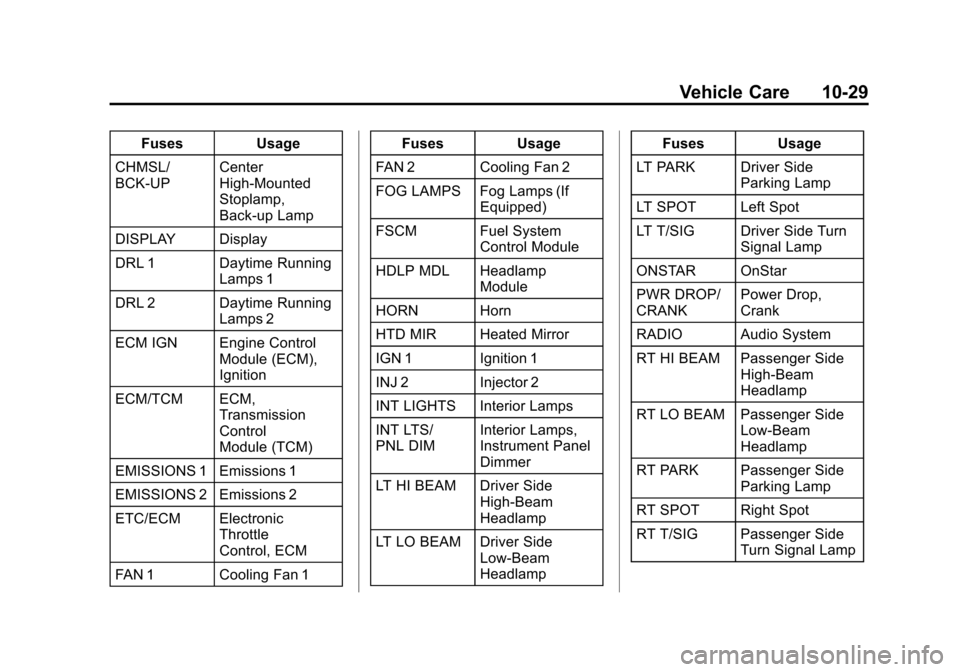
FusesUsage
CHMSL/
BCK-UP Center
High-Mounted
Stoplamp,
Back-up Lamp
DISPLAY Display
DRL 1 Daytime Running Lamps 1
DRL 2 Daytime Running Lamps 2
ECM IGN Engine Control Module (ECM),
Ignition
ECM/TCM ECM, Transmission
Control
Module (TCM)
EMISSIONS 1 Emissions 1
EMISSIONS 2 Emissions 2
ETC/ECM Electronic Throttle
Control, ECM
FAN 1 Cooling Fan 1 Fuses
Usage
FAN 2 Cooling Fan 2
FOG LAMPS Fog Lamps (If Equipped)
FSCM Fuel System Control Module
HDLP MDL Headlamp Module
HORN Horn
HTD MIR Heated Mirror
IGN 1 Ignition 1
INJ 2 Injector 2
INT LIGHTS Interior Lamps
INT LTS/
PNL DIM Interior Lamps,
Instrument Panel
Dimmer
LT HI BEAM Driver Side High-Beam
Headlamp
LT LO BEAM Driver Side Low-Beam
Headlamp Fuses
Usage
LT PARK Driver Side Parking Lamp
LT SPOT Left Spot
LT T/SIG Driver Side Turn Signal Lamp
ONSTAR OnStar
PWR DROP/
CRANK Power Drop,
Crank
RADIO Audio System
RT HI BEAM Passenger Side High-Beam
Headlamp
RT LO BEAM Passenger Side Low-Beam
Headlamp
RT PARK Passenger Side Parking Lamp
RT SPOT Right Spot
RT T/SIG Passenger Side Turn Signal Lamp
Page 339 of 350

Black plate (1,1)Chevrolet Impala Owner Manual - 2013 - crc - 8/27/12
INDEX i-1
A
Accessories andModifications . . . . . . . . . . . . . . . . . 10-3
Accessory Power . . . . . . . . . . . . . . 9-17
Add-On Electrical Equipment . . . . . . . . . . . . . . . . . . . 9-41
Additional Information
OnStar
®. . . . . . . . . . . . . . . . . . . . . . 14-5
Adjustments Lumbar, Front Seats . . . . . . . . . . . 3-4
Air Cleaner/Filter, Engine . . . . . 10-10
Air Filter, Passenger
Compartment . . . . . . . . . . . . . . . . . 8-5
Air Vents . . . . . . . . . . . . . . . . . . . . . . . 8-5
Airbag System Check . . . . . . . . . . . . . . . . . . . . . . . . 3-31
How Does an Airbag
Restrain? . . . . . . . . . . . . . . . . . . . 3-23
Passenger Sensing System . . . . . . . . . . . . . . . . . . . . . . 3-25
What Makes an Airbag Inflate? . . . . . . . . . . . . . . . . . . . . . . 3-23 Airbag System (cont'd)
What Will You See after an
Airbag Inflates? . . . . . . . . . . . . . 3-23
When Should an Airbag
Inflate? . . . . . . . . . . . . . . . . . . . . . . 3-21
Where Are the Airbags? . . . . . . 3-20
Airbags Adding Equipment to theVehicle . . . . . . . . . . . . . . . . . . . . . . 3-30
Passenger Status Indicator . . . 5-13
Readiness Light . . . . . . . . . . . . . . 5-12
Servicing Airbag-Equipped Vehicles . . . . . . . . . . . . . . . . . . . . . 3-29
System Check . . . . . . . . . . . . . . . . 3-18
Alarm Vehicle Security . . . . . . . . . . . . . . 2-10
AM-FM Radio . . . . . . . . . . . . . . . . . . . 7-6
Antenna Satellite Radio . . . . . . . . . . . . . . . . 7-13
Antilock Brake System (ABS) . . . . . . . . . . . . . . . . 9-23
Warning Light . . . . . . . . . . . . . . . . . 5-18 Appearance Care
Exterior . . . . . . . . . . . . . . . . . . . . . 10-65
Interior . . . . . . . . . . . . . . . . . . . . . . 10-68
Armrest Storage . . . . . . . . . . . . . . . . 4-1
Assistance Program, Roadside . . . . . . . . . . . . . . . . . . . . . 13-5
Audio Players . . . . . . . . . . . . . . . . . 7-13
CD . . . . . . . . . . . . . . . . . . . . . . . . . . . 7-13
Audio System Backglass Antenna . . . . . . . . . . . 7-12
Radio Reception . . . . . . . . . . . . . . 7-11
Theft-Deterrent Feature . . . . . . . . 7-2
Automatic Door Locks . . . . . . . . . . . . . . . . . . . . 2-7
Transmission . . . . . . . . . . . . . . . . . 9-20
Transmission Fluid . . . . . . . . . . . 10-9
Automatic Transmission Manual Mode . . . . . . . . . . . . . . . . . 9-22
Shift Lock ControlFunction Check . . . . . . . . . . . 10-20
Auxiliary
Devices . . . . . . . . . . . . . . . . . . . . . . . 7-18
Page:
< prev 1-8 9-16 17-24