2013 CHEVROLET CAPTIVA SPORT ABS
[x] Cancel search: ABSPage 4 of 374

Black plate (4,1)Chevrolet Captiva Sport Owner Manual - 2013 - crc - 11/12/12
iv Introduction Notice: This means there is
something that could result in
property or vehicle damage. This
would not be covered by the
vehicle's warranty.
A circle with a slash through it is a
safety symbol which means “ Do
Not, ” “ Do not do this, ” or “ Do not let
this happen. ”
Symbols The vehicle has components and
labels that use symbols instead of
text. Symbols are shown along with
the text describing the operation or
information relating to a specific
component, control, message,
gauge, or indicator. M : This symbol is shown when
you need to see your owner manual
for additional instructions or
information.
* : This symbol is shown when
you need to see a service manual
for additional instructions or
information.
Vehicle Symbol Chart
Here are some additional symbols
that may be found on the vehicle
and what they mean. For more
information on the symbol, refer to
the Index.
9 : Airbag Readiness Light
# : Air Conditioning
! : Antilock Brake System (ABS)
v +/-: Audio Steering Wheel
Controls
$ : Brake System Warning Light
" : Charging System I : Cruise Control
B : Engine Coolant Temperature
O : Exterior Lamps
# : Fog Lamps
. : Fuel Gauge
+ : Fuses
3 : Headlamp High/Low-Beam
Changer
j : LATCH System Child
Restraints
* : Malfunction Indicator Lamp
: : Oil Pressure
} : Power
/ : Remote Vehicle Start
> : Safety Belt Reminders
7 : Tire Pressure Monitor
d : Traction Control/StabiliTrak ®
M : Windshield Washer Fluid
Page 20 of 374
Black plate (16,1)Chevrolet Captiva Sport Owner Manual - 2013 - crc - 11/12/12
1-16 In Brief
Vehicle Features Radio(s)
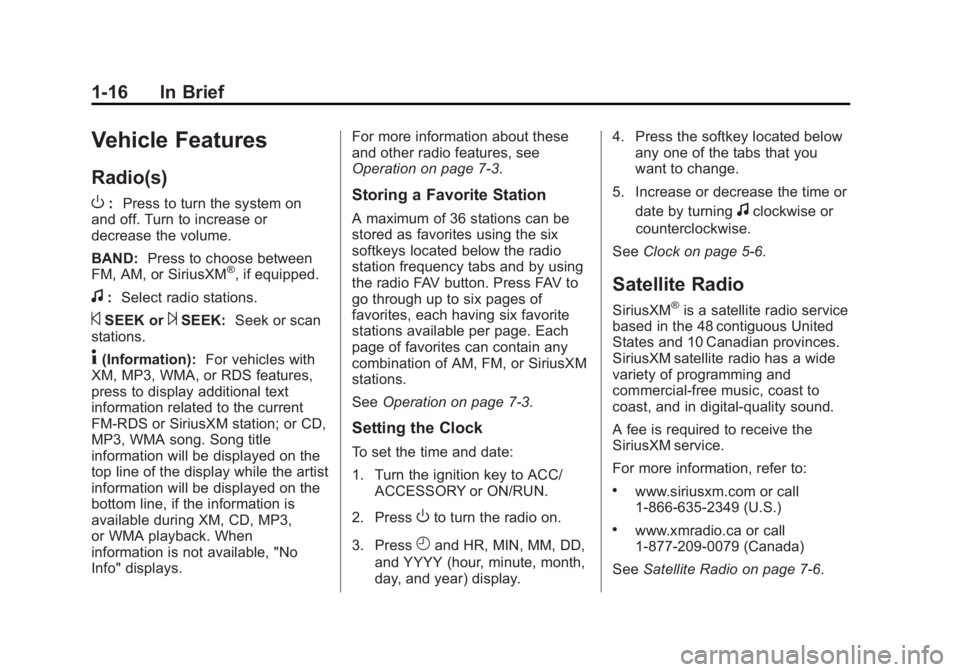
O : Press to turn the system on
and off. Turn to increase or
decrease the volume.
BAND: Press to choose between
FM, AM, or SiriusXM ®
, if equipped.
f : Select radio stations.
© SEEK or
¨ SEEK: Seek or scan
stations.
4 (Information): For vehicles with
XM, MP3, WMA, or RDS features,
press to display additional text
information related to the current
FM-RDS or SiriusXM station; or CD,
MP3, WMA song. Song title
information will be displayed on the
top line of the display while the artist
information will be displayed on the
bottom line, if the information is
available during XM, CD, MP3,
or WMA playback. When
information is not available, "No
Info" displays. For more information about these
and other radio features, see
Operation on page 7 ‑ 3 .
Storing a Favorite Station A maximum of 36 stations can be
stored as favorites using the six
softkeys located below the radio
station frequency tabs and by using
the radio FAV button. Press FAV to
go through up to six pages of
favorites, each having six favorite
stations available per page. Each
page of favorites can contain any
combination of AM, FM, or SiriusXM
stations.
See Operation on page 7 ‑ 3 .
Setting the Clock To set the time and date:
1. Turn the ignition key to ACC/
ACCESSORY or ON/RUN.
2. Press
O to turn the radio on.
3. Press
H and HR, MIN, MM, DD,
and YYYY (hour, minute, month,
day, and year) display. 4. Press the softkey located below
any one of the tabs that you
want to change.
5. Increase or decrease the time or
date by turning
f clockwise or
counterclockwise.
See Clock on page 5 ‑ 6 .
Satellite Radio SiriusXM ®
is a satellite radio service
based in the 48 contiguous United
States and 10 Canadian provinces.
SiriusXM satellite radio has a wide
variety of programming and
commercial-free music, coast to
coast, and in digital-quality sound.
A fee is required to receive the
SiriusXM service.
For more information, refer to: .
www.siriusxm.com or call
1-866-635-2349 (U.S.) .
www.xmradio.ca or call
1-877-209-0079 (Canada)
See Satellite Radio on page 7 ‑ 6 .
Page 97 of 374
Black plate (1,1)Chevrolet Captiva Sport Owner Manual - 2013 - crc - 11/12/12
Instruments and Controls 5-1
Instruments and
Controls Controls Steering Wheel Adjustment . . . 5-2
Steering Wheel Controls . . . . . . 5-2
Horn . . . . . . . . . . . . . . . . . . . . . . . . . . 5-3
Windshield Wiper/Washer . . . . . 5-3
Rear Window Wiper/
Washer . . . . . . . . . . . . . . . . . . . . . . 5-4
Compass . . . . . . . . . . . . . . . . . . . . . 5-4
Clock . . . . . . . . . . . . . . . . . . . . . . . . . 5-6
Power Outlets . . . . . . . . . . . . . . . . . 5-7
Warning Lights, Gauges, and
Indicators Warning Lights, Gauges, and
Indicators . . . . . . . . . . . . . . . . . . . . 5-8
Instrument Cluster . . . . . . . . . . . . 5-9
Speedometer . . . . . . . . . . . . . . . . 5-10
Odometer . . . . . . . . . . . . . . . . . . . . 5-10
Trip Odometer . . . . . . . . . . . . . . . 5-10
Tachometer . . . . . . . . . . . . . . . . . . 5-10
Fuel Gauge . . . . . . . . . . . . . . . . . . 5-10
Safety Belt Reminders . . . . . . . 5-11 Airbag Readiness Light . . . . . . 5-12
Passenger Airbag Status
Indicator (United States) . . . . 5-12
Charging System Light . . . . . . 5-13
Malfunction
Indicator Lamp . . . . . . . . . . . . . 5-14
Service Vehicle Soon
Light . . . . . . . . . . . . . . . . . . . . . . . 5-16
Brake System Warning
Light . . . . . . . . . . . . . . . . . . . . . . . 5-16
Electric Parking Brake
Light . . . . . . . . . . . . . . . . . . . . . . . 5-17
Antilock Brake System (ABS)
Warning Light . . . . . . . . . . . . . . 5-18
All-Wheel-Drive Light . . . . . . . . 5-18
Power Steering Warning
Light . . . . . . . . . . . . . . . . . . . . . . . 5-19
StabiliTrak ®
Indicator Light . . . 5-19
Traction Control System
(TCS) Warning Light . . . . . . . 5-19
Engine Coolant Temperature
Warning Light . . . . . . . . . . . . . . 5-20
Tire Pressure Light . . . . . . . . . . 5-20
Fuel Economy Light . . . . . . . . . 5-20
Low Fuel Warning Light . . . . . . 5-21
Security Light . . . . . . . . . . . . . . . . 5-21 Reduced Engine Power
Light . . . . . . . . . . . . . . . . . . . . . . . 5-21
High-Beam On Light . . . . . . . . . 5-22
Front Fog Lamp Light . . . . . . . . 5-22
Low Washer Fluid Warning
Light . . . . . . . . . . . . . . . . . . . . . . . 5-22
Cruise Control Light . . . . . . . . . 5-22
Door Ajar Light . . . . . . . . . . . . . . 5-22
Gate Ajar Light . . . . . . . . . . . . . . 5-23
Information Displays Driver Information
Center (DIC) . . . . . . . . . . . . . . . 5-23
Vehicle Messages Vehicle Messages . . . . . . . . . . . 5-28
Brake System Messages . . . . 5-28
Compass Messages . . . . . . . . . 5-29
Cruise Control Messages . . . . 5-29
Door Ajar Messages . . . . . . . . . 5-29
Engine Cooling System
Messages . . . . . . . . . . . . . . . . . . 5-30
Engine Oil Messages . . . . . . . . 5-30
Engine Power Messages . . . . 5-31
Fuel System Messages . . . . . . 5-31
Key and Lock Messages . . . . . 5-32
Lamp Messages . . . . . . . . . . . . . 5-32
Page 102 of 374
Black plate (6,1)Chevrolet Captiva Sport Owner Manual - 2013 - crc - 11/12/12
5-6 Instruments and Controls It is suggested to calibrate away
from tall buildings, utility wires,
manhole covers, or other industrial
structures, if possible.
If CAL should ever appear in the
DIC display, the compass should be
calibrated.
If the DIC display does not show a
heading, for example, N for North,
or the heading does not change
after making turns, there may be a
strong magnetic field interfering with
the compass. Such interference
may be caused by a magnetic CB or
cell phone antenna mount, a
magnetic emergency light, magnetic
note pad holder, or any other
magnetic item. Turn off the vehicle,
move the magnetic item, then turn
on the vehicle and calibrate the
compass. To calibrate the compass, use the
following procedure:
Compass Calibration Procedure
1. Before calibrating the compass,
make sure the compass is set to
the variance zone in which the
vehicle is located. See
“ Compass Variance (Zone)
Procedure ” earlier in this
section.
Do not operate any switches
such as window, sunroof,
climate controls, seats, etc.
during the calibration procedure.
2. Press the vehicle information
button until PRESS
V TO
CALIBRATE COMPASS
displays.
3. Press the set/reset button to
start the compass calibration.
4. The DIC will display
CALIBRATING COMPASS:
TURN IN CIRCLES. Drive the
vehicle in tight circles at less
than 8 km/h (5 mph) to complete
the calibration. The DIC will display COMPASS
CALIBRATION COMPLETE for a
few seconds when the
calibration is complete. The DIC
display will then return to the
previous menu.
Clock To set the time and date:
1. Turn the ignition key to ACC/
ACCESSORY or ON/RUN.
Press
O to turn the radio on.
2. Press
H and HR, MIN, MM, DD,
and YYYY (hour, minute, month,
day, and year) display.
3. Press the softkey below any one
of the tabs to be changed.
4. To increase the time or date do
one of the following: .
Press the softkey below the
selected tab. .
Press
¨ SEEK, or
\ FWD. .
Turn
f clockwise.
Page 114 of 374
Black plate (18,1)Chevrolet Captiva Sport Owner Manual - 2013 - crc - 11/12/12
5-18 Instruments and Controls
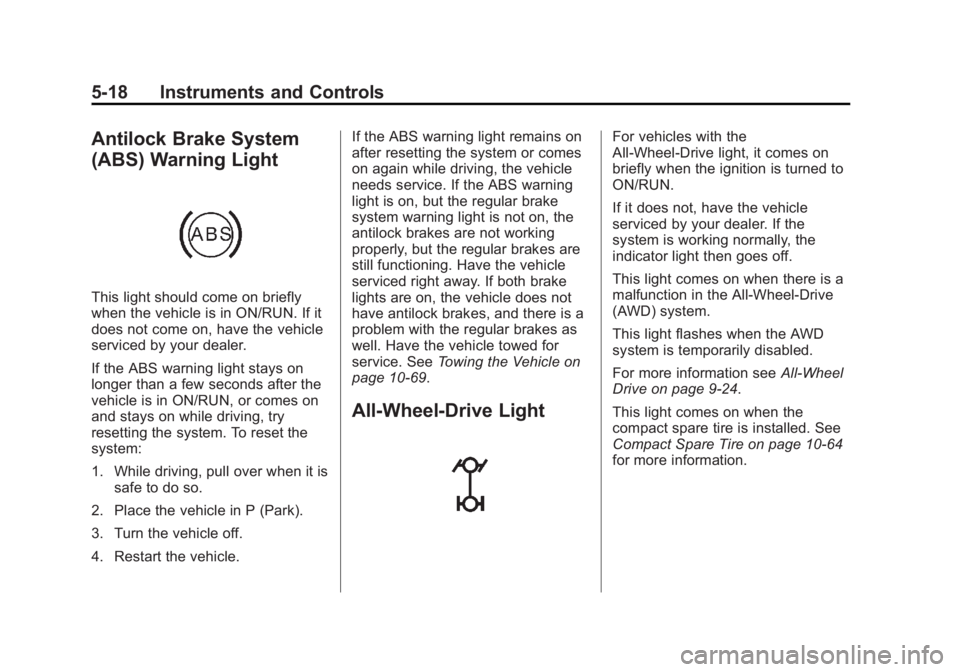
Antilock Brake System
(ABS) Warning Light
This light should come on briefly
when the vehicle is in ON/RUN. If it
does not come on, have the vehicle
serviced by your dealer.
If the ABS warning light stays on
longer than a few seconds after the
vehicle is in ON/RUN, or comes on
and stays on while driving, try
resetting the system. To reset the
system:
1. While driving, pull over when it is
safe to do so.
2. Place the vehicle in P (Park).
3. Turn the vehicle off.
4. Restart the vehicle. If the ABS warning light remains on
after resetting the system or comes
on again while driving, the vehicle
needs service. If the ABS warning
light is on, but the regular brake
system warning light is not on, the
antilock brakes are not working
properly, but the regular brakes are
still functioning. Have the vehicle
serviced right away. If both brake
lights are on, the vehicle does not
have antilock brakes, and there is a
problem with the regular brakes as
well. Have the vehicle towed for
service. See Towing the Vehicle on
page 10 ‑ 69 .
All-Wheel-Drive Light For vehicles with the
All-Wheel-Drive light, it comes on
briefly when the ignition is turned to
ON/RUN.
If it does not, have the vehicle
serviced by your dealer. If the
system is working normally, the
indicator light then goes off.
This light comes on when there is a
malfunction in the All-Wheel-Drive
(AWD) system.
This light flashes when the AWD
system is temporarily disabled.
For more information see All-Wheel
Drive on page 9 ‑ 24 .
This light comes on when the
compact spare tire is installed. See
Compact Spare Tire on page 10 ‑ 64
for more information.
Page 155 of 374
Black plate (7,1)Chevrolet Captiva Sport Owner Manual - 2013 - crc - 11/12/12
Infotainment System 7-7Finding a Category (CAT)
Station CAT (Category): The CAT button is
used to find SiriusXM stations when
the radio is in the XM mode. To find
SiriusXM channels within a desired
category:
1. Press BAND until the XM
frequency displays.
2. Press CAT to display the
category tabs.
3. To navigate through the
categories, do one of the
following: .
Press the CAT button. .
Press the
s REV or
\FWD button. .
Turn the
f knob.
4. To tune to a station in the
selected category, do one of the
following: .
Turn the
f knob. .
Press the pushbutton below
the right or left arrows on
the display. .
Press the
© SEEK or
¨ SEEK button.
5. To exit the category search
mode, press the FAV button or
the BAND button to display the
favorites again.
Removing SiriusXM Categories
Undesired SiriusXM categories can
be removed through the setup
menu. To remove an undesired
category:
1. Press the MENU button.
2. Press the pushbutton below the
XM CAT label.
3. Turn the
f knob, then press the
© SEEK or
¨ SEEK button or the
s REV or
\ FWD button to
display the category to be
removed. 4. Press the pushbutton under the
Remove tab until the category
name along with the word
Removed displays.
5. Repeat the steps to remove
more categories.
Removed categories can be
restored by pressing the pushbutton
under the Add label when a
removed category is displayed or by
pressing the pushbutton under the
Restore All label.
Categories cannot be removed or
added while the vehicle is moving
faster than 8 km/h (5 mph).
Storing a Radio Station as a
Favorite Drivers are encouraged to set up
their radio station favorites while the
vehicle is in P (Park). Tune to
favorite stations using the presets,
favorites button, and steering wheel
controls. See Steering Wheel
Controls on page 5 ‑ 2 .
Page 161 of 374
Black plate (13,1)Chevrolet Captiva Sport Owner Manual - 2013 - crc - 11/12/12
Infotainment System 7-13Files accessed from the root
directory of a CD display as
F1 ROOT.
Empty Folder
Folders that do not contain files are
skipped, and the player advances to
the next folder that contains files.
Order of Play
Compressed audio files are
accessed in the following order: .
Playlists (Px). .
Files stored in the root directory. .
Files stored in folders in the root
directory.
Tracks are played in the following
order: .
Play begins from the first track in
the first playlist and continues
sequentially through all tracks in
each playlist. When the last
track of the last playlist has
played, play continues from the
first track of the first playlist. .
Play begins from the first track in
the first folder and continues
sequentially through all tracks in
each folder. When the last track
of the last folder has played,
play continues from the first
track of the first folder.
File System and Naming
The song name that displays is the
song name contained in the ID3 tag.
If the song name is not present in
the ID3 tag, then the radio displays
the file name without the extension
(such as .mp3) as the track name.
Track names longer than 32
characters or 4 pages are
shortened. The display does not
show parts of words on the last
page of text and the extension of
the file name is not displayed.
Preprogrammed Playlists
CDs that have preprogrammed
playlists that were created using
WinAmp ™ , MusicMatch ™ , or Real
Jukebox ™ software can be
accessed; however, there is no playlist editing capability using the
radio. These playlists are treated as
special folders containing
compressed audio song files.
Playlists that have an .m3u or .pls
file extension and are stored on a
USB device may be supported by
the radio with a USB port.
Playlists can be changed by using
the softkeys below the
S c and
c T tabs, the
f knob, the
© SEEK
button, or the
¨ SEEK button. An
MP3 CD-R or CD-RW that has been
recorded without using file folders
can be played. If a CD-R or CD-RW
contains more than the maximum of
50 folders, 15 playlists, and
512 folders and files, the player
allows access and navigates up to
the maximum, but all items over the
maximum are not accessible.
Playing an MP3
4 (Information): Press to display
additional text information related to
the current song. If information is
available, the song title information
Page 189 of 374
Black plate (1,1)Chevrolet Captiva Sport Owner Manual - 2013 - crc - 11/12/12
Driving and Operating 9-1
Driving and
Operating Driving Information Driver Behavior . . . . . . . . . . . . . . . 9-2
Driving Environment . . . . . . . . . . 9-2
Vehicle Design . . . . . . . . . . . . . . . . 9-2
Distracted Driving . . . . . . . . . . . . . 9-3
Defensive Driving . . . . . . . . . . . . . 9-3
Drunk Driving . . . . . . . . . . . . . . . . . 9-4
Control of a Vehicle . . . . . . . . . . . 9-4
Braking . . . . . . . . . . . . . . . . . . . . . . . 9-4
Steering . . . . . . . . . . . . . . . . . . . . . . . 9-4
Off-Road Recovery . . . . . . . . . . . . 9-5
Loss of Control . . . . . . . . . . . . . . . . 9-5
Driving on Wet Roads . . . . . . . . . 9-6
Highway Hypnosis . . . . . . . . . . . . 9-7
Hill and Mountain Roads . . . . . . 9-7
Winter Driving . . . . . . . . . . . . . . . . . 9-8
If the Vehicle Is Stuck . . . . . . . . . 9-9
Vehicle Load Limits . . . . . . . . . . 9-10
Starting and Operating
New Vehicle Break-In . . . . . . . . 9-14
Ignition Positions . . . . . . . . . . . . 9-14
Starting the Engine . . . . . . . . . . 9-16 Retained Accessory
Power (RAP) . . . . . . . . . . . . . . . 9-17
Shifting Into Park . . . . . . . . . . . . 9-17
Shifting out of Park . . . . . . . . . . 9-18
Parking over Things
That Burn . . . . . . . . . . . . . . . . . . 9-19
Engine Exhaust Engine Exhaust . . . . . . . . . . . . . . 9-19
Running the Vehicle While
Parked . . . . . . . . . . . . . . . . . . . . . 9-20
Automatic Transmission Automatic Transmission . . . . . 9-20
Manual Mode . . . . . . . . . . . . . . . . 9-22
Fuel Economy Mode . . . . . . . . . 9-23
Drive Systems All-Wheel Drive . . . . . . . . . . . . . . 9-24
Brakes Antilock Brake
System (ABS) . . . . . . . . . . . . . . 9-24
Parking Brake . . . . . . . . . . . . . . . 9-25
Ride Control Systems
Traction Control
System (TCS) . . . . . . . . . . . . . . 9-27
StabiliTrak ®
System . . . . . . . . . 9-28 Cruise Control Cruise Control . . . . . . . . . . . . . . . 9-29
Object Detection Systems Ultrasonic Parking Assist . . . . 9-31
Rear Vision
Camera (RVC) . . . . . . . . . . . . . 9-33
Fuel Fuel . . . . . . . . . . . . . . . . . . . . . . . . . 9-35
Recommended Fuel . . . . . . . . . 9-35
Gasoline Specifications . . . . . . 9-35
Fuels in Foreign Countries . . . 9-36
Fuel Additives . . . . . . . . . . . . . . . 9-36
Fuel E85 (85% Ethanol) . . . . . 9-36
Filling the Tank . . . . . . . . . . . . . . 9-37
Filling a Portable Fuel
Container . . . . . . . . . . . . . . . . . . . 9-38
Towing General Towing
Information . . . . . . . . . . . . . . . . . 9-39
Driving Characteristics and
Towing Tips . . . . . . . . . . . . . . . . 9-39
Trailer Towing . . . . . . . . . . . . . . . . 9-42
Towing Equipment . . . . . . . . . . . 9-44
Conversions and Add-Ons
Add-On Electrical
Equipment . . . . . . . . . . . . . . . . . 9-45