2013 CHEVROLET AVALANCHE ECO mode
[x] Cancel search: ECO modePage 254 of 494

Black plate (6,1)Chevrolet Avalanche Owner Manual - 2013 - CRC - 8/27/12
8-6 Climate Controls
2. Set the driver and passengertemperature.
To find your comfort setting, start
with a 23°C (74°F) temperature
setting and allow about
20 minutes for the system to
regulate. Use the driver or
passenger temperature buttons
to adjust the temperature setting
as necessary. If a temperature
setting of 15°C (60°F) is chosen,
the system remains at the
maximum cooling setting. If a
temperature setting of 32°C
(90°F) is chosen, the system
remains at the maximum heat
setting. Choosing either
maximum setting will not cause
the vehicle to heat or cool any
faster.
Do not cover the solar sensor
located on the top of the instrument
panel near the windshield. This
sensor regulates air temperature
based on sun load and also turns
on the headlamps. For more
information on the solar sensor, see
“Sensors” later in this section. To avoid blowing cold air in cold
weather, the system will delay
turning on the fan until warm air is
available. The length of delay
depends on the engine coolant
temperature. Pressing the fan
switch will override this delay and
change the fan to a selected speed.
Manual Operation
D C(Fan Control):
Press these
buttons to increase or decrease the
fan speed.
Pressing either fan button while in
automatic control places the fan
under manual control. The fan
setting remains displayed and the
AUTO light turns off. The air
delivery mode remains under
automatic control.
H G(Air Delivery Mode Control):
Press these buttons to change the
direction of the airflow in the vehicle.
Repeatedly press either button until
the desired mode appears on the
display. Pressing either mode button
while the system is off changes the
air delivery mode without turning the system on. Pressing either mode
button while in automatic control
places the mode under manual
control.
The air delivery mode setting will be
displayed and the AUTO light turns
off. The fan remains under
automatic control.
H(Vent):
Air is directed to the
instrument panel outlets.
)(Bi-Level): Air is divided
between the instrument panel and
floor outlets. Some air is directed
towards the windshield and side
window outlets.
6(Floor): Air is directed to the
floor outlets, with some to the
windshield, side window outlets, and
second row floor outlets. In this
mode, the system automatically
selects outside air.
-(Defog): This mode clears the
windows of fog or moisture. Air is
directed to the windshield, floor
outlets, and side window vents. In
this mode, the system turns off
Page 259 of 494
Black plate (1,1)Chevrolet Avalanche Owner Manual - 2013 - CRC - 8/27/12
Driving and Operating 9-1
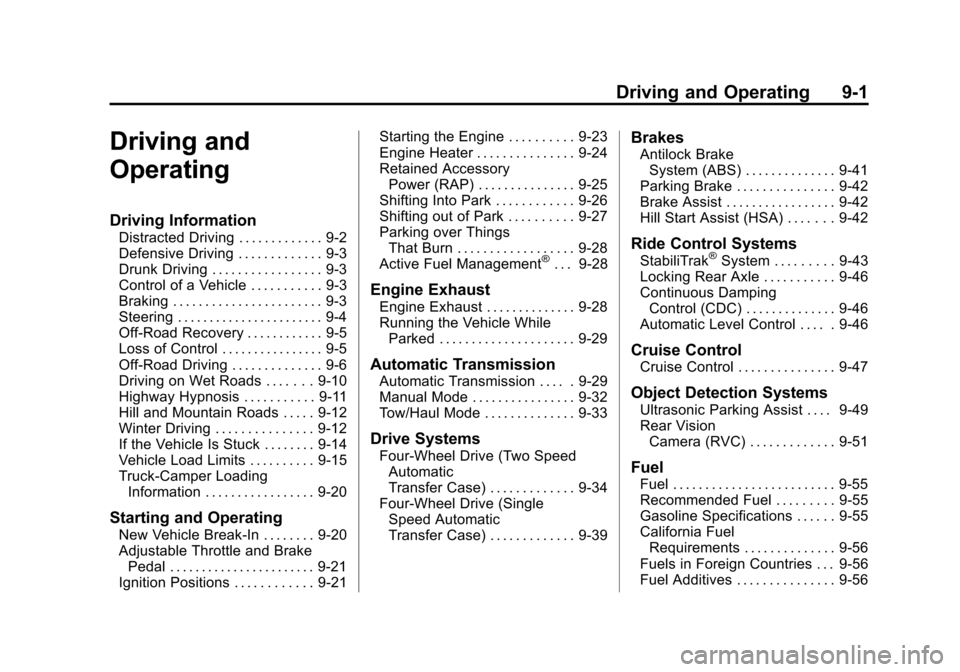
Driving and
Operating
Driving Information
Distracted Driving . . . . . . . . . . . . . 9-2
Defensive Driving . . . . . . . . . . . . . 9-3
Drunk Driving . . . . . . . . . . . . . . . . . 9-3
Control of a Vehicle . . . . . . . . . . . 9-3
Braking . . . . . . . . . . . . . . . . . . . . . . . 9-3
Steering . . . . . . . . . . . . . . . . . . . . . . . 9-4
Off-Road Recovery . . . . . . . . . . . . 9-5
Loss of Control . . . . . . . . . . . . . . . . 9-5
Off-Road Driving . . . . . . . . . . . . . . 9-6
Driving on Wet Roads . . . . . . . 9-10
Highway Hypnosis . . . . . . . . . . . 9-11
Hill and Mountain Roads . . . . . 9-12
Winter Driving . . . . . . . . . . . . . . . 9-12
If the Vehicle Is Stuck . . . . . . . . 9-14
Vehicle Load Limits . . . . . . . . . . 9-15
Truck-Camper LoadingInformation . . . . . . . . . . . . . . . . . 9-20
Starting and Operating
New Vehicle Break-In . . . . . . . . 9-20
Adjustable Throttle and BrakePedal . . . . . . . . . . . . . . . . . . . . . . . 9-21
Ignition Positions . . . . . . . . . . . . 9-21 Starting the Engine . . . . . . . . . . 9-23
Engine Heater . . . . . . . . . . . . . . . 9-24
Retained Accessory
Power (RAP) . . . . . . . . . . . . . . . 9-25
Shifting Into Park . . . . . . . . . . . . 9-26
Shifting out of Park . . . . . . . . . . 9-27
Parking over Things
That Burn . . . . . . . . . . . . . . . . . . 9-28
Active Fuel Management
®. . . 9-28
Engine Exhaust
Engine Exhaust . . . . . . . . . . . . . . 9-28
Running the Vehicle While Parked . . . . . . . . . . . . . . . . . . . . . 9-29
Automatic Transmission
Automatic Transmission . . . . . 9-29
Manual Mode . . . . . . . . . . . . . . . . 9-32
Tow/Haul Mode . . . . . . . . . . . . . . 9-33
Drive Systems
Four-Wheel Drive (Two SpeedAutomatic
Transfer Case) . . . . . . . . . . . . . 9-34
Four-Wheel Drive (Single Speed Automatic
Transfer Case) . . . . . . . . . . . . . 9-39
Brakes
Antilock BrakeSystem (ABS) . . . . . . . . . . . . . . 9-41
Parking Brake . . . . . . . . . . . . . . . 9-42
Brake Assist . . . . . . . . . . . . . . . . . 9-42
Hill Start Assist (HSA) . . . . . . . 9-42
Ride Control Systems
StabiliTrak®System . . . . . . . . . 9-43
Locking Rear Axle . . . . . . . . . . . 9-46
Continuous Damping Control (CDC) . . . . . . . . . . . . . . 9-46
Automatic Level Control . . . . . 9-46
Cruise Control
Cruise Control . . . . . . . . . . . . . . . 9-47
Object Detection Systems
Ultrasonic Parking Assist . . . . 9-49
Rear Vision Camera (RVC) . . . . . . . . . . . . . 9-51
Fuel
Fuel . . . . . . . . . . . . . . . . . . . . . . . . . 9-55
Recommended Fuel . . . . . . . . . 9-55
Gasoline Specifications . . . . . . 9-55
California FuelRequirements . . . . . . . . . . . . . . 9-56
Fuels in Foreign Countries . . . 9-56
Fuel Additives . . . . . . . . . . . . . . . 9-56
Page 286 of 494
Black plate (28,1)Chevrolet Avalanche Owner Manual - 2013 - CRC - 8/27/12
9-28 Driving and Operating
If you are still having a problem
shifting, then have the vehicle
serviced soon.
Parking over Things
That Burn
{WARNING
Things that can burn could touch
hot exhaust parts under the
vehicle and ignite. Do not park
over papers, leaves, dry grass,
or other things that can burn.
Active Fuel Management®
Vehicles with V8 engines may have
Active Fuel Management. This
system allows the engine to operate
on either all or half of its cylinders,
depending on the driving conditions.
When less power is required, such
as cruising at a constant vehicle
speed, the system will operate in
the half cylinder mode, allowing the
vehicle to achieve better fuel
economy. When greater power
demands are required, such as
accelerating from a stop, passing,
or merging onto a freeway, the
system will maintain full-cylinder
operation.
If the vehicle has an Active Fuel
Management indicator, seeDriver
Information Center (DIC) on
page 5‑25 for more information on
using this display.
Engine Exhaust
{WARNING
Engine exhaust contains carbon
monoxide (CO) which cannot be
seen or smelled. Exposure to CO
can cause unconsciousness and
even death.
Exhaust may enter the vehicle if:
.The vehicle idles in areas
with poor ventilation (parking
garages, tunnels, deep snow
that may block underbody
airflow or tail pipes).
.The exhaust smells or
sounds strange or different.
.The exhaust system leaks
due to corrosion or damage.
.The vehicle exhaust system
has been modified, damaged,
or improperly repaired.
(Continued)
Page 289 of 494
Black plate (31,1)Chevrolet Avalanche Owner Manual - 2013 - CRC - 8/27/12
Driving and Operating 9-31
Notice:Shifting out of P (Park)
or N (Neutral) with the engine
running at high speed may
damage the transmission. The
repairs would not be covered by
the vehicle warranty. Be sure the
engine is not running at high
speed when shifting the vehicle.
D (Drive): This position is for
normal driving. It provides the best
fuel economy for the vehicle. If you
need more power for passing, and
you are:
.Going less than about 55 km/h
(35 mph), push the accelerator
pedal about halfway down.
.Going about 55 km/h (35 mph) or
more, push the accelerator all
the way down.
D (Drive) can be used when towing
a trailer, carrying a heavy load,
driving on steep hills, or for off-road
driving. You may want to shift the
transmission to a lower gear
selection if the transmission shifts
too often. Downshifting the transmission in
slippery road conditions could result
in skidding, see
“Skidding”under
Loss of Control on page 9‑5.
The vehicle has a shift stabilization
feature that adjusts the transmission
shifting to the current driving
conditions in order to reduce rapid
upshifts and downshifts. This shift
stabilization feature is designed to
determine, before making an
upshift, if the engine will be able to
maintain vehicle speed by analyzing
things such as throttle position,
vehicle load, and hill grade. If the
shift stabilization feature determines
that a current vehicle speed cannot
be maintained, the transmission
does not upshift and instead holds
the current gear. In some cases, this
may appear to be a delayed shift,
however the transmission is
operating normally.
The vehicle's transmission
uses adaptive shift controls.
Adaptive shift controls continually
compares key shift parameters
to pre-programmed ideal shift conditions stored in the
transmissions computer. The
transmission constantly makes
adjustments to improve vehicle
performance according to the way
the vehicle is being used, such as
with a heavy load. During this
adaptive shift controls process,
some shifts may feel different as the
transmission determines the best
settings for a particular shift.
When temperatures are very
cold, the Hydra-Matic
®automatic
transmission's gear shifting may be
delayed providing more stable shifts
until the engine warms up. Shifts
may be more noticeable with a cold
transmission. This difference in
shifting is normal.
M (Manual Mode): This position
lets drivers select the range of gears
appropriate for current driving
conditions. See “Range Selection
Mode” underManual Mode on
page 9‑32
Page 290 of 494

Black plate (32,1)Chevrolet Avalanche Owner Manual - 2013 - CRC - 8/27/12
9-32 Driving and Operating
Notice:Spinning the tires or
holding the vehicle in one place
on a hill using only the
accelerator pedal may damage
the transmission. The repair will
not be covered by the vehicle
warranty. If you are stuck, do not
spin the tires. When stopping on
a hill, use the brakes to hold the
vehicle in place.
Normal Mode Grade Braking
Normal Mode Grade Braking is
enabled when the vehicle is started,
but is not enabled in Range
Selection Mode. It assists in
maintaining desired vehicle speeds
when driving on downhill grades by
using the engine and transmission
to slow the vehicle. The first time
the system engages for each
ignition key cycle, a DIC message
will be displayed. See Transmission
Messages on page 5‑42. To disable or enable Normal Mode
Grade Braking within the current
ignition key cycle, press and
hold the Tow/Haul button for
three seconds. A DIC message
displays. See
Transmission
Messages on page 5‑42.
For other forms of grade braking,
see Tow/Haul Mode on page 9‑33
and Cruise Control on page 9‑47.Manual Mode
Range Selection Mode
On vehicles with a Range Selection
Mode, this feature may be used to
control the vehicle's transmission. To use this feature, do the following:
1. Move the shift lever to
M (Manual Mode).
2. Press the plus/minus button, to upshift or downshift selecting the
desired range of gears for
current driving conditions.
When in M (Manual Mode) a number
displays next to the M, indicating the
current gear that has been selected.
The number displayed in the gear
indicator is the highest gear that can
be used. However, the vehicle can
automatically shift to lower gears as
it adjusts to driving conditions. This
means that all gears below that
number are available. When 5 (Fifth)
is selected, 1 (First) through 5 (Fifth)
gears are automatically shifted by
the vehicle, but 6 (Sixth) cannot be
used until the plus/minus button
located on the steering column lever
is used to change to the gear.
Page 291 of 494
Black plate (33,1)Chevrolet Avalanche Owner Manual - 2013 - CRC - 8/27/12
Driving and Operating 9-33
Range Selection Mode controls the
vehicle and engine speed while
driving down a hill or towing a trailer,
by allowing you to select a desired
range of gears.
Grade Braking is not available when
the Range Selection Mode is active.
SeeTow/Haul Mode on page 9‑33
for more information.
While using the Range Selection
Mode, Cruise Control and the Tow/
Haul Mode can be used.
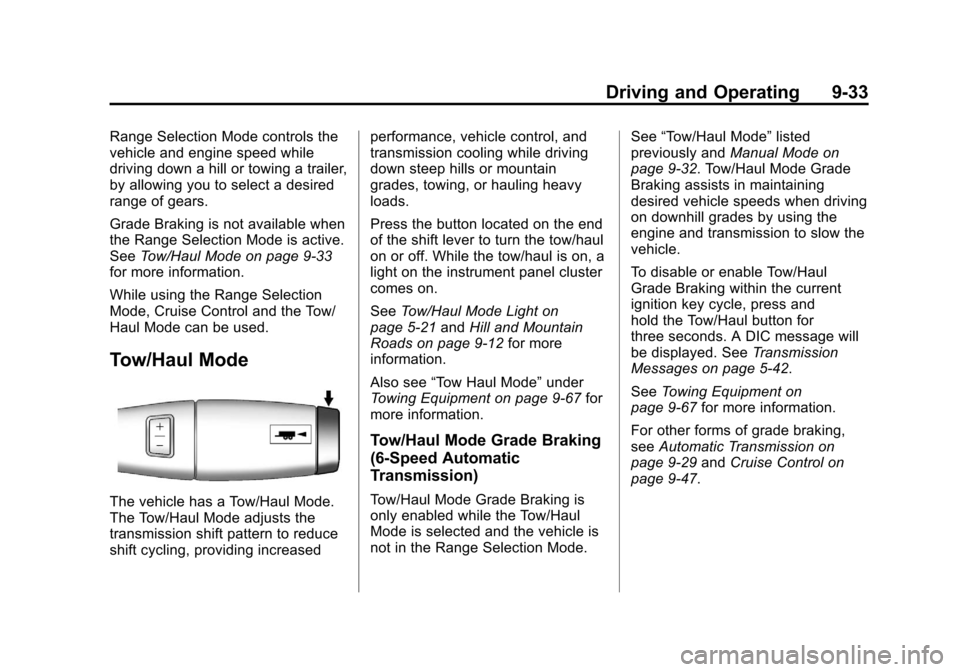
Tow/Haul Mode
The vehicle has a Tow/Haul Mode.
The Tow/Haul Mode adjusts the
transmission shift pattern to reduce
shift cycling, providing increased performance, vehicle control, and
transmission cooling while driving
down steep hills or mountain
grades, towing, or hauling heavy
loads.
Press the button located on the end
of the shift lever to turn the tow/haul
on or off. While the tow/haul is on, a
light on the instrument panel cluster
comes on.
See
Tow/Haul Mode Light on
page 5‑21 andHill and Mountain
Roads on page 9‑12 for more
information.
Also see “Tow Haul Mode” under
Towing Equipment on page 9‑67 for
more information.
Tow/Haul Mode Grade Braking
(6-Speed Automatic
Transmission)
Tow/Haul Mode Grade Braking is
only enabled while the Tow/Haul
Mode is selected and the vehicle is
not in the Range Selection Mode. See
“Tow/Haul Mode” listed
previously and Manual Mode on
page 9‑32. Tow/Haul Mode Grade
Braking assists in maintaining
desired vehicle speeds when driving
on downhill grades by using the
engine and transmission to slow the
vehicle.
To disable or enable Tow/Haul
Grade Braking within the current
ignition key cycle, press and
hold the Tow/Haul button for
three seconds. A DIC message will
be displayed. See Transmission
Messages on page 5‑42.
See Towing Equipment on
page 9‑67 for more information.
For other forms of grade braking,
see Automatic Transmission on
page 9‑29 andCruise Control on
page 9‑47.
Page 293 of 494
Black plate (35,1)Chevrolet Avalanche Owner Manual - 2013 - CRC - 8/27/12
Driving and Operating 9-35
You can choose among five driving
settings:
Indicator lights in the switches show
you which setting you are in. The
indicator lights will come on briefly
when you turn on the ignition and
the last chosen setting will stay on.
If the lights do not come on, you
should take the vehicle to your
dealer for service. An indicator light
will flash while shifting. It will stay on
when the shift is completed. If for
some reason the transfer case
cannot make a requested shift, it will
return to the last chosen setting.
2
m(Two-Wheel Drive High):This
setting is used for driving in most
street and highway situations. The
front axle is not engaged in
two-wheel drive. This setting also
provides the best fuel economy. AUTO (Automatic Four-Wheel
Drive):
This setting is ideal for use
when road surface traction
conditions are variable. When
driving the vehicle in AUTO, the
front axle is engaged, and the
vehicle's power is sent to the front
and rear wheels automatically
based on driving conditions. Driving
in this mode results in slightly lower
fuel economy than Two-Wheel
Drive High.
4
m(Four-Wheel Drive High): Use
the Four-Wheel Drive High position
when you need extra traction, such
as on snowy or icy roads or in most
off-road situations. This setting also
engages your front axle to help
drive the vehicle. This is the best
setting to use when plowing snow. 4
n(Four-Wheel Drive Low):
This
setting also engages the front axle
and delivers extra torque. You may
never need this setting. It sends
maximum power to all four wheels.
You might choose Four-Wheel Drive
Low if you are driving off-road in
deep sand, deep mud, deep snow,
and while climbing or descending
steep hills.
The vehicle has StabiliTrak. Shifting
into Four-Wheel Drive Low will turn
Traction Control and StabiliTrak off.
See StabiliTrak
®System on
page 9‑43.
Page 295 of 494

Black plate (37,1)Chevrolet Avalanche Owner Manual - 2013 - CRC - 8/27/12
Driving and Operating 9-37
The vehicle may have significant
engagement noise and bump when
shifting between Four-Wheel Drive
Low and Four-Wheel Drive High
ranges or from N (Neutral) while the
engine is running.
If the knob is turned to the
Four-Wheel Drive Low position
when the vehicle is in gear and/or
moving more than 5 km/h (3 mph),
the Four-Wheel Drive Low indicator
light will flash for 30 seconds and
not complete the shift. After
30 seconds the transfer case will
shift to Four-Wheel Drive
High mode. With the vehicle moving
less than 5 km/h (3 mph) and the
transmission in N (Neutral), attempt
the shift again.
Shifting Out of Four-Wheel
Drive Low
To shift from Four-Wheel Drive Low
to Four-Wheel Drive High, AUTO,
or Two-Wheel Drive High, the
vehicle must be stopped or moving
less than 5 km/h (3 mph) with the
transmission in N (Neutral) and theignition in ON/RUN. The preferred
method for shifting out of
Four-Wheel Drive Low is to have
your vehicle moving 1.6 to 3.2 km/h
(1 to 2 mph). Turn the knob to the
Four-Wheel Drive High, AUTO,
or Two-Wheel Drive High position.
You must wait for the Four-Wheel
Drive High, AUTO, or Two-Wheel
Drive High indicator light to stop
flashing and remain on before
shifting the transmission into gear.
Notice:
Shifting the transmission
into gear before the requested
mode indicator light has stopped
flashing could damage the
transfer case. To help avoid
damaging the vehicle, always wait
for the mode indicator lights to
stop flashing before shifting the
transmission into gear.
The vehicle may have significant
engagement noise and bump when
shifting between Four-Wheel Drive
Low and Four-Wheel Drive High
ranges or from N (Neutral) while the
engine is running. If the knob is turned to the
Four-Wheel Drive High, AUTO,
or Two-Wheel Drive High switch
position when the vehicle is in gear
and/or moving more than 5 km/h
(3 mph), the Four-Wheel Drive High,
AUTO, or Two-Wheel Drive High
indicator light will flash for
30 seconds but will not complete the
shift. With the vehicle moving less
than 5 km/h (3 mph) and the
transmission is in N (Neutral),
attempt the shift again.
Shifting into N (Neutral)
To shift the transfer case to
N (Neutral) do the following:
1. Make sure the vehicle is parked
so that it will not roll.
2. Set the parking brake and apply the regular brake pedal. See
Parking Brake on page 9‑42 for
more information.
3. Start the vehicle or turn the ignition to ON/RUN.
4. Put the transmission in N (Neutral).