2013 AUDI A4 SEDAN warning light
[x] Cancel search: warning lightPage 96 of 294

94 Transmi ssion
When acce lerating, the transmiss ion will au
tomatically shift into the next gear before the
engine reaches its maximum RPM.
I f you apply a ligh t throttle when accelerat
ing, tiptronic will automatically shift from 1st
to 2nd gear to save fuel. If you app ly a heavy
thrott le, the transmission will stay in 1st gear
unti l near maximum RPM is reached, or unt il
the dr iver shifts into 2nd gear.
If you take your foot off the accelerator peda l
when dr iving down a steep incline, tiptronic
will downshift from the selected gear into the next lower gear until it reaches 1st gear,
based on road speed and eng ine RPM . Auto
mat ic downshifti ng is interrupted as soon as
you apply the th rottle aga in .
(D} Tips
- When you sh ift into the next lower gear,
the transmiss ion will downshift only
when there is no possibility of over-rev
v ing the engine.
- When the kick-down comes on, the
transmission will sh ift down to a lower
gear, depending on vehicle and engine
speeds.
- Tiptronic is inope rat ive when the t rans
mission is in the fail-sa fe mode.
Kick-down
A pp lies to vehicles: with S tro nic tr ansmiss ion
Kick-down enables maximum acceleration.
When you press the acce lerator pedal down
beyond the resistance po int, the automatic
transmission downshifts into a lower gear, de
pending on vehicle speed and engine RP M.
It
shifts up into the next h igher ge ar once the
max imum specified engine RPM is reached.
& WARNING
Please note that the wheels could spin on
slick or slippery roads when kick-down is
active.
Launch Control Program
App lies to vehicles : wit h S tronic tra nsmi ssio n
The Launch Control Program provides the
best acceleration possible when starting from
a stop .
Requirement: The engine must be at operat
ing temperature and the steering wheel must
not be t urned .
.. Press the
I~ OF F! button c::;, page 186 while
the engine is running. The
fl ind icator light
illuminates in the instrument cluster and
Traction control (ASR ): Off . Warning! Re
stricted stability
appea rs in the driver infor
mat io n system display .
.. Move the se lector lever to the D/S posit ion
or select the
d ynamic dr iv ing mode in Audi
drive select*
c::;, page 112 .
.. Press the brake peda l strongly with your left
foot and ho ld it down for at least one sec
ond.
.. At the same time, press the accelerator
pedal down complete ly w ith your r ight foot
until t he e ngine reaches and mainta ins a
h igh RP M.
.. Remove yo ur foot from the brake pedal
w ith in S seconds
c::;, A, .
& WARNING
-Always adapt your driving to the traffic
f low .
- On ly use the Launch Cont ro l Program
when road and traffic conditions a llow it
and other drivers w ill not be endangered
or annoyed by your driving and the vehi
cle's acceleration.
- Please note that the d riving wheels can
spin and the vehicle can break away
when ASR is switched off , especially
when the road is slippery .
- Once you have accelerated, you shou ld
sw itch the ASR back on by pressing the
lfl O FF ! button . .__ _____________ _J ...
Page 105 of 294

Audi adaptive cruise control and braking guard 103
Setting the driving mode for vehicles with
Audi drive select*
Refer to r=;,poge 112 .
(D Tips
Yo ur setti ngs a re automatically store d an d
assig ned to the remote contro l key be in g
used.
Request for driver intervention
A pp lies to vehicles: w ith Audi a daptive cruise control
Fig. 105 Inst rumen t cl uster: reques t fo r drive r in te r·
ve ntio n
In ce rtain si tuations, t he sys tem w ill prom pt
you to take actio n. This cou ld ha ppen, for ex
ample, if braking by the adaptive cruise con
trol system is not enough to maintain enough
d istance to the vehicle ahead.
The inst rument cluste r will war n you about
the danger
r=;, fig. 105:
- A red ve hicle is pic tured in the d is pla y.
- The text
DISTANCE! appea rs in the s ta tus
b ar.
- T he r ed in dicator lig ht
I blinks .
- In add it ion, a warning tone sounds.
Audi braking guard
Description
App lies to vehicles: wi th Audi ada ptive c ruise con tro l
Fig. 106 In str um ent clus ter: approach warnin g
Audi braking guard uses a radar sensor . It also
funct ions wit hin the lim its of the system
whe n adapt ive cruise control is switched off.
What can Audi braking guard do?
When detected in time, the system can assess
situations when a veh icle ahead brakes s ud
denly or if your own vehicle is traveling at a
high speed and approac hing a ve hicle up
ahead that is movi ng mo re sl ow ly. Audi brak
ing guard does not react if it canno t detect
the si tua tion.
The system advis es yo u of various s ituations:
- The
distance wa rning is given if yo u are too
close to the vehicle ahead for a long time. If
the vehicle ahead bra kes sharply , yo u will
not be ab le to avoid a collision . The ind icator
light
I in the d isp lay comes o n.
- The
approach warning is given when a de
tected vehicle up ahead i n your lane is mov
ing m uch mo re sl owly than you are or if i t
brake s sh arp ly. W hen t his war ning is g iven,
it may on ly be poss ible to avoi d a co llision
by swe rving or b ra kin g sharp ly. The indic ator
light
I a nd indic ator in t he di spl ay w ill war n
you abo ut the d ange r¢
fig . 1 06. You will a l
so hear an aco ustic s ignal.
If y o u do no t rea ct fas t eno ugh o r do not r eact
at all to the si tuat ion, A udi brak ing g uard w ill
i nt ervene by braking and the message
braking
guard intervention
w ill appea r. ~
Page 118 of 294

116 Park assist
Vehicles with the parking system are equipped
with a rear view camera in addition to the
acoustic parking system.
You can choose between two modes to assist
you with park ing. For example, you can use
"parking mode 1" when parking in a parking
space or garage
c:> fig . 114. When you want to
park parallel to the edge of the street, select
"park ing mode 2"
c:>fig . 115.
The rear acoustic park assist system is inte
grated in the rear of the vehicle and the rear
view camera is integrated in the rear lid
c:>page 117.
A WARNING
- The rear view camera has blind spots, in
wh ich objects cannot be detected . Be es
pecially careful to check for small chil
dren and animals before backing up.
Small children and animals will not al
ways be detected by the sensors.
General Information
Applies to vehicles: with parking system (rear, with rear
view camera)
Fig. 116 Cove red area (!) and uncovered area @ of the
rea r view ca mera
• 0
Fig . 117 Trun k lid : Location of the rear view camera
"'
"' "'
~
Sensors are loca ted in the rear bumpers. If
these detect an obstacle, audible and visual
s ignals warn you. The range at which the sen
sors begin to measure is approx imately:
To the side 2
ft (0.60 m)
Center rear 5.2 ft (1.60 m)
Distance warning when reversing starts when
an obstacle is detected in the range of the
parking assist system. As the distance de
creases, the time interval between the audible
tones becomes shorter.
When the distance is less than 1ft (0.30 m),
t h e tone becomes continuous. At thi s point
you should stop backing up.
If the distance to an obstacle stays the same,
the volume of the distance signal chime is
gradually reduced after about 4 seconds (does
not affect the contin uous signa l tone) . Ap
proaching another obstacle will cause the d is
tance signal to sound agai n at the normal vol
ume.
Rear view camera coverage area
T he MMI display shows the area covered by
the rear view camera
c:> fig. 116 (D . Objects
that are not in the area covered @are not
shown on the MMI display .
We recommend that you practice parking with
the rear view camera in a traffic-free location
or parking lot to become familiar with the sys
tem, the orientation lines, and the ir function.
When doing this, there should be good light
and weathe r cond itions.
In the MMI display, objects or vehicles appear
closer or further away if:
- you are driving in reverse gear from a leve l
surface onto an incline, or a downward
slope,
- you are driving in reverse gear toward pro
trud ing ob jects,
- the vehicle is car ry ing too much load in the
rear.
Page 123 of 294

Homelink®
Universal remote
control
Description
Appl ies to vehicles: with Horne Link
The Homelink universal remote control can
be programmed with the remo te control for
devices that are already present.
With Home Link, you can control devices such
as the garage door, security systems, house
l ights , etc. comfortab ly from the inside of you
veh icle .
H ome Link ma kes it possible for you to rep lace
three differen t remote controls from dev ices
in your home with one universal remote. This
feature works for most garage door and exte
rior door motor signals. Programming the in
dividual remote control for your remote con
trol takes p lace near the center of the radiator
grille. There is a control module attached at
this location .
A one-t ime programming of the sensor must
be perfo rmed before you are able to use sys
t ems w ith Homelink. If the system does not
activate after performing the one-t ime pro
gramming, check whether the system uses a rolling codec:>
page 124 for veh icles without
the M MI*.
_& WARNING
- Never use the Homelink ® transmi tte r
with any garage door opener that does have not the sa fety stop and reverse fea
tu re as req uired by federa l safety stand
ards. Th is includes any garage door open
er mode l manufact ured before April 1,
1982.
- A garage door opener which cannot de
tect an object, signaling the door to stop
and reverse does not meet current feder
al safety standards . Us ing a ga rage door
opener without these features increases
risk of serious in ju ry or death.
Homelink ® 121
-For safety reasons never re lease the
parking brake or start the engine while
anyone is standing in front of the vehicle.
- A garage door or an estate gate may
sometimes be set in mot ion when the
Homelink ® remote control is being pro
grammed . If the device is repeatedly ac
tivated, th is can overstrain motor and
damage its e lectrical components -an
overhea ted mo to r i s a fire hazard !
- To avo id possib le injuries or p roperty
damage, please always make abso lutely
certain that no persons o r ob je cts are lo
ca ted in the range of mo tion of any
equi pment being ope rated .
(D Tips
- If you would li ke more information on
H ome link ®, where to purchase the
Home link ® compa tib le produc ts, or
would like to purchase the Homelink ®
Home Lighting Package, please call to ll
free: 1-800-355-3515.
- For Declaration of Compliance to United
States FCC and Ind ustry Canada reg ula
tions c:>
page 275.
Page 128 of 294
126 Driving Saf ely
Driving Safely
General notes
Safe driving habits
Please remember -safety first!
This chapter contains important information,
tips, instructions and warnings that you need
to read and observe for your own safety, the
safety of your passengers and others. We have
summarized here what you need to know
about safety belts, a irbags, ch ild restra ints as
well as child safety. Your safety is for us
priori
ty number 1.
Always observe the info rmat ion
and warn ings in th is sect ion -fo r yo ur own
safety as well as that of your passengers .
The information in this se ction app lies to all
model ve rsions of your veh icle. Some of the
feat ures described in this sec tions may be
standard equipment on some models, or may
be optional equipment on others. If you are
not sure, ask your authorized Audi dealer.
A WARNING
-Always make sure that you follow the in
struct ions and heed the WARNINGS in
this Manual. It is in your interest and in
the inte rest of you r passengers.
- Always keep the complete Owner's Liter
ature in your Audi when you lend or sell
your vehicle so that this important info r
mation will always be ava ilable to the
dr iver and passengers.
- Always keep the Owner's literature handy
so that you can find i t eas ily if you have
ques tions.
Safety equipment
The safety features are part of the occupant
restraint system and work together to help
redu ce the risk of injury in a wide variety of
accident situations.
Your safety and the safety of your passenge rs
should not be left to chance. Advances in
technology have made a varie ty o f fea tures
avai la bl e to he lp re duce the risk of injury in an accident
. The following is a list of just a few of
the safety features in your Audi:
- sophis tic ated s afety be lts fo r drive r and a ll
passenger sea ting pos it ions,
- be lt fo rce limi ters fo r the seats,
- belt p retensioners for the seats,
- head restra ints for each seating positio n,
- front airbags,
- side airbags in the front seats,
- side curtain a irbags,
- specia l LATCH anchorages for child re-
s tr aints,
- ad justab le steer ing colum n.
These ind iv idual safety features, can work to
gether as a system to he lp protect you and
you r passengers in a w ide range of accidents.
T hese fe atures canno t work as a system if
they a re not always correct ly adjusted and co r
rect ly used.
Safety i s everybody' s respon sibility!
Important things to do before driving
Safety is everybody's job! Vehicle and occu
pant safety always depends on the informed and careful driver.
Fo r yo ur safety and the safety of your passen
gers,
before driv ing alway s:
.,. Make sure that all lights and signals a re op
erati ng correctly .
.,. Make su re that the tire pressu re is co rrect.
.,. Make su re that all w indows are clean and
afford good v is ib il ity to the o utside.
.,. Sec ure a ll lugg age and o ther items caref ully
qpage 60 .
.,. Make s ure that nothing can interfere with
the peda ls .
.,. Adjust front seat, head restraint and mir
rors correctly for your height.
.,. Instruct rear seat passengers to adjust the
head restra ints according to their he ight.
.,. Make su re to use the right child restraint
co rrectly to p rotect chi ldren¢
page 165,
Child Safety. "'
Page 129 of 294
.. Sit properly in your seat and make sure that
your passengers do the same
¢page 54,
Seats and storage.
.. Fasten your safety belt and wear it properly.
Also instruct your passengers to fasten their
safety belts properly¢
page 136 .
What impairs driving safety?
Safe driving is directly related to the condi
tion of the vehicle , the driver as well as the
driver's ability to concentrate on the road
without being distracted .
The driver is responsible for the safety of the
vehicle and all of its occupants. If your ability
to drive is impaired, safety r isks for everybody
in the vehicle increase and you a lso become a
hazard to everyone else on the road
~ .&_.
Therefo re:
.. Do not let yourself be distracted by passen
gers or by using a cellular telephone .
.. NEVE R drive when yo ur driv ing ability is im
paired (by medicat ions, alcohol, drugs, etc.).
.. Observe all traffic laws, rules of the road
and speed limits and plain common sense .
.. ALWAYS adjust your speed to road, traffic
and weather conditions .
.,. Take frequent breaks on long trips. Do not
drive for more than two hours at a stretch.
.. Do NOT drive when you are tired, under
pressure or when you are stressed .
& WARNING
Impaired driving safety increases the risk
of serious personal injury and death when
ever a vehicle is being used.
Driving Safely 12 7
Proper occupant
seating positions
Proper seating position for the driver
The proper driver seating position is impor
tant for safe, relaxed driving.
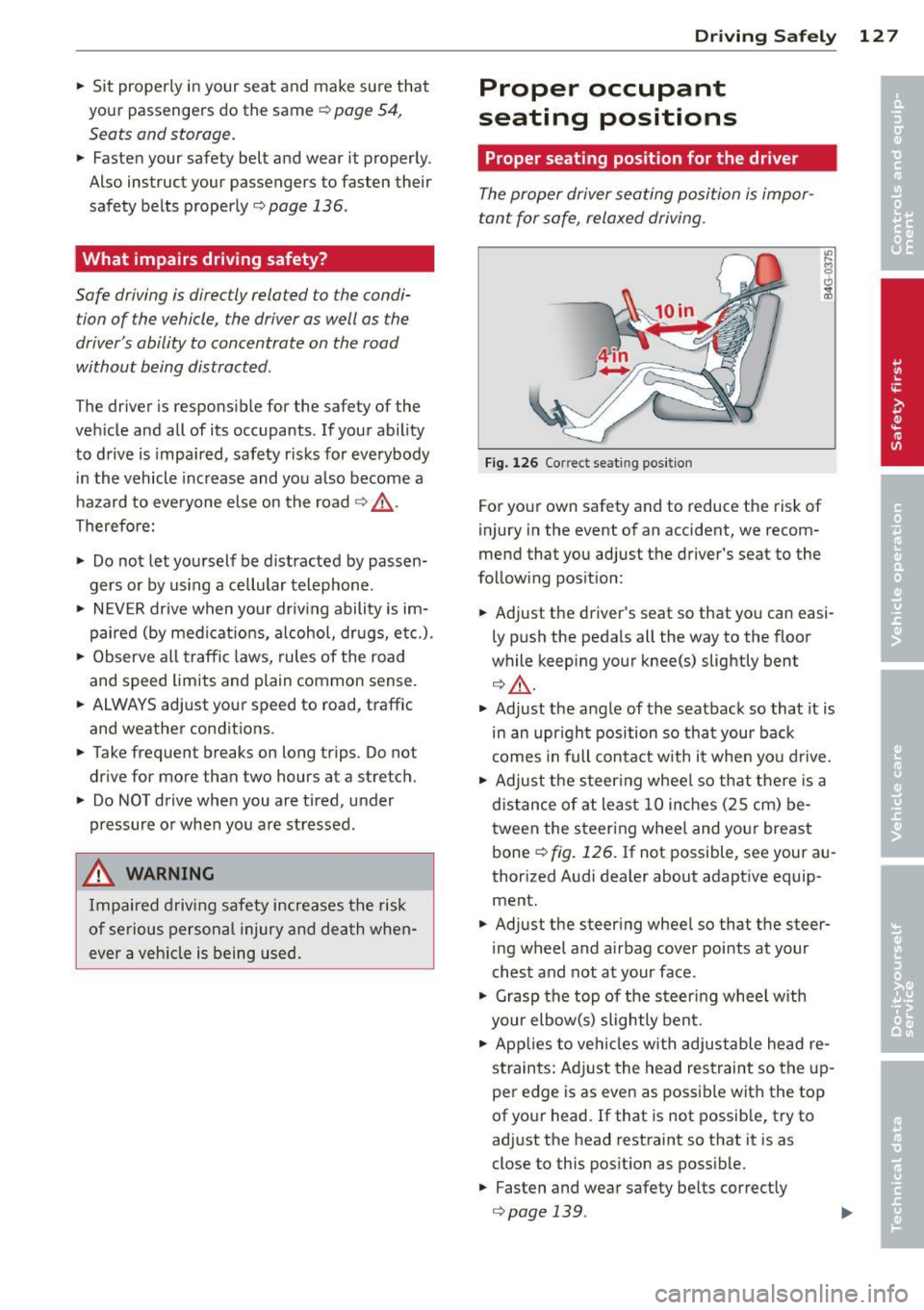
Fig. 126 Correct seat ing pos it ion
For your own safety and to reduce the risk of
injury in the event of an accident, we recom
mend that you adjust the driver's seat to the
follow ing pos ition:
.. Adjust the driver's seat so that you can easi
ly push the pedals all the way to the floor
wh ile keeping your knee(s) slightly bent
¢&_ .
.. Adjust the angle of the seatback so that it is
in an upr ight position so that your back
comes in full contact w ith it when you drive.
.. Adjust the steering wheel so that there is a
distance of at least 10 inches (25 cm) be
tween the steering wheel and yo ur breast
bone
~ fig. 126. If not possible, see your au
thorized Audi dealer about adaptive equip
ment.
.. Adjust the steer ing wheel so that the steer
ing wheel and airbag cover points at your
chest and not at your face .
.,. Grasp the top of the steering whee l with
your elbow(s) slightly bent .
.. App lies to vehicles with adjustable head re
s tra ints: Ad just the head restraint so the up
per edge is as even as possible with the top
of your head. If that is not possible, try to
adjust the head restraint so that it is as
close to this pos it ion as possible .
.. Fasten and wear safety be lts correctly
¢ page 139 . .,._
Page 138 of 294
136 Safety belts
Safety belts
General notes
Always wear safety belts!
Wearing safety belts correctly saves lives!
This chapter explains why safety be lts are nec
essary, how they work and how to adjust and
wear them correctly .
.. Read a ll the information that fo llows and
heed all of the instruct ions and WARNINGS.
A WARNING
Not wearing safety belts or wearing them
improperly increases the risk of ser ious
personal in jury and death .
- Safety belts are the sing le most effective
means avai lab le to reduce the risk of se
r ious injury and dea th in a utomob ile acci
dents. For your protection and that of
yo ur passenge rs, always co rrectly wear
safety belts when the vehicle is moving.
- P regnant women, injured, or physically
im paired perso ns mu st also use safety
bel ts. Lik e all veh icle occup ants, they are
more like ly to be ser iously injured if they
do not wea r safety be lts . The best way to
protect a fetus is to protect the mother -
throughout the entire pregnancy.
Number of seats
Your Audi has a total of five seating positions: two in the front and three in the rear. Each
seating position has a safety belt.
A WARNING
Not wea ring safety belts or weari ng them
improp erly increases th e risk of ser ious
pe rsonal i njury and dea th.
- N ever st rap more than one pe rson, in
cl uding small ch ild ren, into any belt.
It is
e speci ally dange rous to pla ce a safety
belt over a child s itting on yo ur lap.
- N ever le t mo re people ride in the ve hicl e
than there are s afe ty be lts avail able. -
Be s ure everyone riding in the vehicle is
properly restrained w ith a separate safe
ty belt or child restra int.
Safety belt warning light
Your vehicle hos o warning system for the
driver and (on USA models only) front seat
passenger to remind you about the impor
tance of buckling-up .
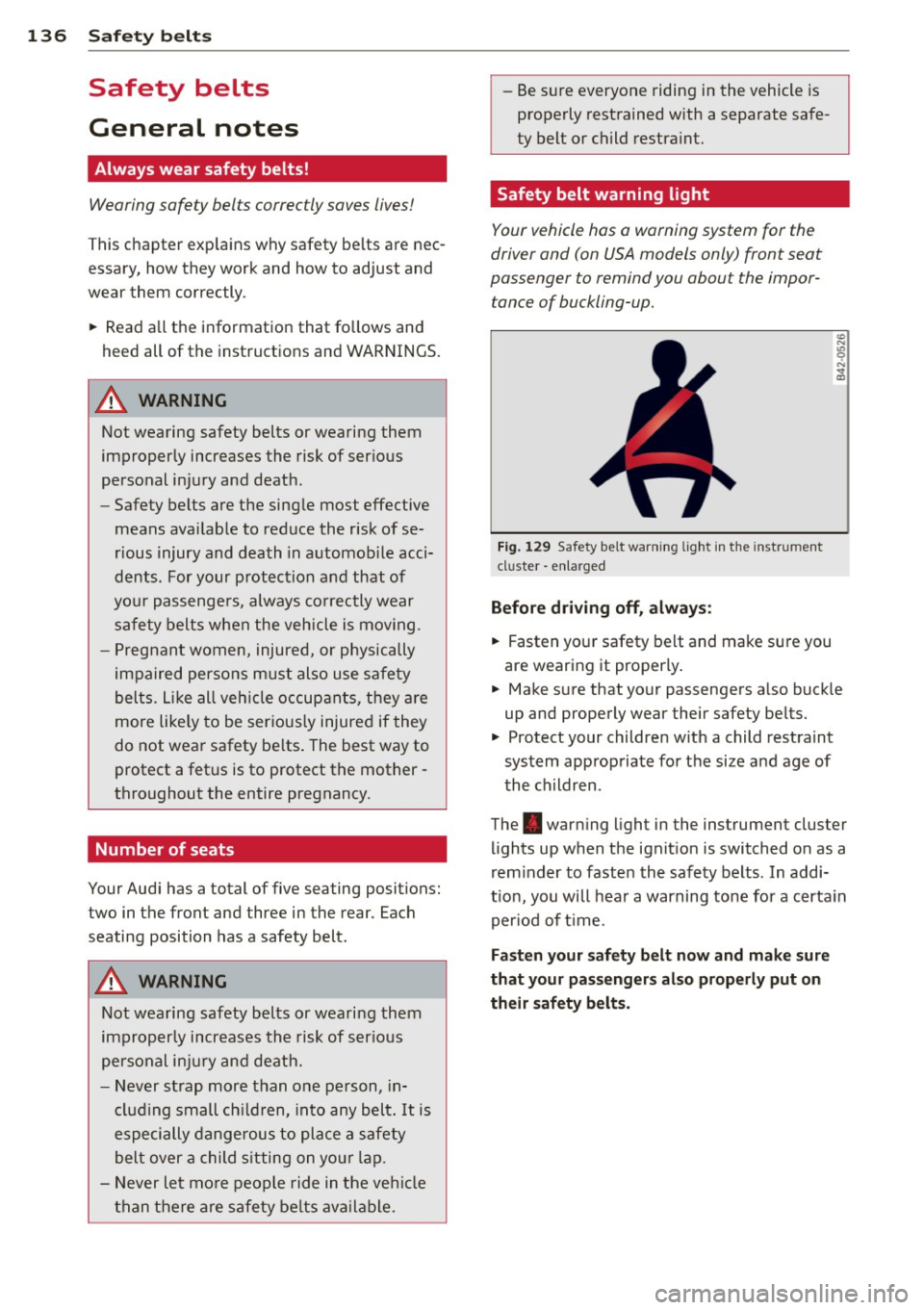
Fi g. 129 Safety belt warni ng lig ht in the instrument
cluster -e nl arge d
Before driving off, always :
.. Fasten you r safety belt and make sure you
are wearing it properly .
.. Make s ure that yo ur passengers a lso buck le
up and properly wear their safety be lts.
.. Protect your children w ith a child rest raint
system approp riate fo r the size and age of
t he children.
The . war ning light in the instrument cluster
lights up when the ignit ion is switched on as a
rem inder to faste n the safety belts. In addi
t ion, you will hea r a warning tone for a certa in
per iod of t ime.
Fasten your safety b elt now and make sure
that your pas sengers also properly put on
their safety belts.
Page 142 of 294
140 Safet y belts
To provide maximum protection, sa fety belts
must always be positioned correctly on the
wearer 's body .
.,. Adjus t the front seat and head restra int
properly ¢
page 54, Seats and storage .
.,. Make sure the seatback of the rear seat
bench is in an upright pos ition and securely
latched in place befo re using the belt¢.&, .
.,. Hold the belt by the tongue and pull it
evenly across the chest and pelvis
c:> .&, .
.,. Insert the tongue into the co rrect buckle of
you r seat until you hea r it latch securely
¢ fig . 135.
.,. Pull on the be lt to make sure that it is se-
curely latched in the b uckle .
Automatic safety belt retractors
Every safety belt is equipped w ith an automat
ic belt retractor on the shoulder be lt . T his fea
ture locks the be lt when the belt is pulled out
fast, dur ing hard bra king and in an acci dent.
The belt may also lock when yo u drive up or
down a steep hill or through a sharp curve. During normal driving the belt lets you move
freely .
Safety belt pretensioners
The sa fe ty belts are equippe d wi th a be lt pre
tensioner that helps to t igh ten the safety bel t
and remove s lack when the pretensioner is ac
tivated. The function of the pretensioner is
monitored by a warning light¢
page 20 .
Switchable locking feature
Every sa fe ty belt ex cep t the one on the dr iver
seat is eq uipped w it h a switchable locking fea
ture that
mu st be used w hen the safety belt is
used to attach a child safety seat . Be sure to
read the important inf ormation about this
feature
¢ page 175.
A WARNING
Imprope rly positioned safety belts can
cause serious injury in an accident
¢ page 140, Safety belt position .
- Safety belts offe r optimum protection
only when the seatback is up right and
-
be lts are properly posit ioned on the
body.
- Always make sure that the rear seat
backrest to wh ich the center rear safety
be lt is attached is securely latched when
ever the rea r center safety belt is being
used. If the backrest is not secure ly
latched, t he passenger w ill move for
ward with the ba ckr est dur ing sudd en
bra king, in a sudden maneuver and es pe
ci ally in a cra sh .
- Neve r at tach t he safety be lt to t he buck
le for an other se at. At taching the belt to
the wrong buckle will redu ce s afe ty be lt
effec tiveness and can cause serio us per
sonal injury.
- A passenger who is not properly restrain
ed can be seriously injured by the safety
be lt itself w hen it moves from the stro n
ger parts of the body into cr itical areas
like the abdomen .
- Always loc k the convertible locking re
tractor when you are secu ring a child
safety seat in the vehicle
c:> page 177 .
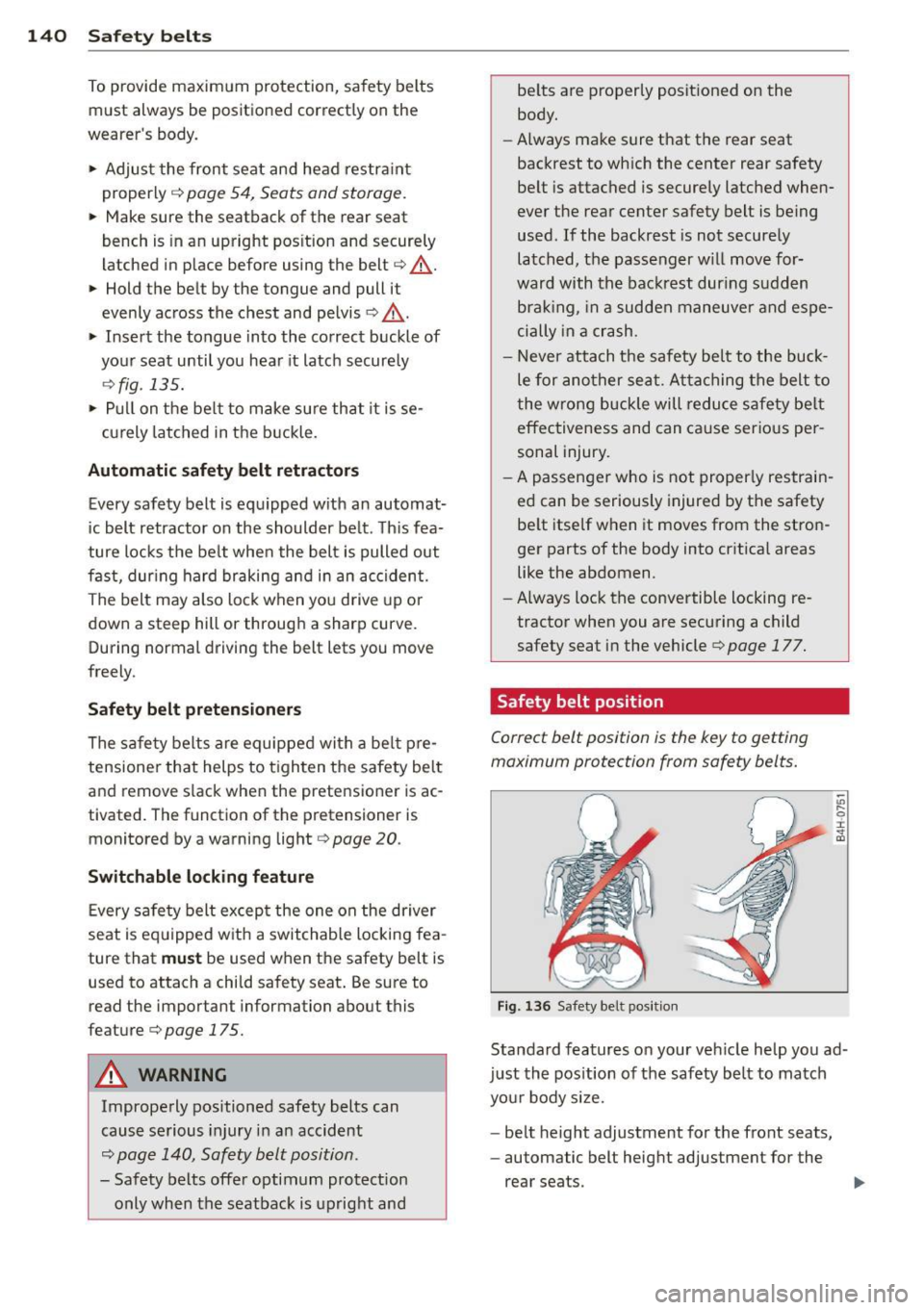
Safety belt position
Correct belt position is the key to gett ing
maximum protection from safety belts.
Fig . 1 36 Safe ty bel t pos it ion
Standard features on your veh icle help you ad
j u st the pos ition of the safety be lt to match
you r body si ze.
- be lt height adjustment for the front seats,
- automatic belt height adjustment for the
rear seats .