Page 355 of 744
355
3-2. Using the audio system
3
Interior and exterior features
Operating a USB memor y
: If equipped
Connecting a USB memory enables you to enjoy music from the
vehicle speakers.
■Connecting a USB memory
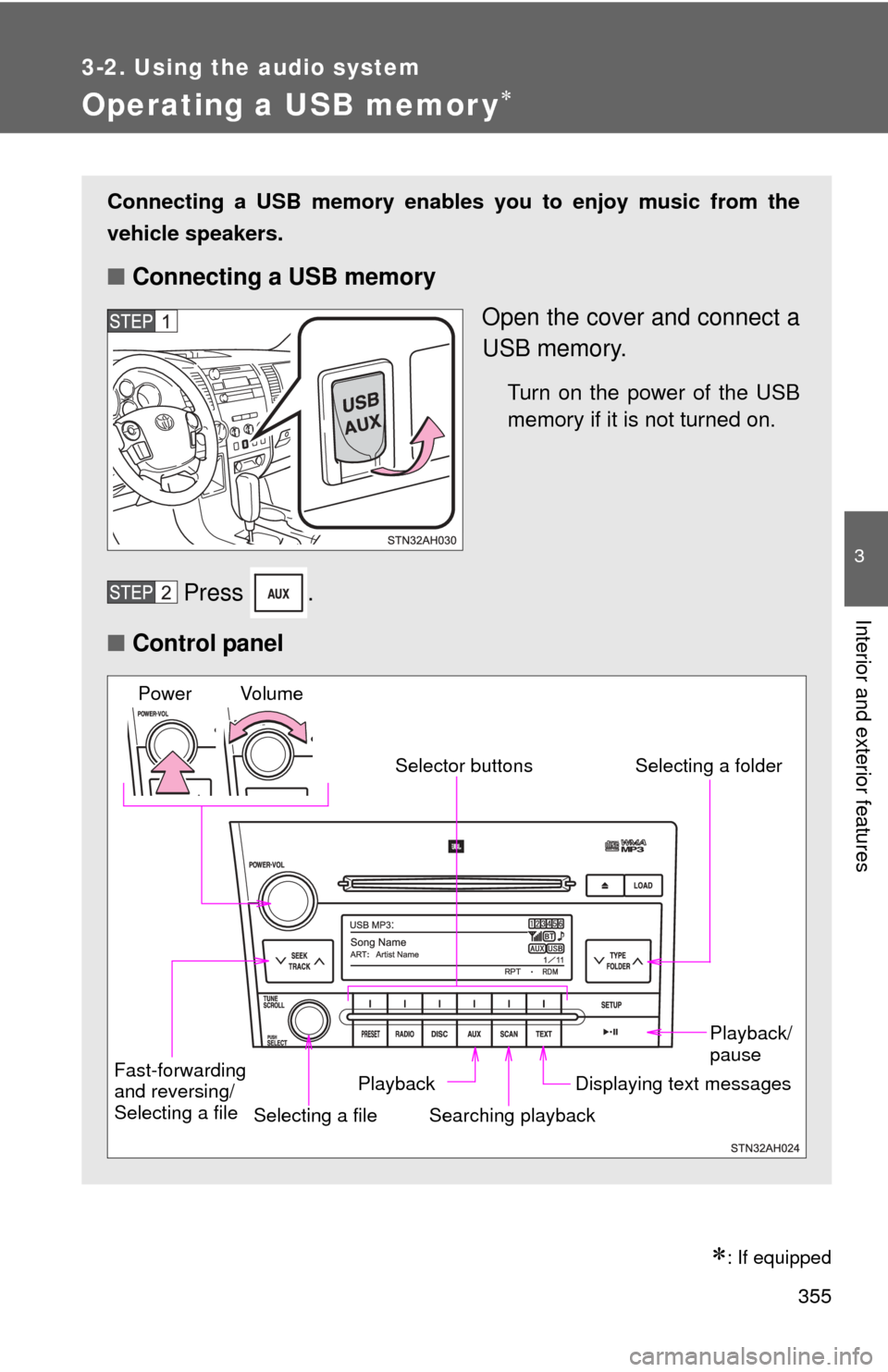
Open the cover and connect a
USB memory.
Turn on the power of the USB
memory if it is not turned on.
Press .
■ Control panel
Fast-forwarding
and reversing/
Selecting a file
Selecting a file
Playback/
pause
Searching playback Displaying text messages
Selector buttons
Selecting a folder
Playback
Vo l u m e
Power
Page 362 of 744
362
3-2. Using the audio system
Optimal use of the audio system
Ty p e A
Type B and C
Adjusting the sound quality and ASL
Menu buttonSelector buttons
Selector knob
Page 382 of 744
382
3-3. Using the Bluetooth® audio system
Operating a Bluetooth® enabled portable player
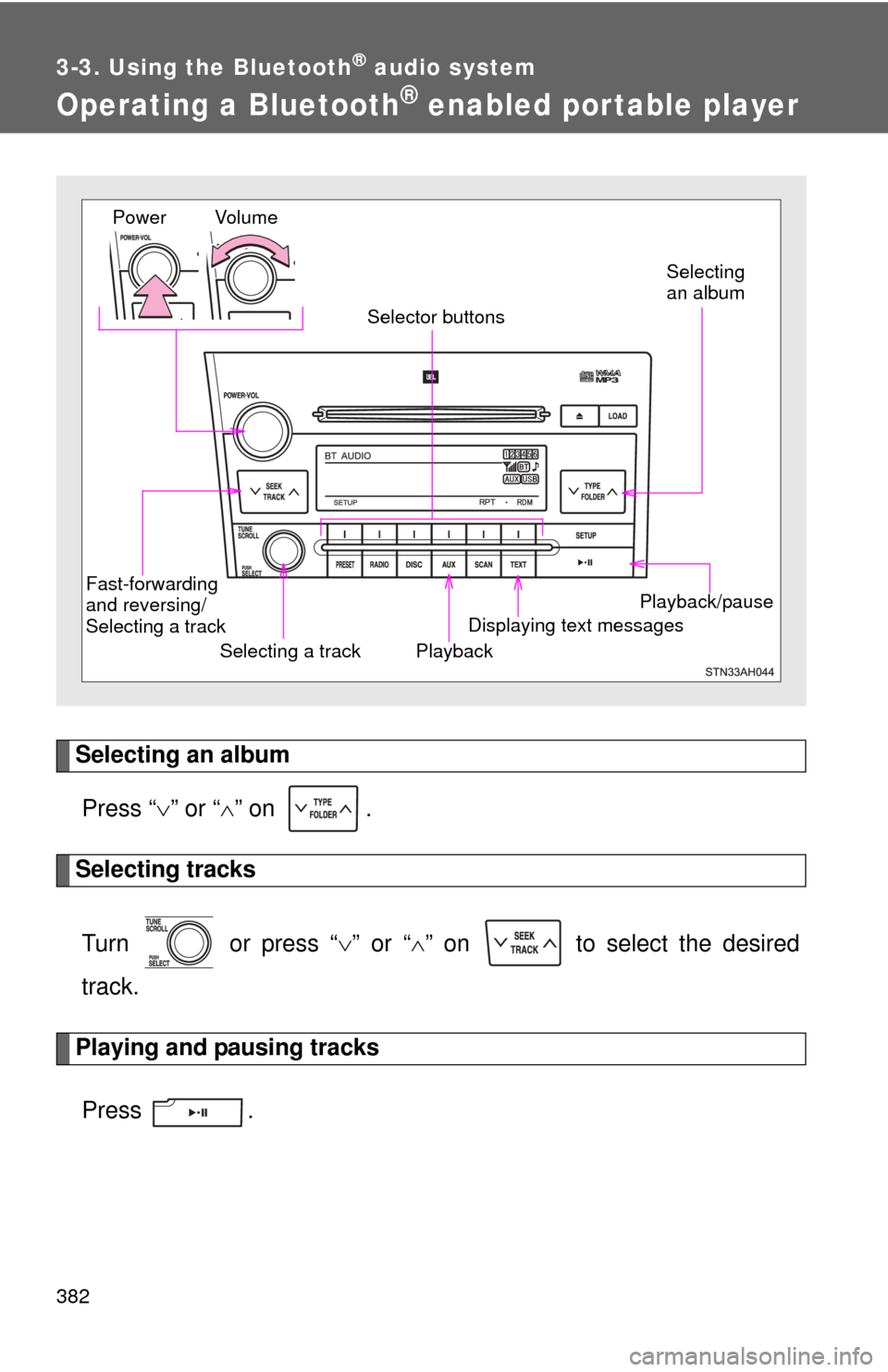
Selecting an albumPress “ ” or “ ” on .
Selecting tracks
Turn or press “ ” or “ ” on to select the desired
track.
Playing and pausing tracks
Press .
Playback/pause
Displaying text messages
Selecting a track
Selecting
an album
Fast-forwarding
and reversing/
Selecting a track Playback
Vo l u m e
Power
Selector buttons
Page 513 of 744
513
3-8. Other interior features
3
Interior and exterior features
Garage door opener
The garage door opener (HomeLink® Universal Transceiver) is manufac-
tured under license from HomeLink®.
Programming the HomeLink® (for U.S.A. owners)
The HomeLink
® compatible transceiver in your vehicle has 3 buttons
which can be programmed to operate 3 different devices. Refer to the
programming method below appropriate for the device.
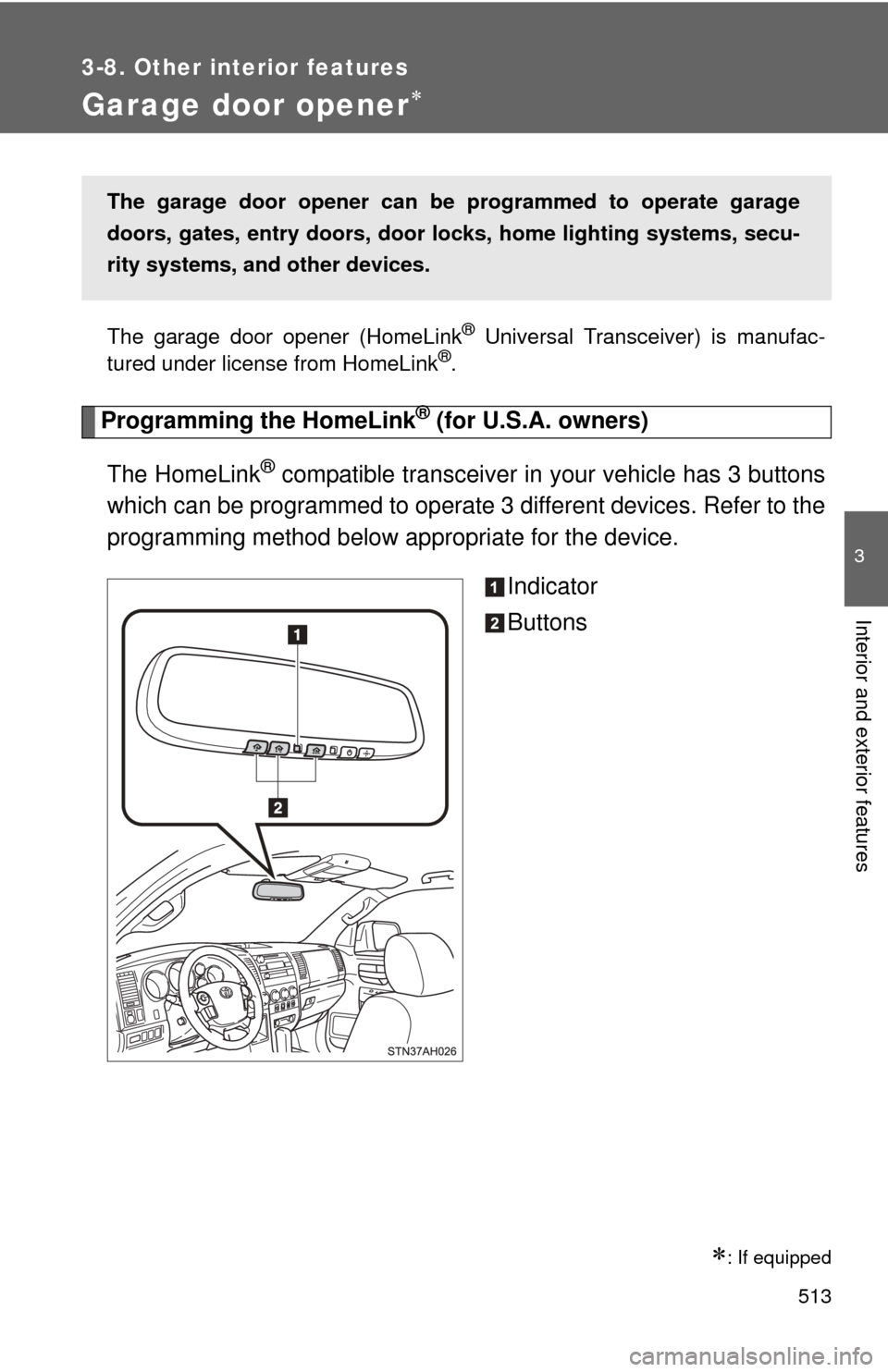
Indicator
Buttons
: If equipped
The garage door opener can be programmed to operate garage
doors, gates, entry doors, door locks, home lighting systems, secu-
rity systems, and other devices.
Page 514 of 744
514 3-8. Other interior features
■Programming the HomeLink
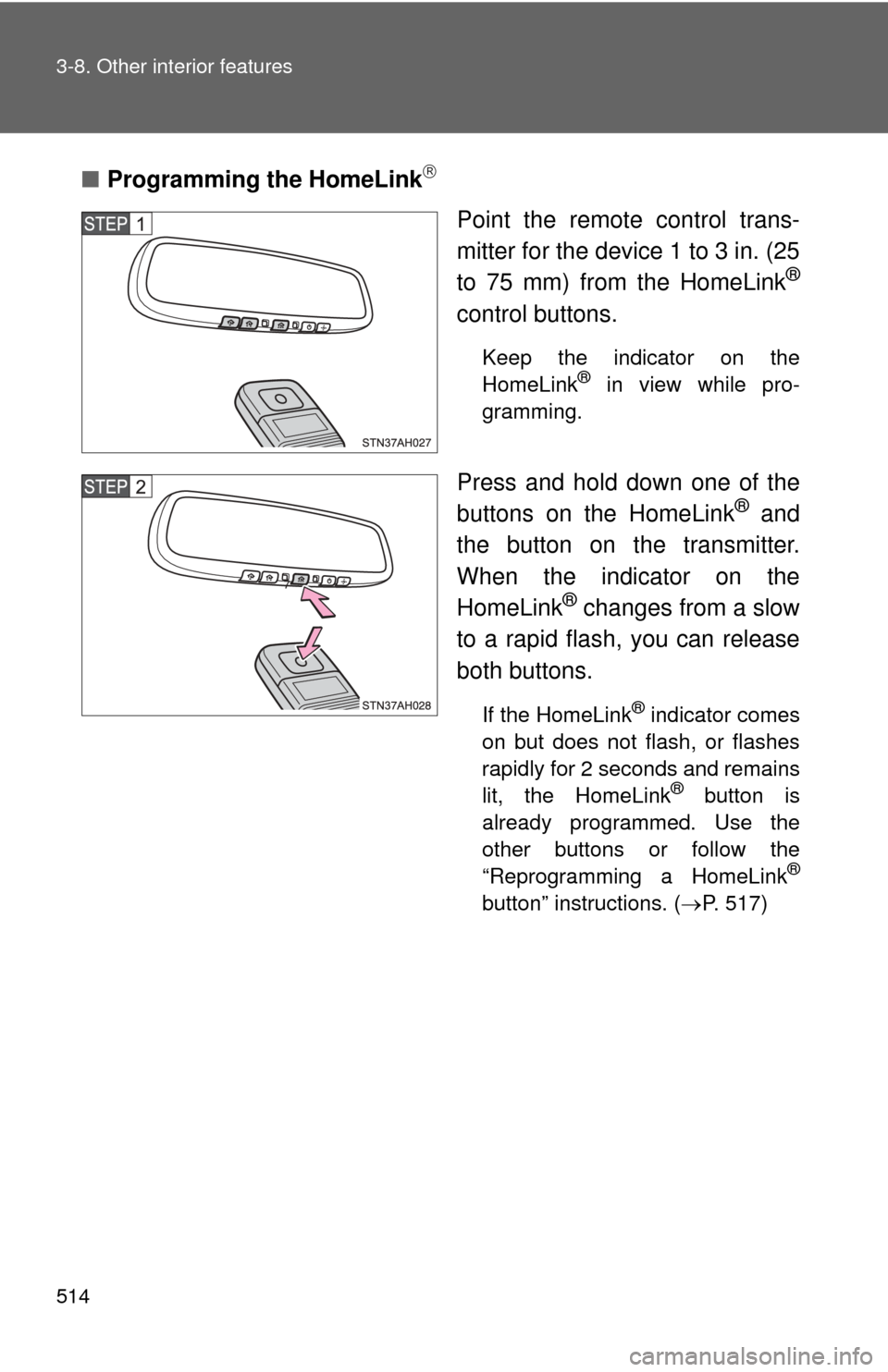
Point the remote control trans-
mitter for the device 1 to 3 in. (25
to 75 mm) from the HomeLink
®
control buttons.
Keep the indicator on the
HomeLink® in view while pro-
gramming.
Press and hold down one of the
buttons on the HomeLink® and
the button on the transmitter.
When the indicator on the
HomeLink
® changes from a slow
to a rapid flash, you can release
both buttons.
If the HomeLink® indicator comes
on but does not flash, or flashes
rapidly for 2 seconds and remains
lit, the HomeLink
® button is
already programmed. Use the
other buttons or follow the
“Reprogramming a HomeLink
®
button” instructions. ( P. 517)
Page 515 of 744
515
3-8. Other interior features
3
Interior and exterior features
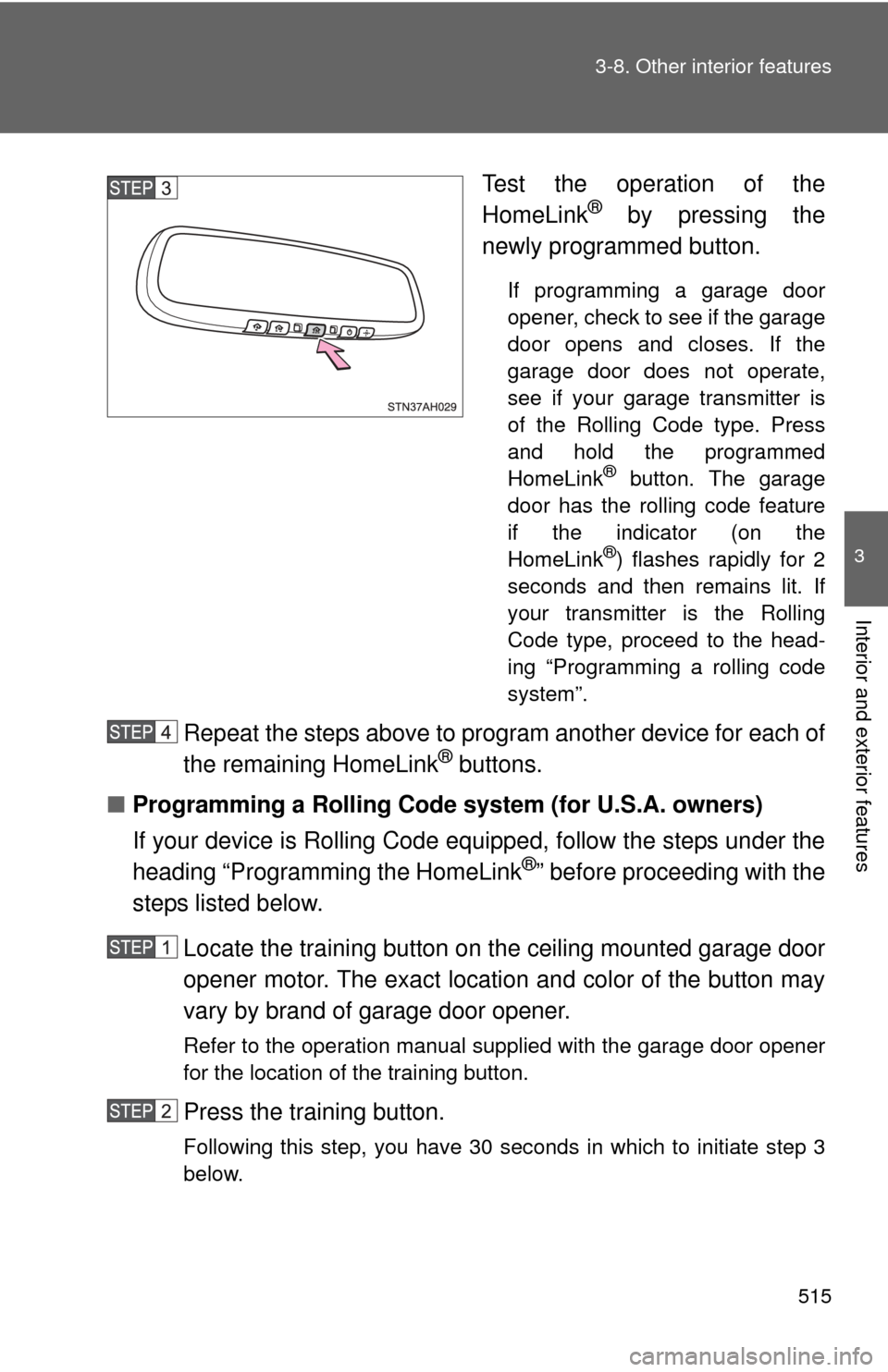
Test the operation of the
HomeLink® by pressing the
newly programmed button.
If programming a garage door
opener, check to see if the garage
door opens and closes. If the
garage door does not operate,
see if your garage transmitter is
of the Rolling Code type. Press
and hold the programmed
HomeLink
® button. The garage
door has the rolling code feature
if the indicator (on the
HomeLink
®) flashes rapidly for 2
seconds and then remains lit. If
your transmitter is the Rolling
Code type, proceed to the head-
ing “Programming a rolling code
system”.
Repeat the steps above to program another device for each of
the remaining HomeLink® buttons.
■ Programming a Rolling Code sys tem (for U.S.A. owners)
If your device is Rolling Code equipped, follow the steps under the
heading “Programming the HomeLink
®” before proceeding with the
steps listed below.
Locate the training button on the ceiling mounted garage door
opener motor. The exact location and color of the button may
vary by brand of garage door opener.
Refer to the operation manual supplied with the garage door opener
for the location of the training button.
Press the training button.
Following this step, you have 30 seconds in which to initiate step 3
below.
Page 516 of 744
516 3-8. Other interior features
Press and hold the vehicle’s programmed HomeLink® button
for 2 seconds and release it. Repeat this step once again. The
garage door may open.
If the garage door opens, the programming process is complete. If
the door does not open, press and release the button a third time.
This third press and release will complete the programming process
by opening the garage door.
The ceiling mounted garage door opener motor should now recog-
nize the HomeLink
® transceiver and operate the garage door.
Repeat the steps above to prog ram another rolling code sys-
tem for any of the remaining HomeLink® buttons.
■ Programming an entry gate (f or U.S.A. owners)/Programming
all devices in the Canadian market
Place your transmitter 1 to 3 in. (25 to 75 mm) away from the
surface of the HomeLink
®.
Keep the indicator on the HomeLink® in view while programming.
Press and hold the selected HomeLink® button.
Repeatedly press and release (cycle) the device’s remote
control button for two seconds each until step 4 is completed.
When the indicator on the HomeLink
® compatible transceiver
start to flashing rapidly, release the buttons.
Test the operation of the HomeLink
® by pressing the newly
programmed button. Check to se e if the gate/device operates
correctly.
Repeat the steps above to program another device for each of
the remaining HomeLink
® buttons.
■ Programming other devices
To program other devices such as home security systems, home
door locks or lighting, contact your authorized Toyota dealer for
assistance.
Page 517 of 744
517
3-8. Other interior features
3
Interior and exterior features
■
Reprogramming a button
The individual HomeLink
® buttons cannot be erased but can be
reprogrammed. To reprogram a button, follow the programming
instructions.
Operating the HomeLink®
Press the appropriate HomeLink® button. The HomeLink® indicator
on the HomeLink® transceiver should turn on.
The HomeLink® continues to send a signal for a maximum of 20 seconds
as long as the button is pressed.
Reprogramming a HomeLink® button
Press and hold the desired HomeLink
® button. After 20 seconds, the
HomeLink® indicator light will start flas hing slowly. Keep pressing the
HomeLink® button and then follow the “Programming HomeLink® (for
U.S.A. owners)” instructions. ( P. 513)
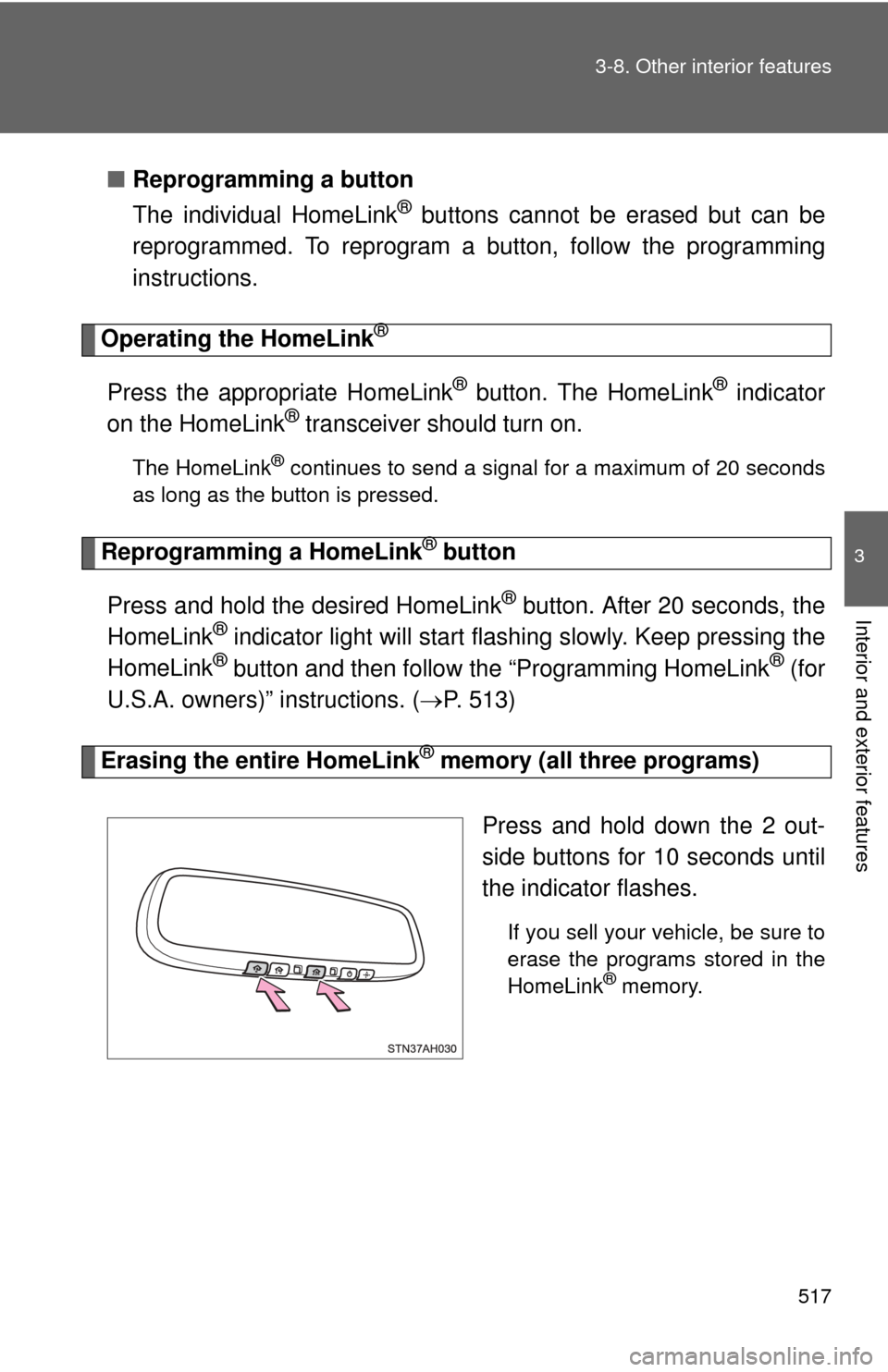
Erasing the entire HomeLink® memory (all three programs)
Press and hold down the 2 out-
side buttons for 10 seconds until
the indicator flashes.
If you sell your vehicle, be sure to
erase the programs stored in the
HomeLink
® memory.