Page 448 of 744
448 3-5. Using the hands-free phone system (for cellular phone)
Displaying the Bluetooth® device address and name
Select “Device Name” using .
Turn to display the Bluetooth
® device address and
name.
Select “Go Back” using to return to “System Setup”
Initialization
Select “Initialize” and then “Confirm” by using .
Select “Confirm” by using .
■Initialization
●The following data in the system can be initialized:
• Phone book
• Outgoing and incoming call history
• Speed dials
• Registered cellular phone data
• Security code
● Once the initialization has been completed, the data cannot be restored
to its original state.
■ When the phone book is locked
The following functions cannot be used:
●Dialing by inputting a name
● Speed dialing
● Dialing a number stored in the call history memory
● Using the phone book
Page 455 of 744
455
3
Interior and exterior features
3-6. Using the interior lights
Interior lights list
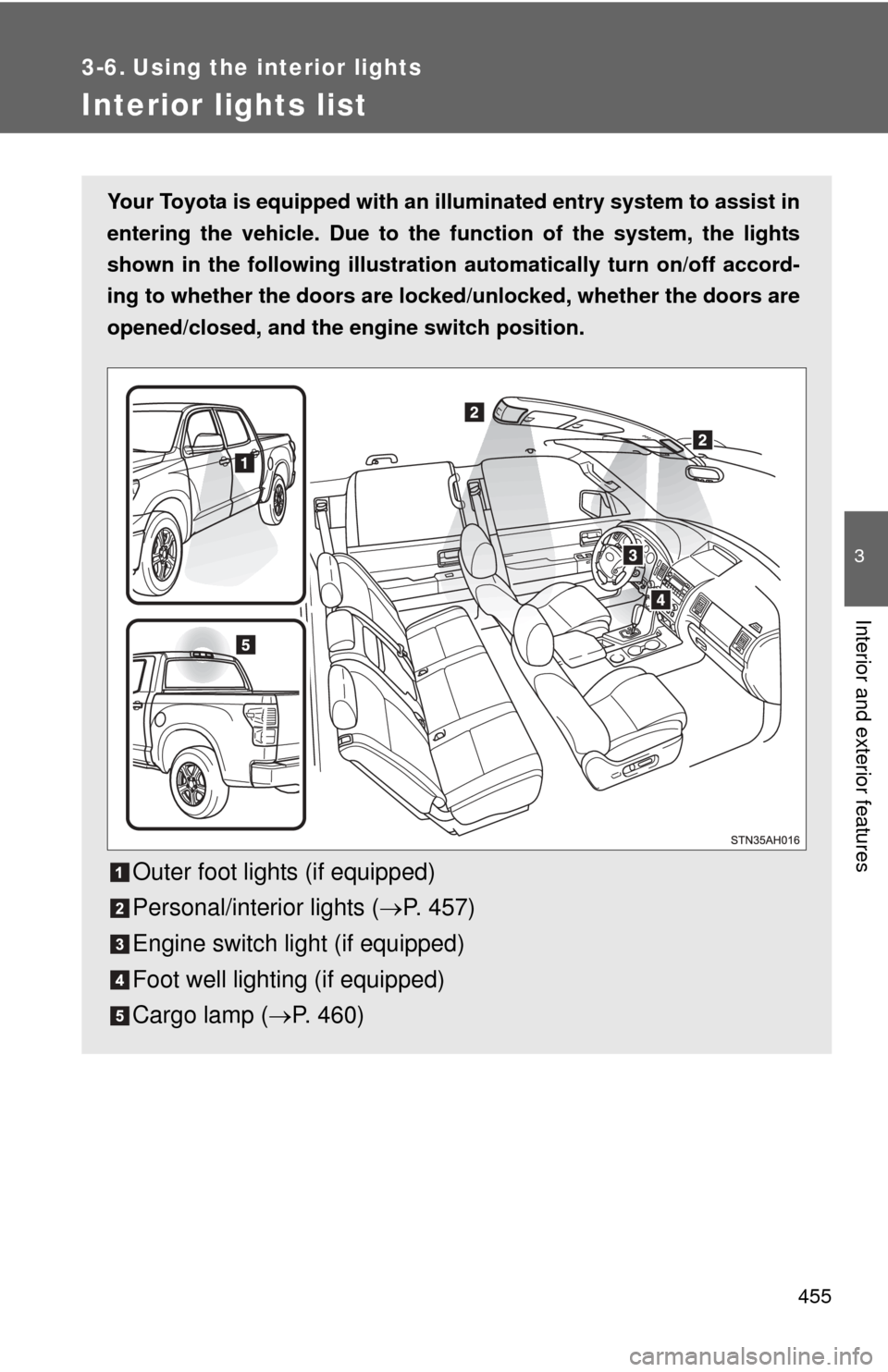
Your Toyota is equipped with an illuminated entry system to assist in
entering the vehicle. Due to the function of the system, the lights
shown in the following illustration automatically turn on/off accord-
ing to whether the doo rs are locked/unlocked, whether the doors are
opened/closed, and the en gine switch position.
Outer foot lights (if equipped)
Personal/interior lights (P. 457)
Engine switch light (if equipped)
Foot well lighting (if equipped)
Cargo lamp ( P. 460)
Page 463 of 744
463
3-7. Using the
storage features
3
Interior and exterior features
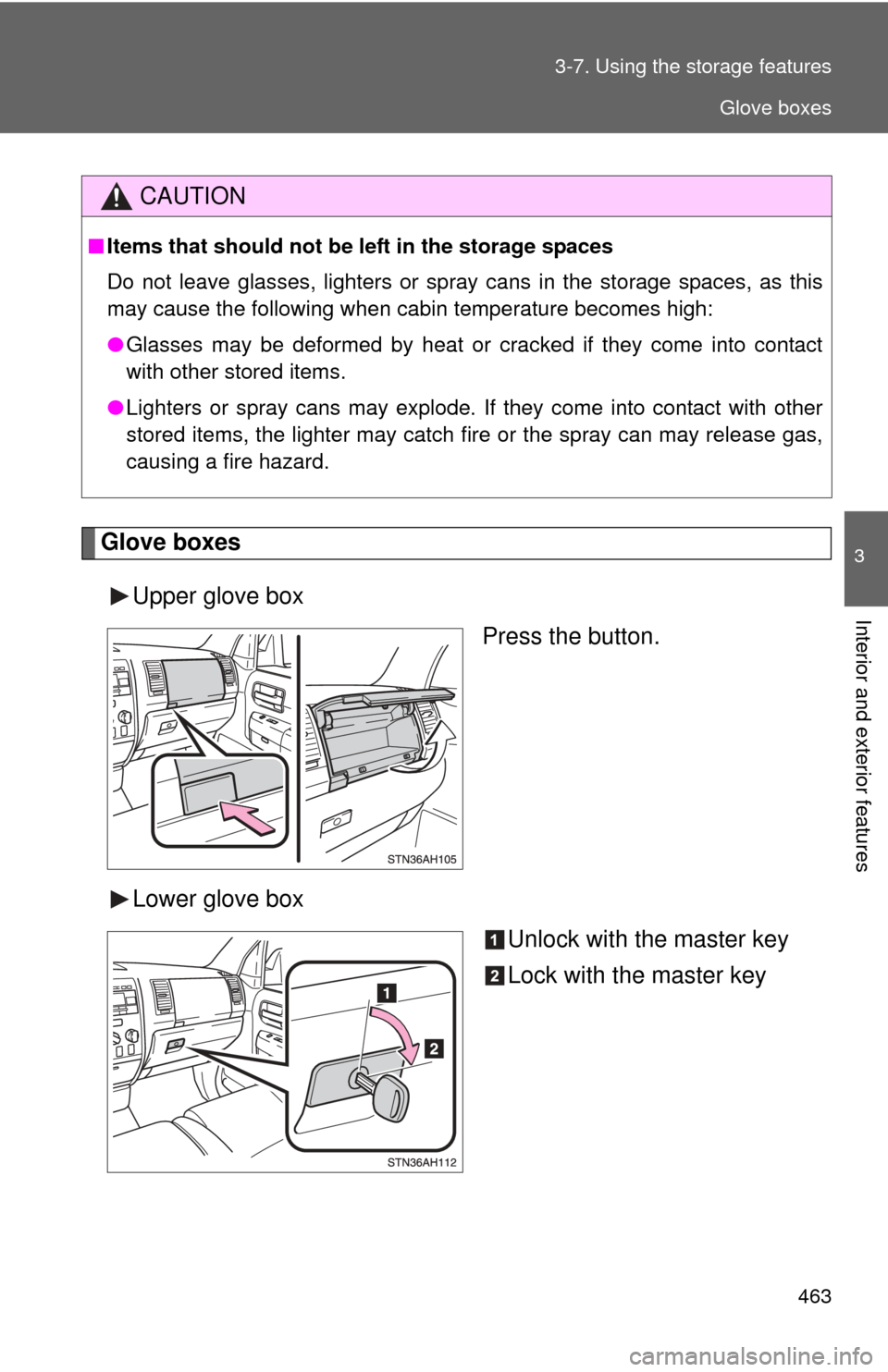
Glove boxes
Upper glove box Press the button.
Lower glove box Unlock with the master key
Lock with the master key
CAUTION
■Items that should not be left in the storage spaces
Do not leave glasses, lighters or spray cans in the storage spaces, as this
may cause the following when cabin temperature becomes high:
● Glasses may be deformed by heat or cracked if they come into contact
with other stored items.
● Lighters or spray cans may explode. If they come into contact with other
stored items, the lighter may catch fire or the spray can may release gas,
causing a fire hazard.
Glove boxes
Page 470 of 744
470 3-7. Using the storage features
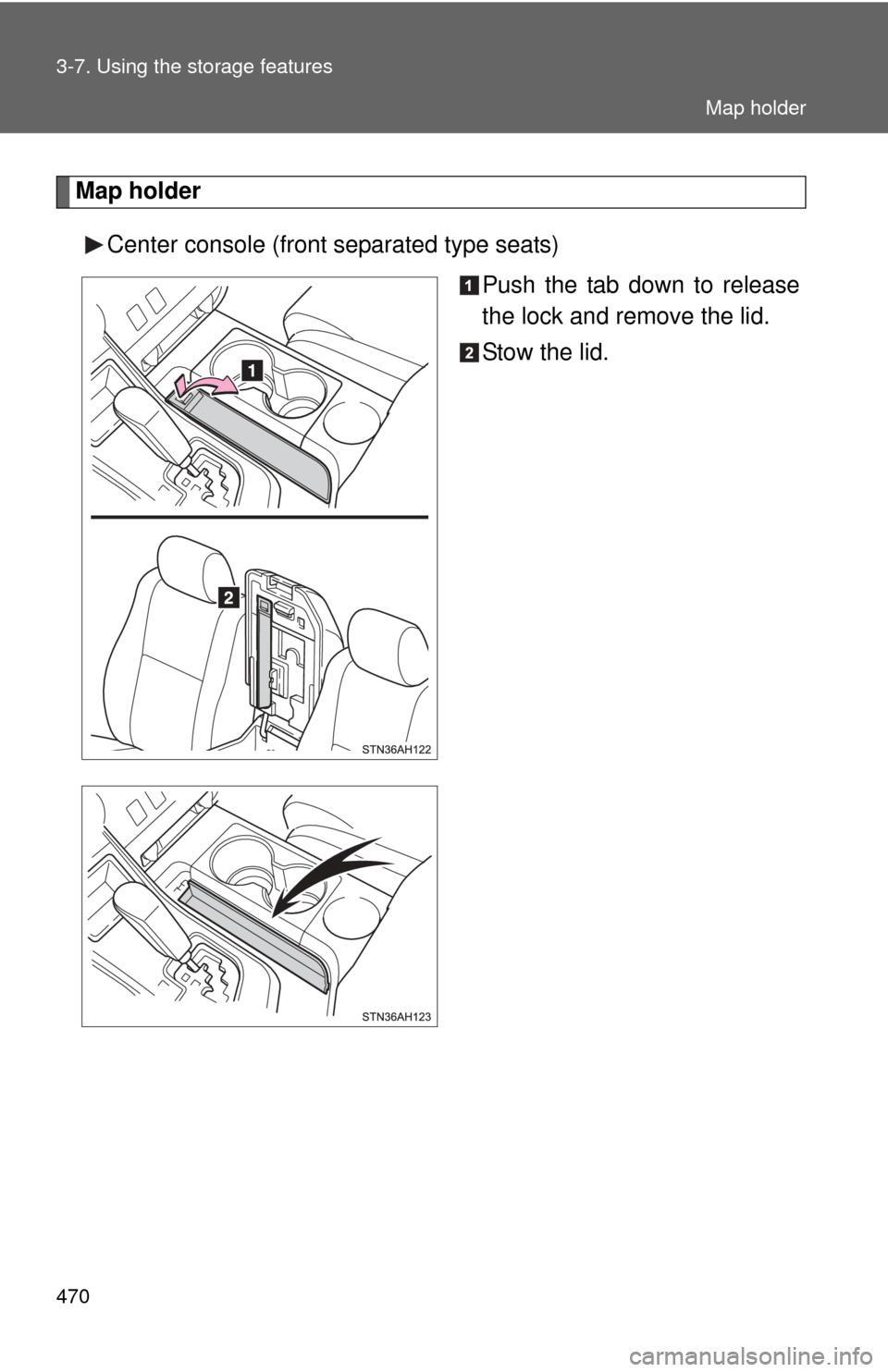
Map holderCenter console (front separated type seats) Push the tab down to release
the lock and remove the lid.
Stow the lid.
Map holder
Page 479 of 744
479
3-7. Using the
storage features
3
Interior and exterior features
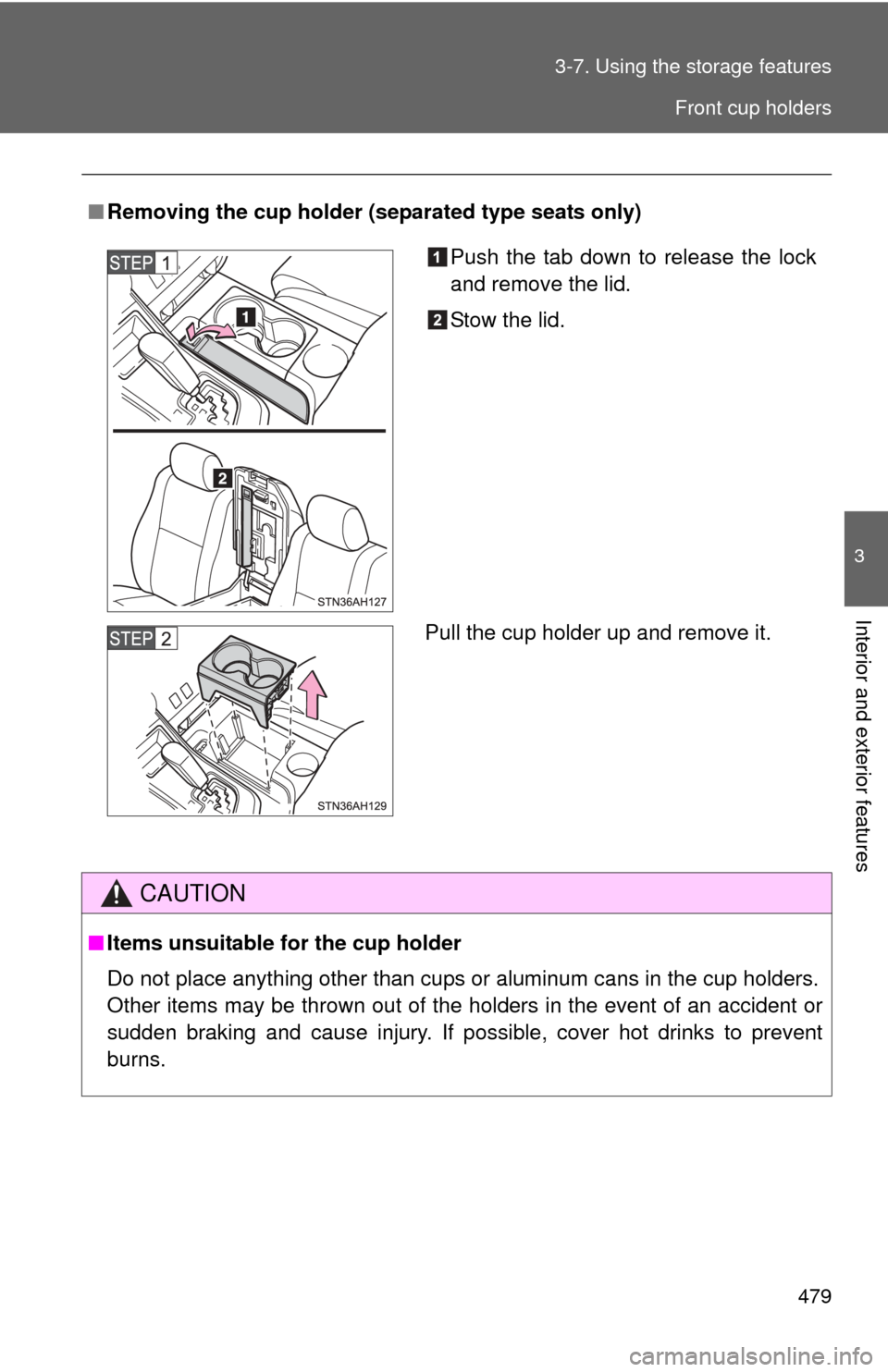
■Removing the cup holder (separated type seats only)
CAUTION
■Items unsuitable for the cup holder
Do not place anything other than cups or aluminum cans in the cup holders.
Other items may be thrown out of the holders in the event of an accident or
sudden braking and cause injury. If possible, cover hot drinks to prevent
burns.
Push the tab down to release the lock
and remove the lid.
Stow the lid.
Pull the cup holder up and remove it.
Front cup holders
Page 486 of 744
486 3-7. Using the storage features
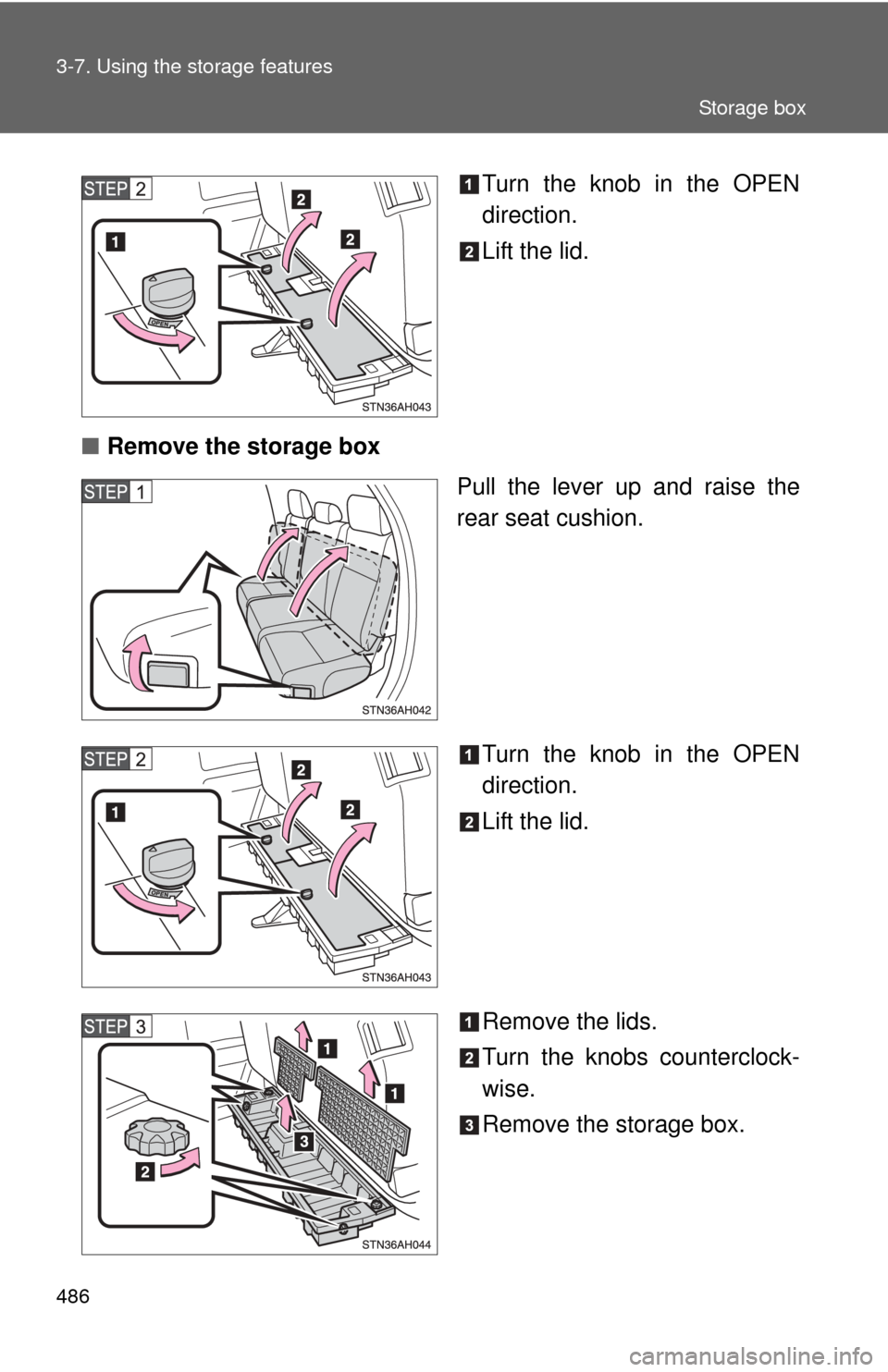
Turn the knob in the OPEN
direction.
Lift the lid.
■ Remove the storage box
Pull the lever up and raise the
rear seat cushion.
Turn the knob in the OPEN
direction.
Lift the lid.
Remove the lids.
Turn the knobs counterclock-
wise.
Remove the storage box.
Storage box
Page 490 of 744
490
3-8. Other interior features
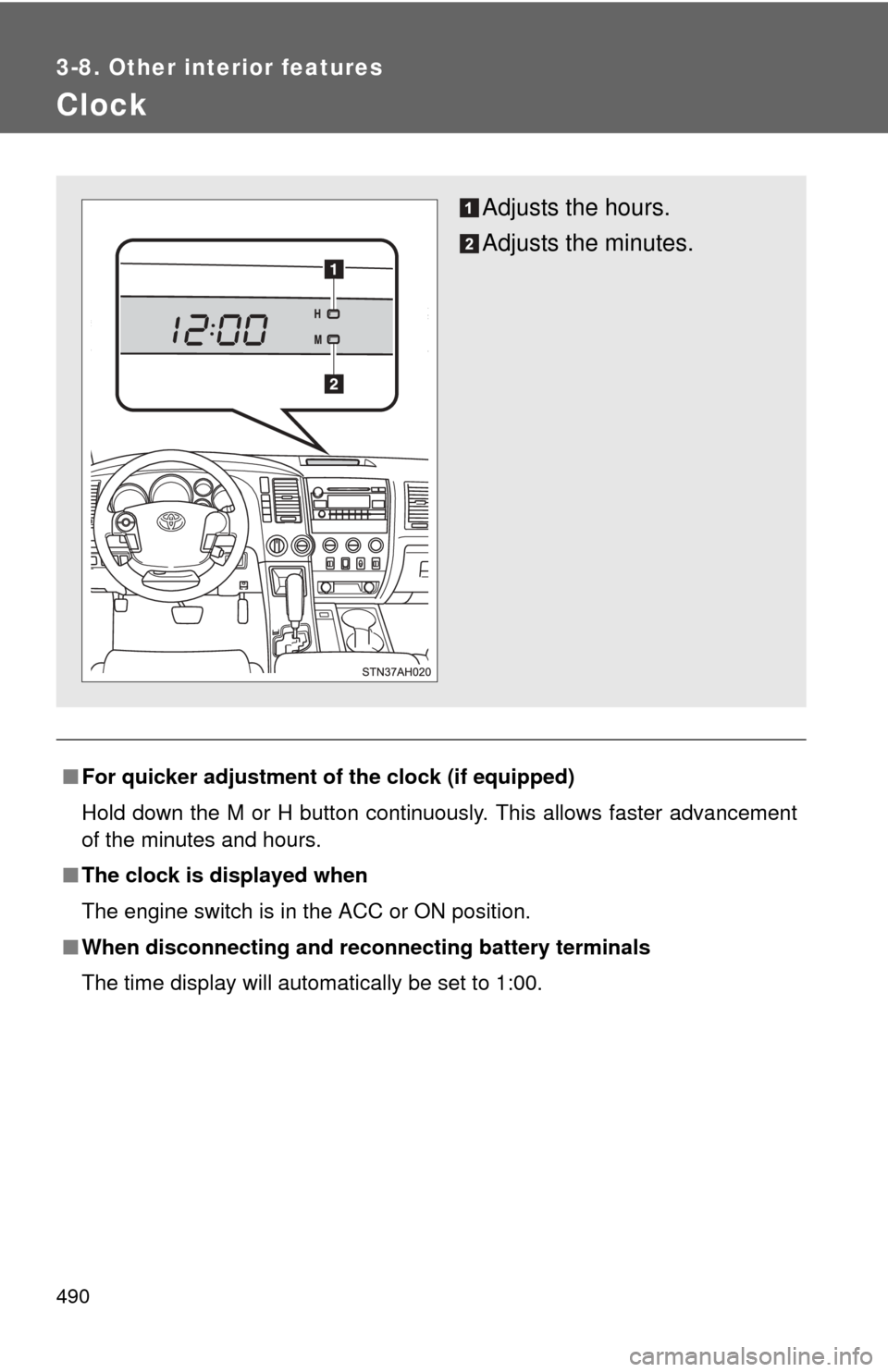
Clock
■For quicker adjustment of the clock (if equipped)
Hold down the M or H button continuously. This allows faster advancement
of the minutes and hours.
■ The clock is displayed when
The engine switch is in the ACC or ON position.
■ When disconnecting and reco nnecting battery terminals
The time display will automatically be set to 1:00.
Adjusts the hours.
Adjusts the minutes.
Page 513 of 744
513
3-8. Other interior features
3
Interior and exterior features
Garage door opener
The garage door opener (HomeLink® Universal Transceiver) is manufac-
tured under license from HomeLink®.
Programming the HomeLink® (for U.S.A. owners)
The HomeLink
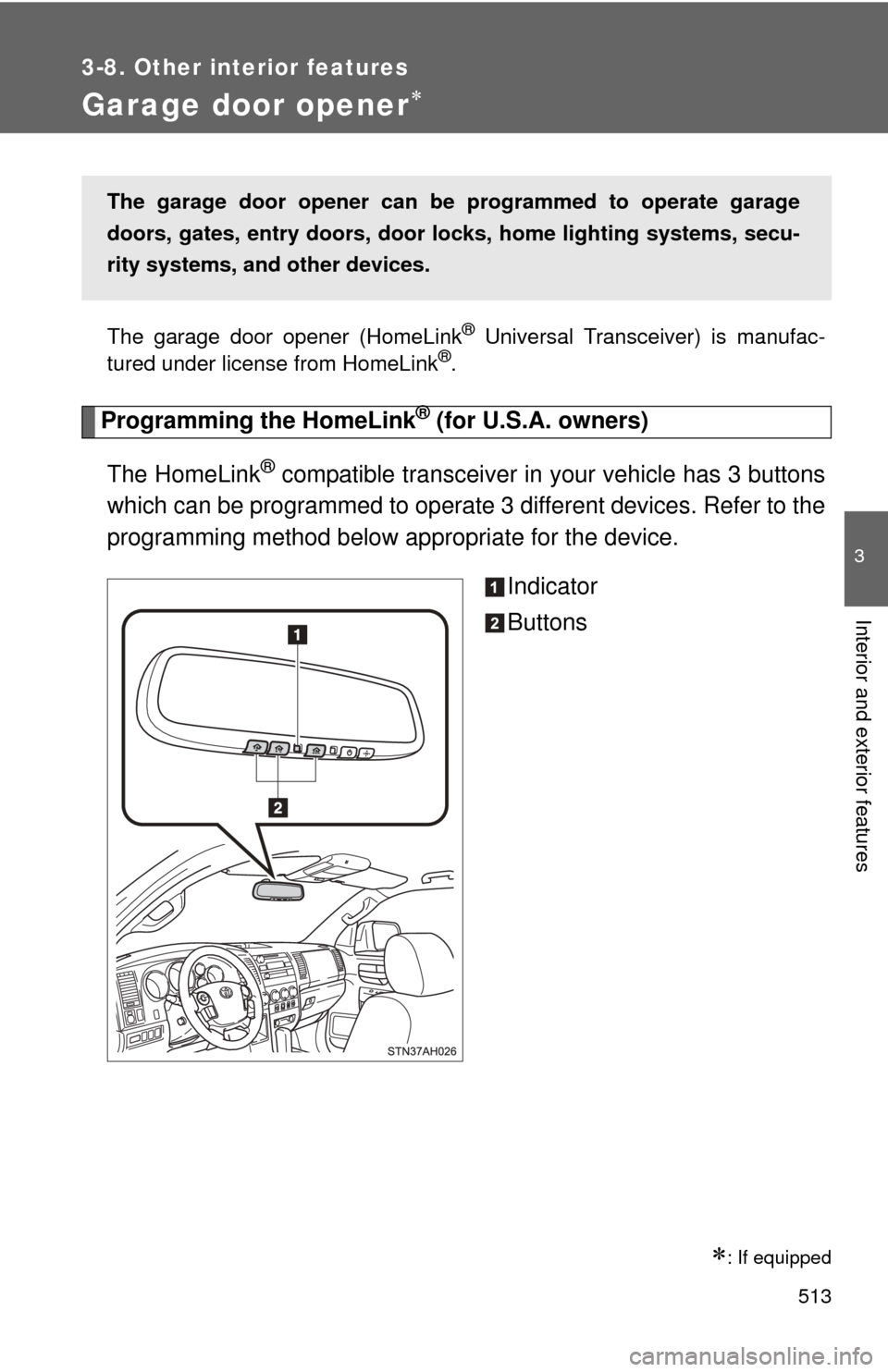
® compatible transceiver in your vehicle has 3 buttons
which can be programmed to operate 3 different devices. Refer to the
programming method below appropriate for the device.
Indicator
Buttons
: If equipped
The garage door opener can be programmed to operate garage
doors, gates, entry doors, door locks, home lighting systems, secu-
rity systems, and other devices.