Page 392 of 744
392 3-4. Using the rear audio/video system
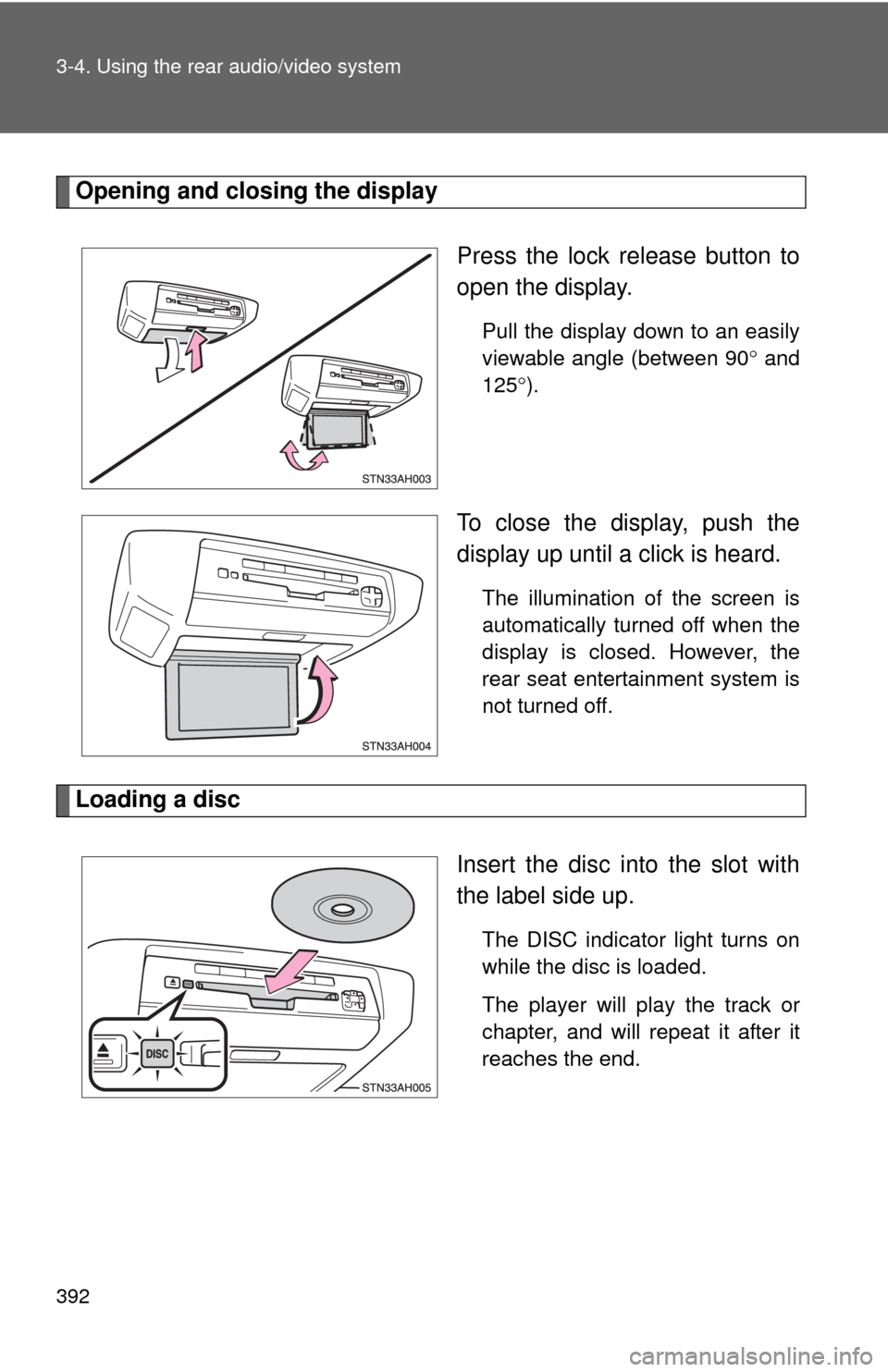
Opening and closing the displayPress the lock release button to
open the display.
Pull the display down to an easily
viewable angle (between 90 and
125 ).
To close the display, push the
display up until a click is heard.
The illumination of the screen is
automatically turned off when the
display is closed. However, the
rear seat entertainment system is
not turned off.
Loading a disc
Insert the disc into the slot with
the label side up.
The DISC indicator light turns on
while the disc is loaded.
The player will play the track or
chapter, and will repeat it after it
reaches the end.
Page 394 of 744
394 3-4. Using the rear audio/video system
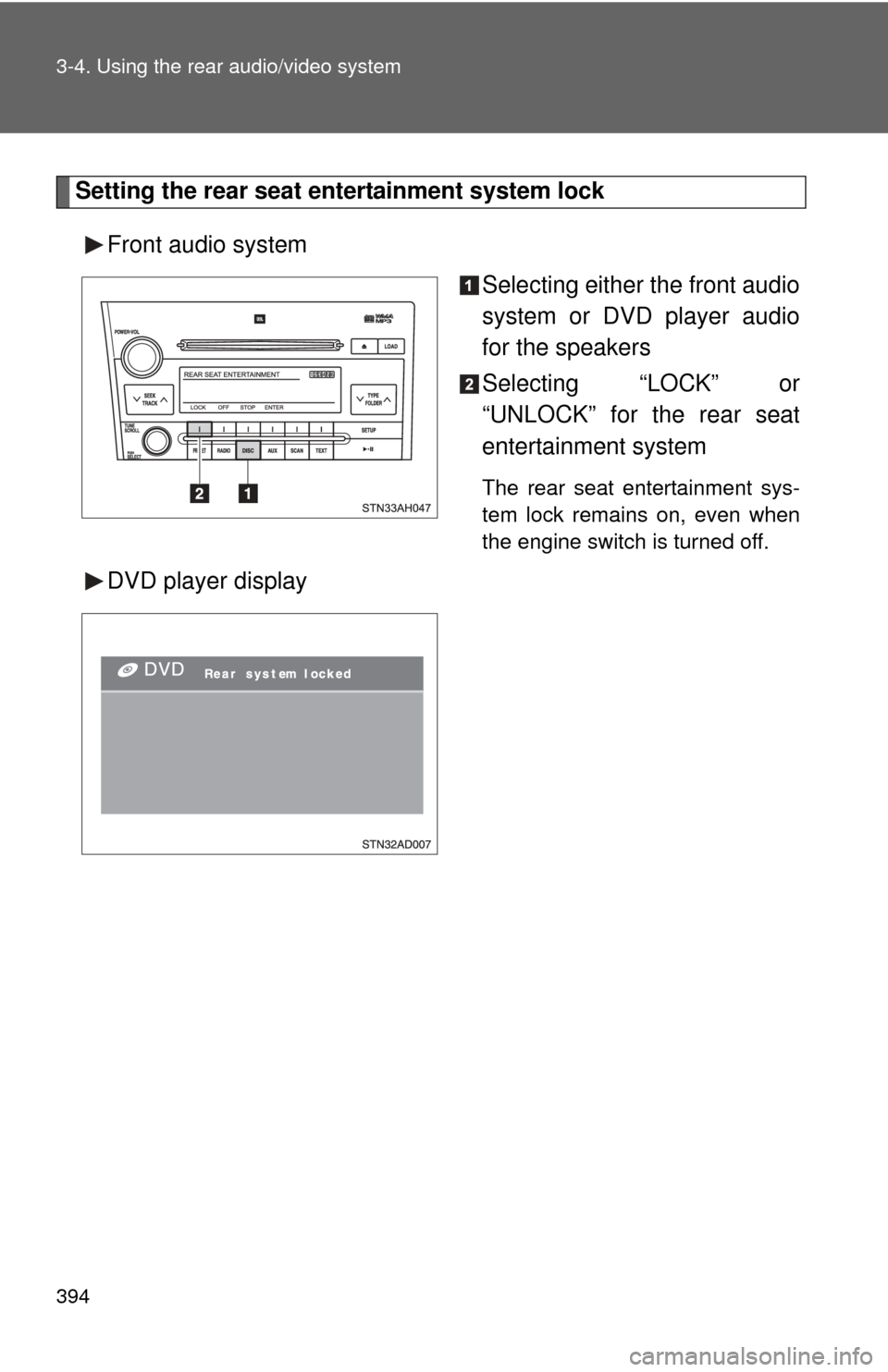
Setting the rear seat entertainment system lockFront audio system Selecting either the front audio
system or DVD player audio
for the speakers
Selecting “LOCK” or
“UNLOCK” for the rear seat
entertainment system
The rear seat entertainment sys-
tem lock remains on, even when
the engine switch is turned off.
DVD player display
Page 418 of 744
418
3-4. Using the rear audio/video system
Changing the Setup Menu settings
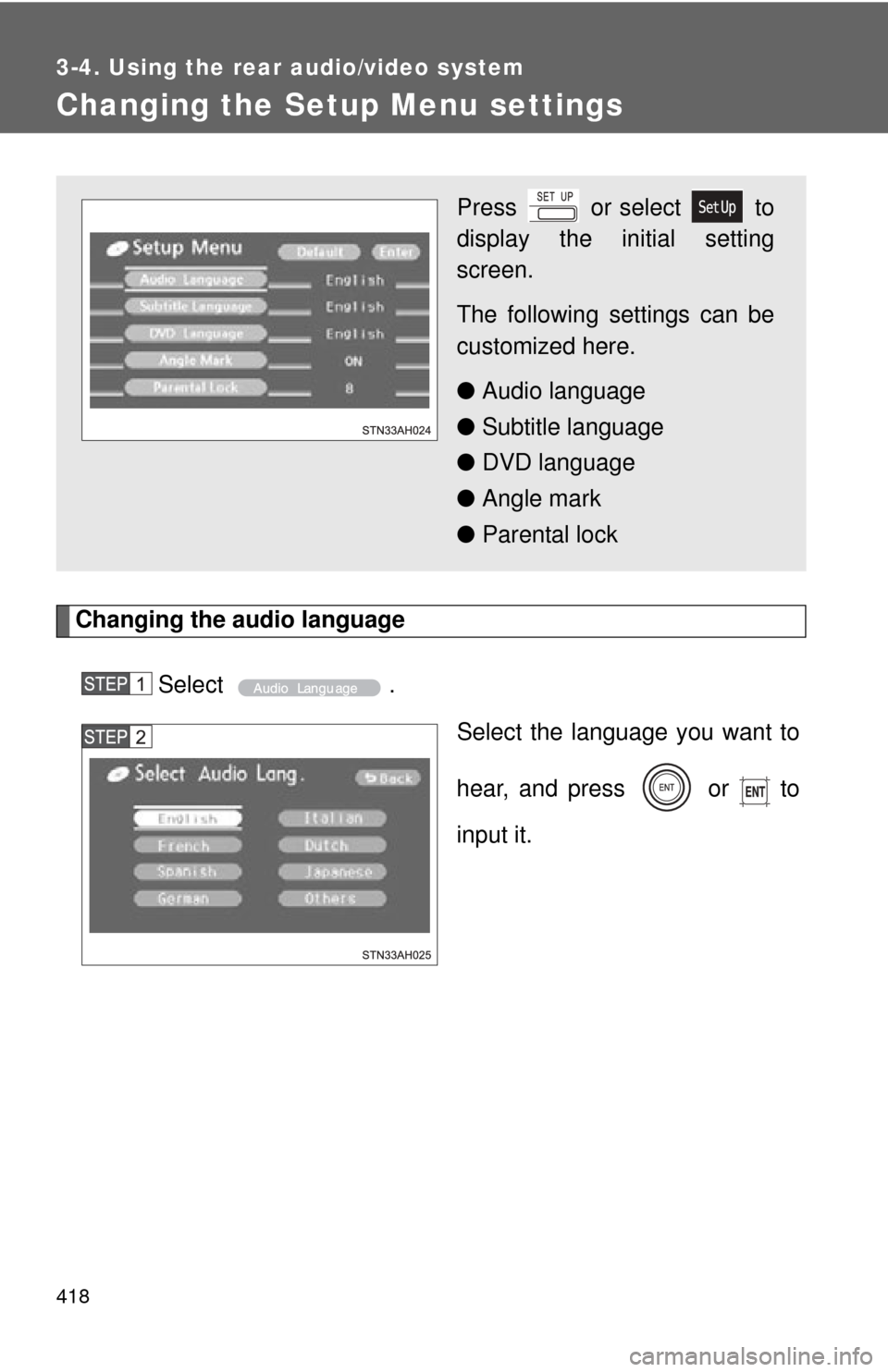
Changing the audio languageSelect . Select the language you want to
hear, and press or to
input it.
Press or select to
display the initial setting
screen.
The following settings can be
customized here.
●Audio language
● Subtitle language
● DVD language
● Angle mark
● Parental lock
Page 427 of 744
427
3-5. Using the hand
s-free phone system (for cellular phone)
3
Interior and exterior features
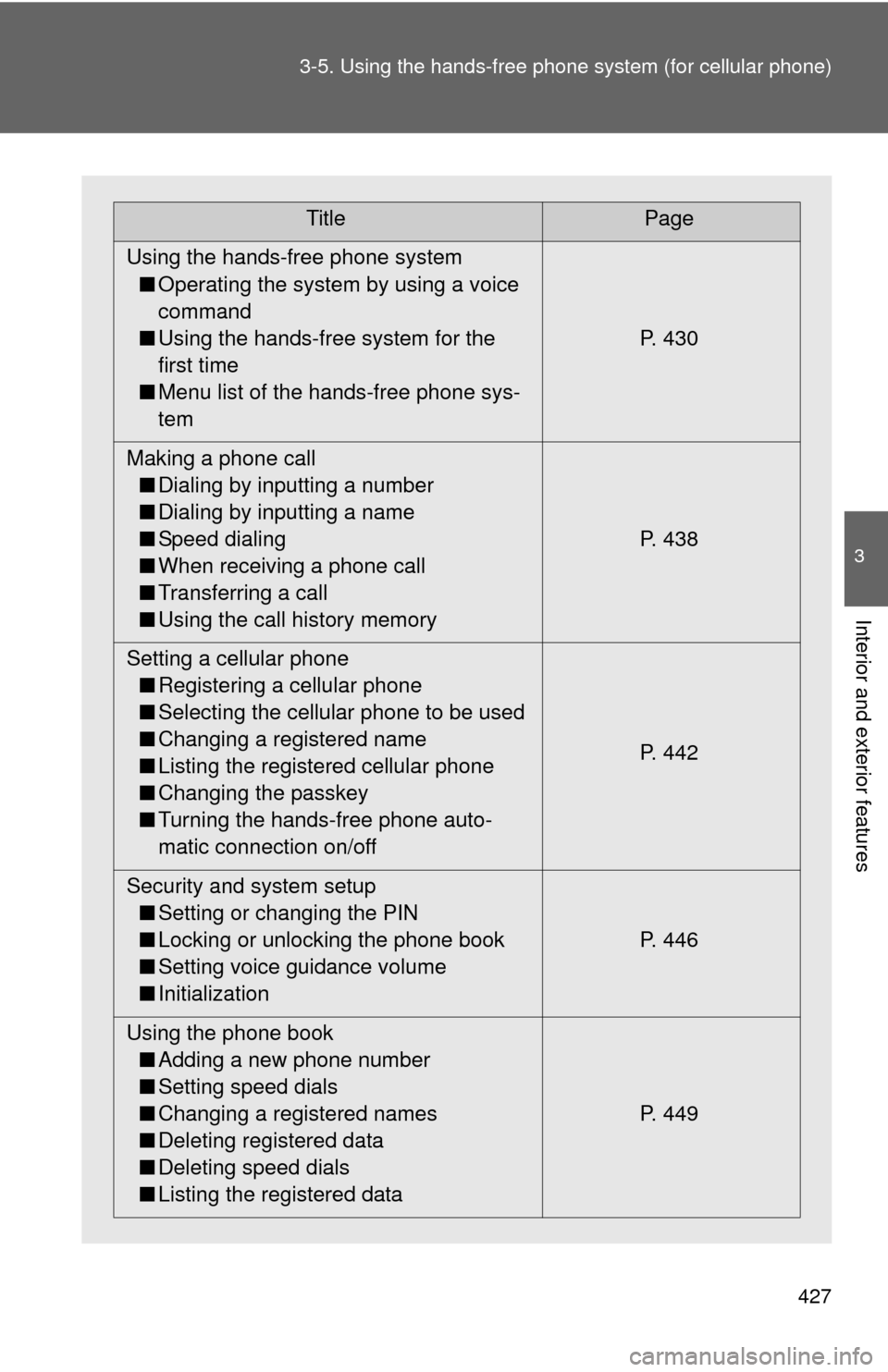
TitlePage
Using the hands-free phone system ■ Operating the system by using a voice
command
■ Using the hands-free system for the
first time
■ Menu list of the hands-free phone sys-
tem P. 430
Making a phone call ■ Dialing by inputting a number
■ Dialing by inputting a name
■ Speed dialing
■ When receiving a phone call
■ Transferring a call
■ Using the call history memory P. 438
Setting a cellular phone ■ Registering a cellular phone
■ Selecting the cellular phone to be used
■ Changing a registered name
■ Listing the registered cellular phone
■ Changing the passkey
■ Turning the hands-free phone auto-
matic connection on/off P. 442
Security and system setup ■ Setting or changing the PIN
■ Locking or unlocking the phone book
■ Setting voice guidance volume
■ Initialization P. 446
Using the phone book ■ Adding a new phone number
■ Setting speed dials
■ Changing a registered names
■ Deleting registered data
■ Deleting speed dials
■ Listing the registered data P. 449
Page 435 of 744
435
3-5. Using the hand
s-free phone system (for cellular phone)
3
Interior and exterior features
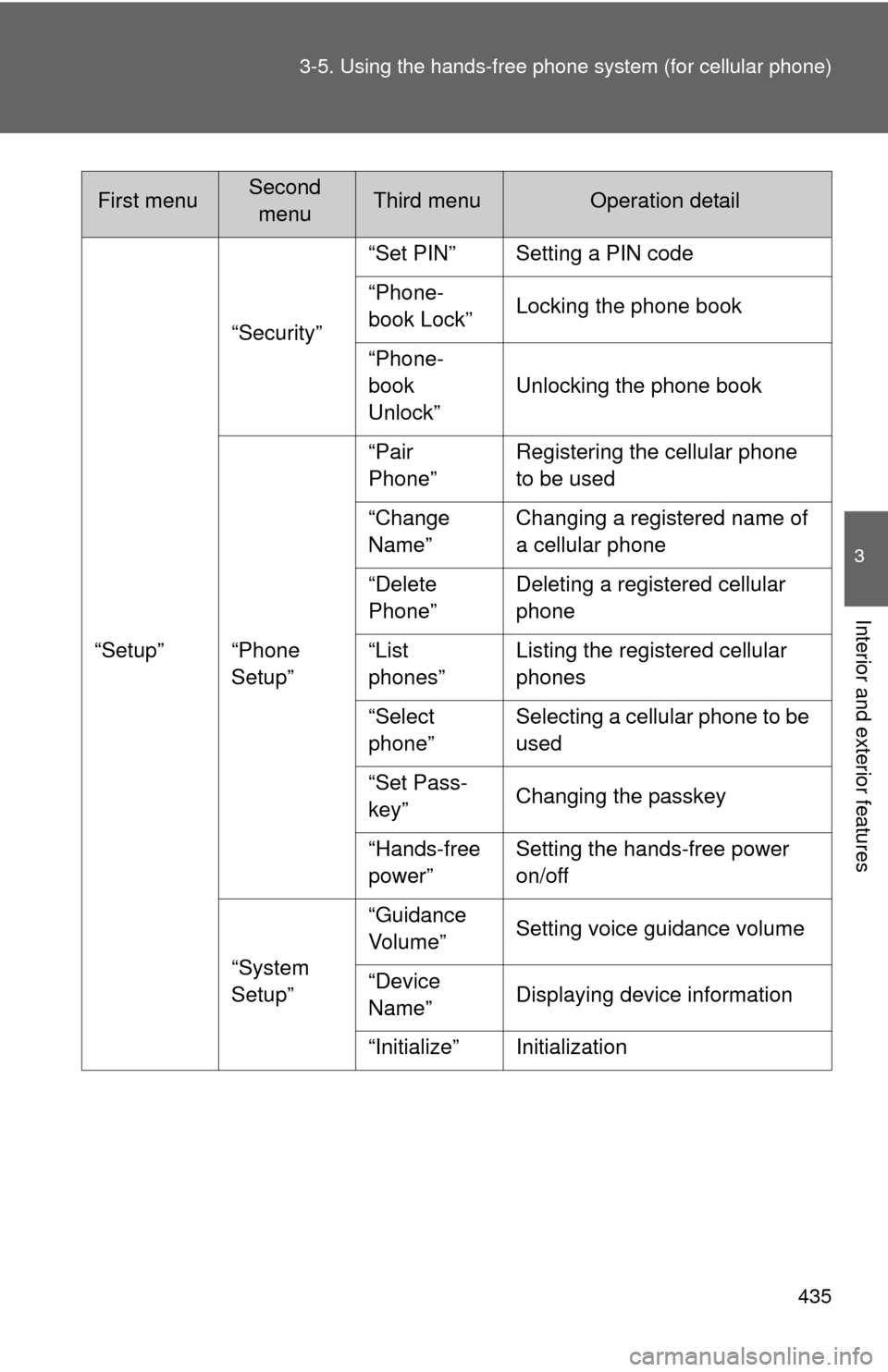
“Setup”“Security”
“Set PIN” Setting a PIN code
“Phone-
book Lock”
Locking the phone book
“Phone-
book
Unlock” Unlocking the phone book
“Phone
Setup” “Pair
Phone”
Registering the cellular phone
to be used
“Change
Name” Changing a registered name of
a cellular phone
“Delete
Phone” Deleting a registered cellular
phone
“List
phones” Listing the registered cellular
phones
“Select
phone” Selecting a cellular phone to be
used
“Set Pass-
key” Changing the passkey
“Hands-free
power” Setting the hands-free power
on/off
“System
Setup” “Guidance
Vo l u m e ”
Setting voice guidance volume
“Device
Name” Displaying device information
“Initialize” Initialization
First menuSecond menuThird menuOperation detail
Page 436 of 744
436 3-5. Using the hands-free phone system (for cellular phone)
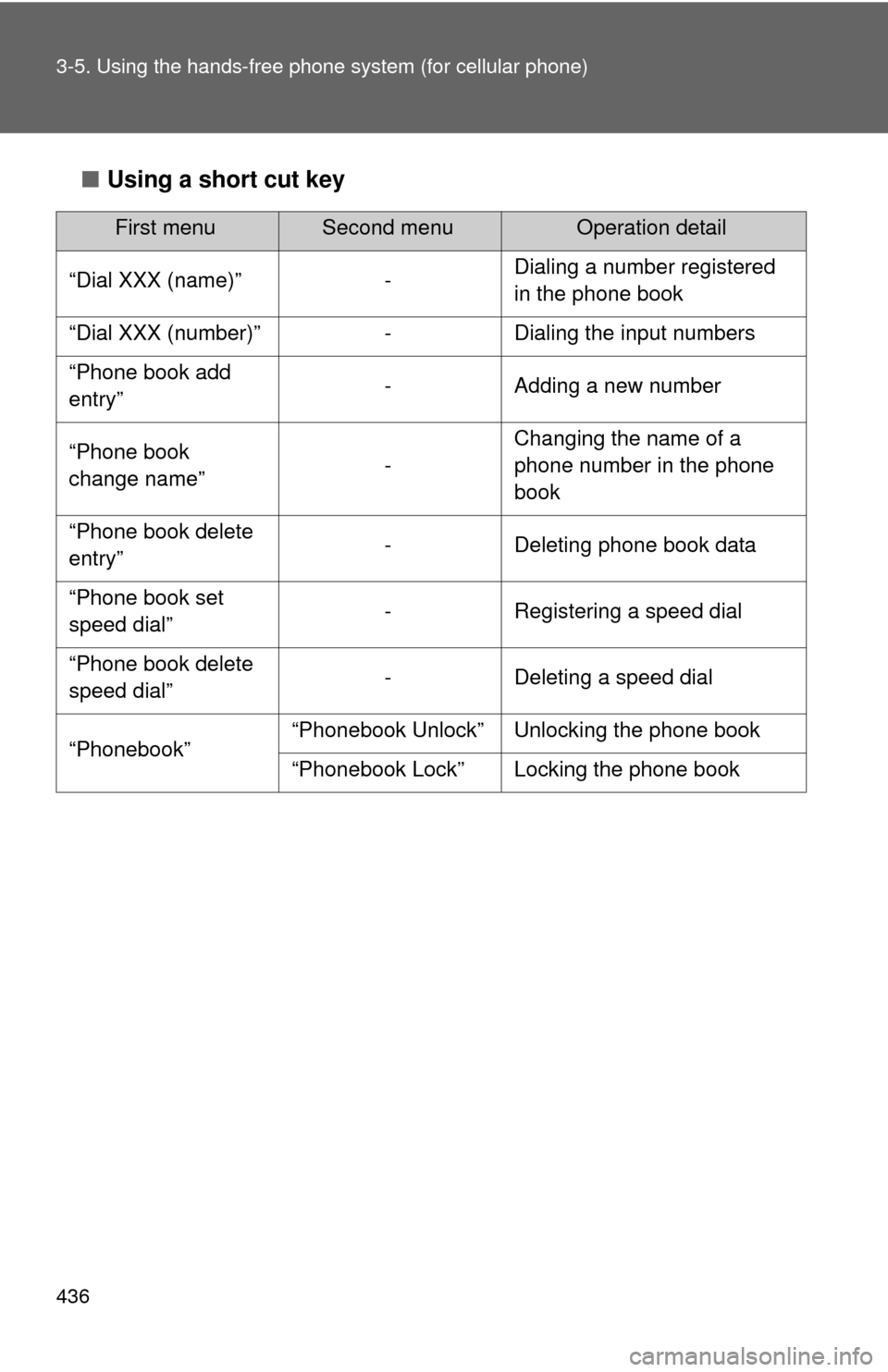
■Using a short cut key
First menuSecond menuOperation detail
“Dial XXX (name)” - Dialing a number registered
in the phone book
“Dial XXX (number)” - Dialing the input numbers
“Phone book add
entry” - Adding a new number
“Phone book
change name” -Changing the name of a
phone number in the phone
book
“Phone book delete
entry” - Deleting phone book data
“Phone book set
speed dial” - Registering a speed dial
“Phone book delete
speed dial” - Deleting a speed dial
“Phonebook” “Phonebook Unlock” Unlocking the phone book
“Phonebook Lock” Locking the phone book
Page 446 of 744
446
3-5. Using the hands-free phone system (for cellular phone)
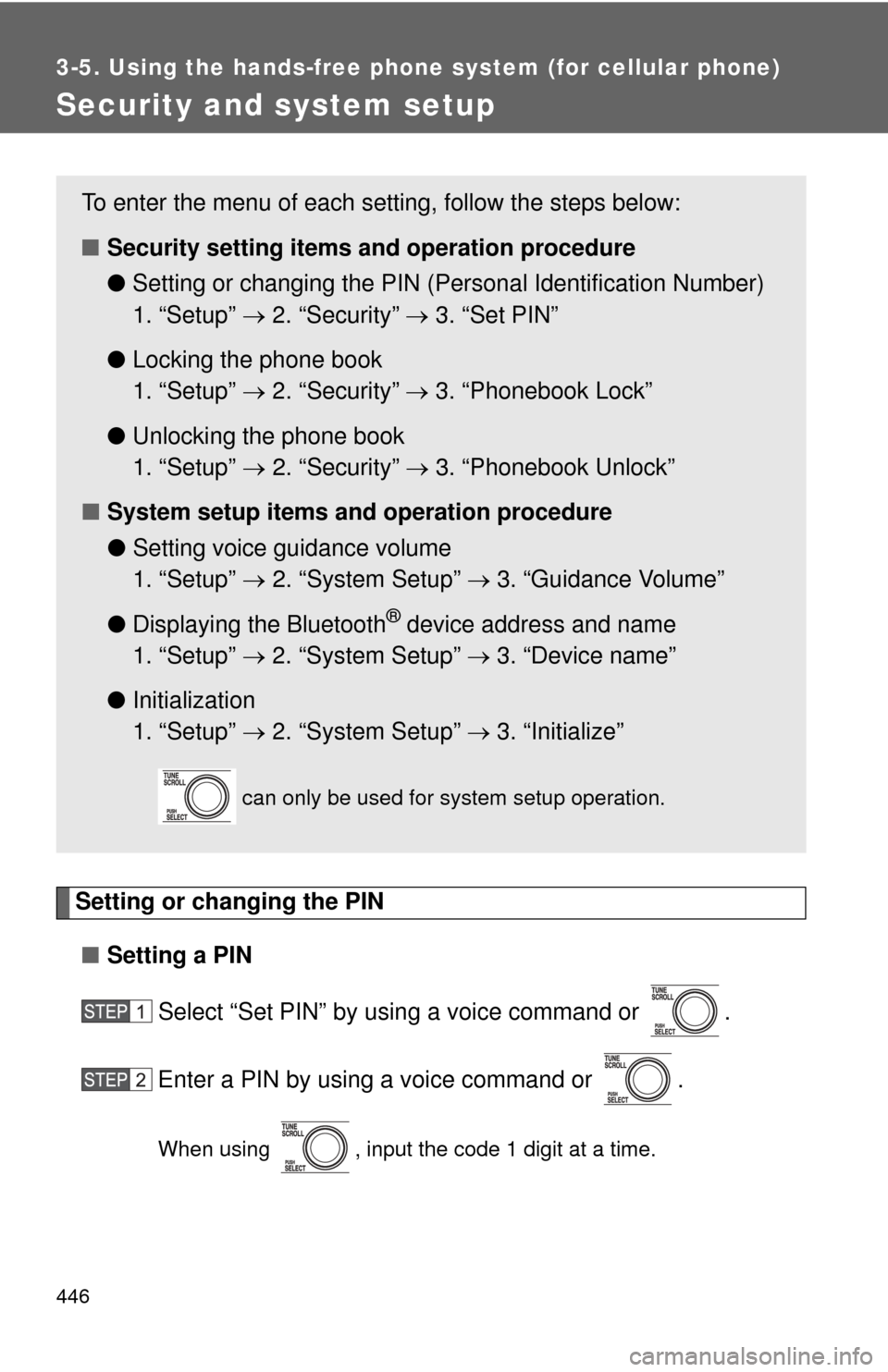
Security and system setup
Setting or changing the PIN■ Setting a PIN
Select “Set PIN” by using a voice command or .
Enter a PIN by using a voice command or .
When using , input the code 1 digit at a time.
To enter the menu of each setting, follow the steps below:
■Security setting items and operation procedure
● Setting or changing t he PIN (Personal Identification Number)
1. “Setup” 2. “Security” 3. “Set PIN”
● Locking the phone book
1. “Setup” 2. “Security” 3. “Phonebook Lock”
● Unlocking the phone book
1. “Setup” 2. “Security” 3. “Phonebook Unlock”
■ System setup items and operation procedure
●Setting voice guidance volume
1. “Setup” 2. “System Setup” 3. “Guidance Volume”
● Displaying the Bluetooth
® device address and name
1. “Setup” 2. “System Setup” 3. “Device name”
● Initialization
1. “Setup” 2. “System Setup” 3. “Initialize”
can only be used for system setup operation.
Page 447 of 744
447
3-5. Using the hand
s-free phone system (for cellular phone)
3
Interior and exterior features
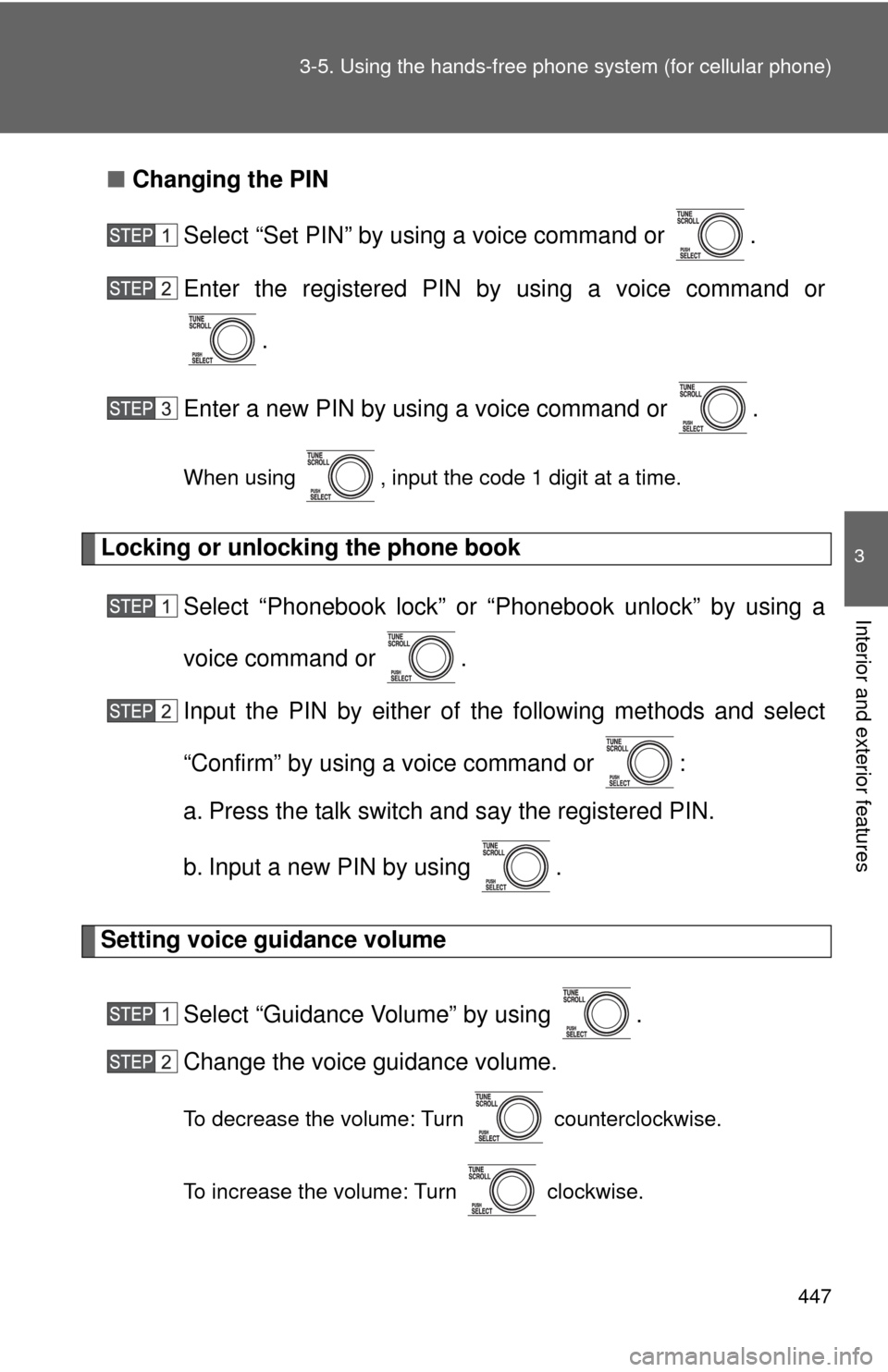
■Changing the PIN
Select “Set PIN” by using a voice command or .
Enter the registered PIN by using a voice command or
.
Enter a new PIN by using a voice command or .
When using , input the code 1 digit at a time.
Locking or unlocking the phone book Select “Phonebook lock” or “Phonebook unlock” by using a
voice command or .
Input the PIN by either of the following methods and select
“Confirm” by using a voice command or :
a. Press the talk switch and say the registered PIN.
b. Input a new PIN by using .
Setting voice guidance volume
Select “Guidance Volume” by using .
Change the voice guidance volume.
To decrease the volume: Turn counterclockwise.
To increase the volume: Turn clockwise.