Page 350 of 860
350 2-5. Driving information
SIENNA_U (OM45477U)
CAUTION
■When loading cargo
Observe the following precautions:
●Place the cargo so that its weight is distributed evenly between the
front and rear axles.
●If loading long or wide cargo, never exceed the vehicle overall length
or width. (P. 784)
●Before driving, make sure the cargo is securely fastened on the roof
luggage carrier.
●Loading cargo on the roof luggage carrier will make the center of grav-
ity of the vehicle higher. Avoid high speeds, sudden starts, sharp turns,
sudden braking or abrupt maneuvers, otherwise it may result in loss of
control or vehicle rollover due to failure to operate this vehicle correctly
and result in death or serious injury.
●If driving for a long distance, on rough roads, or at high speeds, stop
the vehicle now and then during the trip to make sure the cargo
remains in its place.
●Do not exceed 150 lb. (68 kg) cargo weight on the roof luggage carrier.
NOTICE
■When loading cargo (vehicles with moon roof)
Be careful not to scratch the surface of the moon roof.
Page 370 of 860
370 2-5. Driving information
SIENNA_U (OM45477U)
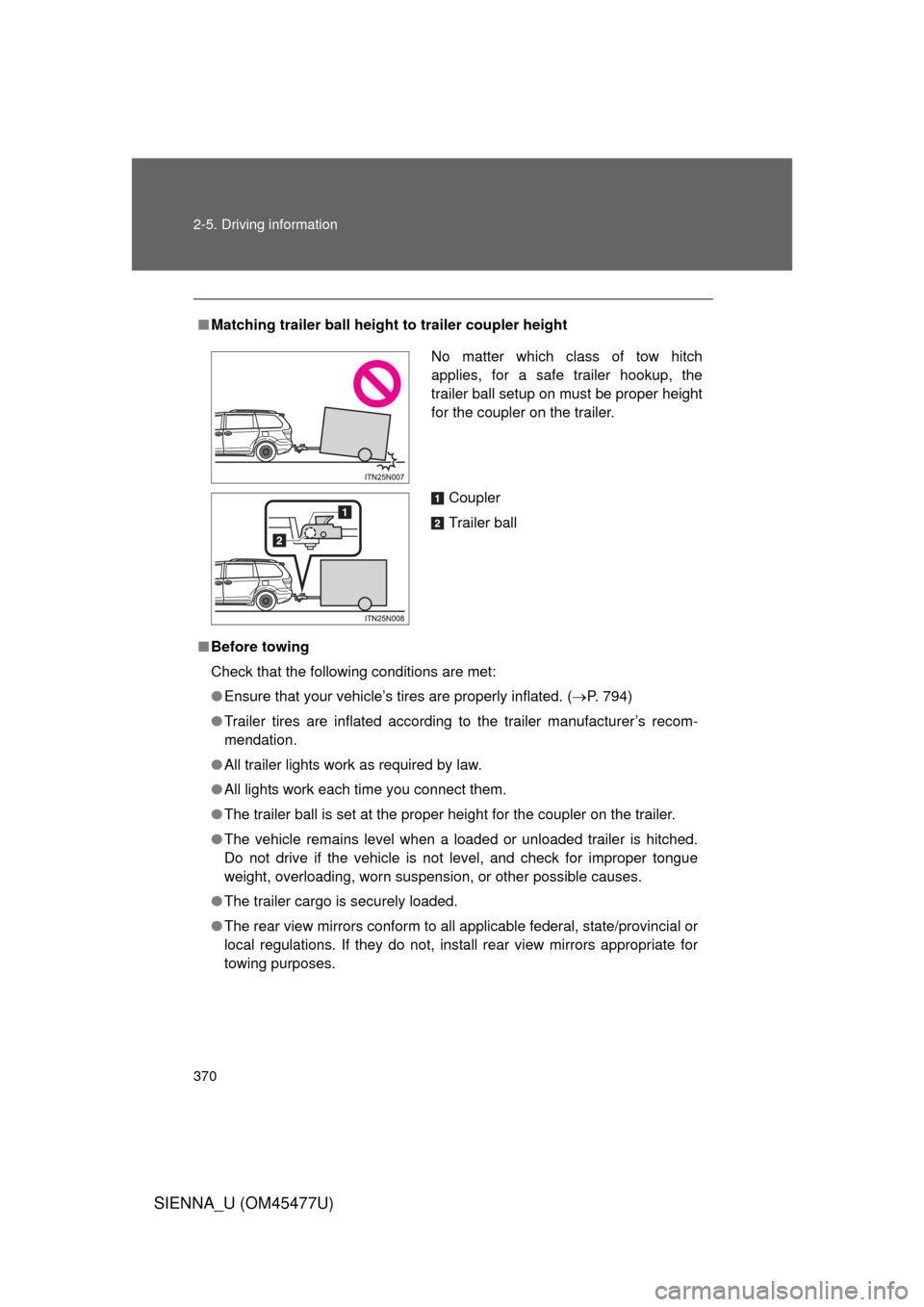
■Matching trailer ball height to trailer coupler height
■ Before towing
Check that the following conditions are met:
● Ensure that your vehicle’s tires are properly inflated. ( P. 794)
● Trailer tires are inflated according to the trailer manufacturer’s recom-
mendation.
● All trailer lights work as required by law.
● All lights work each time you connect them.
● The trailer ball is set at the proper height for the coupler on the trai\
ler.
● The vehicle remains level when a loaded or unloaded trailer is hitched.
Do not drive if the vehicle is not level, and check for improper tongue
weight, overloading, worn suspension, or other possible causes.
● The trailer cargo is securely loaded.
● The rear view mirrors conform to all applicable federal, state/provincial or
local regulations. If they do not, install rear view mirrors appropriate for
towing purposes.
No matter which class of tow hitch
applies, for a safe trailer hookup, the
trailer ball setup on must be proper height
for the coupler on the trailer.
Coupler
Trailer ball
Page 375 of 860
375
2-5. Driving information
2
When driving
SIENNA_U (OM45477U)
CAUTION
■
When towing a trailer
Toyota recommends trailers with brak es that conform to any applicable fed-
eral and state/provincial regulations.
● If the gross trailer weight exceeds unbraked TWR, trailer brakes are
required. Toyota recommends trailers wi th brakes that conform to all appli-
cable federal and state/provincial regulations.
● Never tap into your vehicle’s hydraulic system, as this will lower the vehi-
cle’s braking effectiveness.
● Never tow a trailer without using a safety chain securely attached to both
the trailer and the vehicle. If damage occurs to the coupling unit or hitch
ball, there is danger of the trailer wandering into another lane.
NOTICE
■When installing a trailer hitch
Use only the position recommended by your Toyota dealer. Do not install the
trailer hitch on the bumper; this may cause body damage.
■ Do not directly splice trailer lights
Do not directly splice trailer lights. Directly splicing trailer lights may damage
your vehicle’s electrical system and cause a malfunction.
Page 379 of 860
Interior features3
379
SIENNA_U (OM45477U)
3-5. Using the hands-free phonesystem (for cellula r phone)
Hands-free phone system (for cellular phone)
features .......................... 529
Using the hands-free phone system
(for cellular phone) ......... 534
Making a phone call ......... 543
Setting a cellular phone ... 548
Security and system setup .............................. 553
Using the phone book ...... 558
3-6. Using the interior lights Interior lights list ............... 566
• Personal/interior light
main swi tch .................... 567
• Personal/interior lights ... 568
• Personal lights ............... 570
• Rear ceiling lights .......... 570 3-7. Using the storage features
List of storage features .... 572
• Glove boxes ................... 573
• Console box ................... 575
• Overhead console .......... 578
• Cup holders ................... 579
• Bottle holders ................. 582
• Door pockets .................. 584
• Auxiliary boxes ............... 585
3-8. Other interior features Sun visors ........................ 590
Vanity mirrors ................... 591
Clock ................................ 592
Conversation mirror ......... 593
Power outlets ................... 594
Seat heaters..................... 598
Armrests........................... 600
Rear side sunshades ....... 602
Grocery bag hooks........... 603
Floor mat .......................... 605
Luggage compartment features .......................... 607
Garage door opener......... 609
Compass .......................... 617
Safety Connect ................ 622
Page 420 of 860

420 3-2. Using the audio system
SIENNA_U (OM45477U)
■If the satellite radio does not operate normally
If a problem occurs with the XM
® tuner, a message will appear on the dis-
play. Refer to the table below to identify the problem, and take the suggested
corrective action.
ANTENNA or
CHECK
ANTENNA
The XM® antenna is not connected. Check
whether the XM® antenna cable is attached
securely.
There is a short-circuit in the antenna or the sur-
rounding antenna cable. See a Toyota certified
dealer.
UPDATING
or
CHANNEL NOT AUTHORIZED You have not subscribed to XM
® Satellite Radio.
The radio is being updated with the latest encryp-
tion code. Contact XM
® Satellite Radio for sub-
scription information. When a contract is canceled,
you can choose “CH000” and all free-to-air chan-
nels.
The premium channel you selected is not autho-
rized. Wait for about 2 seconds until the radio
returns to the previous channel or “CH001”. If it
does not change automatically, select another
channel. If you want to listen to the premium chan-
nel, contact XM
® Satellite Radio.
NO SIGNAL The XM
® signal is too weak at the current location.
Wait until your vehicle reaches a location with a
stronger signal.
LOADING The unit is acquiring audio or program information.
Wait until the unit has received the information.
OFF AIR
or
CHANNEL OFF AIR
The channel you selected is not broadcasting any
programming. Select another channel.
Page 446 of 860
446 3-2. Using the audio system
SIENNA_U (OM45477U)
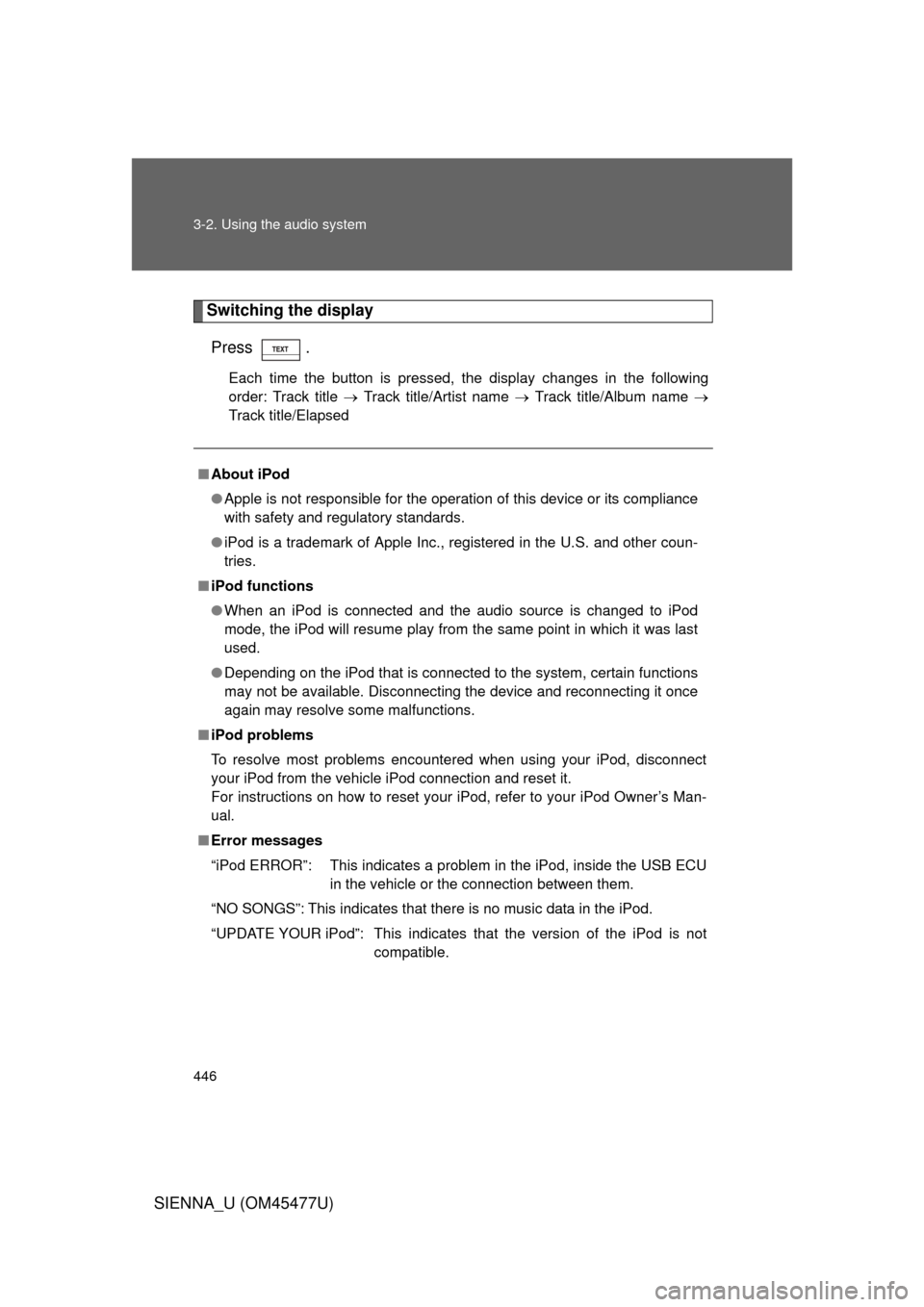
Switching the displayPress .
Each time the button is pressed, the display changes in the following
order: Track title Track title/Artist name Track title/Album name
Track title/Elapsed
■ About iPod
● Apple is not responsible for the operation of this device or its compliance
with safety and regulatory standards.
● iPod is a trademark of Apple Inc., registered in the U.S. and other coun-
tries.
■ iPod functions
● When an iPod is connected and the audio source is changed to iPod
mode, the iPod will resume play from the same point in which it was last
used.
● Depending on the iPod that is connected to the system, certain functions
may not be available. Disconnecting the device and reconnecting it once
again may resolve some malfunctions.
■ iPod problems
To resolve most problems encountered when using your iPod, disconnect
your iPod from the vehicle iPod connection and reset it.
For instructions on how to reset your iPod, refer to your iPod Owner’s Man-
ual.
■ Error messages
“iPod ERROR”: This indicates a problem in the iPod, inside the USB ECU
in the vehicle or the connection between them.
“NO SONGS”: This indicates that there is no music data in the iPod.
“UPDATE YOUR iPod”: This indicates that the version of the iPod is not compatible.
Page 468 of 860
468 3-2. Using the audio system
SIENNA_U (OM45477U)
■About the wrench
After using the included wrench, store it in the glove box for safekeeping\
.
■ Installing the antenna
Tighten the antenna by one
hand until it will not turn any
more.
Using the wrench, tighten the
antenna an additional 1/8th
turn (20 to 45 degrees) to
secure it in place.
After tightening the antenna,
remove the wrench.
STEP1
STEP2
Page 530 of 860
530 3-5. Using the hands-free phone system (for cellular phone)
SIENNA_U (OM45477U)
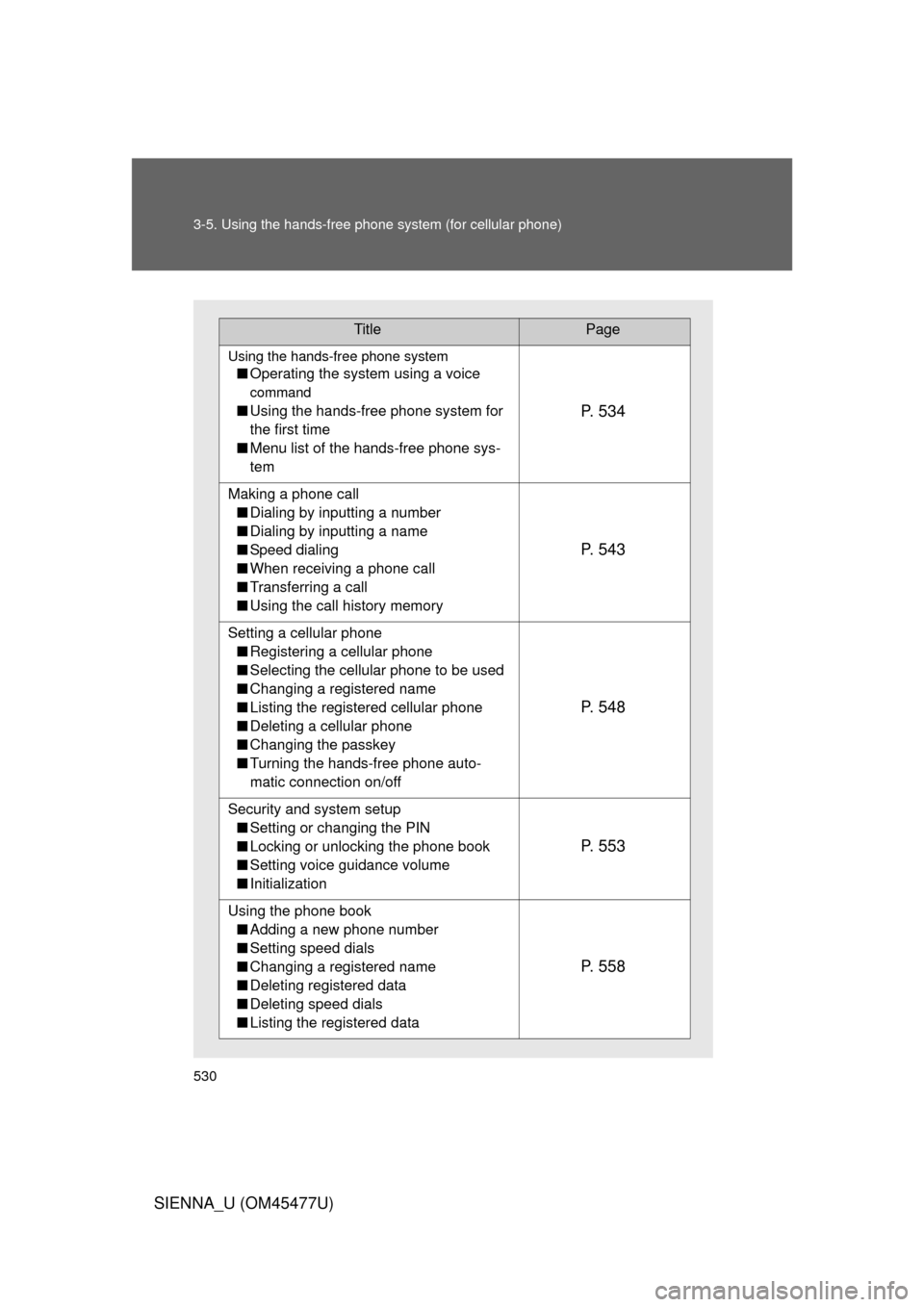
TitlePage
Using the hands-free phone system
■Operating the system using a voice
command
■Using the hands-free phone system for
the first time
■ Menu list of the hands-free phone sys-
temP. 5 3 4
Making a phone call
■ Dialing by inputting a number
■ Dialing by inputting a name
■ Speed dialing
■ When receiving a phone call
■ Transferring a call
■ Using the call history memory
P. 5 4 3
Setting a cellular phone
■ Registering a cellular phone
■ Selecting the cellular phone to be used
■ Changing a registered name
■ Listing the registered cellular phone
■ Deleting a cellular phone
■ Changing the passkey
■ Turning the hands-free phone auto-
matic connection on/off
P. 5 4 8
Security and system setup
■ Setting or changing the PIN
■ Locking or unlocking the phone book
■ Setting voice guidance volume
■ Initialization
P. 5 5 3
Using the phone book
■ Adding a new phone number
■ Setting speed dials
■ Changing a registered name
■ Deleting registered data
■ Deleting speed dials
■ Listing the registered data
P. 5 5 8

■About the wrench
After using the included wrench, store it in the glove box for safekeeping\
.
■ Installing the antenna
Tighten the antenna by")