Page 5 of 860
1
2
3
4
5
6
7
5
SIENNA_U (OM45477U)
3-5. Using the hands-free phone system (for cellular phone)
Hands-free phone system (for cellular phone)
features ............................. 529
Using the hands-free phone system
(for cellular phone) ............ 534
Making a phone call ............ 543
Setting a cellular phone ...... 548
Security and system setup ................................. 553
Using the phone book ......... 558
3-6. Using the interior lights Interior lights list .................. 566
• Personal/interior light main switch ....................... 567
• Personal/interior lights ...... 568
• Personal lights .................. 570
• Rear ceiling lights ............. 570 3-7. Using the storage features
List of storage features ....... 572
• Glove boxes ..................... 573
• Console box ..................... 575
• Overhead console ............ 578
• Cup holders ...................... 579
• Bottle holders ................... 582
• Door pockets .................... 584
• Auxiliary boxes ................. 585
3-8. Other interior features Sun visors........................... 590
Vanity mirrors ..................... 591
Clock .................................. 592
Conversation mirror ............ 593
Power outlets...................... 594
Seat heaters ....................... 598
Armrests ............................. 600
Rear side sunshades.......... 602
Grocery bag hooks ............. 603
Floor mat ............................ 605
Luggage compartment features ............................ 607
Garage door opener ........... 609
Compass ............................ 617
Safety Connect ................... 622
Page 12 of 860
SIENNA_U (OM45477U)
12
Pictorial indexInterior
A
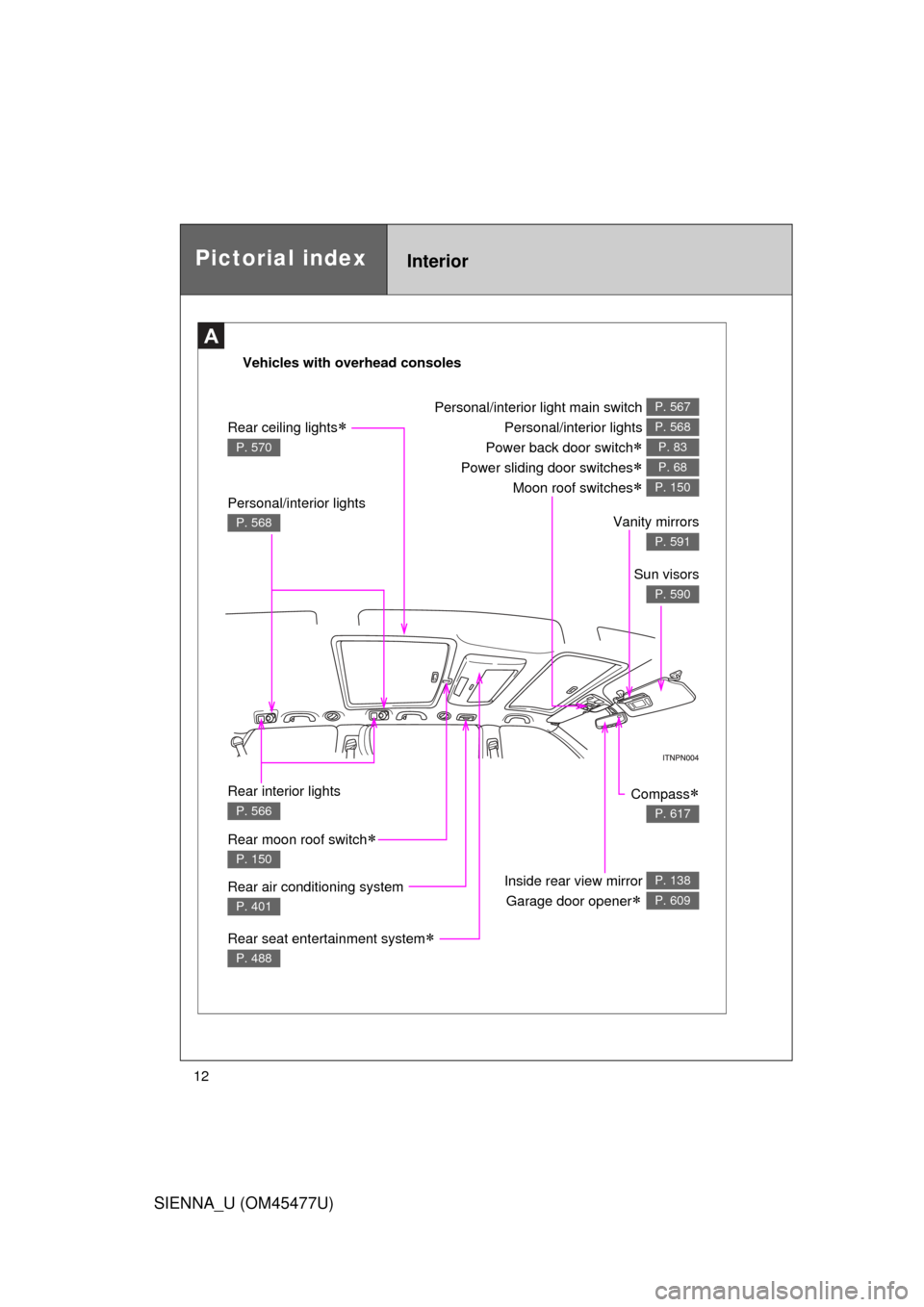
Vehicles with overhead consoles
Personal/interior lights
P. 568Vanity mirrors
P. 591
Rear air conditioning system
P. 401
Inside rear view mirror Garage door opener
P. 138
P. 609
Rear interior lights
P. 566
Rear seat entertainment system
P. 488
Compass
P. 617
Personal/interior light main switch
Personal/interior lights
Power back door switch
Power sliding door switches
Moon roof switches
P. 567
P. 568
P. 83
P. 68
P. 150
Sun visors
P. 590
Rear ceiling lights
P. 570
Rear moon roof switch
P. 150
Page 379 of 860
Interior features3
379
SIENNA_U (OM45477U)
3-5. Using the hands-free phonesystem (for cellula r phone)
Hands-free phone system (for cellular phone)
features .......................... 529
Using the hands-free phone system
(for cellular phone) ......... 534
Making a phone call ......... 543
Setting a cellular phone ... 548
Security and system setup .............................. 553
Using the phone book ...... 558
3-6. Using the interior lights Interior lights list ............... 566
• Personal/interior light
main swi tch .................... 567
• Personal/interior lights ... 568
• Personal lights ............... 570
• Rear ceiling lights .......... 570 3-7. Using the storage features
List of storage features .... 572
• Glove boxes ................... 573
• Console box ................... 575
• Overhead console .......... 578
• Cup holders ................... 579
• Bottle holders ................. 582
• Door pockets .................. 584
• Auxiliary boxes ............... 585
3-8. Other interior features Sun visors ........................ 590
Vanity mirrors ................... 591
Clock ................................ 592
Conversation mirror ......... 593
Power outlets ................... 594
Seat heaters..................... 598
Armrests........................... 600
Rear side sunshades ....... 602
Grocery bag hooks........... 603
Floor mat .......................... 605
Luggage compartment features .......................... 607
Garage door opener......... 609
Compass .......................... 617
Safety Connect ................ 622
Page 566 of 860
566
SIENNA_U (OM45477U)
3-6. Using the interior lights
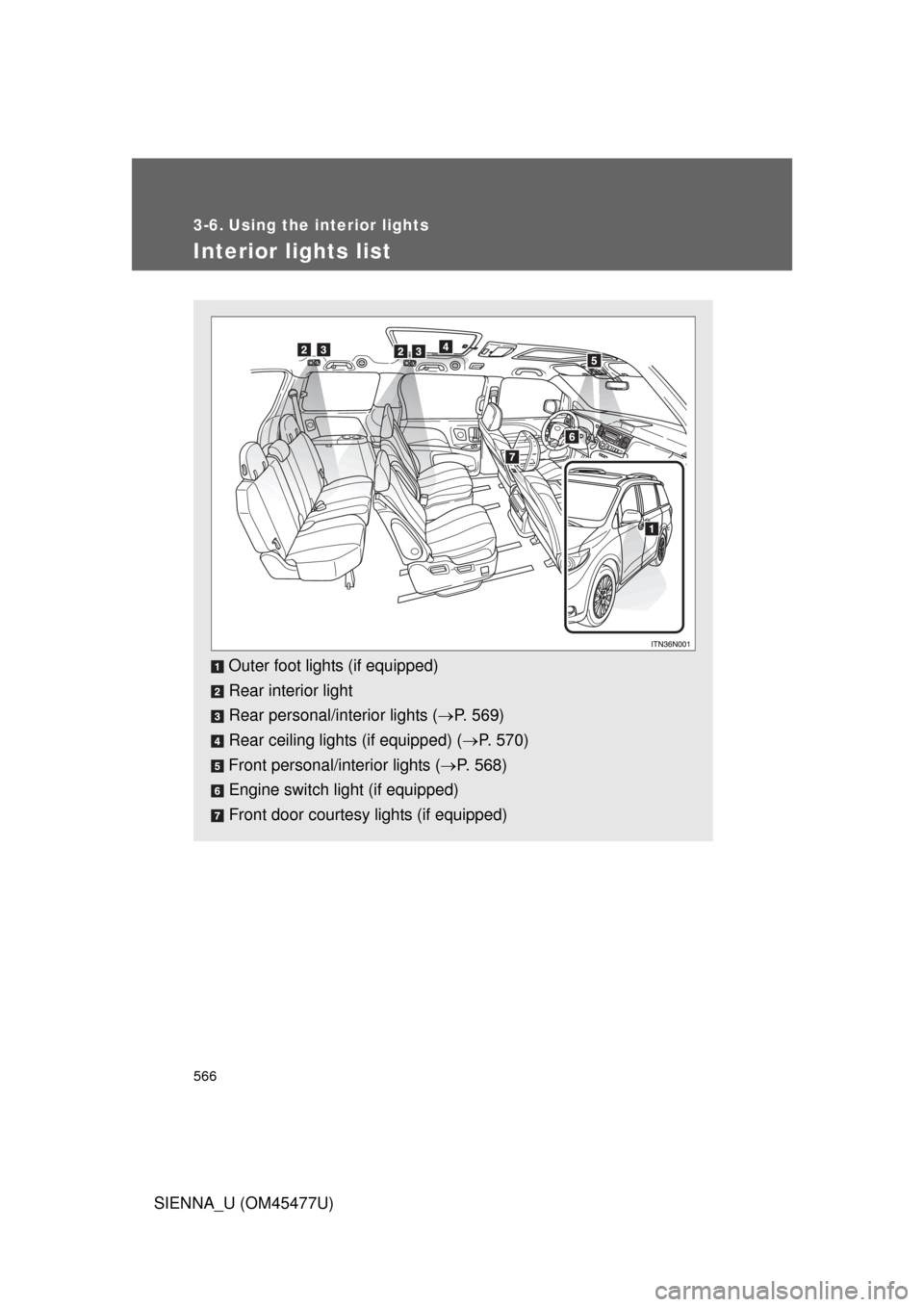
Interior lights list
Outer foot lights (if equipped)
Rear interior light
Rear personal/interior lights (P. 569)
Rear ceiling lights (if equipped) ( P. 570)
Front personal/interior lights ( P. 568)
Engine switch light (if equipped)
Front door courtesy lights (if equipped)
Page 567 of 860
567
3-6. Using the interior lights
3
Interior features
SIENNA_U (OM45477U)
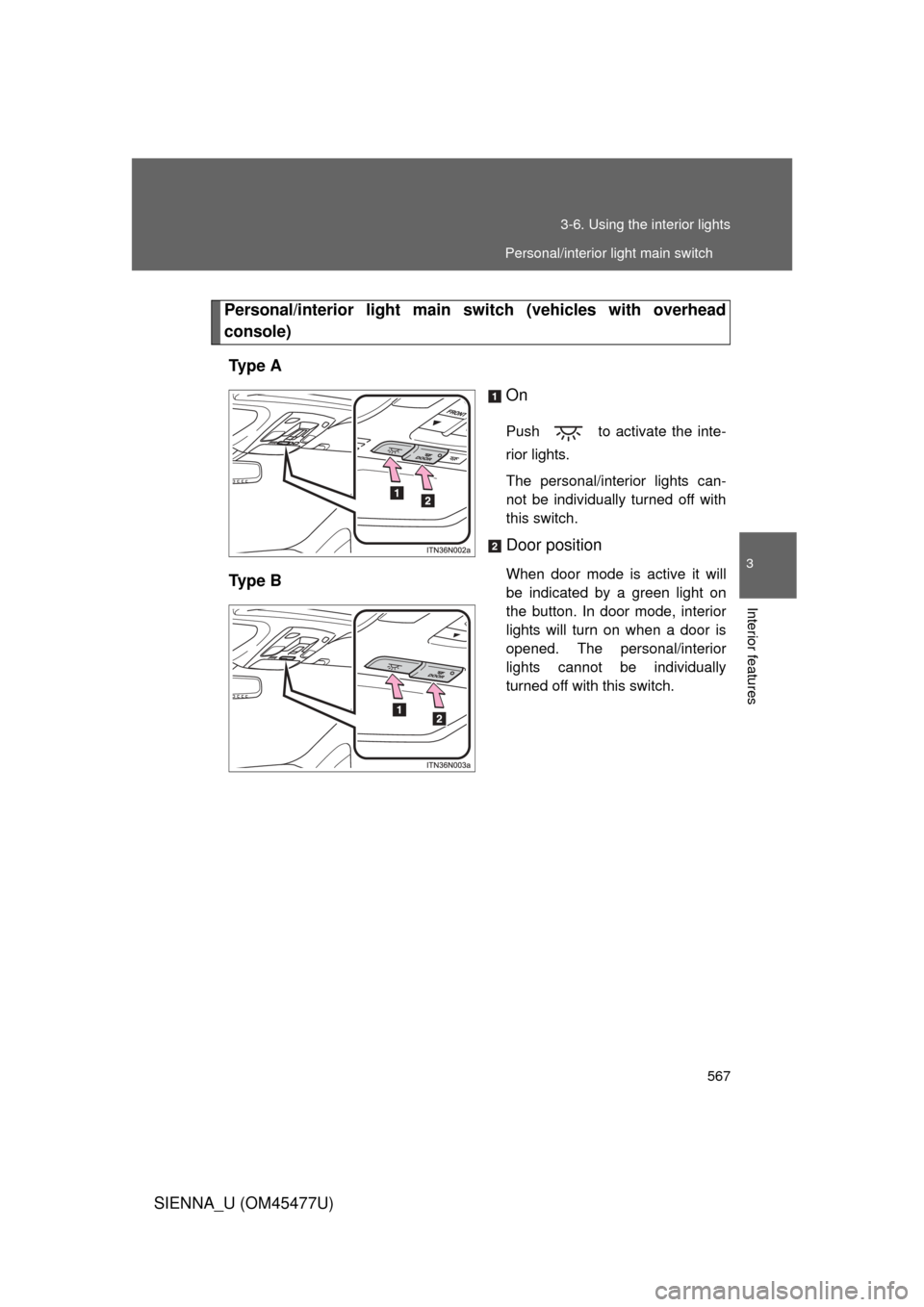
Personal/interior light main switch (vehicles with overhead
console)
Ty p e A On
Push to activate the inte-
rior lights.
The personal/interior lights can-
not be individually turned off with
this switch.
Door position
When door mode is active it will
be indicated by a green light on
the button. In door mode, interior
lights will turn on when a door is
opened. The personal/interior
lights cannot be individually
turned off with this switch.Ty p e B
Personal/interior light main switch
Page 568 of 860
568 3-6. Using the interior lights
SIENNA_U (OM45477U)
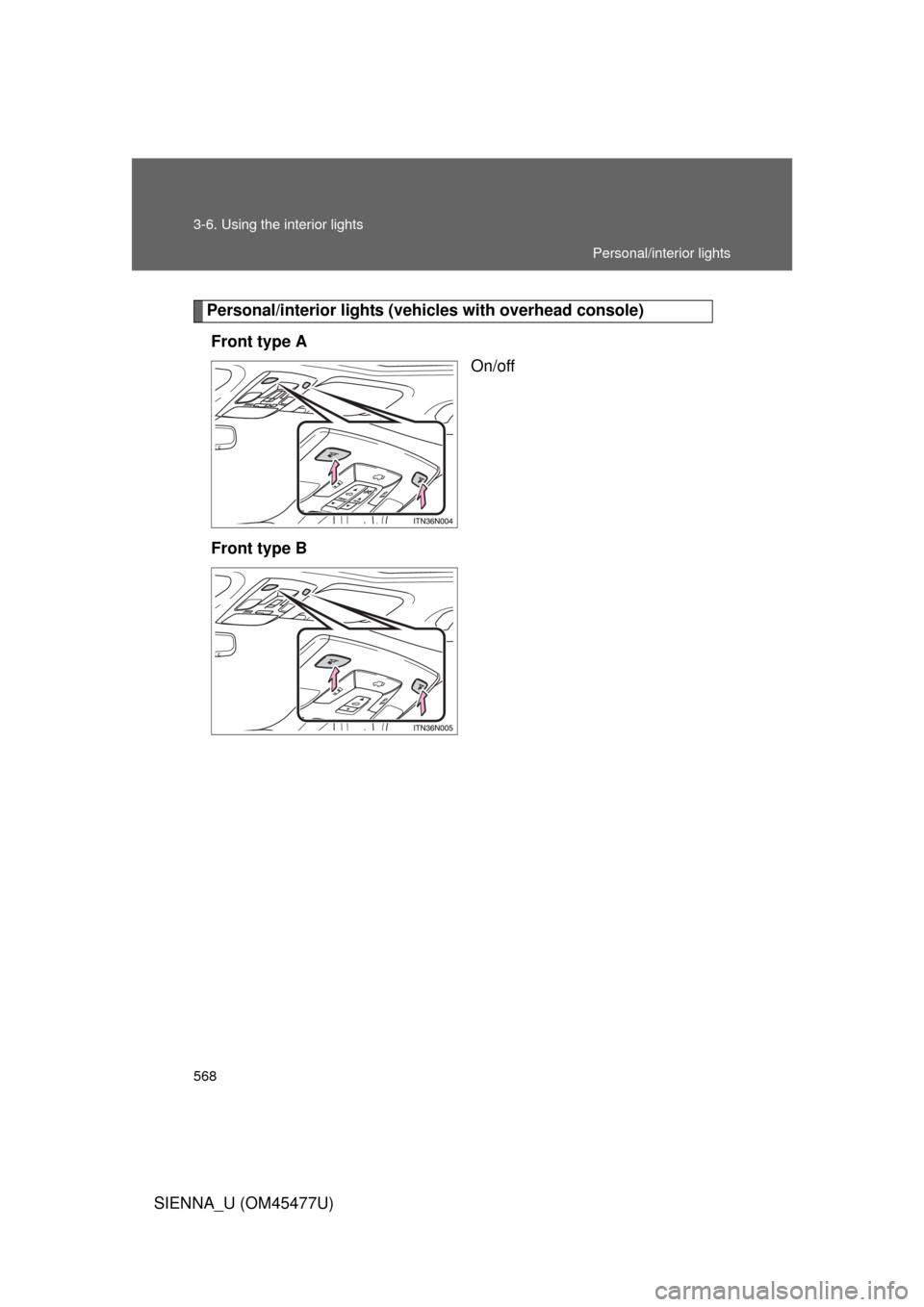
Personal/interior lights (vehicles with overhead console)
Front type A On/off
Front type B
Personal/interior lights
Page 569 of 860
569
3-6. Using the interior lights
3
Interior features
SIENNA_U (OM45477U)
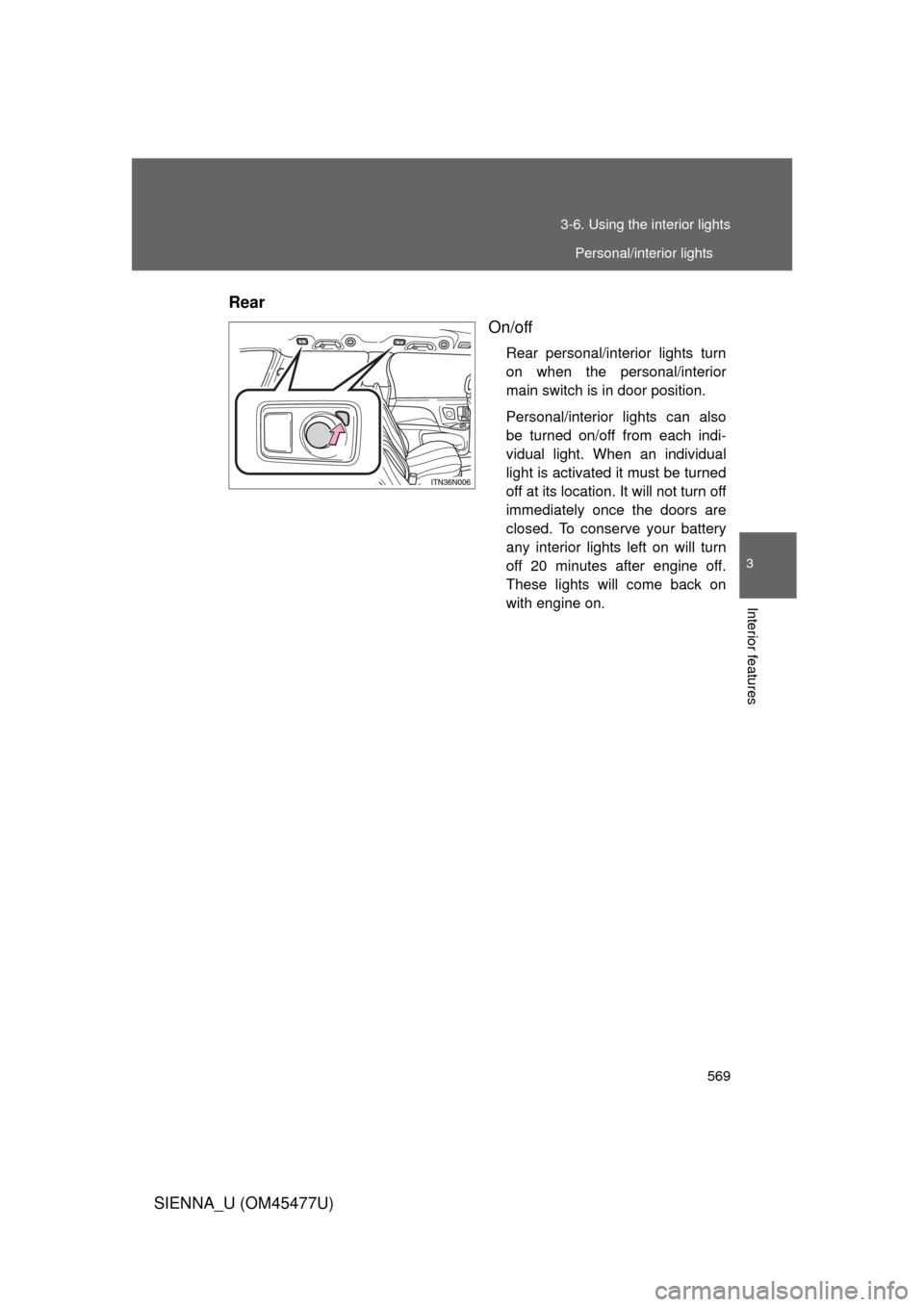
Rear
On/off
Rear personal/interior lights turn
on when the personal/interior
main switch is in door position.
Personal/interior lights can also
be turned on/off from each indi-
vidual light. When an individual
light is activated it must be turned
off at its location. It will not turn off
immediately once the doors are
closed. To conserve your battery
any interior lights left on will turn
off 20 minutes after engine off.
These lights will come back on
with engine on.
Personal/interior lights
Page 570 of 860
570 3-6. Using the interior lights
SIENNA_U (OM45477U)
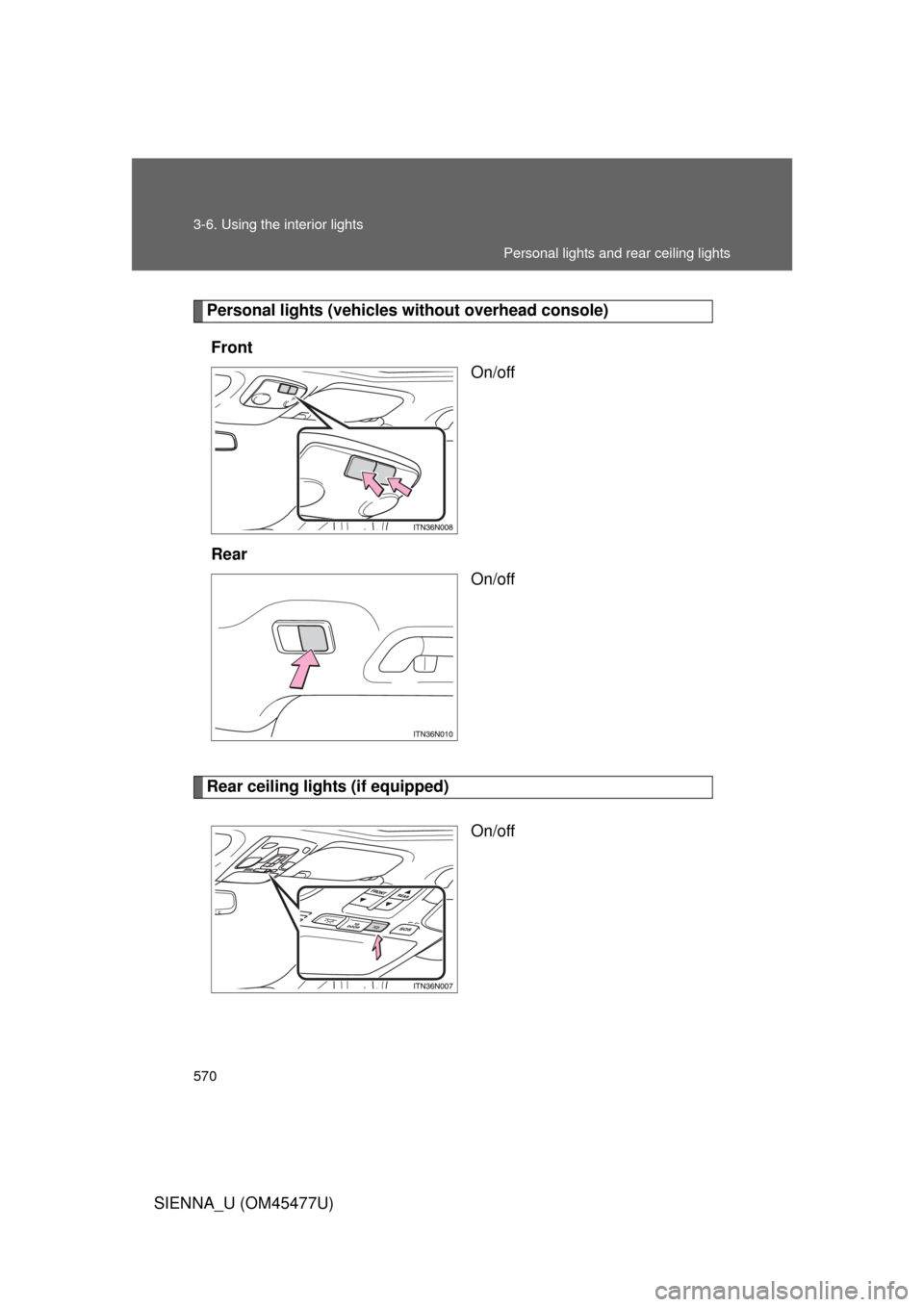
Personal lights (vehicles without overhead console)
Front On/off
Rear On/off
Rear ceiling lights (if equipped)
On/off
Personal lights and rear ceiling lights