Page 518 of 860
518
3-4. Using the rear audio system
SIENNA_U (OM45477U)
Changing the DVD initial setting
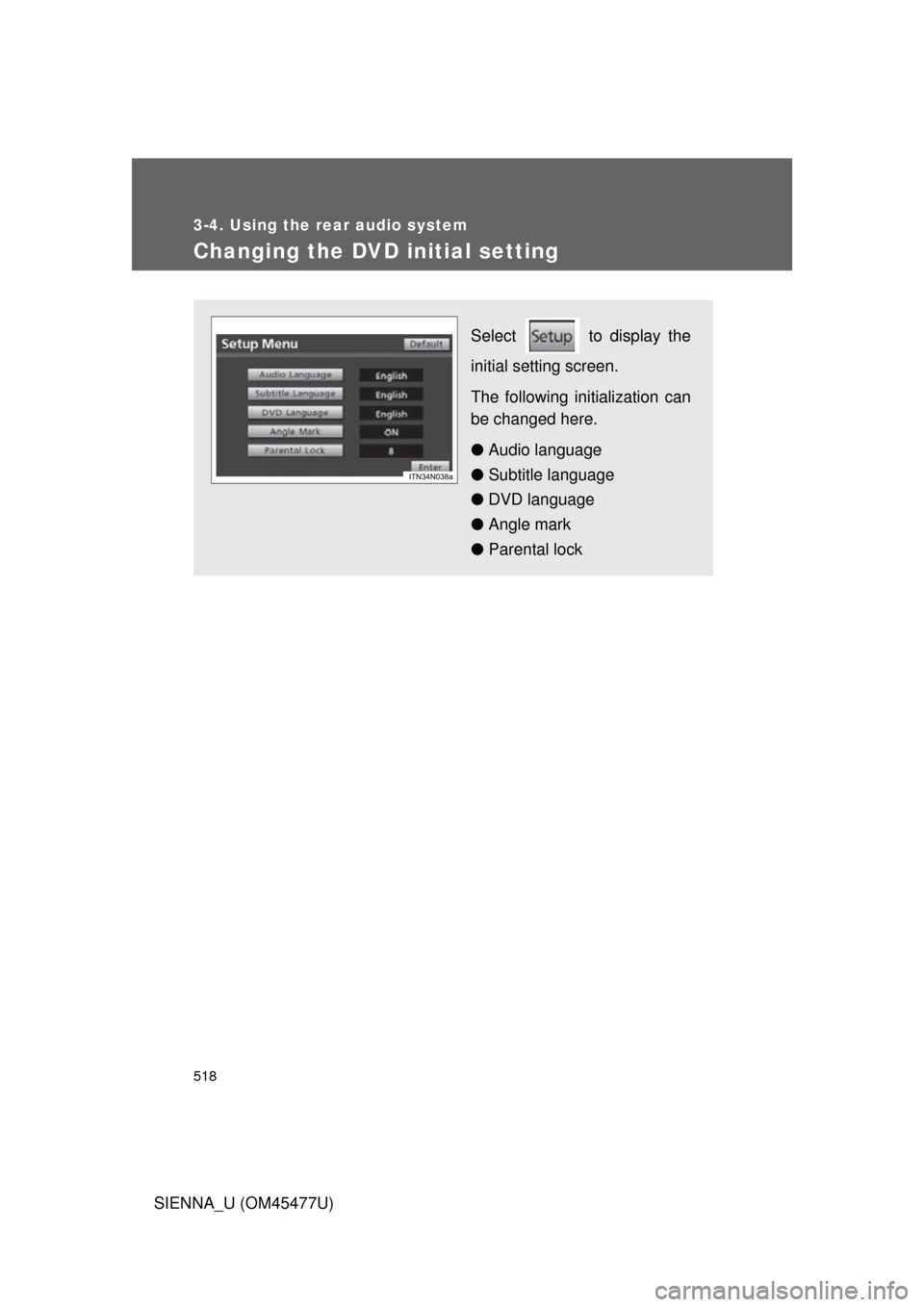
Select to display the
initial setting screen.
The following initialization can
be changed here.
● Audio language
● Subtitle language
● DVD language
● Angle mark
● Parental lock
Page 519 of 860
519
3-4. Using the rear audio system
3
Interior features
SIENNA_U (OM45477U)
Changing the audio language
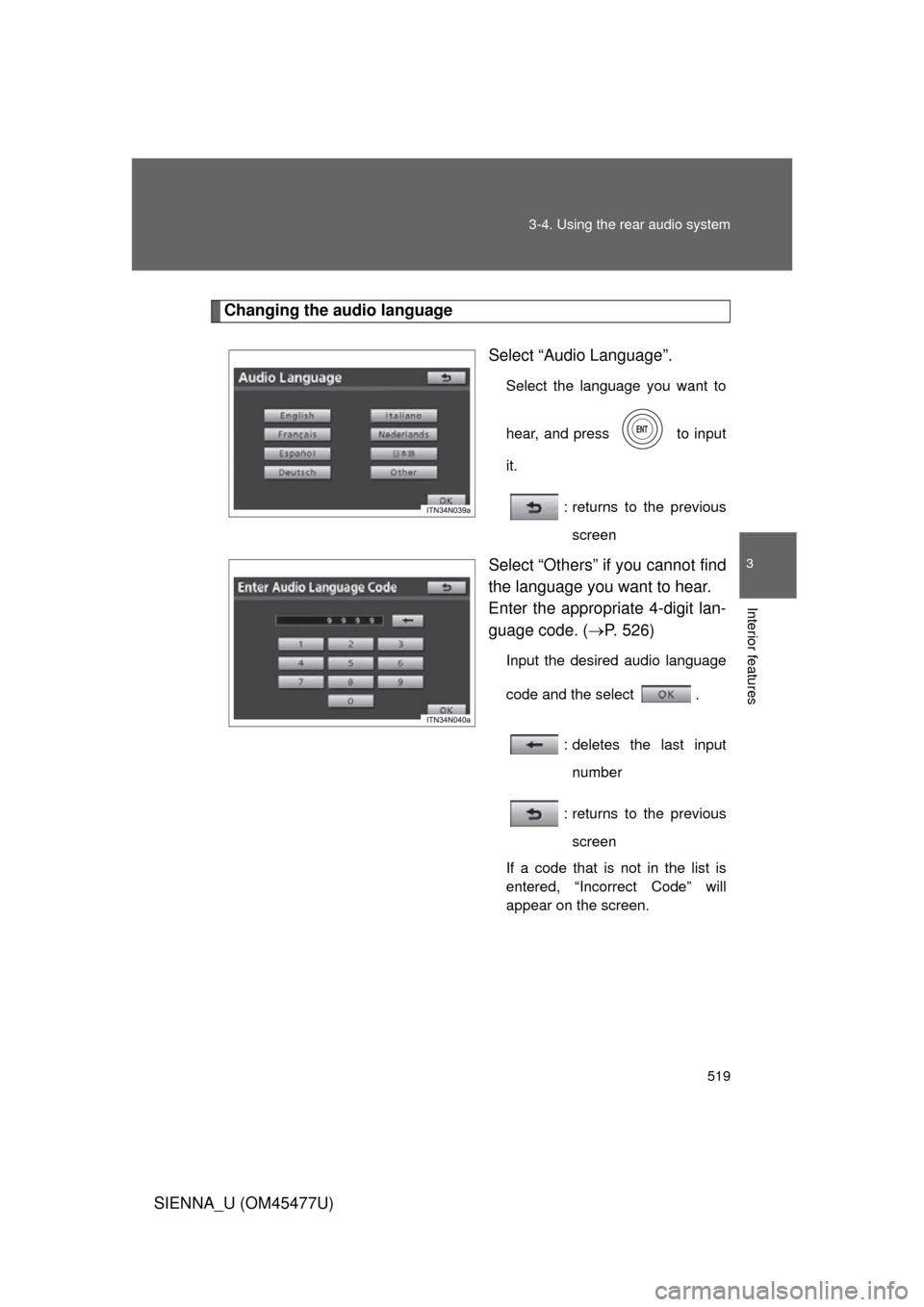
Select “Audio Language”.
Select the language you want to
hear, and press to input
it.
: returns to the previousscreen
Select “Others” if you cannot find
the language you want to hear.
Enter the appropriate 4-digit lan-
guage code. ( P. 526)
Input the desired audio language
code and the select .
: deletes the last inputnumber
: returns to the previous screen
If a code that is not in the list is
entered, “Incorrect Code” will
appear on the screen.
Page 520 of 860
520 3-4. Using the rear audio system
SIENNA_U (OM45477U)
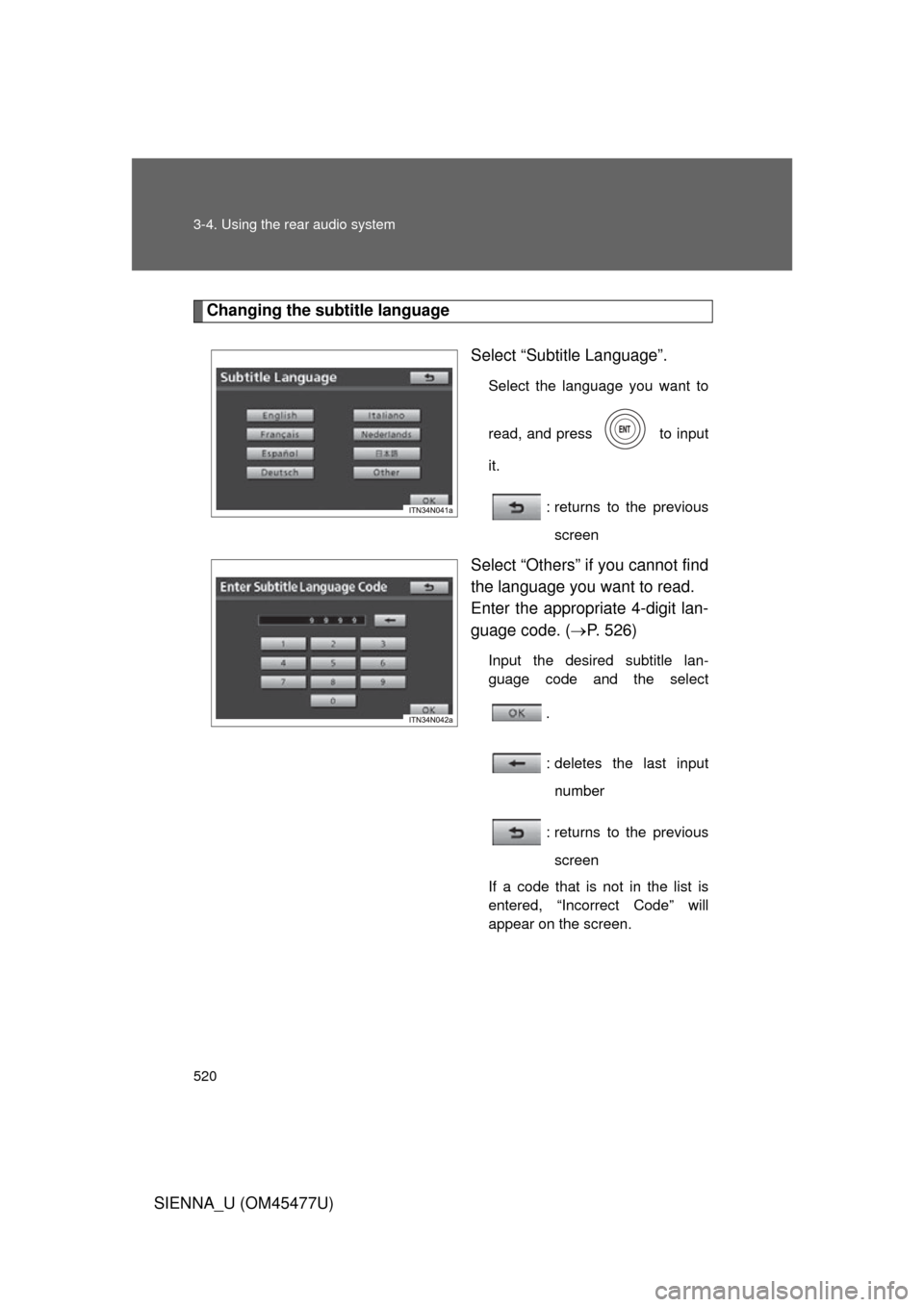
Changing the subtitle languageSelect “Subtitle Language”.
Select the language you want to
read, and press to input
it.
: returns to the previousscreen
Select “Others” if you cannot find
the language you want to read.
Enter the appropriate 4-digit lan-
guage code. ( P. 526)
Input the desired subtitle lan-
guage code and the select
.
: deletes the last inputnumber
: returns to the previous screen
If a code that is not in the list is
entered, “Incorrect Code” will
appear on the screen.
Page 521 of 860
521
3-4. Using the rear audio system
3
Interior features
SIENNA_U (OM45477U)
Changing the DVD language
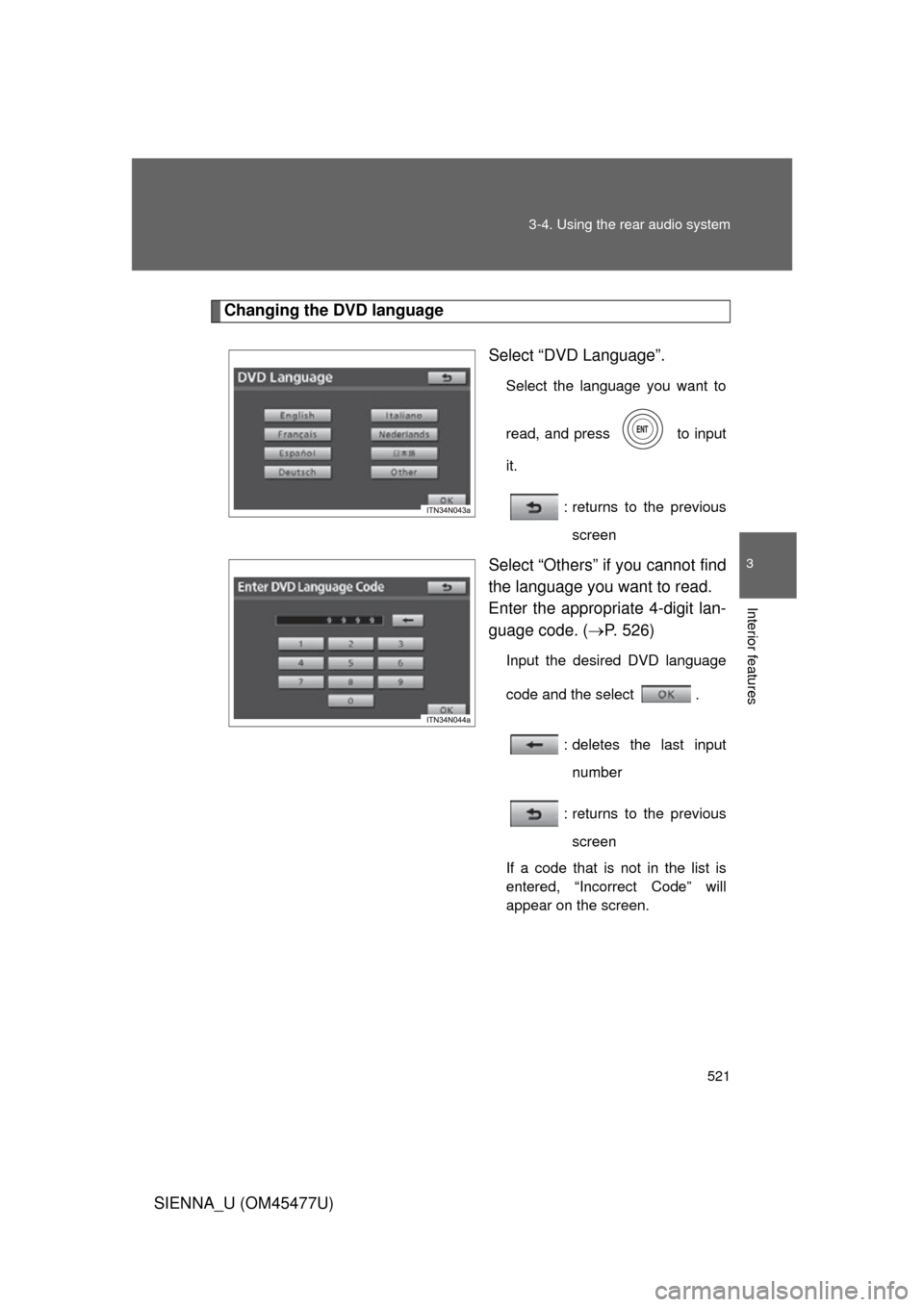
Select “DVD Language”.
Select the language you want to
read, and press to input
it.
: returns to the previousscreen
Select “Others” if you cannot find
the language you want to read.
Enter the appropriate 4-digit lan-
guage code. ( P. 526)
Input the desired DVD language
code and the select .
: deletes the last inputnumber
: returns to the previous screen
If a code that is not in the list is
entered, “Incorrect Code” will
appear on the screen.
Page 522 of 860
522 3-4. Using the rear audio system
SIENNA_U (OM45477U)
Turning on or off the angle markThe angle mark can be turned on for discs that are multi-angle com-
patible.
Each time you press when “Angle Mark” is selected, the angle
mark turns on or off alternately.
Page 523 of 860
523
3-4. Using the rear audio system
3
Interior features
SIENNA_U (OM45477U)
Setting viewer restriction levels
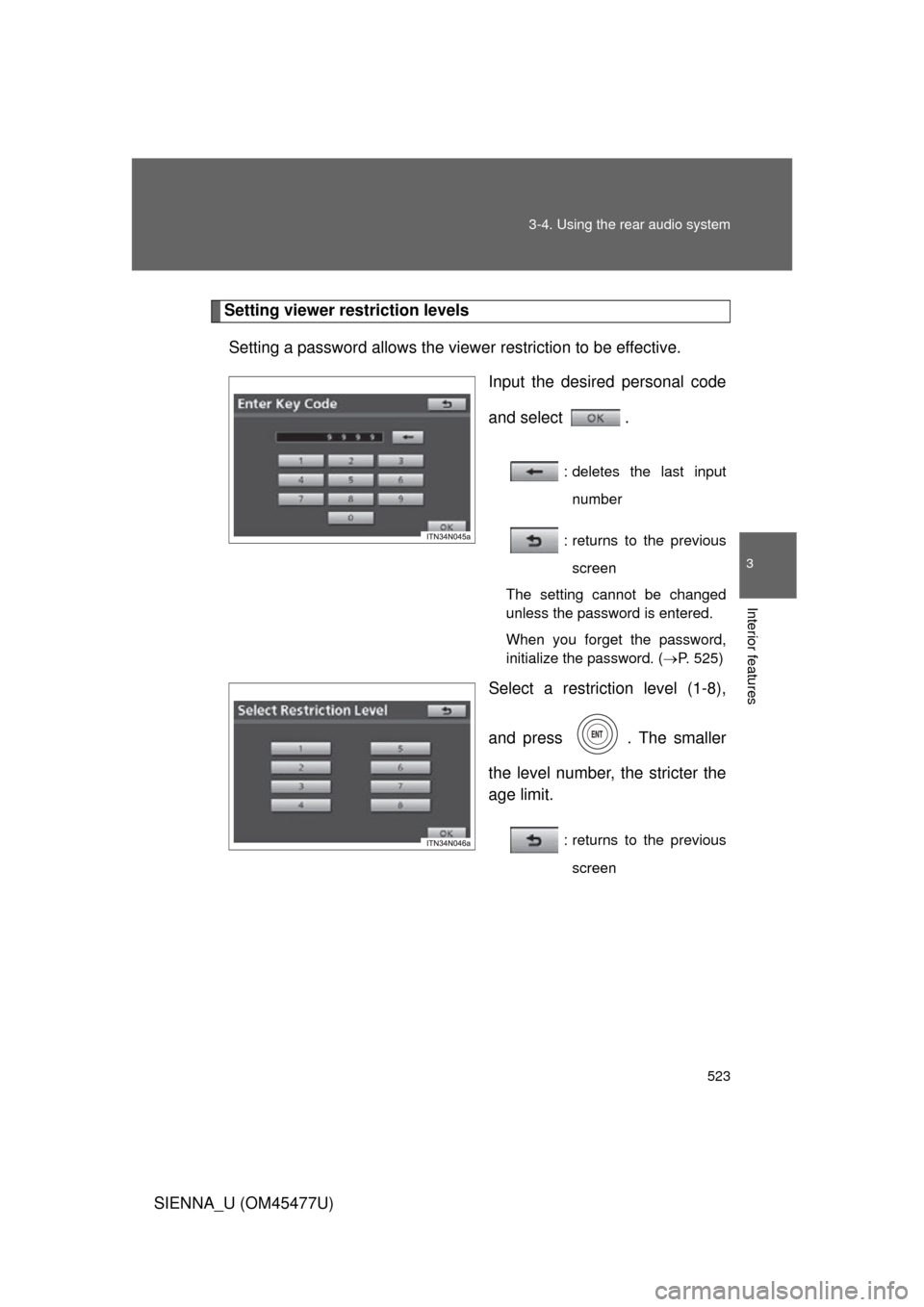
Setting a password allows the viewer restriction to be effective. Input the desired personal code
and select .
: deletes the last inputnumber
: returns to the previous screen
The setting cannot be changed
unless the password is entered.
When you forget the password,
initialize the password. ( P. 525)
Select a restriction level (1-8),
and press . The smaller
the level number, the stricter the
age limit.
: returns to the previous
screen
Page 524 of 860
524 3-4. Using the rear audio system
SIENNA_U (OM45477U)
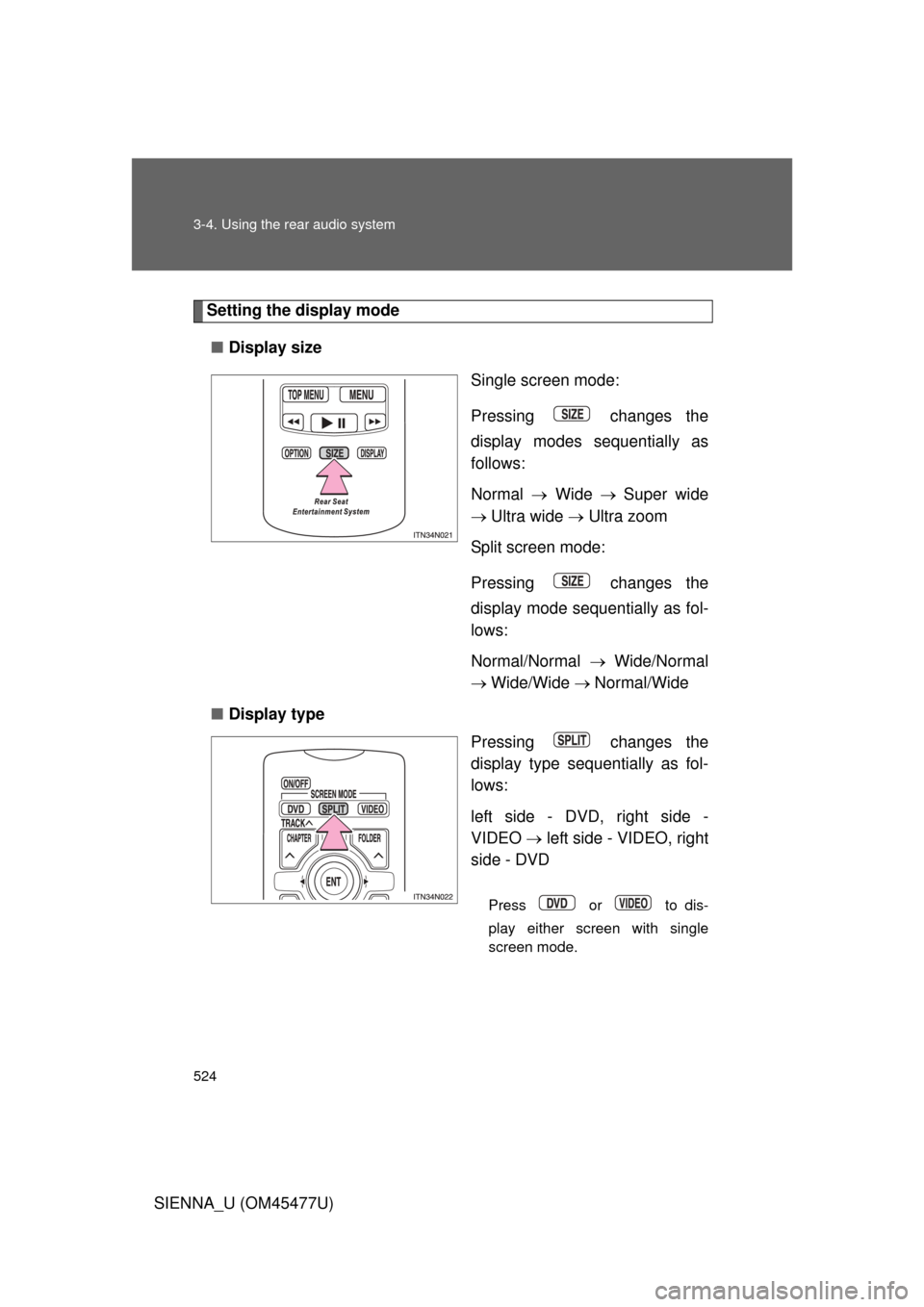
Setting the display mode■ Display size
Single screen mode:
Pressing changes the
display modes sequentially as
follows:
Normal Wide Super wide
Ultra wide Ultra zoom
Split screen mode:
Pressing changes the
display mode sequentially as fol-
lows:
Normal/Normal Wide/Normal
Wide/Wide Normal/Wide
■ Display type
Pressing changes the
display type sequentially as fol-
lows:
left side - DVD, right side -
VIDEO left side - VIDEO, right
side - DVD
Press or to dis-
play either screen with single
screen mode.
Page 525 of 860
525
3-4. Using the rear audio system
3
Interior features
SIENNA_U (OM45477U)
■
Returning to the previous screen
Select and press .
■ To initialize the password
Press on the remote controller or unit ten times when the screen to enter
the personal code is displayed.
■ When changing the display size
● When using this product, you can select from various display modes. The
picture quality can be affected if you select any mode different from the
original. (Example: viewing original normal picture [4:3] on a wide display
mode [16:9] may distort the picture image)
● Video may appear grainy when viewed in Superwide, Ultrawide and
Ultrazoom mode.
● Please note that using this system for the purpose of commercial or pub-
lic viewing may result in infringement of rights of the copyright owner and/
or author of that program/picture/software under copyright protection
laws.