Page 486 of 860
486 3-3. Using the Bluetooth
® audio system
SIENNA_U (OM45477U)
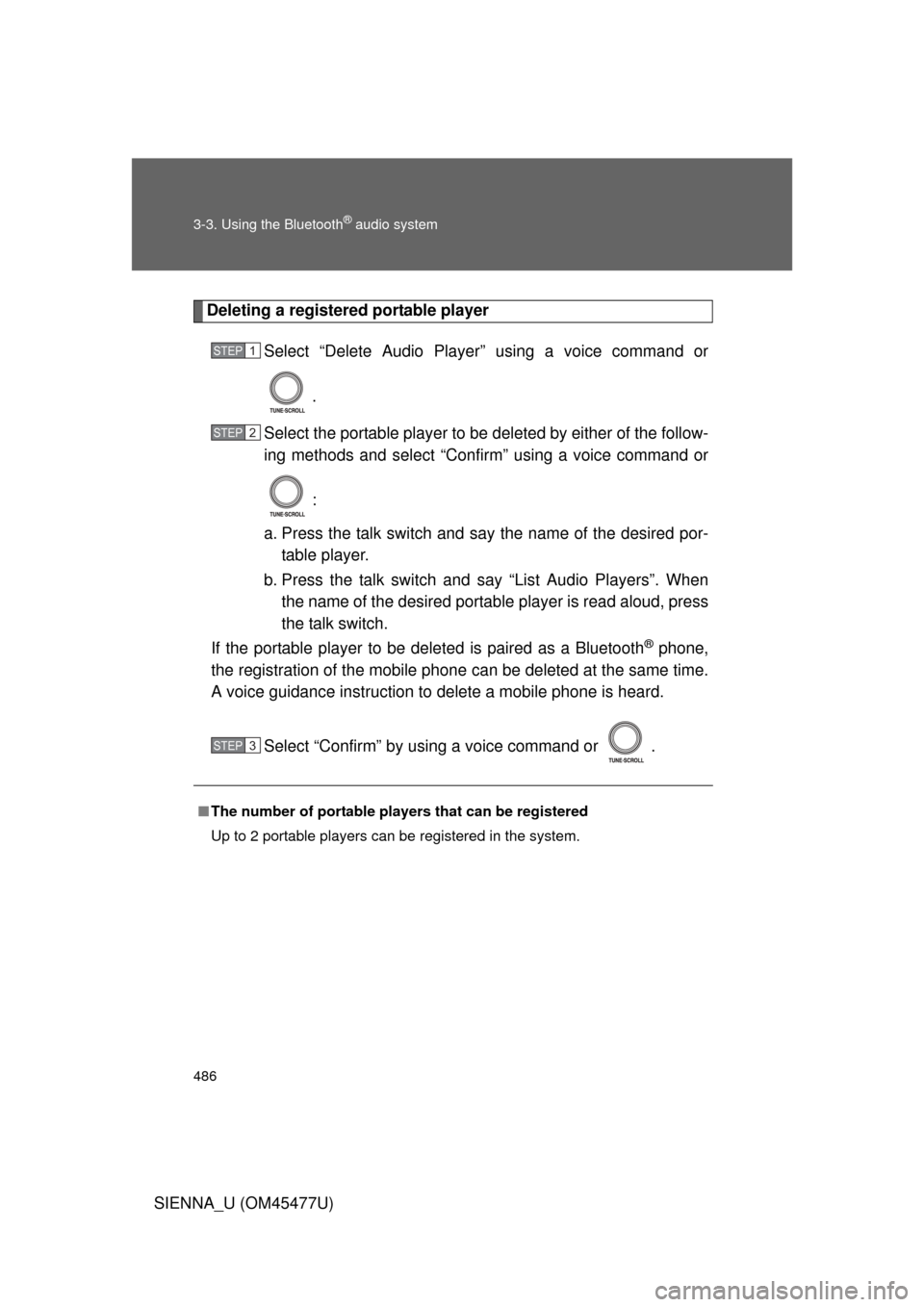
Deleting a registered portable playerSelect “Delete Audio Player” using a voice command or
.
Select the portable player to be deleted by either of the follow-
ing methods and select “Confirm” using a voice command or
:
a. Press the talk switch and say the name of the desired por- table player.
b. Press the talk switch and say “List Audio Players”. When
the name of the desired portable player is read aloud, press
the talk switch.
If the portable player to be deleted is paired as a Bluetooth
® phone,
the registration of the mobile phone can be deleted at the same time.
A voice guidance instruction to delete a mobile phone is heard.
Select “Confirm” by using a voice command or .
■The number of portable pl ayers that can be registered
Up to 2 portable players can be registered in the system.
STEP1
STEP2
STEP3
Page 487 of 860
487
3-3. Using the Bluetooth® audio system
3
Interior features
SIENNA_U (OM45477U)
Bluetooth® audio system setup
■System setup items and operation procedures
P. 5 5 3
Page 488 of 860
488
SIENNA_U (OM45477U)
3-4. Using the rear audio system
Rear seat entertainment system features
: If equipped
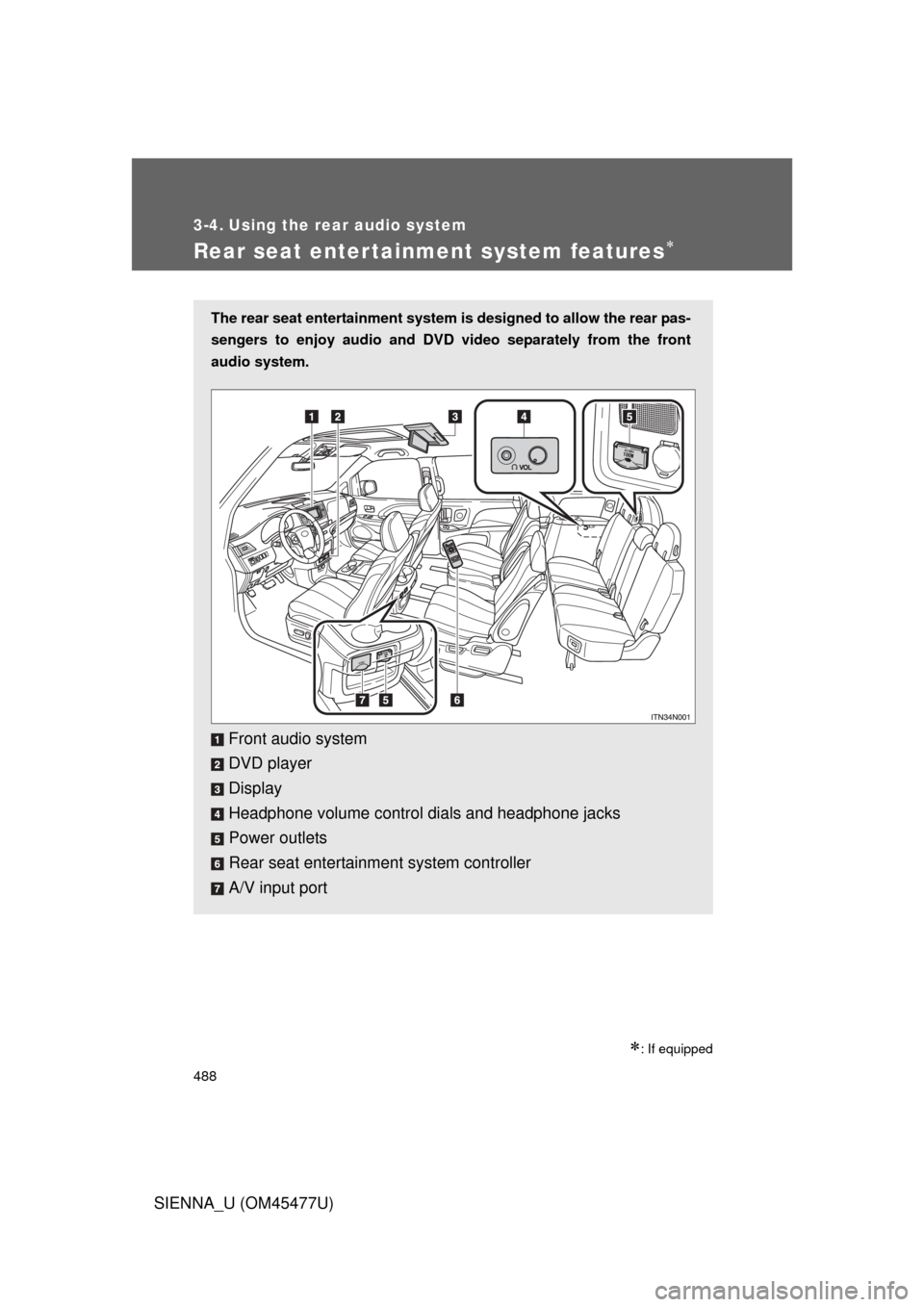
The rear seat entertainment system is designed to allow the rear pas-
sengers to enjoy audio and DVD video separately from the front
audio system.
Front audio system
DVD player
Display
Headphone volume control dials and headphone jacks
Power outlets
Rear seat entertainment system controller
A/V input port
Page 489 of 860
489
3-4. Using the rear audio system
3
Interior features
SIENNA_U (OM45477U)
Opening and closing the display
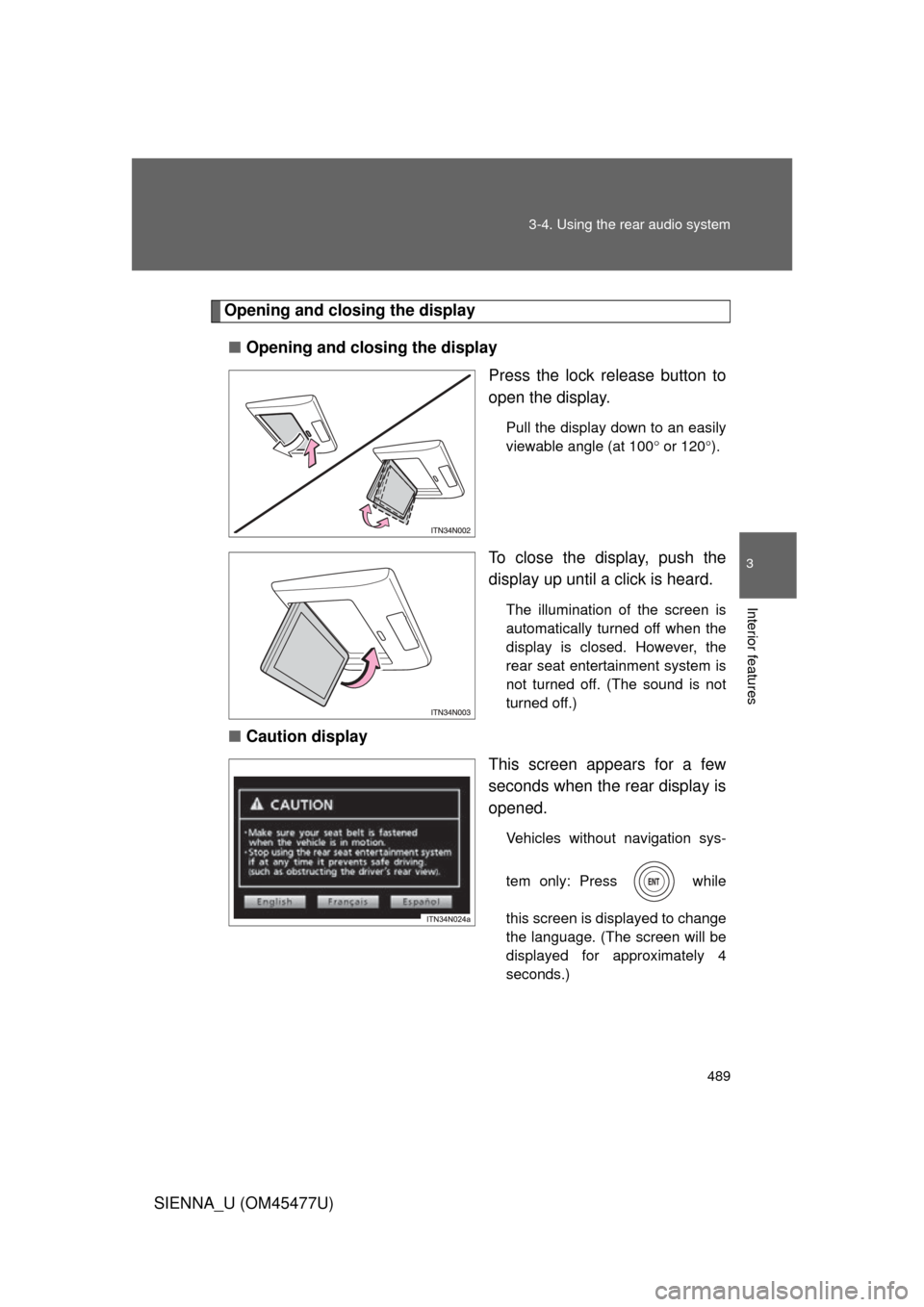
■ Opening and closing the display
Press the lock release button to
open the display.
Pull the display down to an easily
viewable angle (at 100 or 120 ).
To close the display, push the
display up until a click is heard.
The illumination of the screen is
automatically turned off when the
display is closed. However, the
rear seat entertainment system is
not turned off. (The sound is not
turned off.)
■ Caution display
This screen appears for a few
seconds when the rear display is
opened.
Vehicles without navigation sys-
tem only: Press while
this screen is displayed to change
the language. (The screen will be
displayed for approximately 4
seconds.)
Page 490 of 860
490 3-4. Using the rear audio system
SIENNA_U (OM45477U)
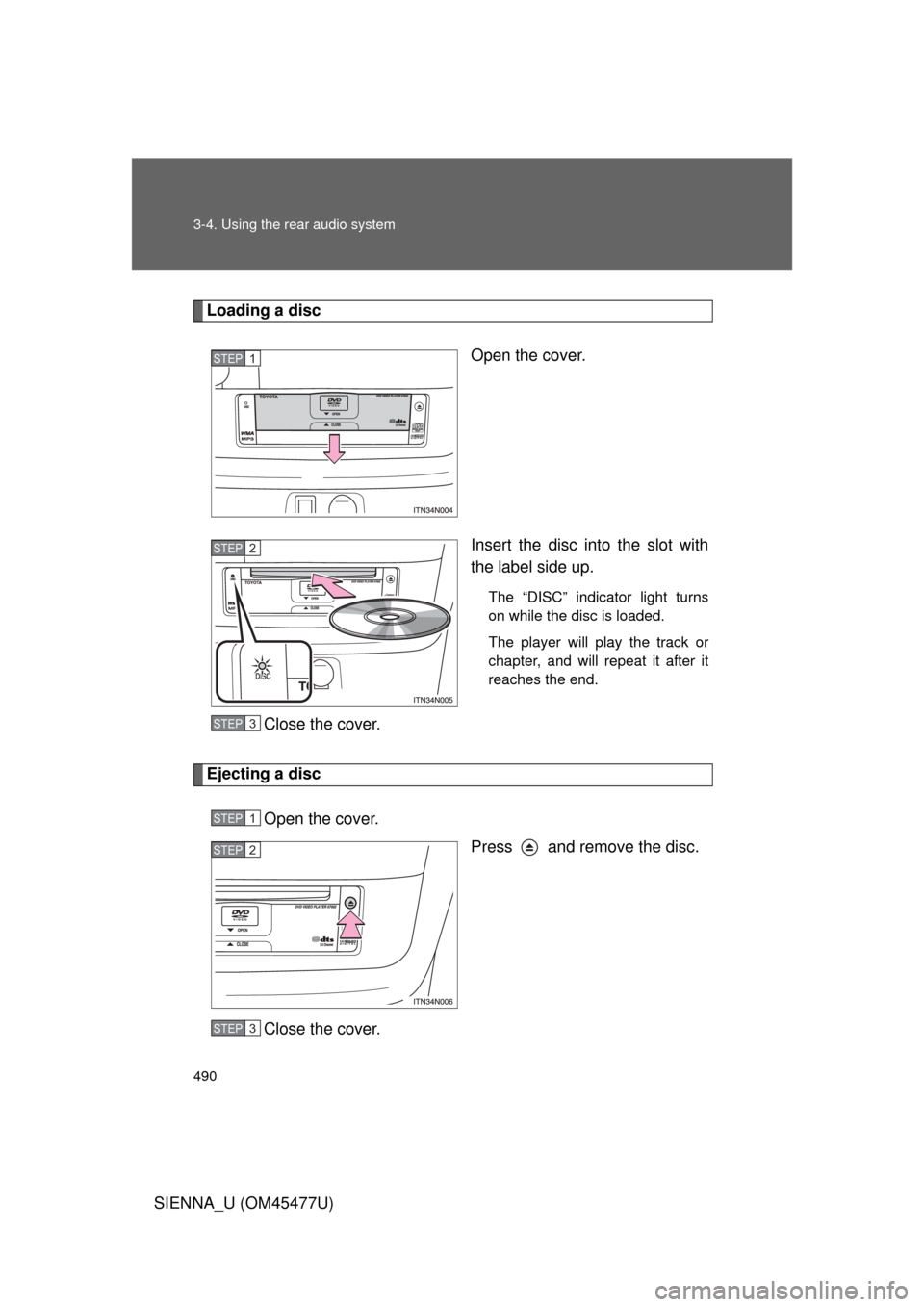
Loading a discOpen the cover.
Insert the disc into the slot with
the label side up.
The “DISC” indicator light turns
on while the disc is loaded.
The player will play the track or
chapter, and will repeat it after it
reaches the end.
Close the cover.
Ejecting a discOpen the cover. Press and remove the disc.
Close the cover.
STEP1
STEP2
STEP3
STEP1
STEP2
STEP3
Page 491 of 860
491
3-4. Using the rear audio system
3
Interior features
SIENNA_U (OM45477U)
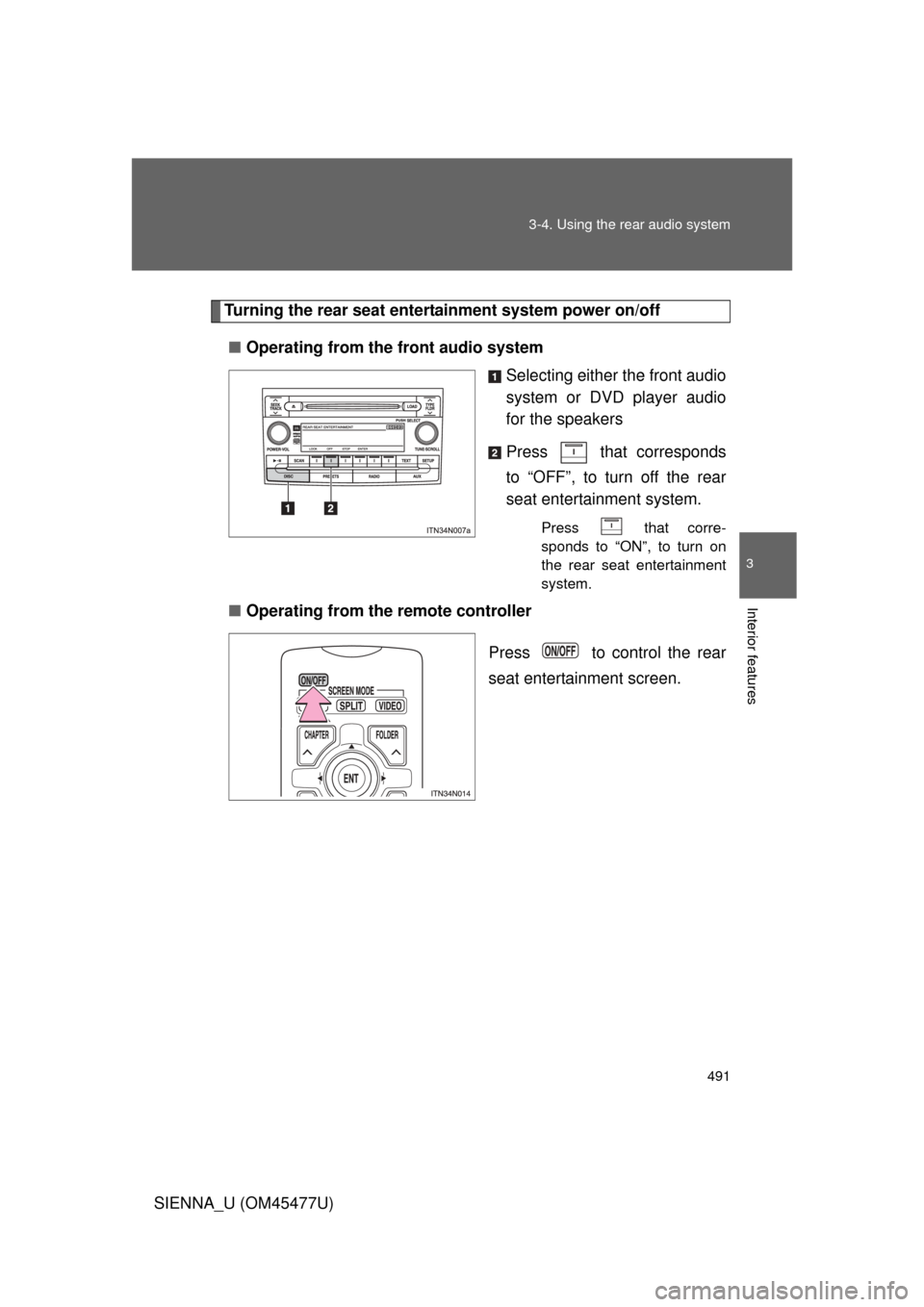
Turning the rear seat entertainment system power on/off
■ Operating from the front audio system
Selecting either the front audio
system or DVD player audio
for the speakers
Press that corresponds
to “OFF”, to turn off the rear
seat entertainment system.
Press that corre-
sponds to “ON”, to turn on
the rear seat entertainment
system.
■Operating from the remote controller
Press to control the rear
seat entertainment screen.
Page 492 of 860
492 3-4. Using the rear audio system
SIENNA_U (OM45477U)
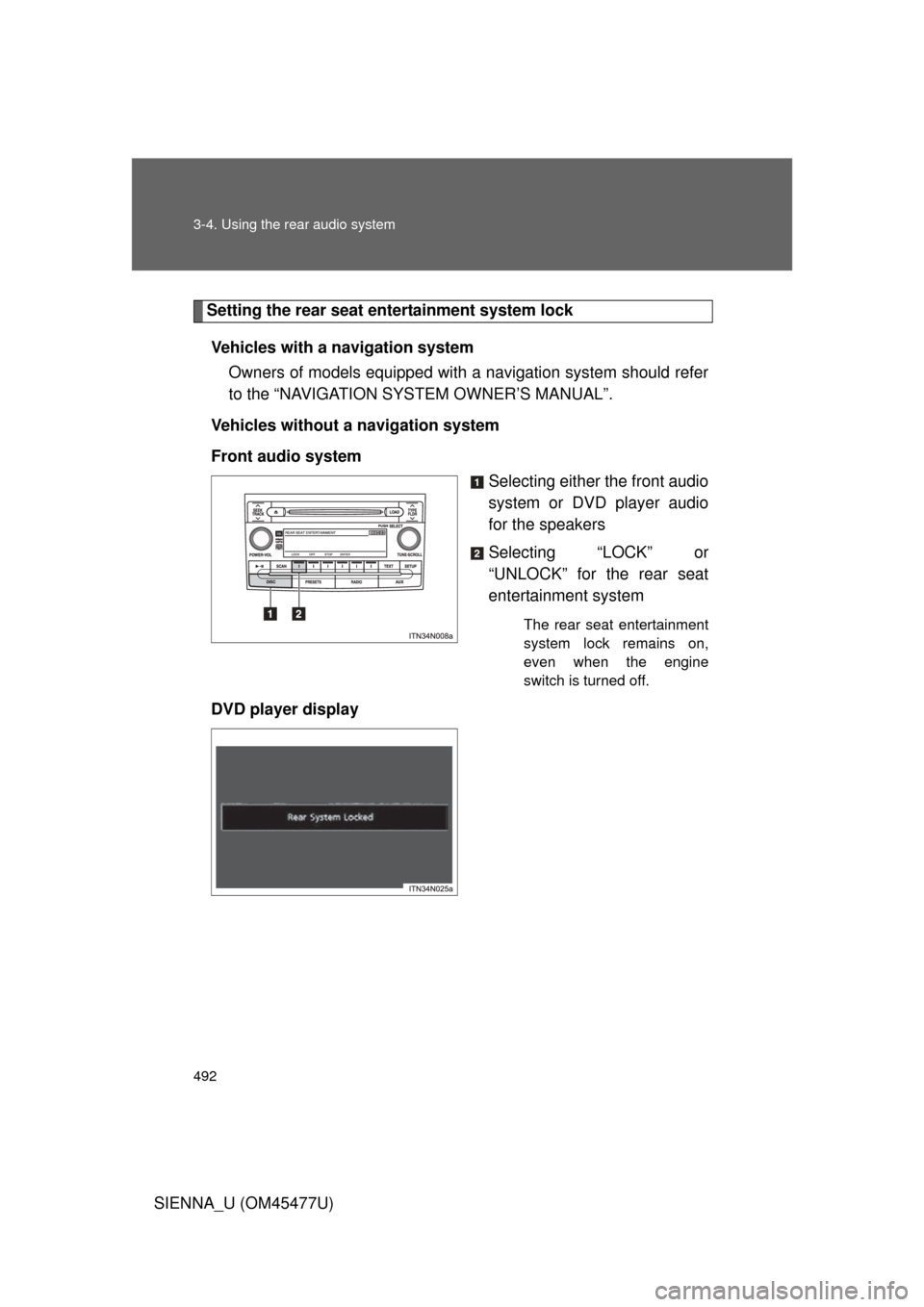
Setting the rear seat entertainment system lockVehicles with a navigation system Owners of models equipped with a navigation system should refer
to the “NAVIGATION SYSTEM OWNER’S MANUAL”.
Vehicles without a navigation system
Front audio system Selecting either the front audio
system or DVD player audio
for the speakers
Selecting “LOCK” or
“UNLOCK” for the rear seat
entertainment system
The rear seat entertainment
system lock remains on,
even when the engine
switch is turned off.
DVD player display
Page 493 of 860
493
3-4. Using the rear audio system
3
Interior features
SIENNA_U (OM45477U)
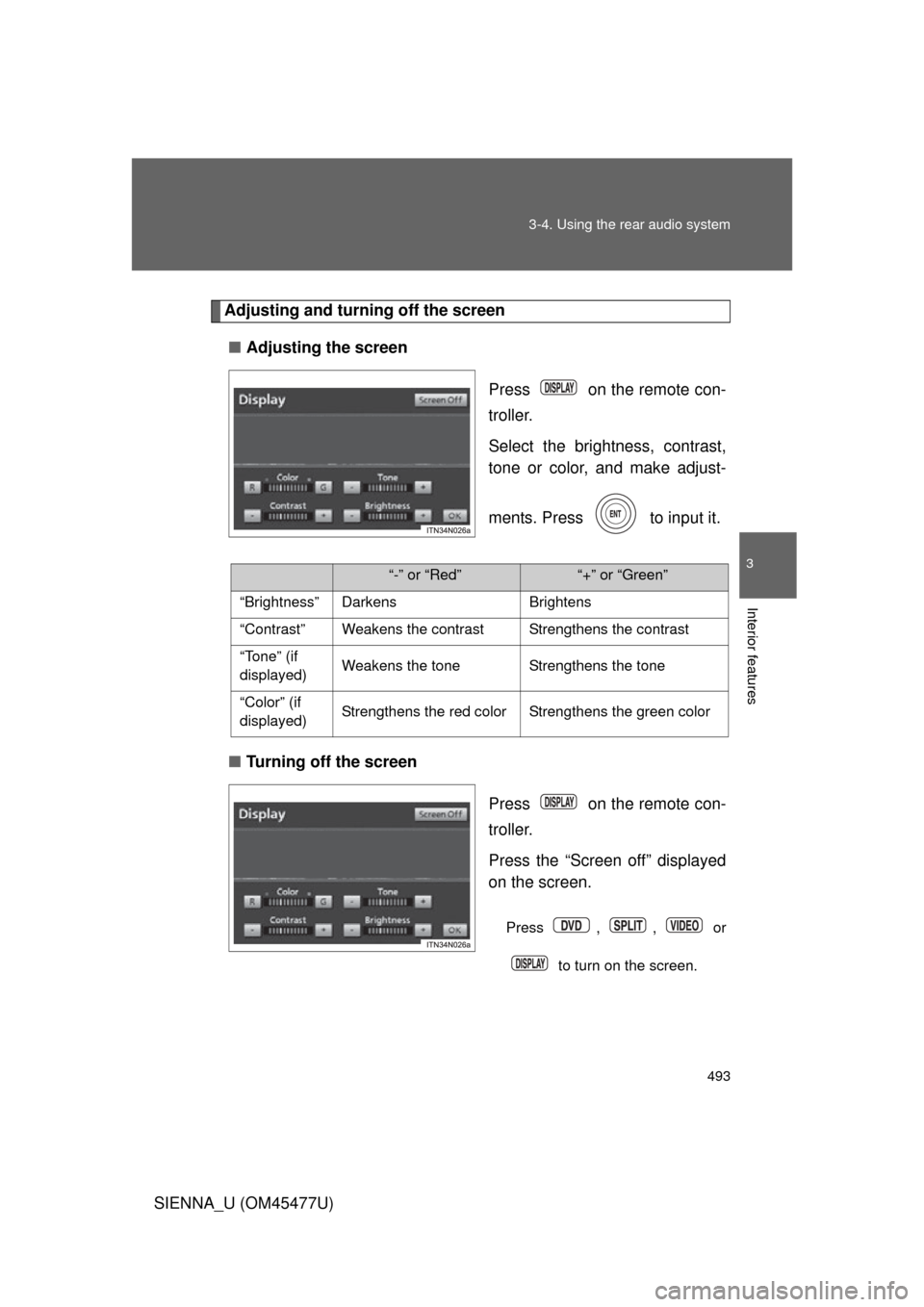
Adjusting and turning off the screen
■ Adjusting the screen
Press on the remote con-
troller.
Select the brightness, contrast,
tone or color, and make adjust-
ments. Press to input it.
■ Turning off the screen
Press on the remote con-
troller.
Press the “Screen off” displayed
on the screen.
Press , , or
to turn on the screen.
“-” or “Red”“+” or “Green”
“Brightness” Darkens Brightens
“Contrast” Weakens the contrast Strengthens the contrast
“Tone” (if
displayed) Weakens the tone Strengthens the tone
“Color” (if
displayed) Strengthens the red color Strengthens the green color