Page 212 of 636
212
2-1. Driving procedures
Parking brake
■Parking brake engaged warning buzzer
P. 493
■ Usage in winter time
P. 317
NOTICE
■Before driving
Fully release the parking brake.
Driving the vehicle with the parking brake set will lead to brake components
overheating, which may affect braking performance and increase brake
wear.
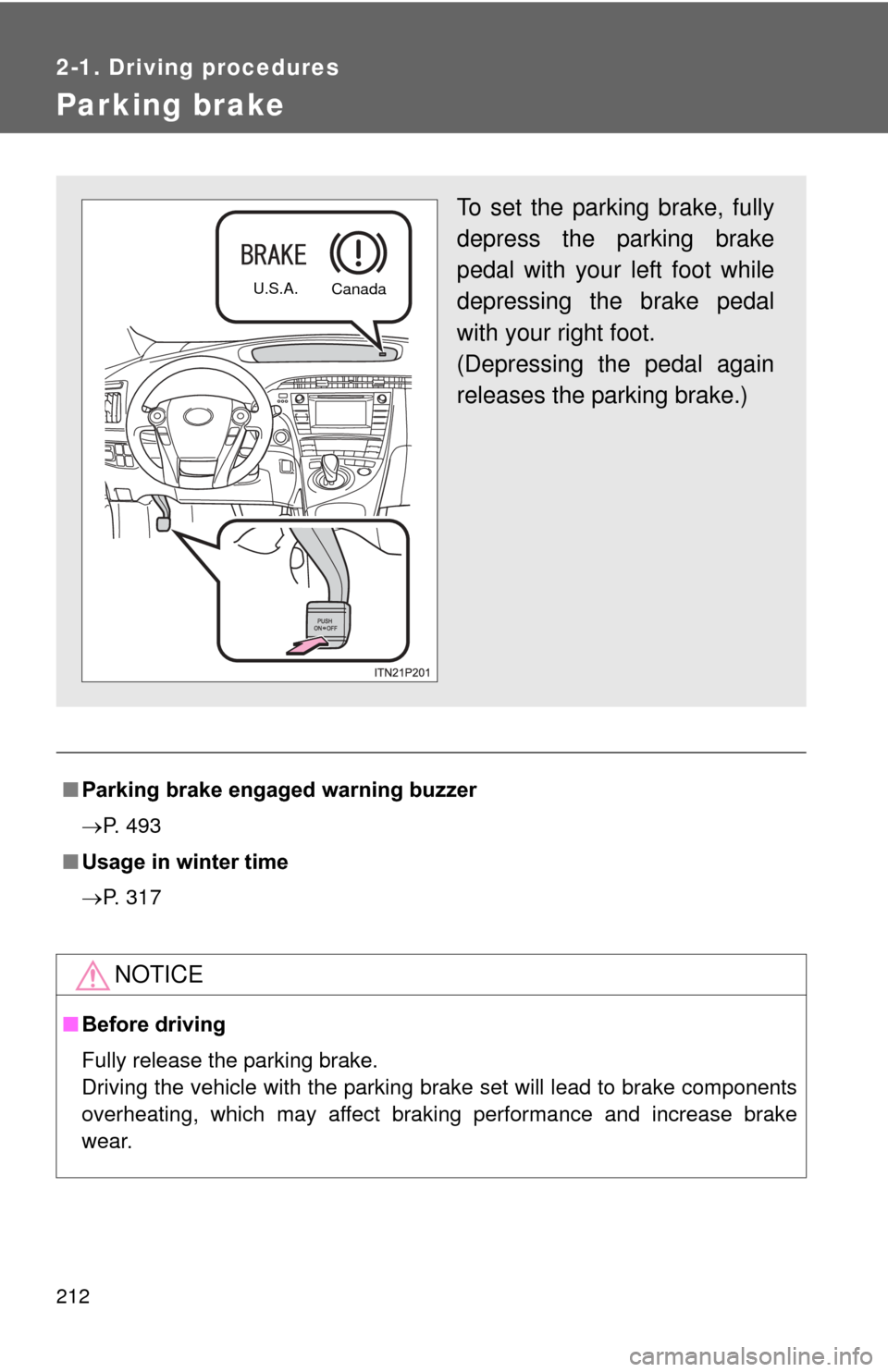
To set the parking brake, fully
depress the parking brake
pedal with your left foot while
depressing the brake pedal
with your right foot.
(Depressing the pedal again
releases the parking brake.)
U.S.A.
Canada
Page 253 of 636
253
2-3. Operating the lights and windshield wipers
2
When driving
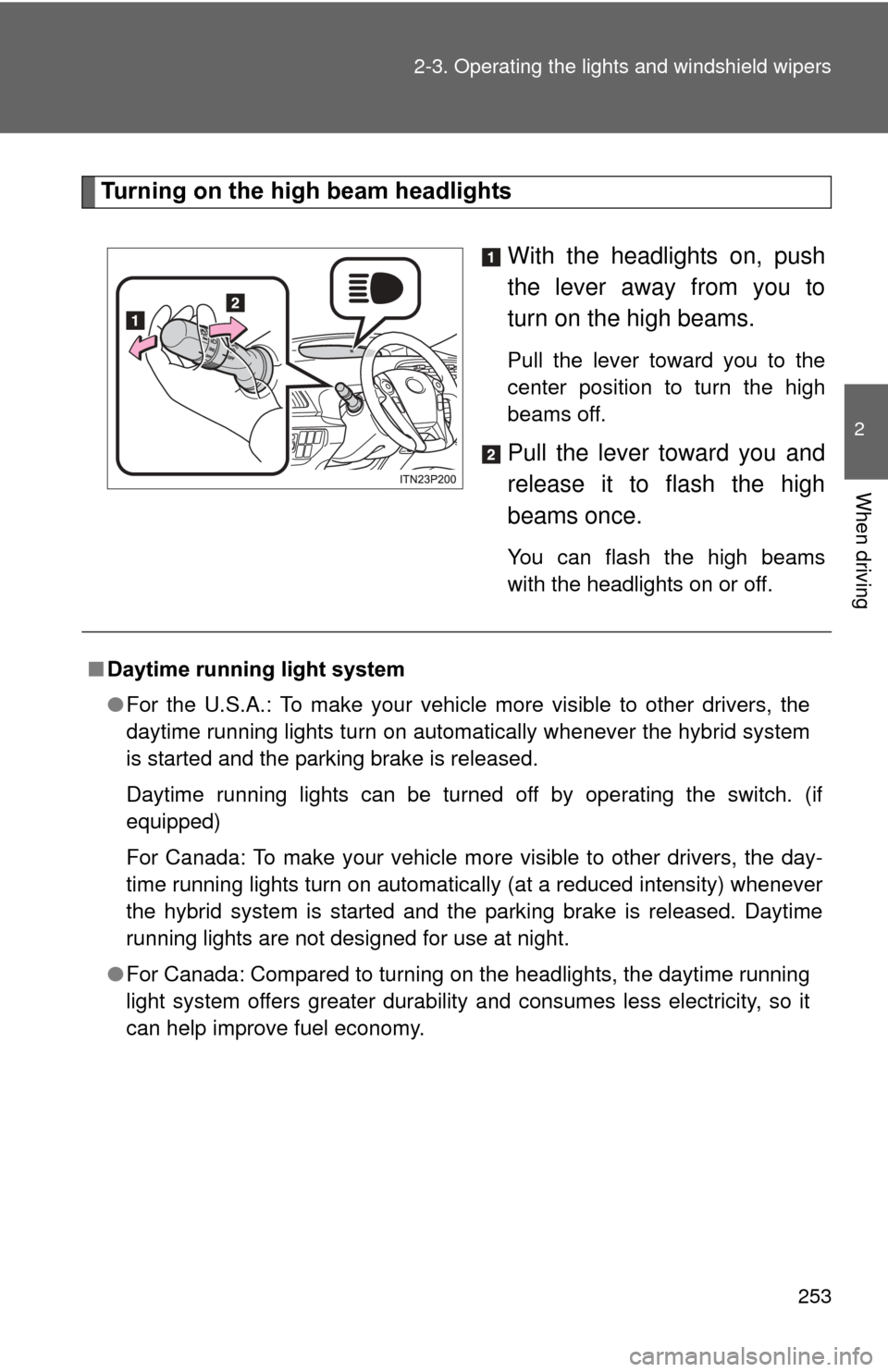
Turning on the high beam headlights
With the headlights on, push
the lever away from you to
turn on the high beams.
Pull the lever toward you to the
center position to turn the high
beams off.
Pull the lever toward you and
release it to flash the high
beams once.
You can flash the high beams
with the headlights on or off.
■Daytime running light system
●For the U.S.A.: To make your vehicle more visible to other drivers, the
daytime running lights turn on automatically whenever the hybrid system
is started and the parking brake is released.
Daytime running lights can be turned off by operating the switch. (if
equipped)
For Canada: To make your vehicle more visible to other drivers, the day-
time running lights turn on automatically (at a reduced intensity) whenever
the hybrid system is started and the parking brake is released. Daytime
running lights are not designed for use at night.
● For Canada: Compared to turning on the headlights, the daytime running
light system offers greater durability and consumes less electricity, so it
can help improve fuel economy.
Page 301 of 636
301
2-4. Using other driving systems
2
When driving
Hill-start assist control
■Hill-start assist control can be operated when
●The shift position is in a position other than P.
● The parking brake is not applied.
● The accelerator pedal is not depressed.
■ Hill-start assist control
●While hill-start assist control is operating, the brakes remain automati-
cally applied after the driver releases the brake pedal. The stop lights and
the high mounted stoplight turn on.
● Hill-start assist control operates for about 2 seconds after the brake pedal
is released.
● If the slip indicator does not flash and the buzzer does not sound when
the brake pedal is further depressed, slightly reduce the pressure on the
brake pedal (do not allow the vehicl e to roll backward) and then firmly
depress it again. If the system still does not operate, check if the operat-
ing conditions explained above have been met.
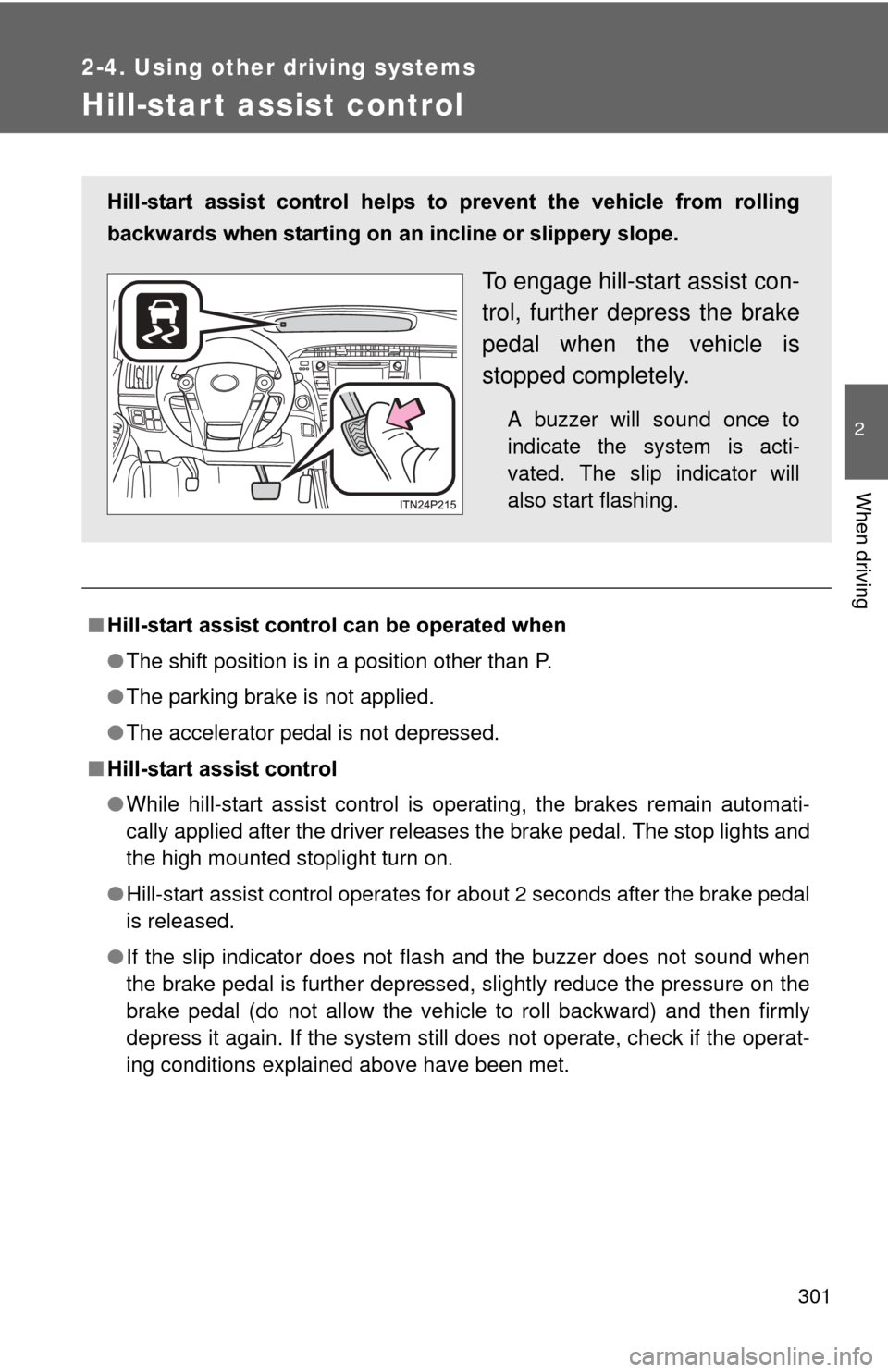
Hill-start assist control helps to prevent the vehicle from rolling
backwards when starting on an incline or slippery slope.
To engage hill-start assist con-
trol, further depress the brake
pedal when the vehicle is
stopped completely.
A buzzer will sound once to
indicate the system is acti-
vated. The slip indicator will
also start flashing.
Page 302 of 636
302 2-4. Using other driving systems
■Hill-start assist control buzzer
●When hill-start assist control is activated, the buzzer will sound once.
● In the following situations, hill-start assist control will be canceled and the
buzzer will sound twice.
• No attempt is made to drive the vehicle within approximately 2 seconds
of releasing the brake pedal.
• Push the P position switch.
• The parking brake is applied.
• The brake pedal is depressed again.
• The brake pedal has been depressed for more than approximately 3 minutes.
■ If the slip indicator light comes on
It may indicate a malfunction in the system. Contact your Toyota dealer.
CAUTION
■Hill-start assist control
●Do not overly rely on the hill-start assist control. Hill-start assist control
may not operate effectively on extremely steep inclines or roads covered
in ice.
● Unlike the parking brake, hill-start assist control is not intended to hold the
vehicle stationary for an extended period of time. Do not attempt to use
hill-start assist control to hold the vehicle on an incline for an extended
period of time, as doing so may lead to an accident.
Page 318 of 636
318 2-5. Driving information
■Before driving the vehicle
Perform the following according to the driving conditions:
●Do not try to forcibly open a window or move a wiper that is
frozen. Pour warm water over the frozen area to melt the ice.
Wipe away the water immediately to prevent it from freezing.
● To ensure proper operation of th e climate control system fan,
remove any snow that has accumulated on the air inlet vents
in front of the windshield.
● Check for and remove any excess ice or snow that may have
accumulated on the exterior lights, vehicle’s roof, chassis,
around the tires or on the brakes.
● Remove snow or mud from the bottom of your shoes before
getting in the vehicle.
■ When driving the vehicle
Accelerate the vehicle slowly, keep a safe distance between you
and the vehicle ahead, and drive at a reduced speed suitable to
road conditions.
■ When parking the vehicle
Park the vehicle and shift the shift position to P and block the
wheel under the vehicle without setting the parking brake. The
parking brake may freeze up, preventing it from being released.
If necessary, block the wheels to prevent inadvertent sliding or
creeping.
Page 407 of 636
407
4-2. Maintenance
4
Maintenance and care
Head restraints
• Do the head restraints move
smoothly and lock securely?
Indicators/buzzers • Do the indicators and buzzers
function properly?
Lights • Do all the lights come on?
Parking brake • Does the parking brake pedal
move smoothly?
• When parked on a slope and the parking brake is on, is the vehicle
securely stopped?
Seat belts • Do the seat belts operate
smoothly?
• The seat belts should not be dam- aged.
Seats • Do the seat controls operate
properly?
Steering wheel • Does the steering wheel rotate
smoothly?
• Does the steering wheel have the correct amount of free play?
• There should not be any strange sounds coming from the steering
wheel.
ItemsCheck points
Page 417 of 636
417
4-3. Do-it-yourself maintenance
4
Maintenance and care
CAUTION
■
When raising your vehicle
Make sure to observe the following precautions to reduce the possibility of
death or serious injury:
●When using a floor jack, follow the instructions of the manual provided with
the jack.
● Do not use the jack that was supplied with your vehicle.
● Do not put any part of your body underneath the vehicle when it is sup-
ported only by the floor jack.
● Always use floor jack and/or automotive jack stands on a solid, flat, level
surface.
● Do not start the hybrid system while the vehicle is supported by the floor
jack.
● Stop the vehicle on level, firm ground, firmly set the parking brake and shift
the shift position to P.
● Make sure to set the floor jack properly at the jack point.
Raising the vehicle with an improperly positioned floor jack will damage
the vehicle and may cause the vehicle to fall off the floor jack.
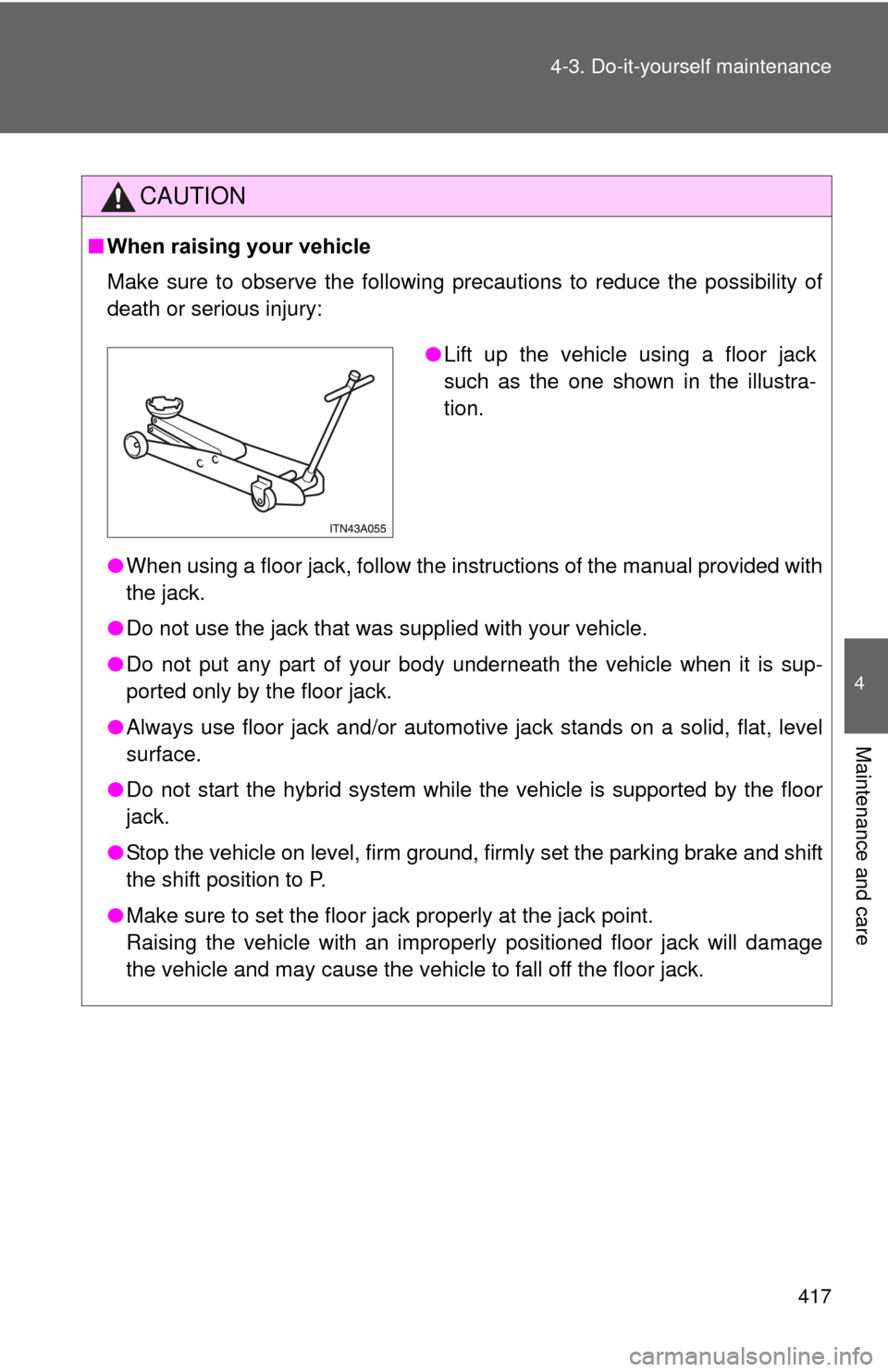
●Lift up the vehicle using a floor jack
such as the one shown in the illustra-
tion.
Page 462 of 636
462 4-3. Do-it-yourself maintenance
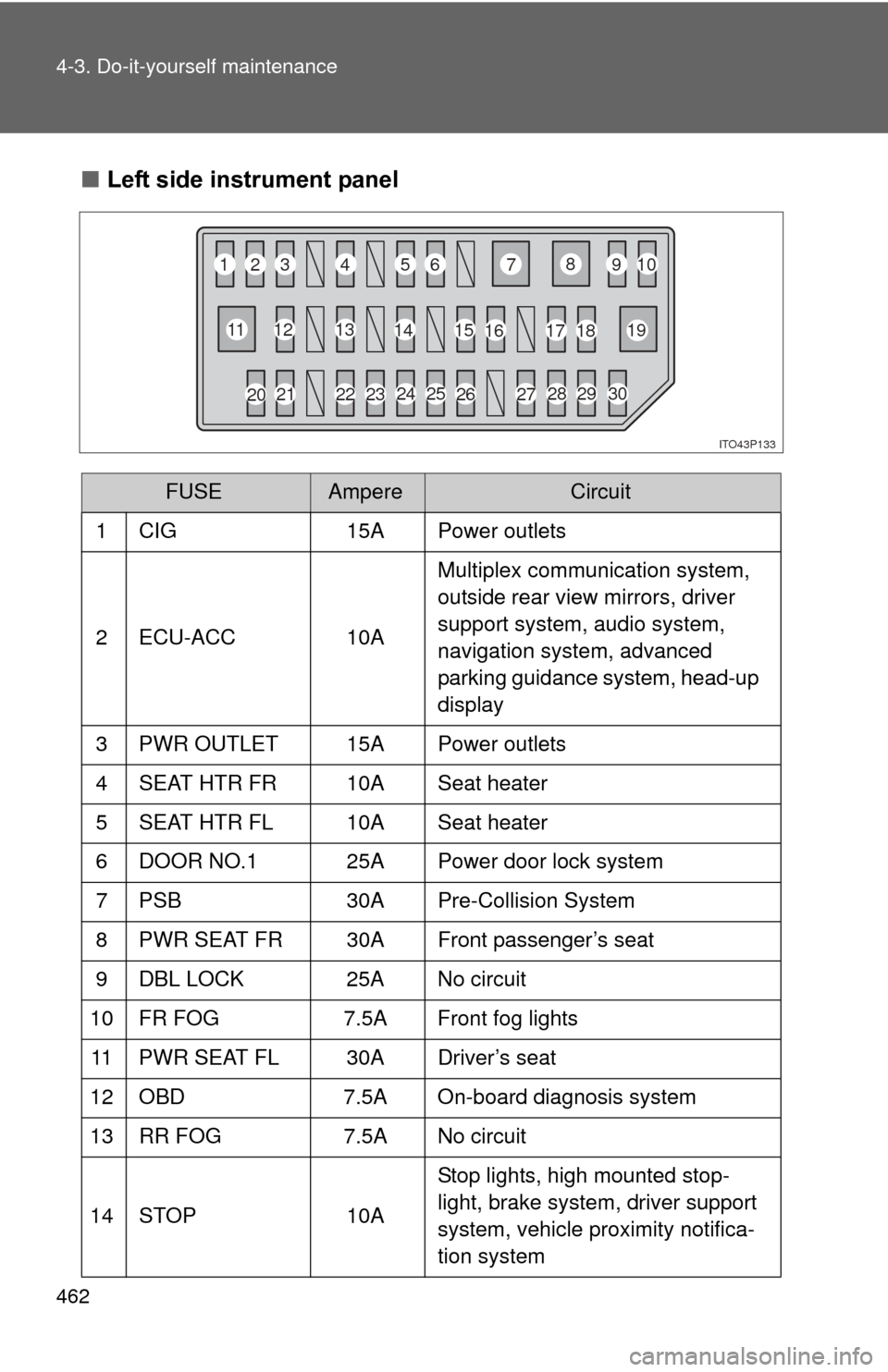
■Left side instrument panel
FUSEAmpereCircuit
1 CIG 15A Power outlets
2 ECU-ACC 10AMultiplex communication system,
outside rear view mirrors, driver
support system, audio system,
navigation system, advanced
parking guidance system, head-up
display
3 PWR OUTLET 15A Power outlets
4 SEAT HTR FR 10A Seat heater
5 SEAT HTR FL 10A Seat heater
6 DOOR NO.1 25A Power door lock system
7 PSB 30A Pre-Collision System
8 PWR SEAT FR 30A Front passenger’s seat
9 DBL LOCK 25A No circuit
10 FR FOG 7.5A Front fog lights
11 PWR SEAT FL 30A Driver’s seat
12 OBD 7.5A On-board diagnosis system
13 RR FOG 7.5A No circuit
14 STOP 10AStop lights, high mounted stop-
light, brake system, driver support
system, vehicle proximity notifica-
tion system
ITO43P133
1
2
3 4
56 7
8
910
11 12
13
14 15
16 17
18 19
23 24 25
26
2728
29
30
20 21 22