Page 268 of 692
268 2-4. Using other driving systems
L/C200_EE (OM60G38E)
Function limitations
Crawl Control
In the following situations, brake control can be used to drive downhill at
a constant speed. However, engine control is not available when driving
uphill at a constant speed.
• When switched to second start mode.
In the following situation, engine control and brake control will stop tem-
porarily. In this event, the Crawl Control indicator will flash.
• When the vehicle speed exceeds approximately 25 km/h (15 mph).
Turn Assist function
In the following situations, the Turn Assist function will stop temporarily. In
this event, the Turn Assist indicator will flash.
When the vehicle speed exceeds approximately 10km/h (6 mph).
When the shift lever is moved to “R”.
When the Crawl Control system is operated continuously
If Crawl Control is used continuously for a long time, the buzzer will
sound, a malfunction notification will be displayed on the multi-informa-
tion display, the Crawl Control indicator will go off, and Crawl Control will
be temporarily inoperable as a result of the brake system overheating. In
this event, stop the vehicle immediately in a safe place, and allow the
brake system to cool down sufficiently until the “TRC OFF” on the multi-
information display go off. (In the meantime, normal driving is possible.)
If Crawl Control is used continuously for a long time, the buzzer will
sound, the system will be temporarily canceled, and a malfunction notifi-
cation will be displayed on the multi-information display as a result of the
automatic transmission system overheating. Stop the vehicle in a safe
place until the display goes off.
Page 270 of 692
270
2-4. Using other driving systems
L/C200_EE (OM60G38E)
Multi-terrain Select
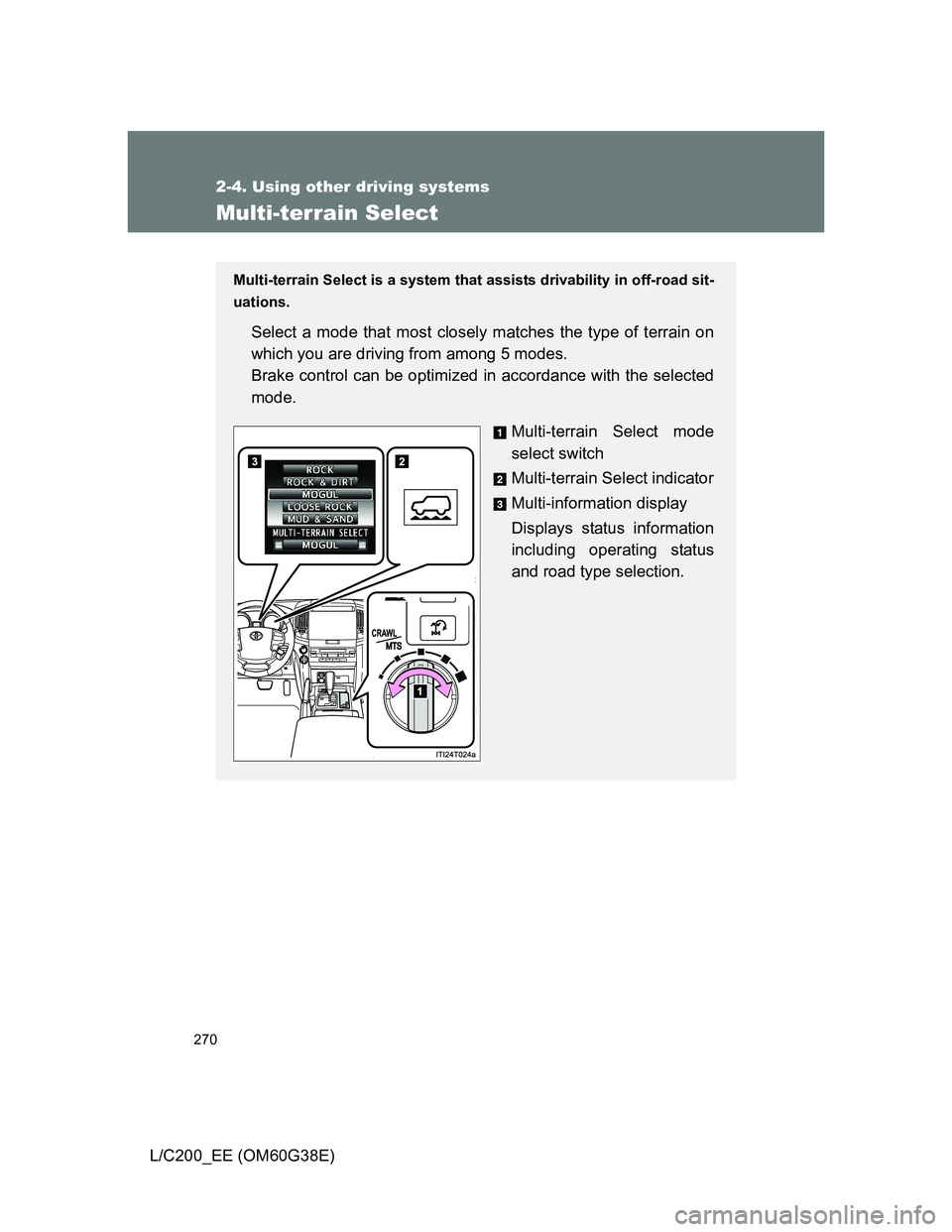
Multi-terrain Select is a system that assists drivability in off-road sit-
uations.
Select a mode that most closely matches the type of terrain on
which you are driving from among 5 modes.
Brake control can be optimized in accordance with the selected
mode.
Multi-terrain Select mode
select switch
Multi-terrain Select indicator
Multi-information display
Displays status information
including operating status
and road type selection.
Page 272 of 692
272 2-4. Using other driving systems
L/C200_EE (OM60G38E)
Multi-terrain Select control starting conditions
When all of the following conditions are satisfied, the Multi-ter-
rain Select indicator will come on, the mode select screen will be
displayed on the multi-information display, and Multi-terrain
Select control will begin.
The four-wheel drive control switch is in “L4”.
Both Active TRC and VSC are not off.
Crawl Control is off.
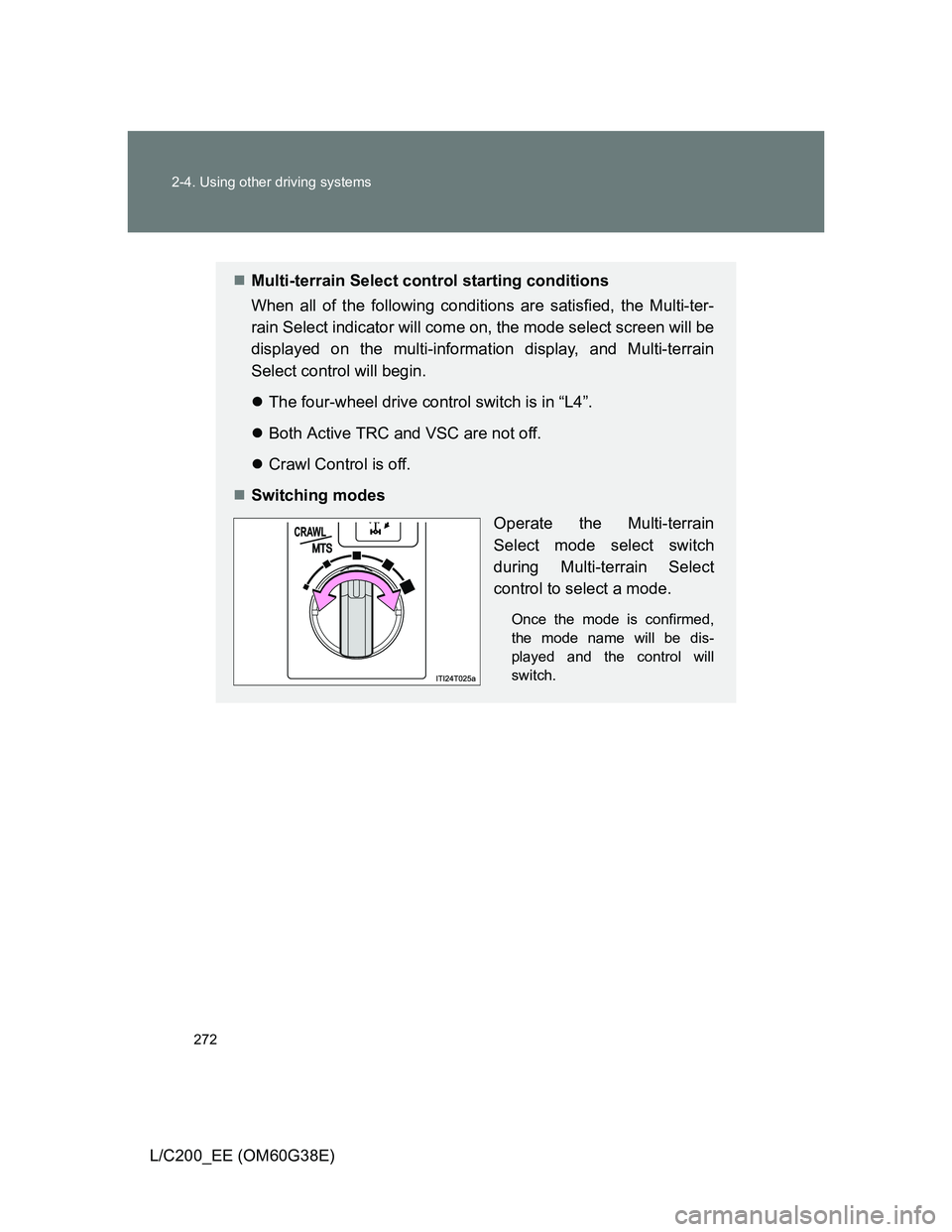
Switching modes
Operate the Multi-terrain
Select mode select switch
during Multi-terrain Select
control to select a mode.
Once the mode is confirmed,
the mode name will be dis-
played and the control will
switch.
Page 273 of 692
273 2-4. Using other driving systems
2
When driving
L/C200_EE (OM60G38E)
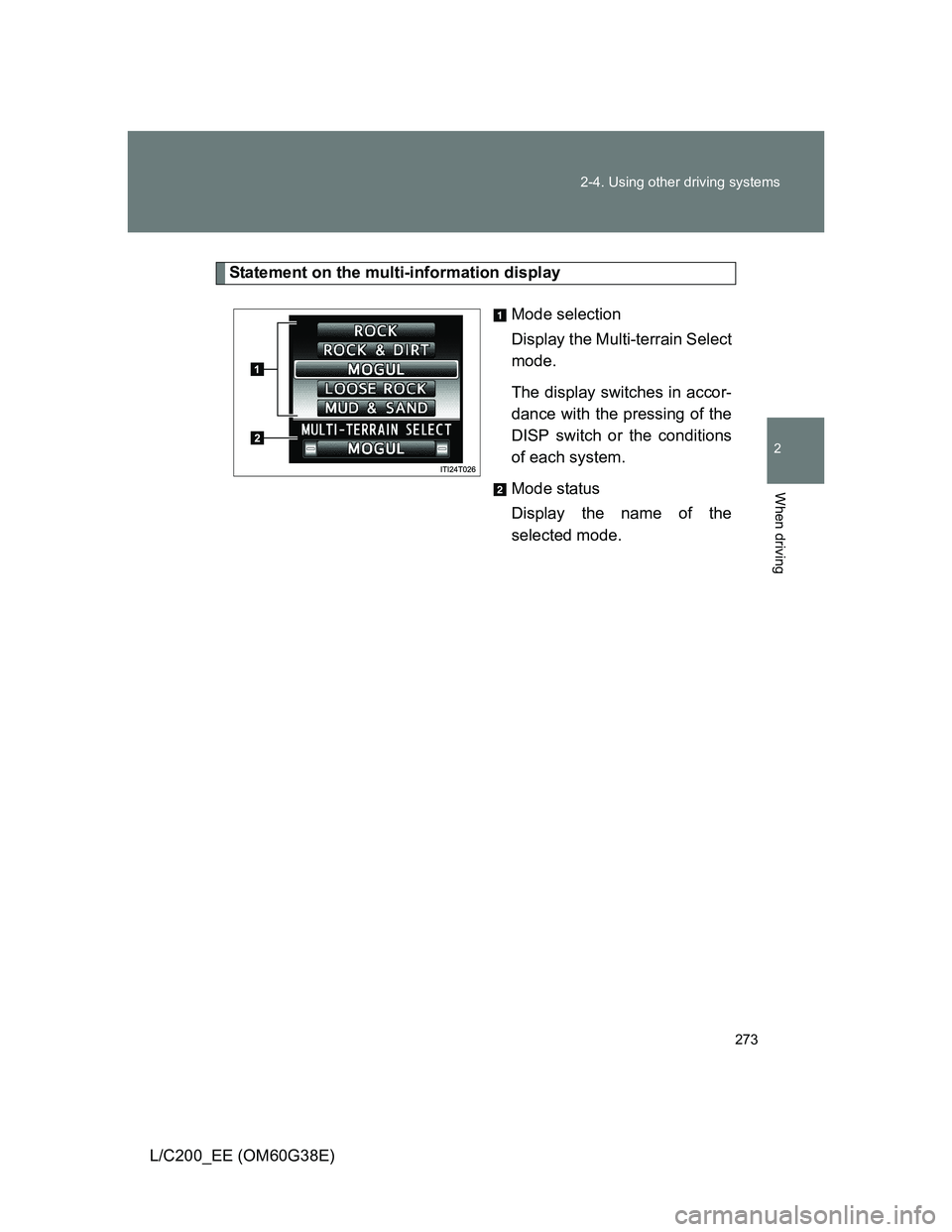
Statement on the multi-information display
Mode selection
Display the Multi-terrain Select
mode.
The display switches in accor-
dance with the pressing of the
DISP switch or the conditions
of each system.
Mode status
Display the name of the
selected mode.
Page 274 of 692
274 2-4. Using other driving systems
L/C200_EE (OM60G38E)
Automatic system cancelation
In the following situations, the Multi-terrain Select indicator will go off, and
Multi-terrain Select will be canceled automatically.
When the four-wheel drive control switch is in “H4”.
When Active TRC and VSC are off.
When Crawl Control is on.
When it is difficult to generate traction
MUD & SAND mode provides the largest amount of tire slippage, followed
by LOOSE ROCK, MOGUL, ROCK & DIRT and ROCK mode.
Drivability can be improved by selecting a mode which provides a smaller
amount of tire slippage than the current mode when the amount of tire slip-
page is large, or conversely selecting a mode which provides a larger
amount of tire slippage than the current mode when the amount of tire slip-
page is small.
When the vehicle is stuck
Switching the transfer and differential
For the operation of the following functions, refer to the following pages.
Four-wheel drive system (P. 259)
Center differential lock (P. 259)
When the brake system operates continuously
The brake system may overheat. In this case, a buzzer will sound, either the
“TRC OFF” will be displayed on the multi-information display, and Multi-ter-
rain Select will be temporarily inoperable. In this event, stop the vehicle
immediately in a safe place, and allow the brake system to cool down suffi-
ciently. (There is no problem with continuing normal driving.)
After a short time, the message on the multi-information display will go off,
and you will be able to use Multi-terrain Select.
When there is a malfunction in the system
The slip indicator light will come on. Have the vehicle inspected by any
authorized Toyota dealer or repairer, or another duly qualified and equipped
professional, immediately.
Page 276 of 692
276
2-4. Using other driving systems
L/C200_EE (OM60G38E)
Multi-terrain Monitor
: If equipped
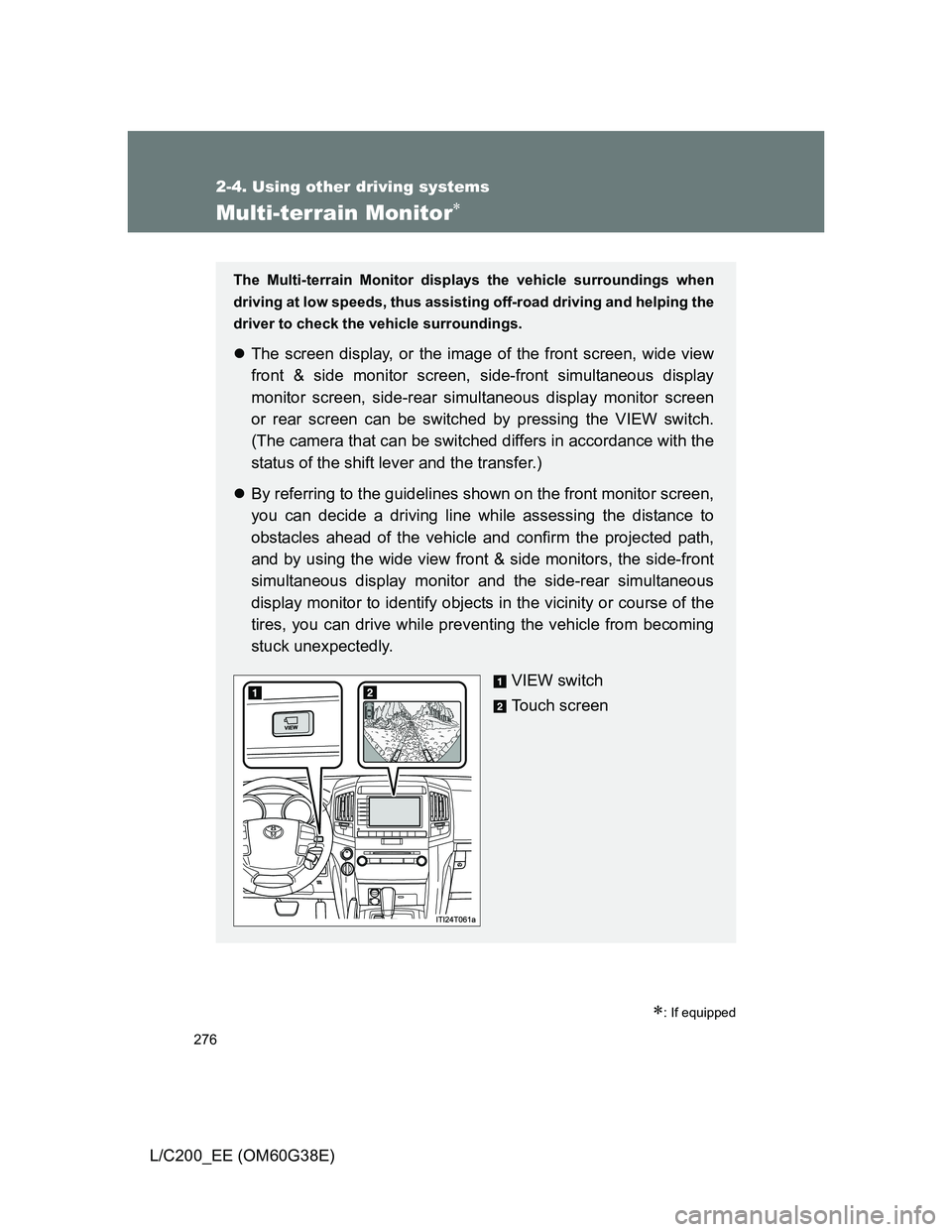
The Multi-terrain Monitor displays the vehicle surroundings when
driving at low speeds, thus assisting off-road driving and helping the
driver to check the vehicle surroundings.
The screen display, or the image of the front screen, wide view
front & side monitor screen, side-front simultaneous display
monitor screen, side-rear simultaneous display monitor screen
or rear screen can be switched by pressing the VIEW switch.
(The camera that can be switched differs in accordance with the
status of the shift lever and the transfer.)
By referring to the guidelines shown on the front monitor screen,
you can decide a driving line while assessing the distance to
obstacles ahead of the vehicle and confirm the projected path,
and by using the wide view front & side monitors, the side-front
simultaneous display monitor and the side-rear simultaneous
display monitor to identify objects in the vicinity or course of the
tires, you can drive while preventing the vehicle from becoming
stuck unexpectedly.
VIEW switch
Touch screen
Page 277 of 692
277 2-4. Using other driving systems
2
When driving
L/C200_EE (OM60G38E)
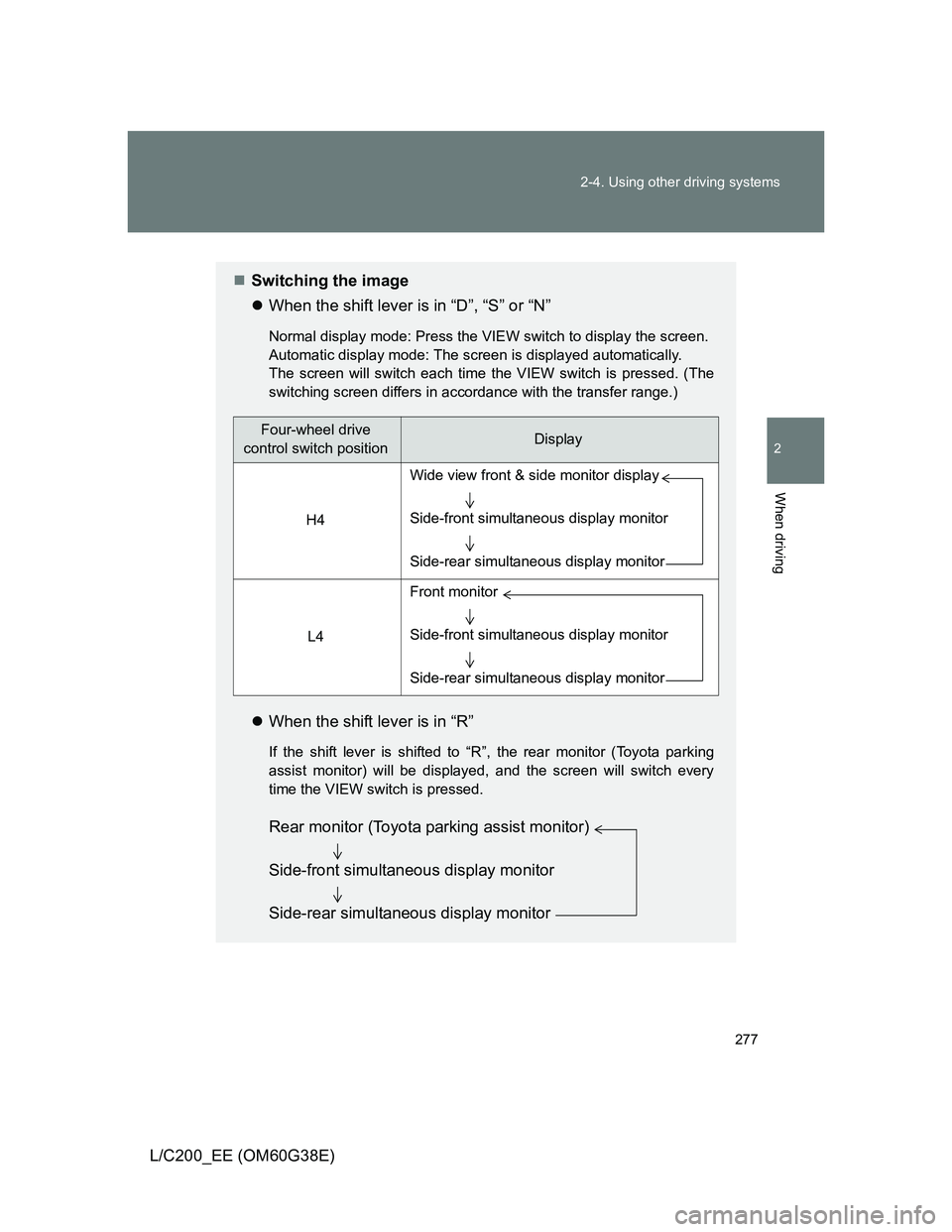
Switching the image
When the shift lever is in “D”, “S” or “N”
Normal display mode: Press the VIEW switch to display the screen.
Automatic display mode: The screen is displayed automatically.
The screen will switch each time the VIEW switch is pressed. (The
switching screen differs in accordance with the transfer range.)
When the shift lever is in “R”
If the shift lever is shifted to “R”, the rear monitor (Toyota parking
assist monitor) will be displayed, and the screen will switch every
time the VIEW switch is pressed.
Four-wheel drive
control switch positionDisplay
H4
L4
Wide view front & side monitor display
Side-front simultaneous display monitor
Side-rear simultaneous display monitor
Front monitor
Side-front simultaneous display monitor
Side-rear simultaneous display monitor
Rear monitor (Toyota parking assist monitor)
Side-front simultaneous display monitor
Side-rear simultaneous display monitor
Page 278 of 692
278 2-4. Using other driving systems
L/C200_EE (OM60G38E)
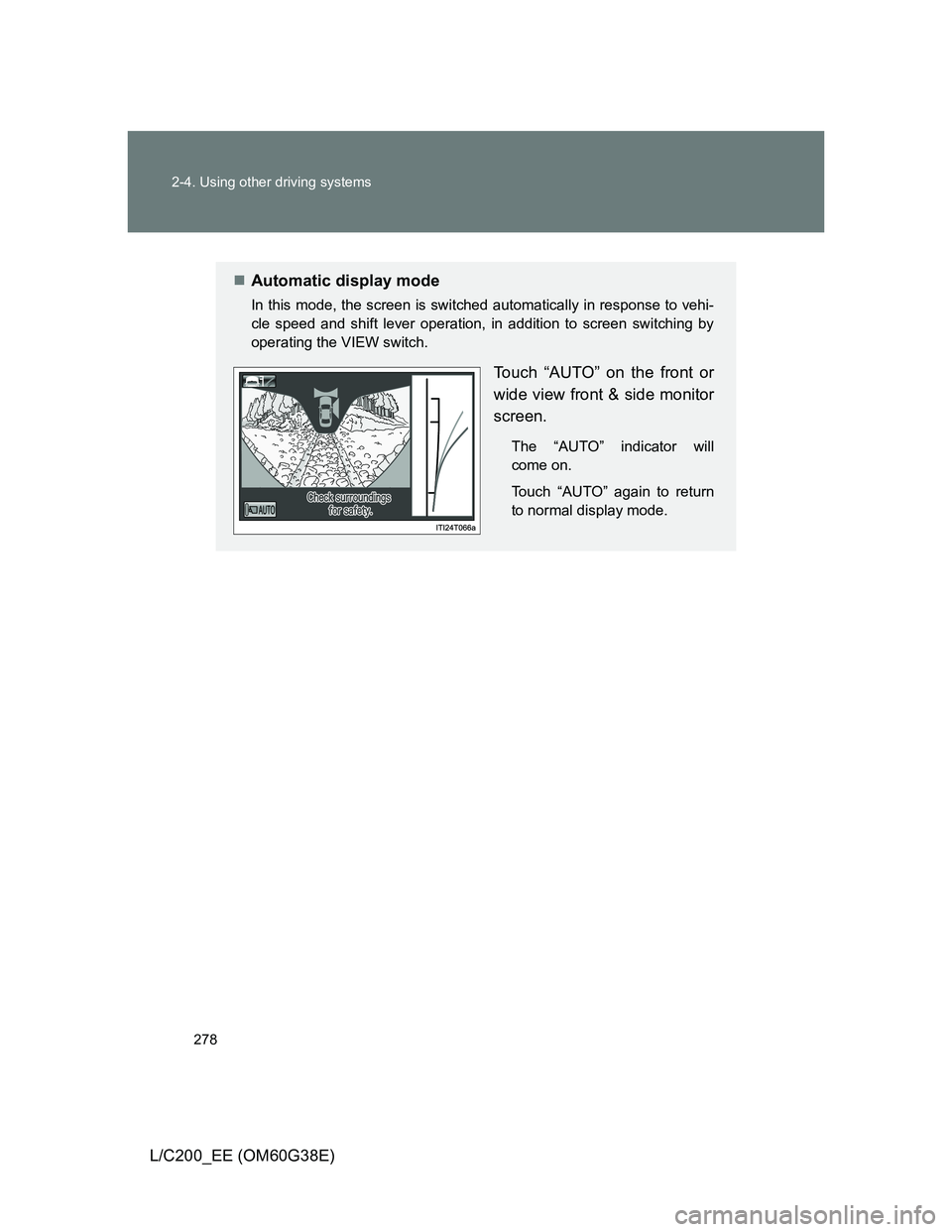
Automatic display mode
In this mode, the screen is switched automatically in response to vehi-
cle speed and shift lever operation, in addition to screen switching by
operating the VIEW switch.
Touch “AUTO” on the front or
wide view front & side monitor
screen.
The “AUTO” indicator will
come on.
Touch “AUTO” again to return
to normal display mode.