Page 207 of 692
207
2-2. Instrument cluster
2
When driving
L/C200_EE (OM60G38E)
Indicators and warning lights
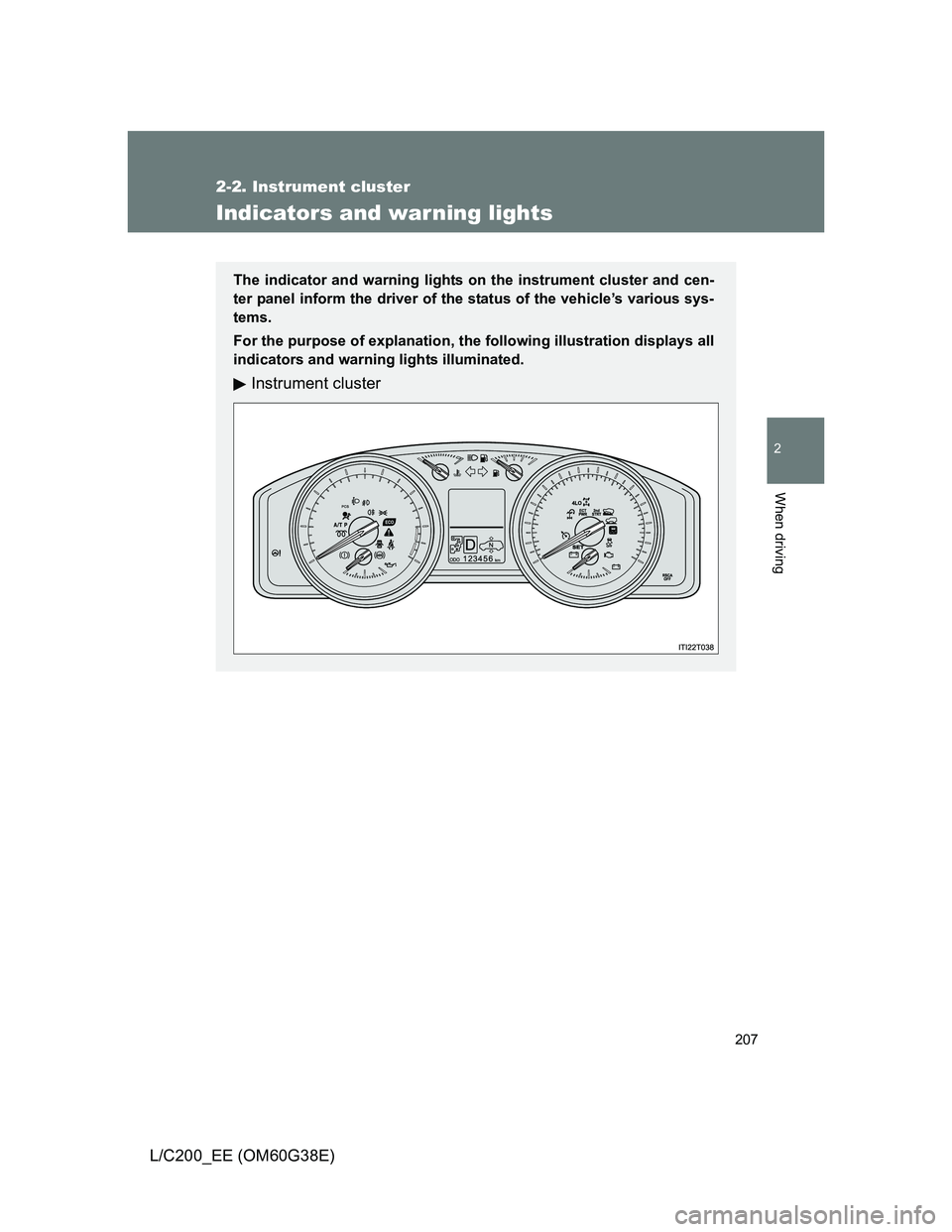
The indicator and warning lights on the instrument cluster and cen-
ter panel inform the driver of the status of the vehicle’s various sys-
tems.
For the purpose of explanation, the following illustration displays all
indicators and warning lights illuminated.
Instrument cluster
Page 212 of 692
212
2-2. Instrument cluster
L/C200_EE (OM60G38E)
Multi-infor mation display
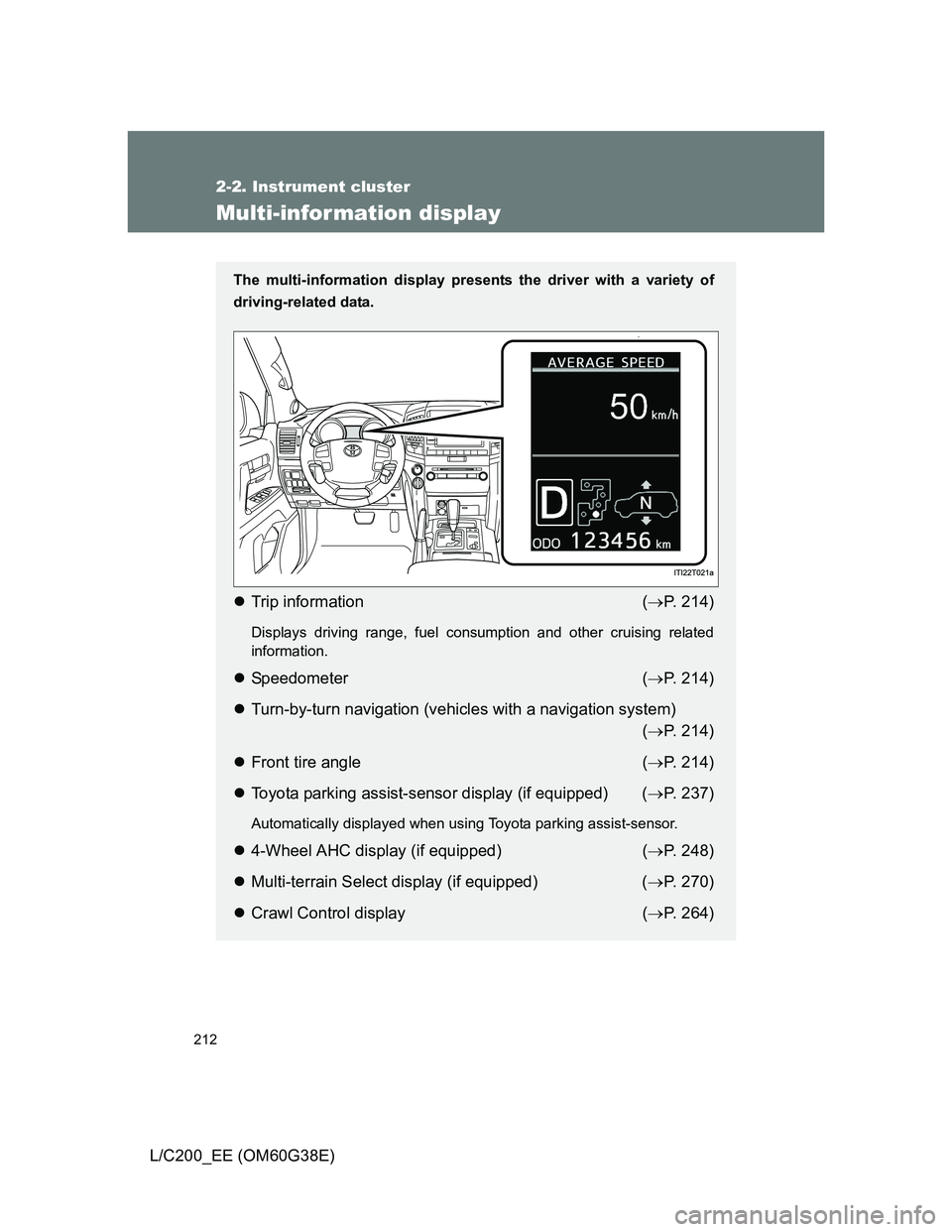
The multi-information display presents the driver with a variety of
driving-related data.
Trip information (P. 214)
Displays driving range, fuel consumption and other cruising related
information.
Speedometer (P. 214)
Turn-by-turn navigation (vehicles with a navigation system)
(P. 214)
Front tire angle (P. 214)
Toyota parking assist-sensor display (if equipped) (P. 237)
Automatically displayed when using Toyota parking assist-sensor.
4-Wheel AHC display (if equipped) (P. 248)
Multi-terrain Select display (if equipped) (P. 270)
Crawl Control display (P. 264)
Page 213 of 692
213 2-2. Instrument cluster
2
When driving
L/C200_EE (OM60G38E)
Shift position and shift range (P. 194)
Displays the selected shift position or selected shift range.
Warning messages (P. 579)
Automatically displayed when a malfunction occurs in one of the vehi-
cle’s system.
Page 214 of 692
214 2-2. Instrument cluster
L/C200_EE (OM60G38E)
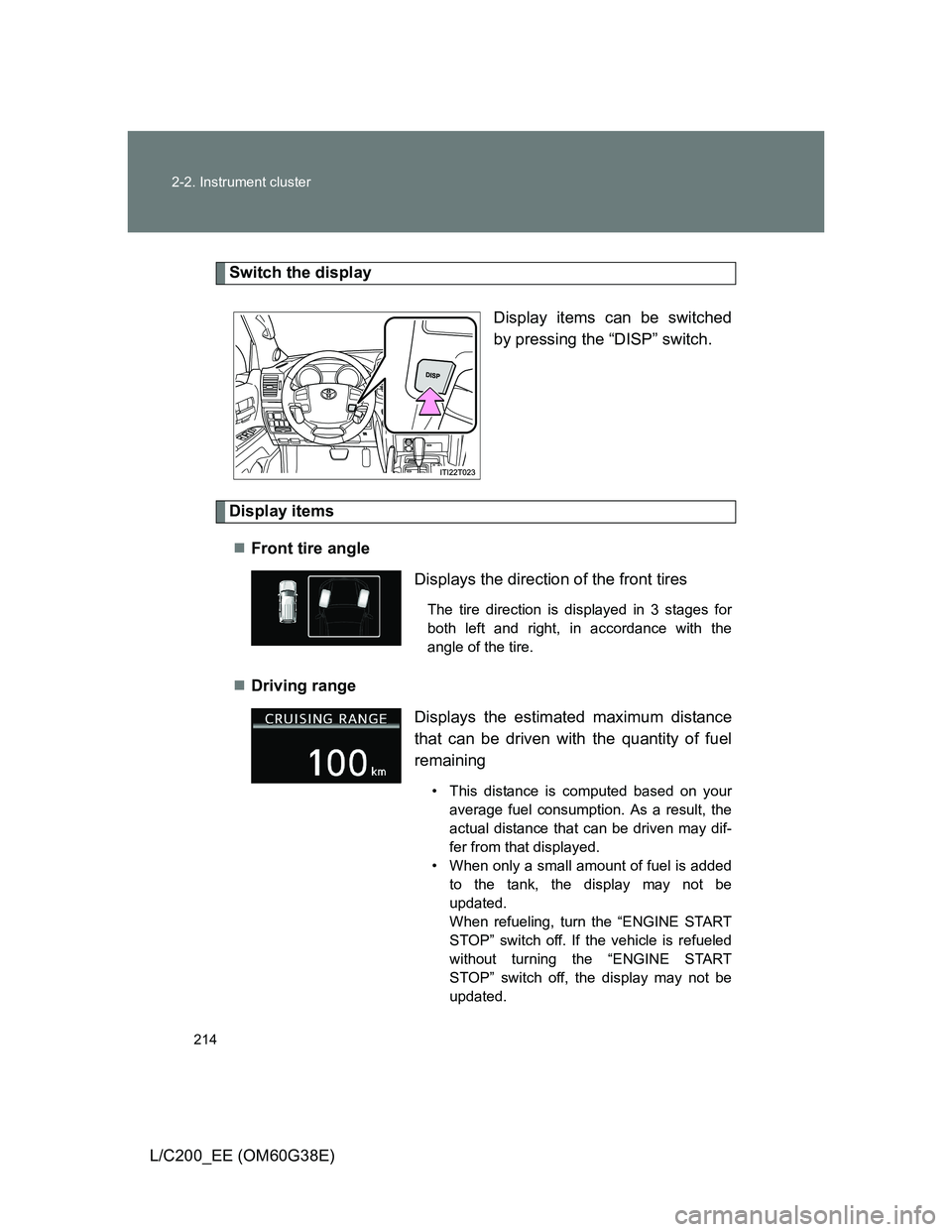
Switch the display
Display items can be switched
by pressing the “DISP” switch.
Display items
Front tire angle
Driving range
Displays the direction of the front tires
The tire direction is displayed in 3 stages for
both left and right, in accordance with the
angle of the tire.
Displays the estimated maximum distance
that can be driven with the quantity of fuel
remaining
• This distance is computed based on your
average fuel consumption. As a result, the
actual distance that can be driven may dif-
fer from that displayed.
• When only a small amount of fuel is added
to the tank, the display may not be
updated.
When refueling, turn the “ENGINE START
STOP” switch off. If the vehicle is refueled
without turning the “ENGINE START
STOP” switch off, the display may not be
updated.
Page 215 of 692
215 2-2. Instrument cluster
2
When driving
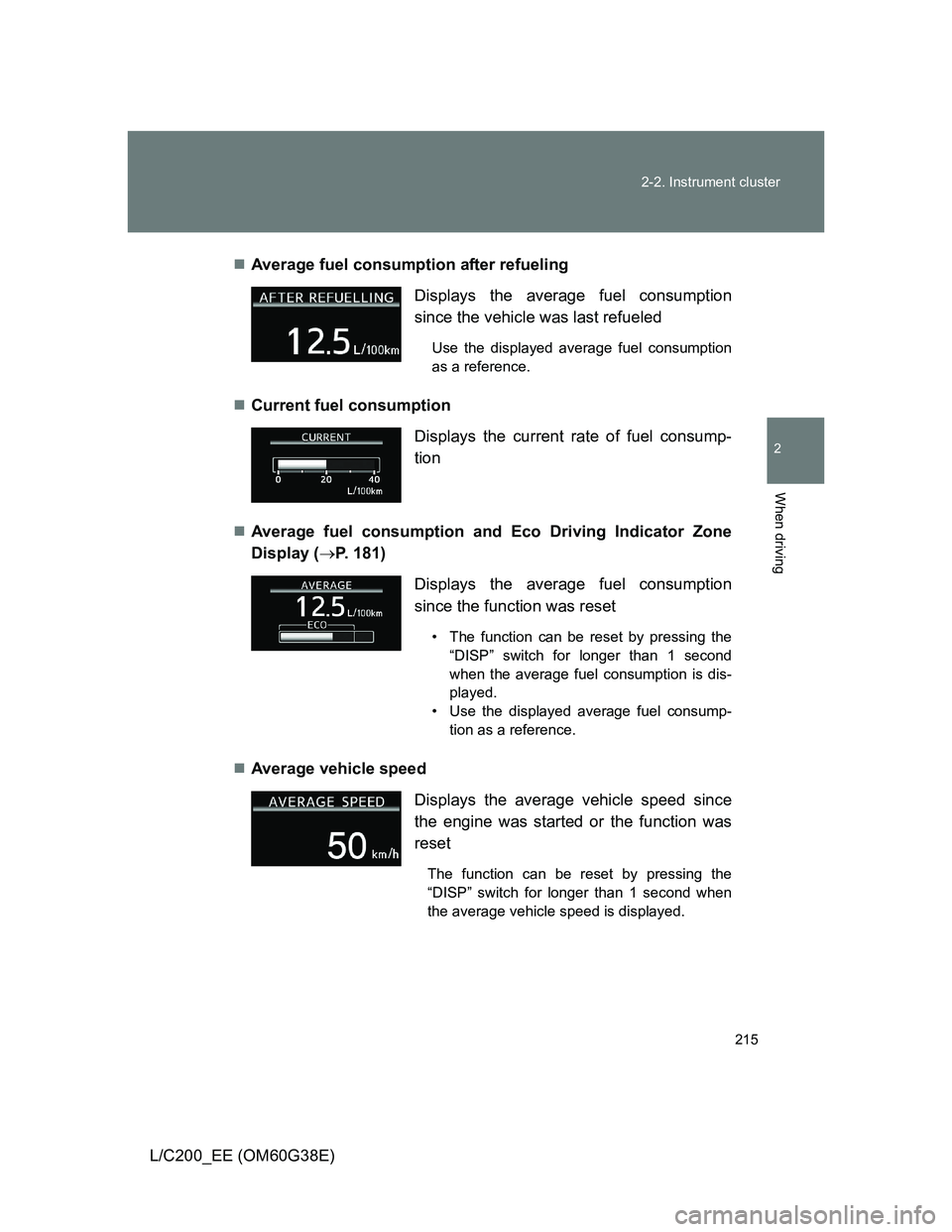
L/C200_EE (OM60G38E)Average fuel consumption after refueling
Current fuel consumption
Average fuel consumption and Eco Driving Indicator Zone
Display (P. 181)
Average vehicle speed Displays the average fuel consumption
since the vehicle was last refueled
Use the displayed average fuel consumption
as a reference.
Displays the current rate of fuel consump-
tion
Displays the average fuel consumption
since the function was reset
• The function can be reset by pressing the
“DISP” switch for longer than 1 second
when the average fuel consumption is dis-
played.
• Use the displayed average fuel consump-
tion as a reference.
Displays the average vehicle speed since
the engine was started or the function was
reset
The function can be reset by pressing the
“DISP” switch for longer than 1 second when
the average vehicle speed is displayed.
Page 216 of 692
216 2-2. Instrument cluster
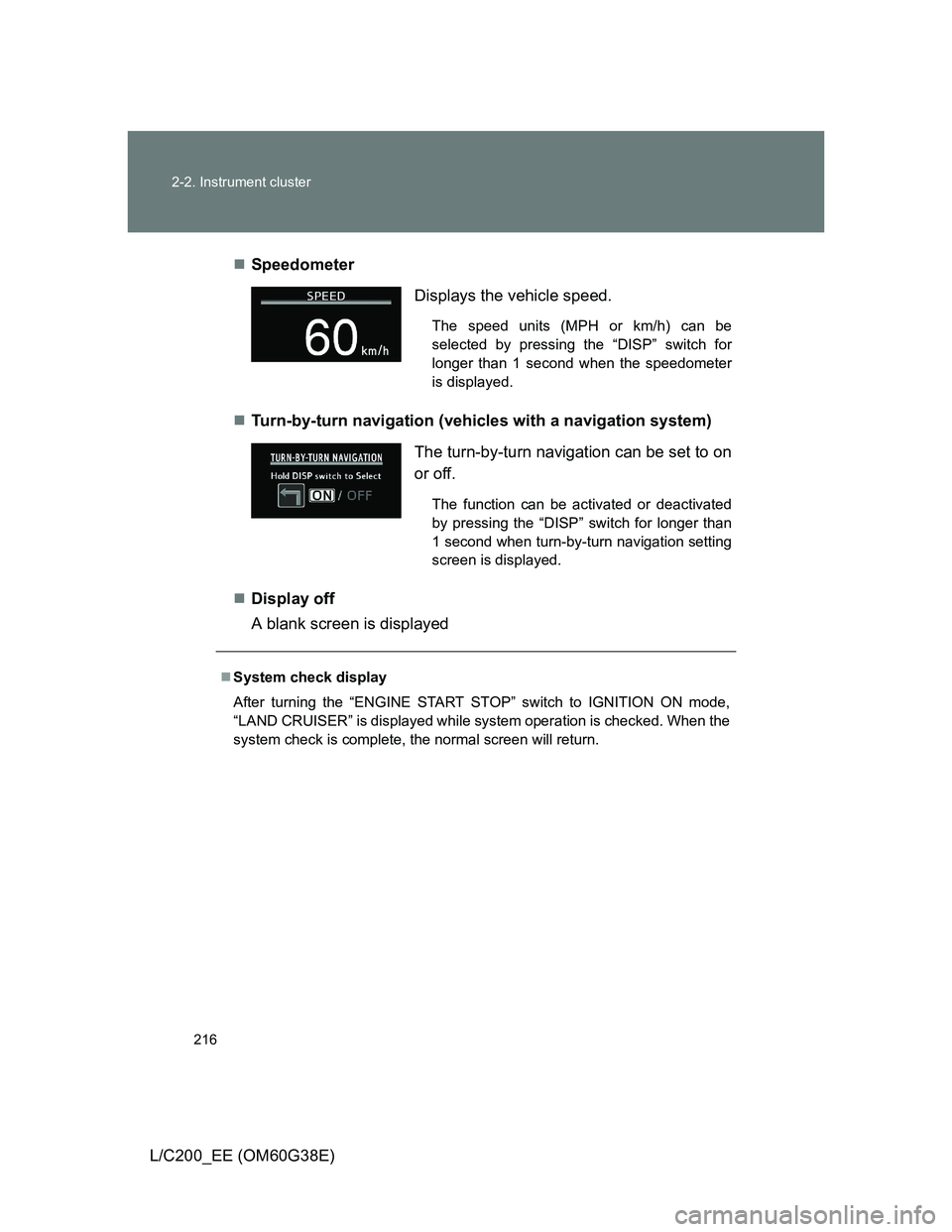
L/C200_EE (OM60G38E)Speedometer
Turn-by-turn navigation (vehicles with a navigation system)
Display off
A blank screen is displayed
Displays the vehicle speed.
The speed units (MPH or km/h) can be
selected by pressing the “DISP” switch for
longer than 1 second when the speedometer
is displayed.
The turn-by-turn navigation can be set to on
or off.
The function can be activated or deactivated
by pressing the “DISP” switch for longer than
1 second when turn-by-turn navigation setting
screen is displayed.
System check display
After turning the “ENGINE START STOP” switch to IGNITION ON mode,
“LAND CRUISER” is displayed while system operation is checked. When the
system check is complete, the normal screen will return.
Page 217 of 692
217 2-2. Instrument cluster
2
When driving
L/C200_EE (OM60G38E)
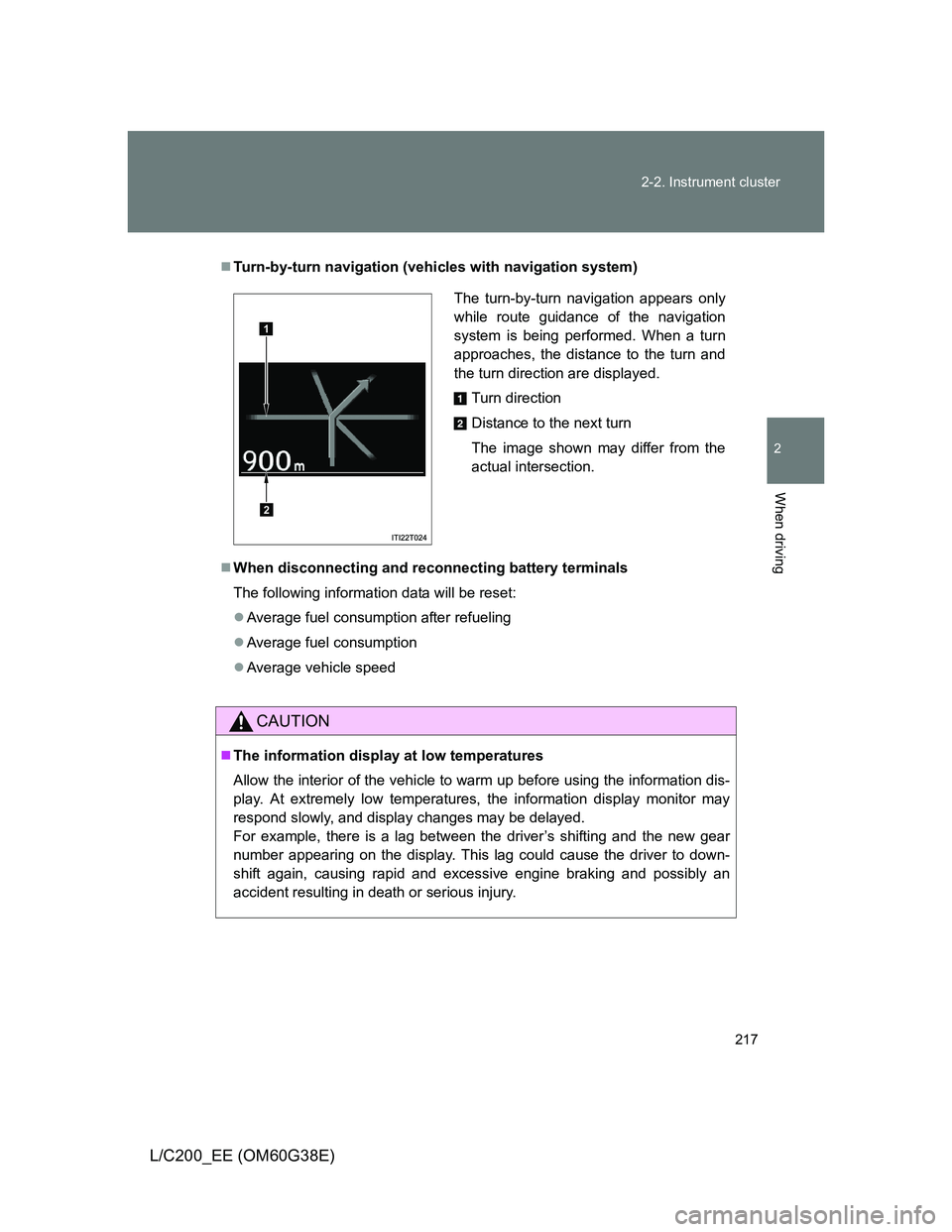
Turn-by-turn navigation (vehicles with navigation system)
When disconnecting and reconnecting battery terminals
The following information data will be reset:
Average fuel consumption after refueling
Average fuel consumption
Average vehicle speed
CAUTION
The information display at low temperatures
Allow the interior of the vehicle to warm up before using the information dis-
play. At extremely low temperatures, the information display monitor may
respond slowly, and display changes may be delayed.
For example, there is a lag between the driver’s shifting and the new gear
number appearing on the display. This lag could cause the driver to down-
shift again, causing rapid and excessive engine braking and possibly an
accident resulting in death or serious injury.
The turn-by-turn navigation appears only
while route guidance of the navigation
system is being performed. When a turn
approaches, the distance to the turn and
the turn direction are displayed.
Turn direction
Distance to the next turn
The image shown may differ from the
actual intersection.
1
2
Page 235 of 692
235 2-4. Using other driving systems
2
When driving
L/C200_EE (OM60G38E)
Cruise control can be set when
Vehicles with an automatic transmission: The shift lever is in the “D” or
more than range “4” of “S” has been selected.
Vehicle speed is above approximately 40 km/h (25 mph).
Accelerating after setting the vehicle speed
The vehicle can be accelerated normally. After acceleration, the set
speed resumes.
Even without canceling the cruise control, the set speed can be
increased by first accelerating the vehicle to the desired speed and then
pushing the lever down to set the new speed.
Automatic cruise control cancelation
Cruise control will stop maintaining the vehicle speed in any of the following
situations.
Actual vehicle speed falls more than approximately 16 km/h (10 mph)
below the preset vehicle speed.
At this time, the memorized set speed is not retained.
Actual vehicle speed is below approximately 40 km/h (25 mph).
VSC is activated (if equipped).
The switching operation continues for 5 seconds or more after the center
differential lock switch has been operated.
If the warning message for the cruise control is shown on the multi-
information display
Press the “ON-OFF” button once to deactivate the system, and then press
the button again to reactivate the system.
If the cruise control speed cannot be set or if the cruise control cancels
immediately after being activated, there may be a malfunction in the cruise
control system. Have the vehicle inspected by any authorized Toyota dealer
or repairer, or another duly qualified and equipped professional.