Page 202 of 692
202
2-1. Driving procedures
L/C200_EE (OM60G38E)
Horn
After adjusting the steering wheel (vehicles with manual tilt and tele-
scopic steering wheel)
Make sure that the steering wheel is securely locked.
The horn may not sound if the steering wheel is not securely locked.
(P. 101)
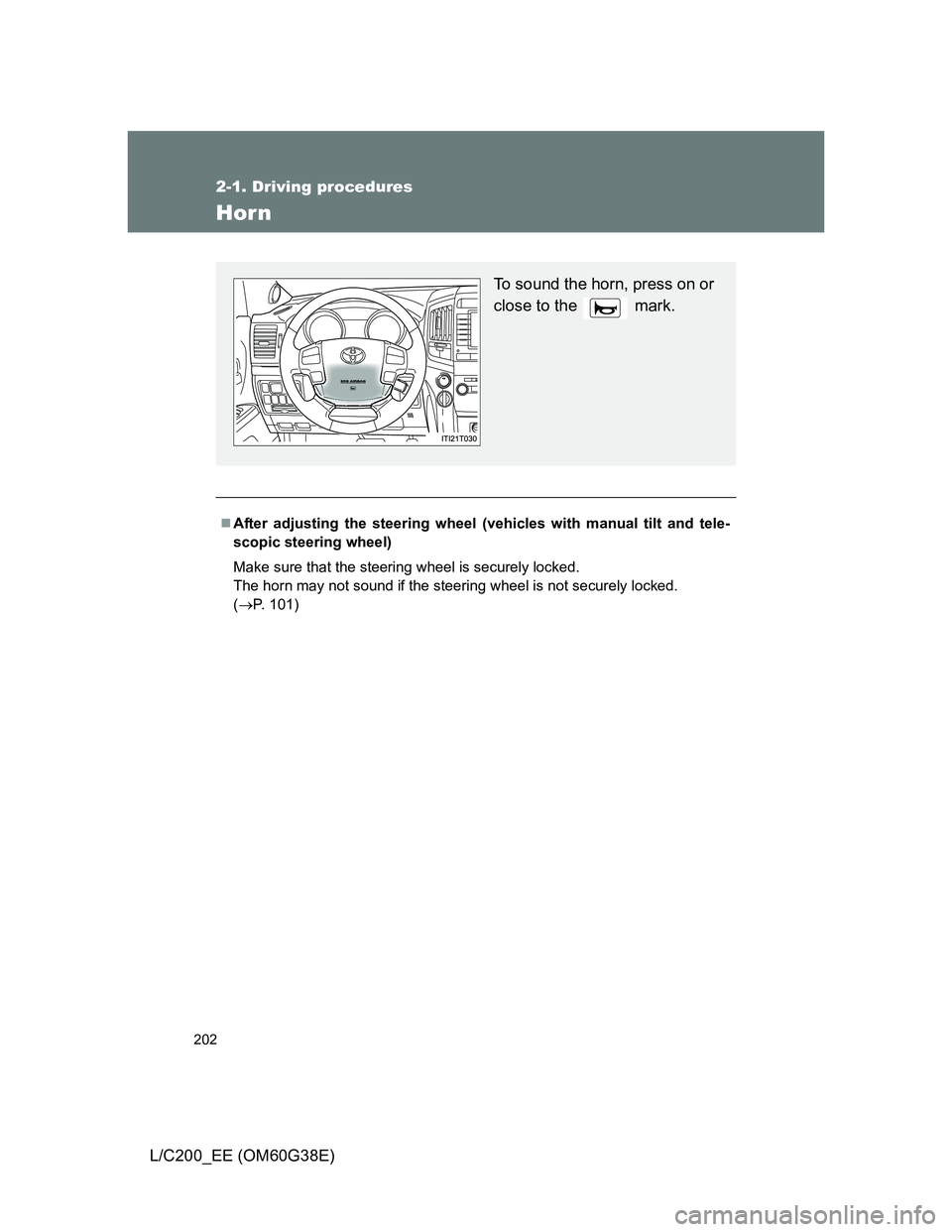
To sound the horn, press on or
close to the mark.
Page 317 of 692
317
2-5. Driving information
2
When driving
L/C200_EE (OM60G38E)
Cargo and luggage
CAUTION
Things that must not be carried in the luggage compartment
The following things may cause a fire if loaded in the luggage compartment.
Receptacles containing gasoline
Aerosol cans
Take notice of the following information about storage precautions,
cargo capacity and load.
Stow cargo and luggage in the luggage compartment whenever
possible.
Be sure all items are secured in place.
Be careful to keep the vehicle level. Placing the weight as far for-
ward as possible helps maintain vehicle balance.
For better fuel economy, do not carry unnecessary weight.
Page 318 of 692
318 2-5. Driving information
L/C200_EE (OM60G38E)
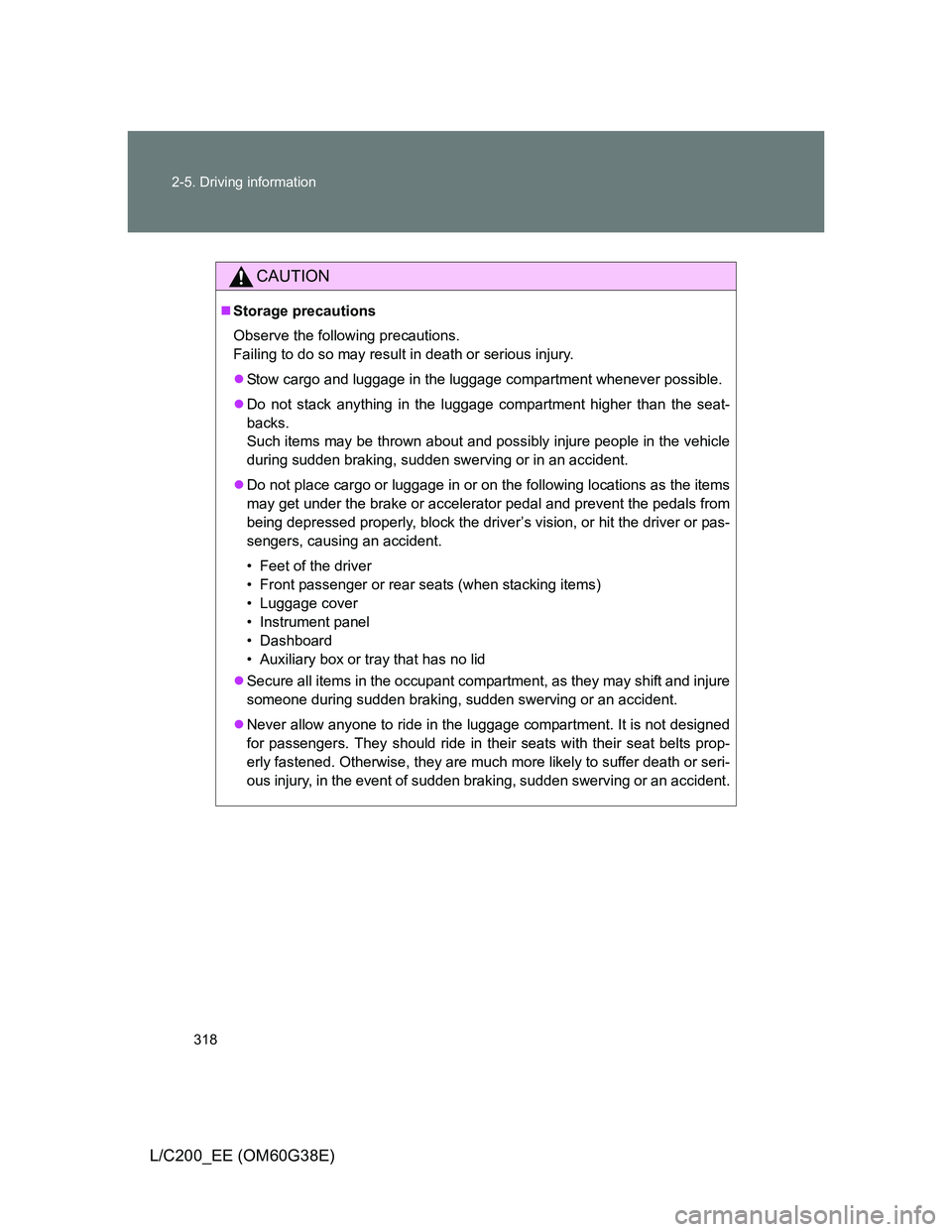
CAUTION
Storage precautions
Observe the following precautions.
Failing to do so may result in death or serious injury.
Stow cargo and luggage in the luggage compartment whenever possible.
Do not stack anything in the luggage compartment higher than the seat-
backs.
Such items may be thrown about and possibly injure people in the vehicle
during sudden braking, sudden swerving or in an accident.
Do not place cargo or luggage in or on the following locations as the items
may get under the brake or accelerator pedal and prevent the pedals from
being depressed properly, block the driver’s vision, or hit the driver or pas-
sengers, causing an accident.
• Feet of the driver
• Front passenger or rear seats (when stacking items)
• Luggage cover
• Instrument panel
• Dashboard
• Auxiliary box or tray that has no lid
Secure all items in the occupant compartment, as they may shift and injure
someone during sudden braking, sudden swerving or an accident.
Never allow anyone to ride in the luggage compartment. It is not designed
for passengers. They should ride in their seats with their seat belts prop-
erly fastened. Otherwise, they are much more likely to suffer death or seri-
ous injury, in the event of sudden braking, sudden swerving or an accident.
Page 328 of 692
328 2-5. Driving information
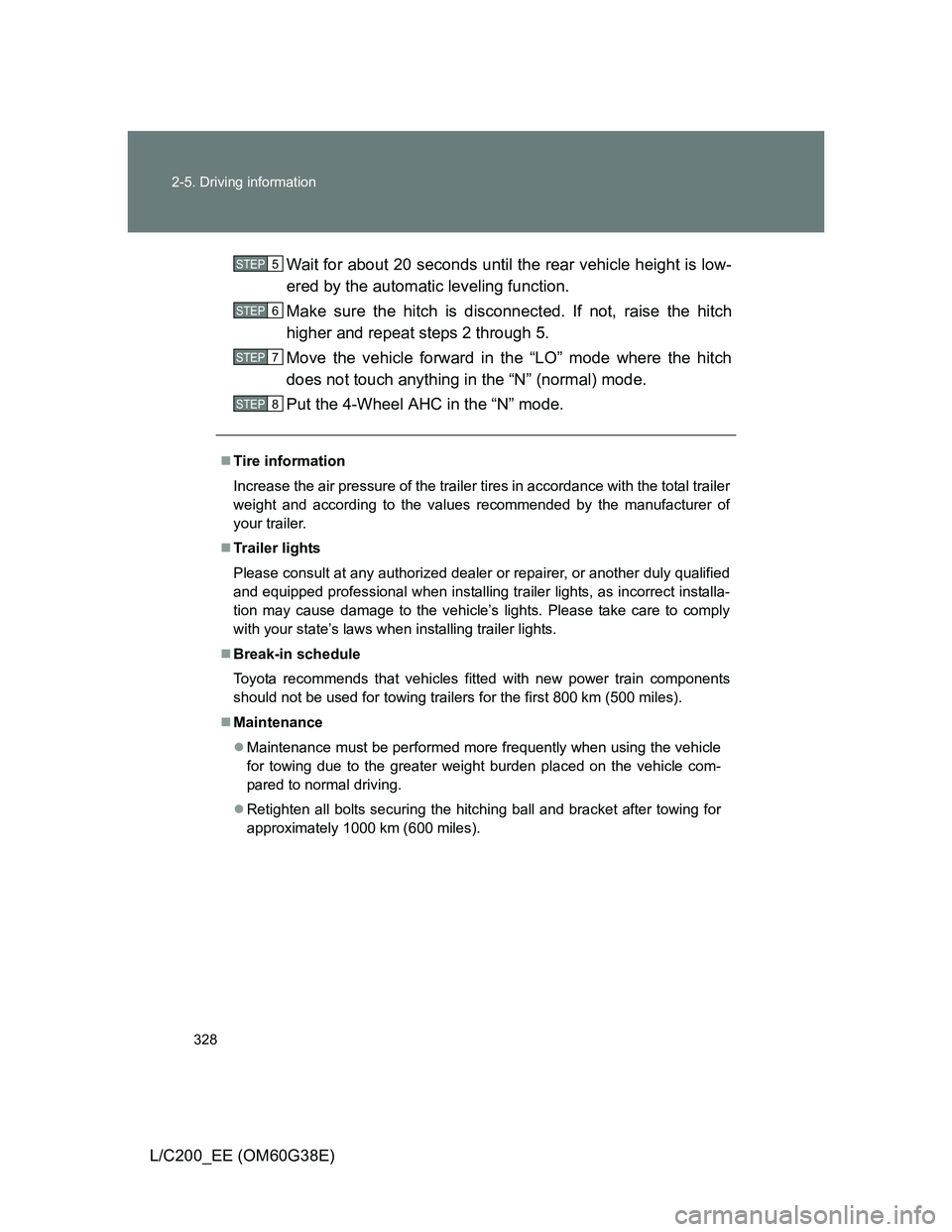
L/C200_EE (OM60G38E)Wait for about 20 seconds until the rear vehicle height is low-
ered by the automatic leveling function.
Make sure the hitch is disconnected. If not, raise the hitch
higher and repeat steps 2 through 5.
Move the vehicle forward in the “LO” mode where the hitch
does not touch anything in the “N” (normal) mode.
Put the 4-Wheel AHC in the “N” mode.
Tire information
Increase the air pressure of the trailer tires in accordance with the total trailer
weight and according to the values recommended by the manufacturer of
your trailer.
Trailer lights
Please consult at any authorized dealer or repairer, or another duly qualified
and equipped professional when installing trailer lights, as incorrect installa-
tion may cause damage to the vehicle’s lights. Please take care to comply
with your state’s laws when installing trailer lights.
Break-in schedule
Toyota recommends that vehicles fitted with new power train components
should not be used for towing trailers for the first 800 km (500 miles).
Maintenance
Maintenance must be performed more frequently when using the vehicle
for towing due to the greater weight burden placed on the vehicle com-
pared to normal driving.
Retighten all bolts securing the hitching ball and bracket after towing for
approximately 1000 km (600 miles).
STEP5
STEP6
STEP7
STEP8
Page 329 of 692
329 2-5. Driving information
2
When driving
L/C200_EE (OM60G38E)
Safety checks before towing
Check that the maximum load limit for the towing hitch/bracket and hitch
ball is not exceeded. Bear in mind that the coupling weight of the trailer
will add to the load exerted on the vehicle. Also make sure that total load
exerted on the vehicle is within the range of the weight limits. (P. 324)
Ensure that the trailer load is secure.
Supplementary outside rear view mirrors should be added to the vehicle
if the traffic behind cannot be clearly seen with standard mirrors. Adjust
the extending arms of these mirrors on both sides of the vehicle so that
they always provide maximum visibility of the road behind.
CAUTION
To avoid accident or injury
Set the vehicle height to the “LO” mode and turn off the 4-Wheel AHC when
you connect a trailer, otherwise the vehicle height may change due to the
automatic leveling function, and you may catch part of your body in the vehi-
cle, resulting in an accident. (P. 248)
NOTICE
When the rear bumper strengthening material is aluminum
Ensure the steel bracket part does not come directly in contact with that
area.
When steel and aluminum come into contact, there is a reaction similar to
corrosion, which will weaken the section concerned which may result in
damage. Apply a rust inhibitor to parts that will come in contact when attach-
ing a steel bracket.
Page 331 of 692
331 2-5. Driving information
2
When driving
L/C200_EE (OM60G38E)Sudden acceleration/steering input/cornering
Executing sharp turns when towing may result in the trailer collid-
ing with your vehicle. Decelerate well in advance when approach-
ing turns and take them slowly and carefully to avoid sudden
braking.
Important points regarding turning
The wheels of the trailer will travel closer to the inside of the curve
than the wheels of the vehicle. To make allowance for this, take the
turns wider than you would normally.
Important points regarding stability
Vehicle movement resulting from uneven road surfaces and strong
crosswinds will affect handling. The vehicle may also be rocked by
passing buses or large trucks. Frequently check behind when mov-
ing alongside such vehicles. As soon as such vehicle movement
occurs, immediately start to decelerate smoothly by slowly apply-
ing the brakes. Always steer the vehicle straight ahead while brak-
ing.
Passing other vehicles
Consider the total combined length of your vehicle and trailer, and
ensure that the vehicle-to-vehicle distance is sufficient before exe-
cuting lane changes.
Page 335 of 692
3Interior features
335
L/C200_EE (OM60G38E)
3-3. Using the Bluetooth® audio
system
Bluetooth
® audio
system ............................ 402
Using the Bluetooth
®
audio system .................. 407
Operating a Bluetooth
®
enabled portable
player .............................. 410
Setting up a Bluetooth
®
enabled portable
player .............................. 413
Bluetooth
® audio
system setup .................. 417
3-4. Using the hands-free system
(for cellular phone)
Hands-free system
(for cellular phone).......... 418
Using the hands-free
system ............................ 423
Making a phone call.......... 430
Setting a cellular phone .... 434
Security and
system setup .................. 438
Using the phone book....... 442
3-5. Using the interior lights
Interior lights list................ 448
• Interior lights ................... 449
• Personal lights ................ 4503-6. Using the storage features
List of storage features ..... 452
• Glove box ....................... 453
• Console box.................... 454
• Overhead console .......... 455
• Cup holders .................... 456
• Bottle holders.................. 458
• Card holder ..................... 460
• Auxiliary box ................... 460
3-7. Other interior features
Cool box............................ 461
Sun visors ......................... 463
Vanity mirror ..................... 464
Clock ................................. 465
Outside temperature
display ............................ 466
Ashtray.............................. 468
Cigarette lighter ................ 470
Power outlet ...................... 471
Heated steering wheel ...... 474
Seat heaters and
ventilators ....................... 476
Armrest ............................. 480
Assist grip ......................... 481
Floor mats ......................... 482
Luggage compartment
features........................... 484
Page 419 of 692
419 3-4. Using the hands-free system (for cellular phone)
3
Interior features
L/C200_EE (OM60G38E)
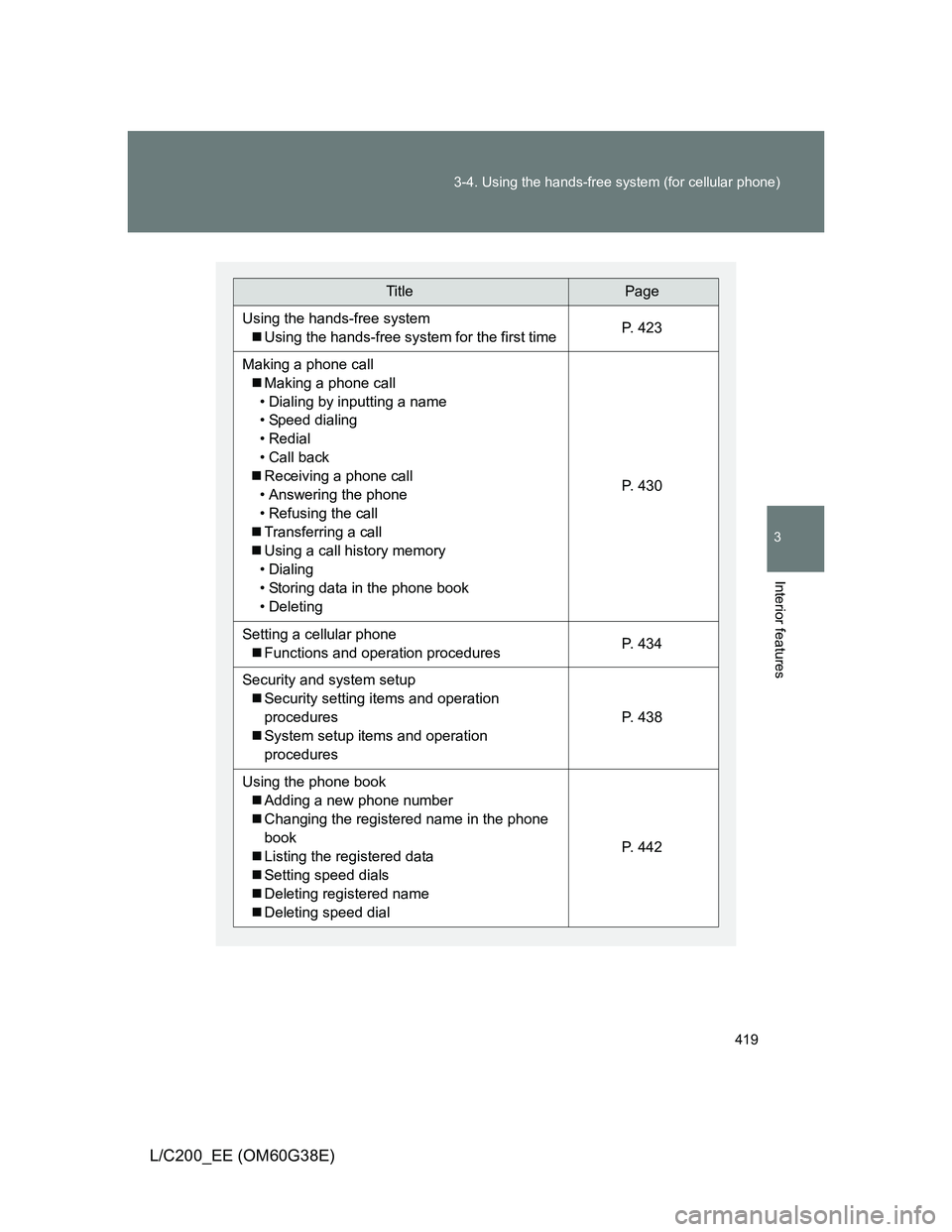
TitlePage
Using the hands-free system
Using the hands-free system for the first timeP. 4 2 3
Making a phone call
Making a phone call
• Dialing by inputting a name
• Speed dialing
• Redial
• Call back
Receiving a phone call
• Answering the phone
• Refusing the call
Transferring a call
Using a call history memory
• Dialing
• Storing data in the phone book
• Deleting
P. 4 3 0
Setting a cellular phone
Functions and operation proceduresP. 4 3 4
Security and system setup
Security setting items and operation
procedures
System setup items and operation
procedures
P. 4 3 8
Using the phone book
Adding a new phone number
Changing the registered name in the phone
book
Listing the registered data
Setting speed dials
Deleting registered name
Deleting speed dial
P. 4 4 2