Page 203 of 529
203
2-5. Driving information
2
When driving
NOTICE
■
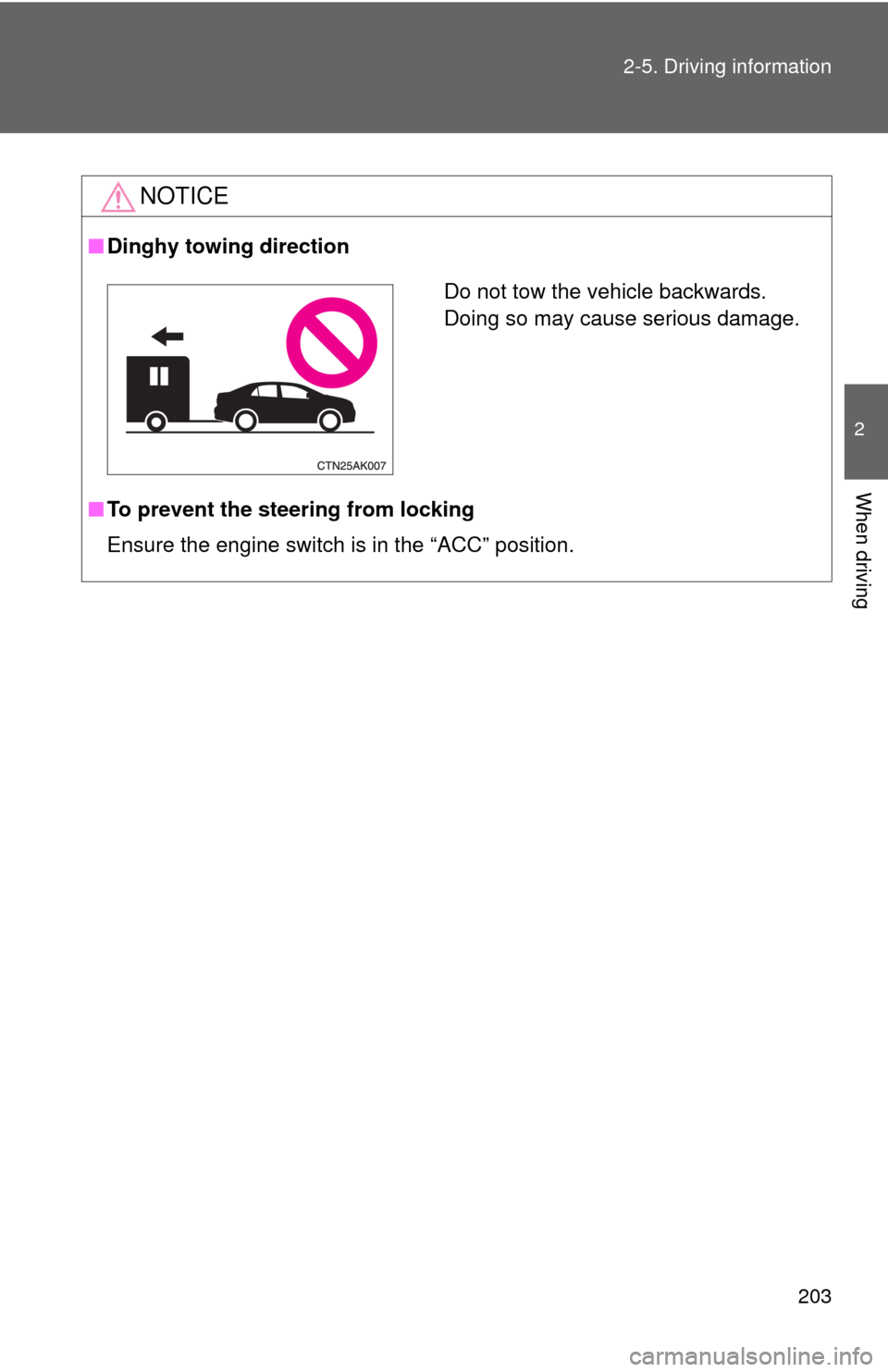
Dinghy towing direction
■ To prevent the steering from locking
Ensure the engine switch is in the “ACC” position.
Do not tow the vehicle backwards.
Doing so may cause serious damage.
Page 205 of 529
Interior features3
205
3-3. Using the Bluetooth®
audio system
Blu etooth
®
audio/phone ................... 279
Using the Bluetooth
®
audio/phone ................... 282
Operating a Bluetooth
®
enabled portable
player ............................. 287
3-4. Using the hands-free phone system
(for cellular phone)
Making a phon e call ......... 290
Using the “SET UP” menu (“Bluetooth” menu) ......... 295
Using the “SET UP” menu (“Phone” menu).............. 301
3-5. Using the interior lights Interior lights list ............... 307
• Interior light .................... 309
• Personal lights ............... 309
• Personal/interior lights ... 310 3-6.
Using the storage
features
List of storage fea tures .... 311
• Glove box....................... 312
• Console box ................... 312
• Cup holders ................... 314
• Auxiliary boxes ............... 317
• Bottle holders ................. 319
3-7. Other interior features Sun visors ........................ 320
Vanity mirrors ................... 321
Clock ................................ 322
Ashtray ............................. 323
Cigarette lighter................ 324
Power outlet ..................... 325
Seat heaters..................... 326
Floor mat .......................... 328
Compass .......................... 329
Page 211 of 529
211
3-1. Using the air conditioning system
and defogger
3
Interior features
■Air conditioning odors
●During use, various odors from inside and outside the vehicle may enter
into and accumulate in the air conditioning system. This may then cause
odor to be emitted from the vents.
● To reduce potential odors from occurring:
• It is recommended that the air conditioning system be set to outside air
mode prior to turning the vehicle off.
• The start timing of the blower may be delayed for a short period of time immediately after the air conditioning system is started in automatic
mode.
CAUTION
■ To prevent the windshield from fogging up
Do not use during cool air operation in extremely humid weather.
The difference between the temperature of the outside air and that of the
windshield can cause the outer surface of the windshield to fog up, blocking
your vision.
NOTICE
■To prevent battery discharge
Do not leave the air conditioning system on longer than necessary when the
engine is stopped.
Page 213 of 529
213
3-1. Using the air conditioning system
and defogger
3
Interior features
Adjusting the settings
■ Adjusting the temperature setting (heater)
Turn the temperature control dial clockwise to increase the temper-
ature.
■ Adjusting the temperature setting (air conditioning system)
Turn the temperature control dial clockwise (warm) or counter-
clockwise (cool).
If is not pressed, the system will blow ambient temperature air or
heated air.
Air conditioning system
Fan speed control dial
Air outlet selection dial
Air intake mode switch Air conditioning ON/OFF switchTemperature control dial
Page 214 of 529
214 3-1. Using the air conditioning system and defogger
■Adjusting the fan speed
Turn the fan speed control dial clockwise (increase) or counter-
clockwise (decrease).
Set the dial to “0” to turn the fan off.
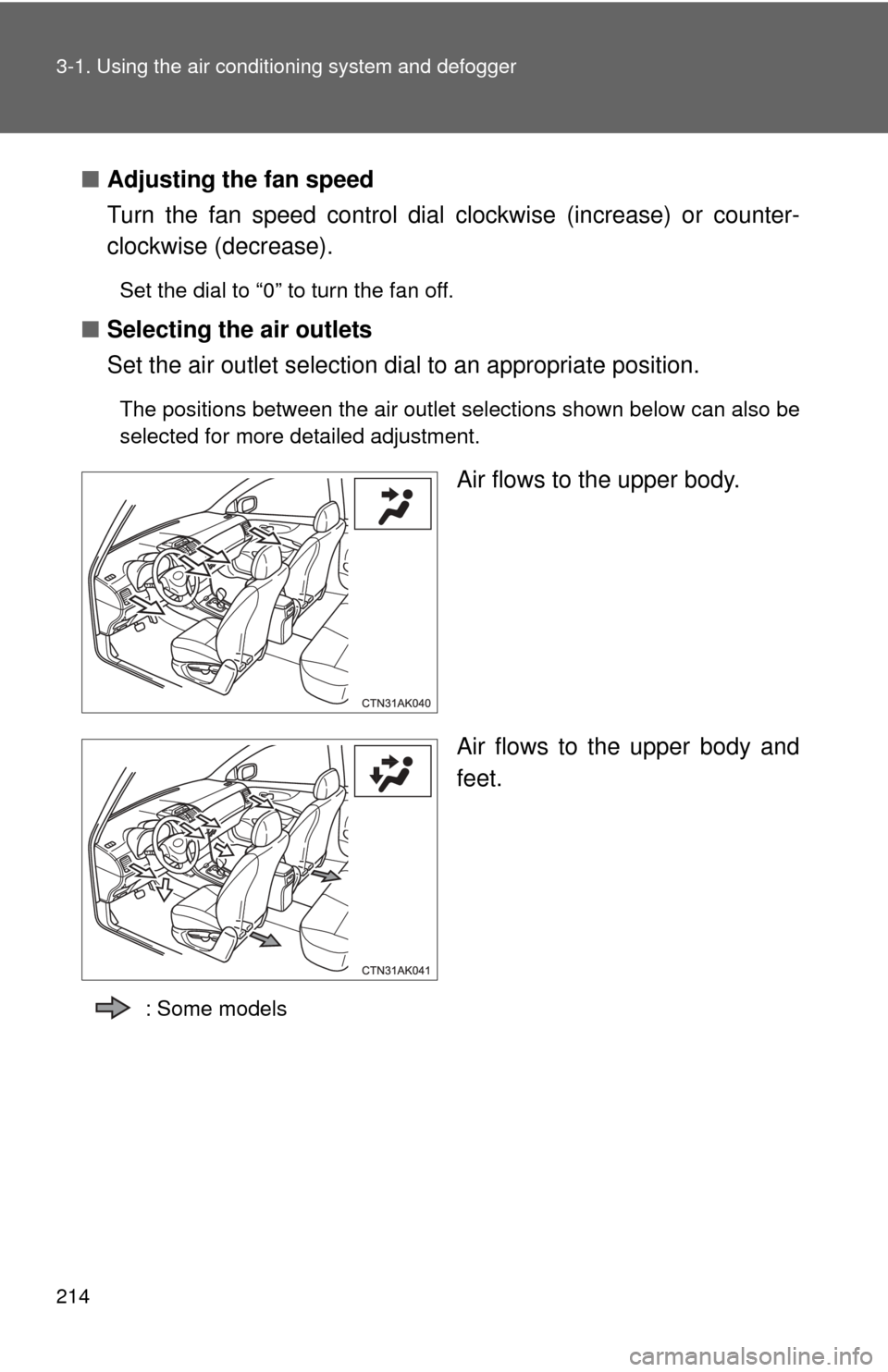
■ Selecting the air outlets
Set the air outlet selection di al to an appropriate position.
The positions between the air outlet selections shown below can also be
selected for more detailed adjustment.
Air flows to the upper body.
Air flows to the upper body and
feet.
: Some models
Page 218 of 529
218 3-1. Using the air conditioning system and defogger
CAUTION
■To prevent the windshield from fogging up
Do not set the air outlet selection dial to during cool air operation in
extremely humid weather. The difference between the temperature of the
outside air and that of the windshield can cause the outer surface of the
windshield to fog up, blocking your vision.
NOTICE
■To prevent battery discharge
Do not leave the air conditioning system on longer than necessary when the
engine is stopped.
Page 254 of 529
254 3-2. Using the audio system
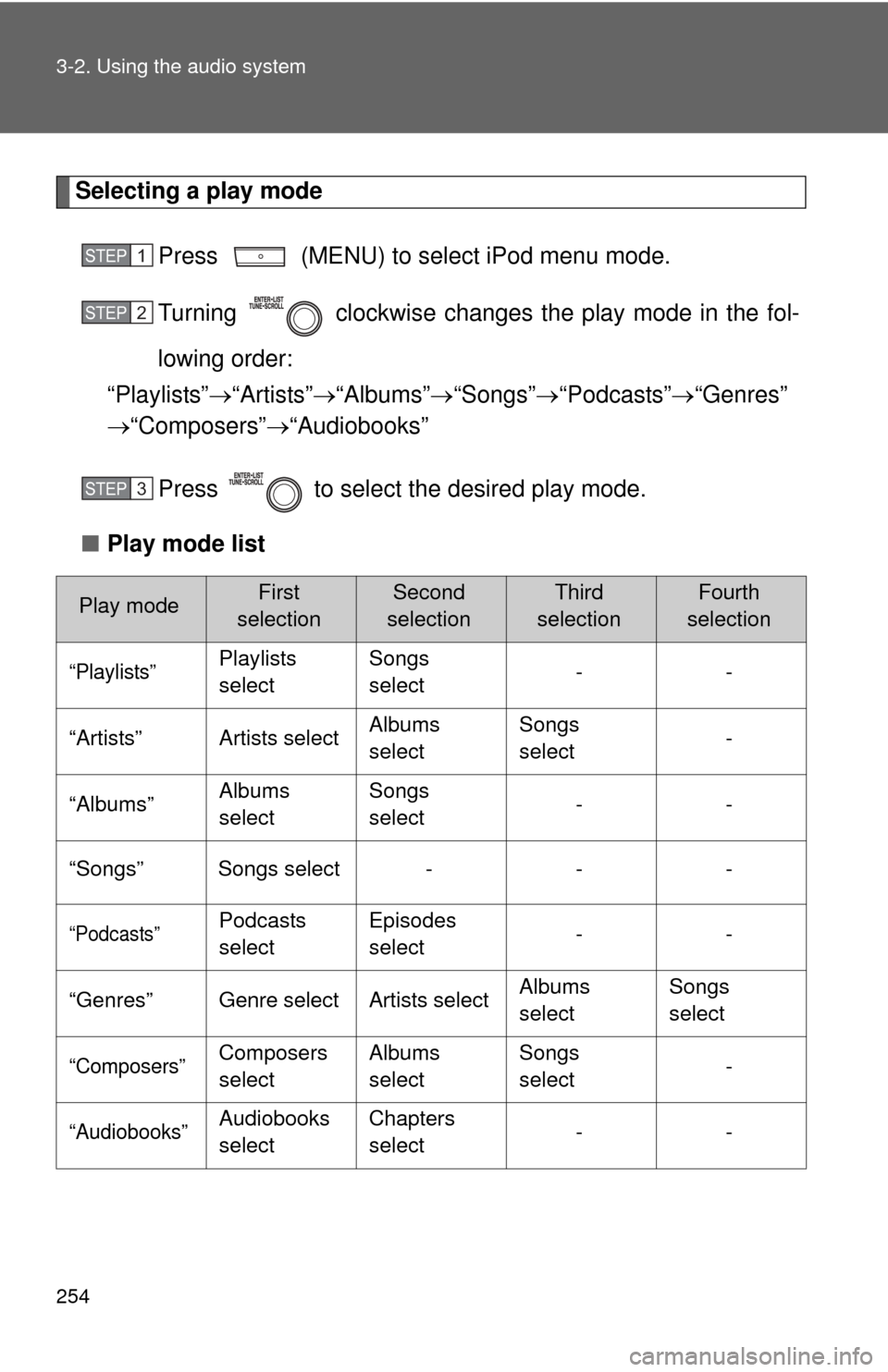
Selecting a play modePress (MENU) to select iPod menu mode.
Turning clockwise changes the play mode in the fol-
lowing order:
“Playlists” “Artists” “Albums” “Songs” “Podcasts” “Genres”
“Composers” “Audiobooks”
Press to select the desired play mode.
■ Play mode list
Play modeFirst
selectionSecond
selectionThird
selectionFourth
selection
“Playlists”Playlists
select Songs
select
--
“Artists” Artists select Albums
selectSongs
select
-
“Albums” Albums
selectSongs
select
--
“Songs” Songs select - - -
“Podcasts”Podcasts
select Episodes
select
--
“Genres” Genre select Artists select Albums
selectSongs
select
“Composers”Composers
selectAlbums
select Songs
select
-
“Audiobooks”Audiobooks
selectChapters
select
--
STEP 1
STEP 2
STEP 3
Page 293 of 529
293
3-4. Using the hand
s-free phone system (for cellular phone)
3
Interior features
Operations during a call
● Transferring a call
A call can be transferred between the cellular phone and system
while dialing, receiving a call, or during a call. Use one of the fol-
lowing methods:
a. Operate the cellular phone.
Refer to the manual that comes with the cellular phone for the oper-
ation of the phone.
b. Press the * (PHONE).
*: This operation can be performed only when transferring a call from
the cellular phone to the system during a call.
● Muting your voice
Press (MUTE).
● Inputting digits
Press (0-9) and using the to input the desired dig-
its.
• To send the input digits press (SEND).
• When finished, press (EXIT) to return to the previous screen.
●Setting call volume
Change the call volume using .
To decrease the volume: Turn counterclockwise.
To increase the volume: Turn clockwise.