Page 219 of 772
219
2-1. Driving procedures
2
When driving
AVENSIS_EE (OM20B44E)
Multidrive
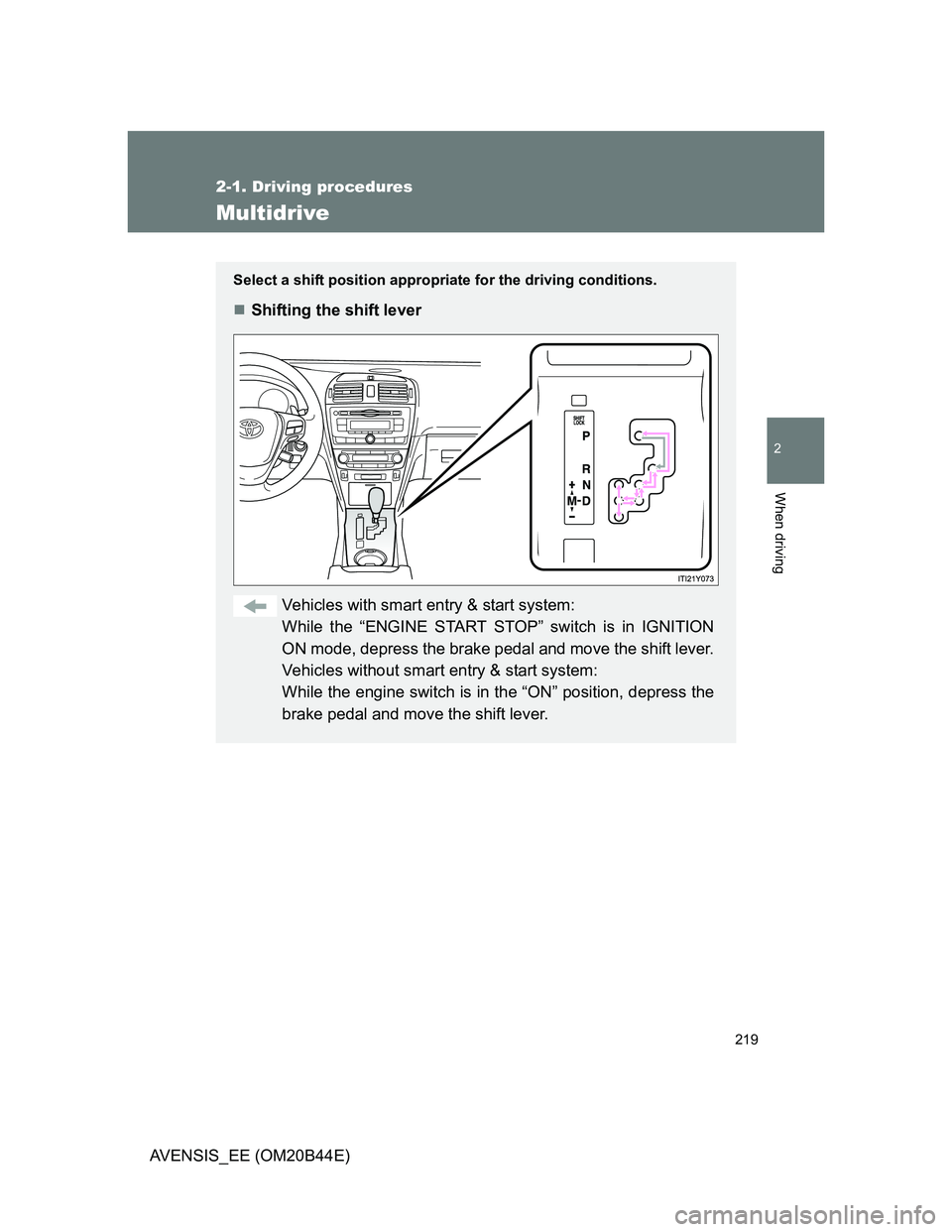
Select a shift position appropriate for the driving conditions.
Shifting the shift lever
Vehicles with smart entry & start system:
While the “ENGINE START STOP” switch is in IGNITION
ON mode, depress the brake pedal and move the shift lever.
Vehicles without smart entry & start system:
While the engine switch is in the “ON” position, depress the
brake pedal and move the shift lever.
Page 240 of 772
240 2-1. Driving procedures
AVENSIS_EE (OM20B44E)
NOTICE
When parking the vehicle
Before you leave the vehicle, set the parking brake, shift the shift lever to “P”
(Multidrive or automatic transmission) or “1” or “R” (manual transmission)
and make sure that the vehicle does not move.
When the parking brake cannot be released due to a malfunction
Use the parking brake release tool to manually release the parking brake.
(P. 693)
Driving the vehicle with the parking brake set will lead to brake components
overheating, which may affect braking performance and increase brake
wear.
Page 242 of 772
242
AVENSIS_EE (OM20B44E)
2-2. Instrument cluster
Gauges and meters
Vehicles with smart entry & start system
The following gauges, meters and displays illuminate when the
“ENGINE START STOP” switch is in IGNITION ON mode.
Vehicles without smart entry & start system
The following gauges, meters and displays illuminate when the
engine switch is in the “ON” position.
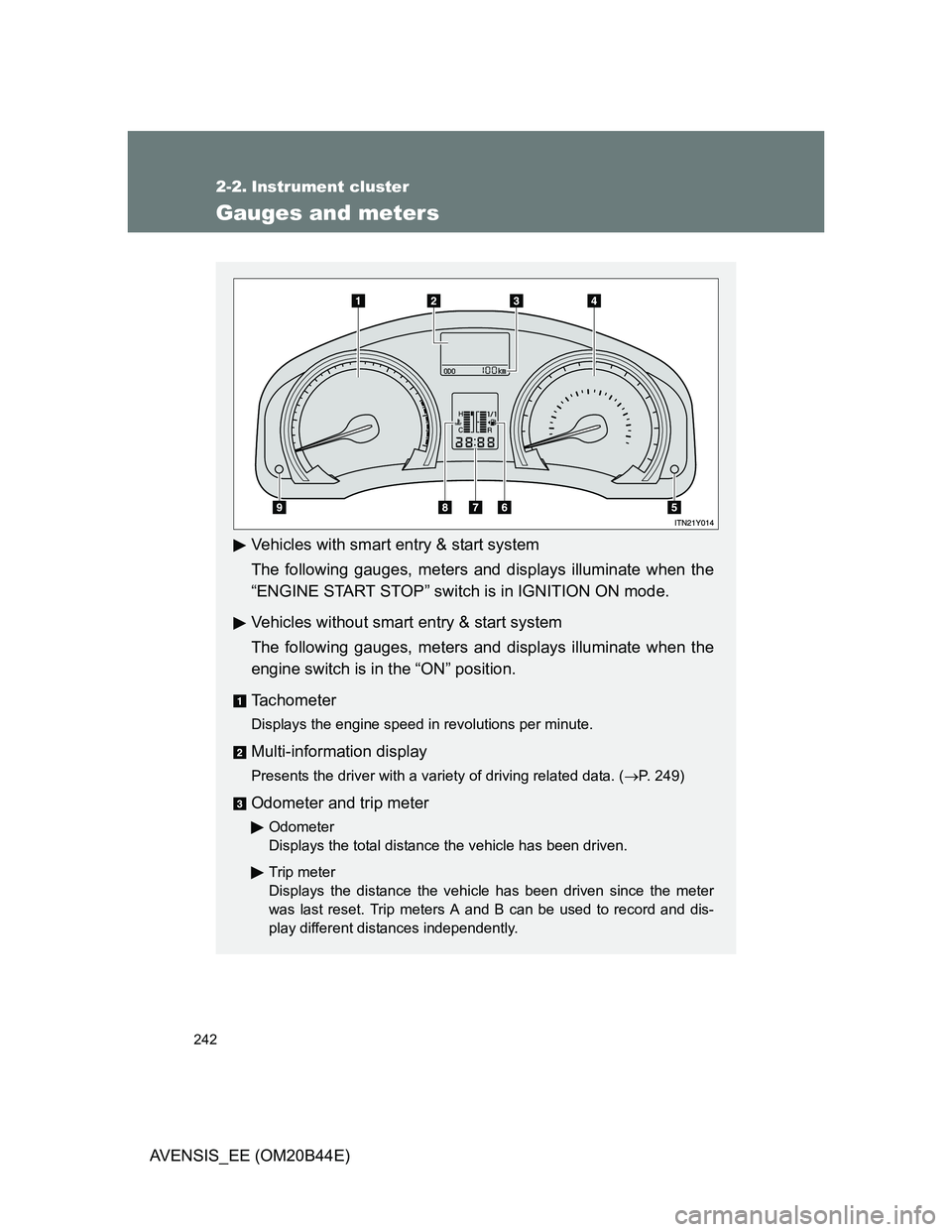
Tachometer
Displays the engine speed in revolutions per minute.
Multi-information display
Presents the driver with a variety of driving related data. (P. 249)
Odometer and trip meter
Odometer
Displays the total distance the vehicle has been driven.
Trip meter
Displays the distance the vehicle has been driven since the meter
was last reset. Trip meters A and B can be used to record and dis-
play different distances independently.
Page 243 of 772
243 2-2. Instrument cluster
2
When driving
AVENSIS_EE (OM20B44E)
Speedometer
Displays the vehicle speed.
“DISP.”/instrument panel light control button
Press: Switches the multi-information display.
Turn: To adjust the brightness of the instrument panel light. (P. 244)
Fuel gauge
Displays the quantity of fuel remaining in the tank.
Clock
Displays the time.
Engine coolant temperature gauge
Displays the engine coolant temperature.
Odometer/trip meter and trip meter reset button
Switches between odometer and trip meter displays. Pushing and hold-
ing the button will reset the trip meter when the trip meter is being dis-
played.
Page 248 of 772
248 2-2. Instrument cluster
AVENSIS_EE (OM20B44E)
CAUTION
If a safety system warning light does not come on
Should a safety system light such as ABS and the SRS airbag warning light
not come on when you start the engine, this could mean that these systems
are not available to help protect you in an accident, which could result in
death or serious injury. Have the vehicle inspected by any authorized Toyota
dealer or repairer, or another duly qualified and equipped professional imme-
diately if this occurs.
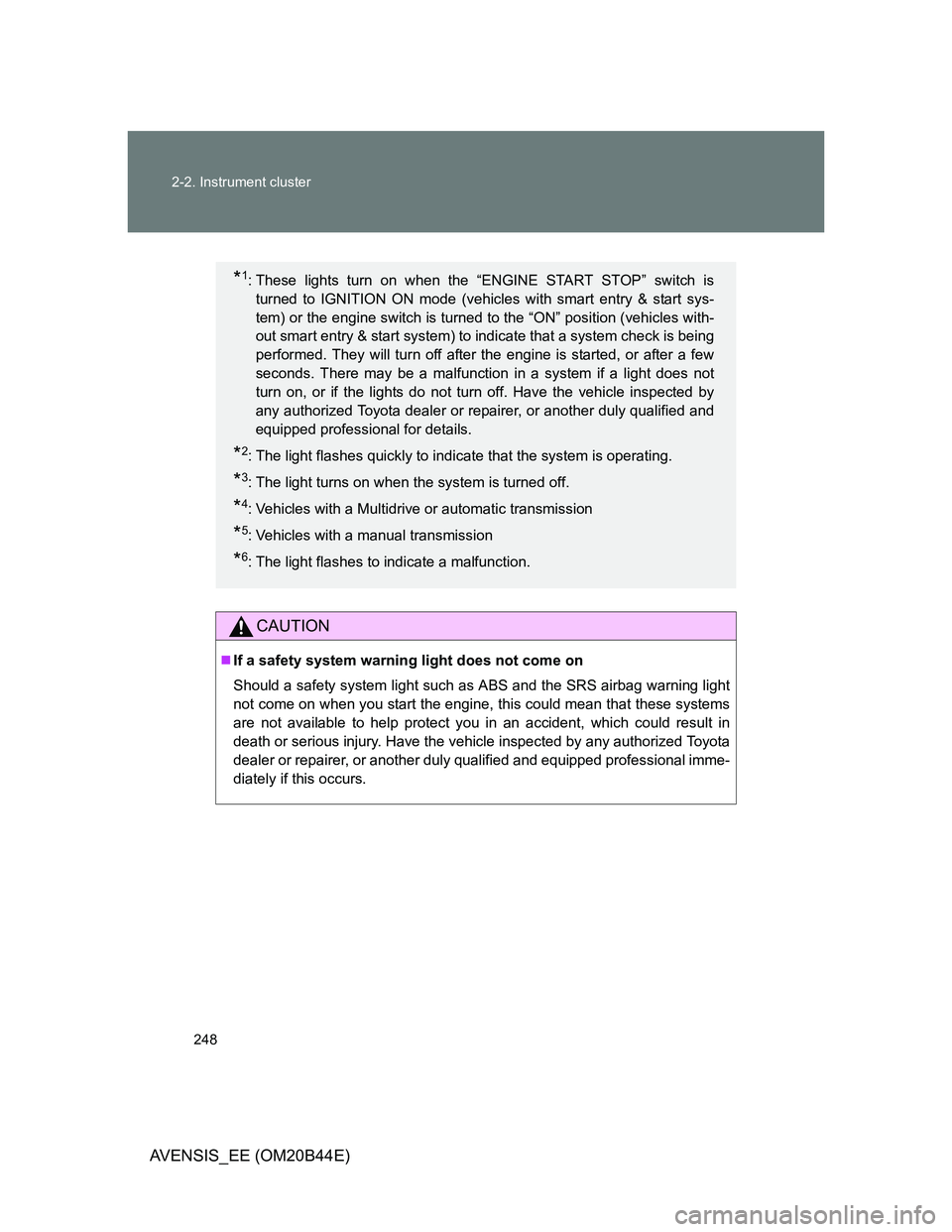
*1: These lights turn on when the “ENGINE START STOP” switch is
turned to IGNITION ON mode (vehicles with smart entry & start sys-
tem) or the engine switch is turned to the “ON” position (vehicles with-
out smart entry & start system) to indicate that a system check is being
performed. They will turn off after the engine is started, or after a few
seconds. There may be a malfunction in a system if a light does not
turn on, or if the lights do not turn off. Have the vehicle inspected by
any authorized Toyota dealer or repairer, or another duly qualified and
equipped professional for details.
*2: The light flashes quickly to indicate that the system is operating.
*3: The light turns on when the system is turned off.
*4: Vehicles with a Multidrive or automatic transmission
*5: Vehicles with a manual transmission
*6: The light flashes to indicate a malfunction.
Page 249 of 772
249
2-2. Instrument cluster
2
When driving
AVENSIS_EE (OM20B44E)
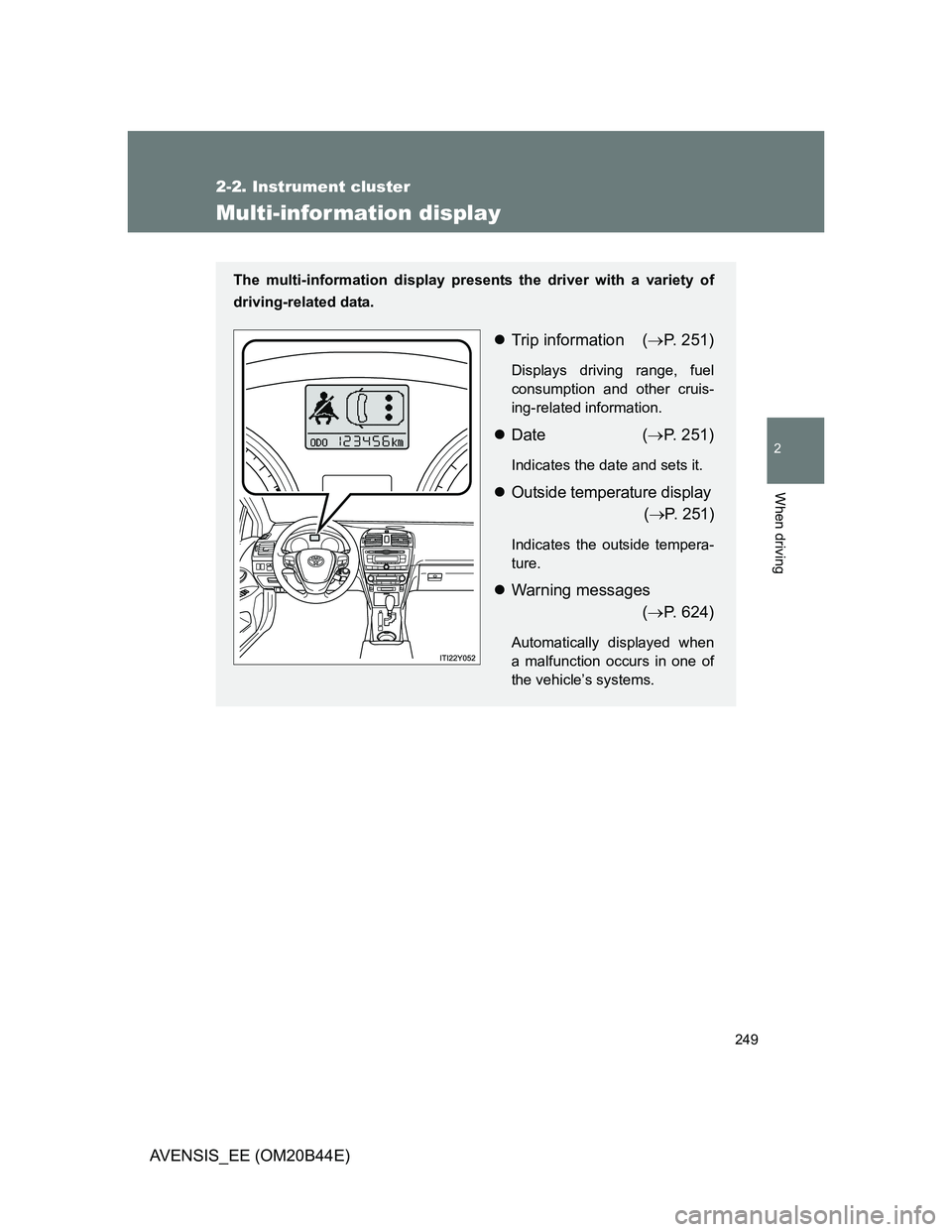
Multi-infor mation display
The multi-information display presents the driver with a variety of
driving-related data.
Trip information (P. 251)
Displays driving range, fuel
consumption and other cruis-
ing-related information.
Date (P. 251)
Indicates the date and sets it.
Outside temperature display
(P. 251)
Indicates the outside tempera-
ture.
Warning messages
(P. 624)
Automatically displayed when
a malfunction occurs in one of
the vehicle’s systems.
Page 255 of 772
255 2-2. Instrument cluster
2
When driving
AVENSIS_EE (OM20B44E)
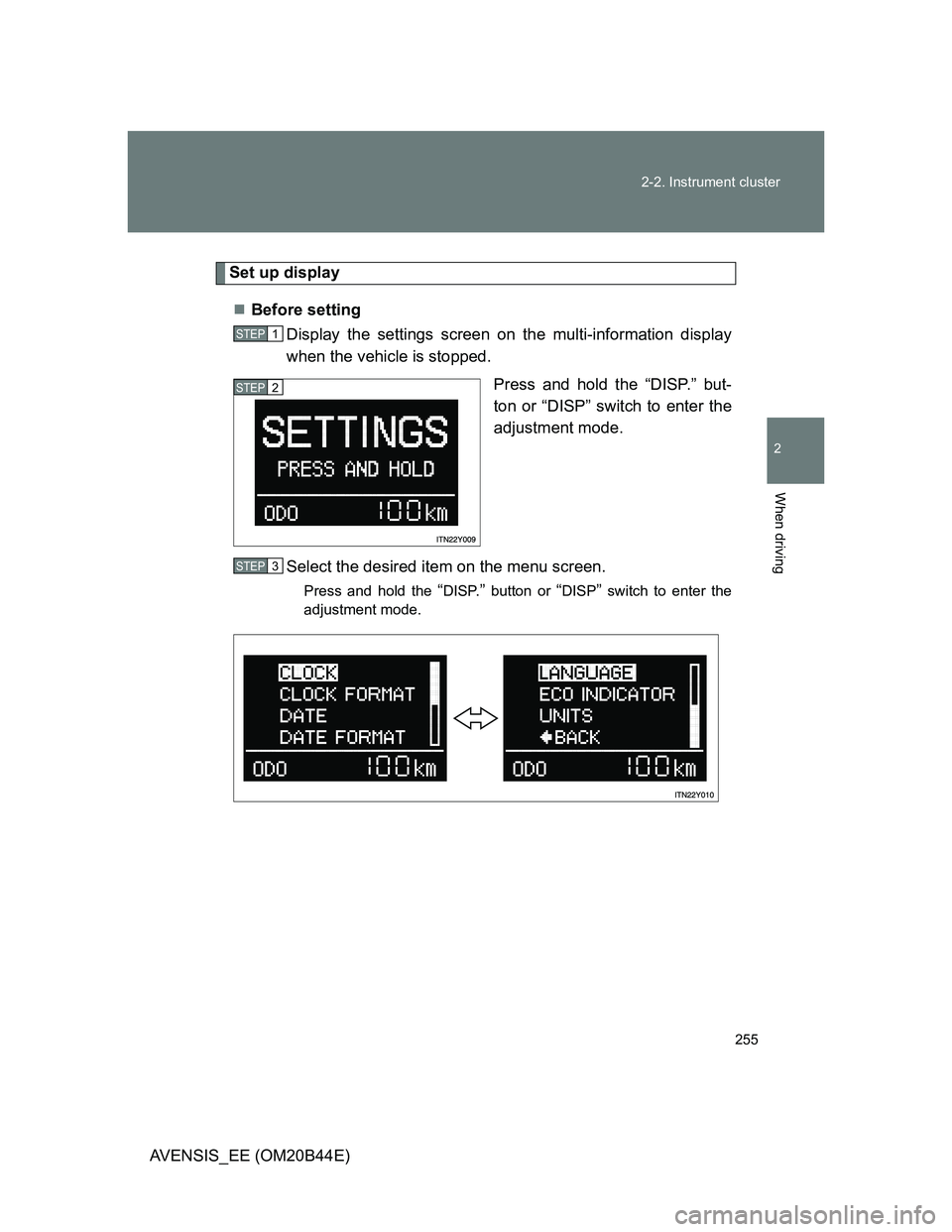
Set up display
Before setting
Display the settings screen on the multi-information display
when the vehicle is stopped.
Press and hold the “DISP.” but-
ton or “DISP” switch to enter the
adjustment mode.
Select the desired item on the menu screen.
Press and hold the “DISP.” button or “DISP” switch to enter the
adjustment mode.
STEP1
STEP2
STEP3
Page 261 of 772
261 2-2. Instrument cluster
2
When driving
AVENSIS_EE (OM20B44E)
Customization that can be configured at any authorized Toyota dealer
or repairer, or another duly qualified and equipped professional
Settings (on/off operation of Eco Driving Indicator Zone Display) can be
changed. (P. 752)
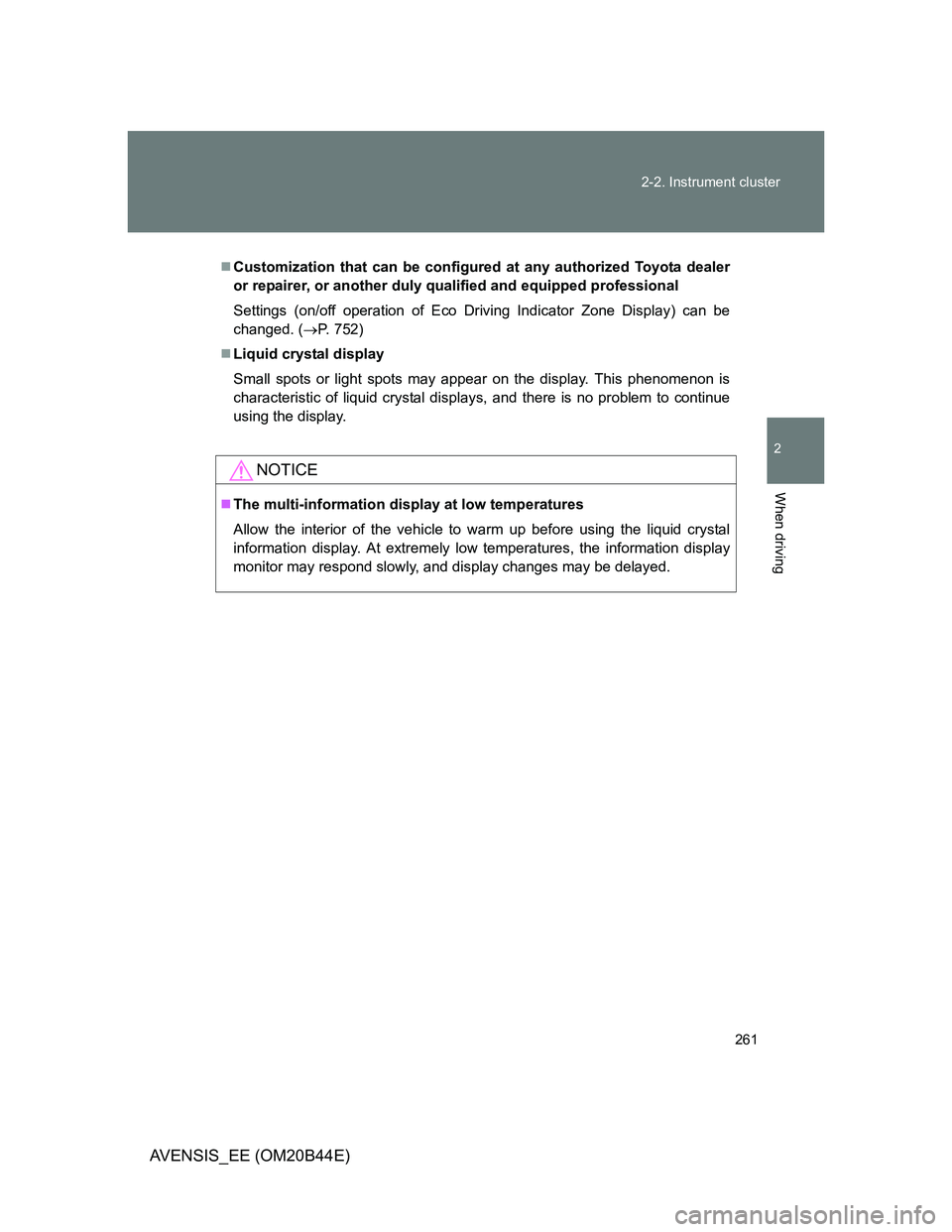
Liquid crystal display
Small spots or light spots may appear on the display. This phenomenon is
characteristic of liquid crystal displays, and there is no problem to continue
using the display.
NOTICE
The multi-information display at low temperatures
Allow the interior of the vehicle to warm up before using the liquid crystal
information display. At extremely low temperatures, the information display
monitor may respond slowly, and display changes may be delayed.