Page 387 of 772
387 3-2. Using the audio system
3
Interior features
AVENSIS_EE (OM20B44E)
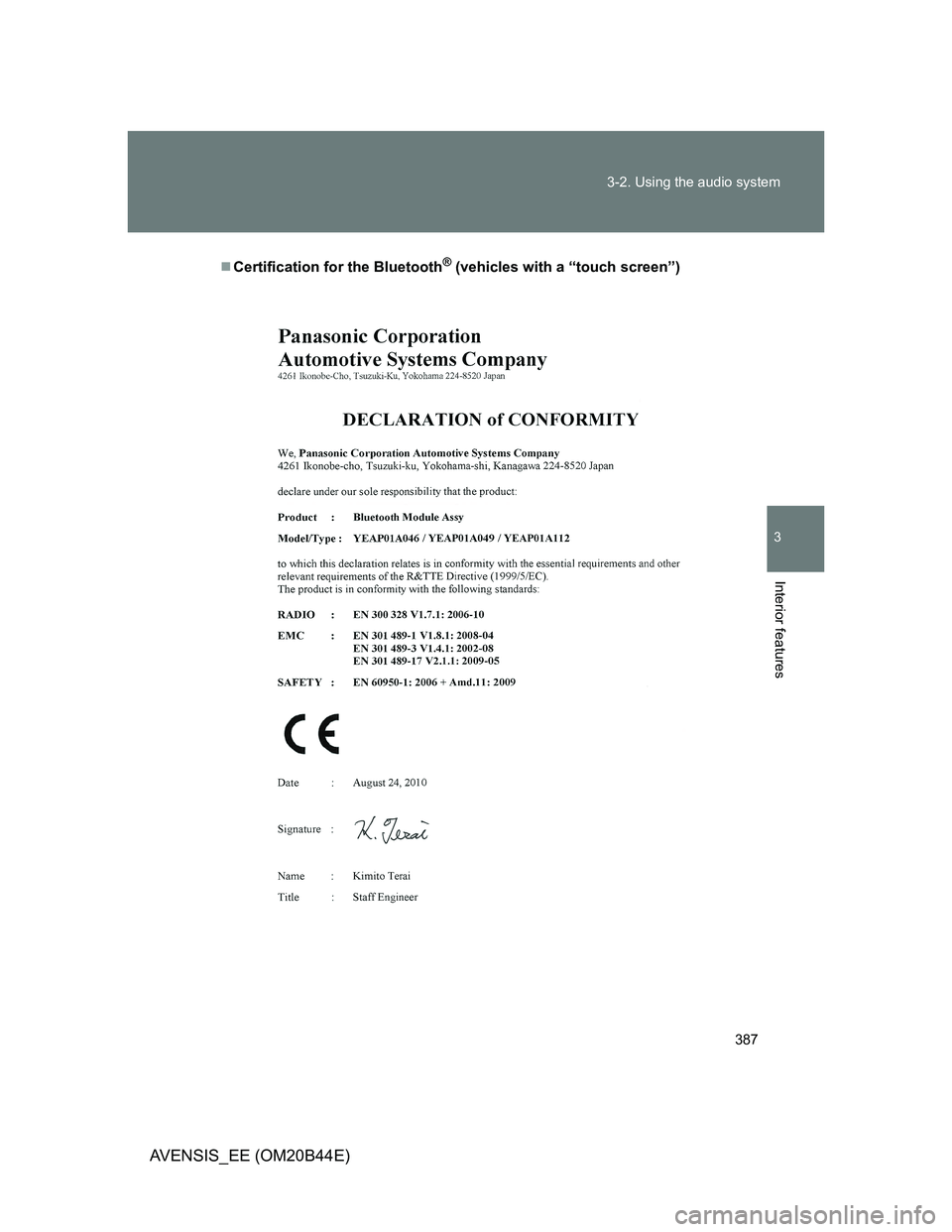
Certification for the Bluetooth® (vehicles with a “touch screen”)
Page 388 of 772
388 3-2. Using the audio system
AVENSIS_EE (OM20B44E)
Page 389 of 772
389 3-2. Using the audio system
3
Interior features
AVENSIS_EE (OM20B44E)
Page 390 of 772
390 3-2. Using the audio system
AVENSIS_EE (OM20B44E)
About Bluetooth® (vehicles with a “touch screen”)
NOTICE
To prevent battery discharge
Do not leave the audio system on longer than necessary when the engine is
stopped.
To avoid damaging the audio system
Take care not to spill drinks or other fluids over the audio system.
Bluetooth is a registered trademark of
Bluetooth SIG. Inc.
Page 391 of 772
391
3-2. Using the audio system
3
Interior features
AVENSIS_EE (OM20B44E)
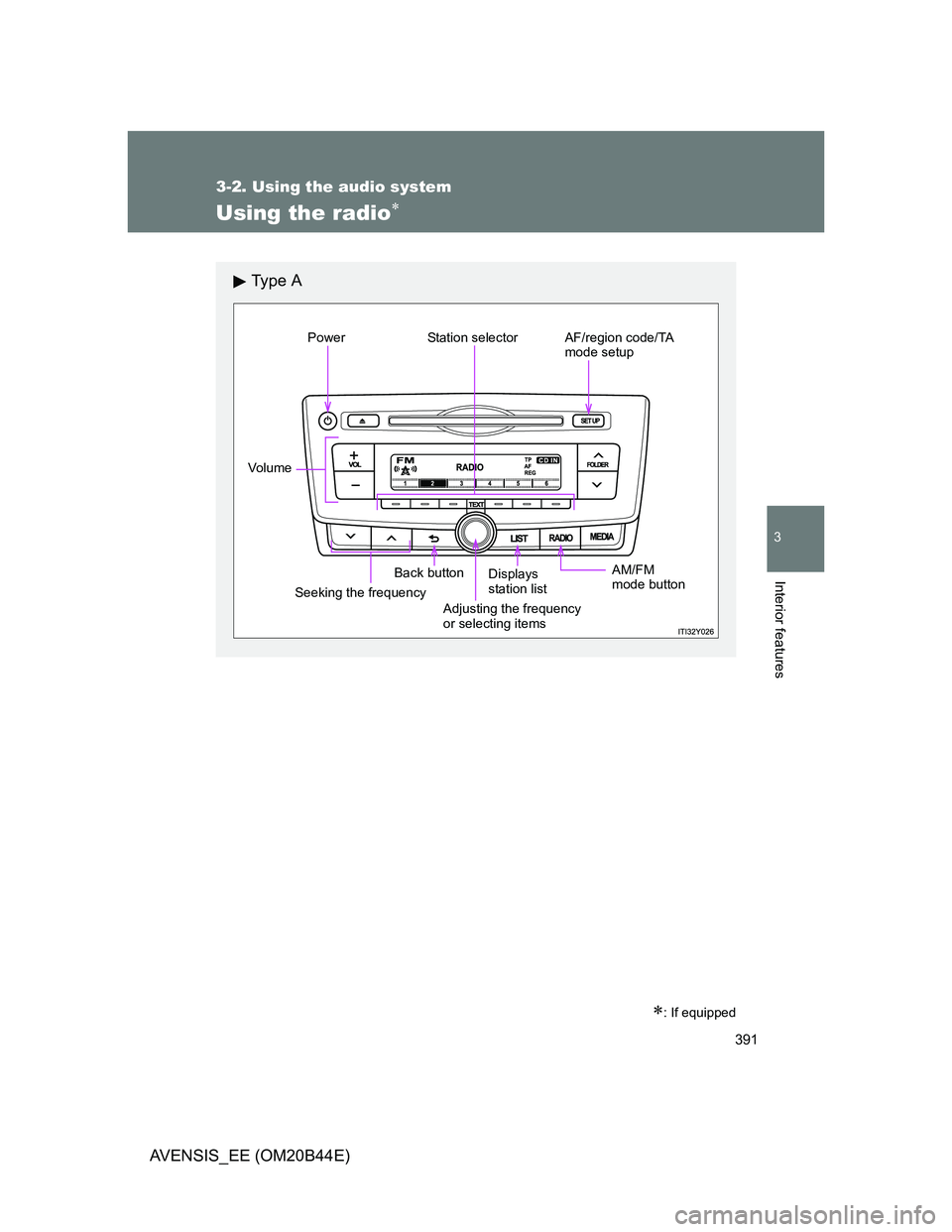
Using the radio
: If equipped
Ty p e A
Power Station selector AF/region code/TA
mode setup
Vo lu m e
Seeking the frequencyBack buttonAM/FM
mode button
Adjusting the frequency
or selecting itemsDisplays
station list
Page 392 of 772
392 3-2. Using the audio system
AVENSIS_EE (OM20B44E)
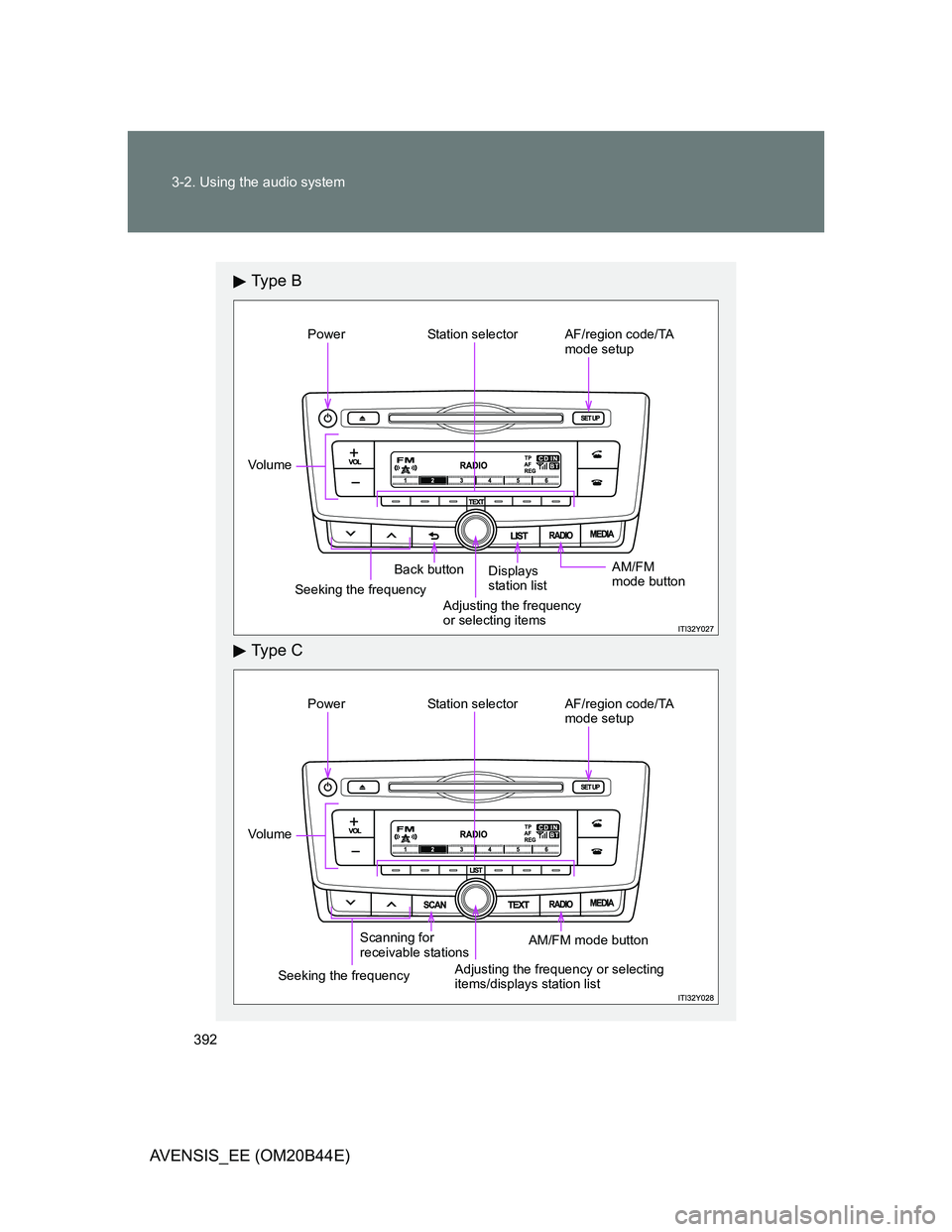
Ty p e B
Ty p e C
Power Station selector AF/region code/TA
mode setup
Vo lu m e
Seeking the frequencyBack button
Adjusting the frequency
or selecting itemsDisplays
station listAM/FM
mode button
Power Station selector AF/region code/TA
mode setup
Vo lu m e
Seeking the frequencyScanning for
receivable stations
AM/FM mode button
Adjusting the frequency or selecting
items/displays station list
Page 393 of 772
393 3-2. Using the audio system
3
Interior features
AVENSIS_EE (OM20B44E)
Setting station presets
Search for desired stations by turning or pressing
or .
Press and hold the button (from [1] to [6]) the
station is to be set to until you hear a beep.
Scanning radio stations (type C only)
Scanning the preset radio stations
Press and hold until you hear a beep.
When the desired station is reached, press once
again.
Scanning all radio stations within range
Press .
All stations with reception will be played for 5 seconds each.
When the desired station is reached, press once
again.
STEP1
STEP2
STEP1
STEP2
STEP1
STEP2
Page 394 of 772
394 3-2. Using the audio system
AVENSIS_EE (OM20B44E)
Using the station list
Updating the station list
Press (type A and B) or (type C).
The station list will be displayed.
Press [UPDATE] to update the list.
“Updating” is displayed while the searching is in process, and then
available stations will be listed on the display.
To cancel the updating process, press (type A and B) or
[BACK] (type C).
Selecting a station from the station list
Press (type A and B) or (type C).
The station list will be displayed.
Turn to select a station.
Press to tune in the station.
To return to the previous display, press (type A and B) or
[BACK] (type C).
STEP1
STEP2
STEP1
STEP2
STEP3
![TOYOTA AVENSIS 2012 Owners Manual 393 3-2. Using the audio system
3
Interior features
AVENSIS_EE (OM20B44E)
Setting station presets
Search for desired stations by turning or pressing
or .
Press and hold the button (from [1] to](/manual-img/14/59673/w960_59673-392.png "TOYOTA AVENSIS 2012 Owners Manual 393 3-2. Using the audio system
3
Interior features
AVENSIS_EE (OM20B44E)
Setting station presets
Search for desired stations by turning or pressing
or .
Press and hold the button (from [1] to")
![TOYOTA AVENSIS 2012 Owners Manual 394 3-2. Using the audio system
AVENSIS_EE (OM20B44E)
Using the station list
Updating the station list
Press (type A and B) or (type C).
The station list will be displayed.
Press [UPDATE] to](/manual-img/14/59673/w960_59673-393.png "TOYOTA AVENSIS 2012 Owners Manual 394 3-2. Using the audio system
AVENSIS_EE (OM20B44E)
Using the station list
Updating the station list
Press (type A and B) or (type C).
The station list will be displayed.
Press [UPDATE] to")