Page 372 of 700
372 3-2. Using the audio system
4RUNNER_U
Repeat play■ Repeating a file
Press (RPT).
To cancel, press the button twice.
■Repeating all the files in a folder
Press (RPT) twice.
To cancel, press the button again.
Switching the display
Press .
Each time is pressed, the display changes in the following
order:
Track title Track title/Artist name Track title/Album name Track
title/Elapsed time
■ USB memory functions
Depending on the USB memory that is connected to the system, certain
functions may not be available. Disconnecting the device and reconnecting it
once again may resolve some malfunctions.
■ Error messages
“USB ERROR”: This indicates a problem either in the USB memory or
inside the USB box or connection between them.
“NO SUPPORT”: This indicates that no MP3/WMA files are included in the USB memory.
Page 373 of 700

373
3-2. Using the audio system
3
Interior features
4RUNNER_U
■
USB memory
● Compatible device
USB memories that can be used for MP3 and WMA playback.
Depending on the type of USB device, playback may not be possible.
● Compatible device formats
The following device formats can be used:
• USB communication formats: USB2.0 FS (12 mbps)
• File formats: FAT16/32 (Windows)
• Correspondence class: Mass storage class
MP3 and WMA files written in any format other than those listed above
may not play correctly, and their file names and folder names may not
be displayed correctly.
Items related to standards and limitations are as follows:
• Maximum directory hierarchy: 8 levels
• Maximum number of folder in device: 999 (including the root)
• Maximum number of files in device: 65025
• Maximum number of files per folder: 255
● MP3 and WMA files
MP3 (MPEG Audio LAYER 3) is a standard audio compression format.
Files can be compressed to approximately 1/10 of their original size using
MP3 compression.
WMA (Windows Media Audio) is a Microsoft audio compression format.
This format compresses audio data to a size smaller than that of the MP3
format.
There is a limit to the MP3 and WMA file standards that can be used and to
the media/formats on which the files are recorded.
Page 377 of 700
377
3-2. Using the audio system
3
Interior features
4RUNNER_U
Using the audio control function
■ Changing sound quality modes
Ty p e A
Pressing selects the mode to be changed in the following
order:
“BAS” “TRE” “FAD” “BAL” “ASL”
Type B and C Press .
Press , , , or (type C only) as
corresponds to the desired mode.
“BASS”, “MID” (type C only), “TREB”, “FADE”, or “BAL”
■ Adjusting sound quality
Turning or adjusts the level.
Ty p e A
*: The sound quality level is adjusted individually in each radiomode or CD mode.
STEP 1
STEP 2
Mode
displayedSound qual- ity modeLevelTurn to the leftTurn to the right
BASBass*-5 to 5LowHighTRETreble*-5 to 5
FA D
Front/rear volume
balance
F7 to R7Shifts to rearShifts to front
BAL
Left/right volume
balance
L7 to R7Shifts to leftShifts to right
Page 378 of 700
378 3-2. Using the audio system
4RUNNER_UType B and C
*: The sound quality level is adjusted individually in each audiomode.
■ Adjusting the Automatic Sound Levelizer (ASL)
Ty p e A
When “ASL” is selected, turning to the right changes the
“ASL” level in the order of “LOW”, “MID” and “HIGH”.
Turning to the left turns “ASL” off.
ASL automatically adjusts the volume and tone quality according to vehi-
cle speed.
Mode
displayedSound qual- ity modeLevelTurn to the leftTurn to the right
BASSBass*-5 to 5
LowHighMIDMid-range*
(type C only)-5 to 5
TREBTreble*-5 to 5
FA D E
Front/rear volume
balance
F7 to R7Shifts to rearShifts to front
BAL
Left/right volume
balance
L7 to R7Shifts to leftShifts to right
Page 380 of 700
380 3-2. Using the audio system
4RUNNER_U
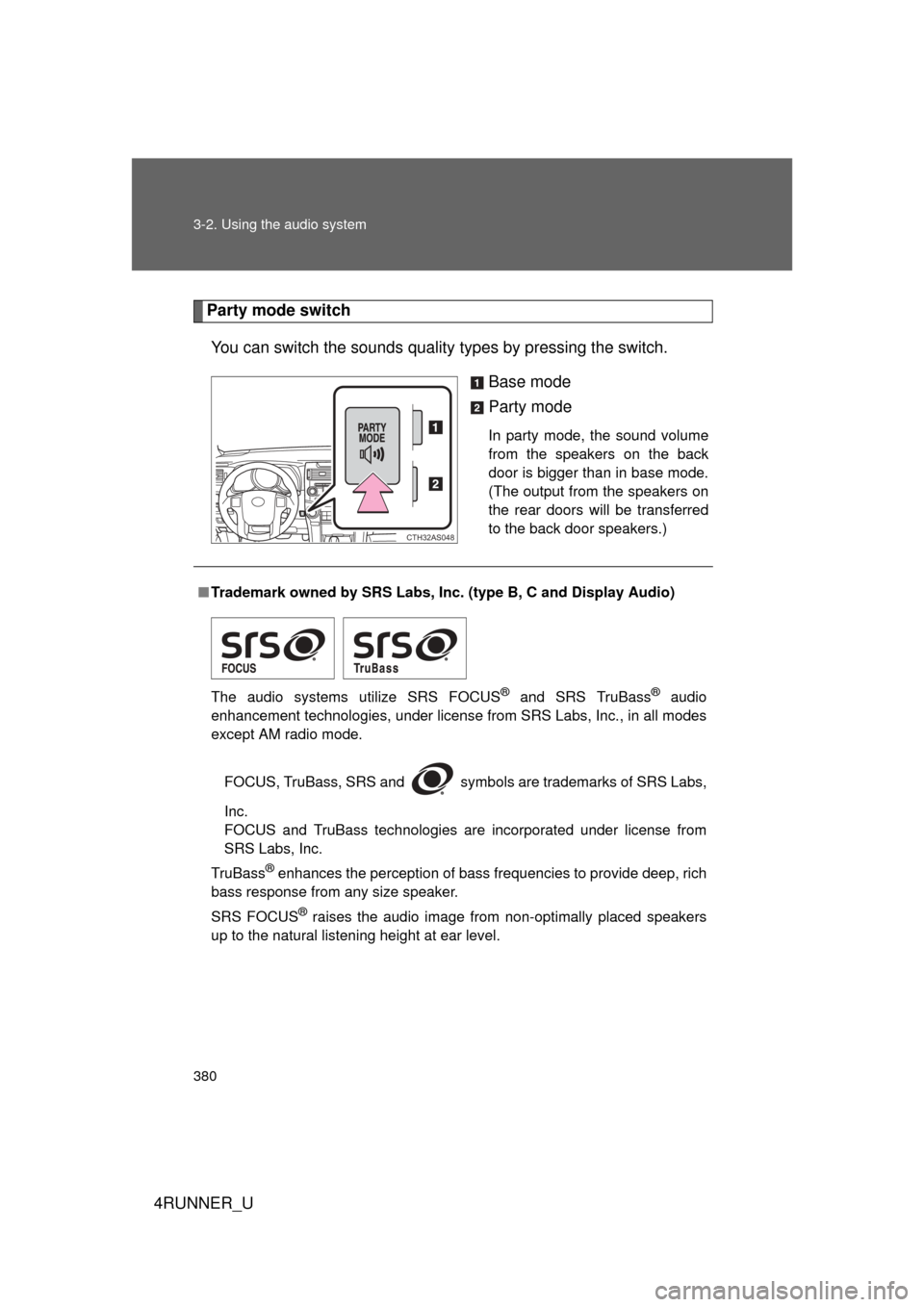
Party mode switchYou can switch the sounds quality types by pressing the switch.
Base mode
Party mode
In party mode, the sound volume
from the speakers on the back
door is bigger than in base mode.
(The output from the speakers on
the rear doors will be transferred
to the back door speakers.)
CTH32AS048
■Trademark owned by SRS Labs, Inc. (type B, C and Display Audio)
The audio systems utilize SRS FOCUS
® and SRS TruBass® audio
enhancement technologies, under license from SRS Labs, Inc., in all modes
except AM radio mode.
FOCUS, TruBass, SRS and
symbols are trademarks of SRS Labs,
Inc.
FOCUS and TruBass technologies are incorporated under license from
SRS Labs, Inc.
TruBass
® enhances the perception of bass frequencies to provide deep, rich
bass response from any size speaker.
SRS FOCUS
® raises the audio image from non-optimally placed speakers
up to the natural listening height at ear level.
Page 388 of 700
388
4RUNNER_U
3-3. Using the Bluetooth® audio system
Bluetooth® audio system
■Conditions under which th e system will not operate
● If using a portable player that does not support Bluetooth
®
●If the portable player is switched off
● If the portable player is not connected
● If the portable player’s battery is low
● If the portable player is behind the seat or in the glove box or console box
● If metal is covering or touching the portable player
■ When transferring ownership of the vehicle
Be sure to initialize the system to prevent personal data from being improp-
erly accessed. ( P. 428)
The Bluetooth® audio system enables you to enjoy music played on
a portable digital audio player (portable player) from the vehicle
speakers via wireless communication.
This audio system supports Bluetooth
®, a wireless data system
capable of playing portable audio music without cables. If your por-
table player does not support Bluetooth
®, the Bluetooth® audio sys-
tem will not function.
Owners of models equipped with a Display Audio system should
refer to the “Display Audio System Owner's Manual”.
Owners of models equipped with a navigation system should refer to
the “Navigation System Owner's Manual”.
TitlePage
Using the Bluetooth® audio systemP. 391
Operating a Bluetooth® enabled portable playerP. 396
Setting up a Bluetooth® enabled portable playerP. 398
Bluetooth® audio system setupP. 403
: If equipped
Page 391 of 700
391
3-3. Using the Bluetooth® audio system
3
Interior features
4RUNNER_U
Using the Bluetooth® audio system
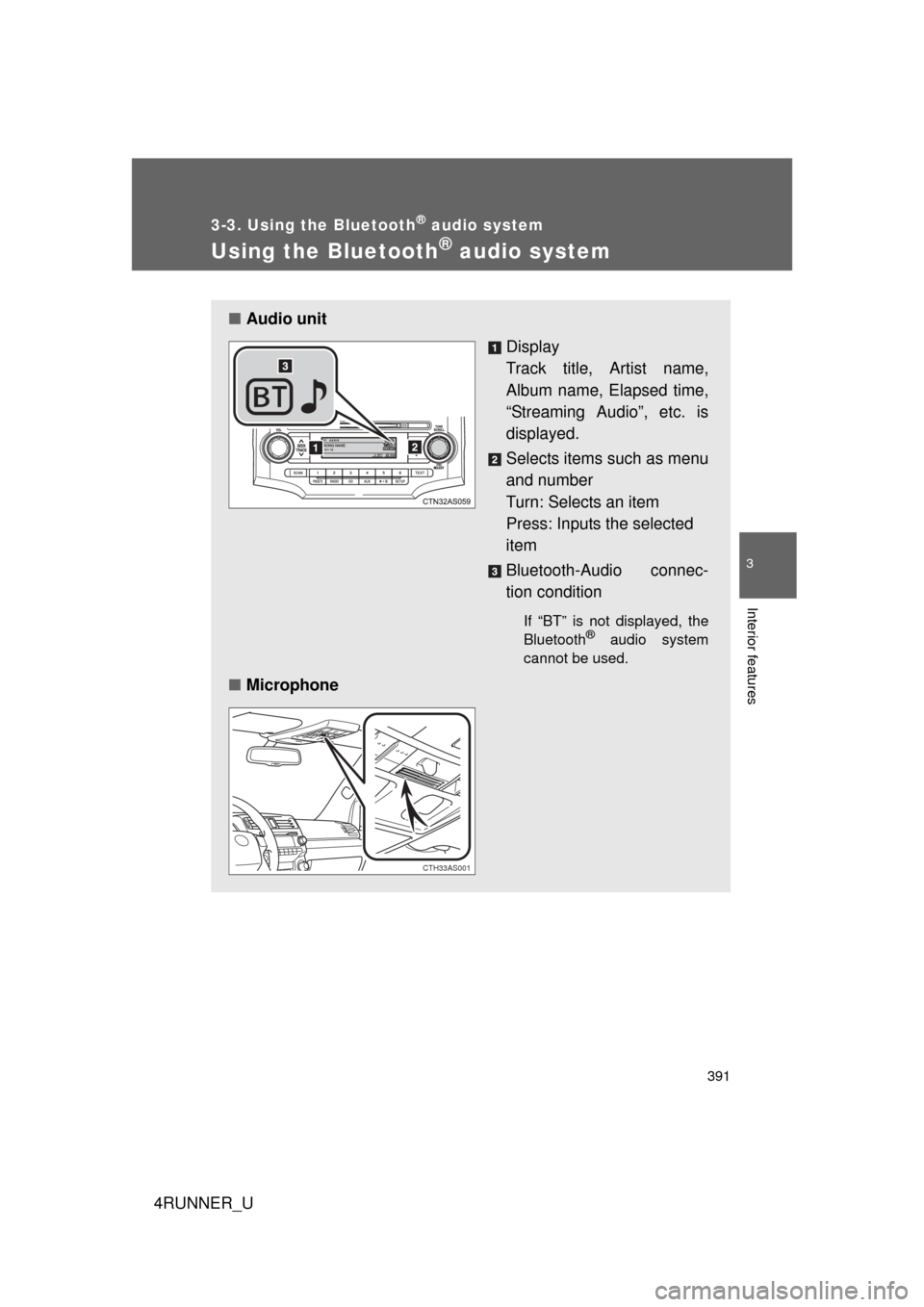
■Audio unit
Display
Track title, Artist name,
Album name, Elapsed time,
“Streaming Audio”, etc. is
displayed.
Selects items such as menu
and number
Turn: Selects an item
Press: Inputs the selected
item
Bluetooth-Audio connec-
tion condition
If “BT” is not displayed, the
Bluetooth® audio system
cannot be used.
■ Microphone
CTH33AS001
Page 392 of 700
392 3-3. Using the Bluetooth
® audio system
4RUNNER_U
Operating the system using voice commandsBy following voice gui dance instructions output from the speaker,
voice commands enable to the operation of the Bluetooth
® audio sys-
tem without the need to check the display or operate .
■ Operation procedure when using voice commands
Press the talk switch and follo w voice guidance instructions.
■ Auxiliary commands when using voice commands
The following auxiliary commands can be used when operating the
system using a voice command:
“Cancel”: Exits the Bluetooth
® audio setup
“Repeat”: Repeats the previous voice guidance instruction
“Go back”: Returns to the previous procedure
“Help”: Reads aloud the function summary if a help comment is
registered for the selected function