Page 334 of 700
334 3-2. Using the audio system
4RUNNER_U
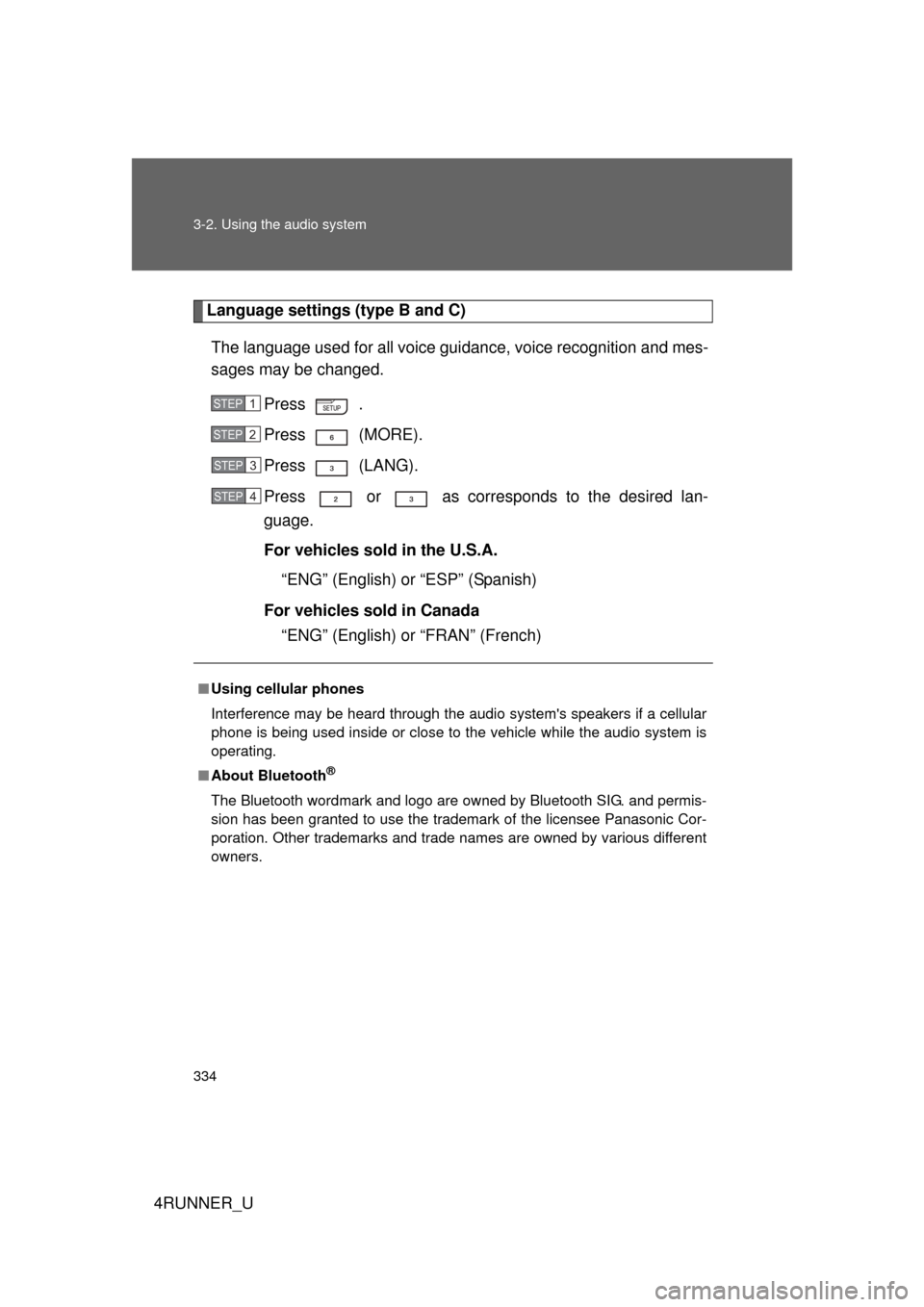
Language settings (type B and C)The language used for all voice guidance, voice recognition and mes-
sages may be changed. Press .
Press (MORE).
Press (LANG).
Press or as corresponds to the desired lan-
guage.
For vehicles sold in the U.S.A.“ENG” (English) or “ESP” (Spanish)
For vehicles sold in Canada “ENG” (English) or “FRAN” (French)
■Using cellular phones
Interference may be heard through the audio system's speakers if a cellular
phone is being used inside or close to the vehicle while the audio syste\
m is
operating.
■ About Bluetooth
®
The Bluetooth wordmark and logo are owned by Bluetooth SIG. and permis-
sion has been granted to use the trademark of the licensee Panasonic Cor-
poration. Other trademarks and trade names are owned by various different
owners.
STEP 1
STEP 2
STEP 3
STEP 4
Page 368 of 700
368 3-2. Using the audio system
4RUNNER_U
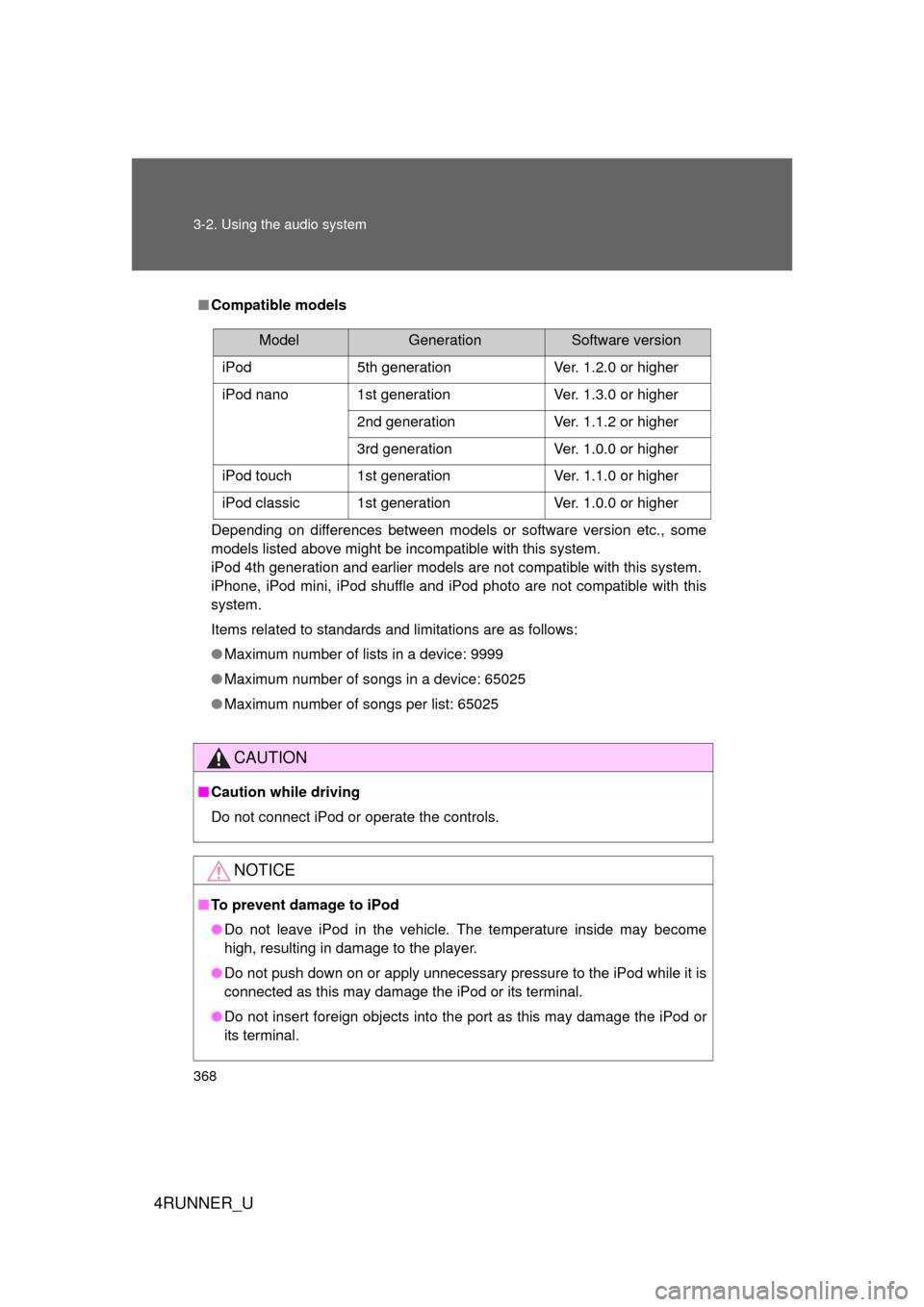
■Compatible models
Depending on differences between models or software version etc., some
models listed above might be incompatible with this system.
iPod 4th generation and earlier models are not compatible with this system.
iPhone, iPod mini, iPod shuffle and iPod photo are not compatible with this
system.
Items related to standards and limitations are as follows:
● Maximum number of lists in a device: 9999
● Maximum number of songs in a device: 65025
● Maximum number of songs per list: 65025
CAUTION
■Caution while driving
Do not connect iPod or operate the controls.
NOTICE
■To prevent damage to iPod
● Do not leave iPod in the vehicle. The temperature inside may become
high, resulting in damage to the player.
● Do not push down on or apply unnecessary pressure to the iPod while it is
connected as this may damage the iPod or its terminal.
● Do not insert foreign objects into the port as this may damage the iPod or
its terminal.
ModelGenerationSoftware version
iPod 5th generation Ver. 1.2.0 or higher
iPod nano 1st generation Ver. 1.3.0 or higher
2nd generation Ver. 1.1.2 or higher
3rd generation Ver. 1.0.0 or higher
iPod touch 1st generation Ver. 1.1.0 or higher
iPod classic 1st generation Ver. 1.0.0 or higher
Page 391 of 700
391
3-3. Using the Bluetooth® audio system
3
Interior features
4RUNNER_U
Using the Bluetooth® audio system
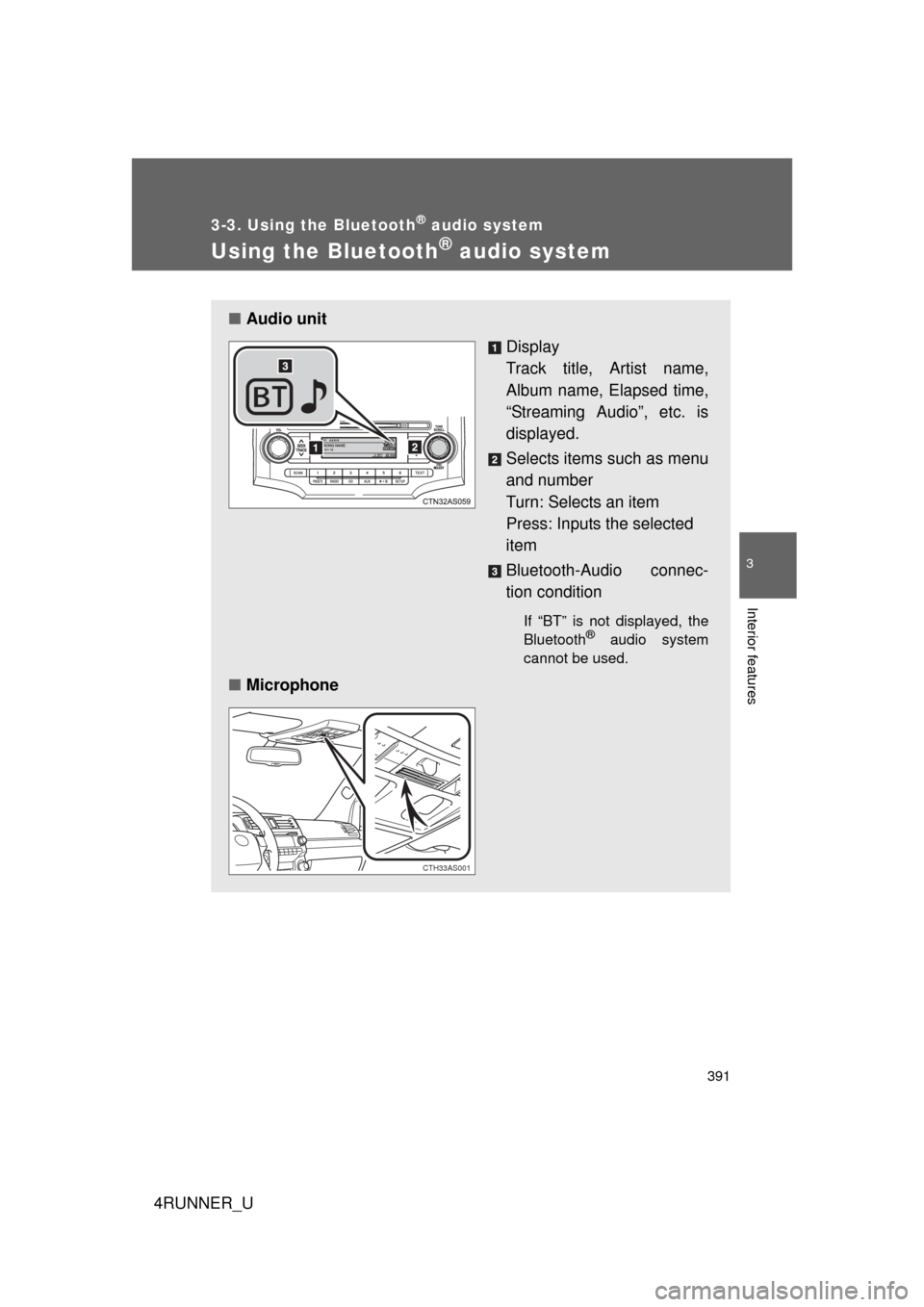
■Audio unit
Display
Track title, Artist name,
Album name, Elapsed time,
“Streaming Audio”, etc. is
displayed.
Selects items such as menu
and number
Turn: Selects an item
Press: Inputs the selected
item
Bluetooth-Audio connec-
tion condition
If “BT” is not displayed, the
Bluetooth® audio system
cannot be used.
■ Microphone
CTH33AS001
Page 394 of 700
394 3-3. Using the Bluetooth
® audio system
4RUNNER_UInput the passkey into the portable player.
Refer to the manual that comes with the portable player for the oper-
ation of the portable player.
Guidance for registration completion is heard.
If the portable player has a Bluetooth
® phone, the phone can be reg-
istered at the same time. ( P. 4 1 1 )
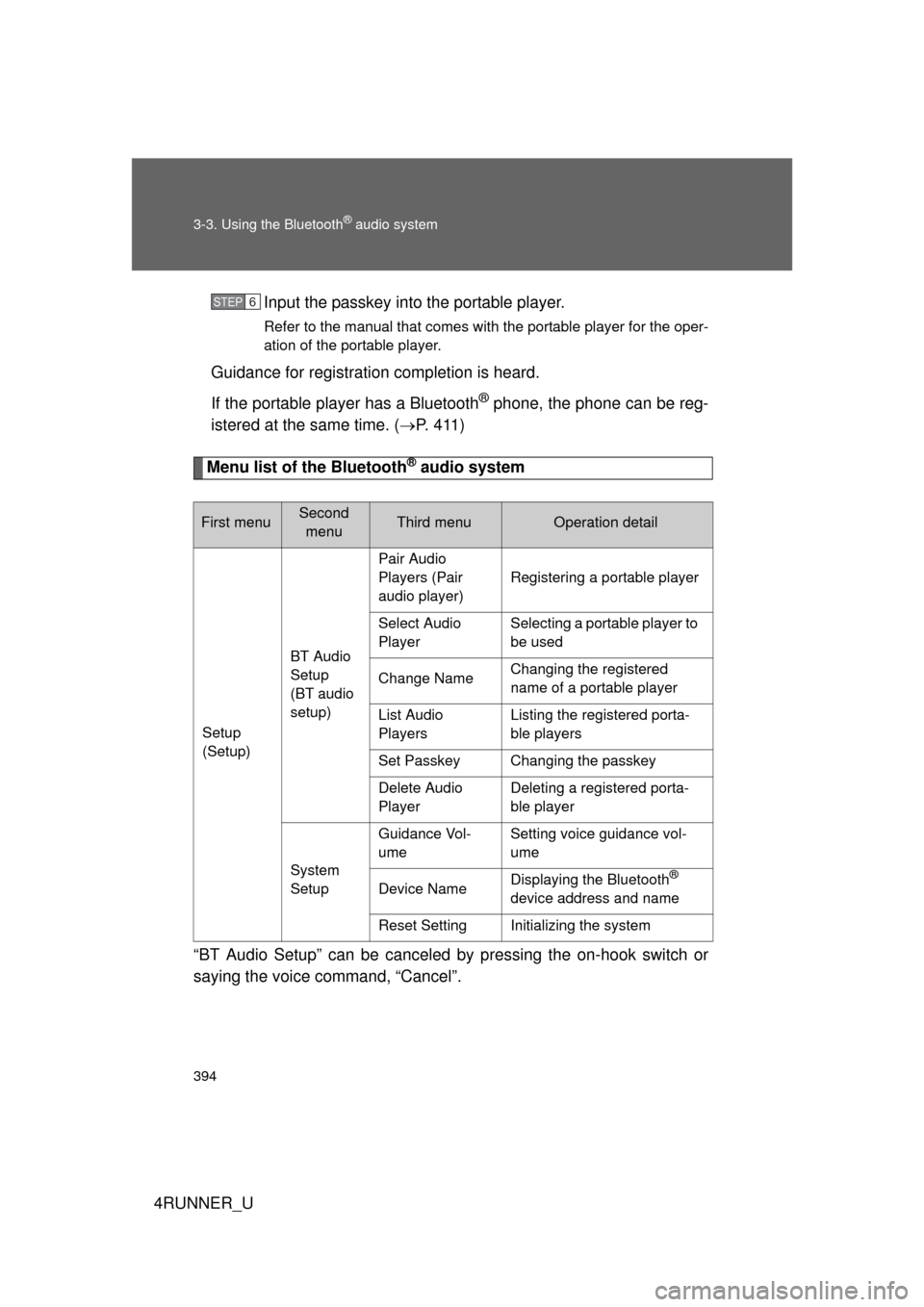
Menu list of the Bluetooth® audio system
“BT Audio Setup” can be canceled by pressing the on-hook switch or
saying the voice command, “Cancel”.
First menuSecond menuThird menuOperation detail
Setup
(Setup) BT Audio
Setup
(BT audio
setup)Pair Audio
Players (Pair
audio player)
Registering a portable player
Select Audio
Player Selecting a portable player to
be used
Change Name Changing the registered
name of a portable player
List Audio
Players Listing the registered porta-
ble players
Set Passkey Changing the passkey
Delete Audio
Player Deleting a registered porta-
ble player
System
Setup Guidance Vol-
ume
Setting voice guidance vol-
ume
Device Name Displaying the Bluetooth
®
device address and name
Reset Setting Initializing the system
STEP 6
Page 395 of 700
395
3-3. Using the Bluetooth
® audio system
3
Interior features
4RUNNER_U
■
When using a voice command
For numbers, say a combination of single digits from zero to nine.
Say the command correctly and clearly.
■ Situations that the system ma y not recognize your voice
● When driving on rough roads
● When driving at high speeds
● When air is blowing out of the vents onto the microphone
● When the air conditioning fan emits a loud noise
■ Operations that cannot be performed while driving
● Operating the system with
● Registering a portable player to the system
■ Changing the passkey
P. 401
Page 402 of 700
402 3-3. Using the Bluetooth
® audio system
4RUNNER_U
Deleting a registered portable playerSelect “Delete Audio Player” using a voice command or
.
Select the portable player to be deleted by either of the follow-
ing methods and select “Confirm” using a voice command or
:
a. Press the talk switch and say the name of the desired por- table player.
b. Press the talk switch and say “List audio players”. When the name of the desired portable player is read aloud, press the
talk switch.
If the portable player to be deleted is paired as a Bluetooth
® phone,
the registration of the mobile phone can be deleted at the same time.
A voice guidance instruction to delete a mobile phone is heard.
Select “Confirm” using a voice command or .
■The number of portable pl ayers that can be registered
Up to 2 portable players can be registered in the system.
STEP 1
STEP 2
STEP 3
Page 404 of 700
404
4RUNNER_U
3-4. Using the hands-free phone system (for cellular phone)
Hands-free phone system (for cellular phone) features
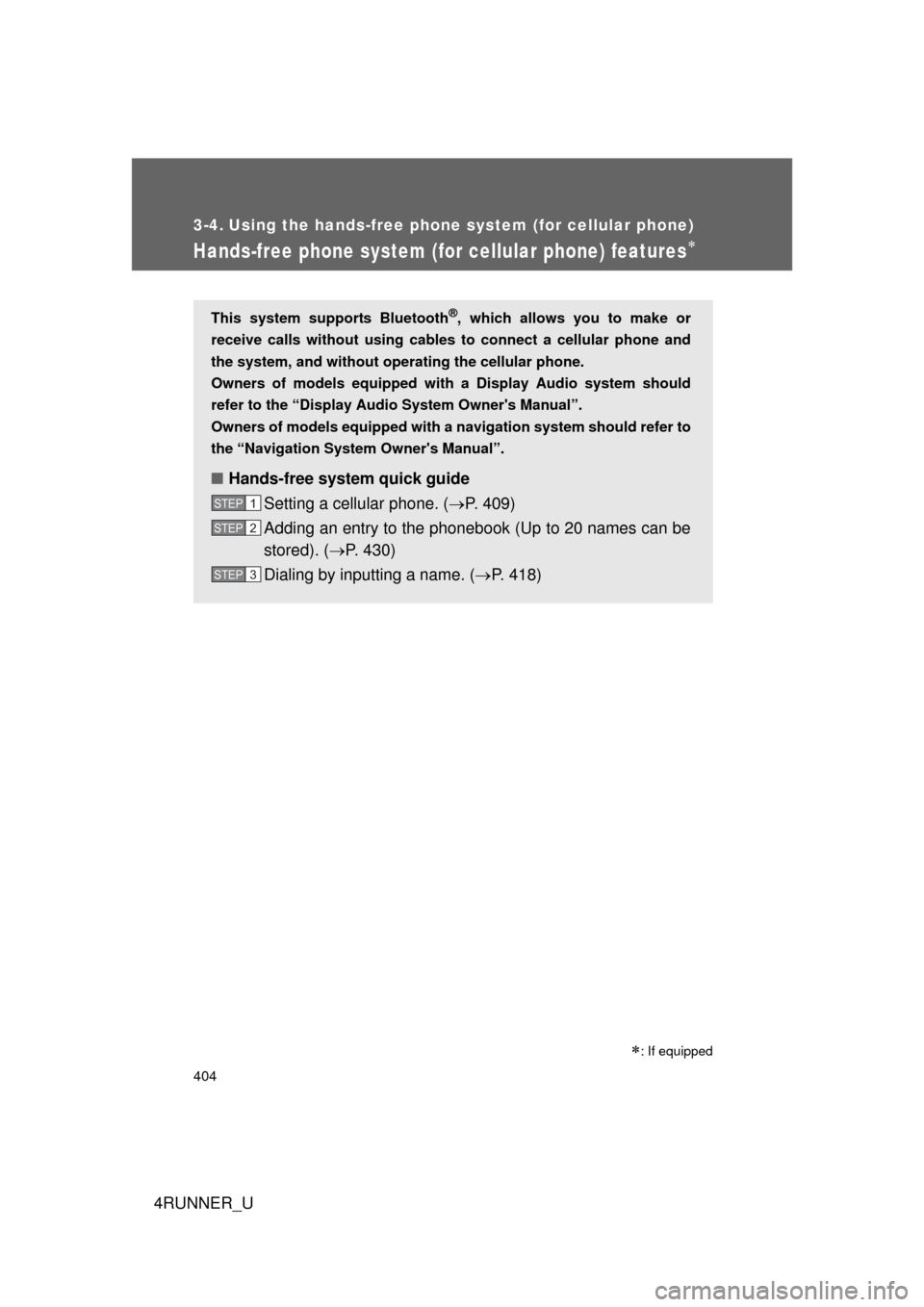
This system supports Bluetooth®, which allows you to make or
receive calls without using cables to connect a cellular phone and
the system, and without operat ing the cellular phone.
Owners of models equipped with a Display Audio system should
refer to the “Display Audio System Owner's Manual”.
Owners of models equipped with a navigation system should refer to
the “Navigation System Owner's Manual”.
■ Hands-free system quick guide
Setting a cellular phone. ( P. 409)
Adding an entry to the phonebook (Up to 20 names can be
stored). ( P. 430)
Dialing by inputting a name. ( P. 418)
STEP 1
STEP 2
STEP 3
: If equipped
Page 405 of 700
405
3-4. Using the hand
s-free phone system (for cellular phone)
3
Interior features
4RUNNER_U
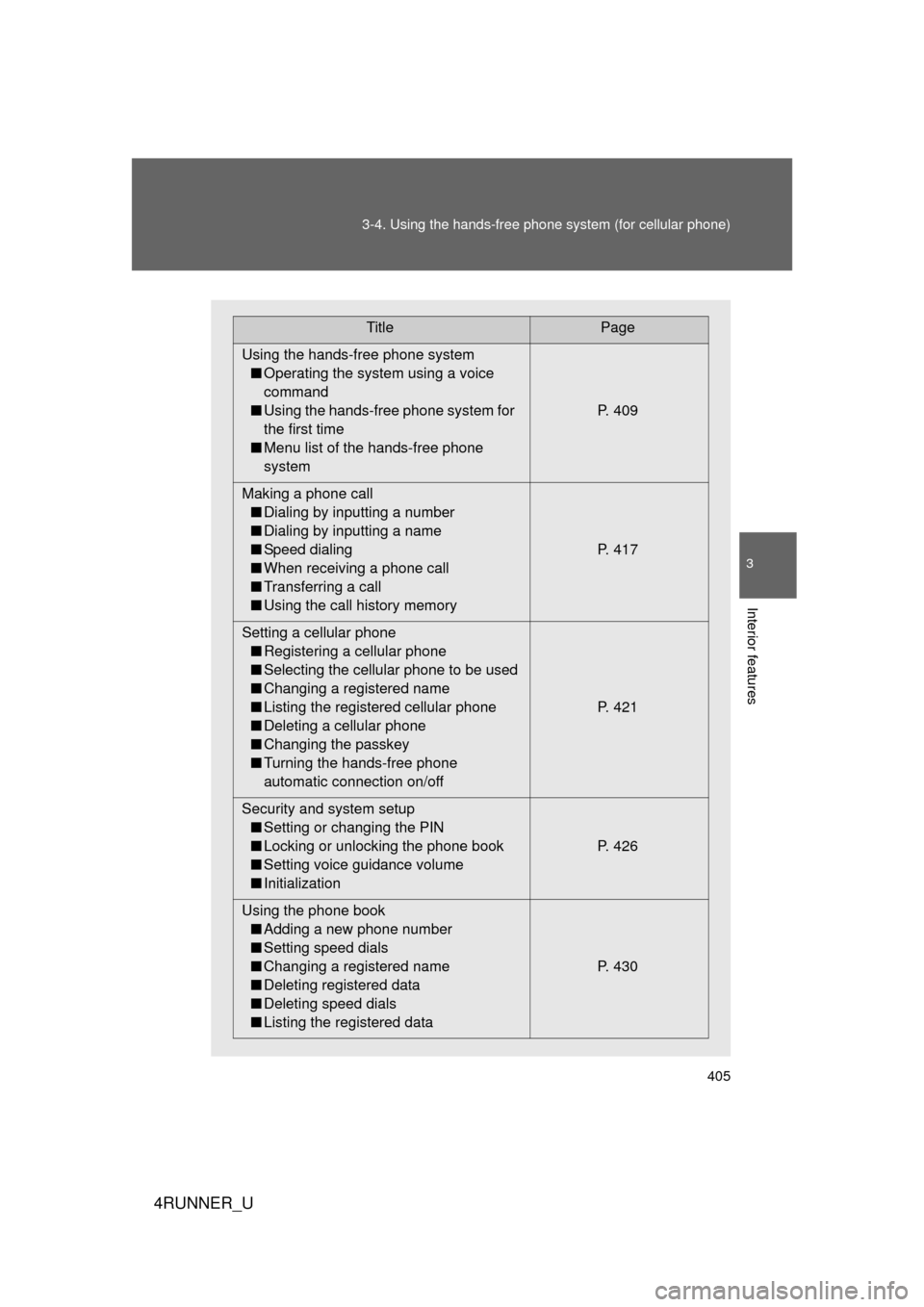
TitlePage
Using the hands-free phone system ■ Operating the system using a voice
command
■ Using the hands-free phone system for
the first time
■ Menu list of the hands-free phone
system P. 409
Making a phone call ■ Dialing by inputting a number
■ Dialing by inputting a name
■ Speed dialing
■ When receiving a phone call
■ Transferring a call
■ Using the call history memory P. 417
Setting a cellular phone ■ Registering a cellular phone
■ Selecting the cellular phone to be used
■ Changing a registered name
■ Listing the registered cellular phone
■ Deleting a cellular phone
■ Changing the passkey
■ Turning the hands-free phone
automatic connection on/off P. 421
Security and system setup ■ Setting or changing the PIN
■ Locking or unlocking the phone book
■ Setting voice guidance volume
■ Initialization P. 426
Using the phone book ■ Adding a new phone number
■ Setting speed dials
■ Changing a registered name
■ Deleting registered data
■ Deleting speed dials
■ Listing the registered data P. 430