Page 24 of 700

4RUNNER_U
24
For your information
Main Owner’s Manual
Please note that this manual applies to all models and all equipment, includ-
ing options. Therefore, you may find some explanations for equipment not
installed on your vehicle.
All specifications provided in this manual are current at the time of printing.
However, because of the Toyota policy of continual product improvement, we
reserve the right to make changes at any time without notice.
Depending on specifications, the vehicle shown in the illustrations may differ
from your vehicle in terms of equipment.
Noise from under vehicle after turning off the engine
Approximately five hours after the engine is turned off, you may hear sound
coming from under the vehicle for several minutes. This is the sound of a fuel
evaporation leakage check and, it does not indicate a malfunction.
Accessories, spare parts and modification of your Toyota
A wide variety of non-genuine spare parts and accessories for Toyota vehi-
cles are currently available on the market. You should know that Toyota does
not warrant these products and is not responsible for their performance,
repair, or replacement, or for any damage they may cause to, or adverse
effect they may have on, your Toyota vehicle.
This vehicle should not be modified with non-genuine Toyota products. Mod-
ification with non-genuine Toyota products could affect its performance,
safety or durability, and may even violate governmental regulations. In addi-
tion, damage or performance problems resulting from the modification may
not be covered under warranty.
Page 174 of 700
174 2-1. Driving procedures
4RUNNER_U
■Changing “ENGINE START STOP” switch modes
Modes can be changed by pressing the “ENGINE START STOP”
switch with brake pedal released. (The mode changes each time
the switch is pressed.)
Off*
The emergency flashers can
be used.
ACCESSORY mode
Some electrical components
such as the audio system can
be used.
The “ENGINE START STOP”
switch indicator turns amber.
IGNITION ON mode
All electrical components can
be used.
The “ENGINE START STOP”
switch indicator turns amber.
*: If the shift lever is in a position other than P when turning off
the engine, the “ENGINE
START STOP” switch will be
turned to ACCESSORY mode,
not to off.
CTH21AS006
Page 175 of 700

175
2-1. Driving procedures
2
When driving
4RUNNER_U
When stopping the engine with the shift lever in a position other than P
If the engine is stopped with the sh
ift lever in a position other than P,
the “ENGINE START STOP” switch will not be turned off but instead
be turned to ACCESSORY mode. Perform the following procedure to
turn the switch off:
Check that the parking brake is set.
Shift the shift lever to P.
Check that the indicator on the “ENGINE START STOP”
switch is illuminated in amber and then press the “ENGINE
START STOP” switch once.
Check that the indicator on the “ENGINE START STOP”
switch is off.
■Auto power off function
If the vehicle is left in ACCESSORY or IGNITION ON mode (the engine is
not running) for more than an hour with the shift lever in P, the “ENGINE
START STOP” switch will automatically turn off. However, this function can-
not entirely prevent battery discharge. Do not leave the vehicle with the
“ENGINE START STOP” switch in ACCESSORY or IGNITION ON mode for
long periods of time when the engine is not running.
■ Operation of the “ENG INE START STOP” switch
When operating the “ENGINE START STOP” switch, one short, firm press is
enough. If the switch is pressed improperly, the engine may not start or the
“ENGINE START STOP” switch mode may not change. It is not necessary to
press and hold the switch.
■ Electronic key battery depletion
P. 4 6
■ Conditions aff ecting operation
P. 4 3
■ Note for the entry function
P. 3 5
STEP 1
STEP 2
STEP 3
STEP 4
Page 182 of 700

182 2-1. Driving procedures
4RUNNER_U
■S mode
When the shift range is “3” or lower, holding the shift lever toward “+” sets
the shift range to “5”.
■ AI-SHIFT
AI-SHIFT automatically selects the optimal gear according to driver perfor-
mance and driving conditions.
AI-SHIFT automatically operates when the shift lever is in the D position.
(Shifting the shift lever to the S position cancels the function.)
The engine speed may remain high after releasing the accelerator pedal.
This does not indicate a malfunction.
■ When driving with the cruise control system
Engine braking will not occur in S mode, even when downshifting to “4”.
(P. 217)
■ If the shift lever cannot be shifted from P
P. 618
■ If the “S” indicator does not come on even after shifting the shift lever
to S
This may indicate a malfunction in the automatic transmission system. Have
the vehicle inspected by your Toyota dealer immediately.
(In this situation, the transmission will operate in the same manner as when
the shift lever is in D.)
■ Downshift restriction warning buzzer (S mode)
To help ensure safety and driving performance, downshifting operation may
sometimes be restricted. In some circumstances, downshifting may not be
possible even when the shift lever is operated. (A buzzer will sound twice.)
CAUTION
■When driving on slippery road surfaces
Do not accelerate or shift gears suddenly.
Sudden changes in engine braking may cause the vehicle to spin or skid,
resulting in an accident.
Page 202 of 700

202 2-2. Instrument cluster
4RUNNER_U
■When the average fuel consumption is reset
The average fuel consumption displayed on the instrument cluster and “Past
Record” screen of the Display Audio system (if equipped) or the navigation
system (if equipped) will be reset at the same time.
■ Adjusting the brightness of the accessory meter
● If left idle for approximately 6 seconds or more while adjusting, the dis-
play will revert to the trip information display.
● When the parking lights are on, the brightness of the accessory meter
can be adjusted only with the instrument panel light control.
● If the “MODE/ ” button is pressed and held when the accessory meter
light control is displayed, the display will switch to compass calibration.
(P. 474)
■ Liquid crystal display
Small spots or light spots may appear on the display. This phenomenon is
characteristic of liquid crystal displays, and there is no problem with continu-
ing to use the display.
NOTICE
■The accessory meter at low temperatures
Allow the interior of the vehicle to warm up before using the liquid crystal dis-
play. At extremely low temperatures, the display monitor may respond
slowly, and display changes may be delayed.
Page 218 of 700
218 2-4. Using other driving systems
4RUNNER_U
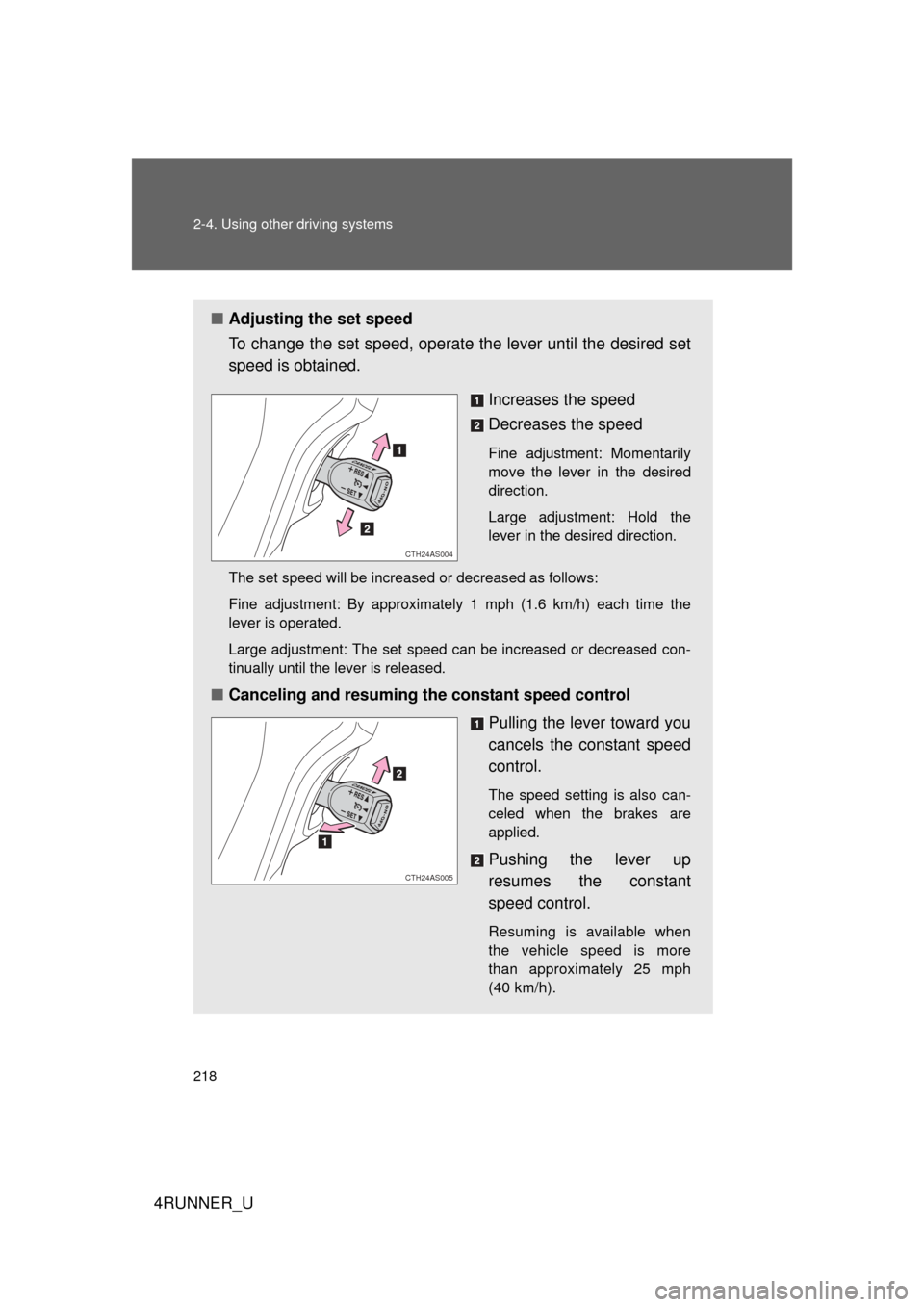
■Adjusting the set speed
To change the set speed, operate the lever until the desired set
speed is obtained.
Increases the speed
Decreases the speed
Fine adjustment: Momentarily
move the lever in the desired
direction.
Large adjustment: Hold the
lever in the desired direction.
The set speed will be increased or decreased as follows:
Fine adjustment: By approximately 1 mph (1.6 km/h) each time the
lever is operated.
Large adjustment: The set speed can be increased or decreased con-
tinually until the lever is released.
■ Canceling and resuming the constant speed control
Pulling the lever toward you
cancels the constant speed
control.
The speed setting is also can-
celed when the brakes are
applied.
Pushing the lever up
resumes the constant
speed control.
Resuming is available when
the vehicle speed is more
than approximately 25 mph
(40 km/h).
CTH24AS004
CTH24AS005
Page 229 of 700
229
2-4. Using other
driving systems
2
When driving
4RUNNER_U
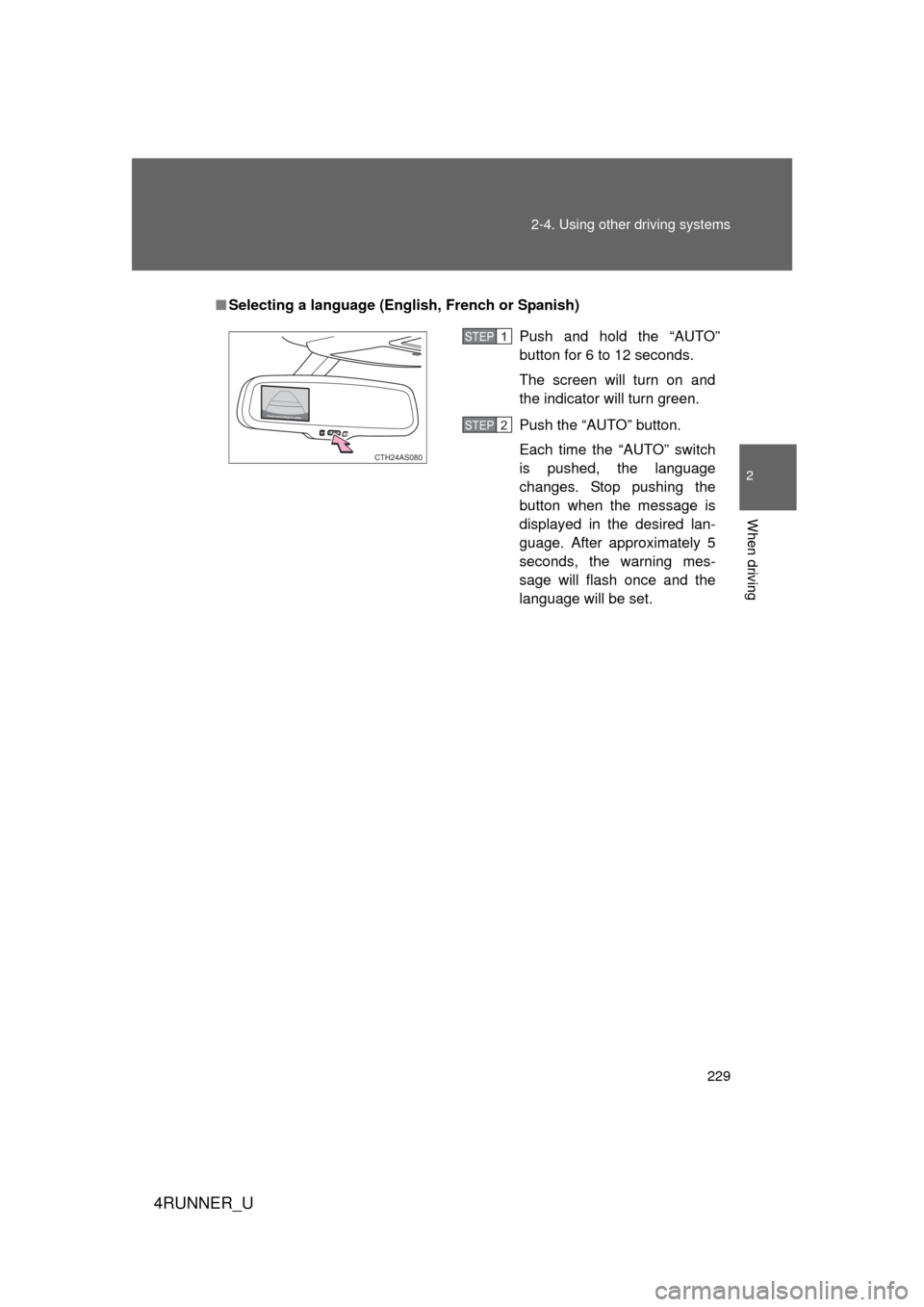
■Selecting a language (Eng lish, French or Spanish)
Push and hold the “AUTO”
button for 6 to 12 seconds.
The screen will turn on and
the indicator will turn green.
Push the “AUTO” button.
Each time the “AUTO” switch
is pushed, the language
changes. Stop pushing the
button when the message is
displayed in the desired lan-
guage. After approximately 5
seconds, the warning mes-
sage will flash once and the
language will be set.
CTH24AS080
STEP 1
STEP 2
Page 339 of 700
339
3-2. Using the audio system
3
Interior features
4RUNNER_U
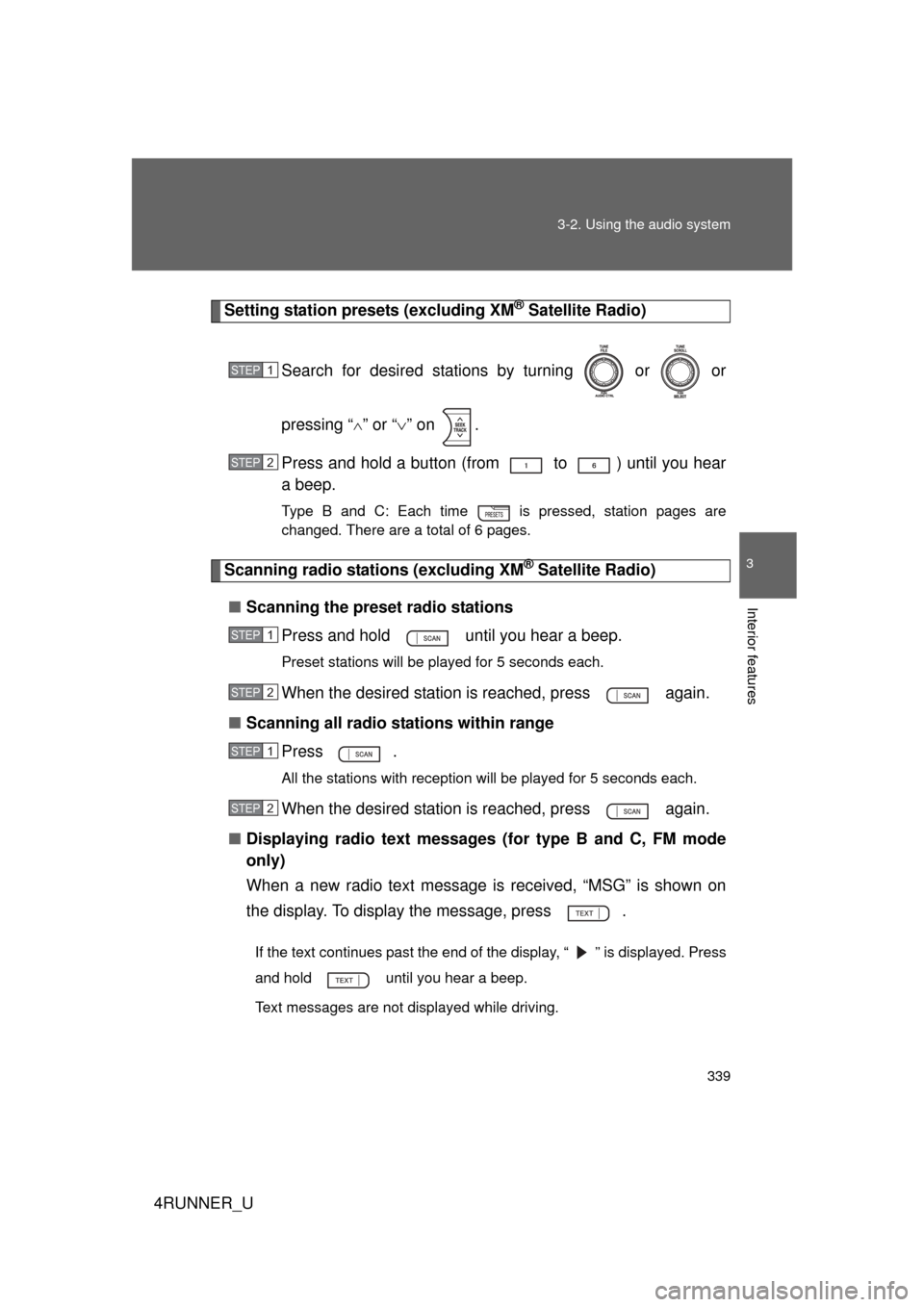
Setting station presets (excluding XM® Satellite Radio)
Search for desired stations by turning or or
pressing “
” or “ ” on .
Press and hold a button (from to ) until you hear
a beep.
Type B and C: Each time is pressed, station pages are
changed. There are a total of 6 pages.
Scanning radio stations (excluding XM® Satellite Radio)
■ Scanning the preset radio stations
Press and hold until you hear a beep.
Preset stations will be played for 5 seconds each.
When the desired station is reached, press again.
■ Scanning all radio stations within range
Press
.
All the stations with reception will be played for 5 seconds each.
When the desired station is reached, press again.
■ Displaying radio text messages (for type B and C, FM mode
only)
When a new radio text message is received, “MSG” is shown on
the display. To display the message, press .
If the text continues past the end of the display, “ ” is displayed. Press
and hold until you hear a beep.
Text messages are not displayed while driving.
STEP 1
STEP 2
STEP 1
STEP 2
STEP 1
STEP 2