Page 430 of 700
430
3-4. Using the hands-free phone system (for cellular phone)
4RUNNER_U
Using the phone book
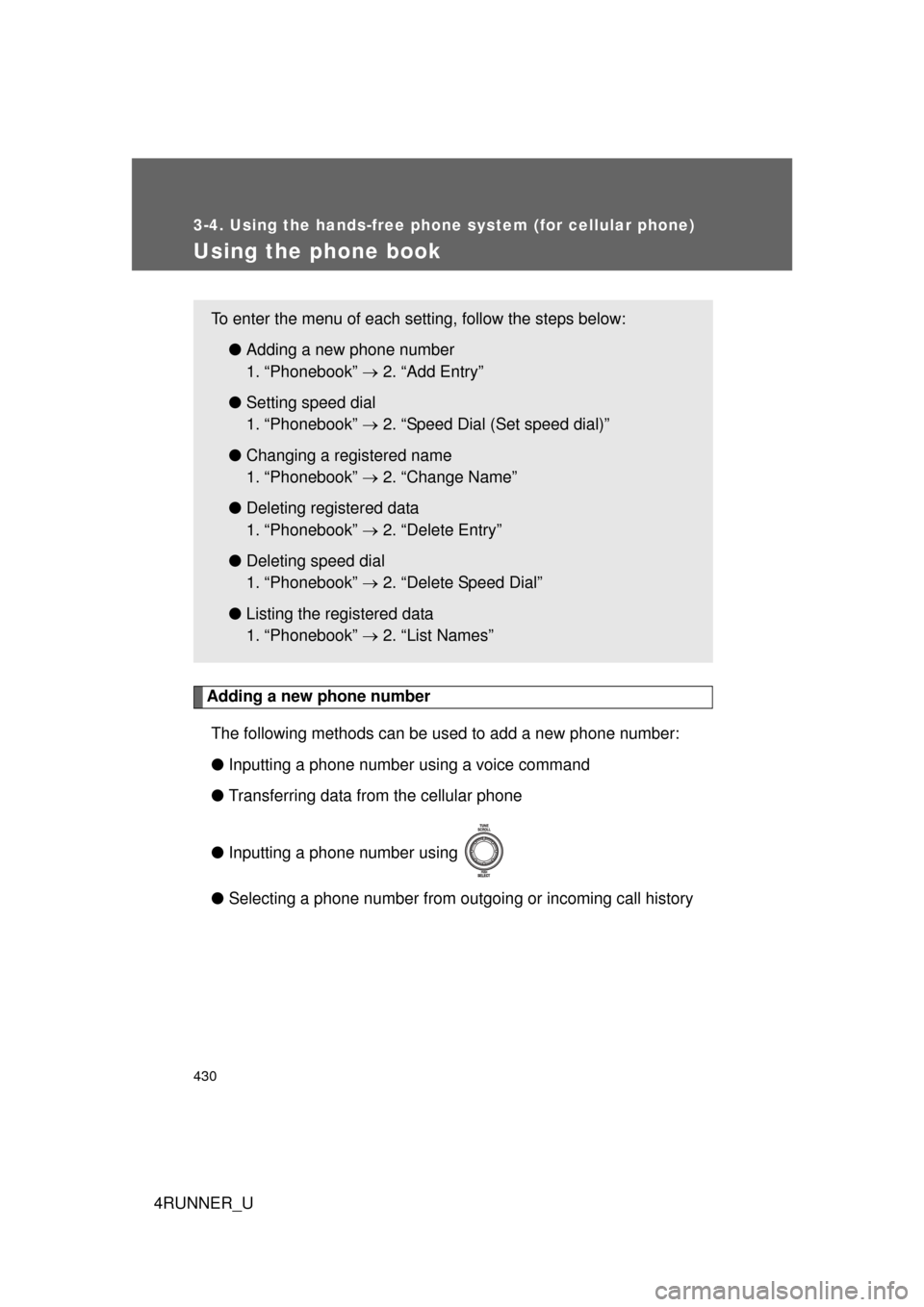
Adding a new phone numberThe following methods can be used to add a new phone number:
● Inputting a phone number using a voice command
● Transferring data from the cellular phone
● Inputting a phone number using
● Selecting a phone number from outgoing or incoming call history
To enter the menu of each setting, follow the steps below:
●Adding a new phone number
1. “Phonebook” 2. “Add Entry”
● Setting speed dial
1. “Phonebook” 2. “Speed Dial (Set speed dial)”
● Changing a registered name
1. “Phonebook” 2. “Change Name”
● Deleting registered data
1. “Phonebook” 2. “Delete Entry”
● Deleting speed dial
1. “Phonebook” 2. “Delete Speed Dial”
● Listing the registered data
1. “Phonebook” 2. “List Names”
Page 431 of 700
431
3-4. Using the hand
s-free phone system (for cellular phone)
3
Interior features
4RUNNER_U■
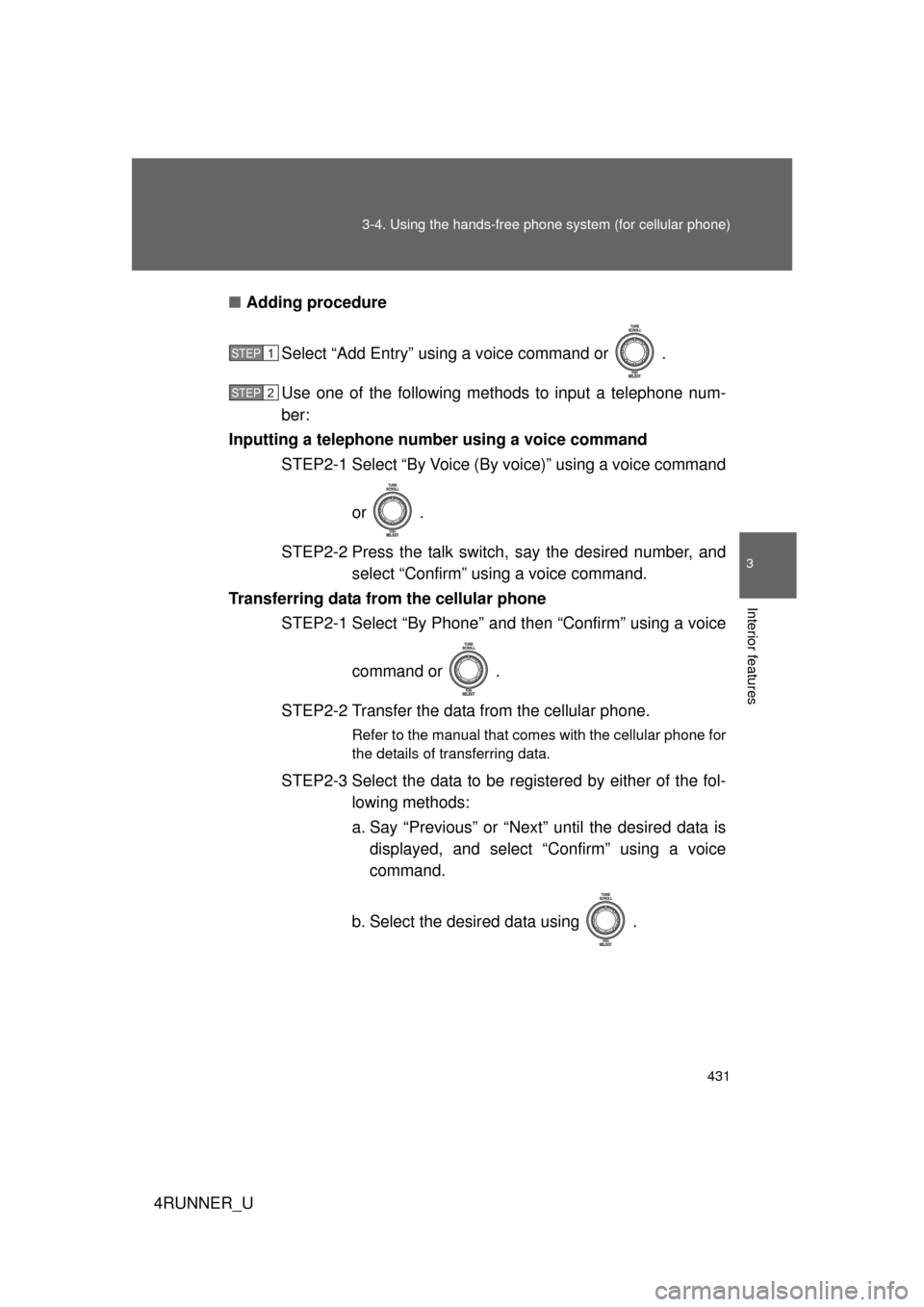
Adding procedure
Select “Add Entry” using a voice command or .
Use one of the following methods to input a telephone num-
ber:
Inputting a telephone number using a voice command STEP2-1 Select “By Voice (By voice)” using a voice command
or .
STEP2-2 Press the talk switch, say the desired number, and select “Confirm” us ing a voice command.
Transferring data from the cellular phone STEP2-1 Select “By Phone” and then “Confirm” using a voice
command or .
STEP2-2 Transfer the data from the cellular phone.
Refer to the manual that comes with the cellular phone for
the details of transferring data.
STEP2-3 Select the data to be registered by either of the fol- lowing methods:
a. Say “Previous” or “Next” until the desired data isdisplayed, and select “Confirm” using a voice
command.
b. Select the desired data using .
STEP 1
STEP 2
Page 432 of 700
432 3-4. Using the hands-free phone system (for cellular phone)
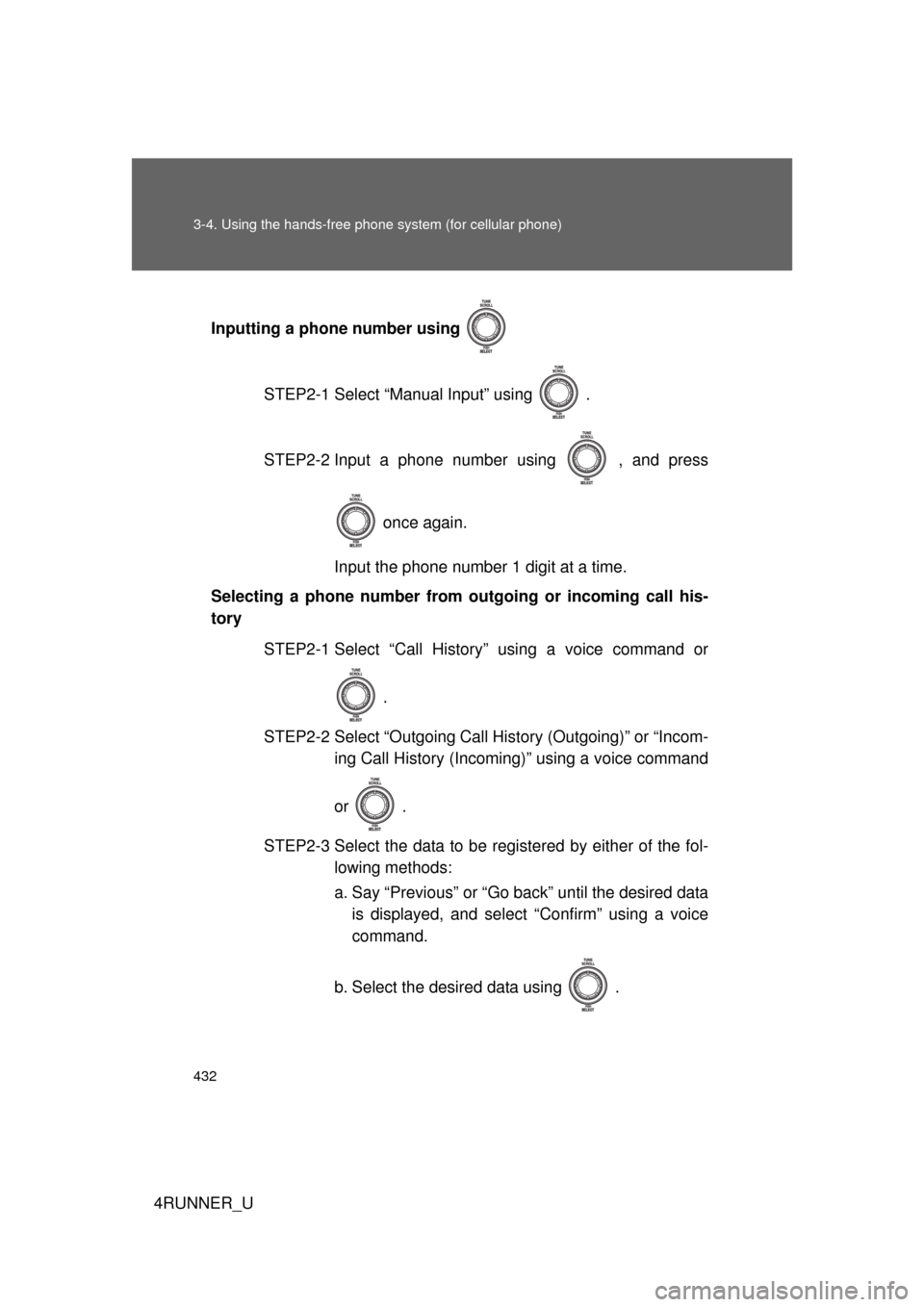
4RUNNER_UInputting a phone number using
STEP2-1 Select “Manual Input” using .
STEP2-2 Input a phone number using , and press once again.
Input the phone number 1 digit at a time.
Selecting a phone number from outgoing or incoming call his-
tory
STEP2-1 Select “Call History” using a voice command or
.
STEP2-2 Select “Outgoing Call History (Outgoing)” or “Incom- ing Call History (Incoming)” using a voice command
or .
STEP2-3 Select the data to be registered by either of the fol- lowing methods:
a. Say “Previous” or “Go back” until the desired datais displayed, and select “Confirm” using a voice
command.
b. Select the desired data using .
Page 433 of 700
433
3-4. Using the hand
s-free phone system (for cellular phone)
3
Interior features
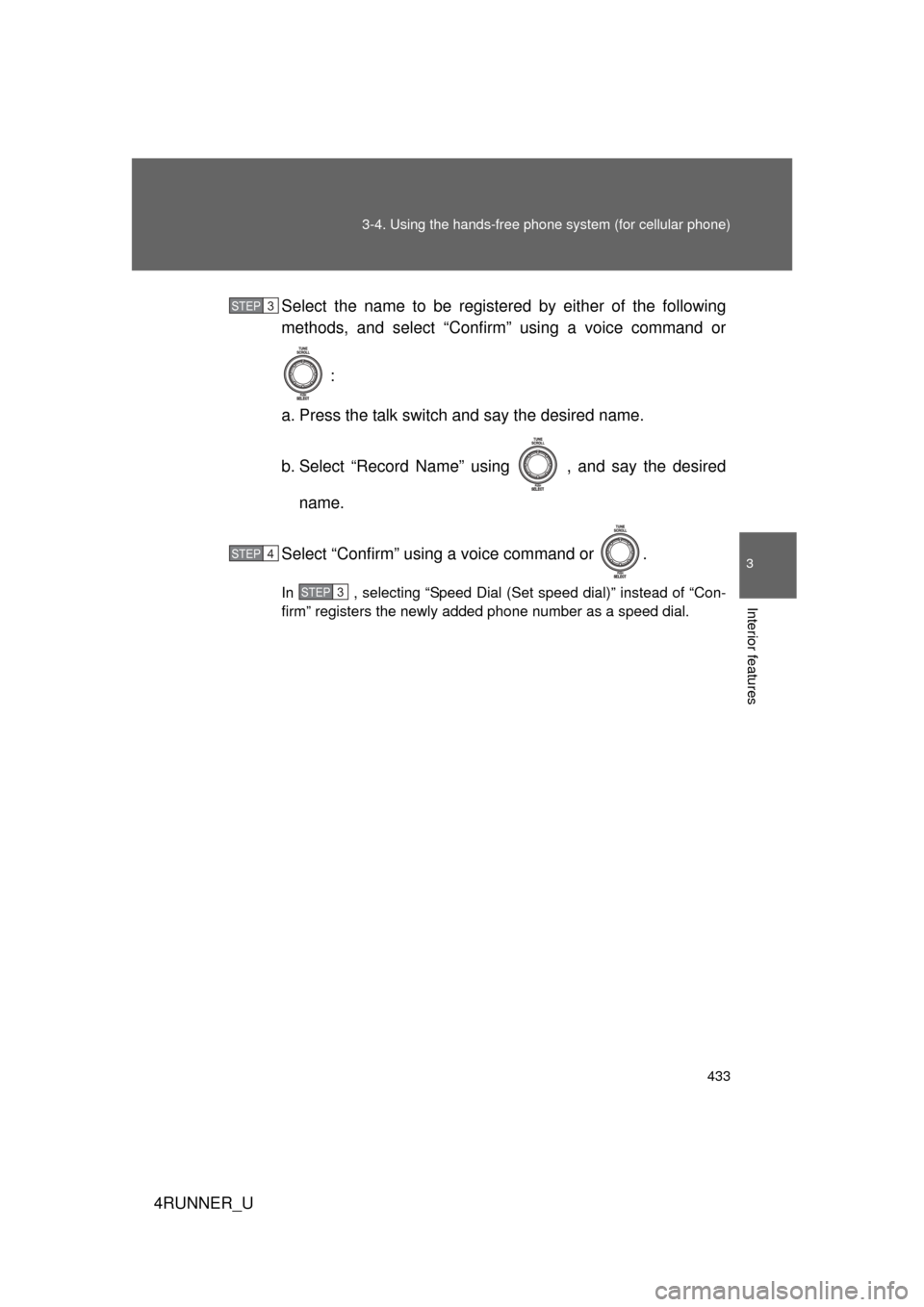
4RUNNER_USelect the name to be registered by either of the following
methods, and select “Confirm” using a voice command or
:
a. Press the talk switch and say the desired name.
b. Select “Record Name” using , and say the desired name.
Select “Confirm” using a voice command or .
In , selecting “Speed Dial (Set speed dial)” instead of “Con-
firm” registers the newly added phone number as a speed dial.
STEP 3
STEP 4
STEP 3
Page 434 of 700
434 3-4. Using the hands-free phone system (for cellular phone)
4RUNNER_U
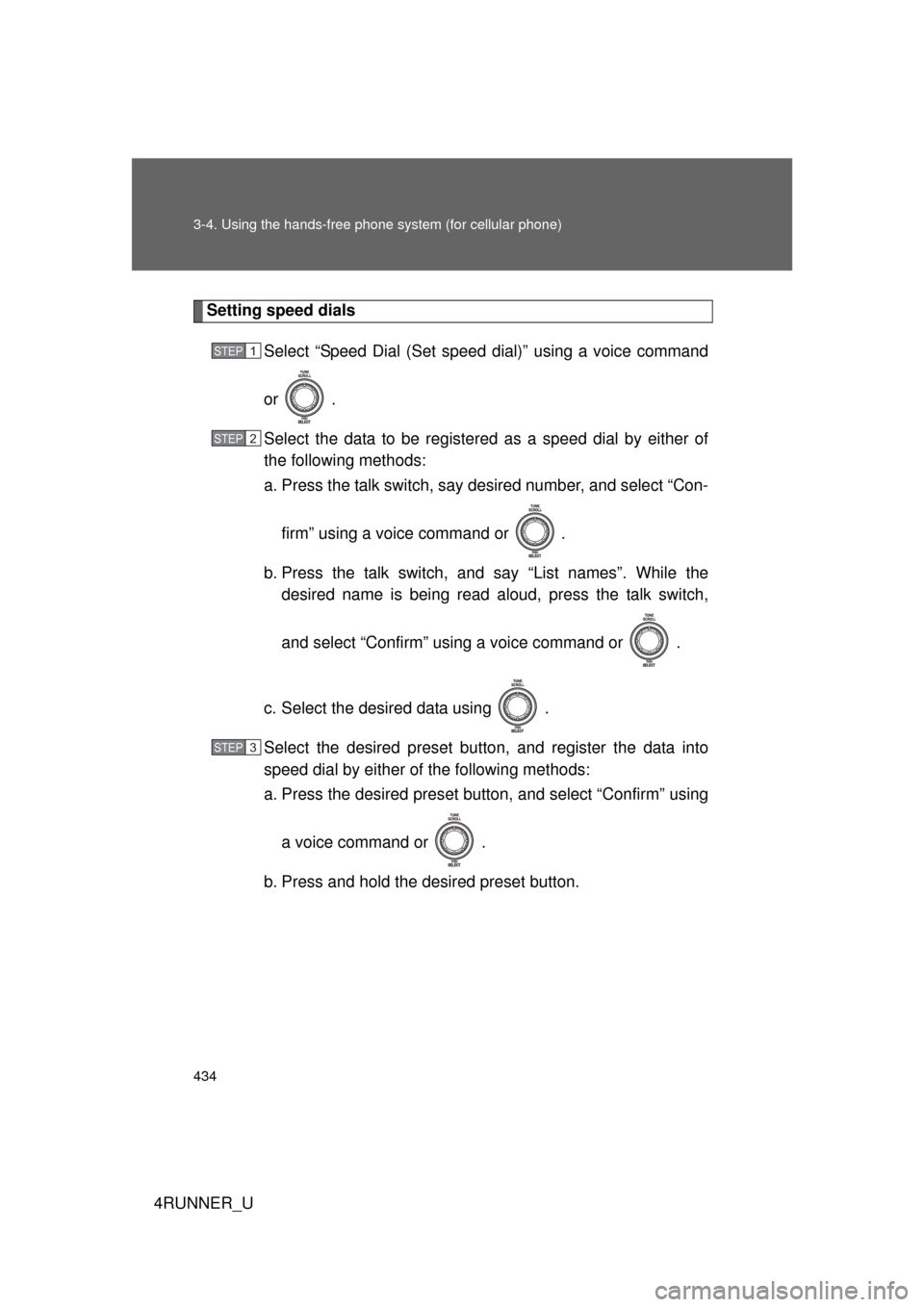
Setting speed dials
Select “Speed Dial (Set speed dial)” using a voice command
or .
Select the data to be registered as a speed dial by either of
the following methods:
a. Press the talk switch, say desired number, and select “Con-
firm” using a voice command or
.
b. Press the talk switch, and say “List names”. While the desired name is being read aloud, press the talk switch,
and select “Confirm” using a voice command or .
c. Select the desired data using .
Select the desired preset butt on, and register the data into
speed dial by either of the following methods:
a. Press the desired pres et button, and select “Confirm” using
a voice command or .
b. Press and hold the desired preset button.
STEP 1
STEP 2
STEP 3
Page 435 of 700
435
3-4. Using the hand
s-free phone system (for cellular phone)
3
Interior features
4RUNNER_U
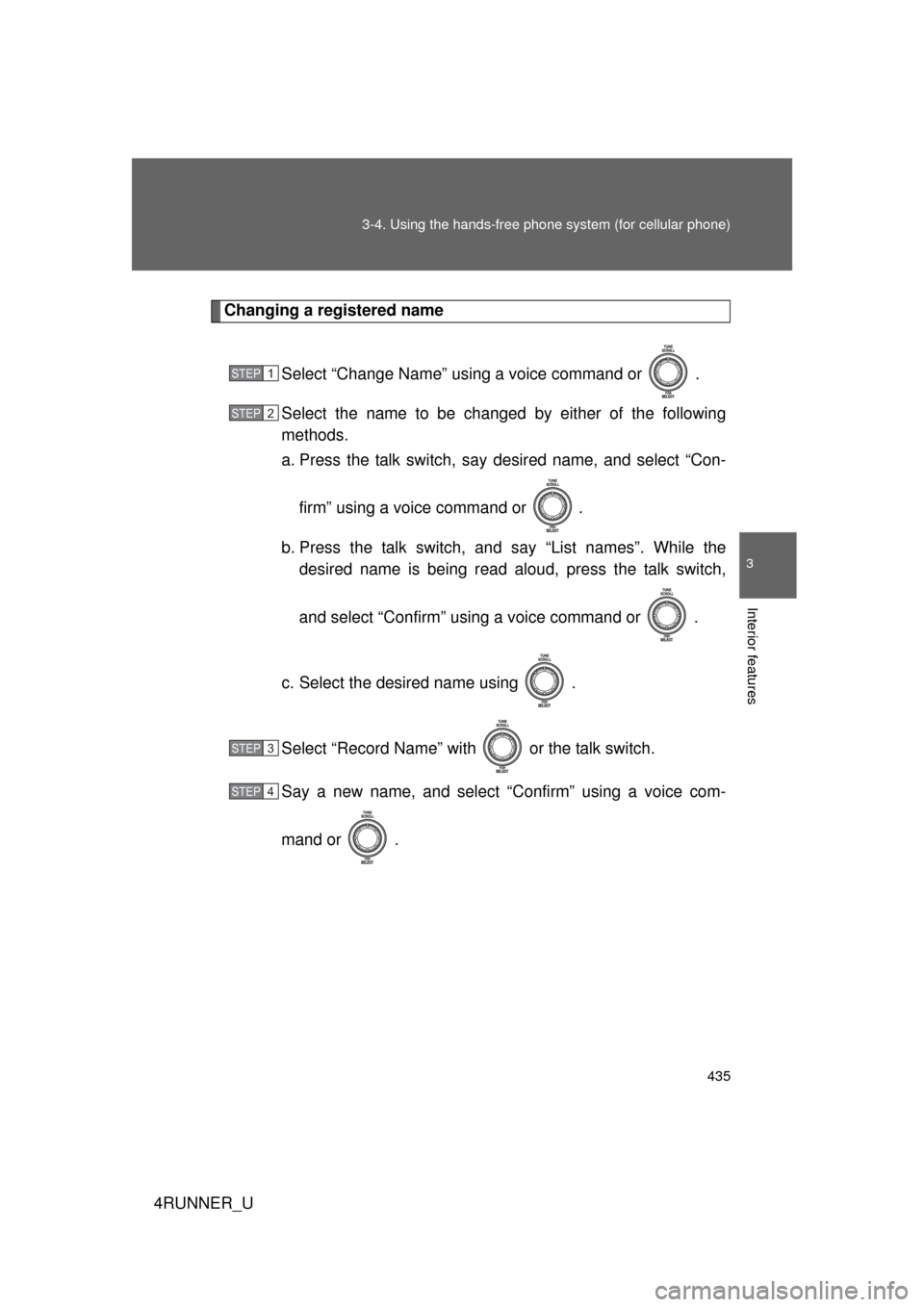
Changing a registered name
Select “Change Name” using a voice command or .
Select the name to be changed by either of the following
methods.
a. Press the talk switch, say desired name, and select “Con-
firm” using a voice command or
.
b. Press the talk switch, and say “List names”. While the desired name is being read aloud, press the talk switch,
and select “Confirm” using a voice command or .
c. Select the desired name using .
Select “Record Name” with or the talk switch.
Say a new name, and select “Confirm” using a voice com-
mand or .
STEP 1
STEP 2
STEP 3
STEP 4
Page 436 of 700
436 3-4. Using the hands-free phone system (for cellular phone)
4RUNNER_U
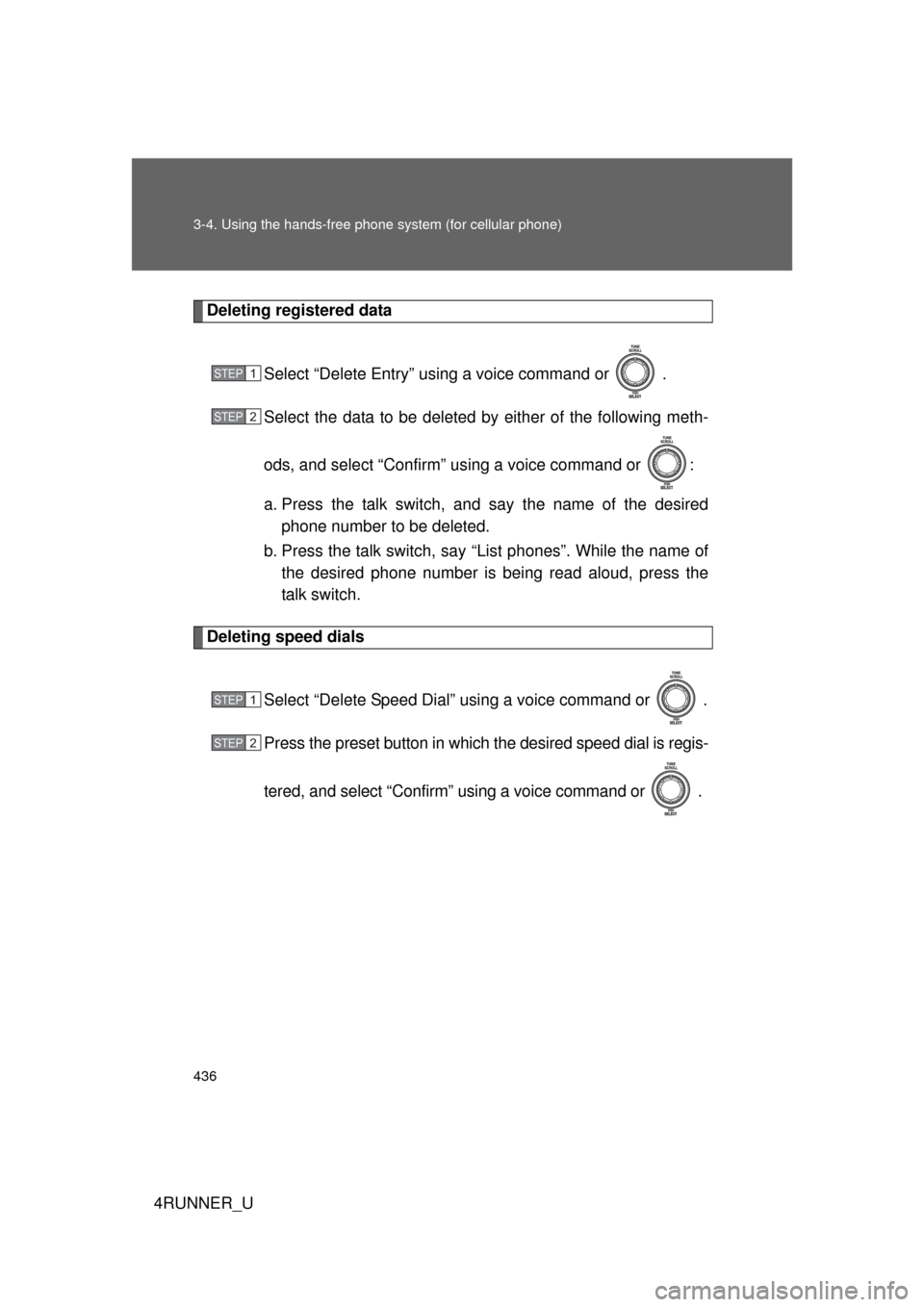
Deleting registered data
Select “Delete Entry” using a voice command or .
Select the data to be deleted by either of the following meth-
ods, and select “Confirm” us ing a voice command or :
a. Press the talk switch, and say the name of the desired phone number to be deleted.
b. Press the talk switch, say “List phones”. While the name of the desired phone number is bei ng read aloud, press the
talk switch.
Deleting speed dials
Select “Delete Speed Dial” using a voice command or .
Press the preset button in which the desired speed dial is regis-
tered, and select “Confirm” using a voice command or .
STEP 1
STEP 2
STEP 1
STEP 2
Page 437 of 700
437
3-4. Using the hand
s-free phone system (for cellular phone)
3
Interior features
4RUNNER_U
Listing the registered data
Selecting “List names” using a voice command causes a list of the
registered data to be read aloud.
When listing is complete, the system returns to “Phonebook”.
Pressing the talk switch while the desired data is being read aloud
selects the data, and the followi ng function will be available.
• Dialing: “Dial”
• Changing a registered name: “Change Name”
• Deleting an entry: “Delete Entry”
• Setting a speed dial: “Speed Dial (Set speed dial)”
■ Limitation of number of digits
A phone number that exceeds 24 digits cannot be registered.