Page 103 of 450
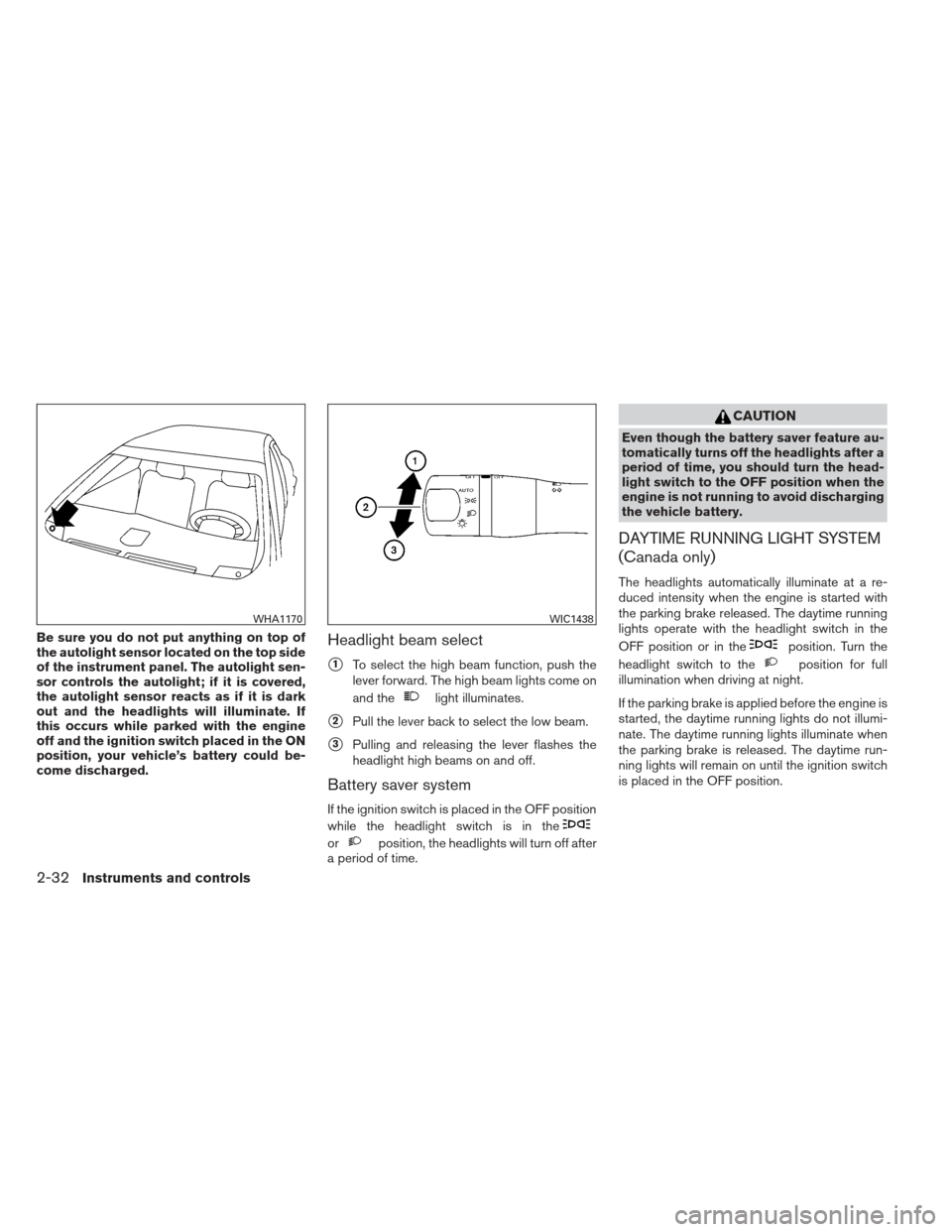
Be sure you do not put anything on top of
the autolight sensor located on the top side
of the instrument panel. The autolight sen-
sor controls the autolight; if it is covered,
the autolight sensor reacts as if it is dark
out and the headlights will illuminate. If
this occurs while parked with the engine
off and the ignition switch placed in the ON
position, your vehicle’s battery could be-
come discharged.Headlight beam select
�1To select the high beam function, push the
lever forward. The high beam lights come on
and the
light illuminates.
�2Pull the lever back to select the low beam.
�3Pulling and releasing the lever flashes the
headlight high beams on and off.
Battery saver system
If the ignition switch is placed in the OFF position
while the headlight switch is in the
orposition, the headlights will turn off after
a period of time.
CAUTION
Even though the battery saver feature au-
tomatically turns off the headlights after a
period of time, you should turn the head-
light switch to the OFF position when the
engine is not running to avoid discharging
the vehicle battery.
DAYTIME RUNNING LIGHT SYSTEM
(Canada only)
The headlights automatically illuminate at a re-
duced intensity when the engine is started with
the parking brake released. The daytime running
lights operate with the headlight switch in the
OFF position or in the
position. Turn the
headlight switch to the
position for full
illumination when driving at night.
If the parking brake is applied before the engine is
started, the daytime running lights do not illumi-
nate. The daytime running lights illuminate when
the parking brake is released. The daytime run-
ning lights will remain on until the ignition switch
is placed in the OFF position.
WHA1170WIC1438
2-32Instruments and controls
Page 104 of 450
WARNING
When the daytime running light system is
active, tail lights on your vehicle are not
on. It is necessary at dusk to turn on your
headlights. Failure to do so could cause
an accident injuring yourself and others.
INSTRUMENT BRIGHTNESS
CONTROL
The instrument cluster illuminates when the igni-
tion switch is in the ON position.
The instrument brightness control operates when
the headlight control switch is in the
AUTO,
orposition.
Turn the control left or right to adjust the bright-
ness of the instrument panel lights when driving
at night.
The instrument brightness control will not adjust
the brightness when the headlights or parking
lights are off.
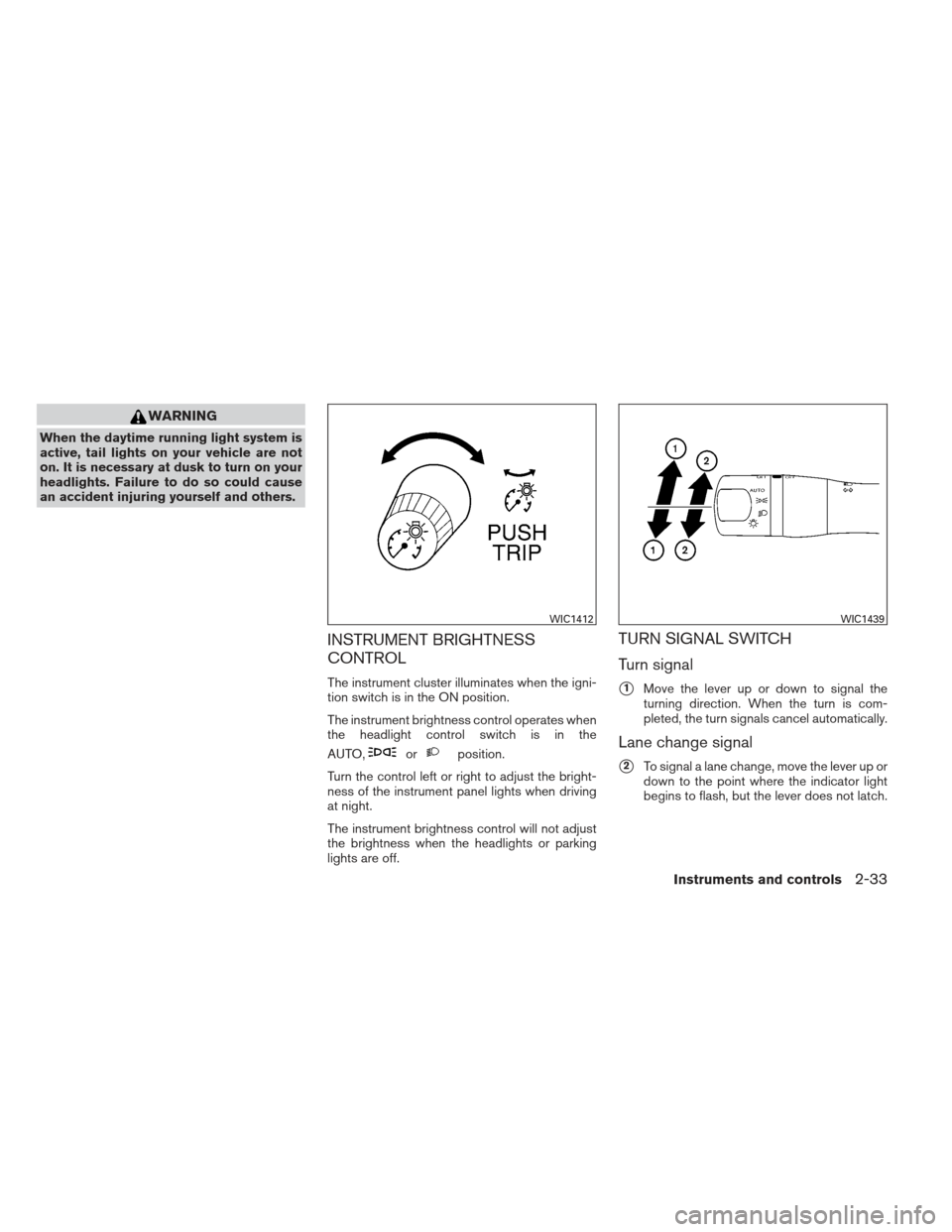
TURN SIGNAL SWITCH
Turn signal
�1Move the lever up or down to signal the
turning direction. When the turn is com-
pleted, the turn signals cancel automatically.
Lane change signal
�2To signal a lane change, move the lever up or
down to the point where the indicator light
begins to flash, but the lever does not latch.
WIC1412WIC1439
Instruments and controls2-33
Page 115 of 450
POWER WINDOWS
WARNING
●Make sure that all passengers have
their hands, etc. inside the vehicle while
it is in motion and before closing the
windows. Use the window lock switch
to prevent unexpected use of the power
windows.
● Do not leave children unattended inside
the vehicle. They could unknowingly ac-
tivate switches or controls and become
trapped in a window. Unattended chil-
dren could become involved in serious
accidents.
The power windows operate when the ignition
switch is placed in the ON position, or for a
period of time after the ignition switch is placed in
the OFF position. If the driver’s or passenger’s
door is opened during this period of time, the
power to the windows is canceled.
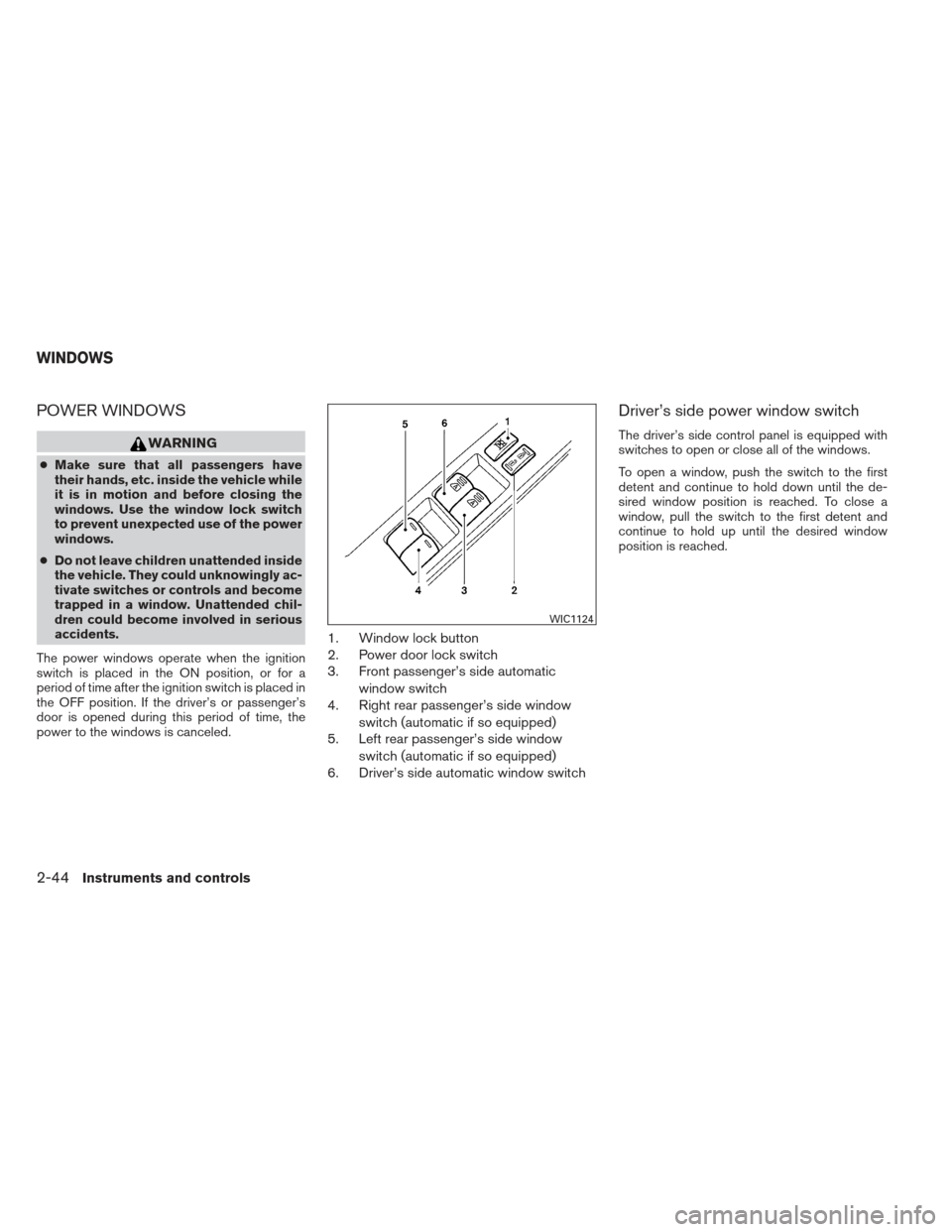
1. Window lock button
2. Power door lock switch
3. Front passenger’s side automatic window switch
4. Right rear passenger’s side window
switch (automatic if so equipped)
5. Left rear passenger’s side window
switch (automatic if so equipped)
6. Driver’s side automatic window switch
Driver’s side power window switch
The driver’s side control panel is equipped with
switches to open or close all of the windows.
To open a window, push the switch to the first
detent and continue to hold down until the de-
sired window position is reached. To close a
window, pull the switch to the first detent and
continue to hold up until the desired window
position is reached.
WIC1124
WINDOWS
2-44Instruments and controls
Page 119 of 450
CAUTION
●Remove water drops, snow, ice or sand
from the moonroof before opening.
● Do not place heavy objects on the
moonroof or surrounding area.
Sunshade
Open and close the sunshade by sliding it for-
ward or backward.
If the moonroof does not close
Have your NISSAN dealer check and repair the
moonroof.
AUTOMATIC MOONROOF
The moonroof will only operate when the ignition
switch is in the ON position. The automatic
moonroof is operational for a period of time, even
if the ignition switch is placed in the ACC or OFF
position. If the driver’s door or the front passen-
ger’s door is opened during this period of time,
the power to the moonroof is canceled.
Sliding the moonroof
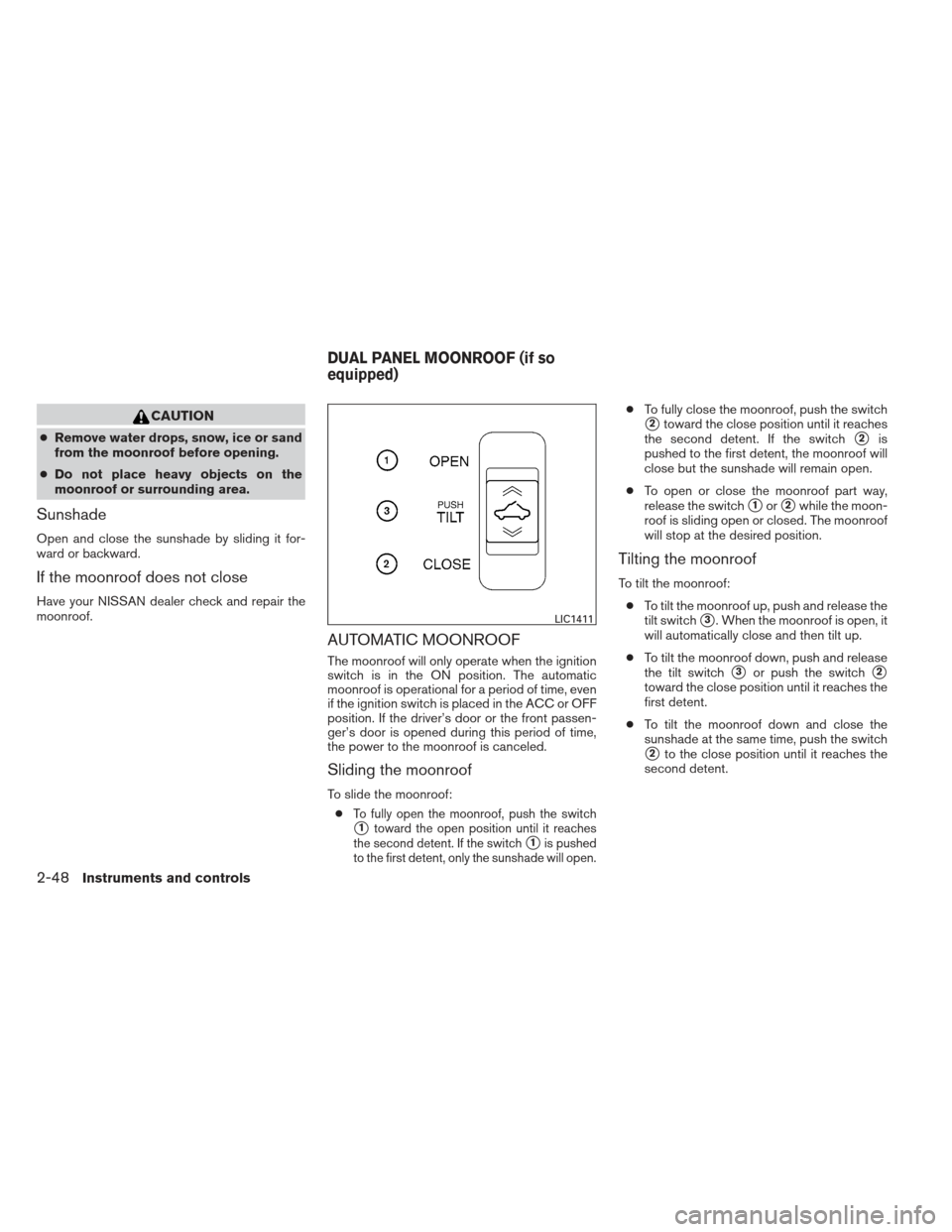
To slide the moonroof:
●
To fully open the moonroof, push the switch
�1toward the open position until it reaches
the second detent. If the switch
�1is pushed
to the first detent, only the sunshade will open.
● To fully close the moonroof, push the switch
�2toward the close position until it reaches
the second detent. If the switch
�2is
pushed to the first detent, the moonroof will
close but the sunshade will remain open.
● To open or close the moonroof part way,
release the switch
�1or�2while the moon-
roof is sliding open or closed. The moonroof
will stop at the desired position.
Tilting the moonroof
To tilt the moonroof:
● To tilt the moonroof up, push and release the
tilt switch
�3. When the moonroof is open, it
will automatically close and then tilt up.
● To tilt the moonroof down, push and release
the tilt switch
�3or push the switch�2
toward the close position until it reaches the
first detent.
● To tilt the moonroof down and close the
sunshade at the same time, push the switch
�2to the close position until it reaches the
second detent.
LIC1411
DUAL PANEL MOONROOF (if so
equipped)
2-48Instruments and controls
Page 124 of 450
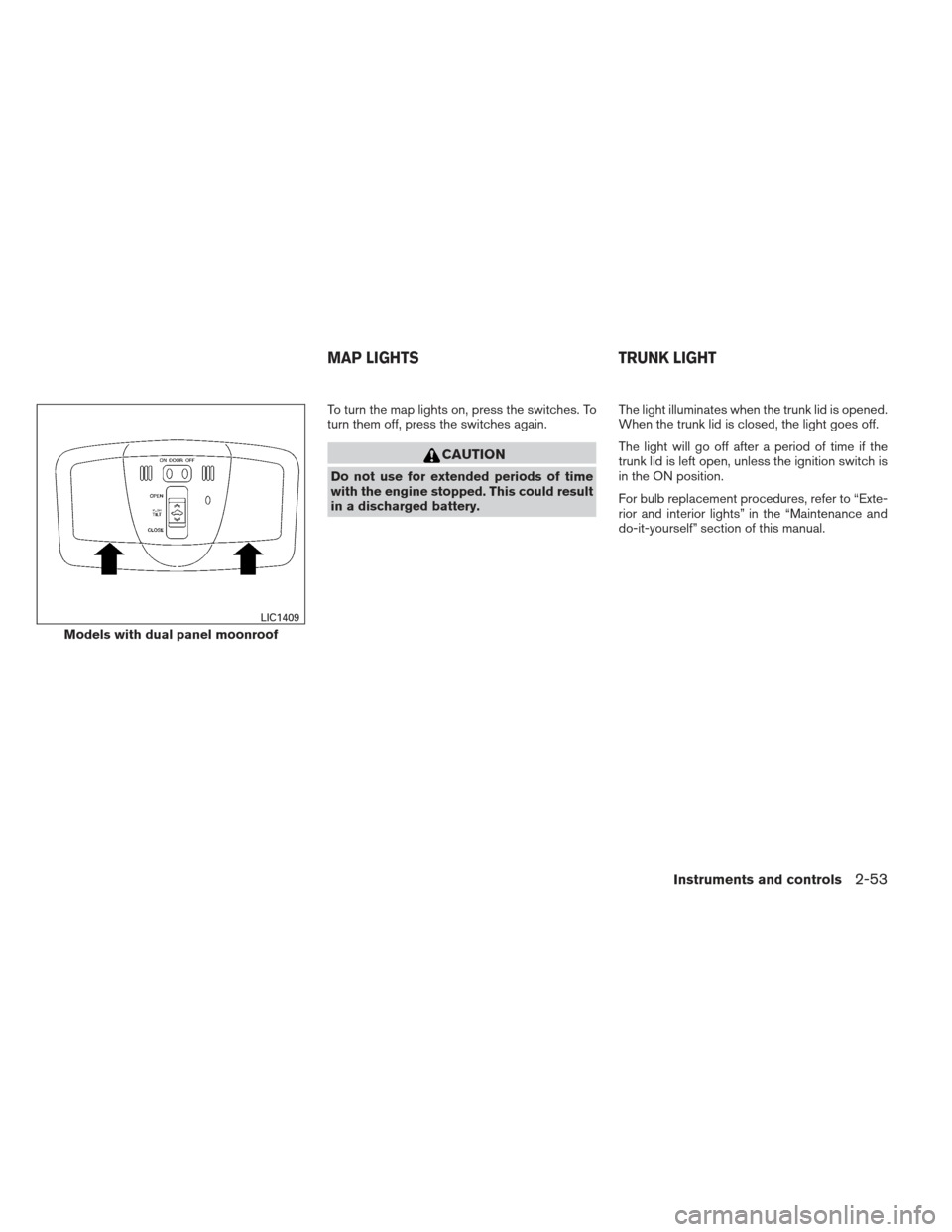
To turn the map lights on, press the switches. To
turn them off, press the switches again.
CAUTION
Do not use for extended periods of time
with the engine stopped. This could result
in a discharged battery.The light illuminates when the trunk lid is opened.
When the trunk lid is closed, the light goes off.
The light will go off after a period of time if the
trunk lid is left open, unless the ignition switch is
in the ON position.
For bulb replacement procedures, refer to “Exte-
rior and interior lights” in the “Maintenance and
do-it-yourself” section of this manual.
Models with dual panel moonroof
LIC1409
MAP LIGHTS
TRUNK LIGHT
Instruments and controls2-53
Page 140 of 450
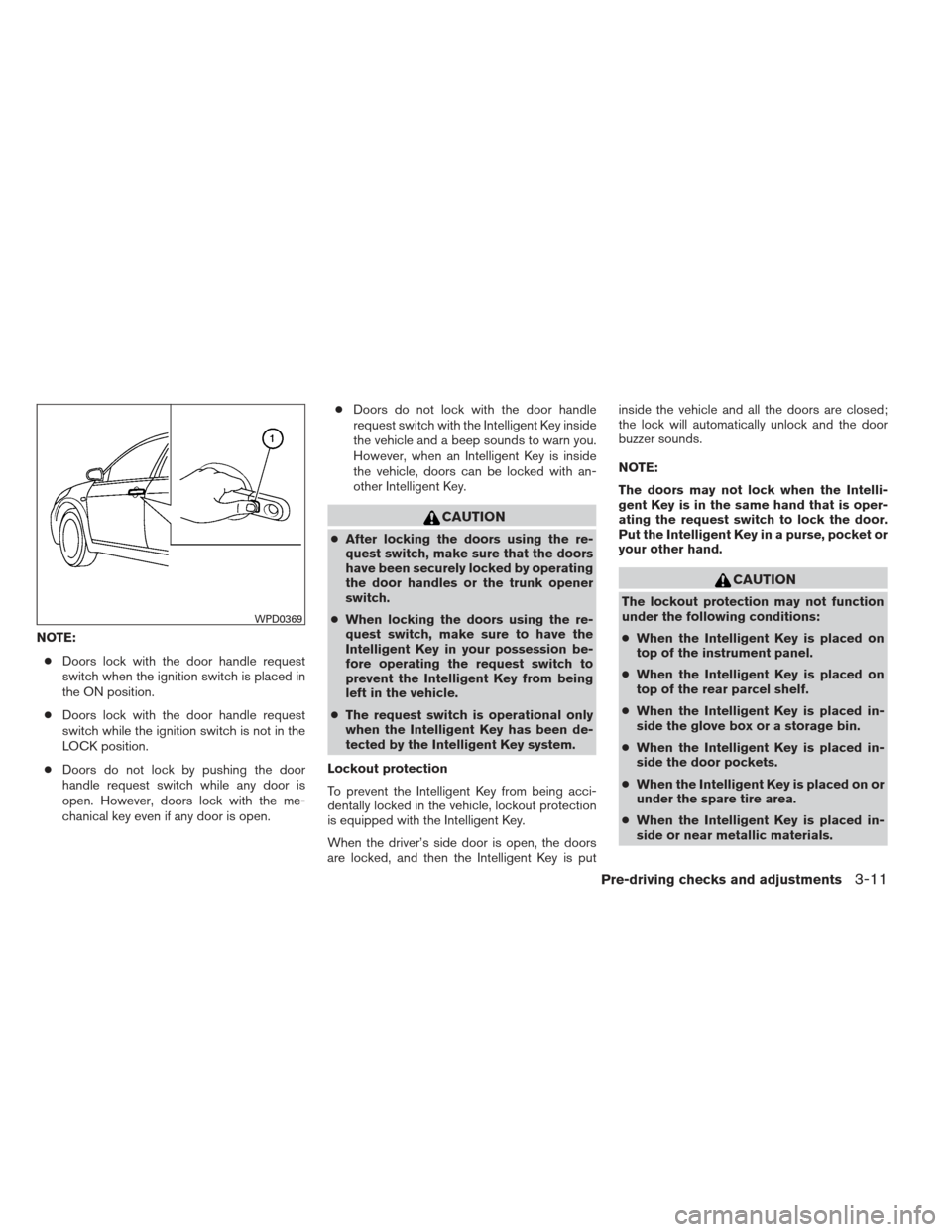
NOTE:● Doors lock with the door handle request
switch when the ignition switch is placed in
the ON position.
● Doors lock with the door handle request
switch while the ignition switch is not in the
LOCK position.
● Doors do not lock by pushing the door
handle request switch while any door is
open. However, doors lock with the me-
chanical key even if any door is open. ●
Doors do not lock with the door handle
request switch with the Intelligent Key inside
the vehicle and a beep sounds to warn you.
However, when an Intelligent Key is inside
the vehicle, doors can be locked with an-
other Intelligent Key.
CAUTION
● After locking the doors using the re-
quest switch, make sure that the doors
have been securely locked by operating
the door handles or the trunk opener
switch.
● When locking the doors using the re-
quest switch, make sure to have the
Intelligent Key in your possession be-
fore operating the request switch to
prevent the Intelligent Key from being
left in the vehicle.
● The request switch is operational only
when the Intelligent Key has been de-
tected by the Intelligent Key system.
Lockout protection
To prevent the Intelligent Key from being acci-
dentally locked in the vehicle, lockout protection
is equipped with the Intelligent Key.
When the driver’s side door is open, the doors
are locked, and then the Intelligent Key is put inside the vehicle and all the doors are closed;
the lock will automatically unlock and the door
buzzer sounds.
NOTE:
The doors may not lock when the Intelli-
gent Key is in the same hand that is oper-
ating the request switch to lock the door.
Put the Intelligent Key in a purse, pocket or
your other hand.
CAUTION
The lockout protection may not function
under the following conditions:
●
When the Intelligent Key is placed on
top of the instrument panel.
● When the Intelligent Key is placed on
top of the rear parcel shelf.
● When the Intelligent Key is placed in-
side the glove box or a storage bin.
● When the Intelligent Key is placed in-
side the door pockets.
● When the Intelligent Key is placed on or
under the spare tire area.
● When the Intelligent Key is placed in-
side or near metallic materials.
WPD0369
Pre-driving checks and adjustments3-11
Page 145 of 450
Silencing the horn beep feature
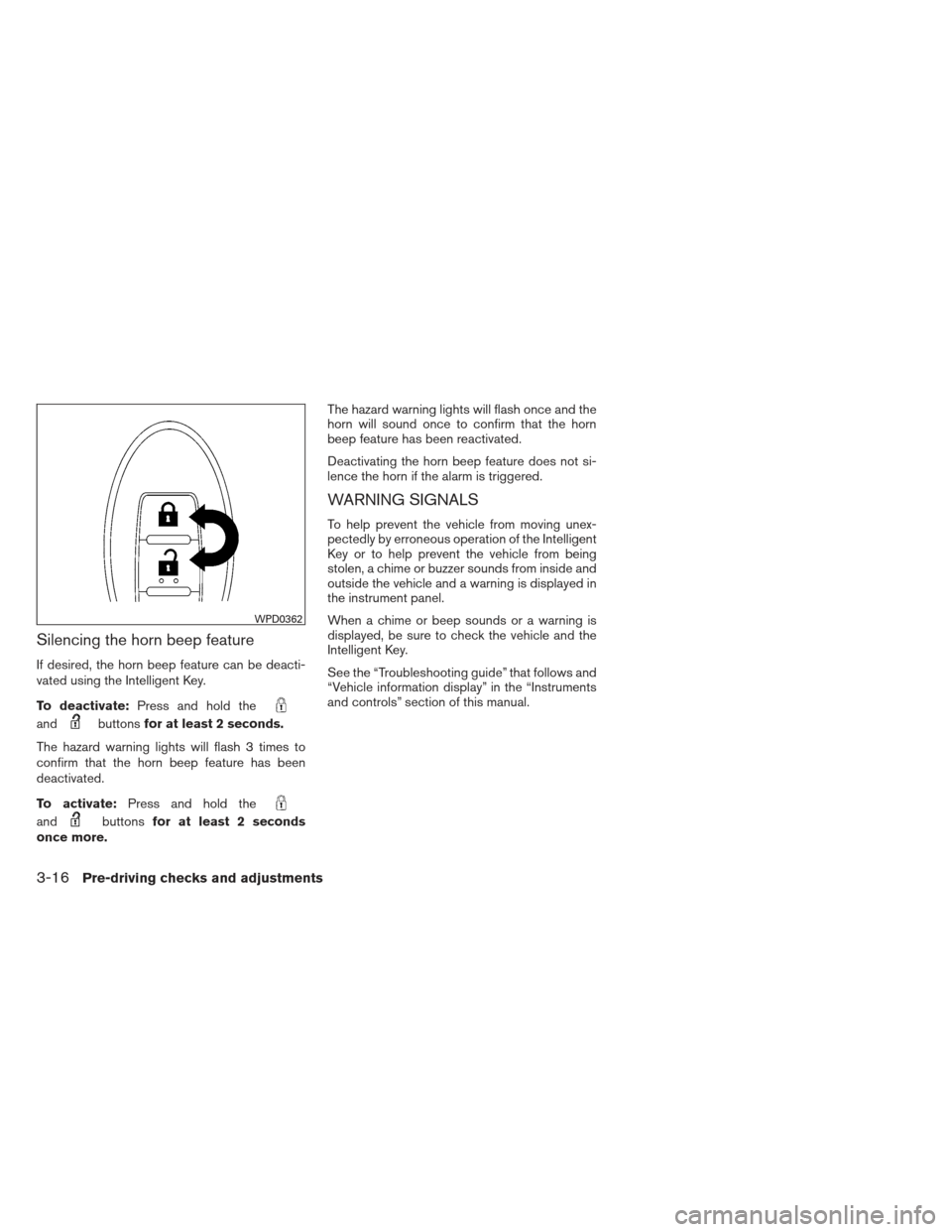
If desired, the horn beep feature can be deacti-
vated using the Intelligent Key.
To deactivate:Press and hold the
andbuttonsfor at least 2 seconds.
The hazard warning lights will flash 3 times to
confirm that the horn beep feature has been
deactivated.
To activate: Press and hold the
andbuttonsfor at least 2 seconds
once more. The hazard warning lights will flash once and the
horn will sound once to confirm that the horn
beep feature has been reactivated.
Deactivating the horn beep feature does not si-
lence the horn if the alarm is triggered.
WARNING SIGNALS
To help prevent the vehicle from moving unex-
pectedly by erroneous operation of the Intelligent
Key or to help prevent the vehicle from being
stolen, a chime or buzzer sounds from inside and
outside the vehicle and a warning is displayed in
the instrument panel.
When a chime or beep sounds or a warning is
displayed, be sure to check the vehicle and the
Intelligent Key.
See the “Troubleshooting guide” that follows and
“Vehicle information display” in the “Instruments
and controls” section of this manual.
WPD0362
3-16Pre-driving checks and adjustments
Page 147 of 450
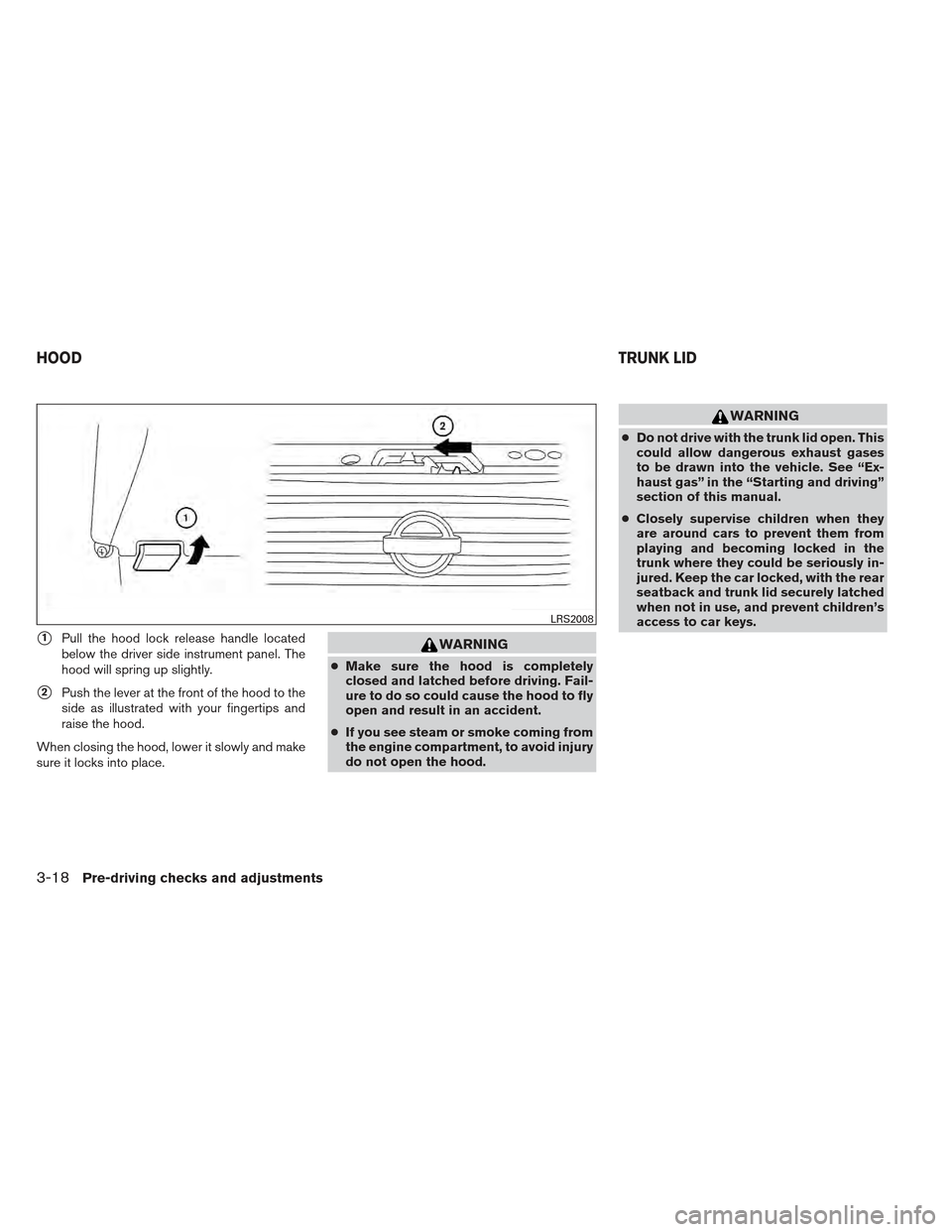
�1Pull the hood lock release handle located
below the driver side instrument panel. The
hood will spring up slightly.
�2Push the lever at the front of the hood to the
side as illustrated with your fingertips and
raise the hood.
When closing the hood, lower it slowly and make
sure it locks into place.
WARNING
● Make sure the hood is completely
closed and latched before driving. Fail-
ure to do so could cause the hood to fly
open and result in an accident.
● If you see steam or smoke coming from
the engine compartment, to avoid injury
do not open the hood.
WARNING
● Do not drive with the trunk lid open. This
could allow dangerous exhaust gases
to be drawn into the vehicle. See “Ex-
haust gas” in the “Starting and driving”
section of this manual.
● Closely supervise children when they
are around cars to prevent them from
playing and becoming locked in the
trunk where they could be seriously in-
jured. Keep the car locked, with the rear
seatback and trunk lid securely latched
when not in use, and prevent children’s
access to car keys.
LRS2008
HOOD TRUNK LID
3-18Pre-driving checks and adjustments