2012 MINI COUPE ROADSTER CONVERTIBLE engine
[x] Cancel search: enginePage 122 of 283

Things to remember when drivingDRIVING TIPS
121
Avoid high engine speeds
Use first gear only for driving off. In second and
higher gears, accelerate smoothly to a suitable
engine and road speed. In doing so, avoid high
engine speeds and shift up early.
When you reach your desired traveling speed,
shift to the highest suitable gear and drive at
constant speed.
As a rule: driving at lo w engine speeds lowers
fuel consumption and reduces wear.
Coasting
When approaching a red traffic light, take your
foot off the accelerator and let the car roll to a
stop in the highest gear possible.
On a downhill gradient, take your foot off the
accelerator and let the vehi cle coast in a suitable
gear.
Fuel supply is shut off automatically when the
vehicle is coasting.
Switch off the engine during lengthy
stops
Switch off the engine when stopping for lengthy
periods, e.g. at traffic lights, railroad crossings or
in traffic jams.
Switch off any features that are not
currently required
Features such as air conditioning, seat heaters
and the rear window defroster require a great
deal of energy and result in greater fuel con-
sumption, especially in city driving and during
Stop & Go operation. For this reason, switch off
these features if they are not really needed.
Have the vehicle serviced
Have your vehicle serviced regularly to achieve
good economy and a long vehicle life. The man-
ufacturer of your MINI recommends having the
vehicle serviced by a MINI dealer. Also note the
MINI Maintenance System, page 225.
00320051004F004C00510048000300280047004C0057004C005200510003
Page 172 of 283
Hands-free device BluetoothCOMMUNICATIONS
171
>A number with at le ast 4 and at most
16 digits has been established as the Blue-
tooth passkey. Only required once for
pairing.
> Radio readiness switched on.
Activating/deactivating Bluetooth link
Bluetooth is not permitted everywhere. Comply
with all safety guidel ines and regulations.
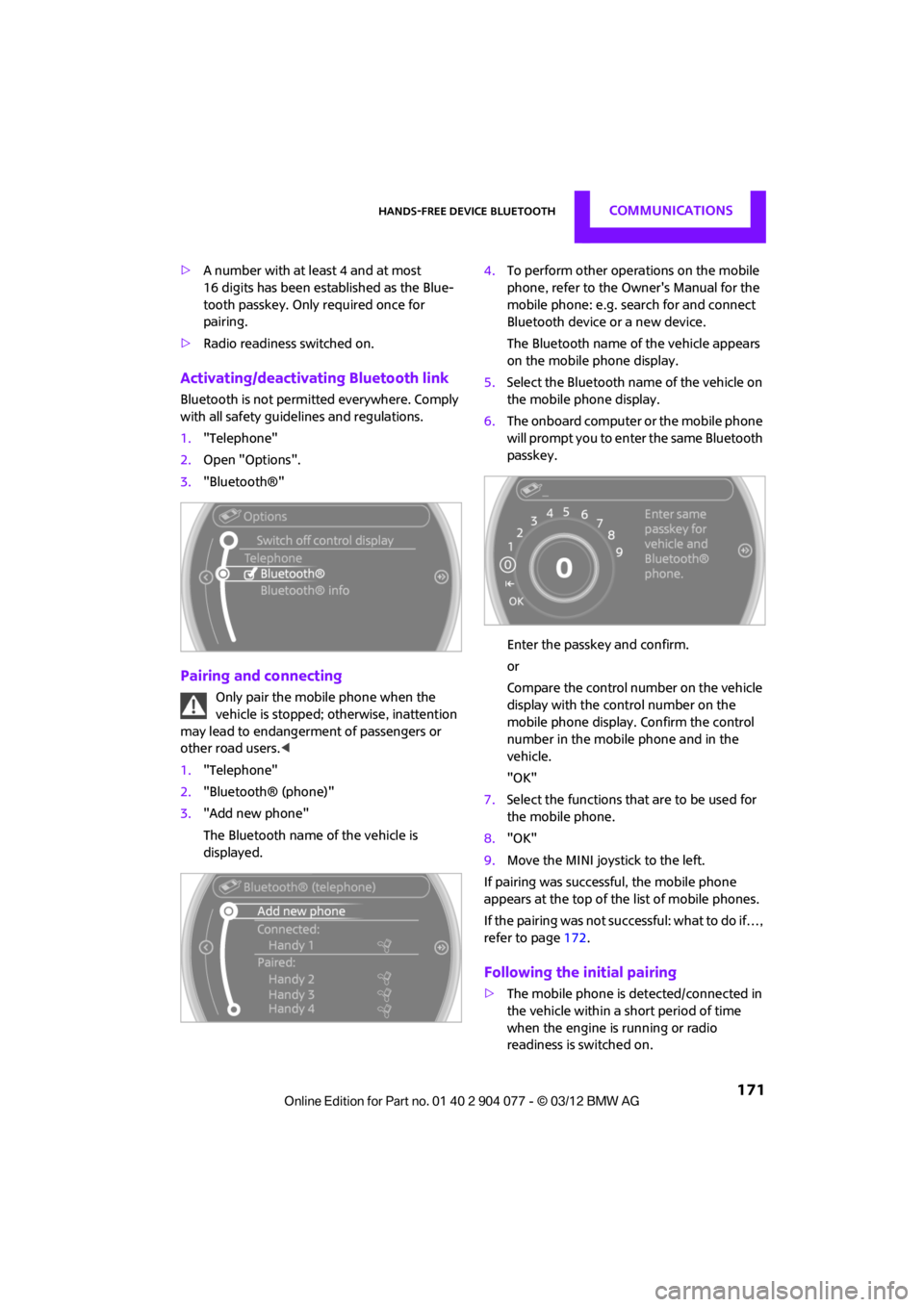
1. "Telephone"
2. Open "Options".
3. "Bluetooth®"
Pairing and connecting
Only pair the mobile phone when the
vehicle is stopped; otherwise, inattention
may lead to endangerment of passengers or
other road users. <
1. "Telephone"
2. "Bluetooth® (phone)"
3. "Add new phone"
The Bluetooth name of the vehicle is
displayed. 4.
To perform other operations on the mobile
phone, refer to the Ow ner's Manual for the
mobile phone: e.g. se arch for and connect
Bluetooth device or a new device.
The Bluetooth name of the vehicle appears
on the mobile phone display.
5. Select the Bluetooth na me of the vehicle on
the mobile phone display.
6. The onboard computer or the mobile phone
will prompt you to enter the same Bluetooth
passkey.
Enter the passkey and confirm.
or
Compare the control number on the vehicle
display with the control number on the
mobile phone display. Confirm the control
number in the mobile phone and in the
vehicle.
"OK"
7. Select the functions that are to be used for
the mobile phone.
8. "OK"
9. Move the MINI joystick to the left.
If pairing was successful, the mobile phone
appears at the top of the list of mobile phones.
If the pairing was not succ essful: what to do if…,
refer to page 172.
Following the initial pairing
>The mobile phone is detected/connected in
the vehicle within a short period of time
when the engine is running or radio
readiness is switched on.
00320051004F004C00510048000300280047004C0057004C005200510003
Page 184 of 283
Mobile phone preparation BluetoothCOMMUNICATIONS
183
If pairing was successful, the mobile phone
appears at the top of the list of mobile phones.
If the pairing was not succ essful: what to do if…,
refer to page 184.
Following the initial pairing
>The mobile phone is detected/connected in
the vehicle within a short period of time
when the engine is running or radio
readiness is switched on.
> After identification, phone book entries are
imported from the mobile phone and/or SIM
card of the telephone, depending on the
telephone.
> Specific settings may be necessary in some
mobile phones, e.g. authorization or a
secure connection, re fer to the Owner's
Manual for the mobile phone.
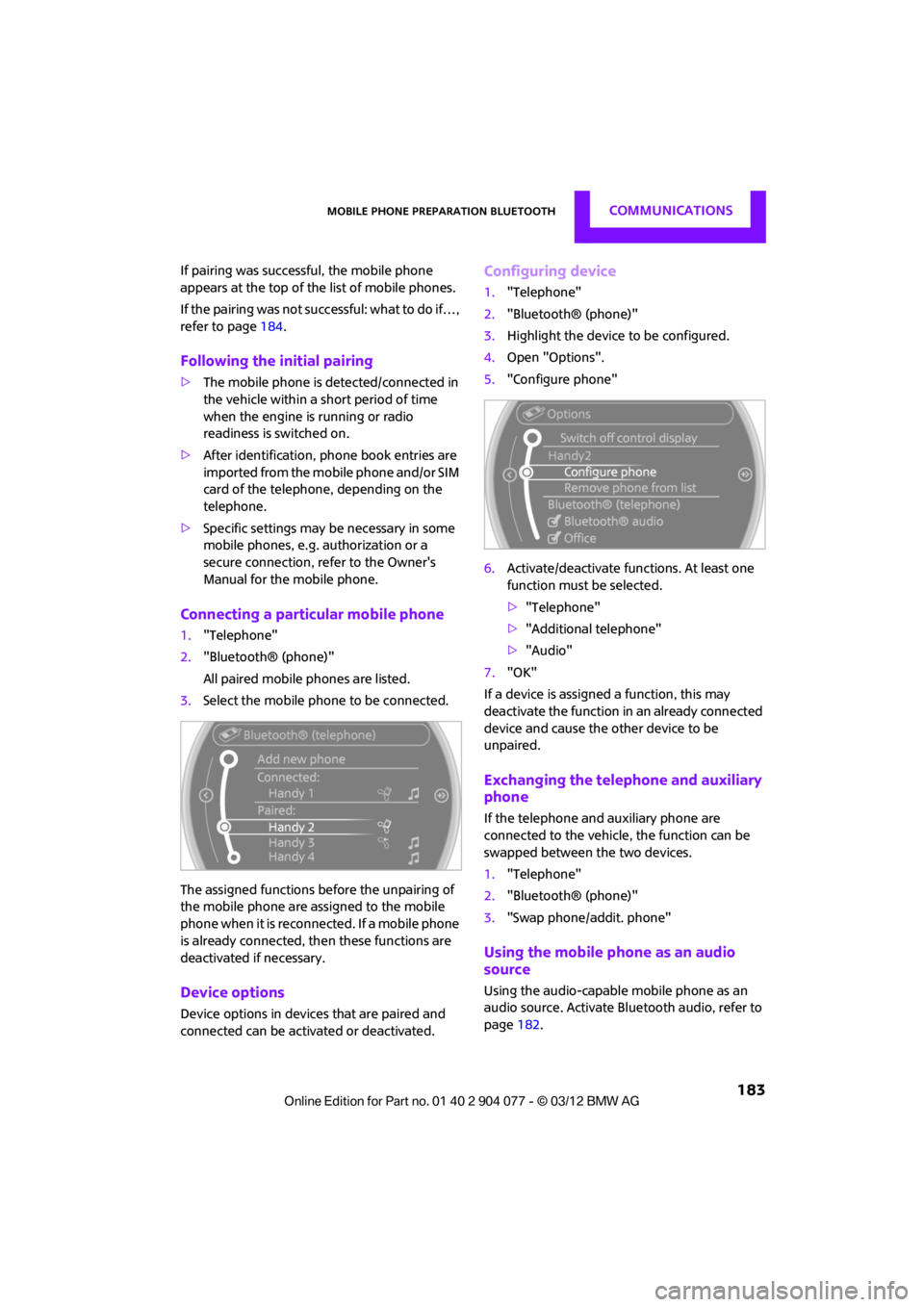
Connecting a particular mobile phone
1. "Telephone"
2. "Bluetooth® (phone)"
All paired mobile phones are listed.
3. Select the mobile phone to be connected.
The assigned functions before the unpairing of
the mobile phone are assigned to the mobile
phone when it is reconnected. If a mobile phone
is already connected, then these functions are
deactivated if necessary.
Device options
Device options in device s that are paired and
connected can be activated or deactivated.
Configuring device
1. "Telephone"
2. "Bluetooth® (phone)"
3. Highlight the device to be configured.
4. Open "Options".
5. "Configure phone"
6. Activate/deactivate func tions. At least one
function must be selected.
> "Telephone"
> "Additional telephone"
> "Audio"
7. "OK"
If a device is assigned a function, this may
deactivate the function in an already connected
device and cause the other device to be
unpaired.
Exchanging the telephone and auxiliary
phone
If the telephone and auxiliary phone are
connected to the vehicle, the function can be
swapped between the two devices.
1. "Telephone"
2. "Bluetooth® (phone)"
3. "Swap phone/addit. phone"
Using the mobile phone as an audio
source
Using the audio-capable mobile phone as an
audio source. Activate Blue tooth audio, refer to
page 182.
00320051004F004C00510048000300280047004C0057004C005200510003
Page 207 of 283
MOBILITYRefueling
206
Refueling
Vehicle equipment
In this chapter, all production, country, and
optional equipment that is offered in the model
range is described. Equipment is also described
that is not available because of, for example,
selected options or coun try version. This also
applies to safety relate d functions and systems.
General
Switch off the engine before refueling;
otherwise, fuel cannot be added to the
tank and a message will be displayed. <
Take all precautionary measures and
observe all applicable regulations when
handling fuel. Do not carry any spare fuel con-
tainers in your vehicle. They can develop a leak
and cause an explosion or cause a fire in the
event of an accident. <
Fuel filler flap
Opening
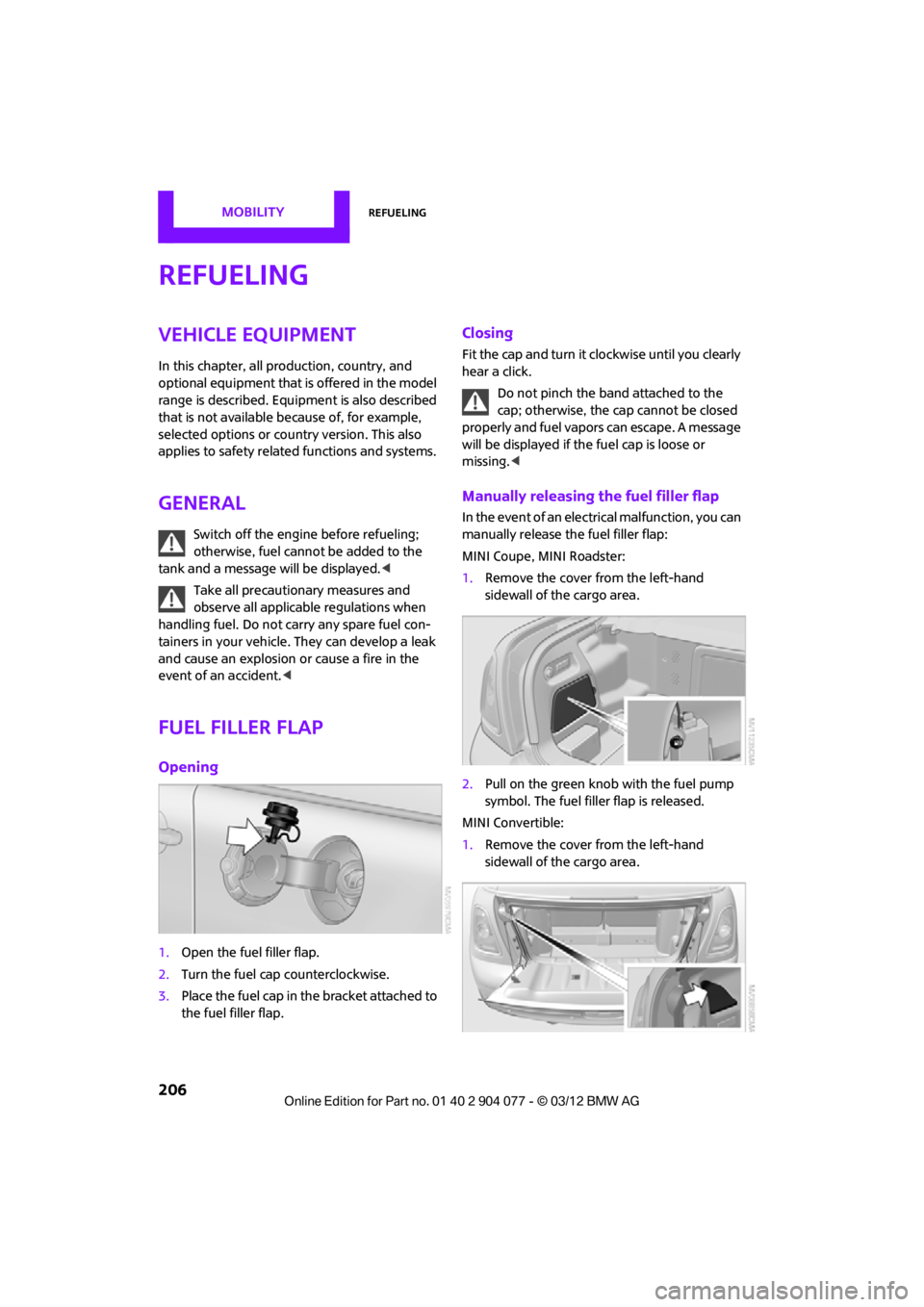
1.Open the fuel filler flap.
2. Turn the fuel cap counterclockwise.
3. Place the fuel cap in the bracket attached to
the fuel filler flap.
Closing
Fit the cap and turn it clockwise until you clearly
hear a click.
Do not pinch the band attached to the
cap; otherwise, the ca p cannot be closed
properly and fuel vapors can escape. A message
will be displayed if the fuel cap is loose or
missing. <
Manually releasing the fuel filler flap
In the event of an electrical malfunction, you can
manually release the fuel filler flap:
MINI Coupe, MINI Roadster:
1.Remove the cover from the left-hand
sidewall of the cargo area.
2. Pull on the green knob with the fuel pump
symbol. The fuel filler flap is released.
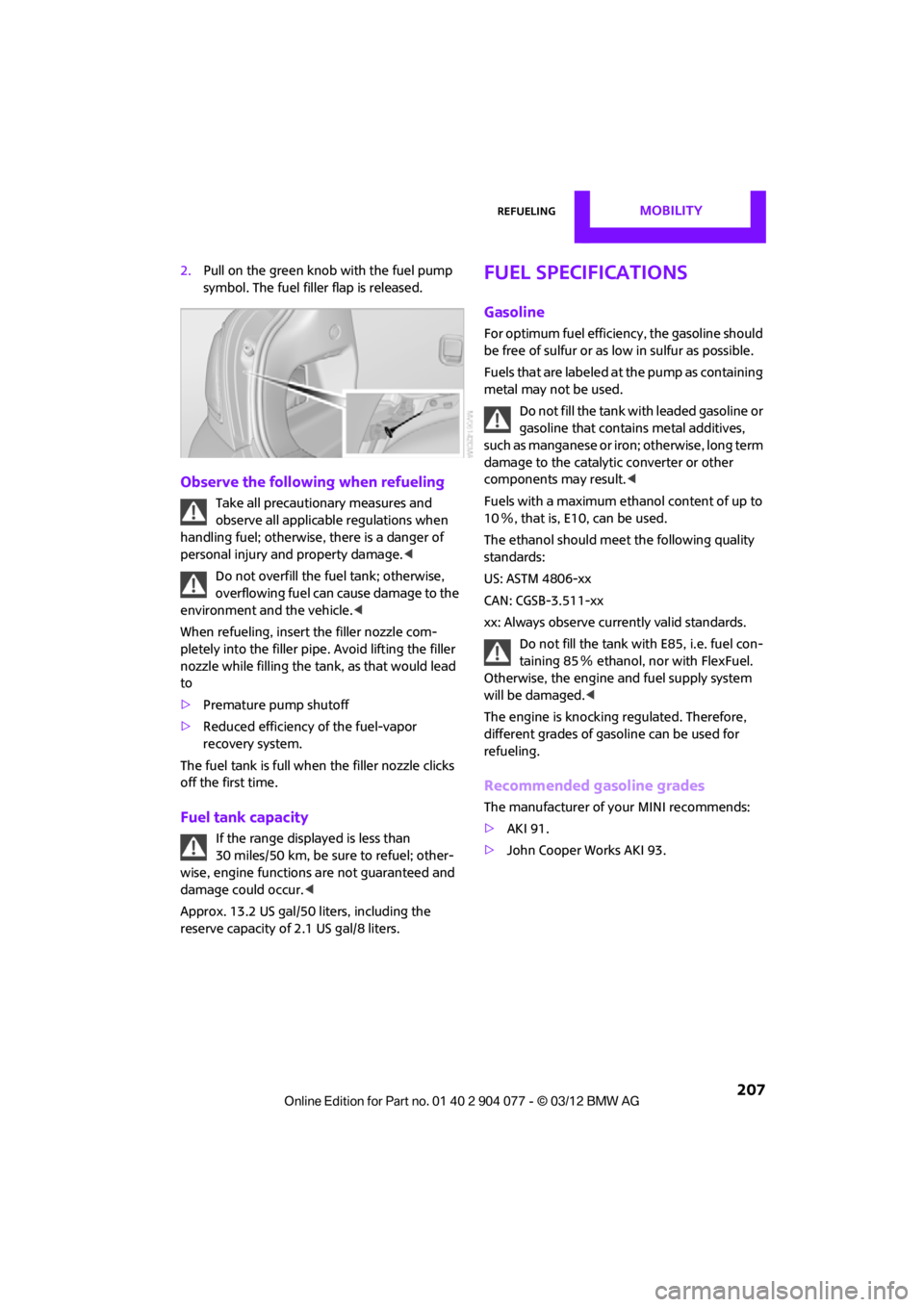
MINI Convertible:
1. Remove the cover from the left-hand
sidewall of the cargo area.
00320051004F004C00510048000300280047004C0057004C005200510003
Page 208 of 283
RefuelingMOBILITY
207
2.Pull on the green knob with the fuel pump
symbol. The fuel filler flap is released.
Observe the following when refueling
Take all precautionary measures and
observe all applicable regulations when
handling fuel; otherwise, there is a danger of
personal injury and property damage. <
Do not overfill the fuel tank; otherwise,
overflowing fuel can cause damage to the
environment and the vehicle.<
When refueling, insert the filler nozzle com-
pletely into the filler pipe. Avoid lifting the filler
nozzle while filling the tank, as that would lead
to
> Premature pump shutoff
> Reduced efficiency of the fuel-vapor
recovery system.
The fuel tank is full when the filler nozzle clicks
off the first time.
Fuel tank capacity
If the range displayed is less than
30 miles/50 km, be sure to refuel; other-
wise, engine functions are not guaranteed and
damage could occur.<
Approx. 13.2 US gal/50 liters, including the
reserve capacity of 2.1 US gal/8 liters.
Fuel specifications
Gasoline
For optimum fuel efficiency, the gasoline should
be free of sulfur or as low in sulfur as possible.
Fuels that are labeled at the pump as containing
metal may not be used.
Do not fill the tank with leaded gasoline or
gasoline that contai ns metal additives,
such as manganese or iron; otherwise, long term
damage to the catalytic converter or other
components may result. <
Fuels with a maximum ethanol content of up to
10 %, that is, E10, can be used.
The ethanol should meet the following quality
standards:
US: ASTM 4806-xx
CAN: CGSB-3.511-xx
xx: Always observe currently valid standards.
Do not fill the tank with E85, i.e. fuel con-
taining 85 % ethanol, nor with FlexFuel.
Otherwise, the engine and fuel supply system
will be damaged. <
The engine is knocking regulated. Therefore,
different grades of gasoline can be used for
refueling.
Recommended gasoline grades
The manufacturer of your MINI recommends:
> AKI 91.
> John Cooper Works AKI 93.
00320051004F004C00510048000300280047004C0057004C005200510003
Page 209 of 283
MOBILITYRefueling
208
Minimum grade
The manufacturer of your MINI recommends
AKI 89.Do not use any gasoline below the speci-
fied minimum fuel grade. Otherwise, the
engine could be damaged. <
If you use gasoline with this minimum AKI rating,
the engine may produce knocking sounds when
starting at high external temperatures. This has
no effect on the engine life.
The use of poor-quality fuels may result in
harmful engine deposits or damage. Addi-
tionally, problems relating to driveability, start-
ing and stalling, especially under certain envi-
ronmental conditions such as high ambient
temperatures and high altitudes, may occur.
If driveability problems are encountered, we
recommend switching to a high quality gasoline
brand and a higher octane grade - AKI number -
for a few tank fulls. To avoid harmful engine
deposits, it is highly recommended to purchase
gasoline from BP or Top Tier retailers.
Failure to comply with these recommendations
may result in the need for unscheduled mainte-
nance. <
00320051004F004C00510048000300280047004C0057004C005200510003
Page 222 of 283
Engine compartmentMOBILITY
221
Engine compartment
Vehicle equipment
In this chapter, all production, country, and
optional equipment that is offered in the model
range is described. Equipment is also described
that is not available because of, for example,
selected options or count ry version. This also
applies to safety related functions and systems.
General information
Never attempt to perform any service or
repair operations on your vehicle without
the required professional technical training. If
you do not know how to follow the specified
instructions, then have the work carried out
by your MINI dealer. If this work is not carried
out properly, there is a danger of subsequent
damage and related safety hazards. <
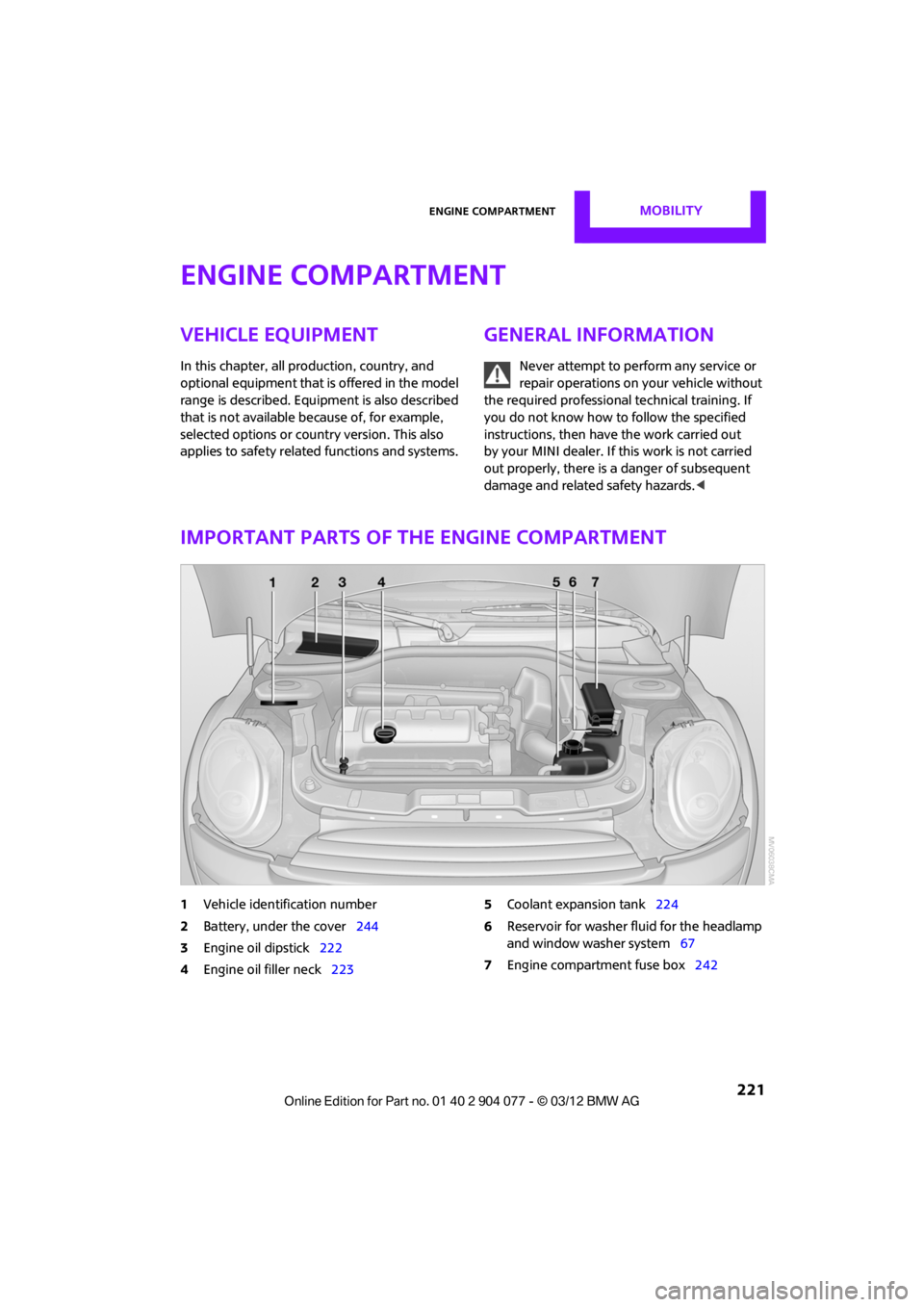
Important parts of the engine compartment
1Vehicle identification number
2 Battery, under the cover 244
3 Engine oil dipstick 222
4 Engine oil filler neck 223 5
Coolant expansion tank 224
6 Reservoir for washer fl uid for the headlamp
and window washer system 67
7 Engine compartment fuse box 242
00320051004F004C00510048000300280047004C0057004C005200510003
Page 223 of 283
MOBILITYEngine compartment
222
Hood
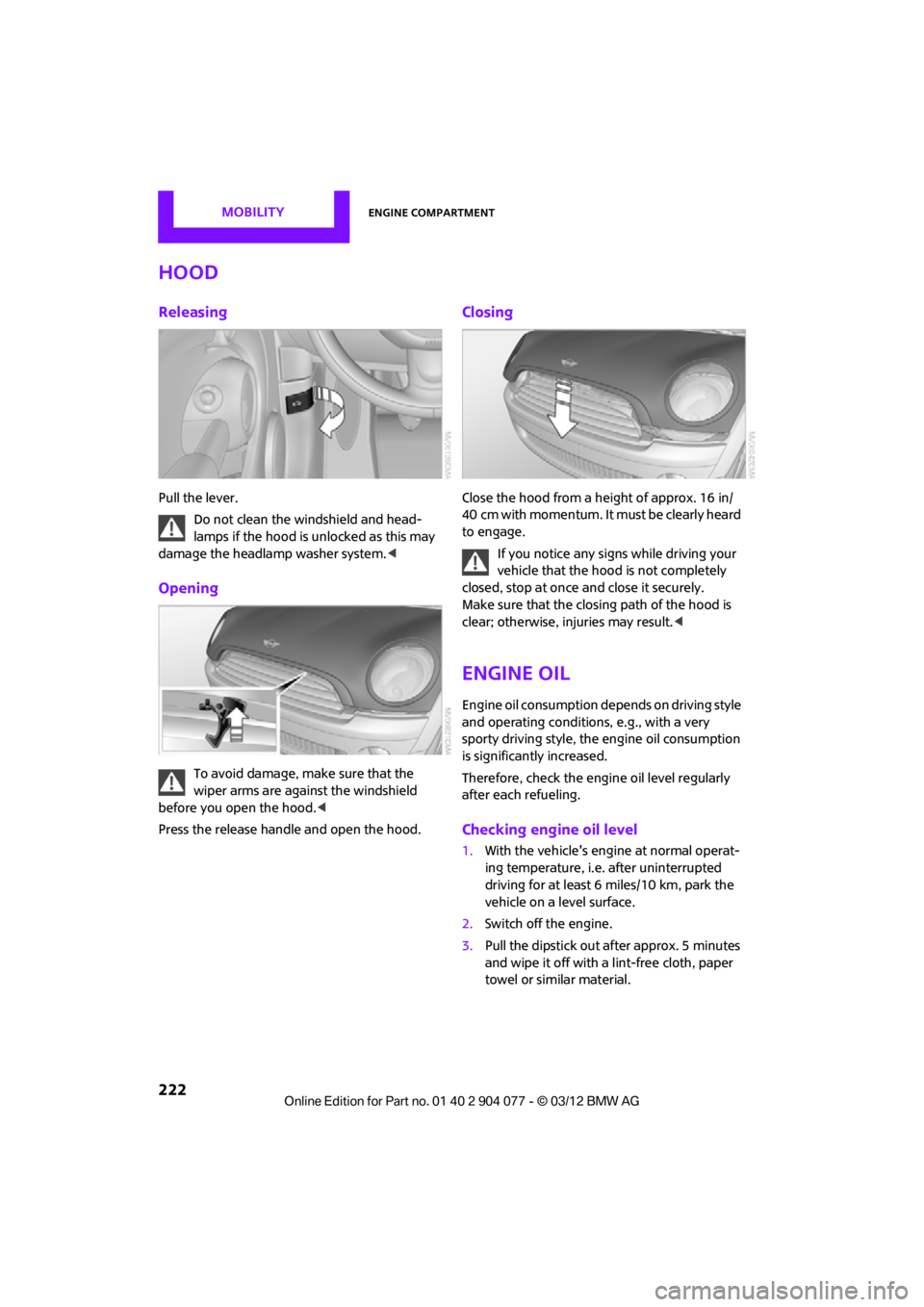
Releasing
Pull the lever.Do not clean the windshield and head-
lamps if the hood is unlocked as this may
damage the headlamp washer system. <
Opening
To avoid damage, make sure that the
wiper arms are against the windshield
before you open the hood. <
Press the release handle and open the hood.
Closing
Close the hood from a height of approx. 16 in/
40 cm with momentum. It must be clearly heard
to engage.
If you notice any signs while driving your
vehicle that the hood is not completely
closed, stop at once and close it securely.
Make sure that the closing path of the hood is
clear; otherwise, injuries may result. <
Engine oil
Engine oil consumption depends on driving style
and operating conditions, e.g., with a very
sporty driving style, the engine oil consumption
is significantly increased.
Therefore, check the engine oil level regularly
after each refueling.
Checking engine oil level
1. With the vehicle's engine at normal operat-
ing temperature, i.e. after uninterrupted
driving for at least 6 miles/10 km, park the
vehicle on a level surface.
2. Switch off the engine.
3. Pull the dipstick out after approx. 5 minutes
and wipe it off with a lint-free cloth, paper
towel or similar material.
00320051004F004C00510048000300280047004C0057004C005200510003