2012 MERCEDES-BENZ M-Class low
[x] Cancel search: lowPage 221 of 396

Otherwise,
youand others couldbeinjured by
the ball coupling beingthrown around ifyou:
R brake sharply
R change direction suddenly
R are involved inan accident
X Open thestowage wellunder thecargo
compartment floor.
X Remove theprotective capfrom theball
coupling recess.
X Press theprotective capinto theball
coupling recessuntilitengages.
X Make surethattheprotective capisfirmly
in place.
X Store theball coupling inthe ball coupling
recess withthebolt andspring cotter
inserted. Tra
iler power supply
The trailer socket ofyour vehicle isequi pped
at the factory withapermanen tpower supply .
The permanent powersupply issupplied via
trailer socket pin4.
! You canconn ectaccessories witha
maximum powerconsumpt ionof240 Wto
the permanent powersupply.
You must notcharge atrailer battery using
the power supply.
The trailer's permanent powersupply is
switched offinthe event oflow vehicle supply
voltage andafter sixhours atthe latest.
You canobtain further informationabout
installing thetrailer electric sfrom aquali fied
specialist workshop, e.g.anauthorized
Mercedes-B enzCenter. Tr
ailer towing
219Driving and parking Z
Page 227 of 396

=
Des cripti on field
? Menubar
A Transmi ssion positio n
For furthe rinform ation on displ aying the
trans mission positio n,see (Ypage 145) .
The followi ng mes sage sma yap pe ar inthe
mu ltifu nctio ndisplay:
XjY ActivePark ingAssist
(Y page 186) CRUI
SE Cruise
control (Y page 167)
à DSR DS
R(Y page 208)
è Rearwindow wiper(Ypage 118)
À ATTENTION ASSIS T(Ypage 194)
à LaneKeeping Assist(Ypage 200)
or Active Lane Keeping Assist
(Y page 205) HOLD HOLD
function (Ypage 179)
Ä PRE-SAFE®
Brak e(Y page 65) Displays
andopera tion
225On-board computer and displays Z
Page 230 of 396

Res
ettingvalues Yo
ucan resetthe valuesof the followi ng
functi ons:
R Tri podo mete r
R Tri pcomp uter"Fro mstar t"
R Tri pcomp uter"Fro mres et"
X Pre ssthe = or; button onthe
stee ring wheel tosel ect the Trip menu
.
X Pre ssthe 9 or: button tosel ect the
functi onthat youwi sh tores et.
X Pre ssa. Re
setti ngthe trip comp uter"From start" (example)
X Pres s: tosel ect Yes and
pres sa
to confirm . Navig
ationsys tem menu
Di splay ingnavi gatio nins tructio ns In
the Navi menu
,the multifunction displa y
show snavi gationinstru ctions. Formore
inform ation,see theseparateope rating
instru ctions.
X Swi tch onCOM AND (seethe separate
ope ratinginstru ctions) .
X Pres sthe = or; button onthe
steer ingwhe elto sel ect the Navi menu
. Route
guidanc einac tive :
Directi onoftrave l
; Current road
Route guidanc eacti ve No
chan geofdirec tionanno unced :
Dista ncetothe destinati on
; Dista ncetothe next chang eof dir ectio n
= Current road
? Symb olfor "follow the road's cour se"
Chan geofdirec tionanno uncedwithout a
lane recommen dation :
Road into whichthe chang eof dir ectio n
lea ds
; Dista ncetochang eof dir ectio nand visual
di sta nce displ ay
= Sym bolfor cha nge ofdirecti on
Whe nach angeof directi onhasbee n
annou nced,youwi llsee visuald istanc e
display ;nex ttothe symbol forthe change
of direction =.Thisdecreases insize asyou
approach theannounced changeofdirection. 228
Menus
andsubmenusOn-board computer and displays
Page 233 of 396
You
willsee one ofthe followin gdisplay
mess ages inthe multif unction display:
R Tele
phoneRead y or
the name ofthe
net work provider: themobile phonehas
foun danet work andisready torec eive.
R Tele
phoneNo Serv ice :
no net work is
available, orthe mobile phoneis searc hing
for anet work .
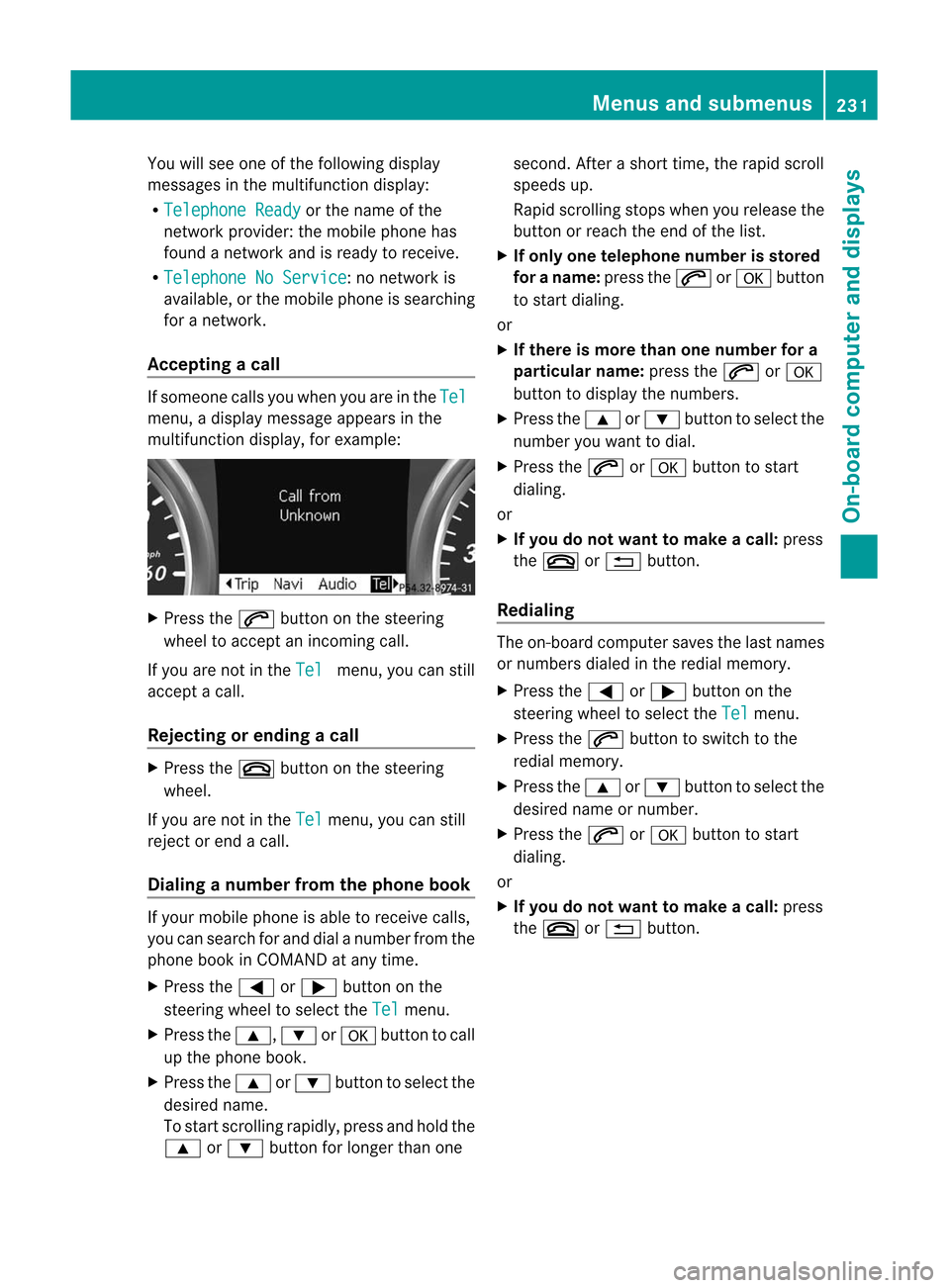
Accepting acall If
someo necall syou whe nyou are inthe Tel
menu,
adisplay message appearsinthe
multifunct iondisplay ,for example: X
Press the6 button onthe steerin g
wheel toaccept anincomin gcall.
If you arenot inthe Tel menu,
youcan still
accept acall.
Rejecting orending acall X
Press the~ button onthe steeri ng
whe el.
If you arenot inthe Tel menu,
youcan still
reject orend acall .
Di alin ganumbe rfrom thephone book If
you rmobile phone isable toreceive calls,
you can search forand dialanumber fromthe
phone bookinCOMAND atany time.
X Press the= or; button onthe
steerin gwheel toselect the Tel menu.
X Press the9, :ora button tocall
up the phone book.
X Press the9 or: button toselect the
desired name.
To start scrolling rapidly,press andhold the
9 or: button forlonger thanone second.
Afterashort time,therapidscroll
spee dsup.
Ra pid scroll ingstops whenyourelease the
button orreach theend ofthe list.
X Ifonl yone telephone numberisstored
for aname: pressthe6 ora button
to start dialing.
or
X Ifther eis more thanone number fora
par ticular name:pressthe6 ora
button todisplay thenumbers.
X Press the9 or: button toselect the
number youwant todial.
X Press the6 ora button tostart
dialing.
or
X Ifyou donot want tomak eacall: press
the ~ or% button .
Redialing The
on-board comput ersaves thelast names
or numbers dialedinthe redial memory.
X Press the= or; button onthe
steerin gwheel toselect the Tel menu.
X Press the6 button toswitch tothe
redial memory.
X Press the9 or: button toselect the
desired nameornumber.
X Press the6 ora button tostart
dialing.
or
X Ifyou donot want tomak eacall: press
the ~ or% button . Menus
andsubmenus
231On-board computer and displays Z
Page 235 of 396

Acti
vating/d eactivating Lan eKeepi ng
Assis t You
canusethe Lan
e Kee
p. Ass
t. fun
ction
to act ivat e/deac tivat eLan eKee pingAs sis t
(Y page 200)or Active Lan eKee pingAs sis t
(Y page 205).
X Pre ssthe= or; buttonon the
st eer ing whee lto sele ctthe Dri
veAssist men
u.
X Pre ssthe9 or: buttont oselect Lane
Keep. Asst. .
X Press a.
The current selection isdisplay ed.
X Press thea button toconf irm.
X Press the: or9 button toset Off ,
Standard or Adaptive .
X Press thea button tosave thesetting.
If Lane Keeping AssistorAct iveLane keeping
Assist isactivated, themultifunct iondisplay
shows theà symbol whentheignition is
switched on. Service
menu In
the Serv. menu
youcan:
R call updisplay messages (Ypage 238)
R restart thetire pressure losswarning
system (Canada only)(Ypage 357)
R check thetire pressure electronically
(Y page 359)
R call upthe service duedate (Ypage 317) Settings
menu
Introdu ction The Sett. menu
canbeused for:
R changing theinstr ument cluster settings
R changing thelight settings
R changing thevehicle settings
R changing theconv enienc esett ings
R restor ingthe factor ysett ings
Instrum entcluster Selecting
theunit ofmeasur ementfor
distance
The Display
UnitSpeed-/Odome ter: funct
ionallows youtochoose whether
cert aindisplay sappear inkilometers ormiles.
The selected unitofmeasurement for
distance appliesto:
R the digital speedometer inthe Trip menu
R the odometer andthetrip odometer
R the trip computer
R the current consumpt ionand therange
R the navigation instruction inthe Navi menu
R DIS TRONIC PLUS
R ASS YST PLUS service intervaldisplay
X Press the= or; button onthe
steerin gwheel toselect the Settings
menu.
X Press the: or9 button toselect the Instr.
cluster submenu.
X Press thea button toconf irm. Menus
andsubmenus
233On-board computer and displays Z
Page 236 of 396

X
Press the: or9 button toselect the Display
UnitSpeed-/Od ometer funct
ion.
You willsee theselected setting: km or
miles .
X Press thea button tosave thesetting.
Selecting theperm anent display function
The Permanent
Display: funct
ionallows
you tochoose whether themultifunc tion
display alwaysshows theoutside
temperat ureorthe speed inkm/ h(USA) or
mph (Canada).
X Press the= or; button onthe
steerin gwheel toselect the Settings
menu.
X Press the: or9 button toselect the Instr.
cluster submenu.
X Press thea button toconf irm.
X Press the: or9 button toselect the Permanent
display funct
ion.
You willsee theselected setting Outside
Temperatu
re or Speedomet
er[km/h]: .
X Press thea button tosave thesetting.
Lights Switching
thedayt imerunning lampson/
off
This funct ionisnot availabl ein Canada.
If you have activat edthe Daytime Running
Lights: funct
ionand thelight switch isin the
c orà position, thedaytime running
lamps areswitched onautomatically during
the day when theengine isrunnin g.
In the dark, thefollowing alsolight up:
R the low-beam headlamps
R the parking lamps
R the taillamps
R the license platelamp
R the side marker lamps X
Press the= or; button onthe
steerin gwheel toselect the Sett. menu.
X Press the: or9 button toselect the Lights submenu.
X Press thea button toconf irm.
X Press the: or9 button toselect the Daytime
RunningLights: funct
ion.
You willsee theselected setting: Enabled
or Disabled .
X Press thea button tosave thesetting.
Switching AdaptiveHighbeam Assiston/
off
X Press the= or; button onthe
steerin gwheel toselect the Sett. menu.
X Press the: or9 button toselect the Lights submenu.
X Press thea button toconf irm.
X Press :or9 toselect the Adaptive
HighbeamAssist: funct
ion.
You willsee theselected setting: Enabled
or Disabled .
X Press thea button tosave thesetting.
Setting thebright nessofthe ambient
lighting
X Press the= or; button onthe
steerin gwheel toselect the Settings
menu.
X Press the: or9 button toselect the Lights submenu.
X Press the: or9 button toselect Ambient
light .
You willsee theselected setting.
X Press thea button toconf irm.
X Press the: or9 button toadjust the
brightn esstoany level from Off to Level
5 (bright).
X Press thea or% button tosave the
sett ing. 234
Menus
andsubmenusOn-board computer and displays
Page 237 of 396

Setting
theambient lightingcolor
X Press the= or; button onthe
steering wheeltoselect the Settings
menu.
X Press the: or9 button toselect the Light submenu.
X Press thea button toconf irm.
X Press the: or9 button toselect the Ambient
lightcolor funct
ion.
X Press thea button toconf irm.
X Press the: or9 button toset the
color to SOLAR , NEUTRAL or POLAR .
X Press thea or% button tosave the
settin g.
Activating/deactivating surround
lighting andexterior lightingdelayed
switch-off
If you have activated the Lighting: funct
ion
and thelight switch isin the c orÃ
position, thefollowing functionsareactive
when itis dark:
R Surr ound lighting: theexterior lighting
remains litfor 40seconds afterunlocking
with thekey. Ifyou start theengine, the
surround lightingisswitched offand the
automatic headlampmode isactivated
(Y page 110).
R Exterior lightingdelayed switch-off: the
exterior lightingremains litfor 60seconds
after theengine hasbeen switched off.If
you close allthe doors, theexterior lighting
goes offafter 15seconds.
If you activate the Lighting: funct
ion,the
following lightupdepending onthe vehicle's
equipment:
R the parking lamps
R the daytime runninglamps
R the side marker lamps
R the surround lightinginthe exterior mirrors
X Press the= or; button onthe
steering wheeltoselect the Sett. menu.
X Press the: or9 button toselect the Lights submenu. X
Press thea button toconf irm.
X Press the: or9 button toselect the Locator
Lighting: funct
ion.
You willsee theselected setting: Enabled
or Disabled .
X Press thea button tosave thesettin g.
Deactivat ingdelay edswitch-of fofthe
exterior lightingtemporarily:
X Before leaving thevehicle, turnthe
SmartK eytoposition 0in the ignition lock.
X Turn theSmartK eytoposition 2in the
ignition lockandback toposition 0.
The exterior lightingdelayedswitch-off is
deactivated.
Delayed switch-off ofthe exterior lightingis
reactivated thenext time youstart the
engine.
Activating/deactivating theinterior
lighting delayed switch-off
If you activate the Interior
Lighting Delay funct
ion,theinterior lighting remains
on for 20seconds afteryouremove the
SmartK eyfrom theignition lock.
X Press the= or; button onthe
steering wheeltoselect the Settings
menu.
X Press the: or9 button toselect the Lights submenu.
X Press thea button toconfirm .
X Press the: or9 button toselect the Interior
LightingDelay: funct
ion.
You willsee theselected setting: Enabled
or Disabled .
X Press thea button tosave thesettin g.
Vehicle Activating/deactivating
theautom atic
door locking feature
If you select the Automatic
DoorLock: funct
ion,thevehicle iscent rally locked above
a speed ofaround 9mph(15 km/ h). Menus
andsubm enus
235On-board computer and displays Z
Page 238 of 396

i
For
furth erinfor mationonthe automa tic
locki ngfea ture ,see (Ypage 79).
X Pres sthe = or; button onthe
stee ring wheelto sel ect the Sett
ings menu
.
X Pres sthe : or9 button tosel ect the Vehi
cle su
bme nu.
X Pres sthe a button toconfir m.
X Pres sthe : or9 button tosel ect the Auto
maticDoor Lock functi
on.
You willsee theselected setting : Enab
led or Disa
bled .
X Pres sthe a button tosav ethe setting .
Ac tivati ng/deac tivati ngthe acoustic
lo cki ng veri ficatio nsig nal
If yo uswi tch onthe Acou
stic Lock feed
back functi
on,anaco ustic signal sou nds
whe nyou lock thevehicle.
X Press the= or; button onthe
steerin gwheel toselect the Settings
menu.
X Press the: or9 button toselect the Vehicle submenu.
X Press thea button toconf irm.
X Press the: or9 button toselect the Acoustic
Lockfeedback: funct
ion.
You willsee theselected setting: On or
Off .
X Press thea button tosave thesetting.
Activating/deactivat ingthe radarsensor
system
The following systemsareswitched offwhen
the radar sensor system isdeactivated:
R DIS TRONIC PLUS(Ypage 169)
R BAS PLUS (Ypage 62)
R PRE-S AFE®
Brake (Ypage 65)
R Blind SpotAssist (Ypage 198)
R Act ive Blind SpotAssist (Ypage 202) i
USA
only: Thisdevice hasbeen approved
by the FCC asa"Vehicular RadarSyst em".
The rada rsensor isint ended foruse inan automot
iveradar system only.Removal,
tamperin g,or altering ofthe device willvoid
any warrant ies,and isnot permit tedbythe
FCC. Donot tamper with,alter, oruse in
any non-approved way.
An yunauthoriz edmodificat iontothis
device couldvoidtheuser's authorit yto
operate theequipment. i
Canada
only:
This device complies withRSS-210of
Indust ryCanada. Operation issubject to
the following twoconditions :
1. This device maynotcause harmful
int erferen ce,and
2. this device mustaccept anyinterferen ce
received, includinginterferen cethat may
cause undesired operation.
An yunauthoriz edmodificat iontothis
device couldvoidtheuser's authorit yto
operate theequipment.
X Press the= or; button onthe
steer ingwheel toselect the Setting
s menu.
X Press the: or9 button toselect the Vehicle submenu.
X Press thea button tocon firm.
X Press the9 or: button toselect Radar
Sensor (SeeOper. Manual) : .
You willsee theselect edsett ing: Enabled
or Disable
d .
X Press thea button tosave thesetting.
Convenienc e Activating/d
eactivatingthe EASY-
ENTR Y/EXIT feature
You canusethe Easy Entry/E
xit: func
tion
to activat eor deactivat ethe EASY ENTRY/
EXIT feature (Ypage 102). G
WARN
ING You
must make surenoone canbecome
trapped orinjur edbythe movin gsteer ing 236
Menus
andsubm enusOn-board computer and displays