2012 MERCEDES-BENZ GL-Class Mp3
[x] Cancel search: Mp3Page 145 of 210

i
Con necting aco mple tely disc harg ediPod
or MP3 player canresult inan extend ed
ini tializ ation per iod.
Er ror mes sage sappear whilethedev iceis
bein gact ivat edif:
R COMA NDdoes notsuppor tthe device
conn ected (External Device Unavailable ).
R two devices areconn ected simultaneously
(Please makesurethatonlyone device
isconnected ).
R the conn ected device consumes toomuch
power.
R the Media Interface connection isfaulty.
i Ifnecessary, consultanauthorized
Mercedes-Ben zCent er. Switches
onMedia Interfa cemode
General notes In
ext reme cases, startingupindividual
func tionscan take uptoseveral minutes–
this depends onthe external device andits
con tent(e.g. video podcasts ).
Only usetheoriginal software tostor edata
on your iPods andMP3 players. Otherwise,
some orall func tionsmay notbeavailable.
Opt ions forswitching on Opt
ion 1
X Connec tan ext ernal device (Ypage 142).
COMAND activatesthe device. Thebasic
display thenappears.
Opt ion 2
X Press theh functionbutton oneormore
times.
By pressing theh function button
repeatedly, youcan change theoperatin g
mode inthe following order:
R audio CD/DVD/MP3 (disc)
R SD memory cardmode R
MUSIC REGISTE R
R Media Interface mode
Opt ion 3
X Press thex number key.
This direct lyselect sthe con nected external
audio equipment.
Opt ion 4
X Use the9: buttonsto select the
ent ryunder position 0int he media list
(Y page 132)andpress the9button to
confirm .
COMAND activatestheconn ected device.
You willsee amessage tothis effect .The
basic displa ythen appea rs.
If no device isconn ected, youwillsee the
Media Int. entr
yinstead ofadevice
name. Example
ofMedia Interface display (iPod®
mode)
: Type ofdata medium
; Track number
= Track name
? Visual timedispla y
A Elapsed tracktime(also informat
00:0 0:00 foraudi obooks)
B Visual trackdispla y
C Current playback settin gs(no icon for
"Normal tracksequence")
D Sound settings
E Media list
F Album name(ifsuppli ed)
G Categories, playlists and/or folders Media
Interface mode
143Audio Z
Page 146 of 210

H
Artis t(ifsupplied)
I Playback options
Type ofdevic e: con nected isindic ated by
the correspo ndingicon foriPod ®
,MP3 player
or USB mass storage device.
i Ifthe devic econ nected does notcontain
any playable track s,amess ageappears to
this effect . Selecting
music files
Not es COMA
NDdisplays thedata stored onthe
iPod ®
,MP3 player orUSB mass storage
devic eacc ordin gto the filingst ruct ureused
in the respe ctive medium.
Selecting byskip ping toatrac k X
To skipfo rwa rds orbac kwards toa
trac k:pre ssthe ; or= button.
or
X Pre ssthe F orE button.
Skip ping forwa rdski ps tothe next track.
Skip ping backwa rdsskips tothe beginning
of the curre nttra ck ifthe track hasbe en
pl ay ing formor etha neight seco nds.Ift he
track hasbeen playingforless than eight
seconds, itskips tothe start ofthe previous
track .Ify ou have selected aplayb ack
option otherthanNormal Track Sequence ,
the track sequence israndom.
Selecting usingthenumber keypad X
To mak eane ntr y:press theU button .
An input menu appears. Thenumber of
charact ersavailable forinput depends on
the number ofstor edtrac ks.
X To enter atr ack number :press anumber
key, such asq.
The digit isent ered inthe first position in
the input line. i
COMAND willignore andnotdisplay an
invalid digit.
X Ifdesired, enterfurth erdigits.
X To confirm anentry :press the9button
or press andhold thenumber key
corr espondin gto the last digit ofthe
desired tracknumbe r.
The selected track isplayed.
Fast forwar d/rewind X
Wit hth edisp lay/s election win dow active,
pre ssthe; or= buttonr epeatedly
until youreach thedesired position.
or
X Press andhold theF orE button
until thedesired position hasbeen
reached.
i OnaniPod ®
,the fast rewind function can
only beused within thecurren tlyplaying
trac k. Selecting
acatego ry/play list/fol der
iPo d®
and selected MP3 playe rs You
canselect tracks foraniPo d®
and MP3
pla yera ccord ingtocate goriesand folder s.
Ca tego riescan include:
R Curr entTracklist R
Play lists (e
.g. All )
R Arti sts R
Albu ms R
Trac ks R
Podc asts R
Genr es R
Comp osers R
Audi obooks i
Some play ba ck cate goriescontai nthe
All entr
y.Ifthis entryhas been selected,
the entire contentofthe category selected
will beplay ed. 144
Media
Interface modeAudio
Page 148 of 210

X
To switchto the supe rordinate folde r:
sel ect the U iconu sing the9:
buttons andpress the9button toconfirm.
i The U iconisalwa yslisted rightatthe
top ofthe respective folder. Playing
thecontent ofacategory or
folder
X Select acategory orfolder.
X Press the9button forlonger thantwo
seconds.
The cont entofthe category orfolder
selected isplay edinaccordance withthe
play back option (Ypage 147)selected. Alphabetical
track sele ction
iPod ®
and MP3 player This
function isavail able foralpha betically
sorted categories andfolders. Thisfunction
is not avail able foralbu msorplay lists, for
example.
X Select acategory, e.g.Artists .
The avail able artists appear.
X Press thecorresponding numberkeyonce
or several timestoselect thefirst letter of
the artist's name(e.g.foranartist
beginning withtheletter "C",press number
key l three times).
You seetheavail able letters atthe bottom
edge ofthe displa y.
X Press the9button.
Aft eramessage, thefirst entry inthe list
which matches theletter entered is
highlig hted.
i Ifthere isno entry which matches the
letter which hasbeen entered, thelast
entry inthe listwhich matches aprevious
letter ishighlig hted.
i For iPods ®
and MP3 players, thequal ity
of the search results ishighly dependent on
the version andlangua gevariant ofthe software
(e.g.iTunes ®
version) usedto
popul atethe device.
USB mass storage devices This
function isavail able foralpha betically
sorted directories. Thisfunction isnot
avail able foralbu msorplay lists, forexample.
X In adirectory, pressthecorresponding
number keyonce orseveral timestoselect
the first letter ofthe artist's name(e.g.for
an artist beginning withtheletter "C",press
number keyl three times).
You seetheavail able letters atthe bottom
edge ofthe displa y.
If the directory onlycontains folders,
COMAND searchesforfolders. Aftera
message, thefirst entry found which
matches theletters entered appearsfirst in
the list.
If there isno entry beginning withtheletter
entered, thelast entry beginning withthe
previous letterisshown atthe top ofthe
list. Selec
tinganactive partition (forUSB
mass storage devices only)
You canselect thisfunction forUSB mass
storage devices whenthestorage deviceis
partitioned. Uptofour partitions (primaryor
logical andFAT- formatted) aresupported.
i The Windows formattingprogram
supports FATpartitions ofup to32 GB as
standard.
X Select Media Int. in
the basic displa y
using the:=; buttonsand
press the9button toconfirm.
X Select Select ActivePartition using
the 9: buttonsandpress the9
button toconfirm. 146
Media
Interface modeAudio
Page 149 of 210
Playback
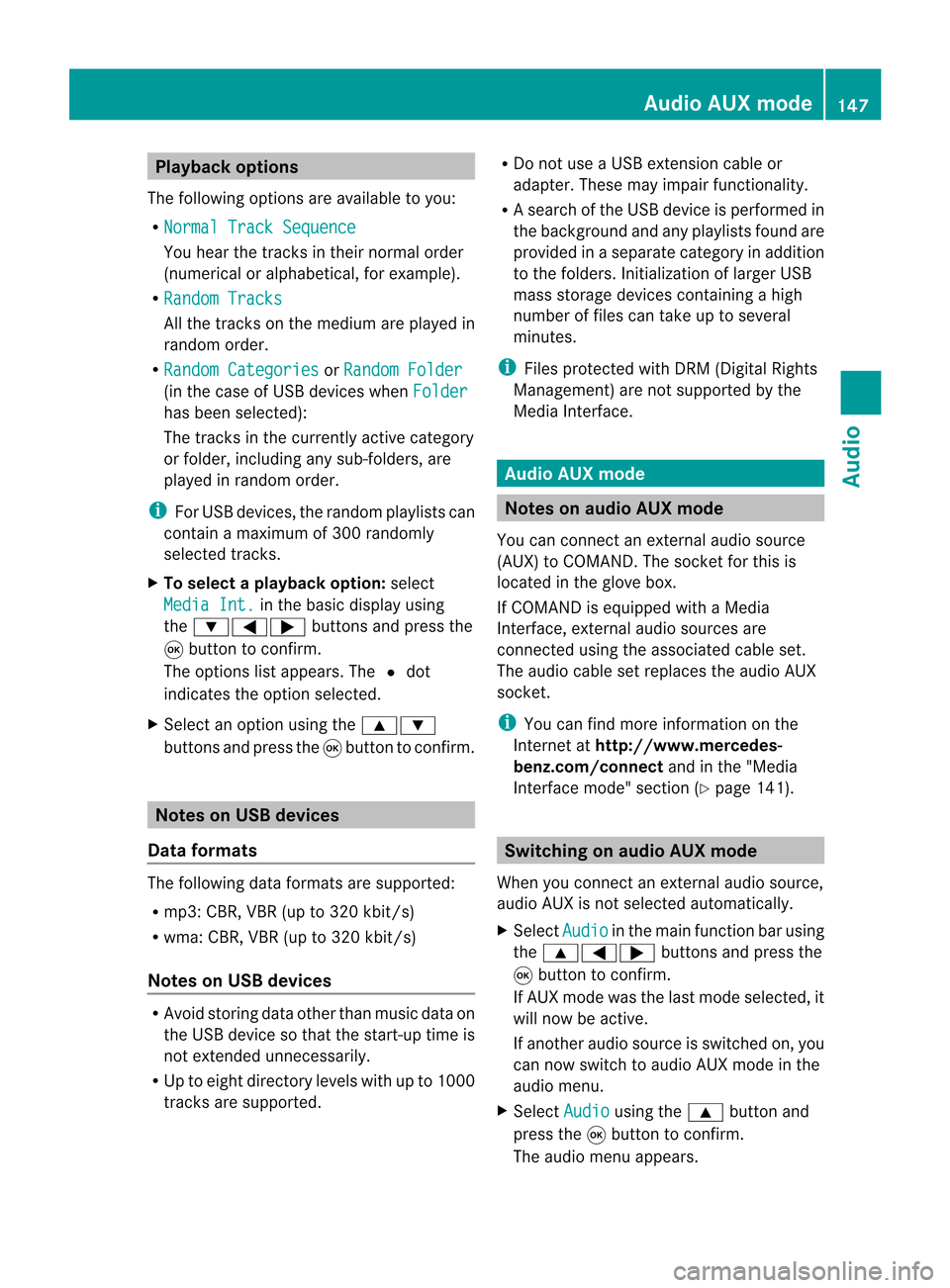
options
The following optionsareavaila bletoyou:
R Normal TrackSequence You
hear thetrack sin their normal order
(numerical oralphab etical,forexample).
R Random Tracks All
the track son the medium areplay edin
random order.
R Random Categories or
Random Folder (in
the case ofUSB devices whenFolder has
been selected):
The track sin the current lyactive category
or folder, including anysub-folders, are
play edinrandom order.
i ForUSB devices, therandom playlists can
cont ainamaximum of300 randomly
selected tracks.
X To selec ta playback option:select
Media Int. in
the basic display using
the :=; buttonsandpress the
9 button toconf irm.
The options listappears. The#dot
indicates theoption selected.
X Select anoption usingthe9:
buttons andpress the9button toconf irm. Notes
onUSB devices
Data forma ts The
following dataformats aresupported:
R mp3: CBR,VBR(upto320 kbit/ s)
R wma: CBR,VBR(upto320 kbit/ s)
Notes onUSB devices R
Avoid storing dataother thanmusic dataon
the USB device sothat thestart- uptime is
not exten dedunnecessarily.
R Up toeight directory levelswithupto1000
track sare supported. R
Do not use aUSB exten sioncable or
adapter. Thesemayimpair functionality.
R As earch ofthe USB device isperform edin
the backgr oundandanyplaylists foundare
provided inaseparate categoryin addition
to the folders. Initialization oflarger USB
mass storage devices containin gahigh
number offiles cantake uptoseveral
minut es.
i Files protec tedwith DRM (Digital Rights
Managemen t)are not supported bythe
Media Interface. Audio
AUXmode Notes
onaud ioAUX mode
You canconnectan ext ernal audio source
(AUX) toCOMAND .The sock etfor this is
located inthe glove box.
If COMAND isequipped withaMedia
Int erface, external audio sources are
con nected using theassociated cableset.
The audio cablesetreplaces theaudio AUX
sock et.
i You canfind more information onthe
Int ernet athtt p://ww w.mer cedes-
benz.com /connectand inthe "Media
Int erface mode" section(Ypage 141). Switching
onaud ioAUX mode
When youconnectane xterna lau dio sou rce,
au dio AUX isnot selecte dau toma tically.
X Sel ect Aud io in
the mainfunctio nbarusin g
th e9=; buttons and pres sth e
9 buttonto confirm .
If AU Xmod ewas thelast mod eselec ted, it
will nowbe act ive.
If ano ther audio sourceisswit ched on,you
can nowswit chtoaudio AUXmod ein the
audio menu.
X Sel ect Audio usin
gth e9 buttonand
pres sth e9 buttonto confirm .
The audio menuappear s. Aud
ioAUX mode
147Aud io Z
Page 153 of 210
There
isarisk ofbeing distract edfrom the
road andtraff iccondit ionsifthis isdone while
the vehicle isin motion . Notes
aboutdiscs
Playba ckproblems mayoccur whenplaying
copied discs.Therearealarge variety of
discs, DVDauthoring software,writing
software andwriters available.This variety
means thatthere isno guarantee thatthe
system willbeable toplay discs thatyouhave
copied yourself.
! Donot affix stick ersorlabels tothe discs,
as they could peeloffand damage
COMAND .Stic kers cancause thedisc to
bend, which canresult inread errors and
disc recogn itionproblems.
! COMAND isdesigned toaccommo date
discs which comply withtheEN6090 8
standard. Youcantheref oreonly usediscs
with amaximum thickness of1.3 mm.
If you insert thickerdiscs, e.g.those that
cont aindata onboth sides (DVD onone
side andaudio dataonthe other), they
cann otbe eject edand candamage
COMAND .
Use round discswithadiameter of12 cm.
Do not use discs withadiameter of8cm,
even withanadapter. DVD
playback conditions
There arevideo DVDsavaila bleonthe market
which donot conf orm tothe curren t
standards.
These DVDscan create picture, soundor
other problems duringplayback.
COMAND canplay back video DVDs
produced accordingto the following
standards:
R region code1orregion code0(no reg ion
cod e) i
Ifyo uins ert avid eo DVD with adi ffer ent
reg ionc ode, youwillsee amessage tothis
effect .
R PAL orNTSC standard
You willgenerally findtherelevant details
either onthe DVD itself oron the DVD case.
i COMAND isset toregion code1at the
factor y.This settingcan bechanged atan
authorized Mercedes-B enzCenter. Thiswill
allow youtoplay video DVDswith a
different regioncode,provided thatthey
are produced inaccordanc ewith thePAL
or NTSC standard. Theregion codecanbe
changed uptofive times. Function
restrictions
Dependin gon the DVD ,it is possible that
cert ainfunct ionsoractions willbe
temporarily blockedormay notfunct ionatall.
As soon asyou trytoactivate thesefunctions
or actions ,you willsee theKsymbol inthe
display . Inserting
andremoving DVDs
X Proceed asdescribed inthe "Insert ingand
eject ingCDs andDVD s"section
(Y page 127). Switching
tovideo DVDmode
Option 1 X
Insert avideo DVD(Ypage 127).
COMAND loadsthemedium insertedand
start sto play it.
Option 2 X
Press theh functionbutton .
COMAND switchestothe disc mode last
set (audi oCD, audio DVD,MP3 CD, video
DVD )or Media Interface. COMAND
accesses alldiscs inthe DVD changer. Video
DVDmode
151Video Z
Page 155 of 210
?
Media selection
A Sound settings Fast
forward ing/rew inding
X Press andhold the= or; button
until thedesired position isreached.
or
X Press andhold theE orF button
until thedesired position isreached.
You seethenavigation menu. Selec
tingavideo DVD
X Show themen u(Y page 152).
X Selec tMedi a and
press the9butt onto
con firm .
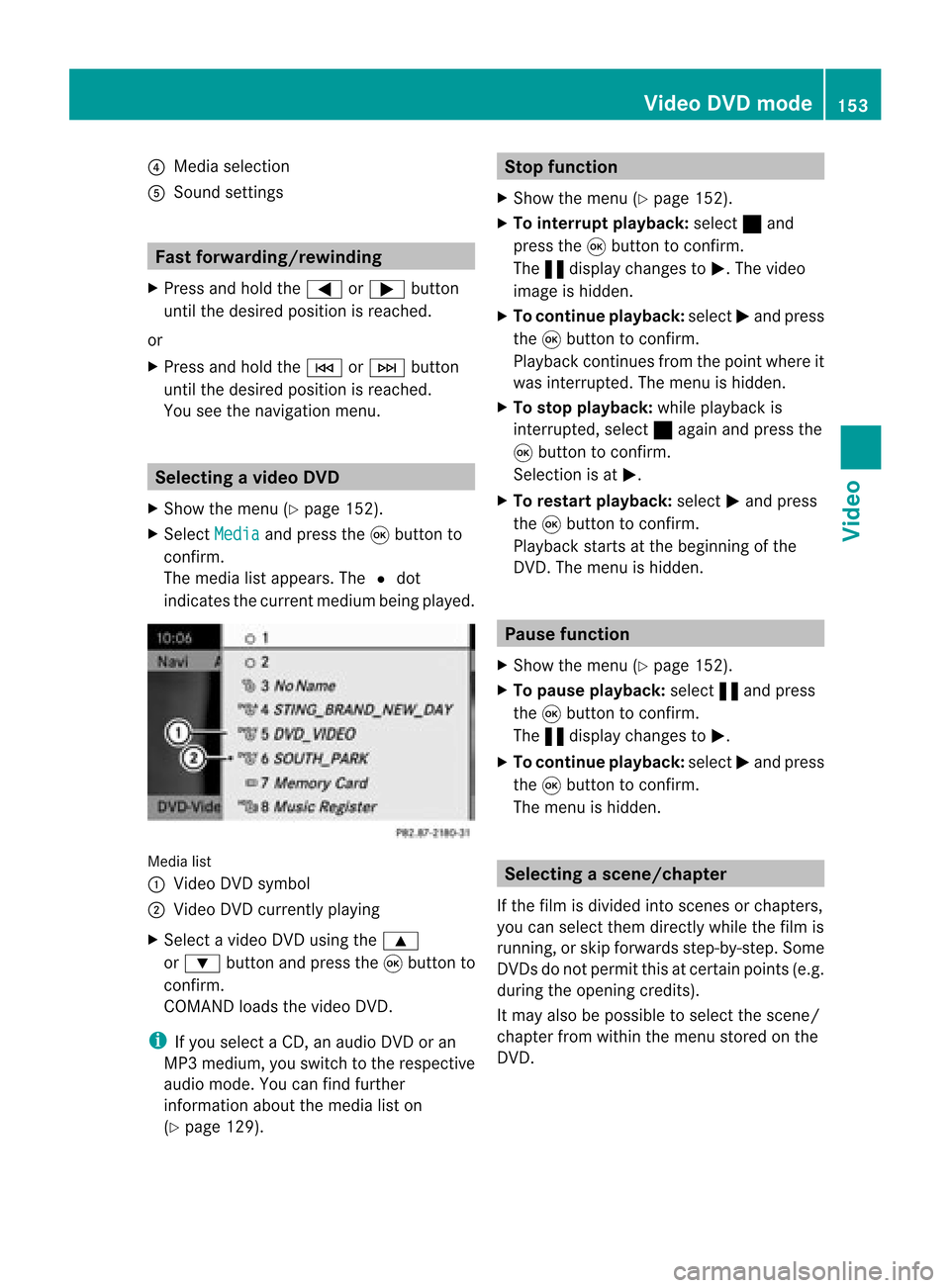
The media listappears. The#dot
indic atesthecurr entmedium beingplayed. Media
list
: Video DVDsymbol
; Video DVDcurrentlyplaying
X Selec tavideoDVD using the 9
or : button andpress the9button to
confirm.
COMAND loadsthe vide oDVD.
i Ifyou selectaCD, anaudio DVD oran
MP3 medium,youswitch tothe respe ctive
au dio mode. Youcanfind further
informati onabo utthe medi alist on
(Y page 129). Stop
function
X Sho wthe men u(Y page 152).
X To inter rupt pla yback :selec t± and
press the9butt ontocon firm .
The «display changestoM.T hevideo
image ishidden.
X To continue playback: selectMand press
the 9button toconfirm .
Play back continues fromthepoint where it
was interrupted. Themenu ishidden.
X To stop playback: whileplayback is
interrupted, select±again andpress the
9 button toconfirm .
Selection isat M.
X To restar tplayback: selectMand press
the 9button toconfirm .
Play back starts atthe beginning ofthe
DVD .The menu ishidden. Pause
function
X Show themenu (Ypage 152).
X To pause playback: select«and press
the 9button toconfirm .
The «displa ychanges toM.
X To continue playback: selectMand press
the 9button toconfirm .
The menu ishidden. Selec
tingascene/ch apter
If th efilm isdivi ded intosc en es orchapt ers,
you can selectthem dire ctly while thefilm is
run ning,or skip for wards step- by-s tep. So me
DV Ds donotpermit thisatcert ainpoint s(e.g.
during theopenin gcredit s).
It may alsobepossible toselect thescen e/
chapter fromwithin themenu storedon the
DVD . Vid
eoDVD mode
153Vid eo Z
Page 161 of 210

COMAN
Dfea tures ........ .......... ........... 160
Gener alinfor mation <0023002300230023002300230023002300230023002300230023002300230023
002300230023002300230023002300230023> 160
Basic functions <0023002300230023002300230023002300230023002300230023002300230023
0023002300230023002300230023002300230023002300230023002300230023
0023> 161
System settings <0023002300230023002300230023002300230023002300230023002300230023
0023002300230023002300230023002300230023002300230023002300230023> 163
Audio CD/DVD andMP3 mode ........ 164
Video DVDmode <0023002300230023002300230023002300230023002300230023002300230023
002300230023002300230023002300230023002300230023002300230023> 169
AUX mode <0023002300230023002300230023002300230023002300230023002300230023
0023002300230023002300230023002300230023002300230023002300230023
0023002300230023002300230023002300230023> 173 159Rear
Entert ainmentSystem
Page 164 of 210
Adj
usting thesoun dsettings
You canselec tthe sound settingsinthe audi o
CD/DV D/MP3, TV,video DVDandAUX
modes.
X Switch onanoperating mode(e.g.CD
mode).
X Select Treble or
Bass using
the :=; buttonsonthe remote
cont roland press the9button toconfirm .
An adjustment scaleappea rs.
X Select asettin gusing the9:
buttons andpress the9button toconfirm . Multiple
users
Simulta neoususeofthe rear-
compart mentdiscdrive i
The two rear-compart mentscreens can
be operated almostentirely independently
from oneanother. However, therecanbea
conflict insome menus ifthe two screens
are used simultaneously .
If the rear-compart mentdiscdrive isbeing
used forboth screens simultaneously ,
selecting certainmenusorsettin gson one of
the screens alsoaffects theother screen.
The following functionsaffect bothscreens:
R changing playback options
R selecting atrack (from atrack listorfolder)
R using play,pause andstop
R fast <0006000F001200170001001200040009000E000700240012000500170009000E
00040009000E0007> orscrolling
R calling upthe DVD menu andnavigating
within it
R settin gthe language ,subtitles andcamera
angle
R calling upinteract iveDVD content
The following functionsaffect onlyone
screen:
R audi oand video functionsaswell aspicture
settin gs
R switching betweenfullscreen andthe
screen showing themenu Switching
betweenoperat ingmodes When
youexit anoperating mode(e.g.audio
CD mode), thecurrent settingis saved. Ifyou
call upthis operating modeagainlater,there
are two possibili ties:
R the operating modehasbeen changed on
the other screen.
R the operating modehasnotbeen changed.
In the first case, theoperating modeappears
as itis on the other screen.
In the second case,thesettin gappea rson the
screen asitwas when youlast exited the
operating mode. Picture
settings
Overview You
canselect thesesettingsinvideo DVD
and AUX mode. Instructions forAUX mode
(Y page 31).
Adjust ingthe brightness, contrastand
colo r X
Switch onvideo DVDmode.
X To show themenu: pressthe9button
on the remote control.
or
X Select Menu while
thenavigation menu
(Y page 152)isshown andpress the9
button toconfirm .
X Select DVD-Video using
the :=; buttonsandpress the
9 button toconfirm .
X Select Brightness ,
Contrast or
Color and
press the9button toconfirm .
An adjustment scaleappea rs.
X Select thesettin gand press the9button
to confirm . 162
Basic
functionsRearEnterta inment System